
The Gigabyte 25″ 200Hz GS25F2 Gaming Monitor is built for gamers who want smooth and fast gameplay. It features a 25-inch display with Full HD resolution for clear and detailed visuals. This monitor gives you sharp images with excellent color quality. With its ultra-fast 200Hz refresh rate, the Gigabyte 25″ 200Hz GS25F2 Gaming Monitor reduces motion blur and screen tearing. Gamers will enjoy smooth and responsive action in every game they play. It also features a 1ms response time, which helps reduce lag and ghosting during fast movements. As a result, every action appears more accurate and real-time. The Gigabyte 25″ 200Hz GS25F2 Gaming Monitor supports AMD FreeSync for tear-free visuals. This ensures that the screen refresh rate matches the graphics card’s performance. Moreover, the monitor has built-in gaming features like crosshairs and timers to improve your gaming experience. These tools give players an edge during competitive gameplay. The sleek and modern design of this gaming monitor fits perfectly in any gaming setup. It includes a thin bezel for a more immersive viewing experience. Additionally, it has multiple input ports like HDMI and DisplayPort for easy connection to your devices. You can connect it to your PC, console, or laptop quickly. The Gigabyte 25″ 200Hz GS25F2 Gaming Monitor is also designed for long use. It includes low blue light and flicker-free technology to reduce eye strain. In conclusion, this gaming monitor is ideal for gamers who want speed, clarity, and comfort. It’s a great upgrade for serious and casual gamers alike. Specifications: Display : 24.5″ SS IPS Resolution : 1920 x 1080(FHD) Refresh Rate : 200 Hz Response Rate : 1ms (GTG) Speaker : 2x 2W

GAMDIAS 7 Colour Backlit Gaming USB Mechanical Keyboard with 87 Keys, Blue Switches, Anti-ghosting, Multimedia Control Key with Metal Plate, Combo (Multicolour, Hermes E2) About this item Certified mechanical blue switches feature a 50 Million actuation lifecycle Neon Light Spectrum- 7 colors backlight Elegant metal plate mechanical keyboard for added durability N-key rollover Compact 87 Keys Keyboard : By using small tenkeyless keyboard can save the space, and also makes the keyboard and mouse to become closer, so you can maximize the comfort and accuracy of your operation

Genuine-spec touchpad flex cable for MacBook Pro 13″ (Model A1502, Mid 2014)—restores full trackpad functionality, including precise cursor control and physical click response. Essential for repairing unresponsive or erratic trackpad behavior. Compatible With: MacBook Pro 13-inch (Mid 2014, Model A1502, Model Identifier MacBookPro11,1) with Intel Core i5/i7 processors and Retina display. Part Type: Touchpad flex cable only — does not include the trackpad housing, button mechanism, or mounting hardware. This is the ribbon cable that connects the trackpad to the logic board. Function: Transmits cursor movement and click signals (left/right physical clicks) Supports standard multi-touch gestures (two-finger scroll, tap-to-click, pinch-to-zoom) ⚠️ Note: This model uses a physical click mechanism—not Force Touch (no haptic feedback or pressure sensitivity). Transmits cursor movement and click signals (left/right physical clicks) Supports standard multi-touch gestures (two-finger scroll, tap-to-click, pinch-to-zoom) ⚠️ Note: This model uses a physical click mechanism—not Force Touch (no haptic feedback or pressure sensitivity). OEM-Quality Build: Matches Apple’s original in: Cable length and routing path Connector type and pin alignment Insulation and flexibility for long-term reliability Cable length and routing path Connector type and pin alignment Insulation and flexibility for long-term reliability Common Use Cases: Replacing a torn, frayed, or corroded original flex cable Fixing: Unresponsive or intermittent trackpad Cursor jumping or drifting Click function failure (left or right) Complete trackpad disconnect Replacing a torn, frayed, or corroded original flex cable Fixing: Unresponsive or intermittent trackpad Cursor jumping or drifting Click function failure (left or right) Complete trackpad disconnect Unresponsive or intermittent trackpad Cursor jumping or drifting Click function failure (left or right) Complete trackpad disconnect Installation Note: Requires bottom case removal and battery disconnect. Connects via a ZIF (Zero Insertion Force) socket on the logic board—do not force. Cable routes under the battery; handle with care to avoid strain. Suitable for intermediate to advanced DIYers or technicians. Requires bottom case removal and battery disconnect. Connects via a ZIF (Zero Insertion Force) socket on the logic board—do not force. Cable routes under the battery; handle with care to avoid strain. Suitable for intermediate to advanced DIYers or technicians.

The ViewSonic 23″ 60Hz Monitor is perfect for work, gaming, and entertainment. With its clear and vibrant display, you can enjoy all your favorite activities with stunning visuals. This monitor features a Full HD resolution of 1920×1080 pixels, ensuring sharp and detailed images. Whether you’re editing photos, watching movies, or browsing the web, the ViewSonic 23″ 60Hz Monitor delivers an impressive visual experience. With a 60Hz refresh rate, the ViewSonic 23″ Monitor provides smooth and fluid motion. This makes it ideal for gaming and fast-paced videos, reducing blur and ensuring you don’t miss any action. The ViewSonic 23″ 60Hz Monitor has a slim and sleek design that fits perfectly on any desk. Its narrow bezel adds to its modern look and allows for a more immersive viewing experience. Featuring multiple connectivity options, including HDMI and VGA ports, the ViewSonic 23″ 60Hz Monitor is compatible with a variety of devices. This makes it easy to connect your computer, gaming console, or other multimedia devices. Designed with user comfort in mind, the ViewSonic 23″ 60Hz Monitor includes a flicker-free display and blue light filter. These features help reduce eye strain during extended use, allowing you to work or play for longer periods comfortably. In conclusion, the ViewSonic 23″ 60Hz Monitor offers excellent performance, vibrant visuals, and user-friendly features. Upgrade to this monitor today and enjoy a superior viewing experience for all your needs. Specifications: Display : 23″ IPS Resolution : FHD 1920 x 1080 Refresh Rate : 60Hz Response Rate : 6ms GTG

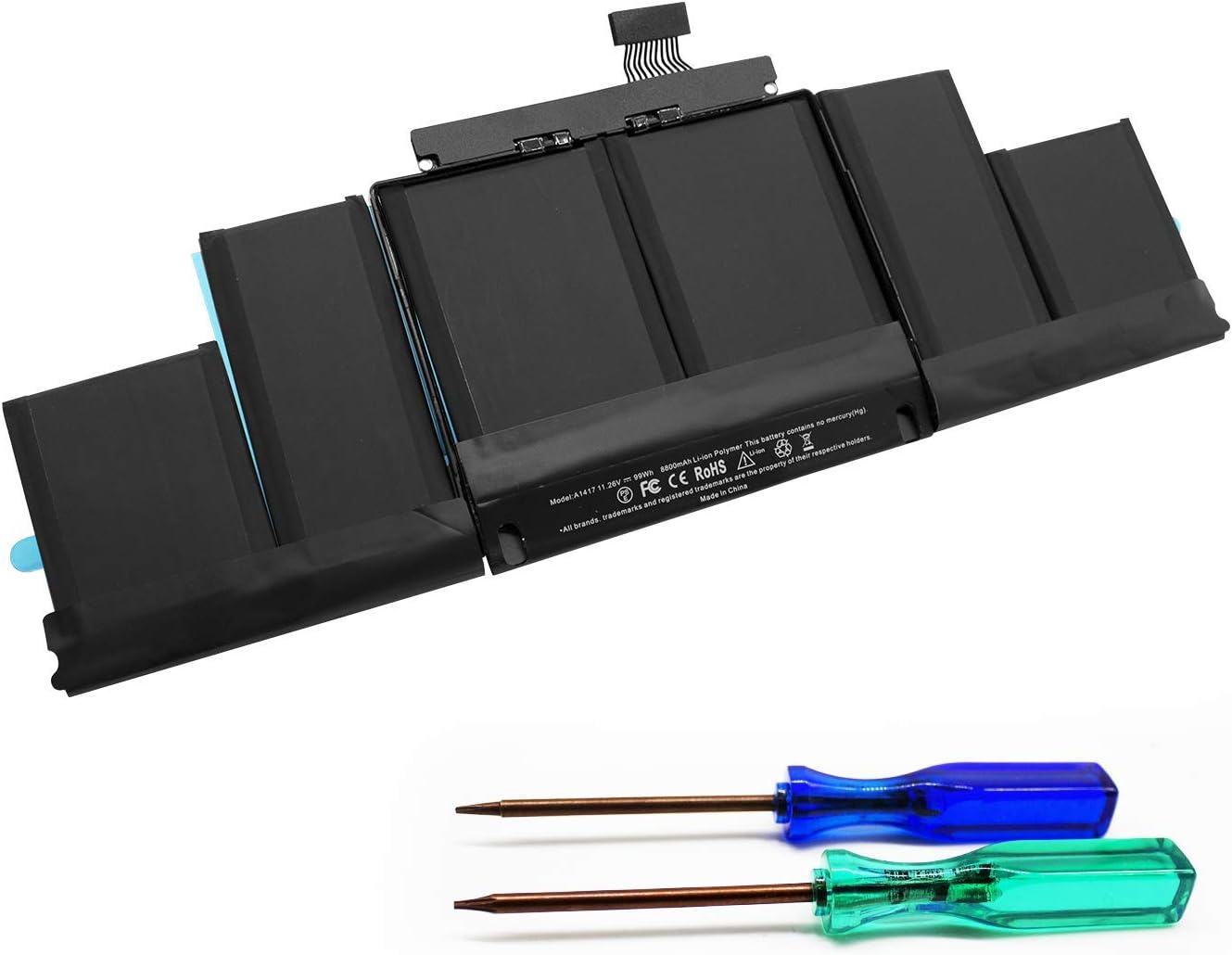
MacBook Pro A1708 Battery A1713 for MacBook Pro 13 Inch A1708 Late 2016 Mid 2017 (EMC 2978 3164), A2171 Laptop Replacement Battery for MacBook Pro 13 Inch A2159 (2019) A2289 (2020) A2338 (2020) 【Macbook pro 13 Inch battery A1713 & A2171 Battery Specification】– Voltage: 11.4V. Capacity: 54.5Wh / 4781mAh, Battery Type: Li-ion 【Newest 4.0 upgraded OEM Battery for Apple macbook pro】– Japan High Performance Electric Core. Cobalt Proportion: >98%. Upgrade chip. Up to 1500+ recharge cycles over the life of the battery. Overcharger and Discharger Circuit Protection, Ensure fast charges and low power consumption, UL-/CE-/FCC-/RoHS-Certified for safety 【Replacement Battery A1713 for A1708 Macbook pro 13 inch】– A1708 Macbook pro 13” Late 2016: MacBook Pro 13-Inch “Core i5” 2.0 & MacBook Pro 13-Inch “Core i7” 2.4 (MacBookPro13,1, EMC2978, MLL42xx/A, MLUQ2xx/A). — A1708 Macbook pro 13” Mid 2017: MacBook Pro 13-Inch “Core i5” 2.3 & MacBook Pro 13-Inch “Core i7” 2.5 (MacBookPro14,1, EMC3164, MPXQ2xx/A, MPXR2xx/A, MPXT2xx/A, MPXU2xx/A) 【Replacement Battery A2171 for A2159 & A2289 & A2338 Macbook pro 13 inch】– A2159 Macbook pro 13” 2019: MacBook Pro 13-Inch “Core i5” 1.4 Touch & “Core i7” 1.7 Touch (MacBookPro15,4, EMC3301, MUHN2xx/A, MUHP2xx/A, MUHQ2xx/A, MUHR2xx/A, MUHR2xx/B). — A2289 Year 2020: MacBook Pro 13-Inch “Core i5” 1.4 & “Core i7” 1.7 (MacBookPro16,3, EMC 3456, MXK32xx/A, MXK52xx/A, MXK62xx/A, MXK72xx/A). — A2338 Year 2020: MacBook Pro 13-Inch “M1” 8-Core 3.2 (MacBookPro17,1, EMC3578, MYDA2LL/A*)

The Apildella 14″ Triple Laptop Screen Extender gives your laptop three screens for better productivity. It allows you to work faster and more comfortably. The extender adds two extra displays around your laptop screen. This creates a wider workspace for all your tasks. Moreover, the Apildella Triple Laptop Screen Extender offers clear and bright visuals. Each screen delivers sharp quality for work, gaming, and media. The colors stay consistent across all panels. This helps you focus on your tasks with ease. In addition, the screens connect through simple USB-C or HDMI. The setup process is quick, and you can start using it instantly. There is no need for heavy software. This makes the extender ideal for travel and office use. Furthermore, the Apildella 14″ Triple Laptop Screen Extender works with many laptops. It supports Windows, macOS, and some mobile devices. This wide compatibility makes it useful for students, creators, and professionals. It helps you multitask with less stress. Also, the extender features a foldable and lightweight design. You can pack it in your laptop bag easily. It fits well in small workspaces. This makes it great for remote work and travel. The Apildella Triple Laptop Screen Extender also allows adjustable viewing angles. You can tilt the screens to get a comfortable view. This helps reduce eye strain during long hours of use. It improves your overall productivity. Overall, the Apildella 14″ Triple Laptop Screen Extender gives you more space, better multitasking, and stronger efficiency. It upgrades your laptop into a full workstation instantly. It is perfect for work, study, design, and streaming anywhere you go. Specifications: Display : 14″ Resolution : FHD 1920×1080 Refresh Rate : 60Hz Compatible with 13″ to 17″ laptops, windows/mac

OEM-quality trackpad replacement (without flex cable) for MacBook Pro 14″ (Model A2442, 2021, M1 Pro/Max) in Space Gray finish—engineered for precise Force Touch response, smooth multi-touch gestures, and seamless integration with the original chassis. Compatible With: MacBook Pro 14-inch (2021, Model A2442) with Apple M1 Pro or M1 Max chip. Part Type: Trackpad only—does not include the flex cable, Taptic Engine, or mounting brackets. Designed for professional technicians who will reuse or transfer the original internal components. Finish: Space Gray—matches the Space Gray MacBook Pro 14″ for flawless aesthetic continuity. (Note: Apple uses color-matched trackpads, and Space Gray units require this specific finish.) Force Touch Support: Fully compatible with pressure-sensitive input and haptic feedback when paired with the original Taptic Engine and logic board—ensuring full macOS gesture functionality. Precision Engineering: Features the same glass surface texture, curvature, and micro-click mechanism as Apple’s original—delivering consistent tracking accuracy and tactile feel. Installation Requirements: Requires complete bottom case disassembly and careful transfer of the original flex cable and Taptic Engine. Proper adhesive application is critical to maintain structural integrity and sensor alignment. Recommended for certified or experienced repair technicians only.

The Samsung QLED 50″ 4K UHD Smart TV Q7 Series QA50Q7FAUXTW delivers a premium viewing experience with advanced QLED display technology. It produces bright, sharp, and colorful images, so movies, sports, and games look clear and detailed on the 50-inch screen. QLED technology uses Quantum Dot enhancement to improve brightness and color accuracy. As a result, visuals appear more vibrant and balanced across both dark and bright scenes. This helps maintain consistent picture quality in different lighting conditions and content types. Vision AI enhances picture and sound in real time. It analyzes each scene and automatically adjusts brightness, sharpness, and color for optimal results. Therefore, the TV consistently delivers improved visuals without manual tuning. In addition, AI upscaling improves lower-resolution content closer to 4K quality for better clarity and detail. HDR support expands contrast and color depth, making visuals more dynamic and lifelike. Fast motion handling also improves clarity, which enhances sports and action content by reducing blur and improving smoothness. The Smart TV platform provides easy access to streaming apps, gaming features, and smart home controls. It runs smoothly and allows quick switching between applications. In addition, the slim design with thin bezels gives the Samsung QLED 50 4K UHD Smart TV Q7 Series QA50Q7FAUXTW a modern and premium appearance suitable for any living space. Overall, this Samsung QLED TV combines strong brightness performance, AI optimization, and smart connectivity for a powerful home entertainment experience. Specifications: QLED technology delivers bright and vivid picture quality 50-inch 4K UHD display provides immersive viewing experience Vision AI enhances picture and sound automatically in real time HDR improves contrast, brightness, and color depth Smart TV platform supports apps, streaming, and smart features

GSAN GS-3021 POS All in One Touch 15.6" - Intel i5 - 8GB - 128GB SSD with Customer Display Main Board: POS motherboard CPU: I5-3RD GEN Memory: DDR3 8GB Hard Disk: 128GB Power: External power supply Input: 110V-240V 50/63Hz 2A Output: 12V DC 8A 96W MAX Interface: 6 USB port 1 LAN port

LG 27 inch 4K IPS Monitor 27UP850N-W is designed for sharp visuals, productivity, and content work. It features a 27-inch UHD IPS display with accurate color performance. Additionally, it supports HDR10 and USB Type-C connectivity. Therefore, it works well for office use, creative tasks, and media viewing. The LG 27UP850N-W delivers 3840 × 2160 resolution with a 60Hz refresh rate and 5ms response time. Moreover, it includes VESA DisplayHDR 400 and DCI-P3 95% color coverage for improved color accuracy. It also provides USB-C with up to 90W power delivery, HDMI, and DisplayPort inputs. In addition, it supports AMD FreeSync for smoother visuals during light gaming and video playback. Furthermore, it includes ergonomic adjustments such as height, tilt, and pivot support. As a result, users can maintain a comfortable viewing position during long work sessions. It also includes built-in features like Reader Mode and Black Stabilizer for eye comfort and better detail visibility. manufacturer link Specifications: 27-inch 4K UHD (3840 × 2160) IPS display VESA DisplayHDR 400 with DCI-P3 95% color gamut USB Type-C with up to 90W power delivery 60Hz refresh rate with AMD FreeSync support Height, tilt, and pivot adjustable ergonomic stand

Huawei IdeaHub Board 2 86-inch display delivers an immersive teaching and collaboration experience with large 4K visuals. It helps teachers present clearly and engage students effectively. As a result, classrooms benefit from better interaction and visibility. The 86-inch screen features 4K UHD resolution with zero-gap laminated glass. Therefore, it reduces reflection and improves clarity. Moreover, the D-LED backlight and 60Hz refresh rate ensure stable and consistent visuals. It supports up to 20 touch points using infrared multi-touch technology. In addition, smart handwriting recognition and annotation allow natural writing. The low latency writing response improves accuracy during lessons. The system includes a quad-core processor with 4GB RAM and 32GB storage. Consequently, it runs applications smoothly. It supports Android, Windows, iOS, and macOS for flexible integration. It also includes key capabilities such as 4K UHD resolution, multi-touch interaction, smart annotation tools, wide connectivity options, and cross-platform support. Huawei IdeaHub Board 2 86-inch display is built to enhance collaboration and simplify teaching. Specifications: 86-inch 4K UHD display with 3840 × 2160 resolution Supports up to 20 touch points with infrared technology Zero-gap laminated glass with D-LED backlight Low latency writing with smart annotation support Quad-core CPU with 4GB RAM and 32GB storage

The MSI MAG 275QF X24 27″ 240Hz 2K Gaming Monitor offers fast refresh and crisp visuals. Firstly, it features a 27‑inch display with sharp 2560×1440 resolution. Also, the 240 Hz refresh rate guarantees smooth motion in fast games. Moreover, a 1 ms GtG response time delivers quick reaction during intense battles. In addition, it uses an IPS panel for vibrant colors and wide viewing angles. Furthermore, Adaptive‑Sync helps reduce screen tearing and visual stutter. Thus, you get clean and smooth gameplay at all times. Another highlight is the sturdy stand with tilt, height, and swivel adjustments. So, you can find your ideal ergonomic viewing position easily. Also, the monitor includes low‑blue‑light and anti‑flicker tech to protect your eyes. Therefore, long gaming sessions become less tiring and more comfortable. Plus, it offers DisplayPort and HDMI ports for easy multi‑device support. This lets you connect both gaming PC and console without hassle. The MSI MAG 275QF X24 features RGB ambient backlighting to enhance your setup. Hence, it creates an immersive lighting environment behind the screen. Also, the monitor’s slim bezels provide a sleek, modern look. Additionally, its on‑screen display is intuitive and easy to use. Moreover, MSI’s GameSense overlays show real‑time game info like FPS or timers. In short, these features give you an edge in competitive play. Furthermore, Night Vision mode brightens dark in‑game scenes without overexposure. Thus, you can spot enemies clearly even in shadowy maps. Also, the matte screen finish helps cut down glare from room lighting. As a result, you stay focused without distraction. The MSI MAG 275QF X24 delivers top performance at a 240 Hz refresh. To conclude, it is a smart choice for serious gamers seeking speed and quality. Finally, it balances fast gameplay, sharp visuals, and user comfort perfectly. Specifications: Display : 27″ Rapid IPS Resolution : 2560 x 1440 (WQHD) Refresh Rate : 240Hz Response Rate : 0.5ms (GTG)

2022 Original New 13" A2681 LCD Screen for MacBook Air M2 EMC 4074 A2681 LCD Screen Replacement 2022 Original New 13″ A2681 LCD Screen for MacBook Air M2 EMC 4074 A2681 LCD Screen Replacement Compatible Model: For MacBook Air 13″ M2 A2681 Screen Display Replacement 2022 Year (Silver) Item Condition: New; Screen Size: 13.6″; Resolution: 2560×1664; Color: Silver.(This is the display replacement accessory is not a laptop) Note: Please be careful to take the screen out of the box. This product should be very careful when installed, we are not responsible for the damage in the process of installation. Please confirm the model and color before buying, do not buy the wrong product. If you have any questions, please get in touch with us.

The ViewSonic VP2768A 2K 27″ monitor delivers professional-grade color accuracy for creators. First, it features Pantone validation and factory-calibrated colors for precise visuals. The monitor offers 2560×1440 resolution, 60Hz refresh rate, and ergonomic adjustments. In addition, it supports multiple connectivity options including HDMI, DisplayPort, and USB-C for flexible setups. Moreover, slim bezels and an anti-glare panel provide a comfortable viewing experience. Therefore, designers, photographers, and video editors can work with consistent colors and enhanced productivity. Specifications: 27″ 2K display with Pantone-validated color for accurate visuals 60Hz refresh rate and ergonomic adjustments for comfortable use Multiple connectivity options: HDMI, DisplayPort, USB-C Anti-glare panel and slim bezels for a better viewing experience Factory-calibrated colors enhance workflow for designers and editors

Ready to elevate your digital workspace to new heights? Meet the ViewSonic 27″ 60Hz Touch Monitor TD2760, designed to revolutionize your computing experience. With its intuitive touch functionality, this monitor offers unparalleled convenience and versatility. Transitioning smoothly between tasks is effortless with the TD2760’s responsive touch screen. Whether you’re browsing the web, editing documents, or creating digital art, interaction feels natural and intuitive. Furthermore, its expansive 27-inch display provides ample screen real estate for multitasking and immersive viewing experiences. Dive into your work or entertainment content with crisp, clear visuals and vibrant colors. Moreover, the TD2760’s ergonomic design ensures comfortable viewing for extended periods. Easily adjust the monitor’s tilt angle to suit your preferred working position, reducing strain on your neck and eyes. In addition, connectivity options such as HDMI and USB-C offer seamless compatibility with a variety of devices, including laptops, desktops, and smartphones. Effortlessly mirror or extend your screen to enhance productivity or share content with ease. Transitioning to the touch aspect, the TD2760’s precise touch response allows for accurate input, whether you’re tapping, swiping, or drawing. Navigate menus, annotate documents, or play touchscreen-enabled games with unparalleled precision and responsiveness. In conclusion, the ViewSonic 27″ 60Hz Touch Monitor TD2760 is a game-changer for digital professionals and enthusiasts alike. With its seamless touch functionality, expansive display, and ergonomic design, it redefines the way you interact with your digital world. Upgrade your workspace today and experience the difference firsthand. Specifications: Display : 27″ VA Resolution : FHD(1920×1080) Refresh Rate : 60Hz Response Rate : 6ms

The LG 34U530A-W 34″ WFHD IPS 100Hz Monitor delivers wide and immersive visuals that enhance work, entertainment, and gaming experiences. Its 34-inch ultra-wide display provides a larger view area that helps with multitasking, productivity, and movie watching. Moreover, the WFHD resolution ensures clear and detailed images so you can see content with accuracy and sharpness. This monitor features an IPS panel that offers wide viewing angles and consistent color performance, making it suitable for creative work, office tasks, and everyday use. Additionally, the 100Hz refresh rate delivers smoother motion during gaming and video playback compared to standard displays. The sleek white design fits easily into modern home and office setups without taking up too much space. The LG 34U530A-W includes multiple connectivity options that allow you to connect laptops, desktops, and other devices with ease. Furthermore, its ergonomic tilt adjustment helps maintain comfortable viewing during long sessions. Therefore, it is ideal for home users, students, professionals, and gamers who want a versatile monitor. Finally, it combines immersive wide visuals, smooth performance, and user-friendly design for everyday use. Specifications: 34″ ultra-wide WFHD monitor IPS panel with wide viewing angles 100Hz refresh rate for smoother motion Sleek design with versatile connectivity Comfortable for work, entertainment, and gaming

Genuine-spec touchpad flex cable for MacBook Pro 16″ (Model A2141, 2019, Intel)—essential for restoring full Force Touch functionality, haptic feedback, and precise multi-touch gesture control during trackpad repair or replacement. Compatible With: MacBook Pro 16-inch (2019, Model A2141) with Intel Core i7/i9 processors (Model Identifier: MacBookPro16,1) (Note: A2141 is the non-base configuration of the 2019 16″ MacBook Pro—typically higher-end Intel models.) Part Type: Touchpad flex cable only—does not include the trackpad housing, Taptic Engine, or mounting hardware. This is the OEM-style ribbon cable that connects the trackpad to the logic board. Function: Transmits touch coordinates, Force Touch pressure data, and haptic feedback signals—critical for macOS gestures (e.g., Force Click, three-finger lookup, pinch-to-zoom) and Taptic Engine responsiveness. OEM-Quality Construction: Replicated to Apple’s exact specifications—including cable length, connector pitch, EMI shielding, and bend radius—ensuring reliable signal integrity and long-term durability. Common Use Cases: Replacing a torn, creased, or liquid-damaged original flex cable Completing a trackpad replacement when the original cable is compromised Fixing intermittent trackpad behavior, loss of Force Touch, or complete unresponsiveness Replacing a torn, creased, or liquid-damaged original flex cable Completing a trackpad replacement when the original cable is compromised Fixing intermittent trackpad behavior, loss of Force Touch, or complete unresponsiveness Installation Note: Requires full disassembly of the bottom case, speaker removal, and careful routing beneath the battery and logic board. Connectors use ZIF (Zero Insertion Force) sockets—must be aligned and latched gently. Recommended for certified or professional repair technicians only. Important: This is flex cable only—not a complete trackpad assembly. Must be used with the original or compatible A2141 trackpad and Taptic Engine. Not compatible with M1 MacBook Pro 16″ (A2485), 14″ models (A2442), or any MacBook Air. This is flex cable only—not a complete trackpad assembly. Must be used with the original or compatible A2141 trackpad and Taptic Engine. Not compatible with M1 MacBook Pro 16″ (A2485), 14″ models (A2442), or any MacBook Air. Model Verification: Confirm your device is MacBook Pro A2141 (16″, 2019, Intel) via > About This Mac > Model Identifier (should read MacBookPro16,1).

AOC Q27P3CW 27″ QHD monitor with webcam delivers a professional workspace solution with sharp visuals, built-in communication tools, and modern connectivity. It is designed for productivity, remote work, and multitasking environments. Additionally, it features a 27-inch QHD IPS display. This display provides 2560 × 1440 resolution, so it delivers clear detail and accurate colors for work and media. Moreover, it includes a 100Hz refresh rate and 4ms response time. As a result, it ensures smooth visuals and responsive performance during daily tasks. The monitor integrates a 5MP webcam with Windows Hello support. Therefore, it enables secure login and high-quality video calls without extra accessories. In addition, it offers USB-C connectivity with power delivery up to 90W. This allows a single cable to handle display, data, and charging for compatible laptops. Furthermore, it includes built-in dual 5W speakers, USB hub, RJ-45 Ethernet, and multiple display outputs. These features improve workspace efficiency and reduce cable clutter. AOC Q27P3CW 27″ QHD monitor with webcam provides a complete all-in-one display solution for professionals who need clarity, connectivity, and integrated communication tools. Specifications: 27-inch QHD IPS display with 2560 × 1440 resolution 5MP webcam with Windows Hello and built-in microphone USB-C with up to 90W power delivery and data transfer 100Hz refresh rate with 4ms response time Built-in dual 5W speakers, USB hub, and RJ-45 connectivity

7.4V 51WH Laptop Battery G5M10 for DELL Latitude E5450 E5550 Notebook 15.6" G5M10 8V5GX R9XM9 WYJC2 1KY05-SIKER 7.4V 51WH Laptop Battery G5M10 for DELL Latitude E5450 E5550 Notebook 15.6″ G5M10 8V5GX R9XM9 WYJC2 1KY05-SIKER About this item Battery type: Li-ion Capacity:7.4V 51WH 100% New Manufacturer Features 100% Brand Replacement New battery

Apple 60W MagSafe Power Adapter (for MacBook and 13-inch MacBook Pro) The 60 Watt MagSafe Power Adapter features a magnetic DC connector that ensures your power cable will disconnect if it experiences undue strain and helps prevent fraying or weakening of the cables over time. In addition, the magnetic DC helps guide the plug into the system for a quick and secure connection. When the connection is secure, an LED located at the head of the DC connector will light up; an amber light lets you know that your portable is charging, while a green light tells you that you have a full charge. An AC lead is provided with the adapter for maximum lead length, while the AC wall adapter (also provided) gives users an even easier and more compact way to travel. Designed to be the perfect travelling companion, the adapter has a clever design that allows the DC cable to be wound neatly around itself for easy cable storage. This power adapter recharges the lithium polymer battery while the system is off, on, or in sleep mode. It also powers the system if you choose to operate without a battery. Compatible with MacBook and 13-inch MacBook Pro. See this article for more details about choosing the right one. Knowing which specific Mac model you have is important. If you are running OS X Lion (10.7) or later, go to the “” menu at the top left of your screen, choose “About this Mac” then click the “More Info…” button. Your Mac model and generation will be displayed. If you are running an earlier version of OS X, you can enter your serial number here to find out which model you have.
