
Size 34″ Display Type IPS Color Gamut (Typ.) sRGB 99% (CIE1931) Color Depth (Number of Colors) 16.7M Pixel Pitch (mm) 0.312 x 0.310 mm Response Time (GTG) 5ms (GtG at Faster), 1ms MBR Refresh Rate 75Hz Aspect Ratio 21:9 Display Resolution UW-FHD Resolution 2560 x 1080 Brightness 400cd/m² Contrast Ratio 1000:1 Viewing Angle 178º (R/L), 178º (U/D) Surface Treatment Anti-Glare INPUT/OUTPUT HDMI Yes x 1 DisplayPort Yes x 1 USB Type-C Yes (DP Alternate Mode) Headphone Out Yes POWER Type Adapter Input 100-240 Vac, 50/60Hz Power Save/Sleep Mode (Max.) Less than 0.5W DC Off (Max.) Less than 0.3W Power Consumption (Typ.) 30W Power Consumption (Max.) 40W SPECIAL FEATURES Color Weakness Mode Yes Adaptive Sync AMD FreeSync™ Black Stabilizer® Yes Dynamic Action Sync® Yes Crosshair® Yes Flicker Safe Yes Smart Energy Saving Yes Reader Mode Yes Super Resolution+ Yes Color Calibrated Yes Dual Controller Yes OnScreen Control (OSC) Yes HDR (High Dynamic Range) HDR10 VESA DisplayHDR™ DisplayHDR™ 400 HDR Effect Yes Auto Input Switch Yes Motion Blur Reduction Technology Yes FreeSync (Low Frame Compensation) Yes 1ms Motion Blur Reduction Yes SOUND Speaker No Built-in Speaker DIMENSIONS/WEIGHTS With Stand (WxHxD) 32.2″ x 22.4″ x 9.4″ (Up), 32.2″ x 18.0″ x 9.4″ (Down) Without Stand (WxHxD) 32.2” x 14.4” x 1.8” Shipping Dimensions (WxHxD) 37.0″ x 20.3″ x 8.6″ With Stand Weight 17.4 lbs Without Stand Weight 13.2 lbs Shipping Weight 24.0 lbs STAND Display Position Adjustments Tilt/Height CABINET/ACCESSORIES Wall Mount Size (mm) 100 x 100 mm HDMI Yes 3 Years Warranty manufacturer link

The MSI MAG 255XF 24.5″ 300Hz Gaming Monitor is built for speed and precision. It is designed for competitive gamers who need lightning-fast response times. This gaming monitor features a 24.5-inch Full HD IPS panel. It delivers vibrant colors and sharp visuals for an immersive gaming experience. The wide viewing angles ensure consistent picture quality from any position. With a 300Hz refresh rate, this monitor provides ultra-smooth gameplay. Fast-moving scenes appear clear, reducing motion blur and screen tearing. This is perfect for FPS, racing, and esports titles. The 1ms GTG response time minimizes input lag. Every action you make is reflected instantly on the screen. This gives gamers a competitive edge in high-speed games. The MSI MAG 255XF 24.5″ 300Hz Gaming Monitor supports Adaptive Sync technology. It eliminates screen tearing and stuttering, ensuring fluid visuals. This makes every game feel smoother and more responsive. It also features Night Vision technology to enhance dark scenes. You can spot enemies and details clearly, even in low-light gaming environments. The ergonomic design allows tilt, swivel, height, and pivot adjustments. You can set up your monitor for maximum comfort during long gaming sessions. The slim bezels create a modern and sleek look. Connectivity options include DisplayPort and HDMI for seamless device compatibility. The monitor also features USB ports for added convenience. For eye comfort, the anti-flicker and low blue light technology reduce strain. You can enjoy long hours of gaming without discomfort. In conclusion, the MSI MAG 255XF 24.5″ 300Hz Gaming Monitor is the perfect choice for serious gamers. Its high refresh rate, fast response time, and vibrant display make it a top-tier gaming monitor. Specifications: Display : 24.5″ Rapid IPS Resolution : 1920×1080 FHD Refresh Rate : 300Hz Response Rate : 0.5ms

Looking for a monitor that enhances your gaming and multimedia experience? Look no further than the AOC 27B2HM2. With its 27-inch screen size and 100Hz refresh rate, it offers a captivating viewing experience. Transitioning to performance, the 100Hz refresh rate ensures smooth and fluid visuals, eliminating motion blur and screen tearing. Whether you’re gaming, streaming, or watching movies, every frame is displayed with precision and clarity. Moreover, the monitor’s Full HD resolution delivers crisp details and vibrant colors, bringing your content to life. Dive into your favorite games or immerse yourself in cinematic adventures with stunning clarity and realism. In terms of design, the AOC 27B2HM2 features a sleek and modern aesthetic that complements any gaming setup or workspace. Its slim bezels maximize screen real estate, providing an expansive viewing area without distractions. Furthermore, with multiple connectivity options including HDMI and VGA ports, this monitor offers versatility and compatibility with a wide range of devices. Easily connect your gaming console, PC, or laptop and enjoy immersive entertainment. In conclusion, the AOC 27B2HM2 27″ 100Hz Monitor is the perfect choice for gamers and multimedia enthusiasts seeking exceptional performance and stunning visuals. Elevate your viewing experience to new heights with this feature-packed monitor. Specifications: Display : 27″ VA Resolution : 1920 × 1080 (FHD) Refresh Rate : 100Hz Response Rate : 4ms

Genuine-spec touchpad flex cable for MacBook Pro 13″ with Touch Bar (Model A1708, 2016–2017)—restores full Force Touch functionality, haptic feedback, and precise multi-touch gesture control during trackpad repair or replacement. Compatible With: MacBook Pro 13″ (2016) – Model A1708 (Model Identifier: MacBookPro13,1) MacBook Pro 13″ (2017) – Model A1708 (Model Identifier: MacBookPro14,1) (Both years share the same internal trackpad assembly and flex cable.) MacBook Pro 13″ (2016) – Model A1708 (Model Identifier: MacBookPro13,1) MacBook Pro 13″ (2017) – Model A1708 (Model Identifier: MacBookPro14,1) (Both years share the same internal trackpad assembly and flex cable.) Part Type: Touchpad flex cable only — does not include the trackpad housing, Taptic Engine, or mounting hardware. This is the OEM-style ribbon cable that connects the trackpad to the logic board. Function: Transmits: Touch input coordinates Force Touch pressure data Haptic feedback signals to the Taptic Engine Enables full macOS gesture support: Force Click, three-finger lookup, swipe navigation, pinch-to-zoom, and smooth cursor tracking. Touch input coordinates Force Touch pressure data Haptic feedback signals to the Taptic Engine Enables full macOS gesture support: Force Click, three-finger lookup, swipe navigation, pinch-to-zoom, and smooth cursor tracking. OEM-Quality Build: Matches Apple’s original specifications in: Cable length and routing path Connector pitch and ZIF latch design EMI shielding and flex durability Cable length and routing path Connector pitch and ZIF latch design EMI shielding and flex durability Common Use Cases: Replacing a torn, creased, or liquid-damaged original flex cable Completing a trackpad replacement when the original cable is compromised Fixing intermittent trackpad behavior, loss of Force Touch, or complete unresponsiveness Replacing a torn, creased, or liquid-damaged original flex cable Completing a trackpad replacement when the original cable is compromised Fixing intermittent trackpad behavior, loss of Force Touch, or complete unresponsiveness Installation Note: Requires full bottom case removal and battery disconnection. Cable routes under internal components near the right speaker and logic board. Connects via a ZIF (Zero Insertion Force) socket—must be aligned carefully and latched gently. Recommended for experienced or certified technicians only. Requires full bottom case removal and battery disconnection. Cable routes under internal components near the right speaker and logic board. Connects via a ZIF (Zero Insertion Force) socket—must be aligned carefully and latched gently. Recommended for experienced or certified technicians only.

Apple USB-C to Lightning Cable (1m) - With Apple Warranty Apple USB-C to Lightning Cable (1m) – With Apple Warranty Connect your iPhone, iPad or iPod with Lightning connector to your USB-C– or Thunderbolt 3 (USB-C)–enabled Mac for syncing and charging, or to your USB-C–enabled iPad for charging. You can also use this cable with your Apple 18W, 20W, 29W, 30W, 61W, 87W or 96W USB‑C Power Adapter to charge your iOS device and even take advantage of the fast-charging feature on selected iPhone and iPad models.

The AOC G2460PF 24″ gaming LCD monitor offers fast and smooth visuals for competitive play and everyday use. Its Full HD panel displays sharp images and crisp text for work and gaming. In addition, the 144 Hz refresh rate keeps motion fluid, helping reduce blur in fast action scenes. The monitor also supports adaptive sync technology, which helps reduce screen tearing during gameplay. Furthermore, its ergonomic stand allows tilt, swivel, and height adjustments so you can set it to your most comfortable position. The monitor includes DisplayPort, HDMI, and VGA inputs, making it easy to connect gaming consoles, PCs, or media players without extra adapters. Therefore, this model fits well in gaming rooms and workspaces alike. Overall, the AOC G2460PF balances speed, smooth visuals, and flexible connections in a reliable 24‑inch display. Specifications: 24″ Full HD (1920×1080) display with sharp visuals 144 Hz refresh rate for fluid motion in games Adaptive sync support to reduce screen tearing Ergonomic stand with tilt, swivel, height adjustment DisplayPort, HDMI, VGA inputs, ideal for gaming and work

AOC U32V11N 31.5-inch 4K monitor delivers ultra-clear visuals and large screen workspace for productivity and media use. It focuses on high resolution, strong contrast, and comfortable long-term viewing. Additionally, it features a 31.5-inch VA panel with 4K UHD resolution (3840 × 2160). This resolution provides very fine detail and more screen space, so it improves multitasking and content clarity. Moreover, it supports a 60Hz refresh rate with 4ms GtG response time. As a result, it delivers stable performance for office work, design, and general use. The monitor offers a high 3500:1 contrast ratio with HDR10 support and 10-bit color. Therefore, it enhances color depth and improves brightness and dark scene detail. In addition, it includes Picture-by-Picture and Picture-in-Picture modes. These features allow multiple input sources on one screen, so multitasking becomes more efficient. Furthermore, it includes Low Blue Mode and Flicker-Free technology. So it reduces eye strain during long working hours. The design features a three-sided frameless layout with HDMI 2.0 and DisplayPort 1.4 connectivity. It also supports VESA mounting for flexible setup options. AOC U32V11N 31.5-inch 4K monitor provides sharp visuals, strong contrast, and productivity-focused features for everyday professional use. Specifications: 31.5-inch VA panel with 3840 × 2160 4K UHD resolution 60Hz refresh rate with 4ms GtG response time HDR10 support with 10-bit color depth 3500:1 contrast ratio for deeper blacks and detail PIP and PBP multitasking with HDMI and DisplayPort connectivity

A powerful pre-owned Dell Precision 7550 mobile workstation with 15.6" display, 10th Gen Core i7, 16GB RAM, 256GB SSD, and NVIDIA Quadro T2000 4GB—built for engineers, designers, and professionals who need certified performance and reliability.

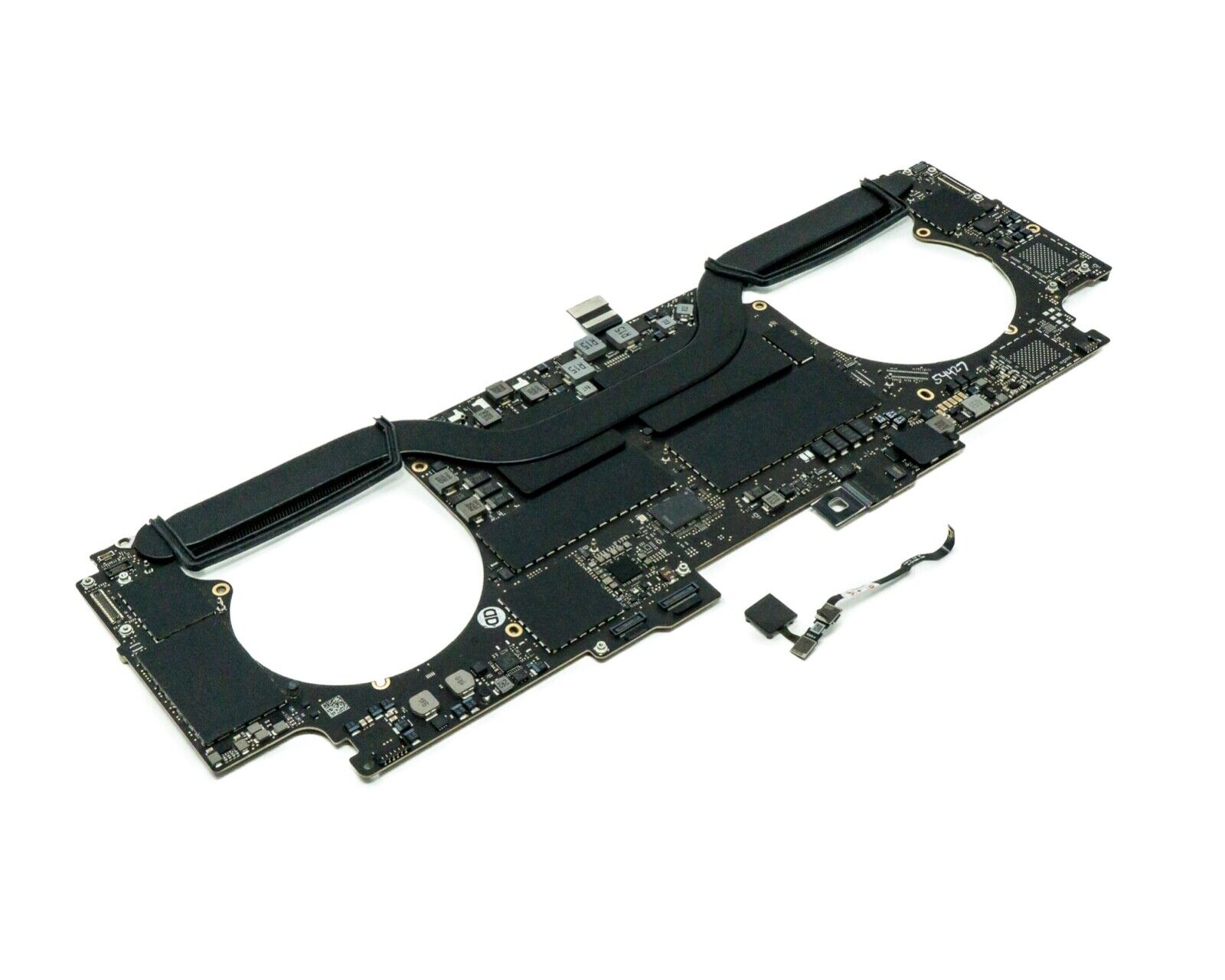
The Apple MacBook Pro 16-inch (2019) is powered by an Intel Core i9 processor, paired with 16GB RAM and a fast 512GB SSD for powerful and reliable performance. Designed for professionals and creatives, it features a premium aluminum build, immersive 16-inch Retina display, and dedicated Radeon Pro graphics for demanding workloads.

Remax F41 6″ Wireless Clamp Fan – USB‑C rechargeable (4,000 mAh), 4 speeds, 720° rotation, up to 3 hrs runtime.Modular 3‑in‑1 design with detachable grille, washable parts, and night‑light feature. Model: Remax F41 6-inch Wireless Air Circulating Clamp Fan Power & Battery: Rechargeable 4,000 mAh battery; USB-C charging (~3 hours to full charge), offers ~3 hours continuous use at high speeds Operation Modes: 4 fan speeds, 3‑in‑1 usage (desktop, clamp, or hanging), 720° wide-angle rotation Design Features: Detachable, washable grille plus built-in warm night light Care Tips: Recharge every two months if unused; avoid inserting objects into blades

MacBook Pro 15″ Top case A1990 2018 2019 MacBook Pro 15″ A1990 MacBookPro15,1 Mid 2018: MR932LL/A or MR962LL/A (2.2 GHz Core i7) MacBookPro15,1 Mid 2018: MR942LL/A or MR972LL/A (2.6 GHz Core i7) MacBookPro15,3 Mid 2018: BTO/CTO (2.6 GHz Core i7) MacBookPro15,3 Mid 2018: BTO/CTO (2.9 GHz Core i9)

WIWU GENIUS COMBO SET BAG WITH MOUSE AND MOUSE PAD FOR 14" LAPTOP/ULTRABOOK - BLACK WIWU GENIUS COMBO SET BAG WITH MOUSE AND MOUSE PAD FOR 14″ LAPTOP/ULTRABOOK – BLACK Details: Material: plaid polyester + metal Mouse: single mode 2.4G Product weight: 14 inch / 465g Product size: 14 inches: 35*25*2cm Handbag+mouse+mouse pad Front layer multi-pocket design Better help classify items Waterproof fabric

The MSI Modern MD272UPHG 27″ 4K Monitor offers sharp visuals and modern design for work and entertainment. It delivers Ultra HD 4K resolution for detailed images and text. This makes it ideal for productivity, creativity, and media use. The 27-inch screen size provides enough space for multitasking. It allows users to work on multiple windows with ease. The slim bezels add to a modern and clean look. The MSI Modern MD272UPHG 27″ 4K Monitor features IPS technology. This ensures wide viewing angles and consistent colors. It is perfect for sharing content or collaborative tasks. With HDR support, colors look more vivid and natural. Contrast is improved for lifelike images and realistic visuals. This enhances both work presentations and entertainment experiences. The monitor includes Eye Care technology for comfort. Blue light reduction and anti-flicker features reduce eye strain. This makes it suitable for long working hours. It also provides ergonomic adjustments for better posture. You can tilt, swivel, pivot, or adjust the height. This helps create a comfortable setup for any workspace. Connectivity options are versatile and convenient. The monitor supports HDMI, DisplayPort, and USB-C connections. It is easy to connect laptops, desktops, or external devices. The design is sleek, modern, and professional. It blends well with both home and office setups. Its sturdy build ensures reliability for everyday use. In short, the MSI Modern MD272UPHG 27″ 4K Monitor delivers sharp resolution, eye comfort, and flexible adjustments. It is a great choice for professionals and everyday users. Specifications: Display : 27″ IPS Screen : 3840 x 2160 (UHD) Refresh Rate : 60Hz Response Rate : 4ms

The Samsung 27″ G60SD QHD OLED Gaming Monitor delivers ultra-fast performance and stunning visuals. First, it features a QHD OLED panel with deep blacks and vibrant colors. The monitor offers a 360Hz refresh rate and ultra-low response time for smooth gameplay. In addition, it supports high performance gaming with sharp details and fluid motion. Moreover, the ergonomic design allows height and tilt adjustments for comfort. Therefore, gamers can enjoy competitive play with fast response, clear visuals, and immersive performance. Specifications: 27″ QHD OLED panel delivers deep blacks and vibrant colors 360Hz refresh rate ensures ultra-smooth and responsive gameplay Ultra-low response time reduces motion blur in fast-paced games Ergonomic design with height and tilt adjustment for comfort High-performance display enhances competitive gaming experience

A compact and durable pre-owned Dell Latitude 7480 with 14" display, 6th Gen Core i5, 8GB RAM, and 128GB SSD—ideal for light office tasks, students, or as a secure secondary business device.

Reliable, compact, and business-focused—the Dell Latitude 5310 features a 10th Gen Intel Core i5 processor, 8GB RAM, and a fast 256GB SSD in a lightweight 13.3-inch design built for everyday productivity.

The MSI MAG 275QPF X30 0.5ms 2K 300Hz Gaming Monitor delivers fast, smooth performance and sharp visuals for serious gamers. Its 27-inch screen with 2K resolution brings games, movies, and work to life with crisp detail and vibrant colors. Moreover, the ultra-fast 300Hz refresh rate helps reduce motion blur and deliver fluid action during intense gaming sessions. This monitor features a 0.5ms response time that allows you to react quickly in fast-paced games, keeping visuals clear even during rapid movement. Additionally, the display supports wide viewing angles and rich color performance, making your experience more engaging whether you play competitive games or watch movies. The sleek design blends well into gaming setups and home offices. The MSI MAG 275QPF X30 also includes multiple connectivity options, making it easy to connect PCs, laptops, and consoles. Furthermore, ergonomic tilt adjustment helps you find a comfortable viewing angle for long sessions. Therefore, it is ideal for competitive and casual gamers alike who value speed and clarity. Finally, it combines fast response, smooth motion, and sharp visuals for great everyday use. Specifications: 27″ 2K gaming monitor 300Hz refresh rate for smooth motion 0.5ms response time for fast action Vibrant visuals and wide viewing angles Multiple connectivity options

MacBook Pro A1706 / A1708 Display Assembly (Space Gray) Compatibility : MacBook Pro 2017 13″ A1708 (EMC 3164 MacBookPro14,1) 2.3 GHz A1708 (EMC 3164 MacBookPro14,1) 2.5 GHz A1706 (EMC 3163 MacBookPro14,2) 3.1 GHz A1706 (EMC 3163 MacBookPro14,2) 3.3 GHz A1706 (EMC 3163 MacBookPro14,2) 3.5 GHz MacBook Pro 2016 13″ A1706 (EMC 3071 MacBookPro13,2) 2.9 GHz A1706 (EMC 3071 MacBookPro13,2) 3.1 GHz A1706 (EMC 3071 MacBookPro13,2) 3.3 GHz A1708 (EMC 2978 MacBookPro13,1) 2.0 GHz A1708 (EMC 2978 MacBookPro13,1) 2.4 GHz

Genuine-spec touchpad flex cable for MacBook Pro 13″ (Model A2338, 2020, Apple M1)—essential for restoring full Force Touch functionality, haptic feedback, and precise multi-touch gesture control during trackpad repair or replacement. Compatible With: MacBook Pro 13-inch (2020, Model A2338, Model Identifier MacBookPro17,1) with Apple M1 chip (2 Thunderbolt ports). Part Type: Touchpad flex cable only — does not include the trackpad housing, Taptic Engine, or mounting hardware. This is the OEM-style ribbon cable that connects the trackpad to the logic board. Function: Transmits: Touch input coordinates Force Touch pressure data Haptic feedback signals to the Taptic Engine Enables full macOS gesture support: Force Click, three-finger lookup, swipe navigation, pinch-to-zoom, and smooth cursor tracking. Touch input coordinates Force Touch pressure data Haptic feedback signals to the Taptic Engine Enables full macOS gesture support: Force Click, three-finger lookup, swipe navigation, pinch-to-zoom, and smooth cursor tracking. OEM-Quality Build: Matches Apple’s original specifications in: Cable length and routing Connector pitch and ZIF latch design EMI shielding and flex durability Cable length and routing Connector pitch and ZIF latch design EMI shielding and flex durability Common Use Cases: Replacing a torn, creased, or liquid-damaged original flex cable Completing a trackpad replacement when the original cable is compromised Fixing intermittent trackpad behavior, loss of Force Touch, or complete unresponsiveness Replacing a torn, creased, or liquid-damaged original flex cable Completing a trackpad replacement when the original cable is compromised Fixing intermittent trackpad behavior, loss of Force Touch, or complete unresponsiveness Installation Note: Requires full bottom case removal and battery disconnection. Cable routes under internal components near the right speaker and logic board. Connects via a ZIF (Zero Insertion Force) socket—must be aligned carefully and latched gently. Recommended for experienced or certified technicians only. Requires full bottom case removal and battery disconnection. Cable routes under internal components near the right speaker and logic board. Connects via a ZIF (Zero Insertion Force) socket—must be aligned carefully and latched gently. Recommended for experienced or certified technicians only. Important Compatibility Notes: ✅ Only for A2338 (13″, M1, 2020) ❌ Not compatible with: Intel-based A2251 / A2289 (2020) MacBook Air M1 (A2337) Any MacBook Air or 14″/16″ MacBook Pro ✅ Only for A2338 (13″, M1, 2020) ❌ Not compatible with: Intel-based A2251 / A2289 (2020) MacBook Air M1 (A2337) Any MacBook Air or 14″/16″ MacBook Pro Intel-based A2251 / A2289 (2020) MacBook Air M1 (A2337) Any MacBook Air or 14″/16″ MacBook Pro

Genuine-spec touchpad flex cable for MacBook Pro 15″ (Model A1990, 2018–2019, Intel)—essential for restoring full Force Touch functionality, haptic feedback, and precise multi-touch gesture control during trackpad repair or replacement. Compatible With: MacBook Pro 15-inch (2018 & 2019, Model A1990, Model Identifiers MacBookPro15,2) with Intel Core i7/i9 processors. Part Type: Touchpad flex cable only — does not include the trackpad housing, Taptic Engine, or mounting hardware. This is the OEM-style ribbon cable that connects the trackpad to the logic board. Function: Transmits: Touch input coordinates Force Touch pressure data Haptic feedback signals to the Taptic Engine Enables full macOS gesture support: Force Click, three-finger lookup, swipe navigation, pinch-to-zoom, and smooth cursor tracking. Touch input coordinates Force Touch pressure data Haptic feedback signals to the Taptic Engine Enables full macOS gesture support: Force Click, three-finger lookup, swipe navigation, pinch-to-zoom, and smooth cursor tracking. OEM-Quality Build: Matches Apple’s original specifications in: Cable length and routing path Connector pitch and ZIF latch design EMI shielding and flex durability Cable length and routing path Connector pitch and ZIF latch design EMI shielding and flex durability Common Use Cases: Replacing a torn, creased, or liquid-damaged original flex cable Completing a trackpad replacement when the original cable is unusable Fixing intermittent trackpad behavior, loss of Force Touch, or complete unresponsiveness Replacing a torn, creased, or liquid-damaged original flex cable Completing a trackpad replacement when the original cable is unusable Fixing intermittent trackpad behavior, loss of Force Touch, or complete unresponsiveness Installation Note: Requires full bottom case removal and battery disconnection. Cable routes under internal components near the right speaker and logic board. Connects via a ZIF (Zero Insertion Force) socket—must be aligned carefully and latched gently. Recommended for experienced or certified technicians only. Requires full bottom case removal and battery disconnection. Cable routes under internal components near the right speaker and logic board. Connects via a ZIF (Zero Insertion Force) socket—must be aligned carefully and latched gently. Recommended for experienced or certified technicians only.
