
The 45W MagSafe 2 Power Adapter features a magnetic DC connector so if someone should trip over it, the cord disconnects harmlessly and your MacBook Air stays put safely. It also helps prevent fraying or weakening of the cables over time. In addition, the magnetic DC helps guide the plug into the system for a quick and secure connection. The 45W MagSafe 2 Power Adapter features a magnetic DC connector so if someone should trip over it, the cord disconnects harmlessly and your MacBook Air stays put safely. It also helps prevent fraying or weakening of the cables over time. In addition, the magnetic DC helps guide the plug into the system for a quick and secure connection. When the connection is secure, an LED located at the head of the DC connector lights up; an amber light lets you know that your notebook is charging, while a green light tells you that you have a full charge. An AC cord is provided with the adapter for maximum cord length, while the AC wall adapter (also provided) gives you an even easier and more compact way to travel. Designed to be the perfect traveling companion, the adapter has a clever design which allows the DC cable to be wound neatly around itself for easy cable storage. This power adapter recharges the lithium polymer battery while the system is off, on, or in sleep mode. It also powers the system if you choose to operate without a battery. Compatible only with MacBook Air featuring MagSafe 2 power port. Knowing which specific Mac model you have is important. If you are running OS X Lion (10.7) or later go to the “” menu at the top left of your screen, choose “About this Mac” then click the “More Info…” button. Your Mac model and generation will be displayed. If you are running an earlier version of OS X, you can enter your serial number here to find out which model you have. Mac Models MacBook Air (13-inch, Early 2015 – 2017) MacBook Air (11-inch, Early 2015)

Genuine-spec touchpad flex cable for MacBook Pro 13″ (Model A2289, 2020, Intel)—restores full Force Touch functionality, haptic feedback, and preci multi-touch gesture control. OEM-quality replacement for damaged or faulty original cables. Compatible With: MacBook Pro 13-inch (2020, Four Thunderbolt Ports, Model A2289, Model Identifier MacBookPro16,2) with Intel Core i5/i7 processors. Part Type: Touchpad flex cable only — does not include the trackpad housing, Taptic Engine, or mounting hardware. This is the OEM-style ribbon cable that connects the trackpad to the logic board. Function: Transmits: Touch input coordinates Force Touch pressure data Haptic feedback signals to the Taptic Engine Enables full macOS gesture support: Force Click, three-finger lookup, swipe navigation, pinch-to-zoom, and smooth cursor tracking. Touch input coordinates Force Touch pressure data Haptic feedback signals to the Taptic Engine Enables full macOS gesture support: Force Click, three-finger lookup, swipe navigation, pinch-to-zoom, and smooth cursor tracking. OEM-Quality Build: Matches Apple’s original specifications in: Cable length and routing path Connector pitch and ZIF latch design EMI shielding and flex durability Cable length and routing path Connector pitch and ZIF latch design EMI shielding and flex durability Common Use Cases: Replacing a torn, creased, or liquid-damaged original flex cable Completing a trackpad replacement when the original cable is unusable Fixing: Intermittent or erratic trackpad behavior Loss of Force Touch or haptic feedback Complete trackpad unresponsiveness Replacing a torn, creased, or liquid-damaged original flex cable Completing a trackpad replacement when the original cable is unusable Fixing: Intermittent or erratic trackpad behavior Loss of Force Touch or haptic feedback Complete trackpad unresponsiveness Intermittent or erratic trackpad behavior Loss of Force Touch or haptic feedback Complete trackpad unresponsiveness Installation Note: Requires full bottom case removal and battery disconnection. Cable routes under internal components (speaker, logic board)—must follow original path. Connects via ZIF (Zero Insertion Force) socket—align carefully, never force. Recommended for experienced or certified technicians only. Requires full bottom case removal and battery disconnection. Cable routes under internal components (speaker, logic board)—must follow original path. Connects via ZIF (Zero Insertion Force) socket—align carefully, never force. Recommended for experienced or certified technicians only. Important Compatibility Notes: ✅ Only for A2289 (13″, 4 Thunderbolt ports, 2020, Intel) ❌ Not compatible with: A2251 (2 Thunderbolt ports, 2020) A2338 (M1 MacBook Pro, 2020) Any MacBook Air or 14″/16″ MacBook Pro ✅ Only for A2289 (13″, 4 Thunderbolt ports, 2020, Intel) ❌ Not compatible with: A2251 (2 Thunderbolt ports, 2020) A2338 (M1 MacBook Pro, 2020) Any MacBook Air or 14″/16″ MacBook Pro A2251 (2 Thunderbolt ports, 2020) A2338 (M1 MacBook Pro, 2020) Any MacBook Air or 14″/16″ MacBook Pro

The Alienware AW2724HF 27″ 360Hz Gaming Monitor is built for serious gamers who want speed and clarity. It features a 27-inch Full HD Fast IPS display with sharp visuals and wide viewing angles. With a 360Hz refresh rate via DisplayPort and up to 255Hz through HDMI, the monitor delivers smooth motion in fast-paced games. A 0.5ms response time reduces blur, making every action look sharp and clear. The monitor supports AMD FreeSync Premium and VESA Adaptive-Sync, helping eliminate screen tearing for smoother gameplay. It also covers 99% of the sRGB color range and supports HDR10, offering rich and vibrant visuals. It comes with plenty of ports, including two DisplayPort 1.4, one HDMI 1.4, four USB 3.2 Gen 1 ports, and one USB upstream. This gives you flexible options to connect accessories and gaming gear. The stand is fully adjustable with options to tilt, swivel, pivot, and adjust height for better comfort. It also supports VESA mounting, allowing you to set it up the way you want. The design features thin bezels, making it great for multi-monitor setups. It also includes game-enhancing tools like crosshair overlays and display modes to give players an edge. Overall, the Alienware AW2724HF combines high refresh rates, fast response, and rich visuals in a sleek and adjustable design, perfect for competitive and casual gamers alike. Specifications: Display : 27″ Fast IPS Resolution : 1920×1080 FHD Refresh Rate : 360Hz Response Time : 0.5ms

WiWU 14-inch & 15.6-inch Minimalist Laptop Sleeve for Macbook Air 2020 Protective Case Minimalist Laptop Sleeve Water resistant polyester+ Fax fur lining Ultra slim design with front pocket Including packing weight:14inch 280g/15.6inch 320g WiWU 14-inch & 15.6-inch Minimalist Laptop Sleeve for Macbook Air 2020 Protective Case

In today’s fast-paced world, a reliable display is essential for work and play. Our LED Monitor 23.8″ 75Hz is your solution. Firstly, this 23.8-inch LED monitor is designed to meet your needs. Its crisp visuals make your content come to life. Whether you’re watching videos, working on documents, or gaming, the 75Hz refresh rate ensures smooth performance. Moreover, the LED technology provides sharp and vibrant colors, enhancing your viewing experience. Say goodbye to dull screens! Setting up this LED monitor is a breeze. With simple plug-and-play connectivity, you can be up and running in no time. Furthermore, the slim and modern design adds a touch of elegance to your workspace. Its compact size fits any desk, saving valuable space. In addition, the monitor comes with a variety of ports, including HDMI and VGA, for maximum compatibility with your devices. The LED Monitor 23.8″ 75Hz is energy-efficient, which means you save on power bills while reducing your carbon footprint. In conclusion, our 23.8-inch 75Hz LED monitor is a cost-effective solution for anyone seeking a crisp, vivid display. MANUFACTURERS LINK YOU CAN ALSO CHECK HERE

Apple MacBook Pro 13” (2015) — reliable performance and classic MacBook design.• Intel Core i5 • 8 GB RAM • 128 GB SSD • Retina DisplaymacOS | Backlit Keyboard

DELL 90W Big/Moti Pin 7.4MM X 5.0MM Laptop Charger for Dell Inspiron N5010 19.5V 4.62A Laptop Adapter with Power Cord Cable,Black

The HP Omen 27″ FHD 165Hz Gaming Monitor delivers smooth, sharp visuals for gaming and everyday use. Its Full HD resolution (1920×1080) shows crisp details in games, videos, and work tasks. The 27-inch screen provides ample space for immersive gameplay or multitasking. This helps you stay focused and engaged. Moreover, the HP Omen 27″ FHD 165Hz Gaming Monitor features a fast 165 Hz refresh rate. This high refresh rate makes motion look fluid and clean on screen. Fast-paced games and action scenes appear smoother and more responsive. This reduces blur and improves reaction time during gameplay. In addition, the monitor offers a 1 ms gray-to-gray response time (with overdrive). This helps reduce ghosting and keeps fast movements clear and sharp. Your controls feel more responsive, which is ideal for competitive games. The monitor also supports adaptive sync technology to cut screen tearing and stutter. Furthermore, the HP Omen 27″ FHD 165Hz Gaming Monitor uses an IPS panel that gives wide viewing angles and good color accuracy. Colors stay consistent even when viewed from sides. This helps when you are reading, editing, or sharing your screen with others. Also, the monitor includes eye-comfort features to ease long sessions. A low-blue-light mode helps reduce eye strain during extended gaming or work hours. The anti-glare screen surface helps in bright rooms too. The design of the HP Omen 27″ FHD 165Hz Gaming Monitor is modern and clean with thin bezels. It fits well on desks of different sizes. The stand is adjustable for comfortable viewing angles, and the build feels sturdy and stable. Overall, the HP Omen 27″ FHD 165Hz Gaming Monitor combines speed, clarity, and comfort. It enhances both gaming performance and daily computing tasks. This monitor is ideal for gamers and users wanting a balanced, responsive, and reliable display. Specifications: Display : 27″ IPS Resolution : 1920×1080 Refresh Rate : 165Hz Response Time : 1ms

Sleek, ultra-thin 24-inch Full HD display with micro-edge design, flicker-free technology, and versatile connectivity—ideal for productivity, home office, or multi-display setups. Model: HP V24v G5 Screen Size: 23.8 inches (viewable), 24-inch class Display Type: IPS (In-Plane Switching) panel Resolution: 1920 x 1080 (Full HD) at 60Hz Brightness: 250 cd/m² Contrast Ratio: 1,000:1 (static), 10,000,000:1 (dynamic) Response Time: 7 ms (gray-to-gray) Viewing Angles: 178° horizontal / 178° vertical (excellent color consistency from wide angles) Design Features: 3-sided micro-edge bezel – ideal for seamless multi-monitor setups Ultra-slim profile – modern, minimalist aesthetic Tilt-only stand: -5° to +25° VESA Mount Compatible: 100 x 100 mm (stand removable) 3-sided micro-edge bezel – ideal for seamless multi-monitor setups Ultra-slim profile – modern, minimalist aesthetic Tilt-only stand: -5° to +25° VESA Mount Compatible: 100 x 100 mm (stand removable) Connectivity: 1 x HDMI 1.4 1 x VGA (D-Sub) Audio Line-out (3.5mm) – for use with external speakers/headphones No built-in speakers 1 x HDMI 1.4 1 x VGA (D-Sub) Audio Line-out (3.5mm) – for use with external speakers/headphones No built-in speakers Eye Comfort & Sustainability: Flicker-free backlight HP Eye Ease (TÜV-certified low blue light mode—reduces eye strain without color distortion) ENERGY STAR® certified Made with post-consumer recycled plastics (up to 85% in enclosure) Flicker-free backlight HP Eye Ease (TÜV-certified low blue light mode—reduces eye strain without color distortion) ENERGY STAR® certified Made with post-consumer recycled plastics (up to 85% in enclosure) Ideal For: Home office & remote work Students and professionals Dual/triple monitor productivity setups Everyday computing, web browsing, and document editing Home office & remote work Students and professionals Dual/triple monitor productivity setups Everyday computing, web browsing, and document editing Dimensions (with stand): 21.26 x 7.76 x 15.83 in (540 x 197 x 402 mm) 21.26 x 7.76 x 15.83 in (540 x 197 x 402 mm) Weight: ~7.5 lbs (3.4 kg)

Genuine-spec touchpad flex cable for MacBook Pro 15″ (Model A1990, 2018–2019, Intel)—essential for restoring full Force Touch functionality, haptic feedback, and precise multi-touch gesture control during trackpad repair or replacement. Compatible With: MacBook Pro 15-inch (2018 & 2019, Model A1990, Model Identifiers MacBookPro15,2) with Intel Core i7/i9 processors. Part Type: Touchpad flex cable only — does not include the trackpad housing, Taptic Engine, or mounting hardware. This is the OEM-style ribbon cable that connects the trackpad to the logic board. Function: Transmits: Touch input coordinates Force Touch pressure data Haptic feedback signals to the Taptic Engine Enables full macOS gesture support: Force Click, three-finger lookup, swipe navigation, pinch-to-zoom, and smooth cursor tracking. Touch input coordinates Force Touch pressure data Haptic feedback signals to the Taptic Engine Enables full macOS gesture support: Force Click, three-finger lookup, swipe navigation, pinch-to-zoom, and smooth cursor tracking. OEM-Quality Build: Matches Apple’s original specifications in: Cable length and routing path Connector pitch and ZIF latch design EMI shielding and flex durability Cable length and routing path Connector pitch and ZIF latch design EMI shielding and flex durability Common Use Cases: Replacing a torn, creased, or liquid-damaged original flex cable Completing a trackpad replacement when the original cable is unusable Fixing intermittent trackpad behavior, loss of Force Touch, or complete unresponsiveness Replacing a torn, creased, or liquid-damaged original flex cable Completing a trackpad replacement when the original cable is unusable Fixing intermittent trackpad behavior, loss of Force Touch, or complete unresponsiveness Installation Note: Requires full bottom case removal and battery disconnection. Cable routes under internal components near the right speaker and logic board. Connects via a ZIF (Zero Insertion Force) socket—must be aligned carefully and latched gently. Recommended for experienced or certified technicians only. Requires full bottom case removal and battery disconnection. Cable routes under internal components near the right speaker and logic board. Connects via a ZIF (Zero Insertion Force) socket—must be aligned carefully and latched gently. Recommended for experienced or certified technicians only.

Experience fluid motion and edge-to-edge clarity with this ultra-smooth 100Hz Full HD display. Featuring a frameless IPS panel and a modern minimalist design, it’s the perfect upgrade for smooth office workflows and casual gaming. Model: Buerotika B24M1 Primary Specs: 23.8-inch (24″ class) Display/Performance: IPS (In-Plane Switching) for superior color accuracy Visual/Build Quality: 1920 x 1080 (Full HD) Resolution Aesthetic: Frameless “Zero-Bezel” design for immersive viewing and seamless multi-monitor setups Build: Ultra-slim profile with a sturdy, modern base Adjustability: Tilt-adjustable stand for ergonomic positioning Input/Output: HDMI and VGA ports for universal compatibility with PCs and laptops Compatibility: Plug-and-play support for Windows and macOS Smooth Motion: 100Hz Refresh Rate (provides significantly smoother scrolling and video compared to standard 60Hz) Eye Care: Low Blue Light technology and Flicker-Free backlight to reduce eye fatigue during long sessions Response Time: 14ms (typical) – optimized for stable, everyday professional use Home & Office: Enhancing productivity with smooth window transitions. Content Consumption: Watching movies and streaming with vibrant IPS colors. Multi-Monitor Arrays: The frameless edges make it ideal for side-by-side configurations. Casual Gaming: A budget-friendly entry into high-refresh-rate smoothness.

The Apple Magic Mouse (USB-C version) is a sleek, minimalist multi-touch wireless mouse built for Mac users. It offers smooth gesture support, Bluetooth connectivity and a built-in rechargeable battery — a great choice if you prefer a clean desk setup and full compatibility with macOS and iPadOS. General Name: Magic Mouse (USB-C) — part of Apple’s pointing-device lineup. Wireless connectivity: Bluetooth. Rechargeable battery: built-in, no disposable AA cells. Charging / port: USB-C port (bottom of mouse) for pairing and charging. Compatibility: Requires a Mac with macOS 15.1 or later, or an iPad with iPadOS 18.1 or later. Size & Weight Height: ~0.85 inch (2.16 cm) Width: ~2.25 inch (5.71 cm) Depth: ~4.47 inch (11.35 cm) Weight: ~0.22 pound (0.099 kg) (varies slightly by manufacturing) Features Multi-Touch surface: supports gestures such as swiping between pages, scrolling through documents, zooming. Glide / foot design: optimized for smooth movement across desktop surfaces. Rechargeable battery life: about a month or more between charges (typical use) per Apple spec. Used Condition ConsiderationsSince you’re specifying a used unit: Check for wear on the bottom feet / skates — these degrade and affect glide. Verify battery capacity / health (rechargeable batteries age). Confirm the port is functioning (USB-C) and Bluetooth connectivity is stable. Look for signs of excessive surface scratches on the multi-touch top — may impair gestures. Ensure the firmware / Mac recognizes it fully (gestures working). Upgradability / Limitations Not user-upgradable: You cannot replace the internal battery or change internals easily. Design limitation: The USB-C port remains on the bottom of the mouse, meaning you cannot use it while charging unless you flip it. This design is still criticized. Ergonomics: The flat, low-profile design is stylish but may not suit extended-use comfort for some users.

The LG UltraGear 24″ 180Hz Gaming Monitor delivers exceptional performance for gamers seeking speed and visual precision. Its 23.8-inch Full HD IPS display ensures sharp images and vibrant colors from wide viewing angles. With a rapid 180Hz refresh rate and 1ms (GtG) response time, this monitor minimizes motion blur, providing smooth gameplay even in fast-paced scenarios. These features give you a competitive edge by allowing quicker reactions during intense gaming sessions. The monitor supports HDR10 and covers 99% of the sRGB color spectrum, enhancing visual immersion with rich and accurate colors. This ensures that game environments appear more lifelike and engaging. Equipped with both NVIDIA G-SYNC and AMD FreeSync technologies, the UltraGear monitor reduces screen tearing and stuttering. This compatibility ensures a seamless gaming experience across various graphics cards. Its virtually borderless design on three sides offers an immersive viewing experience, making it ideal for multi-monitor setups. The sleek aesthetics complement any gaming or workstation setup. Additional gaming features like Black Stabilizer, Crosshair, and FPS Counter provide enhanced visibility and targeting precision. These tools assist in identifying enemies and maintaining focus during gameplay. The monitor includes both HDMI and DisplayPort inputs, offering flexibility in connectivity options for different devices. This ensures compatibility with various gaming consoles and PCs. In summary, the LG UltraGear 24″ 180Hz Gaming Monitor combines high-speed performance, vivid visuals, and gamer-centric features, making it a solid choice for both casual and competitive gamers. Specifications: Display : 24″ VA Resolution : FHD 1920 x 1080 Refresh Rate : 180Hz Response Rate : 5ms GTG

MSI Modern MD271UL 27″ 4K Business Monitor is a 27-inch IPS display for office work and creative tasks. It shows 4K UHD resolution (3840 × 2160) for sharp text and clear images. Additionally, it fits well in modern minimal setups. Moreover, MSI designed this monitor for color accuracy and productivity. It supports wide color gamut for design and editing work. Therefore, it suits professionals who need reliable visual quality instead of gaming speed. In addition, MSI Modern MD271UL 27″ 4K Business Monitor includes USB-C connectivity with power delivery. This allows a single cable connection for compatible laptops. It also includes HDMI and DisplayPort for flexible use. Furthermore, it adds eye-care features to reduce strain during long sessions. The monitor runs at 60Hz for stable and consistent performance. It works well in offices, studios, and home workspaces. As a result, it supports multitasking and daily productivity with ease. MSI Modern MD271UL 27″ 4K Business Monitor delivers sharp 4K visuals, strong color accuracy, and simple USB-C connectivity for professional use. Specifications: 27-inch 4K UHD IPS display (3840×2160) USB-C with power delivery support Wide color gamut for accurate visuals HDMI and DisplayPort connectivity Eye-care technology for long use comfort

Logitech C270 HD webcam — 720p USB camera with built-in mic and automatic light correction. Solid pick for video calls, remote work, or basic streaming. This is the Logitech C270 HD Webcam, a budget plug-and-play USB camera suited for everyday video calls. It doesn’t strive for professional streaming quality, but it reliably handles meeting needs, student calls, or backup cam duties. Key Features & Functionality Records video in HD 720p at 30 fps Fixed focus lens (no autofocus) Built-in mono microphone with noise reduction (captures voice clearly in standard environments) Automatic light correction (RightLight / similar tech) to adjust in low or uneven lighting Universal mounting clip: works on laptop lids, monitors, or can sit on a shelf USB 2.0 interface, 1.5 m (≈ 5 ft) cable length Technical Specifications Strengths & Limitations Pros: Reliable and easy to set up: plug and play Good for video calls in decent lighting Noise suppression in mic helps reduce background hiss Affordable alternative if your built-in camera fails Cons: Only 720p — not ideal for high quality streaming Fixed focus — manual adjusting can’t zoom/focus No privacy shutter (you may need stickers or external cover) Color and sharpness aren’t top tier under weak light

The LG 32MA70HY 32″ Monitor delivers large, clear visuals for work, entertainment, and everyday use.It features a 32‑inch screen with Full HD resolution for sharp images and smooth video.Moreover, the slim design fits well on desks in homes and offices. This monitor uses an IPS panel for wide viewing angles and consistent color from many positions.Additionally, anti‑glare coating helps reduce reflections in bright lighting.Fast response time reduces blur during moving content like videos and casual gaming. The LG 32MA70HY also includes HDMI and VGA ports for flexible connectivity.Furthermore, tilt adjustment lets you find a comfortable viewing angle during long sessions.Low blue light and flicker‑safe features help reduce eye strain during extended use. This display suits students, professionals, and home users alike.Therefore, it supports productivity, media viewing, and everyday computing.Finally, it combines solid picture quality, reliable performance, and comfort features. Specifications: 32″ Full HD (1920 × 1080) IPS panel HDMI + VGA ports for PC and device connection Anti‑glare coating for comfortable viewing Tilt‑adjustable stand for ergonomic use Low blue light and flicker‑safe eye care

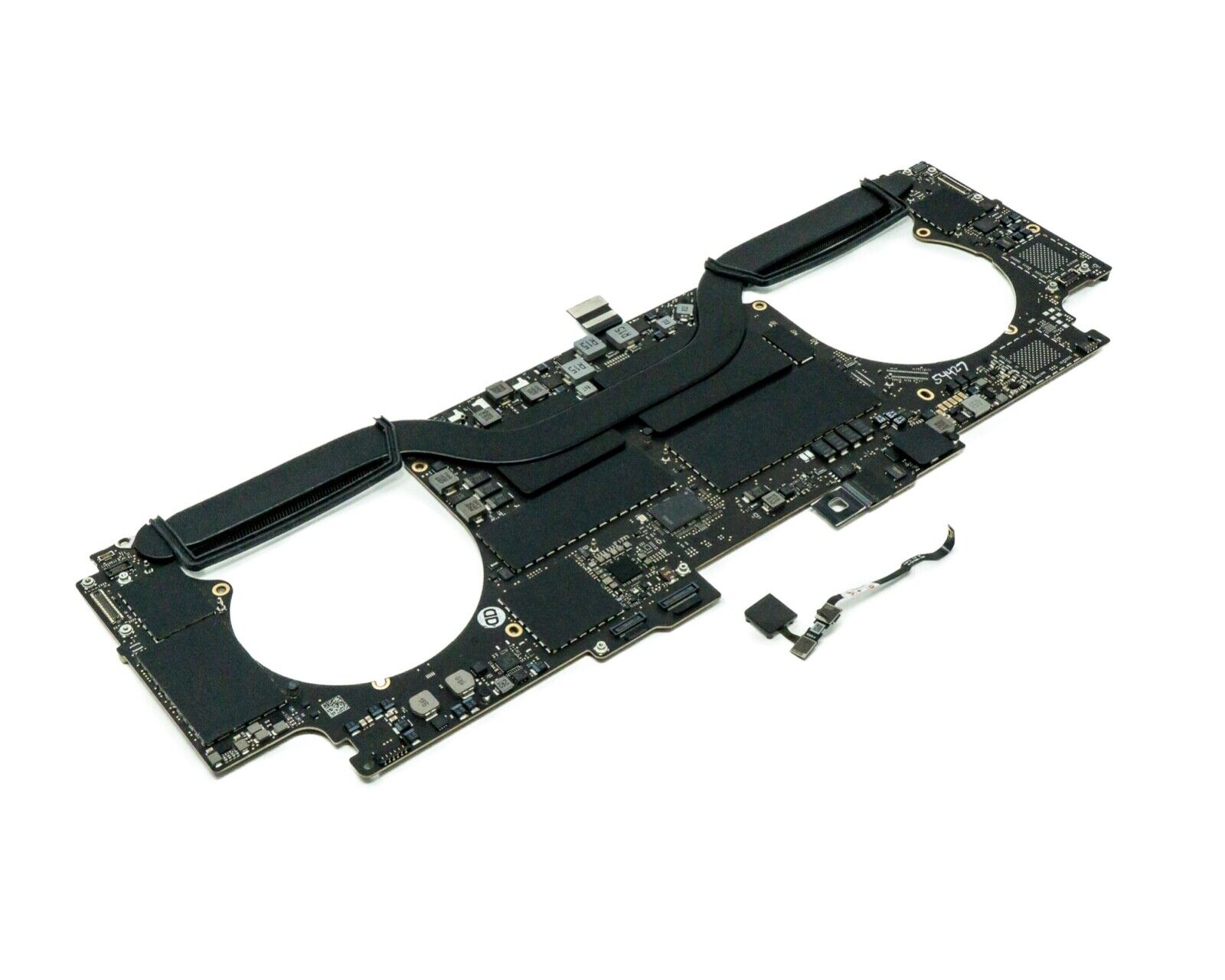
Apple MacBook Pro 16” (2019) — professional-grade power and stunning Retina display.• Intel Core i9 • 32 GB RAM • 500 GB SSD • 4 GB Dedicated GraphicsRetina Display | macOS |

Genuine-spec touchpad flex cable for MacBook Air 13.6″ (Model A2681, 2022, M2)—essential for restoring full Force Touch functionality, haptic feedback, and multi-touch gesture support when replacing or repairing the trackpad assembly. Compatible With: MacBook Air 13.6-inch (2022, Model A2681) with Apple M2 chip (all colors: Silver, Space Gray, Starlight, Midnight). Part Type: Touchpad flex cable only—does not include the trackpad, Taptic Engine, or mounting hardware. This is the ribbon cable assembly that connects the trackpad to the logic board. Function: Transmits touch input, Force Touch pressure data, and haptic feedback signals between the trackpad and logic board—critical for macOS gesture recognition and Taptic Engine operation. OEM-Quality Construction: Matches Apple’s original flex circuit in length, connector type, shielding, and bend radius—ensures reliable signal integrity and long-term durability. Common Use Cases: Replacing a torn, frayed, or damaged original flex cable Completing a trackpad replacement when the original cable was compromised Repairing unresponsive or erratic trackpad behavior caused by cable failure Replacing a torn, frayed, or damaged original flex cable Completing a trackpad replacement when the original cable was compromised Repairing unresponsive or erratic trackpad behavior caused by cable failure Installation Note: Requires full bottom case disassembly and careful routing under the battery and logic board. Connectors use ZIF (Zero Insertion Force) sockets—do not force. Recommended for experienced or certified technicians only.

Maximize your productivity with the Lenovo ThinkPad E14 Gen 1, featuring a powerful 10th Gen Intel Core i7 processor and dedicated AMD Radeon RX 640 graphics. With 16GB RAM and a fast 256GB NVMe SSD, this pre-owned professional laptop is designed to handle both intensive office workloads and light graphical tasks with ease.

Are you in search of a versatile monitor with advanced features? Meet the ViewSonic VG2756V-2K. This 2K 27″ monitor is designed to enhance your productivity and streamline your workflow. Transitioning to its core, the ViewSonic VG2756V-2K boasts a stunning 2560×1440 resolution, delivering crisp and clear visuals for all your tasks. Whether you’re editing documents, designing graphics, or watching videos, enjoy an immersive viewing experience. Its sleek and modern design adds a touch of elegance to any workspace. With its slim bezels and adjustable stand, you can customize the monitor to suit your ergonomic needs. Plus, its built-in webcam docking station makes video conferencing a breeze, eliminating the need for external accessories. Moving on to its display, the ViewSonic VG2756V-2K features a 27-inch screen with a 60Hz refresh rate, ensuring smooth and fluid motion during gaming and multimedia playback. Say goodbye to motion blur and ghosting, and hello to crystal-clear images. Furthermore, with versatile connectivity options including HDMI, DisplayPort, and USB-C, this monitor offers seamless compatibility with a wide range of devices. Whether you’re connecting your laptop, desktop, or gaming console, enjoy hassle-free connectivity. Transitioning to its ergonomic features, the ViewSonic VG2756V-2K is designed with your comfort in mind. Its adjustable stand allows you to tilt, swivel, and pivot the monitor to find the perfect viewing angle. Plus, its flicker-free technology and blue light filter help reduce eye strain during extended use. In summary, the ViewSonic VG2756V-2K is the perfect blend of performance, style, and functionality. Upgrade your workspace today with this feature-packed monitor and take your productivity to the next level. Specifications: Display : 27″ IPS Resolution : 2K (2560 x 1440) Refresh Rate : 60Hz Response Rate : 5ms(GTG)
