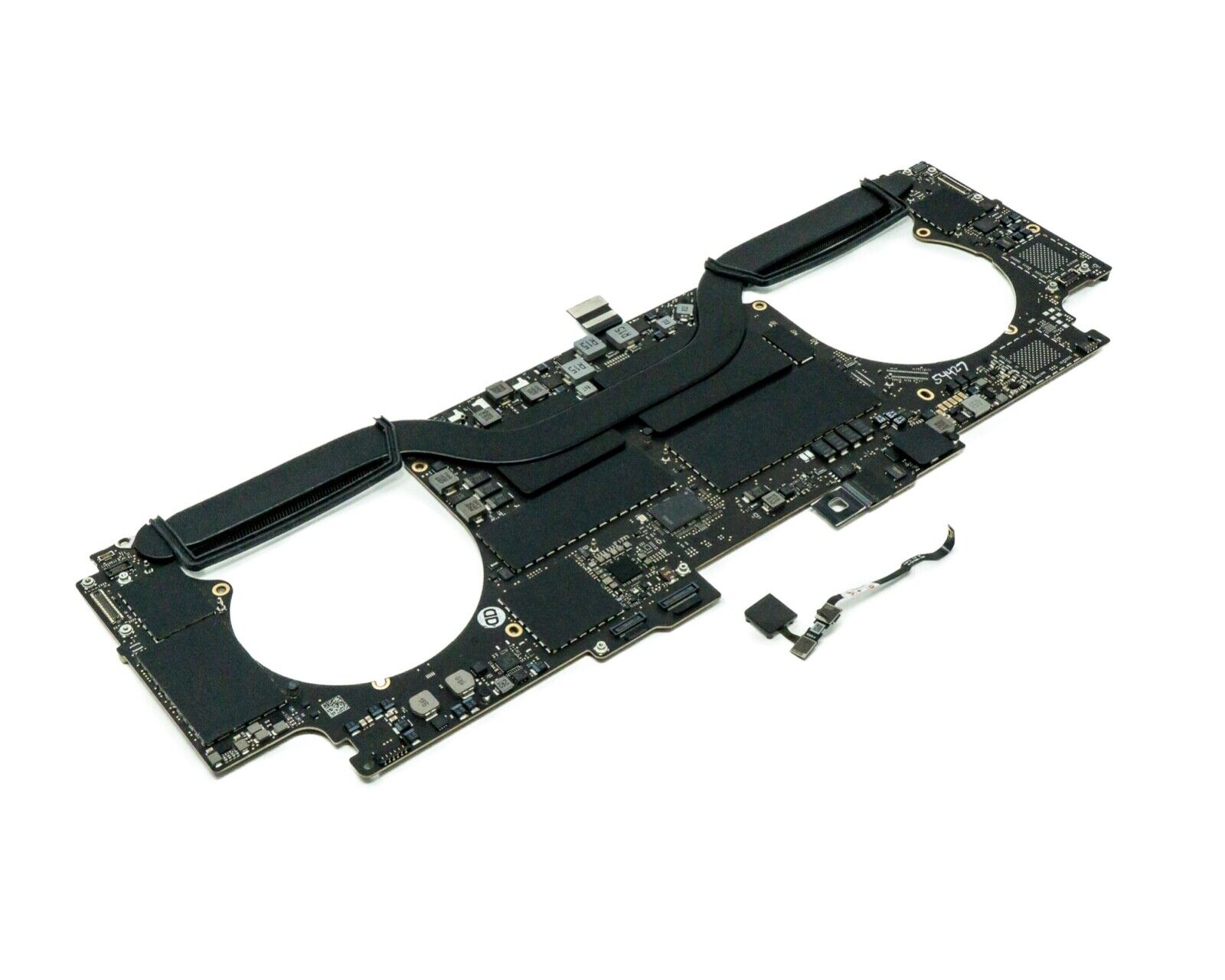

MacBook Pro 13″ Retina A1989 / A2159 (2018-2019) Display Assembly (Silver) MacBook Pro 13″ Touch Bar 2019z A1989 (EMC 3214 MacBookPro15,2) 2.3 GHz A1989 (EMC 3214 MacBookPro15,2) 2.7 GHz MacBook Pro 13″ Touch Bar 2019 A1989 (EMC 3358 MacBookPro15,2) 2.4 GHz A1989 (EMC 3358 MacBookPro15,2) 2.8 Ghz MacBook Pro 13″ Two Thunderbolt Ports 2019 A2159 (EMC 3301 MacBookPro15,4) 1.4 GHz A2159 (EMC 3301 MacBookPro15,4) 1.7 GHz

Gaming-optimized in-ear headphones in bold red, featuring a built-in microphone, tangle-free flat cable, and signature HyperX comfort—designed for mobile gaming, console use, and on-the-go communication. Model: HyperX Cloud Earbuds (Red Edition) Color: Vibrant Red earbuds with matching red cable accents Type: In-ear headphones with integrated microphone Designed For: Mobile gaming (iOS/Android), Nintendo Switch, PC, and everyday use Key Features: Built-in Microphone: Clear voice pickup for in-game chat, calls, and voice commands Tangle-Free Flat Cable: Durable, lightweight, and resistant to knots Ergonomic Fit: Includes 3 sizes of silicone ear tips (S/M/L) for secure, comfortable wear Universal 3.5mm Jack: Compatible with any device with a standard headphone/mic combo port Works with Nintendo Switch, PC, smartphones, tablets, and more Gaming-Grade Audio: Tuned for immersive sound with enhanced bass and vocal clarity In-Line Controls: Convenient mic mute and call answer/end button Built-in Microphone: Clear voice pickup for in-game chat, calls, and voice commands Tangle-Free Flat Cable: Durable, lightweight, and resistant to knots Ergonomic Fit: Includes 3 sizes of silicone ear tips (S/M/L) for secure, comfortable wear Universal 3.5mm Jack: Compatible with any device with a standard headphone/mic combo port Works with Nintendo Switch, PC, smartphones, tablets, and more Works with Nintendo Switch, PC, smartphones, tablets, and more Gaming-Grade Audio: Tuned for immersive sound with enhanced bass and vocal clarity In-Line Controls: Convenient mic mute and call answer/end button Technical Specifications: Driver Size: 14.2 mm Frequency Response: 20 Hz – 20 kHz Impedance: 60 Ω Sensitivity: 100 dB Cable Length: 1.2 m (3.9 ft) Connector: 3.5mm 4-pole (CTIA standard) Driver Size: 14.2 mm Frequency Response: 20 Hz – 20 kHz Impedance: 60 Ω Sensitivity: 100 dB Cable Length: 1.2 m (3.9 ft) Connector: 3.5mm 4-pole (CTIA standard) What’s in the Box: HyperX Cloud Earbuds (Red) 3 pairs of silicone ear tips (S/M/L) Carrying pouch Quick start guide HyperX Cloud Earbuds (Red) 3 pairs of silicone ear tips (S/M/L) Carrying pouch Quick start guide Ideal For: Mobile gamers (PUBG Mobile, Call of Duty, Fortnite, etc.) Nintendo Switch players Commuters and students needing compact, durable audio Gamers seeking console-compatible audio with mic support Mobile gamers (PUBG Mobile, Call of Duty, Fortnite, etc.) Nintendo Switch players Commuters and students needing compact, durable audio Gamers seeking console-compatible audio with mic support

Apple 60W MagSafe Power Adapter (for MacBook and 13-inch MacBook Pro) The 60 Watt MagSafe Power Adapter features a magnetic DC connector that ensures your power cable will disconnect if it experiences undue strain and helps prevent fraying or weakening of the cables over time. In addition, the magnetic DC helps guide the plug into the system for a quick and secure connection. When the connection is secure, an LED located at the head of the DC connector will light up; an amber light lets you know that your portable is charging, while a green light tells you that you have a full charge. An AC lead is provided with the adapter for maximum lead length, while the AC wall adapter (also provided) gives users an even easier and more compact way to travel. Designed to be the perfect travelling companion, the adapter has a clever design that allows the DC cable to be wound neatly around itself for easy cable storage. This power adapter recharges the lithium polymer battery while the system is off, on, or in sleep mode. It also powers the system if you choose to operate without a battery. Compatible with MacBook and 13-inch MacBook Pro. See this article for more details about choosing the right one. Knowing which specific Mac model you have is important. If you are running OS X Lion (10.7) or later, go to the “” menu at the top left of your screen, choose “About this Mac” then click the “More Info…” button. Your Mac model and generation will be displayed. If you are running an earlier version of OS X, you can enter your serial number here to find out which model you have.

HP SPro 322pe Monitor Overview The HP SPro 322pe is a professional Full HD monitor built for daily business use. It delivers reliable performance and a clean design. As a result, it fits perfectly in offices and work-from-home setups. 21.5-Inch Full HD Display This monitor features a 21.5-inch Full HD resolution. Therefore, text appears sharp and easy to read. Moreover, images look clear and balanced. Because of this, it supports productivity tasks with ease. In addition, the compact size saves desk space. As a result, it works well in smaller work areas. Smooth and Stable Visual Experience The HP SPro 322pe offers smooth and stable visuals. Therefore, everyday tasks feel comfortable. In addition, scrolling and browsing look natural. This makes it suitable for long working hours. Eye Comfort for Long Sessions This monitor includes eye comfort features. As a result, it helps reduce eye fatigue. Moreover, the anti-glare screen improves visibility. Therefore, users stay focused throughout the day. Connectivity and Ease of Use The HP SPro 322pe includes essential connectivity options. As a result, it connects easily to most PCs. Moreover, setup is quick and straightforward. This saves time and effort. Professional Design and Flexibility The monitor features a simple and professional design. In addition, it supports VESA mounting. As a result, users can customize their workspace layout. Ideal for Office and Business Use This monitor focuses on efficiency and reliability. Moreover, it supports daily workloads without distraction. In conclusion, it is a solid choice for professional environments. Specifications: Display : 21.45″ VA Resolution : FHD (1920 X 1080) Connectivity: 1x HDMI 1.4, 1x VGA. Performance: 100Hz refresh rate for smooth motion, 5ms GtG response time.

Specification Details Input/Output Other Battery Capacity (mAh) 5000 Number of Devices Connectable Simultaneously 1 Touch Screen No Sound Mode Stereo Sound Mode Category Speakers Use Camping Tweeter Material Other Bluetooth Version 5.0 Input Power (W) 25-49 W Voice Control Yes Frequency Range 80 Hz – 20 KHz Display Screen No Waterproof Yes Support APP Yes Support Memory Card Yes Material Plastic Playback Function MP3, FLAC, APE, WAV Remote Control No Intelligent Personal Assistant Built-in Microphone Yes Audio Crossover Full-Range Number of Loudspeaker Enclosures 2 Power Source Battery PMPO 40 W Channels 1.1 Communication Audio Line Speaker Type Portable Cabinet Material Plastic Brand Name YIBOLANG Origin Mainland China Certification CE

Genuine-spec touchpad flex cable for Apple’s 12-inch MacBook (Model A1534, Early 2015 / Early 2016 / Mid 2017)—essential for restoring full Force Touch trackpad functionality, haptic feedback, and multi-touch gesture support. Compatible With: MacBook 12″ (Early 2015) – 1.1GHz Core M MacBook 12″ (Early 2016) – 1.1GHz/1.3GHz Core M MacBook 12″ (Mid 2017) – 1.2GHz/1.3GHz Core m3/i5/i7 All share Model Number A1534 and Model Identifier MacBook8,1 / MacBook9,1 / MacBook10,1 respectively. MacBook 12″ (Early 2015) – 1.1GHz Core M MacBook 12″ (Early 2016) – 1.1GHz/1.3GHz Core M MacBook 12″ (Mid 2017) – 1.2GHz/1.3GHz Core m3/i5/i7 All share Model Number A1534 and Model Identifier MacBook8,1 / MacBook9,1 / MacBook10,1 respectively. Part Type: Touchpad flex cable only—does not include the trackpad housing, Taptic Engine, or mounting brackets. This is the ribbon cable that connects the Force Touch trackpad to the logic board. Function: Critical for Force Touch functionality—transmits pressure-sensitive input, multi-touch gestures (e.g., pinch, swipe, Force Click), and haptic feedback signals to the Taptic Engine. OEM-Quality Construction: Precisely matches Apple’s original in length, connector pitch, shielding, and routing—ensures reliable signal integrity and compatibility with macOS. Common Use Cases: Replacing a torn, creased, or liquid-damaged flex cable Restoring unresponsive or erratic trackpad behavior Completing a trackpad replacement when the original cable is unusable Replacing a torn, creased, or liquid-damaged flex cable Restoring unresponsive or erratic trackpad behavior Completing a trackpad replacement when the original cable is unusable Installation Note: Requires full bottom case removal and delicate disconnection of the ZIF connector. The cable routes tightly under the battery—extreme care is required. Recommended for experienced or certified technicians only.

The Arzopa A1 is an ultra-slim, lightweight 15.6-inch portable monitor engineered for seamless travel productivity and entertainment. Delivering crisp Full HD imagery on a premium IPS panel with integrated eye care features, it provides a hassle-free plug-and-play experience using dual full-function USB-C and Mini HDMI inputs. Complete with a built-in adjustable kickstand, it is the perfect dual-screen companion for laptops, smartphones, and gaming consoles. ✅ Full Specifications: Model: ARZOPA Type-C Portable Monitor (ARZOPA-A1) Interface / Connection: Multi-Port Input Panel: 2 x USB Type-C Full Function Ports (Supports concurrent video transmission, data, and power delivery) 1 x Mini HDMI Port (Video signal input only) 1 x 3.5mm Headphone / Audio Output Interface Interface / Connection: Multi-Port Input Panel: 2 x USB Type-C Full Function Ports (Supports concurrent video transmission, data, and power delivery) 1 x Mini HDMI Port (Video signal input only) 1 x 3.5mm Headphone / Audio Output Interface Performance / Screen Quality: Panel Type: IPS (In-Plane Switching) display with 178° wide viewing angles Resolution: Full HD 1920 x 1080p Refresh Rate: 60Hz Aspect Ratio: 16:9 Brightness: 300 cd/m² Contrast Ratio: 1200:1 Display Colors: 262K (8-bit) Color Gamut: 45% NTSC / 72% sRGB space coverage Performance / Screen Quality: Panel Type: IPS (In-Plane Switching) display with 178° wide viewing angles Resolution: Full HD 1920 x 1080p Refresh Rate: 60Hz Aspect Ratio: 16:9 Brightness: 300 cd/m² Contrast Ratio: 1200:1 Display Colors: 262K (8-bit) Color Gamut: 45% NTSC / 72% sRGB space coverage Display Technology: Features built-in HDR rendering technology to boost dynamic contrast alongside a Low Blue Light comfort filter to reduce eye fatigue. Audio: Dual built-in stereo speakers (1W x 2 configuration). Material & Build: Premium, durable metal housing constructed out of a sleek aluminum alloy framework. Design & Form Factor: Ultra-thin bezel layout boasting an integrated adjustable smart kickstand for multi-angle landscape deployment. Power Setup: Driverless plug-and-play architecture. Operates without an internal battery; runs on host device power distribution via USB-C or requires an external 5V/3A power input adapter. Compatibility: Fully compatible with MacBooks, Windows PCs/Laptops, Chromebooks, USB-C supported Android smartphones, and modern gaming consoles (Nintendo Switch, Xbox Series X/S, PS4, PS5). Dimensions: Approx. 355.6 x 220.9 x 9.14 mm (Ultra-slim 0.36-inch profile) Weight: Approx. 725 to 735 grams (1.6 lbs lightweight chassis)

The ASUS VG27AQ3A 27 inch QHD 180Hz Monitor is a 27-inch gaming display designed for smooth performance and clear image quality. It uses a Fast IPS panel that provides wide viewing angles and consistent colors for gaming and everyday use. It features a QHD (2560×1440) resolution, which delivers sharper detail than Full HD. Therefore, users get more screen space and clearer visuals for games, work, and media. The monitor supports a 180Hz refresh rate for smoother motion in fast-paced gameplay. In addition, it includes a 1ms response time to reduce motion blur during rapid actions. It also features ELMB Sync technology, which combines motion blur reduction with adaptive sync. As a result, it helps reduce screen tearing and improves overall visual clarity. Moreover, it supports adaptive sync for smoother frame synchronization with compatible GPUs. The monitor also includes built-in gaming presets and on-screen display controls for quick adjustments. Overall, the ASUS VG27AQ3A 27 inch QHD 180Hz Monitor is built for high-refresh gaming, responsive performance, and sharp visual output in a 27-inch QHD format. Specifications: 27-inch QHD (2560×1440) display 180Hz refresh rate 1ms response time Fast IPS panel technology ELMB Sync for reduced motion blur 90LM0940-B01970

Philips 346B1C 34-inch curved ultrawide monitor delivers wide workspace and efficient multitasking for professional use. It focuses on UltraWide clarity, USB-C docking, and ergonomic comfort for daily productivity. Additionally, it features a 34-inch VA panel with UltraWide QHD resolution (3440 × 1440). This resolution provides more horizontal space, so it improves multitasking and side-by-side workflows. Moreover, it uses a 1500R curved design. As a result, it creates a more immersive viewing experience and keeps content within a natural field of view. The monitor supports up to a 100Hz refresh rate with 4ms response time. Therefore, it delivers smooth visuals for office work, media, and light gaming. In addition, it includes USB-C docking with power delivery up to 90W. This allows video, data, and charging through a single cable, so it simplifies desk setup. Furthermore, it features Adaptive Sync, MultiView (PIP/PBP), and built-in Ethernet. These features improve workflow flexibility and connectivity across multiple devices. It also includes Flicker-Free and LowBlue Mode. So it helps reduce eye strain during long working sessions. Philips 346B1C 34-inch curved ultrawide monitor provides a large immersive display, strong connectivity, and productivity-focused features for modern work environments. Specifications: 34-inch VA panel with 3440 × 1440 UltraWide QHD resolution 100Hz refresh rate with 4ms response time 1500R curved design for immersive viewing USB-C docking with up to 90W power delivery MultiView, Adaptive Sync, and built-in Ethernet connectivity

Dell 19.5V 4.62A 90 Watt Replacement Laptop Adapter/Charger New Small Pin 4.5 x 3.0 mm for Dell Latitude 3500 3379 3400 3301 3590 3490 7370, RWHHR, 450-AECO (Power Cord Included)

A rugged and versatile pre-owned Lenovo ThinkPad T460 with 14" touchscreen, 6th Gen Core i5, 8GB RAM, and 256GB SSD—ideal for professionals who need durability, touch functionality, and reliable business performance.

The Lenovo ThinkVision T34w-20 is a 34-inch ultrawide curved monitor designed for productivity and multitasking.Its large screen provides more workspace, making it ideal for office work, content creation, and professional use. The WQHD ultrawide resolution delivers sharp details and clear visuals across the entire screen.The curved design improves viewing comfort and helps keep content within natural sight lines. The monitor includes USB-C connectivity that supports video, data transfer, and device charging through one cable.Additionally, multiple connectivity options allow easy connection to laptops and desktop PCs. An ergonomic stand allows height, tilt, and swivel adjustments for comfortable long working sessions.Eye-care technologies help reduce strain during extended daily use. Specifications: Screen Size: 34″ Curved VA panel Resolution: 3440 × 1440 WQHD ultrawide Connectivity: USB-C, HDMI, DisplayPort, USB hub Ergonomics: Height, tilt, and swivel adjustment Features: Eye-care and multitasking-friendly design

A rugged and versatile pre-owned Lenovo ThinkPad T480 with 14" touchscreen, 8th Gen Core i5, 8GB RAM, and 256GB SSD—ideal for professionals who need durability, security, and touch-enabled productivity.

A modern pre-owned Dell Latitude 5420 with 14" display, 11th Gen Core i5, 8GB RAM, and 256GB SSD—delivering reliable performance, enterprise security, and all-day productivity in a compact business laptop.

Philips 278B1 27-inch 4K UHD IPS monitor delivers sharp detail and professional-grade clarity for productivity, design, and everyday office work. It focuses on UltraClear 4K resolution, ergonomic adjustability, and eye comfort features. Additionally, it features a 27-inch IPS panel with 4K UHD resolution (3840 × 2160). This provides high pixel density and precise detail, so it improves multitasking and content accuracy. Moreover, it supports a 60Hz refresh rate with a 4ms response time. As a result, it delivers stable and smooth performance for office tasks and media use. The monitor offers a 350 cd/m² brightness level and strong contrast performance. Therefore, it improves visibility and keeps images clear in different lighting conditions. In addition, it includes wide 178° viewing angles using IPS technology. This ensures consistent color and clarity from almost any position. Furthermore, it comes with a fully adjustable ergonomic stand. It supports height, tilt, swivel, and pivot adjustments for better comfort during long working hours. It also includes eye comfort features such as Flicker-Free and LowBlue Mode. So it helps reduce eye strain during extended screen use. Philips 278B1 27-inch 4K UHD IPS monitor provides sharp visuals, flexible ergonomics, and productivity-focused performance for professional environments. Specifications: 27-inch IPS panel with 3840 × 2160 4K UHD resolution 60Hz refresh rate with 4ms response time 350 cd/m² brightness with strong contrast performance Fully adjustable stand with height, tilt, swivel, pivot Flicker-Free and LowBlue Mode for eye comfort

The Samsung QLED 50″ 4K UHD Smart TV Q7 Series QA50Q7FAUXTW delivers a premium viewing experience with advanced QLED display technology. It produces bright, sharp, and colorful images, so movies, sports, and games look clear and detailed on the 50-inch screen. QLED technology uses Quantum Dot enhancement to improve brightness and color accuracy. As a result, visuals appear more vibrant and balanced across both dark and bright scenes. This helps maintain consistent picture quality in different lighting conditions and content types. Vision AI enhances picture and sound in real time. It analyzes each scene and automatically adjusts brightness, sharpness, and color for optimal results. Therefore, the TV consistently delivers improved visuals without manual tuning. In addition, AI upscaling improves lower-resolution content closer to 4K quality for better clarity and detail. HDR support expands contrast and color depth, making visuals more dynamic and lifelike. Fast motion handling also improves clarity, which enhances sports and action content by reducing blur and improving smoothness. The Smart TV platform provides easy access to streaming apps, gaming features, and smart home controls. It runs smoothly and allows quick switching between applications. In addition, the slim design with thin bezels gives the Samsung QLED 50 4K UHD Smart TV Q7 Series QA50Q7FAUXTW a modern and premium appearance suitable for any living space. Overall, this Samsung QLED TV combines strong brightness performance, AI optimization, and smart connectivity for a powerful home entertainment experience. Specifications: QLED technology delivers bright and vivid picture quality 50-inch 4K UHD display provides immersive viewing experience Vision AI enhances picture and sound automatically in real time HDR improves contrast, brightness, and color depth Smart TV platform supports apps, streaming, and smart features

MacBook Pro 15″ Top case A1990 2018 2019 MacBook Pro 15″ A1990 MacBookPro15,1 Mid 2018: MR932LL/A or MR962LL/A (2.2 GHz Core i7) MacBookPro15,1 Mid 2018: MR942LL/A or MR972LL/A (2.6 GHz Core i7) MacBookPro15,3 Mid 2018: BTO/CTO (2.6 GHz Core i7) MacBookPro15,3 Mid 2018: BTO/CTO (2.9 GHz Core i9)

Genuine-spec touchpad flex cable for MacBook Pro 13″ (Model A1502, Mid 2014)—restores full trackpad functionality, including precise cursor control and physical click response. Essential for repairing unresponsive or erratic trackpad behavior. Compatible With: MacBook Pro 13-inch (Mid 2014, Model A1502, Model Identifier MacBookPro11,1) with Intel Core i5/i7 processors and Retina display. Part Type: Touchpad flex cable only — does not include the trackpad housing, button mechanism, or mounting hardware. This is the ribbon cable that connects the trackpad to the logic board. Function: Transmits cursor movement and click signals (left/right physical clicks) Supports standard multi-touch gestures (two-finger scroll, tap-to-click, pinch-to-zoom) ⚠️ Note: This model uses a physical click mechanism—not Force Touch (no haptic feedback or pressure sensitivity). Transmits cursor movement and click signals (left/right physical clicks) Supports standard multi-touch gestures (two-finger scroll, tap-to-click, pinch-to-zoom) ⚠️ Note: This model uses a physical click mechanism—not Force Touch (no haptic feedback or pressure sensitivity). OEM-Quality Build: Matches Apple’s original in: Cable length and routing path Connector type and pin alignment Insulation and flexibility for long-term reliability Cable length and routing path Connector type and pin alignment Insulation and flexibility for long-term reliability Common Use Cases: Replacing a torn, frayed, or corroded original flex cable Fixing: Unresponsive or intermittent trackpad Cursor jumping or drifting Click function failure (left or right) Complete trackpad disconnect Replacing a torn, frayed, or corroded original flex cable Fixing: Unresponsive or intermittent trackpad Cursor jumping or drifting Click function failure (left or right) Complete trackpad disconnect Unresponsive or intermittent trackpad Cursor jumping or drifting Click function failure (left or right) Complete trackpad disconnect Installation Note: Requires bottom case removal and battery disconnect. Connects via a ZIF (Zero Insertion Force) socket on the logic board—do not force. Cable routes under the battery; handle with care to avoid strain. Suitable for intermediate to advanced DIYers or technicians. Requires bottom case removal and battery disconnect. Connects via a ZIF (Zero Insertion Force) socket on the logic board—do not force. Cable routes under the battery; handle with care to avoid strain. Suitable for intermediate to advanced DIYers or technicians.

Looking to enhance your visual experience? The AOC 22B3HM 21″ 75Hz Monitor is here to elevate your viewing pleasure. With its sleek design and impressive features, it’s the perfect addition to any setup. First and foremost, let’s talk about clarity. The AOC 22B3HM boasts a vibrant 21-inch display that delivers crisp and clear visuals. Whether you’re watching movies, browsing the web, or gaming, every detail will pop with vividness. Transitioning to performance, this monitor offers a smooth and seamless viewing experience with its 75Hz refresh rate. Say goodbye to motion blur and hello to fluid motion, whether you’re scrolling through content or gaming. Moreover, its slim bezel design provides an immersive viewing experience, allowing you to focus entirely on the content at hand. Get ready to dive into your favorite movies and games like never before. In addition, the monitor’s adjustable stand offers ergonomic comfort, allowing you to find the perfect viewing angle for extended use. Say goodbye to neck strain and hello to comfortable viewing for hours on end. Furthermore, with multiple connectivity options, including HDMI and VGA ports, the AOC 22B3HM ensures compatibility with a wide range of devices. Connect your gaming console, PC, or laptop effortlessly and enjoy your content in style. In conclusion, the AOC 22B3HM 21″ 75Hz Monitor is a game-changer in the world of displays. With its stunning visuals, smooth performance, and ergonomic design, it’s the perfect choice for anyone looking to enhance their viewing experience. Upgrade your setup today and immerse yourself in the world of vibrant visuals. Check out other option here! Specifications: Display : 21.5″ VA Resolution : 1920 x 1080 (FHD) Refresh Rate : 75Hz Response Rate : 4ms

New A1989 A1990 Keyboard US Standard Replacement for MacBook Pro 13'' 15''A1990 A1989 Keyboard 2018/2019 Year New A1989 A1990 Keyboard US Standard Replacement for MacBook Pro 13” 15”A1990 A1989 Keyboard 2018/2019 Year New A1989 A1990 Keyboard US Standard Replacement for MacBook Pro 13” 15”A1990 A1989 Keyboard 2018/2019 Year We have Perfect after-sales services We share the latest information on laptop spare parts For all our customers. This is NOT an easy job for someone who has no technical skills with Disassembling or Assembling a laptop, So only purchase this item if you know how to install it. Each Keyboard is tested before shipping and working.
