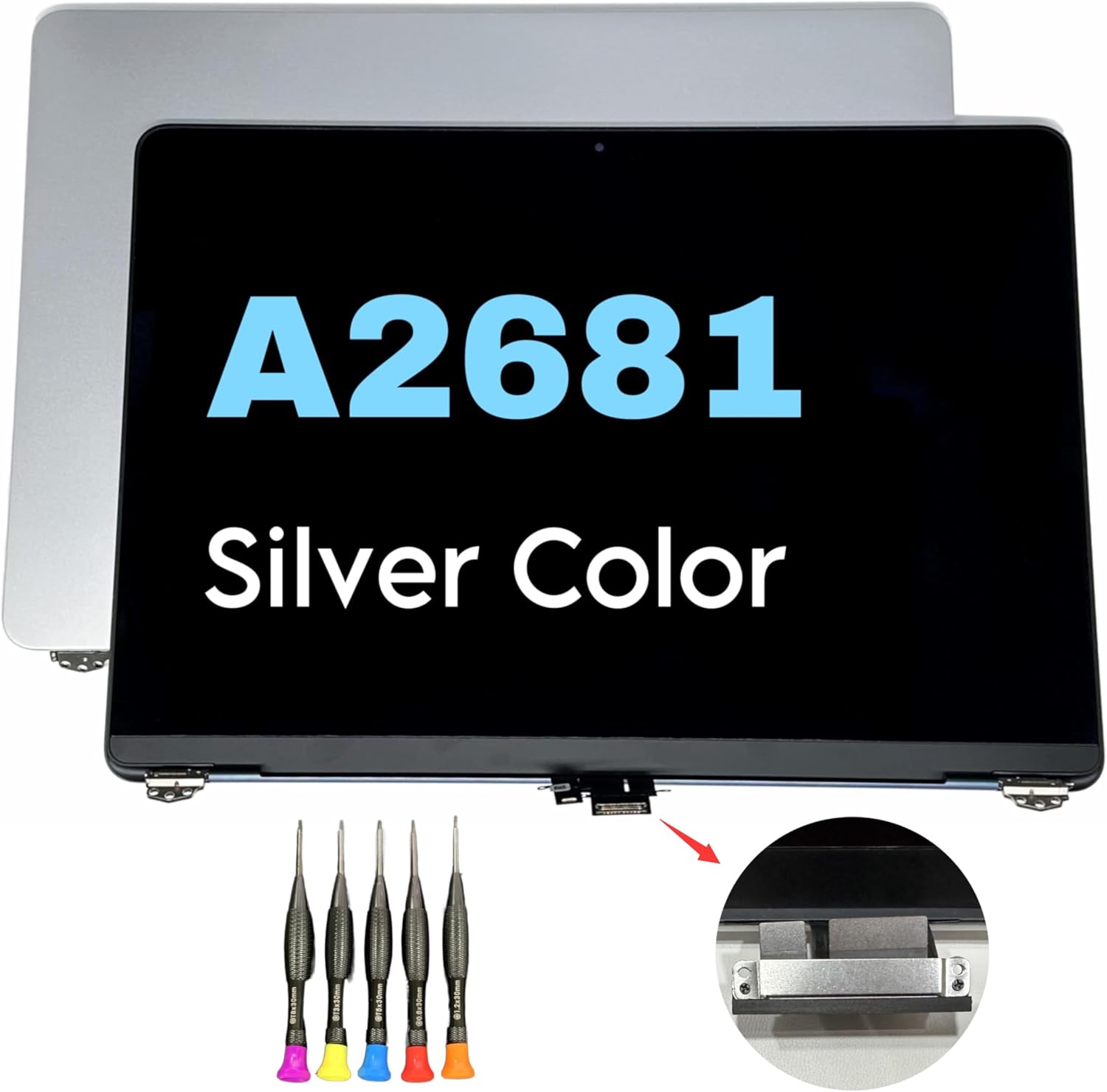

Genuine-spec US layout (QWERTY) black keyboard replacement for MacBook Air 13.6″ and 15″ models (2023–2025, M2/M3/M4 chips)—featuring Apple’s Magic Keyboard with scissor-switch mechanism, backlighting, and precise OEM fit. Compatible With: 13.6″ MacBook Air: A2681 (M2, 2022–2023), A3113 (M3, 2023–2024), A3240 (M4, 2024–2025) 15″ MacBook Air: A2941 (M2, 2023), A3114 (M3, 2023–2024), A3241 (M4, 2024–2025) 13.6″ MacBook Air: A2681 (M2, 2022–2023), A3113 (M3, 2023–2024), A3240 (M4, 2024–2025) 15″ MacBook Air: A2941 (M2, 2023), A3114 (M3, 2023–2024), A3241 (M4, 2024–2025) Keyboard Layout: Standard US English (QWERTY) with wide Enter key, dedicated left/right arrow keys in inverted-T layout, and full function row—matches Apple’s original US configuration. Design: Apple’s Magic Keyboard with scissor-switch mechanism—providing quiet, stable, and responsive typing with 1mm key travel and enhanced durability. Features: Integrated backlighting for low-light use, ambient light sensor compatibility, and OEM-style flex cable for direct logic board connection. Color: Sleek black keycaps—ideal for Space Gray and Midnight finishes, and visually consistent across all color variants. Precision Fit: Engineered to exact Apple specifications for alignment, key spacing, and mounting—ensures seamless integration into the original top case. Installation Note: The keyboard is factory-glued into the top case. Replacement requires full disassembly, careful removal, and professional-grade re-adhesion. Recommended for experienced technicians only.

Specifications Feature Value Feature Value Input/Output Other Sound Mode Extra Bass Mode Category Speakers Use Other Input Power (W) 25-49W Voice Control No Waterproof Yes Support APP No Intelligent Personal Assistant None Audio Crossover Full-Range Number of Loudspeaker Enclosures 2 Power Source None Channels 2 (2.0) Battery Yes Communication USB Speaker Type Portable Cabinet Material Plastic Brand Name QUCAA Origin Mainland China Certification CE

ZOWIE XL2540K TN 240Hz 24.5 Inch 240Hz Refresh Rate; TN Panel Black eQualizer; Color Vibrance Optional Accessory: S Switch & Shielding Hood

Genuine-spec touchpad flex cable for MacBook Pro 16″ (Model A2485, 2021, M1 Pro/Max)—critical for restoring full Force Touch functionality, haptic feedback, and precise multi-touch gesture control during trackpad repairs. Compatible With: MacBook Pro 16-inch (2021, Model A2485) with Apple M1 Pro or M1 Max chip (Model Identifiers: MacBookPro18,1 / MacBookPro18,2). Part Type: Touchpad flex cable only—does not include the trackpad, Taptic Engine, or mounting hardware. This is the OEM-style ribbon cable that connects the trackpad to the logic board. Function: Transmits touch coordinates, Force Touch pressure data, and haptic feedback signals—essential for macOS gestures (e.g., pinch-to-zoom, Force Click, three-finger lookup) and Taptic Engine operation. OEM-Quality Construction: Precisely replicated to Apple’s original specifications—including cable length, connector type, EMI shielding, and flex routing—ensuring signal integrity and long-term reliability. Common Use Cases: Replacing a torn, frayed, or liquid-damaged original flex cable Completing a trackpad replacement when the original cable is compromised Fixing intermittent trackpad behavior, lost Force Touch, or complete unresponsiveness Replacing a torn, frayed, or liquid-damaged original flex cable Completing a trackpad replacement when the original cable is compromised Fixing intermittent trackpad behavior, lost Force Touch, or complete unresponsiveness Installation Note: Requires full disassembly of the bottom case and careful routing around the battery and logic board. Connectors use ZIF (Zero Insertion Force) sockets—must be aligned and latched gently. Recommended for certified or professional repair technicians only.

Sleek & Portable Design: ASUS ZenScreen 15.6-inch Full HD portable monitor is ideal for life on the road. This sleek external display is lightweight and has a slim profile, so it fits easily in any travel bag..Aspect ratio:16:9.Viewing Angle:178.0 degrees.Response time:5.0 milliseconds Smart Connectivity: ZenScreen MB166C travel monitor uses a single USB Type-C connection for both power and video transmission from your host device. This means you have fewer cables to work with, so you get a neater work area. Work Efficiently In Portrait & Landscape Modes: This 15-inch portable monitor automatically senses its orientation and switches the monitor between landscape and portrait modes via DisplayWidget software. Work In Comfort: User-friendly design with an embedded tripod socket on the rear and foldable sleeve for versatility. Say Goodbye To Strained Eyes: The ASUS ZenScreen 15.6 inch monitor features TÜV Rheinland-certified Flicker-free and Low Blue Light technologies to ensure a comfortable viewing experience. Specifications: (MB166C) – Full HD IPS USB Type-C USB-Powered Eye Care Tripod Mountable Anti-Glare Surface Protective Sleeve 1 year warranty manufacturer link

The Samsung Odyssey G3 24″ 180Hz Gaming Monitor delivers smooth gameplay with a high refresh rate. It ensures ultra-fast performance for competitive gaming. The 180Hz refresh rate reduces motion blur, making fast-paced action more fluid. Every frame appears crisp and clear, giving players an edge in fast-action games. With a 1ms response time, this gaming monitor eliminates lag and ghosting. It provides instant reactions, helping gamers stay ahead in intense battles. The quick response ensures accurate movements and smooth transitions between scenes. The Full HD 1920×1080 resolution offers sharp and detailed visuals. Every image appears clear, enhancing the gaming experience. The high contrast ratio improves depth and realism in darker scenes. Whether exploring dark landscapes or engaging in bright battlefields, the visuals remain immersive. The Samsung Odyssey G3 24″ 180Hz Gaming Monitor features AMD FreeSync Premium for tear-free gaming. It synchronizes the monitor’s refresh rate with the graphics card. This reduces screen tearing and stuttering, ensuring smooth gameplay. Even in demanding scenes, the visuals stay seamless. Designed with an ergonomic stand, this monitor offers height adjustment, tilt, and swivel options. Gamers can adjust the screen for maximum comfort during long gaming sessions. The slim bezel design creates a modern and immersive viewing experience. The monitor includes multiple connectivity options, including HDMI and DisplayPort. This ensures compatibility with gaming consoles, PCs, and other devices. The versatile connectivity makes it a great choice for any gaming setup. The Samsung Odyssey G3 24″ 180Hz Gaming Monitor is perfect for gamers seeking speed, clarity, and immersion. Its fast refresh rate, sharp visuals, and ergonomic design make it an excellent choice. Every game feels smoother, sharper, and more immersive. Specifications: Display : 24″ VA Resolution : FHD (1,920 x 1,080) Refresh Rate : 180Hz Response Rate : 1ms

The ASUS ROG Strix XG27ACMS 27” QHD 320Hz Gaming Monitor is a high-performance gaming display designed for ultra-smooth motion and fast response times. It uses a Fast IPS panel that delivers accurate colors and wide viewing angles for gaming and general use. It features a QHD (2560×1440) resolution, which provides sharp image detail and more screen space compared to Full HD. Therefore, it improves clarity for both competitive gaming and productivity tasks. The monitor supports a 320Hz refresh rate, which delivers extremely smooth motion in fast-paced games. In addition, it includes a very fast response time to reduce motion blur during rapid movement. It is designed for competitive gaming performance where speed and clarity matter. Moreover, it supports adaptive sync technology to reduce screen tearing and stuttering when paired with compatible GPUs. The display includes gaming-focused settings and on-screen controls for quick adjustments. As a result, users can optimize visuals based on different game types and preferences. Overall, the ASUS ROG Strix XG27ACMS is built for high refresh rate gaming, low latency performance, and sharp QHD visual quality. Specifications: 27-inch QHD (2560×1440) display 320Hz refresh rate Ultra-fast response time Fast IPS panel Adaptive sync technology

The TP-Link TL-WA855RE N300 Universal Range Extender boosts your existing 2.4GHz Wi-Fi signal up to 300Mbps to eliminate dead zones and extend coverage. With a compact wall-plug design, dual external antennas, and one-touch WPS setup, it’s perfect for home and office use. The TP-Link TL-WA855RE N300 Universal Wireless Range Extender is an easy and affordable solution to extend your Wi-Fi coverage into areas where your router signal is weak or unavailable. It works with almost any wireless router to repeat and strengthen your existing network, providing improved connectivity for streaming, browsing, video calls, and everyday online tasks. Featuring two external antennas for better signal strength, an Ethernet port for wired devices, and a smart signal indicator for optimal placement, it ensures stable coverage across your space. N300 Wi-Fi Speed (Up to 300Mbps) on 2.4GHz Universal Compatibility works with most Wi-Fi routers and access points Boosts Coverage & Removes Dead Zones for stronger wireless signal Two External Antennas improve range and stability One-Touch WPS Setup for quick and simple connection Smart Signal Indicator helps you find the best placement Ethernet Port for wired connection to TVs, PCs, or consoles Compact Wall Plug Design ideal for home or office use Ideal for homes, offices, apartments, and small businesses needing better Wi-Fi coverage. Works with laptops, smartphones, smart TVs, tablets, IP cameras, and other Wi-Fi devices.

Are you in search of a reliable monitor that combines functionality and style? Look no further than the LG DualUp 28″ Monitor. This comprehensive review will delve into its features, highlighting why it’s an excellent choice for both work and play. Firstly, the dual-screen capabilities of the LG 28″ Monitor provide a seamless multitasking experience. Boost your productivity by effortlessly managing multiple applications side by side, streamlining your workflow. The sleek design of this monitor not only adds a touch of sophistication to your workspace but also ensures practicality. Its slim bezels and adjustable stand contribute to a clutter-free and ergonomic setup, promoting comfort during extended use. With a crisp 4K UHD resolution, this monitor delivers stunning visuals, making it ideal for both work and entertainment. Enjoy sharp images and vibrant colors for a truly immersive experience, whether you’re editing documents or watching your favorite movies. Connectivity is a breeze with the LG 28″ Monitor. Multiple ports, including HDMI and USB-C, offer versatile options for connecting various devices. Say goodbye to cable clutter and hello to a streamlined and organized workspace. The inclusion of reader mode and flicker-safe technology prioritizes your eye health during prolonged use. Reduce eye strain and fatigue, ensuring a comfortable viewing experience for extended periods. In conclusion, the LG DualUp 28″ Monitor is a versatile and stylish addition to any workspace. Its dual-screen capabilities, sleek design, and advanced features make it a top choice for those seeking an enhanced computing experience. Upgrade your setup with the LG DualUp 28″ Monitor today! Specifications: Display : 28″ Nano IPS Resolution : SDQHD (2560 x 2880) Refresh Rate : 60hz Response Time : 5ms GTG

Specifications : Dell Alienware 25 Monitor – AW2521HFL – 63.5cm(25″) Device Type LED edgelight system Panel Type Fast In-Plane Switching Type Native Resolution 1920 x 1080 @ 240 Hz Contrast Ratio 1000 to 1 (typical) Features USB 3.0 Hub Aspect Ratio 16:09 Brightness 400 cd/m² (typical) Response Time 1ms (gray to gray) – Extreme Mode Input Connectors 2 x HDMI (ver 2.0) 1 x DP 1.2 1 x USB 3.0 upstream port (Rear) 2 x USB 3.0 Downstream port (Rear) 2 x USB 3.0 Downstream port [Front Bottom, one with BC1.2 charging capability at 2A(max)] 1 x Headphone-out jack (Front Bottom) 1 x Audio Line-out jack( Rear) manufacturer link

The LG 34U530A-W 34″ WFHD IPS 100Hz Monitor delivers wide and immersive visuals that enhance work, entertainment, and gaming experiences. Its 34-inch ultra-wide display provides a larger view area that helps with multitasking, productivity, and movie watching. Moreover, the WFHD resolution ensures clear and detailed images so you can see content with accuracy and sharpness. This monitor features an IPS panel that offers wide viewing angles and consistent color performance, making it suitable for creative work, office tasks, and everyday use. Additionally, the 100Hz refresh rate delivers smoother motion during gaming and video playback compared to standard displays. The sleek white design fits easily into modern home and office setups without taking up too much space. The LG 34U530A-W includes multiple connectivity options that allow you to connect laptops, desktops, and other devices with ease. Furthermore, its ergonomic tilt adjustment helps maintain comfortable viewing during long sessions. Therefore, it is ideal for home users, students, professionals, and gamers who want a versatile monitor. Finally, it combines immersive wide visuals, smooth performance, and user-friendly design for everyday use. Specifications: 34″ ultra-wide WFHD monitor IPS panel with wide viewing angles 100Hz refresh rate for smoother motion Sleek design with versatile connectivity Comfortable for work, entertainment, and gaming

TPLINK 300Mbps Wireless N ADSL2+ Modem Router TD-W8961N

WiWU Factory Customize Eco-friendly Laptop Handbag Laptop bag for Macbook Air Pro

AOC 24B30H2 23.8-inch IPS monitor delivers smooth and clear performance for work, study, and casual use. It focuses on reliable Full HD visuals, wide viewing angles, and stable refresh rate for daily tasks. Additionally, it features a 23.8-inch IPS panel with Full HD resolution (1920 × 1080). This panel provides consistent colors and wide viewing angles, so it ensures clear visuals from different positions. Moreover, it supports a 100Hz refresh rate with 1ms MPRT response time. As a result, it delivers smoother motion and reduces blur during scrolling and light gaming. The monitor includes Adaptive Sync technology. Therefore, it reduces screen tearing and stuttering for more stable visual performance. In addition, it supports HDR and wide color coverage. This improves image depth and color accuracy for media and general use. Furthermore, it offers HDMI 1.4 and VGA connectivity with a frameless design. So it supports modern and legacy devices while keeping a clean desk setup. AOC 24B30H2 23.8-inch IPS monitor provides balanced performance, smooth visuals, and essential features for everyday productivity. Specifications: 23.8-inch IPS panel with Full HD 1920 × 1080 resolution 100Hz refresh rate for smoother visual performance 1ms MPRT response time for reduced motion blur Adaptive Sync for tear-free and stable visuals HDMI 1.4 and VGA connectivity for wide compatibility

Firstly the Alienware 25″ 360Hz Gaming Monitor AW2523HF is built for gamers who demand fast and smooth performance. It features a 24.5-inch Fast IPS panel with Full HD resolution for sharp visuals and vivid colors. Furthermore this gaming monitor offers a blazing 360Hz refresh rate via DisplayPort and up to 255Hz via HDMI, making motion incredibly smooth. With a 0.5ms response time, fast-paced games feel crisp and responsive with minimal blur. The display supports 99% sRGB color gamut, ensuring rich and accurate colors. It also has an anti-glare coating and 178° wide viewing angles, so your game looks great from every position. It’s compatible with AMD FreeSync Premium and G-SYNC, giving you a tear-free and fluid gameplay experience on both major GPU brands. Gaming features like Dark Stabilizer, AlienVision modes, and a built-in FPS counter give players extra control and awareness in-game. The monitor’s stand is fully adjustable with options to tilt, swivel, pivot, and adjust height for comfort during long gaming sessions. It also supports VESA mounting for flexible desk setups. For connectivity, the AW2523HF includes two HDMI 2.0 ports, one DisplayPort 1.4, four USB 3.2 Gen 1 downstream ports, a USB upstream port, headphone jack, and audio line-out. These ports make it easy to connect accessories and manage your setup neatly. In short, the Alienware 25″ 360Hz Gaming Monitor AW2523HF is a top-tier gaming monitor with extreme refresh rate, color accuracy, and gamer-friendly features. Specifications: Display : 24.5″ Fast IPS Resolution : 1920×1080 FHD Refresh Rate : 360Hz Response Time : 0.5ms

The 85W MagSafe 2 Power Adapter features a magnetic DC connector so if someone should trip over it, the cord disconnects harmlessly and your MacBook Pro stays put safely. It also helps prevent fraying or weakening of the cables over time. In addition, the magnetic DC helps guide the plug into the system for a quick and secure connection. The 85W MagSafe 2 Power Adapter features a magnetic DC connector so if someone should trip over it, the cord disconnects harmlessly and your MacBook Pro stays put safely. It also helps prevent fraying or weakening of the cables over time. In addition, the magnetic DC helps guide the plug into the system for a quick and secure connection. When the connection is secure, an LED located at the head of the DC connector lights up; an amber light lets you know that your notebook is charging, while a green light tells you that you have a full charge. An AC cord is provided with the adapter for maximum cord length, while the AC wall adapter (also provided) gives you an even easier and more compact way to travel. Designed to be the perfect traveling companion, the adapter has a clever design which allows the DC cable to be wound neatly around itself for easy cable storage. Compatible with MacBook Pro with 13-inch Retina display. See this article for more details about choosing the right one. Knowing which specific Mac model you have is important. If you are running OS X Lion (10.7) or later go to the “” menu at the top left of your screen, choose “About this Mac” then click the “More Info…” button. Your Mac model and generation will be displayed. If you are running an earlier version of OS X, you can enter your serial number here to find out which model you have. COMPATIBILITY Mac Models: MacBook Pro (Retina, 13-inch, Late 2012 – 2015)

Genuine-spec touchpad flex cable for MacBook Pro 15″ (Model A1706 – 2017 and A1989 – 2018/2019)—restores full Force Touch functionality, haptic feedback, and precise multi-touch gesture control during trackpad repair or replacement. Compatible With: MacBook Pro 15″ (2017) – Model A1706 (Model Identifier: MacBookPro14,3) MacBook Pro 15″ (2018–2019) – Model A1989 (Model Identifier: MacBookPro15,2) ✅ Note: Apple used the same trackpad assembly and flex cable across both A1706 and A1989 15″ models—making this part interchangeable between them. MacBook Pro 15″ (2017) – Model A1706 (Model Identifier: MacBookPro14,3) MacBook Pro 15″ (2018–2019) – Model A1989 (Model Identifier: MacBookPro15,2) ✅ Note: Apple used the same trackpad assembly and flex cable across both A1706 and A1989 15″ models—making this part interchangeable between them. ✅ Note: Apple used the same trackpad assembly and flex cable across both A1706 and A1989 15″ models—making this part interchangeable between them. Part Type: Touchpad flex cable only — does not include the trackpad housing, Taptic Engine, or mounting hardware. This is the OEM-style ribbon cable connecting the trackpad to the logic board. Function: Transmits: Touch input coordinates Force Touch pressure data Haptic feedback signals to the Taptic Engine Enables full macOS gesture support: Force Click, three-finger lookup, swipe navigation, pinch-to-zoom, and smooth cursor tracking. Touch input coordinates Force Touch pressure data Haptic feedback signals to the Taptic Engine Enables full macOS gesture support: Force Click, three-finger lookup, swipe navigation, pinch-to-zoom, and smooth cursor tracking. OEM-Quality Build: Matches Apple’s original in: Cable length and routing Connector pitch and ZIF latch design EMI shielding and flex durability Cable length and routing Connector pitch and ZIF latch design EMI shielding and flex durability Common Use Cases: Replacing a torn, creased, or liquid-damaged original flex cable Completing a trackpad replacement when the original cable is compromised Fixing intermittent trackpad behavior, loss of Force Touch, or complete unresponsiveness Replacing a torn, creased, or liquid-damaged original flex cable Completing a trackpad replacement when the original cable is compromised Fixing intermittent trackpad behavior, loss of Force Touch, or complete unresponsiveness Installation Note: Requires full bottom case removal and battery disconnection. Cable routes under internal components near the right speaker and logic board. Connects via a ZIF (Zero Insertion Force) socket—must be aligned carefully and latched gently. Recommended for experienced or certified technicians only. Requires full bottom case removal and battery disconnection. Cable routes under internal components near the right speaker and logic board. Connects via a ZIF (Zero Insertion Force) socket—must be aligned carefully and latched gently. Recommended for experienced or certified technicians only.

Are you seeking a versatile solution for your presentation and collaboration needs? Look no further than the BenQ RE03A 75″ Board Essential. This cutting-edge interactive whiteboard redefines productivity and engagement in meeting rooms and classrooms alike. With its expansive 75-inch display, the BenQ RE03A offers ample space for showcasing your ideas and content. Whether you’re delivering a presentation, brainstorming with colleagues, or teaching a class, this interactive board provides a captivating canvas for your creativity. Transitioning to functionality, the BenQ RE03A boasts intuitive touch controls that make navigation and interaction effortless. Its responsive touch technology ensures smooth and precise input, allowing you to annotate, draw, and manipulate content with ease. Furthermore, the board’s seamless connectivity options enable seamless integration with your existing devices and software. Whether you’re using a laptop, tablet, or smartphone, the BenQ RE03A ensures compatibility and flexibility for all your presentation needs. In addition, collaboration features such as screen sharing and real-time annotation foster teamwork and idea exchange among participants. Break down communication barriers and enhance productivity with the BenQ RE03A’s collaborative tools. Moreover, the board’s durable construction and anti-glare surface ensure reliability and visibility even in brightly lit environments. Say goodbye to distractions and glare, and hello to clear, crisp visuals every time. In conclusion, the BenQ RE03A 75″ Board Essential is a game-changer for presentations and collaboration. With its large display, intuitive controls, and collaborative features, it empowers users to deliver impactful presentations and foster teamwork like never before. Upgrade your meeting room or classroom with the BenQ RE03A and unlock new possibilities for productivity and engagement. Specifications: Screen Size : 75″ Panel Type : IPS Resolution : UHD 3840×2160 Response Time : 8ms

MacBook Pro 13″ Keyboard Replacement/Compatible for Apple MacBook Pro A1708 Color :- Black, Layout :- US Apple MacBook Pro A1708 Keyboard is a high quality replacement keyboard which is perfect for replacing your old and broken laptop keyboard. Before you order,Please firstly compare the picture with your keyboard, especially the ribbon cable (position, length and width). Make sure that the model of laptop and part number of keyboard is the right one you need as well as the layout version.

GSAN GS-3021 POS All in One Touch 15.6" - Intel i5 - 8GB - 128GB SSD with Customer Display Main Board: POS motherboard CPU: I5-3RD GEN Memory: DDR3 8GB Hard Disk: 128GB Power: External power supply Input: 110V-240V 50/63Hz 2A Output: 12V DC 8A 96W MAX Interface: 6 USB port 1 LAN port
