
Genuine-spec touchpad flex cable for MacBook Pro 13″ (Model A2289, 2020, Intel)—restores full Force Touch functionality, haptic feedback, and preci multi-touch gesture control. OEM-quality replacement for damaged or faulty original cables. Compatible With: MacBook Pro 13-inch (2020, Four Thunderbolt Ports, Model A2289, Model Identifier MacBookPro16,2) with Intel Core i5/i7 processors. Part Type: Touchpad flex cable only — does not include the trackpad housing, Taptic Engine, or mounting hardware. This is the OEM-style ribbon cable that connects the trackpad to the logic board. Function: Transmits: Touch input coordinates Force Touch pressure data Haptic feedback signals to the Taptic Engine Enables full macOS gesture support: Force Click, three-finger lookup, swipe navigation, pinch-to-zoom, and smooth cursor tracking. Touch input coordinates Force Touch pressure data Haptic feedback signals to the Taptic Engine Enables full macOS gesture support: Force Click, three-finger lookup, swipe navigation, pinch-to-zoom, and smooth cursor tracking. OEM-Quality Build: Matches Apple’s original specifications in: Cable length and routing path Connector pitch and ZIF latch design EMI shielding and flex durability Cable length and routing path Connector pitch and ZIF latch design EMI shielding and flex durability Common Use Cases: Replacing a torn, creased, or liquid-damaged original flex cable Completing a trackpad replacement when the original cable is unusable Fixing: Intermittent or erratic trackpad behavior Loss of Force Touch or haptic feedback Complete trackpad unresponsiveness Replacing a torn, creased, or liquid-damaged original flex cable Completing a trackpad replacement when the original cable is unusable Fixing: Intermittent or erratic trackpad behavior Loss of Force Touch or haptic feedback Complete trackpad unresponsiveness Intermittent or erratic trackpad behavior Loss of Force Touch or haptic feedback Complete trackpad unresponsiveness Installation Note: Requires full bottom case removal and battery disconnection. Cable routes under internal components (speaker, logic board)—must follow original path. Connects via ZIF (Zero Insertion Force) socket—align carefully, never force. Recommended for experienced or certified technicians only. Requires full bottom case removal and battery disconnection. Cable routes under internal components (speaker, logic board)—must follow original path. Connects via ZIF (Zero Insertion Force) socket—align carefully, never force. Recommended for experienced or certified technicians only. Important Compatibility Notes: ✅ Only for A2289 (13″, 4 Thunderbolt ports, 2020, Intel) ❌ Not compatible with: A2251 (2 Thunderbolt ports, 2020) A2338 (M1 MacBook Pro, 2020) Any MacBook Air or 14″/16″ MacBook Pro ✅ Only for A2289 (13″, 4 Thunderbolt ports, 2020, Intel) ❌ Not compatible with: A2251 (2 Thunderbolt ports, 2020) A2338 (M1 MacBook Pro, 2020) Any MacBook Air or 14″/16″ MacBook Pro A2251 (2 Thunderbolt ports, 2020) A2338 (M1 MacBook Pro, 2020) Any MacBook Air or 14″/16″ MacBook Pro

Genuine-spec touchpad flex cable for MacBook Pro 16″ (Model A2159, 2019, Intel)—essential for restoring full Force Touch functionality, haptic feedback, and precise trackpad responsiveness during repair or replacement. Compatible With: MacBook Pro 16-inch (2019, Model A2159) with Intel Core i7/i9 processors (Model Identifier: MacBookPro16,1). Part Type: Touchpad flex cable only—does not include the trackpad, Taptic Engine, or mounting hardware. This is the OEM-style ribbon cable that connects the trackpad to the logic board. Function: Transmits touch input, Force Touch pressure data, and haptic feedback signals—critical for macOS gestures (e.g., Force Click, three-finger swipe, pinch-to-zoom) and Taptic Engine operation. OEM-Quality Build: Matches Apple’s original flex circuit in length, connector pitch, shielding, and bend radius—ensures reliable signal integrity and durability under repeated use. Common Use Cases: Replacing a torn, frayed, or corroded original flex cable Completing a trackpad replacement when the original cable is damaged Fixing intermittent or unresponsive trackpad behavior caused by cable failure Replacing a torn, frayed, or corroded original flex cable Completing a trackpad replacement when the original cable is damaged Fixing intermittent or unresponsive trackpad behavior caused by cable failure Installation Note: Requires full bottom case removal and careful routing beneath the battery and logic board. Connectors use ZIF (Zero Insertion Force) sockets—must be properly aligned and latched without force. Recommended for certified or experienced technicians only.

Apple 140W USB-C Power Adapter | MLYU3AM/A

The Apple Magic Mouse (USB-C version) is a sleek, minimalist multi-touch wireless mouse built for Mac users. It offers smooth gesture support, Bluetooth connectivity and a built-in rechargeable battery — a great choice if you prefer a clean desk setup and full compatibility with macOS and iPadOS. General Name: Magic Mouse (USB-C) — part of Apple’s pointing-device lineup. Wireless connectivity: Bluetooth. Rechargeable battery: built-in, no disposable AA cells. Charging / port: USB-C port (bottom of mouse) for pairing and charging. Compatibility: Requires a Mac with macOS 15.1 or later, or an iPad with iPadOS 18.1 or later. Size & Weight Height: ~0.85 inch (2.16 cm) Width: ~2.25 inch (5.71 cm) Depth: ~4.47 inch (11.35 cm) Weight: ~0.22 pound (0.099 kg) (varies slightly by manufacturing) Features Multi-Touch surface: supports gestures such as swiping between pages, scrolling through documents, zooming. Glide / foot design: optimized for smooth movement across desktop surfaces. Rechargeable battery life: about a month or more between charges (typical use) per Apple spec. Used Condition ConsiderationsSince you’re specifying a used unit: Check for wear on the bottom feet / skates — these degrade and affect glide. Verify battery capacity / health (rechargeable batteries age). Confirm the port is functioning (USB-C) and Bluetooth connectivity is stable. Look for signs of excessive surface scratches on the multi-touch top — may impair gestures. Ensure the firmware / Mac recognizes it fully (gestures working). Upgradability / Limitations Not user-upgradable: You cannot replace the internal battery or change internals easily. Design limitation: The USB-C port remains on the bottom of the mouse, meaning you cannot use it while charging unless you flip it. This design is still criticized. Ergonomics: The flat, low-profile design is stylish but may not suit extended-use comfort for some users.

A modern pre-owned Dell Latitude 5420 with 14" display, 11th Gen Core i5, 8GB RAM, and 256GB SSD—delivering reliable performance, enterprise security, and all-day productivity in a compact business laptop.

A1466 Laptop Replacement Battery for MacBook Air 13 inch A1466 (Mid 2012, Mid 2013,Early 2014, Early 2015,2017) A1369(Late 2010,Mid 2011 Version) High Performance 7200mAh fits A1496 A1405 A1377 A1496 A1405 A1377 Macbook Air Battery: 7200mAh/55Wh, Voltage: 7.6V, can up to 500 charging cycles; (Compatible with 7.4V/53.28Wh) Manufacturing standards are the same as those of the original battery supplier Replacement For: Macbook Air 13-inch A1466 battery (2017, Early 2015, Early 2014, Mid 2013), A1369 battery (Late 2010, Mid 2011). EMC Applicable number: 2469 2559 2392 2632 2925 3178 (“Ctrl” + “F” to find your models), But note: Not for MacBook Air 11″ A1465, A1495, A1406, A1370 10 years of professional production: Introduce American high-end battery chips, low power design to reach long battery life. Built-in circuit protection ensures battery both safety and stability. Offer Over-charge & over-discharge& short-circuit protection. Certified safe By UL/ CE/ FCC and RoHS. Compatible With MacBook Air 13 inch Computer Model: MC503LL/A, MC504LL/A, MC965LL/A, MC966LL/A, MD231LL/A, MD232LL/A, MD760LL/A, MD761LL/A, MD760LL/B, MD761LL/B, MJVE2LL/A, MJVG2LL/A, MC503LL/A, 【Please Check Your MacBook Model correctly match our battery. You can access this information on your computer by Logo on the upper left corner of the MacBook screen–> About this Mac】

A dependable pre-owned Lenovo ThinkPad E560 with a spacious 15.6" display, 6th Gen Core i5 processor, 8GB RAM, and a roomy 1TB hard drive—ideal for office work, school, and everyday computing at great value.

LENOVO 20V/3.25A USB PIN Laptop Charger for Lenovo Thinkpad Compatible Part NO.: 45N0236, 45N0237, 45N0238, 45N0239 0B46994, 0B46995, 0B46996, 0B46997, 0B46997, 0B46998, 0B469990B47000, 0B47001, 0B47002, 0B47003, 0B47004, 0B47005, 0B47006

The BYL-2207 2-in-1 LAN adapter provides fast and stable wired internet through a Gigabit Ethernet port using either USB-C or USB 3.0. Perfect for laptops, MacBooks, and PCs without an Ethernet port, it ensures smooth streaming, online meetings, and reliable network performance. The BYL-2207 2-in-1 Type-C / USB 3.0 to Gigabit LAN Adapter is designed for users who need a reliable wired connection on modern laptops and devices. It supports both USB-C and USB 3.0, making it compatible with a wide range of systems including MacBooks, ultrabooks, and desktops. With Gigabit Ethernet speed, it provides faster and more stable internet compared to Wi-Fi, making it ideal for work, gaming, and streaming. 2-in-1 Connector (USB-C + USB 3.0) for wide compatibility Gigabit Ethernet Port (RJ45) for fast and stable wired internet High-Speed Performance supports up to 1000Mbps network speed Plug & Play installation on most systems Compact & Portable Design easy to carry anywhere Ideal for Work & Streaming improves stability for meetings and downloads Reliable Connection reduces lag compared to Wi-Fi Ideal for MacBooks, laptops, ultrabooks, desktops, and tablets that need a stable wired internet connection. Perfect for online meetings, remote work, gaming, IPTV, streaming, and downloading.

Fast-charging feature available on select iPhone and iPad models.

WiWU WI‑C052 Converter – Compact aluminum adapter enables OTG and fast PD-style charging (≈27 W) with USB‑C/Lightning on USB‑A ports.Supports high-speed 10 Gbps data transfer, is plug‑and‑play, and works across phones, tablets, and laptops. Functionality: OTG-capable USB-A to USB-C (A→C) Data Transfer: Supports USB 3.2 (up to 10 Gbps) and backward compatible with USB 3.0/2.0 Fast Charging: Supports PD profile fast charging (up to ~27W Apple PD equivalent) without triggering charge pop-ups Build: Durable aluminum-alloy shell with silicone lanyard design for portability and heat dissipation Compatibility: Works with smartphones, tablets, laptops—enabling USB-A peripherals, USB-C or Lightning cables Plug & Play: No drivers required; reversible connector design Portability: Lightweight, compact—easy to carry

Original replacement touchpad for MacBook Air A2442, available in Silver and Space Gray. Perfect for fixing unresponsive or damaged trackpads and restoring smooth cursor control and gesture functionality. The Original MacBook Air A2442 Touchpad is a genuine replacement part designed to restore full trackpad performance and functionality. If your MacBook Air trackpad is not clicking, not responding, or physically damaged, this original touchpad provides a reliable solution with smooth tracking and accurate gesture support. Available in Silver and Space Gray, it matches the original laptop finish for a clean professional repair. Original / Genuine Touchpad for MacBook Air A2442 Available in Silver and Space Gray Restores smooth cursor control and multi-touch gestures Reliable clicking and accurate tracking performance Perfect for repair and replacement of damaged trackpads High-quality build for long-term use ✔ MacBook Air 13-inch (2021 / 2022) A2442 Compatible with MacBook Air A2442 models only. Please confirm the model number on the bottom cover before purchase to ensure a correct fit.

OEM-quality trackpad replacement (without flex cable) for MacBook Air 13″ (Model A1932, 2018–2019) in Gold finish—engineered for precise Force Touch response, smooth multi-touch gestures, and perfect color-matched integration with the original chassis. Compatible With: MacBook Air 13-inch (2018 & 2019, Model A1932, Model Identifiers MacBookAir8,1) with Intel Core i5/i7 processors. Part Type: Trackpad only—does not include the flex cable, Taptic Engine, or mounting hardware. Designed for technicians who will reuse the original internal components. Finish: Gold—specifically matched to the Gold variant of the A1932 MacBook Air for seamless aesthetic continuity. Force Touch Support: Fully compatible with pressure-sensitive input and haptic feedback when paired with the original Taptic Engine and logic board—ensuring full macOS gesture functionality (e.g., Force Click, Look Up, pressure-sensitive navigation). Precision Build: Smooth glass surface with exact curvature, texture, and micro-click mechanism matching Apple’s original design for consistent tracking accuracy and tactile feel. Installation Requirements: Requires full bottom case disassembly and careful transfer of the original flex cable and Taptic Engine. Adhesive must be applied precisely to maintain structural integrity and sensor alignment. Recommended for professional or experienced repair technicians only.

Late 2019 Apple MacBook Pro with 2.4GHz Intel Core i9 (16 inch, 16GB, 1TB SSD) 4GB AMD Radeon Pro 5500M Space Gray

HP LaserJet 179fnw is a compact color laser multifunction printer that offers printing, scanning, copying, and faxing in one device. With Wi-Fi wireless printing, fast performance, and high-quality color output, it is suitable for small offices, home offices, and business use.

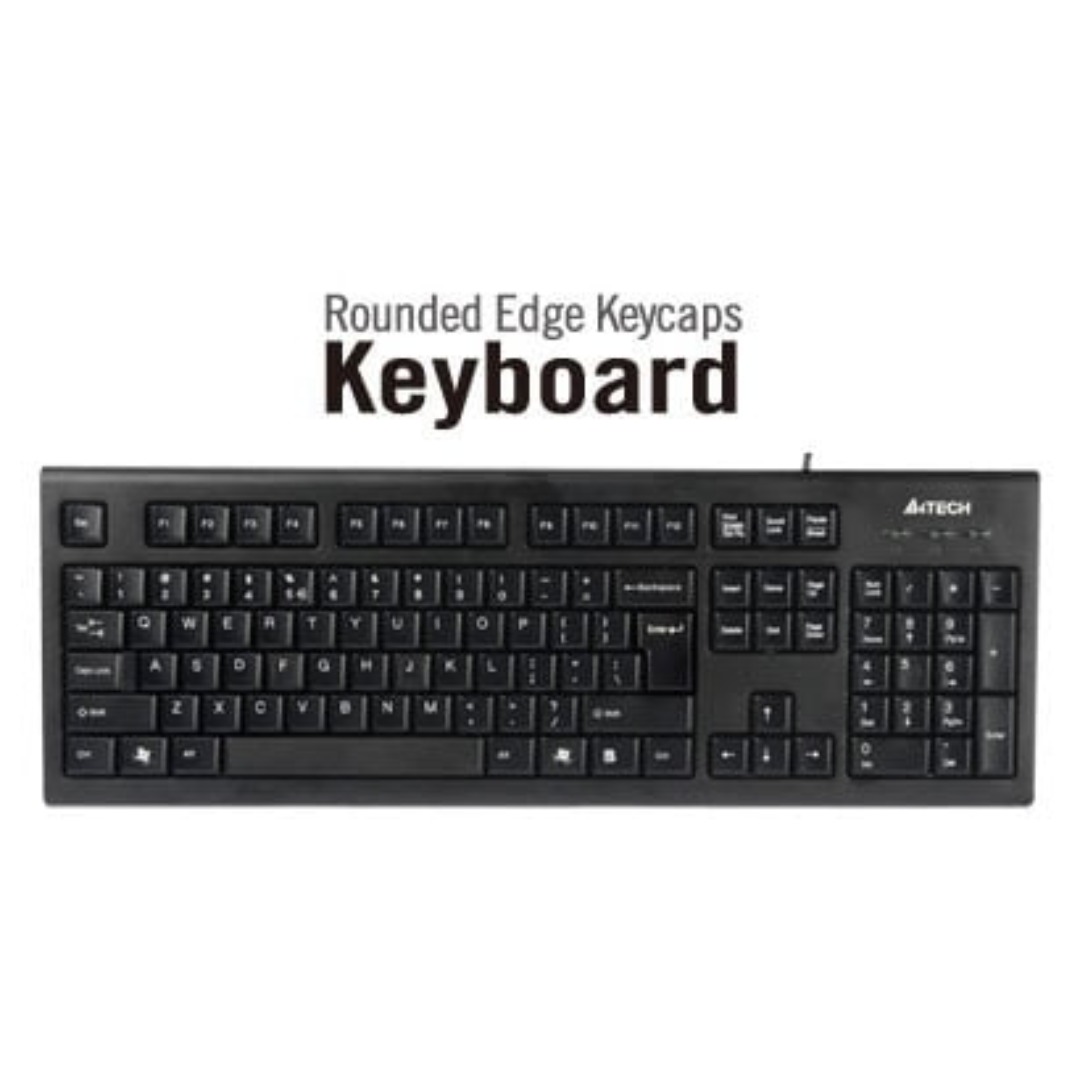
A4Tech KRS-8372 USB Keyboard QWERTY English Black

PCE 1500 M8 1500VA 600W PCE UPS SYSTEM M8-1500 1500VA 600W Input Voltage: 220/230/240 VAC, 1Ø2Wires Input Frequency: 50 or 60 Hz +/-10% (auto sensing) Power: 600W Output voltage: 220/230/240VAC+/-1% Output Frequency: 50 or 60 Hz +/-1% Full Protection: Overload, discharge, and overcharge protection PCE UPS SYSTEM M8-1500 1500VA 600W Input Voltage: 220/230/240 VAC, 1Ø2Wires Input Frequency: 50 or 60 Hz +/-10% (auto sensing) Power: 600W Output voltage: 220/230/240VAC+/-1% Output Frequency: 50 or 60 Hz +/-1% Full Protection: Overload, discharge, and overcharge protection

OEM-quality left and right loudspeaker replacement pair for MacBook Pro 14″ (Model A2442, 2021, M1 Pro/Max)—restores Apple’s high-fidelity six-speaker audio system with precise sound staging, rich bass, and clear highs. Compatible With: MacBook Pro 14-inch (2021, Model A2442) with Apple M1 Pro or M1 Max chip (Model Identifier: MacBookPro18,3 or MacBookPro18,4). Includes: Complete left and right speaker assemblies, each containing: Dual-driver units (force-cancelling woofers + tweeters) Pre-attached flex cables with OEM connectors Mounting brackets and acoustic seals Dual-driver units (force-cancelling woofers + tweeters) Pre-attached flex cables with OEM connectors Mounting brackets and acoustic seals Audio Performance: Matches Apple’s advanced six-speaker sound system with: Wide stereo separation High dynamic range Spatial audio and Dolby Atmos support (when paired with original logic board and firmware) Wide stereo separation High dynamic range Spatial audio and Dolby Atmos support (when paired with original logic board and firmware) OEM Build Quality: Precision-engineered housings with exact acoustic chambers, grille alignment, and cable routing—ensures zero rattling and full macOS audio calibration compatibility. Common Use Cases: Replaces speakers damaged by liquid ingress, physical impact, or internal failure (e.g., no sound, distorted audio, or imbalance between channels). Installation Note: Requires full bottom case and logic board disassembly. Speakers are secured with screws and acoustic adhesive. Highly recommended for certified Apple technicians or experienced professionals only due to complex internal layout and sensitivity of audio components. Important: This speaker pair is exclusive to A2442 (14″, 2021, M1 Pro/Max). Not compatible with 16″ MacBook Pro (A2485), 13″ models, or Intel-based MacBooks. This speaker pair is exclusive to A2442 (14″, 2021, M1 Pro/Max). Not compatible with 16″ MacBook Pro (A2485), 13″ models, or Intel-based MacBooks. Model Verification: Confirm your device via > About This Mac > Model Identifier (must be MacBookPro18,3 or MacBookPro18,4).

Battery Replacement for A1819 MacBook Pro 13" A1706 Late 2016 Mid 2017 MLH12LL MLH12LL/A MLH12LL/A MPXV2LL MPXV2LL/A MPXV2LL/A Battery Replacement for A1819 MacBook Pro 13″ A1706 Late 2016 Mid 2017 MLH12LL MLH12LL/A MLH12LL/A MPXV2LL MPXV2LL/A MPXV2LL/A 【Technical Details:】 Model Number: A1819; Battery type: Li-ion; Voltage: 11.1V; Capacity: 4300mAh 49.02Wh,Condition: brand new 【Compatible with:】 Mid 2017 MacBook Pro 13-inch Series: MacBook Pro 13 inch Touch A1706(Mid 2017); MacBook Pro 13 inch A1706(EMC 3163) (Mid 2017); MacBook Pro 13-inch MPXV2LL/A or MPXW2LL/A or MPXX2LL/A or MPXY2LL/A 【Compatible with:】MacBook Pro 13 inch Touch A1706(Late 2016); MacBook Pro 13 inch A1706(EMC 3071) (Late 2016); MacBook Pro 13-inch MLH12LL/A or MLVP2LL/A or MNQF2LL/A or MNQG2LL/A 【Compatible with:】2016 2017 MacBook Pro 13″ Four Thunderbolt 3 Ports A1706 model: MacBook Pro 13″ Touch i5 2.9GHz A1706(Late 2016); MacBook Pro 13″ Touch i5 3.1GHz A1706(Late 2016); MacBook Pro 13″ Touch i5 3.1GHz A1706(Mid 2017); MacBook Pro 13″ Touch i5 3.3GHz A1706(Mid 2017); MacBook Pro 13″ Touch i7 3.3GHz A1706(Late 2016); MacBook Pro 13″ Touch i7 3.5GHz A1706(Mid 2017)

New BT04XL 14.8V 52WH Notebook Battery for HP EliteBook Folio 9470 9470M 9480m Ultrabook BT04 BA06 HSTNN-IB3Z HSTNN-I10C 687945-001 H4Q47AA 687517-241 HSTNN-DB3Z 687517-171 BA06XL H4Q48AA About this item Battery type: Li-ion; Capacity: 52WH; Voltage: 14.8V; Cells: 6-cell. The battery compatible with P/N.: Spare 687517-171 687517-241 687945-001 696621-001; EliteBook Folio 9470 9470M 9480 9480M Series; fits HSTNN-DB3Z HSTNN-IB3Z HSTNN-I10C 687517-1C1 BT04 BT04XL BA06 BA06XL H4Q47AA H4Q48AA 100% New from Manufacturer. Up to 500 recharge cycles over the life of the battery. Grade A cells ensure fast charges and low power consumption. Grade A cells ensure fast charges and low power consumption; Built-in circuit protection ensures both safety and stability. Brand new from Manufacturer. Up to 500 recharge cycles over the life of the battery. Operation time for standard batteries: Around1.5~3.5 hours, the actual operation time will depend on how much electricity is required by the device and how you use it.
