
LENOVO 20V/3.25A USB PIN Laptop Charger for Lenovo Thinkpad Compatible Part NO.: 45N0236, 45N0237, 45N0238, 45N0239 0B46994, 0B46995, 0B46996, 0B46997, 0B46997, 0B46998, 0B469990B47000, 0B47001, 0B47002, 0B47003, 0B47004, 0B47005, 0B47006

A well-equipped pre-owned Dell Latitude 5410 with 14" display, 10th Gen Core i5, 16GB RAM, and 512GB SSD—delivering strong performance, security, and portability for business and professional use.

WiWU Waterproof Large Capacity Minimalist Backpack Business Laptop Backpack Bags with Multi-Pockets For digital gadgets Minimalist Style Water-resistant material,Polyester Large Capacity Have Stock Size:15.6 inch

A1707 Battery Replacement, A1820 Battery for MacBook Pro 15″ (Late 2016, Mid 2017) Touch Bar EMC 3072 EMC 3162 MLH32 MLH42 MLW72 MLW82 MPTR2 MPTT2 MLH52 MLW92 MPTU2 MPTV2 MPTW2 MPTX2 Specification】Voltage: 11.4V. Capacity: 76Wh 6667mAh. Battery Type: Li-ion. Condition: Brand new, from high quality materials, top circuit boards and smart chip. 【Compatible Part Number】A1820, A1707, A1707(EMC 3072), A1707(EMC 3162), 020-01728, MacBookPro13,3 , MacBookPro14,3. 【Compatible Laptop Models】MacBook Pro 15-Inch (Late 2016) & (Mid 2017) Model A1707 with touch bar, fit for MLH32LL/A MLH42LL/A MLH52LL/A MLW92LL/A MPTU2LL/A MPTV2LL/A MPTR2LL/A MPTT2LL/A MPTW2LL/A MPTX2LL/A MLW72LL/A MLW82LL/A. 【Note】The tools are included. Double-sided tape is attached to the back of the battery or double-sided tape is included in the package. But No battery installation instruction. The MBP battery is difficult to disassemble, we suggest you search for related installation videos on the Internet or find a technician for help.

Boost your daily productivity with the Lenovo ThinkPad E14 Gen 2, featuring a powerful 11th Gen Intel Core i5 processor. With flexible configurations of up to 16GB RAM and a fast 512GB NVMe SSD, this 14-inch business laptop offers the perfect blend of performance, security, and legendary ThinkPad durability

HomBreez 10″ Desk Air Circulator Fan with Remote, 90° +90° Oscillating Table Fan, Quiet Portable Battery Powered Fan for Bedroom, Home, Office, 12 Speeds, 12H Timer About this item Powerful Air Circulation – This air circulation fan provides cool air throughout your entire room, ensuring every corner enjoys refreshing airflow and enhancing your home comfort. Long-lasting Rechargeable Battery – The oscillating fan features a built-in high-capacity battery, lasting up to 12 hours on the minimum wind speed and 3 hours on the maximum wind speed, allowing you to enjoy extended cooling without frequent recharging. Ultra-Quiet Operation – This desk fan utilizes advanced noise reduction technology, operating at less than 20 dB at the minimum wind speed and below 48 dB at the maximum wind speed, ensuring a peaceful environment for rest and work. Full Range Oscillation – Capable of 90° left and right, and 90° up and down oscillation, it evenly distributes cool air throughout the room, covering a wider area. Smart Remote Control – The included remote allows you to effortlessly adjust 12-speed settings and set a timer for up to 12 hours, giving you convenient control without needing to get up.

The Stylus Pen is an active capacitive stylus pen designed for smooth and precise writing on all capacitive touchscreens. Featuring a superfine copper nib, palm rejection, and rechargeable battery, it’s perfect for note-taking, drawing, and everyday touchscreen use with iPads, iPhones, tablets, and smartphones. The Superfine Nib Active Capacitive Stylus Pen (Silver) is built for users who want accurate and smooth writing on touchscreens without needing Bluetooth or an app. Its superfine elastic copper tip provides delicate strokes while helping protect your screen from scratches. With palm rejection support, rechargeable battery, and one-click operation, it’s ideal for students, professionals, and creators using iPads, iPhones, and other capacitive touchscreen devices. Superfine Copper Nib for smooth writing and accurate strokes Palm Rejection Technology for comfortable writing experience No Bluetooth / No App Required – one-click operation Rechargeable Battery with up to 10 hours working time Magnetic Cap Design prevents loss and keeps the pen protected Compatible with iOS & All Capacitive Touchscreens Lightweight & Portable ideal for travel, school, and office use Compatible with all capacitive touchscreen devices, including iPad Pro, iPad Mini, iPad Air, and iPhones (11 series and earlier generations), plus most Android tablets and touchscreen phones.

Premium non-slip rubber feet designed to fit MacBook Pro models A1398, A1425, and A1502—restoring grip, stability, and base protection with a perfect OEM-style fit. Keep your MacBook Pro firmly in place with these high-quality skid-proof rubber feet, precision-made for MacBook Pro 13″ and 15″ Retina models: A1398 (15″ Retina, 2012–2015) A1425 (13″ Retina, 2012–2013) A1502 (13″ Retina, 2014–2015) These replacement feet replicate Apple’s original design, offering excellent traction on smooth surfaces like glass, wood, or metal desks—preventing slips during typing or transport. Crafted from soft yet durable silicone-rubber, they also cushion your laptop’s base, reducing scratches and minimizing vibration noise. Each set includes all necessary feet (typically 5 per unit) with strong pre-applied adhesive for quick, secure installation. The matte black finish matches your MacBook Pro’s sleek bottom case for a seamless look. Perfect for replacing worn, missing, or damaged feet due to age, cleaning, or accidental removal. A simple, cost-effective way to restore both function and finish to your MacBook Pro. Installation Tip: Clean the foot areas thoroughly with isopropyl alcohol and let dry before applying. Lightly warming the adhesive (with a hairdryer or fingers) can improve bonding.

The Apple Magic Mouse (USB-C version) is a sleek, minimalist multi-touch wireless mouse built for Mac users. It offers smooth gesture support, Bluetooth connectivity and a built-in rechargeable battery — a great choice if you prefer a clean desk setup and full compatibility with macOS and iPadOS. General Name: Magic Mouse (USB-C) — part of Apple’s pointing-device lineup. Wireless connectivity: Bluetooth. Rechargeable battery: built-in, no disposable AA cells. Charging / port: USB-C port (bottom of mouse) for pairing and charging. Compatibility: Requires a Mac with macOS 15.1 or later, or an iPad with iPadOS 18.1 or later. Size & Weight Height: ~0.85 inch (2.16 cm) Width: ~2.25 inch (5.71 cm) Depth: ~4.47 inch (11.35 cm) Weight: ~0.22 pound (0.099 kg) (varies slightly by manufacturing) Features Multi-Touch surface: supports gestures such as swiping between pages, scrolling through documents, zooming. Glide / foot design: optimized for smooth movement across desktop surfaces. Rechargeable battery life: about a month or more between charges (typical use) per Apple spec. Used Condition ConsiderationsSince you’re specifying a used unit: Check for wear on the bottom feet / skates — these degrade and affect glide. Verify battery capacity / health (rechargeable batteries age). Confirm the port is functioning (USB-C) and Bluetooth connectivity is stable. Look for signs of excessive surface scratches on the multi-touch top — may impair gestures. Ensure the firmware / Mac recognizes it fully (gestures working). Upgradability / Limitations Not user-upgradable: You cannot replace the internal battery or change internals easily. Design limitation: The USB-C port remains on the bottom of the mouse, meaning you cannot use it while charging unless you flip it. This design is still criticized. Ergonomics: The flat, low-profile design is stylish but may not suit extended-use comfort for some users.

Logitech G403 HERO – Ergonomic wired gaming mouse with HERO 25K sensor and ultra-precise 25,600 DPI tracking.Delivers pro-grade performance with customizable RGB, 6 buttons, and optional weight tuning. ✅ Full Specifications: Model: Logitech G403 HERO Sensor: HERO 25K Optical Sensor DPI: 100 – 25,600 DPI (adjustable with no smoothing, acceleration, or filtering) Polling Rate: 1000 Hz (1ms response time) Tracking Speed: >400 IPS Acceleration: >40G Buttons: 6 programmable buttons (including 2 side buttons) Switches: Mechanical with metal spring button tensioning (rated for 20M+ clicks) Lighting: RGB Lighting (logo and scroll wheel, customizable via G HUB) Weight: Approx. 87g (mouse only) + 10g optional weight Grip Style: Palm and claw grip support Cable: 2.1 meters (standard rubber cable) Build: Ergonomic right-handed design with rubber side grips Software: Logitech G HUB (for DPI, lighting, macros, and profiles) Compatibility: Windows 7 or later, macOS 10.11 or later, Chrome OS Onboard Memory: Yes (save DPI and button settings directly to the mouse)

Specifications Feature Value Feature Value Input/Output Other Sound Mode Extra Bass Mode Category Speakers Use Other Input Power (W) 25-49W Voice Control No Waterproof Yes Support APP No Intelligent Personal Assistant None Audio Crossover Full-Range Number of Loudspeaker Enclosures 2 Power Source None Channels 2 (2.0) Battery Yes Communication USB Speaker Type Portable Cabinet Material Plastic Brand Name QUCAA Origin Mainland China Certification CE

Used, original 35 W USB-C charger for Mac — reliable Apple power adapter (dual USB-C) for charging your Mac and other devices. This is an authentic Apple 35 W USB-C power adapter (dual-port) — used but tested. It’s built to charge MacBooks, iPhones, iPads, and other USB-C devices. Though lower wattage than larger Mac adapters, it works well for light use or supplemental charging. Features & Behavior Dual USB-C ports: can charge two devices simultaneously Intelligent power distribution: if both ports are used, the output splits evenly (~17.5 W each) USB Power Delivery support across standard profiles (5V, 9V, 15V, 20V) Accepts input 100-240V AC, so usable worldwide (with correct plug) Compact form factor in one variant, or standard “duckhead” plug style in another Specifications Strengths & Limitations Pros Authentic Apple unit — safer and more reliable than generic chargers Dual ports give flexibility — charge phone + Mac concurrently Portable and suitable for travel (universal voltage) Cons 35 W is low for MacBook Pro under load — might not maintain charging during heavy use When both ports used, power is halved (~17.5 W each) Used condition may include wear, scuffs, or reduced efficiency

Genuine-quality replacement A1989 battery testing flex cable—brand new and ready for professional MacBook Pro 15" (2018–2019) battery diagnostics and repairs. Genuine-quality replacement A1989 battery testing flex cable—brand new and ready for professional MacBook Pro 15″ (2018–2019) battery diagnostics and repairs. This is a brand-new A1989 Battery Testing Flex Cable, designed specifically for use in MacBook Pro 15-inch models from 2018 and 2019 (A1989) during battery replacement or diagnostic procedures. The flex cable connects the battery to the logic board’s test points, allowing technicians to verify battery health, voltage, and communication before final reassembly—ensuring safe and accurate repairs. Made with high-quality materials and precise engineering, this flex cable matches OEM specifications for fit, function, and reliability. It’s an essential tool for certified repair shops, independent technicians, and advanced DIYers performing battery servicing on T2-chip MacBook Pro models. Please note: This is not a full battery—it is the small flex cable used during battery testing and installation. Proper handling and ESD-safe practices are recommended during installation. Compatible with: MacBook Pro 15″ (2018, A1989) MacBook Pro 15″ (2019, A1989)

TP-Link AC1200 Archer C50 Wireless Dual Band Router Support smooth 4K streaming with AC1200 Wi-Fi 4 external antennas provide stable wireless connections and optimal coverage Easy network management at your fingertips with TP-Link Tether Supports IGMP Proxy/Snooping, Bridge, and Tag VLAN to optimize IPTV streaming Supports Access Point mode to create a new Wi-Fi access point TP-Link AC1200 Archer C50 Wireless Dual Band Router Support smooth 4K streaming with AC1200 Wi-Fi 4 external antennas provide stable wireless connections and optimal coverage Easy network management at your fingertips with TP-Link Tether Supports IGMP Proxy/Snooping, Bridge, and Tag VLAN to optimize IPTV streaming Supports Access Point mode to create a new Wi-Fi access point TP-Link Archer C50 – AC1200 Wireless Dual Band Router Wireless Speed: Up to 1200 Mbps (300 Mbps on 2.4GHz + 867 Mbps on 5GHz) Wi-Fi Standard: 802.11ac – 3x faster than wireless N speeds Bands: Dual Band (2.4GHz & 5GHz) for reduced interference and better performance Antenna: 4 External Antennas for strong and stable wireless coverage Ports: 4× LAN, 1× WAN (10/100 Mbps) Advanced Features: Parental Controls, Guest Network, IPv6 Support, Access Control Security: WPA/WPA2 encryption for secure wireless connections Ease of Use: Easy setup with TP-Link Tether App Ideal For: HD streaming, online gaming, and high-speed downloads in homes and small offices

OEM-spec trackpad replacement (without flex cable) for MacBook Air 15.3″ M2 (Model A2941, EMC 8301) in Silver finish—engineered for precise Force Touch response, smooth multi-touch gestures, and seamless integration with the original chassis. Compatible With: MacBook Air 15.3-inch (2023, Model A2941, EMC 8301) with Apple M2 chip. Part Type: Trackpad only—does not include the flex cable, Taptic Engine, or mounting brackets. Designed for technicians who will reuse or transfer the original internal components. Finish: Silver—matches the original Silver and Starlight lower case for perfect visual continuity. Force Touch Support: Fully compatible with pressure-sensitive input and haptic feedback when used with the original Taptic Engine and logic board—no loss of functionality. Precision Build: Mirror-smooth glass surface with exact curvature, texture, and micro-click mechanism matching Apple’s OEM standards for consistent tracking and tactile feel. Installation Requirements: Requires full bottom case disassembly and careful transfer of the original flex cable and Taptic Engine. Proper adhesive application is essential to maintain structural rigidity and sensor alignment. Recommended for professional or certified repair technicians only.

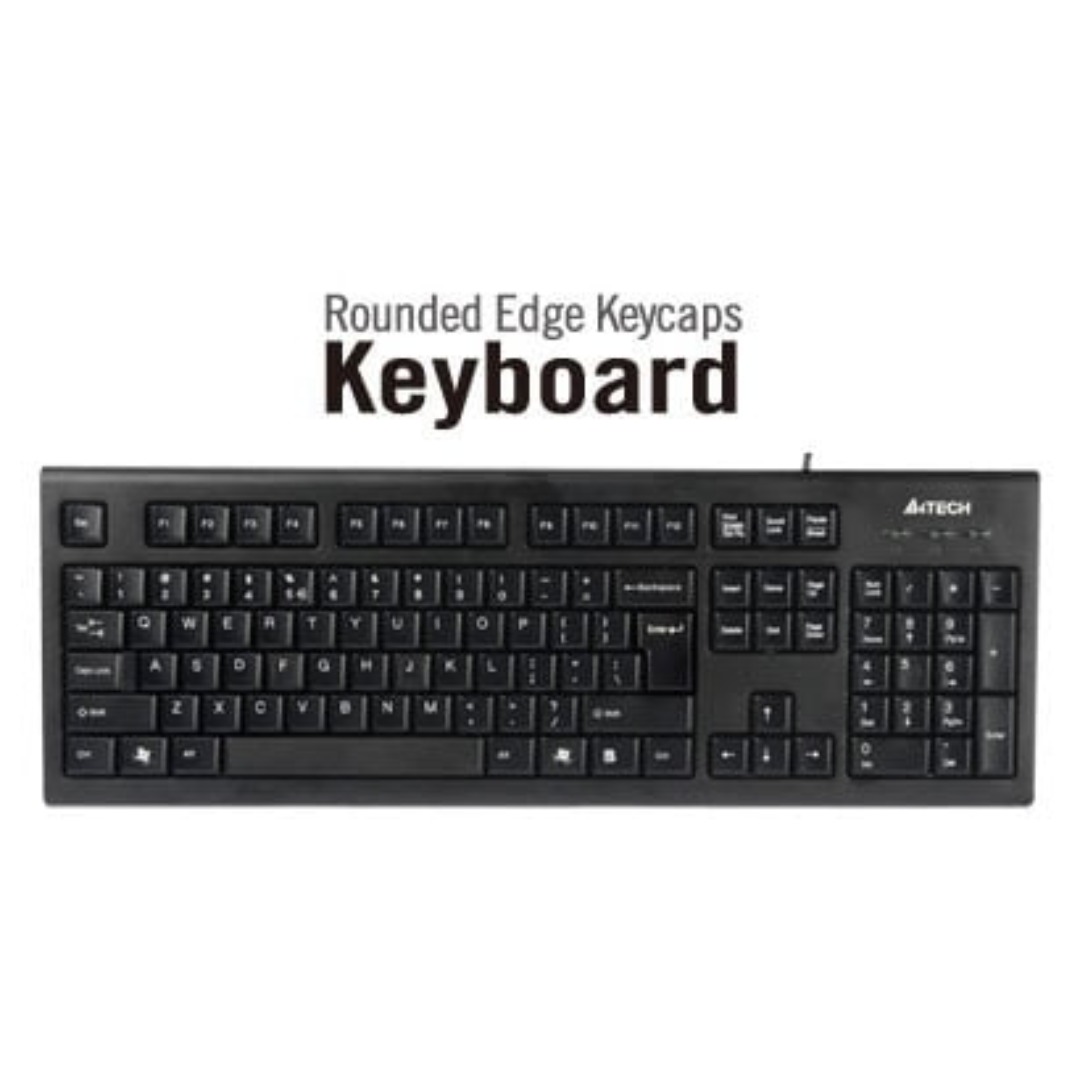
Computer Wireless Keyboard and Mouse Bundle C4120 Item No.: MT-C4120 Brand: MeeTion Color: Black Availability: In Stock EAN: Black: 6970344732155 White: 6970344732162 Description: Full-size keyboard, Adjustable Resolution, Power-efficient wireless technology.

Genuine-spec touchpad flex cable for MacBook Air 13.6″ (Model A2681, 2022, M2)—essential for restoring full Force Touch functionality, haptic feedback, and multi-touch gesture support when replacing or repairing the trackpad assembly. Compatible With: MacBook Air 13.6-inch (2022, Model A2681) with Apple M2 chip (all colors: Silver, Space Gray, Starlight, Midnight). Part Type: Touchpad flex cable only—does not include the trackpad, Taptic Engine, or mounting hardware. This is the ribbon cable assembly that connects the trackpad to the logic board. Function: Transmits touch input, Force Touch pressure data, and haptic feedback signals between the trackpad and logic board—critical for macOS gesture recognition and Taptic Engine operation. OEM-Quality Construction: Matches Apple’s original flex circuit in length, connector type, shielding, and bend radius—ensures reliable signal integrity and long-term durability. Common Use Cases: Replacing a torn, frayed, or damaged original flex cable Completing a trackpad replacement when the original cable was compromised Repairing unresponsive or erratic trackpad behavior caused by cable failure Replacing a torn, frayed, or damaged original flex cable Completing a trackpad replacement when the original cable was compromised Repairing unresponsive or erratic trackpad behavior caused by cable failure Installation Note: Requires full bottom case disassembly and careful routing under the battery and logic board. Connectors use ZIF (Zero Insertion Force) sockets—do not force. Recommended for experienced or certified technicians only.

MacBook Pro Retina 13' Early 2015 A1502 i5 8GB Logic Board MacBook Pro Retina 13′ Early 2015 A1502 i5 8GB Logic Board

Genuine-spec touchpad flex cable for MacBook Pro 16″ (Model A2485, 2021, M1 Pro/Max)—critical for restoring full Force Touch functionality, haptic feedback, and precise multi-touch gesture control during trackpad repairs. Compatible With: MacBook Pro 16-inch (2021, Model A2485) with Apple M1 Pro or M1 Max chip (Model Identifiers: MacBookPro18,1 / MacBookPro18,2). Part Type: Touchpad flex cable only—does not include the trackpad, Taptic Engine, or mounting hardware. This is the OEM-style ribbon cable that connects the trackpad to the logic board. Function: Transmits touch coordinates, Force Touch pressure data, and haptic feedback signals—essential for macOS gestures (e.g., pinch-to-zoom, Force Click, three-finger lookup) and Taptic Engine operation. OEM-Quality Construction: Precisely replicated to Apple’s original specifications—including cable length, connector type, EMI shielding, and flex routing—ensuring signal integrity and long-term reliability. Common Use Cases: Replacing a torn, frayed, or liquid-damaged original flex cable Completing a trackpad replacement when the original cable is compromised Fixing intermittent trackpad behavior, lost Force Touch, or complete unresponsiveness Replacing a torn, frayed, or liquid-damaged original flex cable Completing a trackpad replacement when the original cable is compromised Fixing intermittent trackpad behavior, lost Force Touch, or complete unresponsiveness Installation Note: Requires full disassembly of the bottom case and careful routing around the battery and logic board. Connectors use ZIF (Zero Insertion Force) sockets—must be aligned and latched gently. Recommended for certified or professional repair technicians only.

Genuine-spec touchpad flex cable for MacBook Pro 14″ (Model A2442, 2021, M1 Pro/Max)—essential for restoring full Force Touch functionality, haptic feedback, and precise multi-touch gesture control. Compatible With: MacBook Pro 14-inch (2021, Model A2442) with Apple M1 Pro or M1 Max chip (Model Identifiers: MacBookPro18,3 / MacBookPro18,4). Part Type: Touchpad flex cable only—does not include the trackpad, Taptic Engine, or mounting brackets. This is the OEM-style ribbon cable that connects the trackpad to the logic board. Function: Carries touch input, Force Touch pressure data, and haptic feedback signals—critical for macOS trackpad gestures, Force Click, and Taptic Engine responsiveness. OEM-Quality Build: Matches Apple’s original flex circuit in length, connector pitch, shielding, and bend geometry—ensures reliable signal transmission and durability under repeated use. Common Use Cases: Replacing a damaged, torn, or corroded original flex cable Completing a trackpad replacement when the original cable is unusable Fixing intermittent trackpad issues, unresponsiveness, or loss of Force Touch Replacing a damaged, torn, or corroded original flex cable Completing a trackpad replacement when the original cable is unusable Fixing intermittent trackpad issues, unresponsiveness, or loss of Force Touch Installation Note: Requires full bottom case removal and careful routing beneath internal components. Connectors use ZIF (Zero Insertion Force) sockets—must be seated properly without force. Recommended for certified or highly experienced technicians only.
