
BATTERY TOSHIBA PA5185U-1BRS Laptop Battery for Toshiba Satellite C50 C55 C55D C55T L55 L55D L55T Series fit C55-B5200 C55-B5270 C55D-B5310 PA5184U-1BRS PA5186U-1BRS PA5195U-1BRS Battery Type: Li-ion Capacity: 2800Mah Voltage: 14.4V Cells: 4-cell Fit Model: Toshiba Satellite PA5185-1BRS PA5184U-1BRS PA5184-1BRS PA5186-1BRS PA5195-1BRS PA5185U1BRS PA5185U PA5185 PA5195U PA5184 Battery Compatible: Toshiba Satellite C55-B5302 C55-B5299 C55-B5287 C55-B5272 C55-B5270 C55-B5200 C55-B5101 C55-B5100 C55D-B5319 C55D-B5310 C55D-B5241 C55D-B5219 C55D-B5214 C55D-B5212 C55D-B5206 C55D-B5203 C55T-B5349 C55T-B5110 C55T-B5230 C55T-B5109 L55-B5294 L55-B5284 L55-B5276 Battery 100% New from Manufacturer. Up to 500 recharge cycles over the life of the battery. CE-/FCC-Certified for safety If you have any questions, please feel free to contact us, our professional service team will provide you with the most guaranteed support

WiWU A821CH 8‑in‑1 Stand & Dock – A foldable aluminum laptop stand with a built-in 8‑port USB‑C dock (two USB‑A, two USB‑C, HDMI 4K30, SD/TF, Gigabit Ethernet, PD 100 W).Enhances comfort, cooling, and functionality—perfect for decluttered, professional work setups. Model: WiWU A821CH Design: Sturdy aluminum alloy stand with foldable, portable design, hollow surface for cooling, and silicone pads to prevent slips Dimensions & Weight: Compact when folded (~400 g in aluminum) Docking Hub Ports: 2 × USB-C ports 2 × USB‑A 3.0 ports 1 × HDMI (up to 4K@30 Hz) SD + micro‑SD card slots 1 × RJ‑45 Gigabit Ethernet (1000 Mbps) Docking Hub Ports: 2 × USB-C ports 2 × USB‑A 3.0 ports 1 × HDMI (up to 4K@30 Hz) SD + micro‑SD card slots 1 × RJ‑45 Gigabit Ethernet (1000 Mbps) Power Delivery: USB-C PD 3.0 supports up to 100 W—can charge a laptop while using other ports Connectivity: HDMI supports up to 4K@30 Hz; Ethernet up to Gigabit speed Stand Features: Detachable base—can use stand and hub together or separately, with adjustable ergonomic angles and vents for airflow Durability: Aluminum alloy with frosted texture, scratch-resistant finish, tested to executive standards

The Lexar NS100 512GB SSD is a 2.5-inch SATA III solid-state drive built to upgrade laptops and desktops with faster boot times, smoother app loading, and silent operation. It uses reliable flash storage to deliver a clear performance boost over traditional hard drives. ⚡ Faster System Performance: Significantly improves boot speed, application loading, and file transfers versus HDDs. 💾 512GB Storage Capacity: Ideal for OS, software, documents, and everyday multimedia. 🧠 SATA III 6Gb/s Interface: Provides stable, high-speed performance and is backward compatible with SATA II/I systems. 🔇 Silent & Shock-Resistant: No moving parts, making it quieter and more durable for laptops and mobile use. 🌡️ Low Power Consumption: Helps reduce heat and extend laptop battery life. 🛠️ Easy Installation: Standard 2.5″ 7mm design fits most laptops and desktops.

About this item Noise-cancelling microphone reduces room noise for clearer Internet calls Full stereo sound for your music, movies and games Rotating microphone boom can be worn on your left or right side Adjustable headband gives you a customized fit Works with Windows 10 or later, Windows 8, Windows 7, Windows Vista, Mac OS X 10.5 or later, Chrome OS, Linux Kernel 2.6+ and iOS or Android devices

L12M4E01 L12L4A02 Battery for Lenovo G50 G50-70 G50-45 Z710 G400s S510p G510s G500s G40-70 G50-30,IdeaPad Z50,IdeaPad S510p Touch,IdeaPad G505s,IdeaPad S410p About this item This battery type: Li-ion; Voltage: 14.8V Capacity: 2600MAH; Cells: 4-cell;color: Black; 100% Brand New.Fit P/N L12L4A02, L12L4E01, L12M4A02, L12M4E01, L12S4A02, L12S4E01 Compatible Models: Relacement battery for lenovo G400s G40-30 G40-45 G405s G40-70 G40-70M G410s G50 G500s G50-30 G50-45 G505s G505s G50-70 G50-70A G50-70M G50-75 G50-80 G510s G510s S410p S410p S435 S510p S510p Z40 Z40-70 Z40-75 Z50 Z50-70 Z70 Z70-70 Z70-80 Z710 Compatible P/N: Lenovo battery L12L4A02 L12L4E01 L12M4A02 L12M4E01 L12S4A02 L12S4E01 121500171 121500172 121500173 121500174 121500175 121500176 90202869 All FTYTEN products are 100% Brand New; Grade A Li-ion battery cells ensure fast charges; Rigorous quality control; Overcharger and Discharger Circuit Protection, CE-/FCC-/RoHS-Certified for safety.

The Royal Kludge RK61 is an ultra-compact 60% mechanical gaming keyboard featuring brilliant RGB backlighting and smooth, linear RK Red switches. Equipped with versatile triple-mode connectivity (Bluetooth, 2.4GHz wireless, and USB-C wired), it offers maximum flexibility and a clean, cable-free desktop layout optimized for both competitive gaming and office productivity. ✅ Full Specifications: Model: Royal Kludge RK61 (61 Keys) — Black Edition Interface / Connection: Triple Mode Connection (3C): Wireless 2.4GHz (via included USB dongle) Bluetooth 5.1 (Pairs with up to 3 devices simultaneously) Wired USB Type-C (Detachable cable included) Interface / Connection: Triple Mode Connection (3C): Wireless 2.4GHz (via included USB dongle) Bluetooth 5.1 (Pairs with up to 3 devices simultaneously) Wired USB Type-C (Detachable cable included) Switch Type: RK Red Mechanical Switches (Linear feel, smooth and quiet keystrokes, ideal for fast-paced gaming and quiet office typing) Hot-Swappable PCB: Yes (Supports easy replacement of 3-pin or 5-pin switches without soldering) Layout: Compact 60% Minimalism Layout, 61 Keys (US QWERTY / Arabic-English dual print variants supported) Backlighting: Full dynamic RGB Backlight with 18 customizable lighting modes, 8 monochrome modes, and adjustable brightness/speed Material & Build: Durable ABS polymer housing with high-quality ergonomically curved keycaps to reduce hand fatigue Design & Form Factor: Compact, space-saving design with a built-in 8° ergonomic typing angle for optimal comfort Battery Capacity: 1450mAh rechargeable battery built-in (Up to 13 hours of continuous use with backlighting active, high standby efficiency) Compatibility: Windows, macOS, Android, iOS, Linux, and major gaming consoles Dimensions: Approx. 289 x 103 x 39 mm (11.4 x 4 x 1.6 inches) Weight: Approx. 0.50 kg (1.1 lbs)

Lexar NM620 1TB SSD, M.2 2280 PCIe Gen3x4 NVMe 1.4 Internal SSD, Up to 3500MB/s Read, 3000MB/s Write, 3D NAND Flash Internal Solid State Drive for PC Enthusiasts and Gamers (LNM620X001T-RNNNG) About this item High-speed PCIe Gen3x4 interface: Lexar 1TB SSD up to 3500MB/s read and 3000MB/s write – NVMe 1.4 is supported. Lexar Internal SSD M.2 2280 form factor with 3D NAND Lexar Solid state drive maintains 6x the speed of a SATA-based SSD. Lexar SSD is ideal for PC enthusiasts and gamers. Lexar Internal solid state drive is shock and vibration-resistant without moving parts.

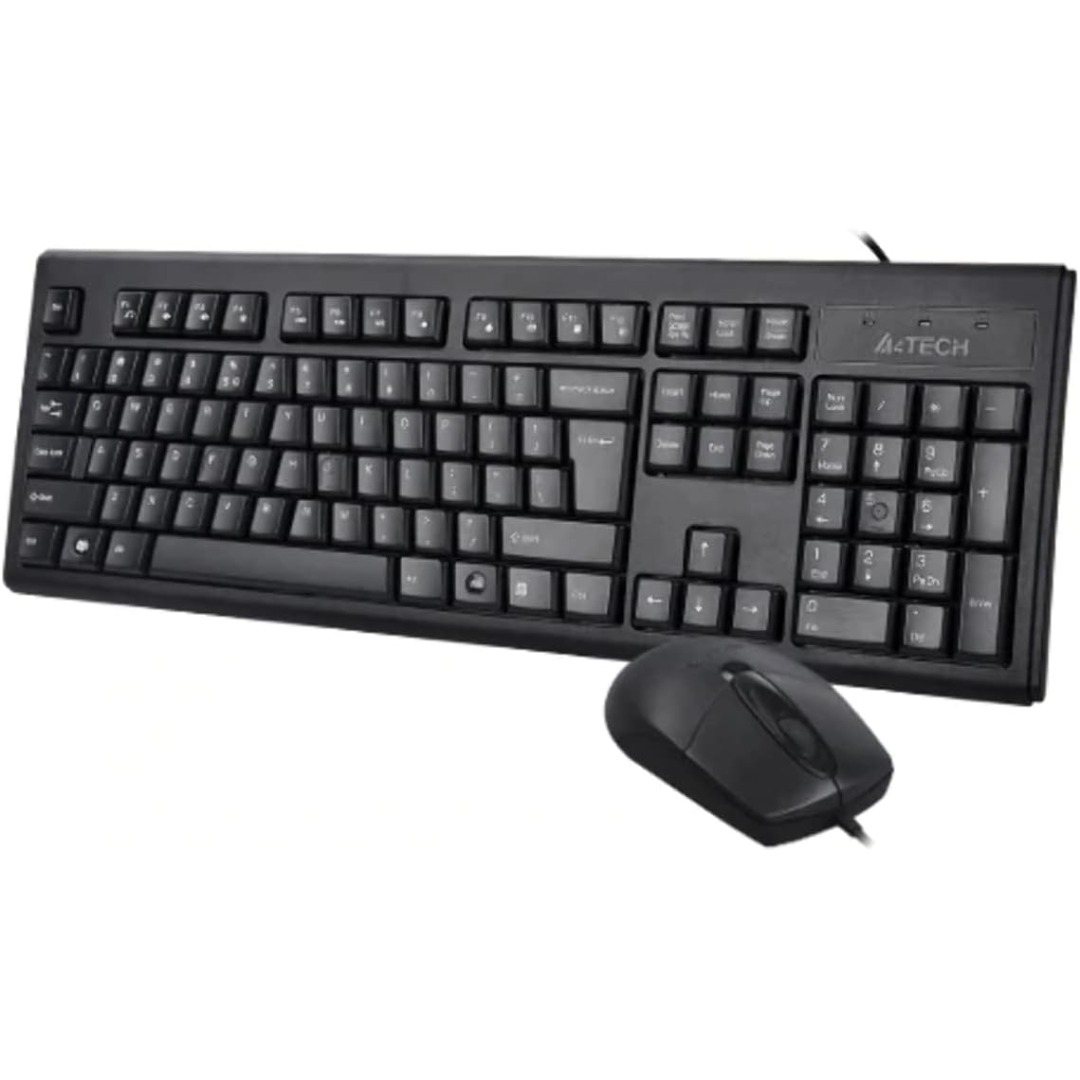
The Meetion Mini 4000 Black is a compact wireless keyboard and mouse combo designed for clean and convenient everyday use. With a mini-space-saving layout and stable wireless connection, it’s perfect for office work, home setups, and laptop users who want a neat, clutter-free desk. The Meetion Mini 4000 is a stylish and practical wireless keyboard and mouse set made for users who prefer a compact and modern workspace. Its mini keyboard design saves desk space while still offering comfortable typing for daily tasks. The wireless mouse provides smooth control and easy navigation, making this combo ideal for offices, students, and home users. With plug-and-play wireless connectivity, setup is simple—just connect the receiver and start using it instantly. Wireless Keyboard & Mouse Combo for a clean and clutter-free setup Compact Mini Keyboard Design saves space and fits small desks easily Stable Wireless Connection for smooth performance Plug & Play Receiver – quick setup without drivers Smooth Wireless Mouse for accurate control Comfortable Typing Layout for everyday productivity Modern Black Finish suitable for any workspace Ideal for Laptops & Desktops Perfect for office workers, students, and home users needing a compact wireless combo for laptops or desktops. Works with most devices that support USB.

Experience the perfect balance of performance and value with the Lenovo ThinkPad E14 Gen 1. Powered by a reliable 10th Gen Intel Core i5 processor, 16GB RAM, and a spacious 512GB NVMe SSD, this 14-inch laptop is built to handle professional multitasking with the signature durability of the ThinkPad line.

OEM-quality trackpad replacement (without flex cable) for MacBook Air 13.3″ M1 (Model A2337, EMC 3598)—available in Space Gray, Gold, and Silver finishes—engineered for precise Force Touch response, smooth multi-touch gestures, and perfect color-matched integration. Compatible With: MacBook Air 13.3-inch (2020, Model A2337, EMC 3598) with Apple M1 chip. Part Type: Trackpad only—does not include the flex cable, Taptic Engine, or mounting brackets. Intended for professional technicians who will reuse or transfer the original internal components. Color Options: Space Gray – matches Space Gray and Midnight finishes Gold – matches Gold MacBook Air Silver – matches Silver and Starlight finishes Each variant is finished to OEM specifications for seamless visual continuity with the lower case. Space Gray – matches Space Gray and Midnight finishes Gold – matches Gold MacBook Air Silver – matches Silver and Starlight finishes Each variant is finished to OEM specifications for seamless visual continuity with the lower case. Force Touch Support: Fully compatible with pressure-sensitive input and haptic feedback when used with the original Taptic Engine and logic board—ensuring full macOS gesture functionality (e.g., Force Click, Look Up, pressure-sensitive drawing). Precision Engineering: Features the same smooth glass surface, curvature, and micro-click mechanism as Apple’s original—delivering consistent tracking accuracy and tactile feel. Installation Requirements: Requires complete bottom case disassembly and careful transfer of the original flex cable and Taptic Engine. Adhesive must be applied precisely to maintain structural integrity and sensor alignment. Recommended for certified or experienced repair technicians only. Important: This is a bare trackpad assembly—not a plug-and-play module. Functionality depends on correct integration with original electronics.

Genuine-spec touchpad flex cable for MacBook Pro 13″ (Model A2251, 2020, Intel)—essential for restoring full Force Touch functionality, haptic feedback, and precise multi-touch gesture control during trackpad repair or replacement. Compatible With: MacBook Pro 13-inch (2020, Two Thunderbolt Ports, Model A2251, Model Identifier MacBookPro16,1) with Intel Core i5/i7 processors. Part Type: Touchpad flex cable only—does not include the trackpad housing, Taptic Engine, or mounting hardware. This is the OEM-style ribbon cable that connects the trackpad to the logic board. Function: Transmits: Precise touch coordinates Force Touch pressure data Haptic feedback signals to the Taptic Engine Enables full macOS gesture support including Force Click, three-finger lookup, swipe navigation, and inertial scrolling. Precise touch coordinates Force Touch pressure data Haptic feedback signals to the Taptic Engine Enables full macOS gesture support including Force Click, three-finger lookup, swipe navigation, and inertial scrolling. OEM-Quality Build: Matches Apple’s original specifications in: Cable length and routing Connector pitch and ZIF latch design EMI shielding and flex durability Cable length and routing Connector pitch and ZIF latch design EMI shielding and flex durability Common Use Cases: Replacing a torn, creased, or liquid-damaged original flex Completing a trackpad replacement when the original cable is compromised Fixing intermittent trackpad behavior, loss of Force Touch, or complete unresponsiveness Replacing a torn, creased, or liquid-damaged original flex Completing a trackpad replacement when the original cable is compromised Fixing intermittent trackpad behavior, loss of Force Touch, or complete unresponsiveness Installation Note: Requires full bottom case removal and partial disassembly (including battery disconnect). Cable routes under the right speaker and logic board—must be seated in original retention channels. Connects via ZIF (Zero Insertion Force) socket—align carefully and latch gently. Recommended for experienced or certified technicians only. Requires full bottom case removal and partial disassembly (including battery disconnect). Cable routes under the right speaker and logic board—must be seated in original retention channels. Connects via ZIF (Zero Insertion Force) socket—align carefully and latch gently. Recommended for experienced or certified technicians only.

WiWU Pilot Backpack 15.6 inch Travelling Polyester Laptop Business School Travelling Backpack WiWU Pilot Backpack 15.6 inch Travelling Polyester Laptop Business School Travelling Backpack

256GB SSD Apple Macbook Pro Air 2013 2014 2015 A1502 A1398 A1466 A1465 | Samsung MZ-JPU512T/A06 | 655-1805D ORIGINAL APPLE PART (Apple sources their SSD’s for MacBooks from Samsung) A1502 – A1398 – A1465 – A1466 100% TESTED WORKING Please check compatibility below before you make your purchase: COMPATIBILITY: MacBook Pro Retina Late 2013 – Mid-2015 MacBookPro11,1 (A1502) – ME864LL/A, ME866LL/A, ME867LL/A, MGX72LL/A, MGX92LL/A, & MGXD2LL/A MacBookPro11,2 (A1398) – ME293LL/A & MGXA2LL/A MacBookPro11,3 (A1398) – ME294LL/A, ME874LL/A, MGXC2LL/A, & MGXG2LL/A MacBookPro11,4 (A1398) – MJLQ2LL/A MacBookPro11,5 (A1398) – MJLT2LL/A & MJLU2LL/A MacBookPro12,1 (A1502) – MF839LL/A, MF841LL/A, & MF843LL/A MacBook Air Mid-2013 – Late 2015 MacBookAir6,1 (A1465) – MD711LL/A, MD760LL/A, MD711LL/B, & MF067LL/A MacBookAir6,2 (A1466) – MD760LL/A, MD760LL/B, & MF068LL/A MacBookAir7,1 (A1465) – MJMVM2LL/A MacBookAir7,2 (A1466) – MJVE2LL/A Model Identifier: Samsung Manufacturer Part# MZ-JPU512T/A06

REMAX RB-M73 5.3 VENATTLE SERIES WIRELESS PORTABLE MUSIC WAR DRUM SPEAKER Powerful Sound with 60W Speaker: Experience room-filling, dynamic sound that captures every musical detail. Dynamic Audio Drivers: Dual bass speakers and tweeters harmonize for highs and lows that sing.** TWS Interconnection: Sync over a thousand units for simultaneous audio bliss. Dynamic RGB Lighting: Watch your music dance with multi-color lights synced to every beat. Emergency Power Backup: Stay charged with convenient USB charging capabilities for those critical moments.**

Genuine-spec touchpad flex cable for MacBook Pro 13″ with Touch Bar (Model A1708, 2016–2017)—restores full Force Touch functionality, haptic feedback, and precise multi-touch gesture control during trackpad repair or replacement. Compatible With: MacBook Pro 13″ (2016) – Model A1708 (Model Identifier: MacBookPro13,1) MacBook Pro 13″ (2017) – Model A1708 (Model Identifier: MacBookPro14,1) (Both years share the same internal trackpad assembly and flex cable.) MacBook Pro 13″ (2016) – Model A1708 (Model Identifier: MacBookPro13,1) MacBook Pro 13″ (2017) – Model A1708 (Model Identifier: MacBookPro14,1) (Both years share the same internal trackpad assembly and flex cable.) Part Type: Touchpad flex cable only — does not include the trackpad housing, Taptic Engine, or mounting hardware. This is the OEM-style ribbon cable that connects the trackpad to the logic board. Function: Transmits: Touch input coordinates Force Touch pressure data Haptic feedback signals to the Taptic Engine Enables full macOS gesture support: Force Click, three-finger lookup, swipe navigation, pinch-to-zoom, and smooth cursor tracking. Touch input coordinates Force Touch pressure data Haptic feedback signals to the Taptic Engine Enables full macOS gesture support: Force Click, three-finger lookup, swipe navigation, pinch-to-zoom, and smooth cursor tracking. OEM-Quality Build: Matches Apple’s original specifications in: Cable length and routing path Connector pitch and ZIF latch design EMI shielding and flex durability Cable length and routing path Connector pitch and ZIF latch design EMI shielding and flex durability Common Use Cases: Replacing a torn, creased, or liquid-damaged original flex cable Completing a trackpad replacement when the original cable is compromised Fixing intermittent trackpad behavior, loss of Force Touch, or complete unresponsiveness Replacing a torn, creased, or liquid-damaged original flex cable Completing a trackpad replacement when the original cable is compromised Fixing intermittent trackpad behavior, loss of Force Touch, or complete unresponsiveness Installation Note: Requires full bottom case removal and battery disconnection. Cable routes under internal components near the right speaker and logic board. Connects via a ZIF (Zero Insertion Force) socket—must be aligned carefully and latched gently. Recommended for experienced or certified technicians only. Requires full bottom case removal and battery disconnection. Cable routes under internal components near the right speaker and logic board. Connects via a ZIF (Zero Insertion Force) socket—must be aligned carefully and latched gently. Recommended for experienced or certified technicians only.

This 1.8-meter DisplayPort to HDMI cable lets you connect a DisplayPort-enabled PC or laptop to an HDMI monitor, TV, or projector. It delivers clear high-definition video and reliable signal transmission, making it perfect for office work, presentations, and home entertainment. The DisplayPort to HDMI cable (1.8M) is a simple and reliable solution for connecting modern computers and laptops with a DisplayPort output to HDMI displays. Ideal for upgrading your setup, it supports high-quality video output for monitors, HDTVs, and projectors. With plug-and-play functionality and a durable build, it ensures stable performance for both professional and home use. DisplayPort to HDMI Connection for easy compatibility with HDMI screens 1.8M Cable Length ideal for desk and office setups High-Definition Video Output for clear and sharp visuals Plug & Play no drivers required Durable Connectors & Cable Build for long-term reliability Perfect for Work & Entertainment supports monitors, TVs, and projectors Works with devices that have a DisplayPort output and displays with an HDMI input, including monitors, TVs, projectors, and display systems. Ideal for workstations, presentations, and dual-screen setups.

Genuine-spec touchpad flex cable for Apple’s 12-inch MacBook (Model A1534, Early 2015 / Early 2016 / Mid 2017)—essential for restoring full Force Touch trackpad functionality, haptic feedback, and multi-touch gesture support. Compatible With: MacBook 12″ (Early 2015) – 1.1GHz Core M MacBook 12″ (Early 2016) – 1.1GHz/1.3GHz Core M MacBook 12″ (Mid 2017) – 1.2GHz/1.3GHz Core m3/i5/i7 All share Model Number A1534 and Model Identifier MacBook8,1 / MacBook9,1 / MacBook10,1 respectively. MacBook 12″ (Early 2015) – 1.1GHz Core M MacBook 12″ (Early 2016) – 1.1GHz/1.3GHz Core M MacBook 12″ (Mid 2017) – 1.2GHz/1.3GHz Core m3/i5/i7 All share Model Number A1534 and Model Identifier MacBook8,1 / MacBook9,1 / MacBook10,1 respectively. Part Type: Touchpad flex cable only—does not include the trackpad housing, Taptic Engine, or mounting brackets. This is the ribbon cable that connects the Force Touch trackpad to the logic board. Function: Critical for Force Touch functionality—transmits pressure-sensitive input, multi-touch gestures (e.g., pinch, swipe, Force Click), and haptic feedback signals to the Taptic Engine. OEM-Quality Construction: Precisely matches Apple’s original in length, connector pitch, shielding, and routing—ensures reliable signal integrity and compatibility with macOS. Common Use Cases: Replacing a torn, creased, or liquid-damaged flex cable Restoring unresponsive or erratic trackpad behavior Completing a trackpad replacement when the original cable is unusable Replacing a torn, creased, or liquid-damaged flex cable Restoring unresponsive or erratic trackpad behavior Completing a trackpad replacement when the original cable is unusable Installation Note: Requires full bottom case removal and delicate disconnection of the ZIF connector. The cable routes tightly under the battery—extreme care is required. Recommended for experienced or certified technicians only.

Meetion Usb Computer 2.4GHz Wireless Mouse, Black | R545 Meetion Usb Computer 2.4GHz Wireless Mouse, Black | R545 Comfortable grip feeling. Stable Wireless. 2.4g wireless transmission technology effective working distance up to 10M. Automatic sleep power saving. AA test battery included.

Genuine-spec touchpad flex cable for MacBook Pro 15″ (Model A1707, 2016–2017)—restores full Force Touch functionality, haptic feedback, and precise multi-touch gesture control during trackpad repair or replacement. Compatible With: MacBook Pro 15″ (2016) – Model A1707 (Model Identifier: MacBookPro13,2) MacBook Pro 15″ (2017) – Model A1707 (Model Identifier: MacBookPro14,2) MacBook Pro 15″ (2016) – Model A1707 (Model Identifier: MacBookPro13,2) MacBook Pro 15″ (2017) – Model A1707 (Model Identifier: MacBookPro14,2) Part Type: Touchpad flex cable only — does not include the trackpad housing, Taptic Engine, or mounting hardware. This is the OEM-style ribbon cable that connects the trackpad to the logic board. Function: Transmits: Touch input coordinates Force Touch pressure data Haptic feedback signals to the Taptic Engine Enables full macOS gesture support: Force Click, three-finger lookup, swipe navigation, pinch-to-zoom, and smooth cursor tracking. Touch input coordinates Force Touch pressure data Haptic feedback signals to the Taptic Engine Enables full macOS gesture support: Force Click, three-finger lookup, swipe navigation, pinch-to-zoom, and smooth cursor tracking. OEM-Quality Build: Matches Apple’s original specifications in: Cable length and routing path Connector pitch and ZIF latch design EMI shielding and flex durability Cable length and routing path Connector pitch and ZIF latch design EMI shielding and flex durability Common Use Cases: Replacing a torn, creased, or liquid-damaged original flex cable Completing a trackpad replacement when the original cable is compromised Fixing intermittent trackpad behavior, loss of Force Touch, or complete unresponsiveness Replacing a torn, creased, or liquid-damaged original flex cable Completing a trackpad replacement when the original cable is compromised Fixing intermittent trackpad behavior, loss of Force Touch, or complete unresponsiveness Installation Note: Requires full bottom case removal and battery disconnection. Cable routes under internal components near the right speaker and logic board. Connects via a ZIF (Zero Insertion Force) socket—must be aligned carefully and latched gently. Recommended for experienced or certified technicians only. Requires full bottom case removal and battery disconnection. Cable routes under internal components near the right speaker and logic board. Connects via a ZIF (Zero Insertion Force) socket—must be aligned carefully and latched gently. Recommended for experienced or certified technicians only.

