
Original replacement touchpad for MacBook Air A2442, available in Silver and Space Gray. Perfect for fixing unresponsive or damaged trackpads and restoring smooth cursor control and gesture functionality. The Original MacBook Air A2442 Touchpad is a genuine replacement part designed to restore full trackpad performance and functionality. If your MacBook Air trackpad is not clicking, not responding, or physically damaged, this original touchpad provides a reliable solution with smooth tracking and accurate gesture support. Available in Silver and Space Gray, it matches the original laptop finish for a clean professional repair. Original / Genuine Touchpad for MacBook Air A2442 Available in Silver and Space Gray Restores smooth cursor control and multi-touch gestures Reliable clicking and accurate tracking performance Perfect for repair and replacement of damaged trackpads High-quality build for long-term use ✔ MacBook Air 13-inch (2021 / 2022) A2442 Compatible with MacBook Air A2442 models only. Please confirm the model number on the bottom cover before purchase to ensure a correct fit.

SanDisk 2TB Portable SSD - Up to 800MB/s, USB-C, USB 3.2 Gen 2, Updated Firmware - External Solid State Drive - SDSSDE30-2T00-G26 SanDisk 2TB Portable SSD – Up to 800MB/s, USB-C, USB 3.2 Gen 2, Updated Firmware – External Solid State Drive – SDSSDE30-2T00-G26 About this item Solid state performance with up to 800MB/s read speeds in a portable drive. (Based on internal testing; performance may be lower depending on host device, interface, usage conditions and other factors. 1MB=1,000,000 bytes.) Back up your content and memories on a storage solution that fits seamlessly into your mobile lifestyle. Take it with you on your adventures—up to two-meter drop protection means this durable drive can take a beating. (Based on internal testing.) Secure it to your belt loop or backpack for extra peace of mind thanks to the tough rubber hook. From SanDisk, a brand professional photographers trust to take on assignments.

The Crucial DDR4 32GB laptop memory runs at 3200MHz to deliver faster performance and smoother multitasking. Designed for reliability and compatibility, it’s an ideal upgrade for laptops that need improved speed, responsiveness, and efficiency. The Crucial DDR4 32GB 3200MHz laptop RAM is built for users who want to significantly boost their system’s performance. Whether you’re multitasking, working with heavy applications, or simply looking for a smoother everyday experience, this memory upgrade helps your laptop run faster and more efficiently. 32GB DDR4 Capacity: Provides ample memory for demanding tasks, multitasking, and professional workloads. 3200MHz Speed: Enhances system responsiveness and reduces load times. Laptop Form Factor: Designed specifically for notebooks using DDR4 SODIMM slots. Low Power Consumption: Improves efficiency and helps extend battery life. Wide Compatibility: Tested to work with a wide range of laptop brands and models. Manufactured by Crucial, a trusted Micron brand, this DDR4 memory is built using high-quality components and tested to meet strict reliability standards for long-term performance. With easy installation and a noticeable performance boost, the Crucial DDR4 32GB 3200MHz laptop RAM is a smart and cost-effective upgrade that extends the life and capabilities of your laptop.

Genuine-spec US layout keyboard replacement for MacBook Pro (Model A1398, Late 2011–Mid 2012)—featuring durable scissor-switch keys, backlighting, and OEM-fit design for reliable typing and straightforward installation. Compatible With: MacBook Pro 13″: Late 2011 (Model A1278, but labeled A1398 in some regions) – Model Identifier MacBookPro8,1 MacBook Pro 15″: Early 2011, Late 2011, and Mid 2012 – Model Identifiers MacBookPro8,2 (15″ early/late 2011) and MacBookPro9,1 (15″ mid 2012) *(Note: “A1398” is primarily associated with the 15″ unibody MacBook Pro with Retina display (Mid 2012), which was the first Retina MacBook Pro.)* This keyboard fits the non-Retina 15″ A1398 (Mid 2012) and compatible Late 2011 models. MacBook Pro 13″: Late 2011 (Model A1278, but labeled A1398 in some regions) – Model Identifier MacBookPro8,1 MacBook Pro 15″: Early 2011, Late 2011, and Mid 2012 – Model Identifiers MacBookPro8,2 (15″ early/late 2011) and MacBookPro9,1 (15″ mid 2012) *(Note: “A1398” is primarily associated with the 15″ unibody MacBook Pro with Retina display (Mid 2012), which was the first Retina MacBook Pro.)* This keyboard fits the non-Retina 15″ A1398 (Mid 2012) and compatible Late 2011 models. Layout: Standard US English (QWERTY) with full-size keys, inverted-T arrow keys, and dedicated function row (F1–F12). Keyboard Type: Traditional scissor-switch mechanism—robust, tactile, and serviceable (pre-Butterfly era). Integrated Features: Backlit keys (adjustable brightness via F5/F6) OEM ribbon cable with ZIF connector Matches original key spacing and actuation force Backlit keys (adjustable brightness via F5/F6) OEM ribbon cable with ZIF connector Matches original key spacing and actuation force Build & Fit: Precision-molded plastic frame with exact screw mounts and alignment pegs—ensures secure, rattle-free installation in the top case. Installation Note: Keyboard is secured with screws and minimal adhesive. Requires full top case access and battery disconnect. Recommended for intermediate to advanced users or technicians.

Compact and stylish with a zinc alloy shell, the SatcOp 8‑in‑1 USB‑C Multiport Dock delivers essential ports—Ethernet, HDMI, USB, card readers, and charging—in one portable adapter. Ideal for powering your laptop while expanding connectivity on the go. 🖥️ HDMI Port – Connect to external displays in Full HD or 4K (depending on your host device). 🌐 RJ45 Ethernet Port – Provides stable wired internet access with gigabit-speed support. ⚡ USB-C PD Charging – Power your laptop while using other ports (up to 87W pass-through). 🔌 USB 3.0 & USB 2.0 Ports – Connect flash drives, external storage, keyboards, and mice. 💾 SD & TF Card Readers – Quick access to camera and device storage cards. 🧊 Material – Premium zinc alloy casing for durability and efficient heat dissipation. 💼 Design – Slim, lightweight, and perfect for travel, home, or office setups. 💻 Compatibility – Works with most USB-C laptops, including Windows, macOS, Chrome OS, and select Android tablets.

A lightweight and efficient pre-owned Lenovo ThinkPad T14s Gen 2 with 14" display, AMD Ryzen 5 5650U, 16GB RAM, and 512GB SSD—featuring integrated AMD Radeon graphics for smooth productivity and all-day battery life in a premium ultraportable.

LENOVO 20V/3.25A USB PIN Laptop Charger for Lenovo Thinkpad Compatible Part NO.: 45N0236, 45N0237, 45N0238, 45N0239 0B46994, 0B46995, 0B46996, 0B46997, 0B46997, 0B46998, 0B469990B47000, 0B47001, 0B47002, 0B47003, 0B47004, 0B47005, 0B47006

PCE 1500 M8 1500VA 600W PCE UPS SYSTEM M8-1500 1500VA 600W Input Voltage: 220/230/240 VAC, 1Ø2Wires Input Frequency: 50 or 60 Hz +/-10% (auto sensing) Power: 600W Output voltage: 220/230/240VAC+/-1% Output Frequency: 50 or 60 Hz +/-1% Full Protection: Overload, discharge, and overcharge protection PCE UPS SYSTEM M8-1500 1500VA 600W Input Voltage: 220/230/240 VAC, 1Ø2Wires Input Frequency: 50 or 60 Hz +/-10% (auto sensing) Power: 600W Output voltage: 220/230/240VAC+/-1% Output Frequency: 50 or 60 Hz +/-1% Full Protection: Overload, discharge, and overcharge protection

Genuine-spec US layout keyboard replacement for MacBook Air 13″ (Model A2337, 2020)—featuring the Magic Keyboard design with scissor-switch mechanism, backlighting, and full OEM compatibility. Compatible With: MacBook Air 13-inch (2020, Model A2337) – includes both M1 and Intel Core i3/i5/i7 variants. Keyboard Type: Apple’s updated Magic Keyboard with scissor-switch mechanism—more reliable and comfortable than earlier Butterfly designs. Layout: Standard US English (QWERTY), including inverted-T arrow keys and full function row. Integrated Features: Backlit keys, ambient light sensor support, and original ribbon cable connector for seamless plug-and-play installation. Build & Fit: Precision-engineered to match Apple’s original dimensions, key spacing, and tactile response—ensures flush mounting within the top case. Installation Note: The keyboard is glued into the top case and requires careful removal and re-adhesion. Full top case disassembly is necessary. Recommended for experienced repair technicians

Genuine-spec touchpad flex cable for MacBook Pro 15″ (Model A1706 – 2017 and A1989 – 2018/2019)—restores full Force Touch functionality, haptic feedback, and precise multi-touch gesture control during trackpad repair or replacement. Compatible With: MacBook Pro 15″ (2017) – Model A1706 (Model Identifier: MacBookPro14,3) MacBook Pro 15″ (2018–2019) – Model A1989 (Model Identifier: MacBookPro15,2) ✅ Note: Apple used the same trackpad assembly and flex cable across both A1706 and A1989 15″ models—making this part interchangeable between them. MacBook Pro 15″ (2017) – Model A1706 (Model Identifier: MacBookPro14,3) MacBook Pro 15″ (2018–2019) – Model A1989 (Model Identifier: MacBookPro15,2) ✅ Note: Apple used the same trackpad assembly and flex cable across both A1706 and A1989 15″ models—making this part interchangeable between them. ✅ Note: Apple used the same trackpad assembly and flex cable across both A1706 and A1989 15″ models—making this part interchangeable between them. Part Type: Touchpad flex cable only — does not include the trackpad housing, Taptic Engine, or mounting hardware. This is the OEM-style ribbon cable connecting the trackpad to the logic board. Function: Transmits: Touch input coordinates Force Touch pressure data Haptic feedback signals to the Taptic Engine Enables full macOS gesture support: Force Click, three-finger lookup, swipe navigation, pinch-to-zoom, and smooth cursor tracking. Touch input coordinates Force Touch pressure data Haptic feedback signals to the Taptic Engine Enables full macOS gesture support: Force Click, three-finger lookup, swipe navigation, pinch-to-zoom, and smooth cursor tracking. OEM-Quality Build: Matches Apple’s original in: Cable length and routing Connector pitch and ZIF latch design EMI shielding and flex durability Cable length and routing Connector pitch and ZIF latch design EMI shielding and flex durability Common Use Cases: Replacing a torn, creased, or liquid-damaged original flex cable Completing a trackpad replacement when the original cable is compromised Fixing intermittent trackpad behavior, loss of Force Touch, or complete unresponsiveness Replacing a torn, creased, or liquid-damaged original flex cable Completing a trackpad replacement when the original cable is compromised Fixing intermittent trackpad behavior, loss of Force Touch, or complete unresponsiveness Installation Note: Requires full bottom case removal and battery disconnection. Cable routes under internal components near the right speaker and logic board. Connects via a ZIF (Zero Insertion Force) socket—must be aligned carefully and latched gently. Recommended for experienced or certified technicians only. Requires full bottom case removal and battery disconnection. Cable routes under internal components near the right speaker and logic board. Connects via a ZIF (Zero Insertion Force) socket—must be aligned carefully and latched gently. Recommended for experienced or certified technicians only.

OEM-quality trackpad replacement (without flex cable) for MacBook Pro 14″ (Model A2442, 2021, M1 Pro/Max) in Space Gray finish—engineered for precise Force Touch response, smooth multi-touch gestures, and seamless integration with the original chassis. Compatible With: MacBook Pro 14-inch (2021, Model A2442) with Apple M1 Pro or M1 Max chip. Part Type: Trackpad only—does not include the flex cable, Taptic Engine, or mounting brackets. Designed for professional technicians who will reuse or transfer the original internal components. Finish: Space Gray—matches the Space Gray MacBook Pro 14″ for flawless aesthetic continuity. (Note: Apple uses color-matched trackpads, and Space Gray units require this specific finish.) Force Touch Support: Fully compatible with pressure-sensitive input and haptic feedback when paired with the original Taptic Engine and logic board—ensuring full macOS gesture functionality. Precision Engineering: Features the same glass surface texture, curvature, and micro-click mechanism as Apple’s original—delivering consistent tracking accuracy and tactile feel. Installation Requirements: Requires complete bottom case disassembly and careful transfer of the original flex cable and Taptic Engine. Proper adhesive application is critical to maintain structural integrity and sensor alignment. Recommended for certified or experienced repair technicians only.

LB-LINK BL-WN510BT – Compact USB Bluetooth 5.1 adapter with up to 20m range and support for multiple device types.Ideal for connecting headsets, gamepads, and more to PCs with strong, stable wireless performance. Model: LB-LINK BL-WN510BT Bluetooth Version: Bluetooth 5.1 (backward compatible with 5.0/4.2/4.0/3.0/2.0) Interface: USB 2.0 (Plug-and-Play) Operating Range: Up to 20 meters (unobstructed) Data Transfer Rate: Up to 3 Mbps Supported Profiles: A2DP, HSP, HFP, AVRCP, HID, PAN, FTP, SPP, etc. OS Compatibility: Windows 7 / 8 / 8.1 / 10 / 11 (Driver may be required for Win 7) Not natively compatible with macOS or Linux OS Compatibility: Windows 7 / 8 / 8.1 / 10 / 11 (Driver may be required for Win 7) Not natively compatible with macOS or Linux Functions: Enables PC or laptop Bluetooth connection with headsets, keyboards, mice, speakers, gamepads, printers, etc. Supports dual-mode Bluetooth (BR/EDR and LE) Functions: Enables PC or laptop Bluetooth connection with headsets, keyboards, mice, speakers, gamepads, printers, etc. Supports dual-mode Bluetooth (BR/EDR and LE) Power Consumption: Low Energy (LE) support for improved efficiency Security: Enhanced encryption and pairing features for secure connections Size: Ultra-compact nano design Weight: Less than 5g Plug & Play: Driver-free on Windows 10 and 11

Battery Model: A1582 A1502 Replacement Laptop Battery for MacBook Pro Retina 13 Inch Late 2013 Mid 2014 ; MacBook Pro A1493 A1582 Battery EMC 2678 2875 2835 ME864 ME865 Battery Model: A1582 A1502 Replacement Laptop Battery for MacBook Pro Retina 13 Inch Late 2013 Mid 2014 ; MacBook Pro A1493 A1582 Battery EMC 2678 2875 2835 ME864 ME865 100% Brand New, Battery Type: Li-Polymer; Capacity: 71.8Wh; Voltage:11.34V; Package include two free screwdriver Compatible:A1502 A1493 (Only for Late 2013, Mid 2014 Version) Apple MacBook Pro 13″ Retina ME864LL/A ME866LL/A ,MacBook Pro “Core i5″ 2.4/2.5 13” Late 2013 Retina Overcharger and Discharger Circuit Protection, CE-/FCC-/RoHS-Certified for safety.

The Stylus Pen is an active capacitive stylus pen designed for smooth and precise writing on all capacitive touchscreens. Featuring a superfine copper nib, palm rejection, and rechargeable battery, it’s perfect for note-taking, drawing, and everyday touchscreen use with iPads, iPhones, tablets, and smartphones. The Superfine Nib Active Capacitive Stylus Pen (Silver) is built for users who want accurate and smooth writing on touchscreens without needing Bluetooth or an app. Its superfine elastic copper tip provides delicate strokes while helping protect your screen from scratches. With palm rejection support, rechargeable battery, and one-click operation, it’s ideal for students, professionals, and creators using iPads, iPhones, and other capacitive touchscreen devices. Superfine Copper Nib for smooth writing and accurate strokes Palm Rejection Technology for comfortable writing experience No Bluetooth / No App Required – one-click operation Rechargeable Battery with up to 10 hours working time Magnetic Cap Design prevents loss and keeps the pen protected Compatible with iOS & All Capacitive Touchscreens Lightweight & Portable ideal for travel, school, and office use Compatible with all capacitive touchscreen devices, including iPad Pro, iPad Mini, iPad Air, and iPhones (11 series and earlier generations), plus most Android tablets and touchscreen phones.

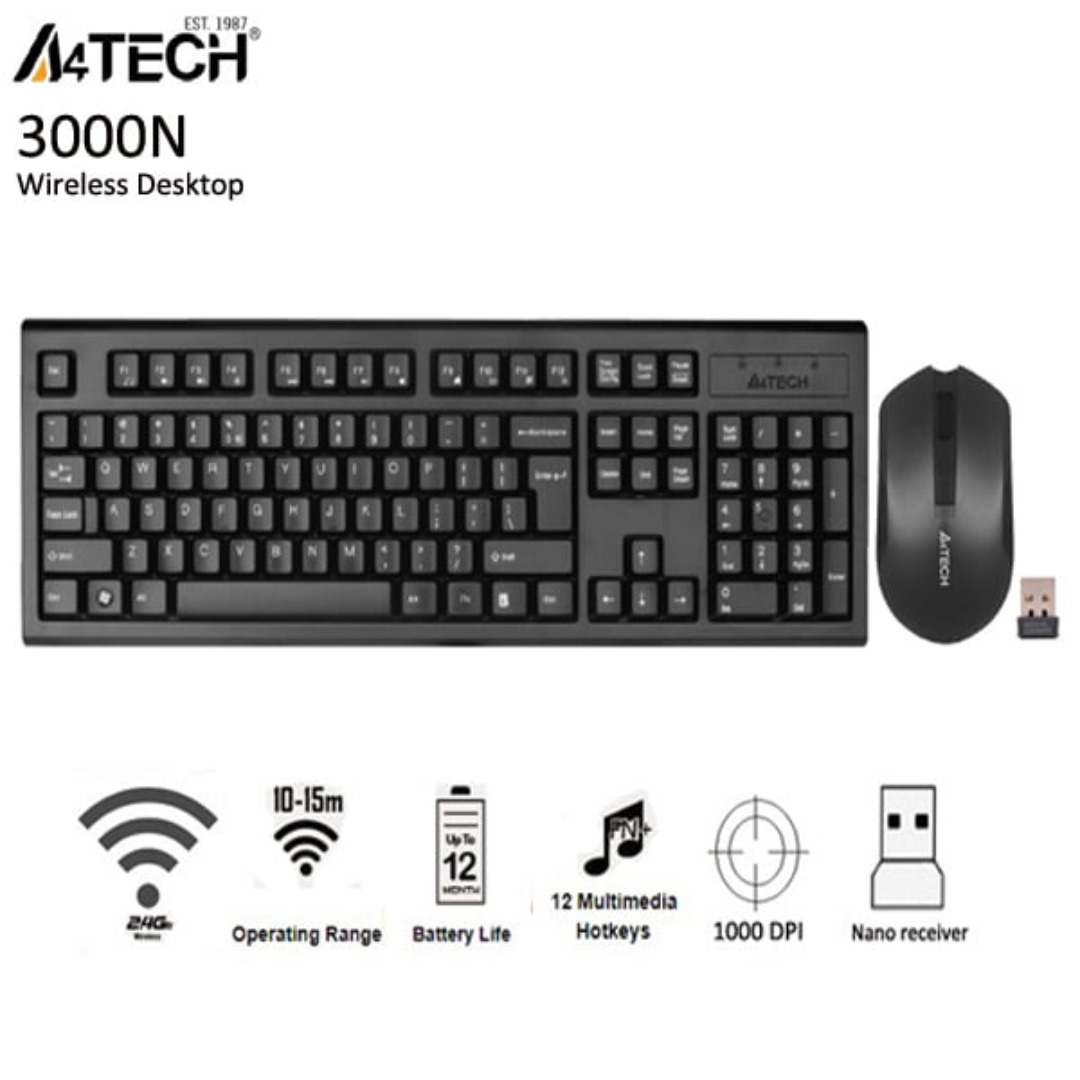
Razer DeathAdder Essential – Ergonomic wired gaming mouse with 6,400 DPI sensor and 5 programmable buttons.Trusted for its comfort, precision, and durable build—perfect for casual and competitive gaming. Model: Razer DeathAdder Essential (Black) Sensor Type: Optical DPI: Up to 6,400 DPI (adjustable) Buttons: 5 independently programmable Hyperesponse buttons Switches: Razer Mechanical Switches rated for up to 10 million clicks Tracking Speed: Up to 220 inches per second (IPS) Acceleration: 30G Design: Ergonomic right-handed design Grip Style: Palm grip (with textured side grips) Lighting: Single-color green backlight (Razer logo) Polling Rate: 1000 Hz Cable: Standard USB wired, 1.8 meters (rubber cable) Compatibility: Windows 7, 8, 10, 11 (Razer Synapse support) Weight: Approx. 96g (excluding cable) Software Support: Razer Synapse (for customization & macros)

Genuine-spec US layout keyboard replacement for MacBook Air 13″ (Model A2338, 2020)—featuring Apple’s reliable Magic Keyboard with scissor-switch mechanism, backlighting, and full OEM fit for seamless repair. Compatible With: MacBook Air 13-inch (2020, Model A2338) – includes both Intel Core i3/i5/i7 and M1 chip variants. Keyboard Type: Apple’s Magic Keyboard with scissor-switch mechanism—offering improved durability, quieter typing, and 1mm key travel compared to older Butterfly keyboards. Layout: Standard US English (QWERTY), with full-size keys, inverted-T arrow keys, and dedicated function row. Integrated Features: Backlit keys for low-light use, ambient light sensor compatibility, and original-style ribbon cable connector for direct logic board connection. Precision Fit: Engineered to match Apple’s exact dimensions and mounting points—ensures flush alignment within the original top case. Installation Note: The keyboard is adhered to the top case and requires careful removal and re-gluing. Full disassembly is needed. Recommended for skilled technicians or professional repair centers.

Original 13.3-inch Retina LCD display (Space Gray) for MacBook Air A2337 (2020), pulled from a working unit. OEM part, ready to replace cracked or faulty screens with perfect fit and optics. This is a genuine Apple Retina display assembly removed from a working MacBook Air (model A2337, 2020). It’s ideal for repairing a damaged or nonfunctional screen on a matching model, delivering original visuals without resorting to aftermarket knockoffs. Key Features & Functionality True OEM Retina panel with factory calibration Integrated display glass, backlight, and flex cable Designed for model A2337 (Late 2020, M1) iFixit+1 Space Gray finish to match original chassis Tested: Display, backlight, no dead pixels (unless noted) Drop-in replacement requiring alignment and cable reconnection Specifications Important Notes & Considerations Must use exact model A2337 — other models are incompatible Slight blemishes or dust might exist due to being a used part Handle with care: screen glass is fragile Professional installation recommended if you’re not experienced

A1466 Laptop Replacement Battery for MacBook Air 13 inch A1466 (Mid 2012, Mid 2013,Early 2014, Early 2015,2017) A1369(Late 2010,Mid 2011 Version) High Performance 7200mAh fits A1496 A1405 A1377 A1496 A1405 A1377 Macbook Air Battery: 7200mAh/55Wh, Voltage: 7.6V, can up to 500 charging cycles; (Compatible with 7.4V/53.28Wh) Manufacturing standards are the same as those of the original battery supplier Replacement For: Macbook Air 13-inch A1466 battery (2017, Early 2015, Early 2014, Mid 2013), A1369 battery (Late 2010, Mid 2011). EMC Applicable number: 2469 2559 2392 2632 2925 3178 (“Ctrl” + “F” to find your models), But note: Not for MacBook Air 11″ A1465, A1495, A1406, A1370 10 years of professional production: Introduce American high-end battery chips, low power design to reach long battery life. Built-in circuit protection ensures battery both safety and stability. Offer Over-charge & over-discharge& short-circuit protection. Certified safe By UL/ CE/ FCC and RoHS. Compatible With MacBook Air 13 inch Computer Model: MC503LL/A, MC504LL/A, MC965LL/A, MC966LL/A, MD231LL/A, MD232LL/A, MD760LL/A, MD761LL/A, MD760LL/B, MD761LL/B, MJVE2LL/A, MJVG2LL/A, MC503LL/A, 【Please Check Your MacBook Model correctly match our battery. You can access this information on your computer by Logo on the upper left corner of the MacBook screen–> About this Mac】


