
OEM-quality left and right loudspeaker replacement pair for MacBook Pro 14″ (Model A2442, 2021, M1 Pro/Max)—restores Apple’s high-fidelity six-speaker audio system with precise sound staging, rich bass, and clear highs. Compatible With: MacBook Pro 14-inch (2021, Model A2442) with Apple M1 Pro or M1 Max chip (Model Identifier: MacBookPro18,3 or MacBookPro18,4). Includes: Complete left and right speaker assemblies, each containing: Dual-driver units (force-cancelling woofers + tweeters) Pre-attached flex cables with OEM connectors Mounting brackets and acoustic seals Dual-driver units (force-cancelling woofers + tweeters) Pre-attached flex cables with OEM connectors Mounting brackets and acoustic seals Audio Performance: Matches Apple’s advanced six-speaker sound system with: Wide stereo separation High dynamic range Spatial audio and Dolby Atmos support (when paired with original logic board and firmware) Wide stereo separation High dynamic range Spatial audio and Dolby Atmos support (when paired with original logic board and firmware) OEM Build Quality: Precision-engineered housings with exact acoustic chambers, grille alignment, and cable routing—ensures zero rattling and full macOS audio calibration compatibility. Common Use Cases: Replaces speakers damaged by liquid ingress, physical impact, or internal failure (e.g., no sound, distorted audio, or imbalance between channels). Installation Note: Requires full bottom case and logic board disassembly. Speakers are secured with screws and acoustic adhesive. Highly recommended for certified Apple technicians or experienced professionals only due to complex internal layout and sensitivity of audio components. Important: This speaker pair is exclusive to A2442 (14″, 2021, M1 Pro/Max). Not compatible with 16″ MacBook Pro (A2485), 13″ models, or Intel-based MacBooks. This speaker pair is exclusive to A2442 (14″, 2021, M1 Pro/Max). Not compatible with 16″ MacBook Pro (A2485), 13″ models, or Intel-based MacBooks. Model Verification: Confirm your device via > About This Mac > Model Identifier (must be MacBookPro18,3 or MacBookPro18,4).

Meetion Usb Computer 2.4GHz Wireless Mouse, Black | R545 Meetion Usb Computer 2.4GHz Wireless Mouse, Black | R545 Comfortable grip feeling. Stable Wireless. 2.4g wireless transmission technology effective working distance up to 10M. Automatic sleep power saving. AA test battery included.

Dell Latitude 5400 — business-class laptop built for reliability and productivity.• Intel Core i5 8th Gen • 8 GB RAM • 256 GB SSD • 14” FHD TouchscreenWindows | Durable Design | Backlit Keyboard

WiWU Alpha Slim Sleeve Laptop Case 14/15.4/16 inch Inch Waterproof Bag With Handle For Macbook

Remax F21 Ruiyal Series – Oscillating water‑cooling fan with 4,000 mAh battery, digital display, and 6 wind levels.Portable and stylish small-table fan with 3 oscillation modes and mist spray cooling. Model: Remax F21 Ruiyal Series Water‑Cooling Oscillating Fan (White) Battery & Power: Built‑in 4,000 mAh battery; USB‑C rechargeable (details unspecified) Cooling Method: Water‑cooling spray system with turbine-style fan blades Wind Speed: 6 adjustable speed levels Oscillation: 3 movement modes—approx. 45°, 90°, or 120° Display & Controls: Digital display showing mode, speed, and battery indicators Dimensions & Weight: Compact tabletop size, ~868 g Power Consumption: Around 8W rated power

SanDisk Ultra Dual Drive Luxe – SDDDC4 – Premium 2-in-1 all-metal flash drive featuring both USB Type-C and Type-A connectors. Effortlessly move files between your USB Type-C smartphone, tablets, and Macs, and USB Type-A computers with high-speed USB 3.1 Gen 1 performance. ✅ Full Specifications: Model: SanDisk Ultra Dual Drive Luxe USB Type-C (SDDDC4) Interface: USB 3.1 Gen 1 (Dual connectors: USB Type-C and USB Type-A) Read Speed: Up to 150MB/s Capacity Options: 128GB Material: Elegant and durable all-metal swivel casing Design: 2-in-1 swivel design to protect connectors and includes a keyring hole for portability Security/Software: SanDisk Memory Zone app for automatic photo backup (available on Google Play) Compatibility: Windows, macOS, and USB Type-C enabled smartphones/tablets Dimensions: Approx. 44.41 x 12.10 x 8.60 mm Weight: Approx. 17.2 grams

GOYIY Storm Outdoor Fan Camping Fan, Blowing 30 Feet (10 Meters) Far Big Cold Wind, Powered By 20000mAh Battery With Hook, LED Lantern For Night Light, Phone Charger About this item 【Whisper-Quiet Operation】The GOYIY cordless rechargeable fan make you experience tranquility with ultra-low noise levels, measuring below 15dB on its lowest setting, ensuring a peaceful environment conducive to relaxation or sleep. 【Turbocharged Cooling Technology】Utilizing advanced turbo compression technology, this storm fan delivers a powerful breeze even from a distance of up to 10 meters, with four adjustable speeds to suit your preferences. 【 High-Capacity Battery】Equipped with a 20000mAh large-capacity battery, this outdoor fan not only keeps you cool for extended periods but also serves as a portable power bank, capable of charging your phone or other devices on the go. 【Versatile Hanging / Standing Design/Remote Control 】Featuring a convenient hook design and 90˚ adjustable angle, this camp fan offers dual functionality, allowing you to hang it wherever needed. Additionally, its stable base ensures steady placement on any surface. Enjoy the convenience of controlling the fan from a distance with the included remote! 【Night Light Mode and Auto Shutdown Timer】Enhance your environment with the night light mode; this turbo fan offers two adjustable brightness levels. The lowest setting provides over 100 hours of illumination, perfect for creating a cozy atmosphere during nighttime activities. With the built-in timer feature, you can set the fan to automatically shut down after a specified period, providing convenience and energy savings. 【Durable ABS Construction】Crafted from premium ABS material, this fan is durable, shock-resistant, and life waterproof to withstand daily use, making it suitable for various indoor and outdoor settings.

Genuine-spec touchpad flex cable for MacBook Pro 13″ (Model A1502, Mid 2014)—restores full trackpad functionality, including precise cursor control and physical click response. Essential for repairing unresponsive or erratic trackpad behavior. Compatible With: MacBook Pro 13-inch (Mid 2014, Model A1502, Model Identifier MacBookPro11,1) with Intel Core i5/i7 processors and Retina display. Part Type: Touchpad flex cable only — does not include the trackpad housing, button mechanism, or mounting hardware. This is the ribbon cable that connects the trackpad to the logic board. Function: Transmits cursor movement and click signals (left/right physical clicks) Supports standard multi-touch gestures (two-finger scroll, tap-to-click, pinch-to-zoom) ⚠️ Note: This model uses a physical click mechanism—not Force Touch (no haptic feedback or pressure sensitivity). Transmits cursor movement and click signals (left/right physical clicks) Supports standard multi-touch gestures (two-finger scroll, tap-to-click, pinch-to-zoom) ⚠️ Note: This model uses a physical click mechanism—not Force Touch (no haptic feedback or pressure sensitivity). OEM-Quality Build: Matches Apple’s original in: Cable length and routing path Connector type and pin alignment Insulation and flexibility for long-term reliability Cable length and routing path Connector type and pin alignment Insulation and flexibility for long-term reliability Common Use Cases: Replacing a torn, frayed, or corroded original flex cable Fixing: Unresponsive or intermittent trackpad Cursor jumping or drifting Click function failure (left or right) Complete trackpad disconnect Replacing a torn, frayed, or corroded original flex cable Fixing: Unresponsive or intermittent trackpad Cursor jumping or drifting Click function failure (left or right) Complete trackpad disconnect Unresponsive or intermittent trackpad Cursor jumping or drifting Click function failure (left or right) Complete trackpad disconnect Installation Note: Requires bottom case removal and battery disconnect. Connects via a ZIF (Zero Insertion Force) socket on the logic board—do not force. Cable routes under the battery; handle with care to avoid strain. Suitable for intermediate to advanced DIYers or technicians. Requires bottom case removal and battery disconnect. Connects via a ZIF (Zero Insertion Force) socket on the logic board—do not force. Cable routes under the battery; handle with care to avoid strain. Suitable for intermediate to advanced DIYers or technicians.

Genuine-spec keyboard replacement for MacBook Air 13″ (Model A2179, 2020, Intel) — choose US QWERTY or UK QWERTY (with £ symbol). Features Apple’s reliable scissor-switch mechanism, backlighting, and OEM-fit design for seamless performance and aesthetics. Compatible With: MacBook Air 13-inch (2020, Model A2179, EMC 3597) with Intel Core i3/i5/i7 processors (non-M1). Layout Options (select at purchase): US Layout: Standard QWERTY with wide Enter key, @ above 2, # above 3, and full inverted-T arrow keys. UK Layout: QWERTY with £ symbol, tall vertical Enter key, @ accessed via right Alt, and UK-specific punctuation—matches Apple’s official UK regional configuration. US Layout: Standard QWERTY with wide Enter key, @ above 2, # above 3, and full inverted-T arrow keys. UK Layout: QWERTY with £ symbol, tall vertical Enter key, @ accessed via right Alt, and UK-specific punctuation—matches Apple’s official UK regional configuration. Keyboard Type: Traditional scissor-switch mechanism (not Butterfly, not Magic Keyboard)—robust, tactile, and serviceable, with good key travel and proven durability. Integrated Features: Full backlit keys for low-light use Ambient light sensor compatibility OEM-style ribbon cable pre-attached for direct logic board connection Full backlit keys for low-light use Ambient light sensor compatibility OEM-style ribbon cable pre-attached for direct logic board connection Precision Build: Molded to exact Apple specifications—ensures flush mounting, consistent key alignment, and seamless integration into the original top case. Installation Note: Keyboard is screw-mounted with light adhesive—more accessible than glued Butterfly/Magic keyboards. Requires top case access and battery disconnect. Suitable for intermediate DIYers or professional technicians. Important: This is keyboard only—does not include the top case, battery, trackpad, or logic board. Not compatible with M1 MacBook Air (A2337/A2338) or M2 models (A2681/A2941). This is keyboard only—does not include the top case, battery, trackpad, or logic board. Not compatible with M1 MacBook Air (A2337/A2338) or M2 models (A2681/A2941). Model Verification: Confirm your device is MacBook Air A2179 (13″, Intel, 2020) via > About This Mac > Model Identifier (e.g., MacBookAir9,1).

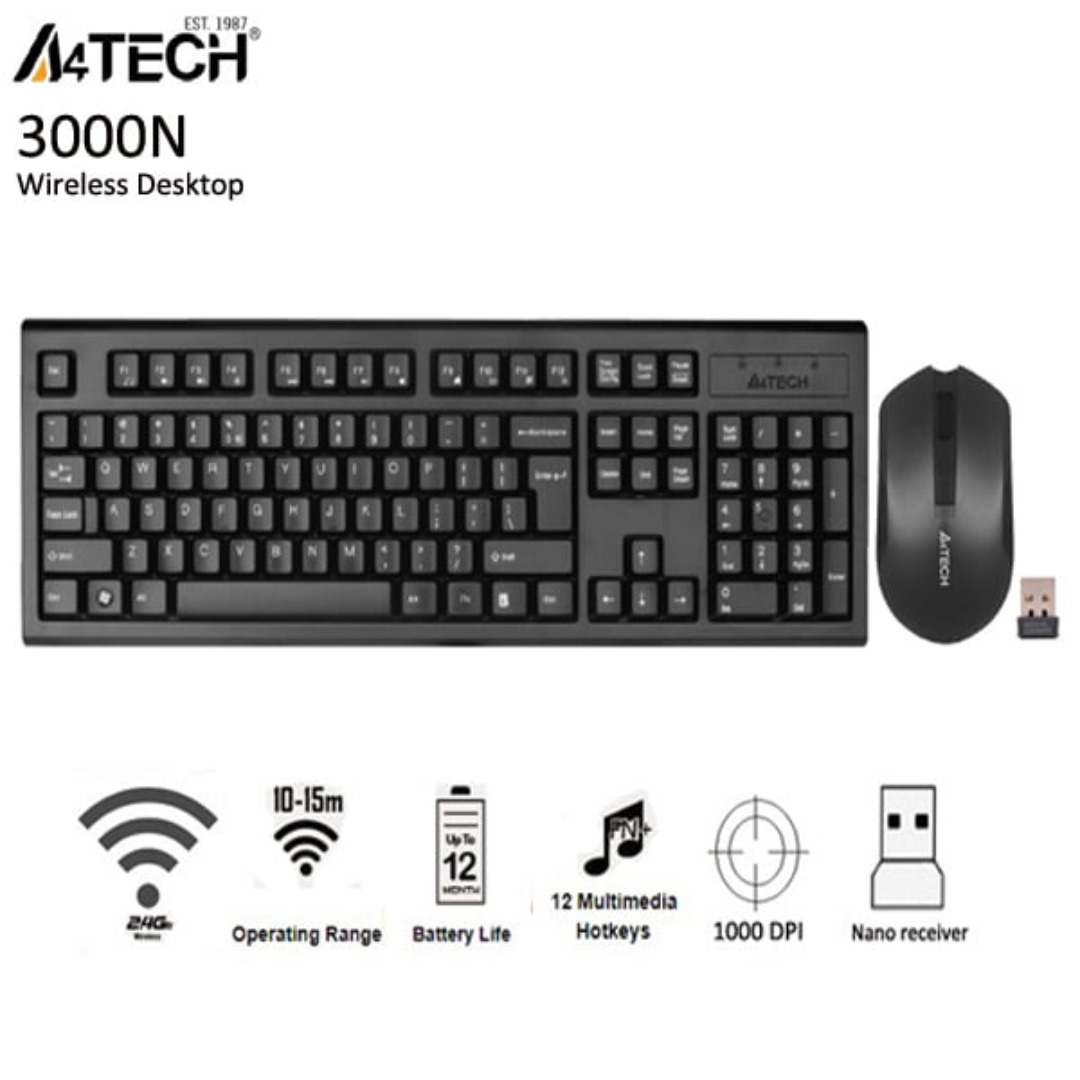
A4Tech KRS-8372 USB Keyboard QWERTY English Black

Genuine-spec touchpad flex cable for MacBook Pro 13″ with Touch Bar (Model A1708, 2016–2017)—restores full Force Touch functionality, haptic feedback, and precise multi-touch gesture control during trackpad repair or replacement. Compatible With: MacBook Pro 13″ (2016) – Model A1708 (Model Identifier: MacBookPro13,1) MacBook Pro 13″ (2017) – Model A1708 (Model Identifier: MacBookPro14,1) (Both years share the same internal trackpad assembly and flex cable.) MacBook Pro 13″ (2016) – Model A1708 (Model Identifier: MacBookPro13,1) MacBook Pro 13″ (2017) – Model A1708 (Model Identifier: MacBookPro14,1) (Both years share the same internal trackpad assembly and flex cable.) Part Type: Touchpad flex cable only — does not include the trackpad housing, Taptic Engine, or mounting hardware. This is the OEM-style ribbon cable that connects the trackpad to the logic board. Function: Transmits: Touch input coordinates Force Touch pressure data Haptic feedback signals to the Taptic Engine Enables full macOS gesture support: Force Click, three-finger lookup, swipe navigation, pinch-to-zoom, and smooth cursor tracking. Touch input coordinates Force Touch pressure data Haptic feedback signals to the Taptic Engine Enables full macOS gesture support: Force Click, three-finger lookup, swipe navigation, pinch-to-zoom, and smooth cursor tracking. OEM-Quality Build: Matches Apple’s original specifications in: Cable length and routing path Connector pitch and ZIF latch design EMI shielding and flex durability Cable length and routing path Connector pitch and ZIF latch design EMI shielding and flex durability Common Use Cases: Replacing a torn, creased, or liquid-damaged original flex cable Completing a trackpad replacement when the original cable is compromised Fixing intermittent trackpad behavior, loss of Force Touch, or complete unresponsiveness Replacing a torn, creased, or liquid-damaged original flex cable Completing a trackpad replacement when the original cable is compromised Fixing intermittent trackpad behavior, loss of Force Touch, or complete unresponsiveness Installation Note: Requires full bottom case removal and battery disconnection. Cable routes under internal components near the right speaker and logic board. Connects via a ZIF (Zero Insertion Force) socket—must be aligned carefully and latched gently. Recommended for experienced or certified technicians only. Requires full bottom case removal and battery disconnection. Cable routes under internal components near the right speaker and logic board. Connects via a ZIF (Zero Insertion Force) socket—must be aligned carefully and latched gently. Recommended for experienced or certified technicians only.

Genuine-spec touchpad flex cable compatible with both MacBook Air A2179 (Intel, 2020) and A2337 (M1, 2020)—restores full Force Touch functionality, haptic feedback, and precise multi-touch gesture control during trackpad repair or replacement. Compatible With: MacBook Air 13″ (2020, Intel) – Model A2179 (Model Identifier: MacBookAir9,1) MacBook Air 13″ (2020, Apple M1) – Model A2337 (Model Identifier: MacBookAir10,1) MacBook Air 13″ (2020, Intel) – Model A2179 (Model Identifier: MacBookAir9,1) MacBook Air 13″ (2020, Apple M1) – Model A2337 (Model Identifier: MacBookAir10,1) ✅ Important Note: Despite different processors (Intel vs. M1), Apple used the same trackpad assembly and flex cable in both A2179 and A2337. This makes the flex cable fully interchangeable between the two models. Part Type: Touchpad flex cable only — does not include the trackpad housing, Taptic Engine, or mounting hardware. This is the OEM-style ribbon cable that connects the trackpad to the logic board. Function: Transmits: Touch input coordinates Force Touch pressure data Haptic feedback signals to the Taptic Engine Enables full macOS gesture support: Force Click, three-finger lookup, swipe navigation, pinch-to-zoom, and smooth cursor tracking. Touch input coordinates Force Touch pressure data Haptic feedback signals to the Taptic Engine Enables full macOS gesture support: Force Click, three-finger lookup, swipe navigation, pinch-to-zoom, and smooth cursor tracking. OEM-Quality Build: Matches Apple’s original specifications in: Cable length and routing path Connector pitch and ZIF latch design EMI shielding and flex durability Cable length and routing path Connector pitch and ZIF latch design EMI shielding and flex durability Common Use Cases: Replacing a torn, creased, or liquid-damaged original flex cable Completing a trackpad replacement when the original cable is compromised Fixing intermittent trackpad behavior, loss of Force Touch, or complete unresponsiveness Replacing a torn, creased, or liquid-damaged original flex cable Completing a trackpad replacement when the original cable is compromised Fixing intermittent trackpad behavior, loss of Force Touch, or complete unresponsiveness Installation Note: Requires full bottom case removal and battery disconnection. Cable routes under the right side of the battery and logic board. Connects via a ZIF (Zero Insertion Force) socket—align carefully and latch gently. Recommended for experienced or certified technicians only. Requires full bottom case removal and battery disconnection. Cable routes under the right side of the battery and logic board. Connects via a ZIF (Zero Insertion Force) socket—align carefully and latch gently. Recommended for experienced or certified technicians only.

Original replacement touchpad for MacBook Air A2442, available in Silver and Space Gray. Perfect for fixing unresponsive or damaged trackpads and restoring smooth cursor control and gesture functionality. The Original MacBook Air A2442 Touchpad is a genuine replacement part designed to restore full trackpad performance and functionality. If your MacBook Air trackpad is not clicking, not responding, or physically damaged, this original touchpad provides a reliable solution with smooth tracking and accurate gesture support. Available in Silver and Space Gray, it matches the original laptop finish for a clean professional repair. Original / Genuine Touchpad for MacBook Air A2442 Available in Silver and Space Gray Restores smooth cursor control and multi-touch gestures Reliable clicking and accurate tracking performance Perfect for repair and replacement of damaged trackpads High-quality build for long-term use ✔ MacBook Air 13-inch (2021 / 2022) A2442 Compatible with MacBook Air A2442 models only. Please confirm the model number on the bottom cover before purchase to ensure a correct fit.

PCE 1500 M8 1500VA 600W PCE UPS SYSTEM M8-1500 1500VA 600W Input Voltage: 220/230/240 VAC, 1Ø2Wires Input Frequency: 50 or 60 Hz +/-10% (auto sensing) Power: 600W Output voltage: 220/230/240VAC+/-1% Output Frequency: 50 or 60 Hz +/-1% Full Protection: Overload, discharge, and overcharge protection PCE UPS SYSTEM M8-1500 1500VA 600W Input Voltage: 220/230/240 VAC, 1Ø2Wires Input Frequency: 50 or 60 Hz +/-10% (auto sensing) Power: 600W Output voltage: 220/230/240VAC+/-1% Output Frequency: 50 or 60 Hz +/-1% Full Protection: Overload, discharge, and overcharge protection

The Meetion C235 is an economical wired keyboard and mouse combo featuring a full-size 104-key layout and reliable USB connectivity. Designed for business and office use, it offers comfortable typing, smooth mouse control, and plug-and-play compatibility with laptops and desktops. The Meetion C235 Keyboard & Mouse Combo is a practical and cost-effective solution for everyday office and business needs. With a full-size 104-key keyboard, it provides a familiar and comfortable typing experience, making it perfect for work, study, and daily computer use. The included wired mouse ensures precise and smooth control, while the USB plug-and-play setup makes installation quick and effortless on both laptops and desktop PCs. Full-Size 104-Key Keyboard for comfortable and efficient typing Wired USB Connection for stable, lag-free performance Plug & Play – no drivers required Comfortable Key Layout ideal for office and business work Smooth Wired Mouse Included for accurate control Durable Design suitable for long working hours Compatible with Laptop & Desktop PCs Economical Combo Set perfect for home or office setups Ideal for business offices, schools, home setups, and laptop users who need a reliable keyboard and mouse combo for productivity. Works with most computers and laptops supporting USB.

MacBook Pro A1708 Battery A1713 for MacBook Pro 13 Inch A1708 Late 2016 Mid 2017 (EMC 2978 3164), A2171 Laptop Replacement Battery for MacBook Pro 13 Inch A2159 (2019) A2289 (2020) A2338 (2020) 【Macbook pro 13 Inch battery A1713 & A2171 Battery Specification】– Voltage: 11.4V. Capacity: 54.5Wh / 4781mAh, Battery Type: Li-ion 【Newest 4.0 upgraded OEM Battery for Apple macbook pro】– Japan High Performance Electric Core. Cobalt Proportion: >98%. Upgrade chip. Up to 1500+ recharge cycles over the life of the battery. Overcharger and Discharger Circuit Protection, Ensure fast charges and low power consumption, UL-/CE-/FCC-/RoHS-Certified for safety 【Replacement Battery A1713 for A1708 Macbook pro 13 inch】– A1708 Macbook pro 13” Late 2016: MacBook Pro 13-Inch “Core i5” 2.0 & MacBook Pro 13-Inch “Core i7” 2.4 (MacBookPro13,1, EMC2978, MLL42xx/A, MLUQ2xx/A). — A1708 Macbook pro 13” Mid 2017: MacBook Pro 13-Inch “Core i5” 2.3 & MacBook Pro 13-Inch “Core i7” 2.5 (MacBookPro14,1, EMC3164, MPXQ2xx/A, MPXR2xx/A, MPXT2xx/A, MPXU2xx/A) 【Replacement Battery A2171 for A2159 & A2289 & A2338 Macbook pro 13 inch】– A2159 Macbook pro 13” 2019: MacBook Pro 13-Inch “Core i5” 1.4 Touch & “Core i7” 1.7 Touch (MacBookPro15,4, EMC3301, MUHN2xx/A, MUHP2xx/A, MUHQ2xx/A, MUHR2xx/A, MUHR2xx/B). — A2289 Year 2020: MacBook Pro 13-Inch “Core i5” 1.4 & “Core i7” 1.7 (MacBookPro16,3, EMC 3456, MXK32xx/A, MXK52xx/A, MXK62xx/A, MXK72xx/A). — A2338 Year 2020: MacBook Pro 13-Inch “M1” 8-Core 3.2 (MacBookPro17,1, EMC3578, MYDA2LL/A*)

The Stylus Pen is an active capacitive stylus pen designed for smooth and precise writing on all capacitive touchscreens. Featuring a superfine copper nib, palm rejection, and rechargeable battery, it’s perfect for note-taking, drawing, and everyday touchscreen use with iPads, iPhones, tablets, and smartphones. The Superfine Nib Active Capacitive Stylus Pen (Silver) is built for users who want accurate and smooth writing on touchscreens without needing Bluetooth or an app. Its superfine elastic copper tip provides delicate strokes while helping protect your screen from scratches. With palm rejection support, rechargeable battery, and one-click operation, it’s ideal for students, professionals, and creators using iPads, iPhones, and other capacitive touchscreen devices. Superfine Copper Nib for smooth writing and accurate strokes Palm Rejection Technology for comfortable writing experience No Bluetooth / No App Required – one-click operation Rechargeable Battery with up to 10 hours working time Magnetic Cap Design prevents loss and keeps the pen protected Compatible with iOS & All Capacitive Touchscreens Lightweight & Portable ideal for travel, school, and office use Compatible with all capacitive touchscreen devices, including iPad Pro, iPad Mini, iPad Air, and iPhones (11 series and earlier generations), plus most Android tablets and touchscreen phones.

Genuine-spec touchpad flex cable for MacBook Air 13″ (Model A1932, 2018–2019)—essential for restoring full Force Touch functionality, haptic feedback, and precise multi-touch gesture control during trackpad repair or replacement. Compatible With: MacBook Air 13-inch (2018 & 2019, Model A1932, Model Identifier MacBookAir8,1) with Intel Core i5/i7 processors. Part Type: Touchpad flex cable only—does not include the trackpad housing, Taptic Engine, or mounting hardware. This is the OEM-style ribbon cable that connects the trackpad to the logic board. Function: Transmits touch input, Force Touch pressure data, and haptic feedback signals—critical for macOS gestures like Force Click, three-finger lookup, pinch-to-zoom, and smooth cursor tracking. OEM-Quality Build: Matches Apple’s original in length, connector pitch, EMI shielding, and flexibility—ensures reliable signal integrity and long-term durability. Common Use Cases: Replacing a torn, creased, or liquid-damaged original flex cable Completing a trackpad replacement when the original cable is unusable Fixing intermittent trackpad behavior, loss of Force Touch, or complete unresponsiveness Replacing a torn, creased, or liquid-damaged original flex cable Completing a trackpad replacement when the original cable is unusable Fixing intermittent trackpad behavior, loss of Force Touch, or complete unresponsiveness Installation Note: Requires full bottom case removal and careful routing beneath the battery. The cable connects via a ZIF (Zero Insertion Force) socket on the logic board—must be properly aligned and latched without force. Recommended for experienced or certified technicians. Important: This is flex cable only—not a complete trackpad assembly. Must be used with the original or compatible A1932 trackpad and Taptic Engine. Not compatible with MacBook Air M1 (A2337/A2338), M2 (A2681/A2941), or any MacBook Pro model. This is flex cable only—not a complete trackpad assembly. Must be used with the original or compatible A1932 trackpad and Taptic Engine. Not compatible with MacBook Air M1 (A2337/A2338), M2 (A2681/A2941), or any MacBook Pro model.

HP LaserJet M111w Black & White Multifunction Printer, Wireless & Mobile Printing, 600 x 600 dpi Resolution, Print speed up to 20 ppm, 8000-page Monthly Duty Cycle, USB / Wireless Connectivity | 7MD68A White

WiWU ZM‑901 – Sturdy foldable aluminum stand with adjustable angles and silicone pads, weighing just 900 g.Enhances posture, airflow, and workspace ergonomics while staying compact and travel-friendly. Model: WiWU ZM‑901 Material: Metal (aluminum/carbon steel) frame with silicone pads for grip Dimensions (Folded): 260 × 225.5 × 53 mm Package Size: 290 × 250 × 50 mm Net Weight: Approx. 900 g Compatibility: Fits laptops, tablets, and smartphones up to ~17 ” (some listings note 15.6″ limit, but device capacity varies) Features: Adjustable angle configuration, detachable foldable design for portability, silicone surface pads for anti-slip and vibration reduction Build & Design: Durable yet lightweight, crafted to enhance airflow and promote ergonomic posture
