
Are you in the market for a reliable and budget-friendly monitor? Let’s delve into the Lenovo 27″ IPS 75Hz LED Monitor, a promising display that caters to both work and entertainment needs. Beginning with its size, the generous 27-inch screen provides an immersive viewing experience without overwhelming your workspace. The IPS technology ensures vibrant colors and wide viewing angles for optimal visual enjoyment. With a refresh rate of 75Hz, this monitor strikes a balance between smooth performance and affordability. Whether you’re working on spreadsheets, watching videos, or gaming casually, the 75Hz refresh rate ensures fluid on-screen motion. The LED backlighting technology not only contributes to energy efficiency but also enhances contrast, delivering deep blacks and bright whites. This feature is particularly advantageous for photo and video editing tasks, providing a more accurate representation of colors. Connecting peripherals is a breeze with the monitor’s versatile ports, including HDMI and VGA. This compatibility ensures seamless integration with various devices, from laptops to gaming consoles, offering flexibility for different usage scenarios. Lenovo’s commitment to user comfort is evident in the adjustable stand. Tilt and swivel functions allow you to find the optimal viewing angle, reducing eye strain during extended use. In terms of affordability, the Lenovo 27″ IPS 75Hz LED Monitor stands out as a cost-effective option without compromising on performance. It strikes a commendable balance between essential features and budget-conscious pricing. In conclusion, if you’re in search of a dependable 27-inch monitor that delivers on performance and affordability, the Lenovo IPS 75Hz LED Monitor is a worthy contender. Elevate your viewing experience without breaking the bank. Specifications: Display : 27″ IPS Resolution : FHD (1920×1080) Response Rate : Up to 4ms Refresh Rate : 75Hz

The ViewSonic VA2730-4K-HD 27″ UHD 60Hz Monitor delivers crisp, detailed 4K visuals for work, media, and creative projects. Its UHD resolution shows sharp text, images, and video with clear clarity. The 27‑inch screen gives you plenty of space for multitasking and large spreadsheets. Moreover, the ViewSonic VA2730-4K-HD uses a quality IPS panel that gives wide viewing angles and consistent colors from any seat. Colors stay accurate even when you look off‑center. This makes photos, designs, and movies appear vibrant and natural. In addition, the monitor supports HDR10 for improved contrast and more realistic visuals. It also includes anti‑glare coating and a blue‑light filter to protect your eyes during long use. These features help reduce eye strain when you work or binge‑watch for hours. Furthermore, the ViewSonic VA2730-4K-HD 27″ UHD 60Hz Monitor offers simple connectivity with HDMI and DisplayPort. You can connect laptops, desktops, or consoles easily. The plug-and-play setup makes it ready fast, without fuss. Also, the monitor’s design is modern and slim. The thin bezel gives a clean look that suits offices, home desks, or studios. The stand tilts slightly to help you get a comfortable viewing angle. The build feels solid and reliable for daily use. Overall, the ViewSonic VA2730-4K-HD 27″ UHD 60Hz Monitor blends high resolution, vivid color, and usability in one versatile screen. It enhances productivity, creative work, and entertainment. It is ideal for professionals, media fans, and casual users who want a clear, quality display. Specifications: Display : 27″ IPS Resolution : UHD 3840×2160 Refresh Rate : 60Hz Response Time : 4ms

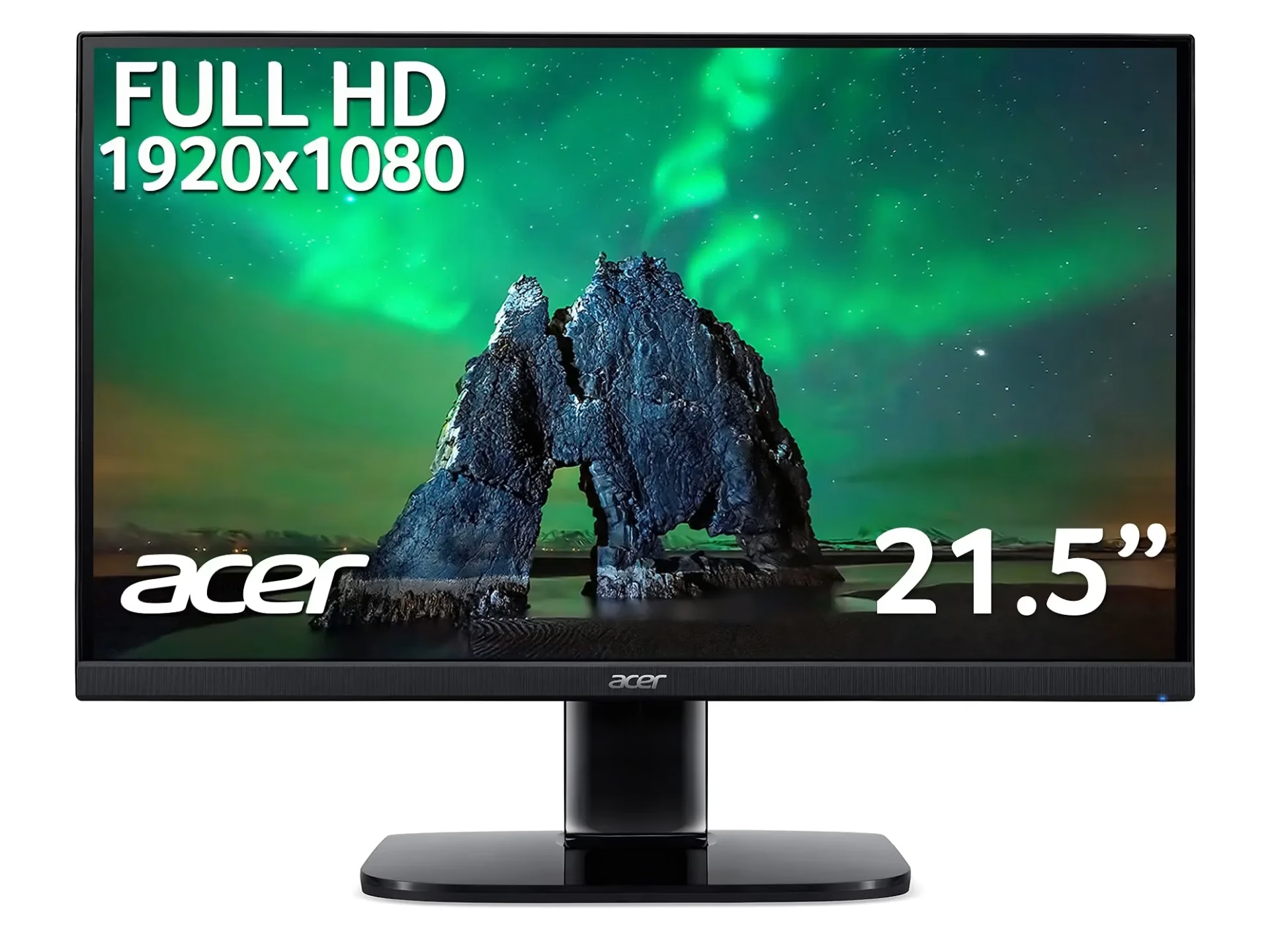
Acer KA222Q Widescreen LCD Monitor The entry-level KA2 series provide a superb user experience and don’t compromise on quality. With a choice of display size and a ZeroFrame design it is ideal for use in homes and offices. Whether it’s running productivity apps or playing games this monitor has it all. Specifications: Acer KA222Q Widescreen LCD Monitor 1 Year Warranty

HP 17A Black Toner Cartridge | Works with HP LaserJet Pro M102 Series, HP LaserJet Pro MFP M130 Series | CF217A

MacBook Pro A1708 Battery A1713 for MacBook Pro 13 Inch A1708 Late 2016 Mid 2017 (EMC 2978 3164), A2171 Laptop Replacement Battery for MacBook Pro 13 Inch A2159 (2019) A2289 (2020) A2338 (2020) 【Macbook pro 13 Inch battery A1713 & A2171 Battery Specification】– Voltage: 11.4V. Capacity: 54.5Wh / 4781mAh, Battery Type: Li-ion 【Newest 4.0 upgraded OEM Battery for Apple macbook pro】– Japan High Performance Electric Core. Cobalt Proportion: >98%. Upgrade chip. Up to 1500+ recharge cycles over the life of the battery. Overcharger and Discharger Circuit Protection, Ensure fast charges and low power consumption, UL-/CE-/FCC-/RoHS-Certified for safety 【Replacement Battery A1713 for A1708 Macbook pro 13 inch】– A1708 Macbook pro 13” Late 2016: MacBook Pro 13-Inch “Core i5” 2.0 & MacBook Pro 13-Inch “Core i7” 2.4 (MacBookPro13,1, EMC2978, MLL42xx/A, MLUQ2xx/A). — A1708 Macbook pro 13” Mid 2017: MacBook Pro 13-Inch “Core i5” 2.3 & MacBook Pro 13-Inch “Core i7” 2.5 (MacBookPro14,1, EMC3164, MPXQ2xx/A, MPXR2xx/A, MPXT2xx/A, MPXU2xx/A) 【Replacement Battery A2171 for A2159 & A2289 & A2338 Macbook pro 13 inch】– A2159 Macbook pro 13” 2019: MacBook Pro 13-Inch “Core i5” 1.4 Touch & “Core i7” 1.7 Touch (MacBookPro15,4, EMC3301, MUHN2xx/A, MUHP2xx/A, MUHQ2xx/A, MUHR2xx/A, MUHR2xx/B). — A2289 Year 2020: MacBook Pro 13-Inch “Core i5” 1.4 & “Core i7” 1.7 (MacBookPro16,3, EMC 3456, MXK32xx/A, MXK52xx/A, MXK62xx/A, MXK72xx/A). — A2338 Year 2020: MacBook Pro 13-Inch “M1” 8-Core 3.2 (MacBookPro17,1, EMC3578, MYDA2LL/A*)

GAMDIAS 7 Colour Backlit Gaming USB Mechanical Keyboard with 87 Keys, Blue Switches, Anti-ghosting, Multimedia Control Key with Metal Plate, Combo (Multicolour, Hermes E2) About this item Certified mechanical blue switches feature a 50 Million actuation lifecycle Neon Light Spectrum- 7 colors backlight Elegant metal plate mechanical keyboard for added durability N-key rollover Compact 87 Keys Keyboard : By using small tenkeyless keyboard can save the space, and also makes the keyboard and mouse to become closer, so you can maximize the comfort and accuracy of your operation

The Horion Interactive Flat Panel 65″ transforms any space into a dynamic and interactive environment. Whether in classrooms or conference rooms, it enhances collaboration and productivity. Featuring a stunning 65-inch 4K UHD display, the Horion Interactive Flat Panel delivers crystal-clear visuals and vibrant colors. This ensures every detail is visible, making presentations and lessons more engaging. The Interactive Flat Panel comes with advanced touch technology, allowing multiple users to interact with the screen simultaneously. This fosters teamwork and encourages active participation. With built-in annotation tools, the Interactive Flat Panel 65″ makes it easy to highlight key points and add notes during presentations. These tools are intuitive and user-friendly, making it accessible for everyone. Connectivity is seamless with the Interactive Flat Panel. It offers multiple ports, including HDMI, USB, and wireless options, ensuring compatibility with various devices. This flexibility makes it easy to integrate into your existing setup. The Interactive Flat Panel 65″ is designed for ease of use. Its user-friendly interface and responsive touch screen make it simple to navigate and control. Whether you’re a teacher or a business professional, you’ll find it easy to use. In addition, the Interactive Flat Panel includes powerful built-in speakers, delivering clear and immersive audio. This enhances the overall experience, making it ideal for multimedia presentations. In conclusion, the Horion Interactive Flat Panel 65″ combines stunning visuals, interactive features, and ease of use for a superior collaborative experience. Upgrade your space with the Interactive Flat Panel and boost engagement and productivity today. Specifications: Display : 65″ Resolution : 4K (3840×2160) Refresh Rate : 60Hz CPU : Octacore Ram : 8GB Memory : 128GB GPU : Mali G52-MP8 OS : Android 13.0 Sensor : Infrared, NFC, Light Sensor

Dell 24 Monitor – E2422HN Functional, space-saving design Convenient connectivity: Connect to current and legacy systems via HDMI, VGA and DP ports. Maximize your desktop: Cut clutter with space-saving features like a compact stand and improved cable management that hides cables while complementing any workspace. Clean, simple design: A slim bezel adds a modern look. Adapts to your needs: Make your workspace your own with VESA-compatible mounts and stands. manufacturer link 1 Year Warranty

A capable pre-owned Dell Latitude 5401 with 14" display, 10th Gen Core i7, 16GB RAM, 512GB SSD, and NVIDIA GeForce MX330 2GB—ideal for professionals who need extra graphics power for light creative work or multitasking in a durable business laptop.

MacBook Pro 13″ Keyboard Replacement/Compatible for Apple MacBook Pro A1708 Color :- Black, Layout :- US Apple MacBook Pro A1708 Keyboard is a high quality replacement keyboard which is perfect for replacing your old and broken laptop keyboard. Before you order,Please firstly compare the picture with your keyboard, especially the ribbon cable (position, length and width). Make sure that the model of laptop and part number of keyboard is the right one you need as well as the layout version.

Looking for a budget-friendly monitor that doesn’t compromise on quality? The Lenovo D19-10 18.5″ Monitor might be your perfect fit. Starting with its sleek design, this monitor seamlessly blends into any workspace. The 18.5″ display provides a crisp viewing experience without overwhelming your desk space. Transitioning to performance, the D19-10 ensures vibrant visuals with its high-definition resolution. Whether you’re working on spreadsheets or enjoying multimedia content, the clarity is impressive for its size. Connectivity is a breeze with multiple ports, including VGA and HDMI, offering versatility for various devices. Switch effortlessly between work and entertainment without the hassle of cable swapping. The monitor’s energy-efficient design not only reduces power consumption but also contributes to a greener environment. Enjoy a visually stunning display while being mindful of energy usage. Say goodbye to eye strain with the D19-10’s anti-glare technology. Whether you’re working long hours or binge-watching your favorite shows, the reduced glare enhances your viewing comfort. For those on a tight budget, the Lenovo D19-10 is a cost-effective choice. Its combination of sleek aesthetics, high-definition display, and user-friendly features makes it a standout in the affordable monitor category. In summary, the Lenovo D19-10 18.5″ Monitor offers a winning combination of affordability and performance. Upgrade your visual experience without breaking the bank—experience the brilliance today! Specifications: Display : 18.5″ Resolution : 1366×768 Refresh Rate : 60hz Response Time : 5ms

The Apple MacBook Pro 16-inch (2019) is powered by an Intel Core i7 processor, paired with 16GB RAM and a fast 512GB SSD for powerful and reliable performance. Designed for professionals and creatives, it features a premium aluminum build, immersive 16-inch Retina display, and dedicated Radeon Pro graphics for demanding workloads.

• LCD panel type: IPS technology • Backlight type: W-LED system • Panel Size: 23.8 inch / 60.5 cm • Display Screen Coating: Anti-Glare, 3H, Haze 25% • Effective viewing area: 527 (H) x 296.5 (V) • Aspect ratio: 16:9 • Maximum resolution: 1920 x 1080 @ 75 Hz* • Pixel Density: 93 PPI • Response time (typical): 4 ms (GtG)* • Brightness: 250 cd/m² • Contrast ratio (typical): 3000:1 • SmartContrast: Mega Infinity DCR • Pixel pitch: 0.2745 x 0.2745 mm • Viewing angle: 178º (H) / 178º (V), @ C/R > 10 • Flicker-free • Display colors: 16.7 M • Scanning Frequency: 30 – 85 kHz (H) / 48 – 75 Hz (V) • LowBlue Mode • EasyRead • sRGB • Adaptive sync , CABLE POWER,CABLE HDMI,CABLE VGA 1 YEAR WARRANTY

The ASUS VA249HG 24″ FHD Eye Care Monitor offers clear and sharp Full HD visuals. It provides bright colors and strong contrast. This makes movies, work, and daily tasks look clean and detailed. The 24-inch screen size is perfect for desks and small spaces. Moreover, the ASUS VA249HG 24″ FHD Eye Care Monitor includes a fast 75Hz refresh rate. This improves motion and reduces blur. It gives smoother movement during games and videos. This helps you enjoy a better viewing experience. In addition, the monitor features Adaptive Sync support. This reduces tearing and stuttering during fast action. Your screen stays smooth and steady. This makes it ideal for gamers and casual users. Furthermore, the ASUS VA249HG 24″ FHD Eye Care Monitor includes ASUS Eye Care technology. It reduces blue light and screen flicker. This helps protect your eyes during long hours of use. You can work, watch, or study more comfortably. Also, the monitor uses a VA panel for deep colors. It shows richer blacks and strong contrast levels. This improves the quality of movies and photos. It also works well for everyday design tasks. The clean and modern design of the ASUS VA249HG 24″ FHD Eye Care Monitor fits any workspace. The stand is stable and simple to adjust. You can tilt the screen for better comfort. This helps you find your ideal viewing angle. Overall, the ASUS VA249HG 24″ FHD Eye Care Monitor offers smooth performance, eye protection, and strong image quality. It is a great choice for home, office, and gaming use. It provides comfort, clarity, and value in one dependable display. Specifications: Display : 24″ IPS Resolution : FHD Refresh Rate : 120Hz Response Time : 1ms Model : 90LM02W0-B01171

The Lenovo ThinkVision T34w-20 is a 34-inch ultrawide curved monitor designed for productivity and multitasking.Its large screen provides more workspace, making it ideal for office work, content creation, and professional use. The WQHD ultrawide resolution delivers sharp details and clear visuals across the entire screen.The curved design improves viewing comfort and helps keep content within natural sight lines. The monitor includes USB-C connectivity that supports video, data transfer, and device charging through one cable.Additionally, multiple connectivity options allow easy connection to laptops and desktop PCs. An ergonomic stand allows height, tilt, and swivel adjustments for comfortable long working sessions.Eye-care technologies help reduce strain during extended daily use. Specifications: Screen Size: 34″ Curved VA panel Resolution: 3440 × 1440 WQHD ultrawide Connectivity: USB-C, HDMI, DisplayPort, USB hub Ergonomics: Height, tilt, and swivel adjustment Features: Eye-care and multitasking-friendly design

A premium pre-owned Lenovo ThinkPad T590 with a 15.6" display, powerful 8th Gen Core i5 processor, 8GB RAM, and fast 256GB SSD—engineered for professionals who need reliability, security, and all-day productivity.

Genuine-spec US layout keyboard replacement for MacBook Pro 13″ (Model A1502, Mid 2014)—featuring durable scissor-switch keys, backlighting, and OEM-fit design for reliable performance and easy installation. Compatible With: MacBook Pro 13-inch (Mid 2014, Model A1502, Model Identifier MacBookPro11,1) with Retina display. Layout: Standard US English (QWERTY) with full-size keys, inverted-T arrow keys, and dedicated function row (F1–F12). Keyboard Type: Traditional scissor-switch mechanism—offers good key travel, tactile feedback, and proven long-term reliability (pre-Butterfly design). Integrated Features: Backlit keys for low-light environments, ambient light sensor compatibility, and original-style ribbon cable connector for direct logic board attachment. Build & Fit: Precision-molded to match Apple’s exact dimensions and mounting points—ensures flush integration into the top case with consistent key alignment. Installation Note: Keyboard is secured with screws and light adhesive—more serviceable than later glued models. Requires top case access and battery disconnection. Suitable for intermediate DIYers or professional technicians.

Genuine-spec Touch Bar assembly with integrated flex cable for MacBook Pro 15″ (Models A1706 – 2017 and A1989 – 2018)—fully restores dynamic Touch ID, system controls, and app-specific functions with OEM-level fit and reliability. Compatible With: MacBook Pro 15″ (2017) – Model A1706 (Intel Core i7/i9, 4 Thunderbolt 3 ports) MacBook Pro 15″ (2018) – Model A1989 (Intel Core i7/i9, 4 Thunderbolt 3 ports) MacBook Pro 15″ (2017) – Model A1706 (Intel Core i7/i9, 4 Thunderbolt 3 ports) MacBook Pro 15″ (2018) – Model A1989 (Intel Core i7/i9, 4 Thunderbolt 3 ports) Includes: Complete Touch Bar module with pre-attached flex cable, integrated Touch ID sensor (doubles as power button), and ambient light sensor—ready for direct connection to the logic board. Full Functionality: Restores all Touch Bar features including dynamic app controls, system brightness/volume sliders, Siri, and fingerprint authentication via Touch ID. Color Match: Available in Space Gray and Silver—select the finish that matches your MacBook’s top case. OEM-Quality Build: Matches Apple’s original dimensions, sensor alignment, and surface texture—ensures seamless integration with macOS and consistent responsiveness. Installation Note: Requires full top case disassembly. The flex cable routes under the left speaker and connects near the logic board—precision is critical to avoid damage. Recommended for experienced technicians.

Philips 24E2N2100 is a 23.8-inch Full HD IPS monitor designed for smooth visuals and accurate color performance. It supports a 1920 × 1080 resolution with a 120Hz refresh rate and 1ms MPRT response time for fast motion clarity. The IPS panel provides wide viewing angles and consistent image quality. Additionally, it includes Adaptive Sync for reduced screen tearing and smoother gameplay. LowBlue Mode and Flicker-Free technology help reduce eye strain during long sessions. Moreover, HDMI 1.4 and VGA connectivity support standard PC and laptop setups. SmartImage presets adjust display settings based on content type. The Philips 24E2N2100 delivers reliable performance for work, media, and casual gaming. It combines IPS color accuracy with high refresh smoothness for everyday use. Specifications: 23.8-inch IPS display with Full HD 1920 × 1080 resolution 120Hz refresh rate for smoother motion performance 1ms MPRT response time for reduced motion blur Adaptive Sync support for tear-free visuals LowBlue Mode and Flicker-Free technology for eye comfort

Genuine-spec touchpad flex cable for MacBook Pro 15″ (Model A2941, 2023, Apple M2)—restores full Force Touch functionality, haptic feedback, and precise multi-touch gesture control during trackpad repair or replacement. Compatible With: MacBook Pro 15-inch (2023, Model A2941) with Apple M2 chip (Model Identifier: MacBookPro19,1) Part Type: Touchpad flex cable only — does not include the trackpad housing, Taptic Engine, or mounting hardware. This is the OEM-style ribbon cable that connects the trackpad to the logic board. Function: Transmits: Touch input coordinates Force Touch pressure data Haptic feedback signals to the Taptic Engine Enables full macOS gesture support: Force Click, three-finger lookup, swipe navigation, pinch-to-zoom, and smooth cursor tracking. Touch input coordinates Force Touch pressure data Haptic feedback signals to the Taptic Engine Enables full macOS gesture support: Force Click, three-finger lookup, swipe navigation, pinch-to-zoom, and smooth cursor tracking. OEM-Quality Build: Matches Apple’s original specifications in: Cable length and routing path Connector pitch and ZIF latch design EMI shielding and flex durability Cable length and routing path Connector pitch and ZIF latch design EMI shielding and flex durability Common Use Cases: Replacing a torn, creased, or liquid-damaged original flex cable Completing a trackpad replacement when the original cable is compromised Fixing intermittent trackpad behavior, loss of Force Touch, or complete unresponsiveness Replacing a torn, creased, or liquid-damaged original flex cable Completing a trackpad replacement when the original cable is compromised Fixing intermittent trackpad behavior, loss of Force Touch, or complete unresponsiveness Installation Note: Requires full bottom case removal and battery disconnection. Cable routes under internal components near the right speaker and logic board. Connects via a ZIF (Zero Insertion Force) socket—must be aligned carefully and latched gently. Recommended for experienced or certified technicians only. Requires full bottom case removal and battery disconnection. Cable routes under internal components near the right speaker and logic board. Connects via a ZIF (Zero Insertion Force) socket—must be aligned carefully and latched gently. Recommended for experienced or certified technicians only.
