
The Alienware AW3225QF 32″ 240Hz QD-OLED 4K Gaming Monitor is built for gamers who want top performance. It features a 32-inch curved QD-OLED screen that delivers vibrant colors, deep blacks, and wide viewing angles. With a 4K resolution of 3840 x 2160 and a blazing fast 240Hz refresh rate, gameplay feels smooth and detailed. Its ultra-low 0.03ms response time ensures every movement is crisp and fast with minimal blur. The screen has a gentle curve that wraps around your field of view, making gaming more immersive and natural. This design helps reduce eye strain and keeps you comfortable during long gaming sessions. NVIDIA G-SYNC and AdaptiveSync support keep gameplay fluid and responsive without screen tearing or stutter. It’s perfect for competitive gaming and fast-paced action where timing matters most. The monitor supports HDR with a peak brightness of up to 1000 nits, giving you deep contrast and lifelike images. Colors appear bright and accurate, enhancing your experience in both games and videos. It includes HDMI 2.1 and DisplayPort 1.4 for modern consoles and PCs, plus USB Type-C and USB 3.2 ports. These options make it easy to connect your devices, charge accessories, and stay organized. The stand adjusts for height, tilt, and swivel so you can find the perfect viewing angle. It’s also VESA mount compatible, giving you even more flexibility in your setup. The Alienware AW3225QF 32″ 240Hz QD-OLED 4K Gaming Monitor delivers elite visuals and features for serious gamers. Specifications: Display : 32″ QD-OLED Resolution : 4K UHD 3840 x 2160 Refresh Rate : 240Hz Response Time : 0.03ms

The ASUS ROG Strix XG27ACS 27” QHD 180Hz HDR400 Gaming Monitor is a 27-inch gaming display designed for high-performance gameplay and clear image quality. It uses a Fast IPS panel that delivers wide viewing angles and accurate color reproduction. It features a QHD (2560×1440) resolution, which provides sharper detail and more screen space compared to Full HD. Therefore, it improves both gaming clarity and productivity use. The monitor supports a 180Hz refresh rate, which ensures smoother motion in fast-paced games. In addition, it includes a fast response time that helps reduce motion blur during rapid movement. It is also HDR400 certified, which enhances brightness and contrast in supported content. As a result, images appear more dynamic with improved highlights and shadow detail. Moreover, it supports adaptive sync technology for smoother gameplay and reduced screen tearing when paired with compatible GPUs. The monitor also includes gaming features such as customizable display modes and on-screen controls. Overall, the ASUS ROG Strix XG27ACS 27” QHD 180Hz HDR400 Gaming Monitor is designed for smooth performance, sharp visuals, and responsive gaming in a 27-inch QHD format. Specifications: 27-inch QHD (2560×1440) display 180Hz refresh rate HDR400 support Fast IPS panel Adaptive sync technology 90LM09Q0-B01170

Alienware 25 Gaming Monitor: AW2521HFLA Diagonal Viewing Size: 62.2 cm 24.5 Inches Preset Display Area (H x V) 543.744 mm x 302.616 mm 21.41″” x 11.91″” 164545.63 mm2 (255.04 inches2) Alienware 25 Gaming Monitor Panel Type: Fast IPS Display Screen Coating Antiglare with 3H hardness Maximum Preset Resolution 1920 x 1080 at 240Hz Viewing Angle (178° vertical / 178° horizontal) Pixel Pitch 0.283 mm x 0.280 mm Pixel Per Inch (PPI) 90 Contrast Ratio 1000: 1 (typical) Aspect Ratio (16:9) Backlight Technology LED edgelight system Brightness 400 cd/m2 (typical) Response Time(typical) True 1ms (gray to gray, in Extreme Mode) Audio Output No Connectivity Connectivity 2 x HDMI (ver 2.0) 1 x DP 1.2 1 x USB 3.0 upstream port (Rear) 2 x USB 3.0 Downstream port (Rear) 2 x USB 3.0 Downstream port [Front Bottom, one with BC1.2 charging capability at 2A(max)] 1 x Headphone-out jack (Front Bottom) 1 x Audio Line-out jack( Rear)AMD Free-Sync™ YesNVIDIA® G-SYNC® Compatible YesAlienFX™ Lighting Yes Dimensions & Weight Height with stand (Compressed ~ Extended) 421.21 mm ~526.08 mm 16.58″ ~ 20.71″ Width 556.29 mm 21.90″Depth 251.92 mm 9.92″Height without stand 328.24 mm 12.92″Width without stand 556.29mm 21.90″ Depth without stand 72.95 mm 2.87″ Weight (panel only – for VESA mount) 3.55 kg 7.81 lb Weight (with packaging) 11.22 kg 24.71 lb Power Voltage Required 100 VAC to 240 VAC / 50 Hz or 60 Hz + 3 Hz /1.5 A (typical)Power Consumption 0.2 W (Off Mode) 0.3 W (Standby Mode) 20.4 W (On Mode) 72 W (Max) Environmental Temperature Range Operating: 0° to 40°C (32° to 104°F) Non-operating: -20° to 60° (-4° to 140° F)Humidity Range Operating: 10% to 80% (non-condensing) Non-Operating:5% to 90% (non-condensing)Altitude Operating: 5,000 m (16,404 ft) max Non-Operating: 12,192 m (40,000 ft) max Chassis Adjustability Height adjustable stand (130 mm) and Height-markers Tilt (-5° to 21°) Swivel (-20° to 20°) Pivot (-90° to 90°) Built in cable-management Low Blue Light Yes, Comfort View Flicker-free Yes Specifications – Service / Support Details 3-Year Advanced Exchange Service and Premium Panel Exchange Color Support Color Gamut (typical): sRGB 99% Color Depth: 16.78 Million colors Built-in Devices NA Flat Panel Mount Interface VESA (100 mm) Specifications: Alienware 25 Gaming Monitor 240Hz refresh rate ips Panel Type: Fast IPS Color Support Color Gamut (typical): sRGB 99% 1 Year Warranty Manufacturer Link

Experience the perfect blend of clarity and smoothness with the LG 24″ 75Hz HD Monitor 24MK430H-B. Designed for both work and play, this monitor offers exceptional performance at an affordable price point. Transitioning to visuals, immerse yourself in vibrant colors and crisp details. Whether you’re watching movies, editing photos, or browsing the web, every image pops with clarity and brilliance. Moreover, the 75Hz refresh rate ensures fluid motion, making it ideal for casual gaming and multimedia consumption. Say goodbye to motion blur and hello to smooth, lag-free performance. Additionally, the monitor’s sleek and slim design adds a touch of elegance to any workspace or gaming setup. Its narrow bezels maximize screen real estate, providing an immersive viewing experience. Furthermore, the AMD FreeSync technology eliminates screen tearing and stuttering, delivering seamless gameplay and video playback. Enjoy a more immersive and responsive experience, whether you’re gaming or watching movies. In conclusion, the LG 24″ 75Hz HD Monitor 24MK430H-B offers exceptional value for money with its combination of stunning visuals, smooth performance, and sleek design. Upgrade your setup today and take your viewing experience to the next level. Specifications: Display : 23.8″ (1920×1080) FHD IPS Refresh Rate : 75Hz Response Rate : 5ms

Arabic Language Ultra Thin Silicone Keyboard Cover for 2021 2020 MacBook Air 13 Inch A2179 and A2337 Apple M1 Chip (US Layout) with Touch ID Keyboard Accessories Protective Skin (Black) Color Black-Arabic Compatible Devices 2021 2020 MacBook Air 13.3-Inch with Apple M1 Chip (model: A2337), 2020 MacBook Air 13.3-Inch (model: A2179)2021 2020 MacBook Air 13.3-Inch with Apple M1 Chip (model: A2337), 2020 MacBook Air 13.3-Inch (model: A2179) Material Silicone Special Feature Waterproof, Dust Proof About this item [√] COMPATIBLE WITH: ONLY U.S keyboard layout–MacBook Air 13″ with Touch ID Early 2020 (model: A2179) and 2021 2020 MacBook Air 13″ with Apple M1 Chip (model: A2337). [√] MORE PROTECTION for KEYBOARD: waterproof, dust-proof and dirt-proof design can prevent liquid, dust, cigarette ash, biscuit crumbs falling onto your keyboard to affect your keyboard’s life. [√] ACCURATE KEYS: every key is specially molded, manufactured to the quality available. Flexible, this cover is easy to apply and remove for cleaning or disinfecting. [√] 0.25 MM THICKNESS: ultra thin silicone keyboard cover skin, made it easier for typing. Soft keyboard protector can weaken the sound in typing. About this item [√] COMPATIBLE WITH: ONLY U.S keyboard layout–MacBook Air 13″ with Touch ID Early 2020 (model: A2179) and 2021 2020 MacBook Air 13″ with Apple M1 Chip (model: A2337). [√] MORE PROTECTION for KEYBOARD: waterproof, dust-proof and dirt-proof design can prevent liquid, dust, cigarette ash, biscuit crumbs falling onto your keyboard to affect your keyboard’s life. [√] ACCURATE KEYS: every key is specially molded, manufactured to the quality available. Flexible, this cover is easy to apply and remove for cleaning or disinfecting. [√] 0.25 MM THICKNESS: ultra thin silicone keyboard cover skin, made it easier for typing. Soft keyboard protector can weaken the sound in typing.

BATTERY DELL F3YGT 7.6V 60Wh Type F3YGT Battery for Dell Latitude 7480 7490 7280 7290 7380 7390 P73G001 P73G002 P28S001 P28S002 P29S002 DM3WC 2X39G DM6WC 451-BBYE 453-BBCF P28S P73G KG7VF 4-Cell About this item REPLACE BATTERY PART : 7.6V 60 WHr 4-Cell F3YGT battery replace part F3YGT DM3WC 2X39G 0DM3WC 0F3YGT 451-BBYE 453-BBCF KG7VF. (Only replace with type 60Wh battery, NOT fit DJ1J0 42WHr 3-Cell! Please check your original battery to make sure you get the correct replacement battery!) FIT LAPTOP MODELS: For Dell Latitude 12 7000 7280 7290 Latitude 13 7000 7380 7390 Latitude 14 7000 7480 7490 Latitude 7280 7290 7380 7390 7480 7490 E7280 E7290 E7380 E7390 E7480 E7490 P28S P73G P28S001 P28S002 P73G001 P73G002 Series laptop. (NOT fit for Dell Latitude 7390 2-in-1 Series) SPECIFICATION: Model Name: 60Wh Standard Rechargeable Li-ion Battery Type F3YGT; Battery Type: Li-Ion Polymer; Voltage: 7.6V; Capacity: 60Wh; Cells: 4-cell; Size: About 9.37×3.78×0.22inch; Weight: About 10OZ / 0.63lb; Condition: 100% New; Life span: About 300-500 discharge per charge cycles; Packages includes: 1PC F3YGT laptop battery(with two free screwdrivers and user manual for easy installation, battery cable NOT included)

A compact and durable pre-owned Dell Latitude 7480 with 14" display, 6th Gen Core i5, 8GB RAM, and 128GB SSD—ideal for light office tasks, students, or as a secure secondary business device.

The MSI MAG E18 32-inch curved gaming monitor delivers smooth performance and immersive visuals for modern gaming setups. It features a wide display that enhances focus and creates a more engaging experience. Therefore, users can enjoy both casual and competitive gameplay with better visual coverage. Moreover, the WQHD resolution provides clear and detailed images for games and multimedia. The curved design improves viewing comfort and keeps content within your natural field of view. In addition, the 180Hz refresh rate ensures fluid motion during fast-paced scenes. The fast 0.5ms response time reduces motion blur and improves clarity in action sequences. As a result, players gain better control and precision. Furthermore, the panel maintains consistent colors and wide viewing angles, which enhances overall visual quality. In addition, adaptive sync support helps eliminate screen tearing and stuttering. This creates a more stable and enjoyable gaming experience. The monitor also includes multiple connectivity options, allowing easy integration with gaming systems and PCs. MSI MAG E18 32 monitor offers a strong balance of speed, clarity, and immersion. MSI MAG E18 32 monitor is a reliable choice for gamers who want smooth performance and consistent visuals. Specifications: 32-inch WQHD (2560 × 1440) curved display 180Hz refresh rate for smooth gameplay 0.5ms response time for reduced motion blur Curved panel for immersive viewing experience Multiple connectivity ports for flexible setup

A capable pre-owned Dell Latitude 5401 with 14" display, 10th Gen Core i7, 16GB RAM, 512GB SSD, and NVIDIA GeForce MX330 2GB—ideal for professionals who need extra graphics power for light creative work or multitasking in a durable business laptop.

Elevate your game with the Logitech G102, featuring a high-precision 8,000 DPI sensor and vibrant Lightsync RGB lighting. Designed with a classic six-button layout and gaming-grade performance, it offers incredible accuracy and responsiveness for both competitive play and daily productivity. The Logitech G102 is engineered for speed, consistency, and comfort. At its core is a gaming-grade sensor that provides adjustable sensitivity, allowing you to tailor your control to your specific playstyle. Whether you are navigating complex spreadsheets or hitting precise headshots, the G102 delivers a seamless experience with a classic design trusted by gamers worldwide. Gaming-Grade 8,000 DPI Sensor: Experience ultra-precise tracking and consistent responsiveness. The sensitivity is fully adjustable from 200 to 8,000 DPI. Lightsync RGB Color Wave: Choose from vibrant animations or customize your own from approximately 16.8 million colors to match your setup’s aesthetic. Mechanical Spring Button Tensioning: The primary left and right buttons feature a metal spring tensioning system, providing crisp, reliable clicks and a premium feel. Classic 6-Button Design: A familiar, comfortable shape that allows you to play or work for hours without fatigue. Each button can be customized via software for specific in-game actions. On-the-Fly DPI Shifting: Cycle through up to five sensitivity settings with the press of a button, allowing you to switch from precision sniping to rapid movement instantly. Resolution: 200 – 8,000 DPI Connection Type: USB 2.0 (Wired) USB Data Format: 16 bits/axis USB Report Rate: 1000Hz (1ms) Microprocessor: 32-bit ARM Cable Length: 2.1 meters Compatibility: Windows 7 or later, macOS 10.13 or later, ChromeOS Logitech G102 Gaming Mouse User Documentation

BenQ MOBIUZ EX2710 27″ Display Screen Size 27 inch Panel Type IPS Backlight Technology LED backlight Resolution (max.) 1920×1080 Brightness (typ.) 350 nits Brightness (peak)(HDR) 400 nits HDR HDR10 Native Contrast 1000:1 Viewing Angle (L/R) (CR>=10) 178°/178° Response Times (GtG) 2 ms Response Times (MPRT) 1 ms Refresh Rate (Hz) 144 Color Gamut 99% sRGB Color Mode Cinema HDRi, ePaper, FPS, Game HDRi, HDR, M-Book, Racing game, RPG, sRGB, Standard Aspect Ratio 16:9 Display Colors 16.7 million color PPI 82 Display Screen Coating Anti-Glare Color Temperature Bluish, Normal, Reddish, User Define Gamma 1.8 – 2.6 HDCP 2.2 OSD Language Arabic, Chinese (simplified), Chinese (traditional), Czech, Deutsch, English, French, Hungarian, Italian, Japanese, Korean, Netherlands, Polish, Portuguese, Romanian, Russian, Spanish, Swedish AMA Yes Audio Built-in Speaker 2.5Wx2 Headphone Jack Yes Power Voltage Rating 100 – 240V Power Supply Built-in Power Consumption (normal) 22 W Power Consumption (max) 58 W Power Consumption (sleep mode) <0.5 W Dimension and Weight Tilt (down/up) -5˚ – 20˚ Swivel (left/right) 20˚/ 20˚ Height Adjustment Stand 130 mm Dimensions (HxWxD) (mm) 409.6 – 539.6×614.1×216.7 Dimensions (HxWxD) (inch) 16.1 – 21.2×24.2×8.5 Dimensions (HxWxD) (w/o Base) (mm) 382.2×614.1×64.1 Dimensions (HxWxD) (w/o Base) (inch) 15.1×24.2×2.5 Net Weight (kg) 6.2 Net Weight (lb) 13.7 Net Weight (w/o Base) (kg) 4 Net Weight (w/o Base) (lb) 8.8 VESA Wall Mount 100×100 mm Accessories Other Accessories QSG, Warranty Card Connectivity HDMI (v2.0) 2 DisplayPort (v1.2) 1 Eye Care Flicker-free Technology Yes Low Blue Light Yes Brightness Intelligence Plus (B.I.+) Yes Color Weakness Yes ePaper Yes Certification TUV Certificate Flicker-free, Low Blue Light Video Enjoyment HDRi Yes Professional Video Format Support Yes Specifications: BenQ MOBIUZ EX2710 27″ Screen Size 27 inch Panel Type IPS Backlight Technology LED backlight Resolution (max.) 1920×1080 Brightness (typ.) 350 nits 1 Year Warranty

Genuine-spec US layout keyboard replacement for MacBook Pro 15″ (2018–2019, Models A1989/A1990)—designed for reliable typing, full compatibility, and seamless integration with original top case assemblies. Compatible With: MacBook Pro 15-inch (2018 A1989 and 2019 A1990 models) with Touch Bar. Layout: Standard US English (QWERTY) with full-size keys, including inverted-T arrow keys and dedicated function row. Integrated Features: Includes built-in backlighting, scissor-switch mechanism (3rd-gen Butterfly or revised Butterfly mechanism, depending on original model year), and ribbon cable connector matching Apple’s OEM design. Functionality: Supports all native keyboard features, including brightness, volume, media controls, and Touch ID power button (note: Touch ID sensor is not included—this is the keyboard only). Build Quality: Precision-engineered to match Apple’s original fit, feel, and durability—ideal for professional repairs or top case refurbishment. Installation Note: Requires full top case disassembly. Keyboard is adhered to the top case and must be carefully removed and replaced using proper tools and techniques. Recommended for experienced technicians. Model Verification: Ensure your MacBook is A1989 (2018) or A1990 (2019) before purchase—keycaps and connectors differ from other MacBook generations.

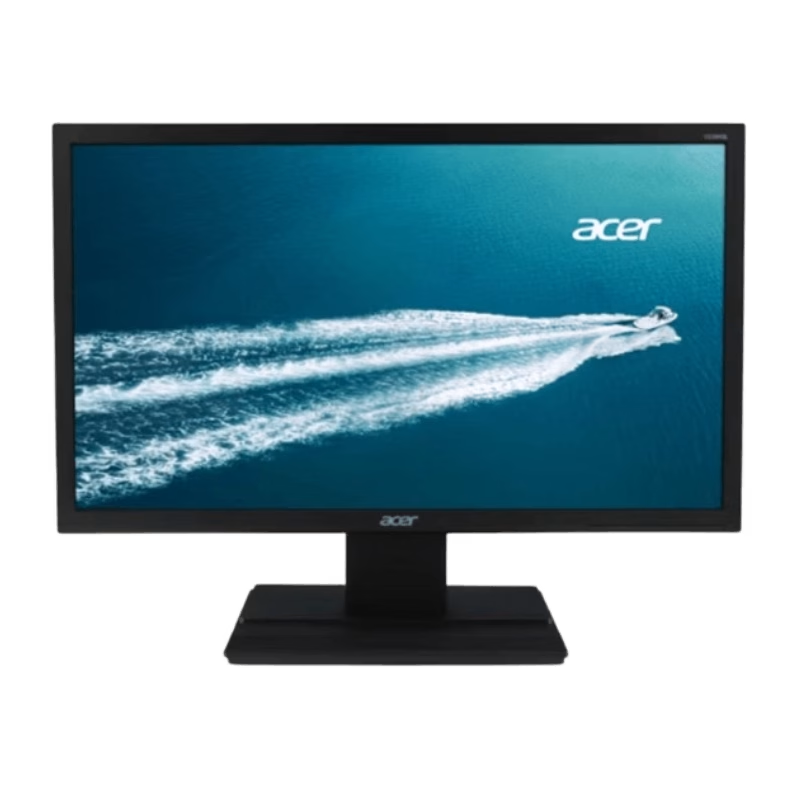
• LCD panel type: IPS technology • Backlight type: W-LED system • Panel Size: 23.8 inch / 60.5 cm • Display Screen Coating: Anti-Glare, 3H, Haze 25% • Effective viewing area: 527 (H) x 296.5 (V) • Aspect ratio: 16:9 • Maximum resolution: 1920 x 1080 @ 75 Hz* • Pixel Density: 93 PPI • Response time (typical): 4 ms (GtG)* • Brightness: 250 cd/m² • Contrast ratio (typical): 3000:1 • SmartContrast: Mega Infinity DCR • Pixel pitch: 0.2745 x 0.2745 mm • Viewing angle: 178º (H) / 178º (V), @ C/R > 10 • Flicker-free • Display colors: 16.7 M • Scanning Frequency: 30 – 85 kHz (H) / 48 – 75 Hz (V) • LowBlue Mode • EasyRead • sRGB • Adaptive sync , CABLE POWER,CABLE HDMI,CABLE VGA 1 YEAR WARRANTY

WiWU Minimalist Laptop Bag Pro – Premium water-resistant case with faux-fur padded laptop sleeve and organizer pocket.Perfect blend of style, comfort, and full device protection in both 14″ and 15.6″ sizes. Model: Minimalist Laptop Bag Pro Material: Durable water-resistant polyester Laptop Sizes: Two versions available — fits up to 14″ or 15.6″ laptops Protection: Faux-fur lined padded compartment with corner protection and shock absorption Compartments: Main padded laptop compartment Front organizer section for cables, phone, mouse, and documents Compartments: Main padded laptop compartment Front organizer section for cables, phone, mouse, and documents Carry Options: Retractable waterproof TPU handle Adjustable shoulder strap Luggage strap on the back for trolley use Carry Options: Retractable waterproof TPU handle Adjustable shoulder strap Luggage strap on the back for trolley use Hardware: Heavy-duty zippers (YKK), soft internal lining Weight: Approx. 703 g (14″), 884 g (15.6″) Dimensions: 14″: 36 × 25.5 × 8.5 cm 15.6″: 42.5 × 30 × 10 cm Dimensions: 14″: 36 × 25.5 × 8.5 cm 15.6″: 42.5 × 30 × 10 cm Colors: Black, Gray Usage: Ideal for daily commuting, business, university, or travel

Genuine-spec touchpad flex cable for MacBook Pro 13″ with Touch Bar (Model A1708, 2016–2017)—restores full Force Touch functionality, haptic feedback, and precise multi-touch gesture control during trackpad repair or replacement. Compatible With: MacBook Pro 13″ (2016) – Model A1708 (Model Identifier: MacBookPro13,1) MacBook Pro 13″ (2017) – Model A1708 (Model Identifier: MacBookPro14,1) (Both years share the same internal trackpad assembly and flex cable.) MacBook Pro 13″ (2016) – Model A1708 (Model Identifier: MacBookPro13,1) MacBook Pro 13″ (2017) – Model A1708 (Model Identifier: MacBookPro14,1) (Both years share the same internal trackpad assembly and flex cable.) Part Type: Touchpad flex cable only — does not include the trackpad housing, Taptic Engine, or mounting hardware. This is the OEM-style ribbon cable that connects the trackpad to the logic board. Function: Transmits: Touch input coordinates Force Touch pressure data Haptic feedback signals to the Taptic Engine Enables full macOS gesture support: Force Click, three-finger lookup, swipe navigation, pinch-to-zoom, and smooth cursor tracking. Touch input coordinates Force Touch pressure data Haptic feedback signals to the Taptic Engine Enables full macOS gesture support: Force Click, three-finger lookup, swipe navigation, pinch-to-zoom, and smooth cursor tracking. OEM-Quality Build: Matches Apple’s original specifications in: Cable length and routing path Connector pitch and ZIF latch design EMI shielding and flex durability Cable length and routing path Connector pitch and ZIF latch design EMI shielding and flex durability Common Use Cases: Replacing a torn, creased, or liquid-damaged original flex cable Completing a trackpad replacement when the original cable is compromised Fixing intermittent trackpad behavior, loss of Force Touch, or complete unresponsiveness Replacing a torn, creased, or liquid-damaged original flex cable Completing a trackpad replacement when the original cable is compromised Fixing intermittent trackpad behavior, loss of Force Touch, or complete unresponsiveness Installation Note: Requires full bottom case removal and battery disconnection. Cable routes under internal components near the right speaker and logic board. Connects via a ZIF (Zero Insertion Force) socket—must be aligned carefully and latched gently. Recommended for experienced or certified technicians only. Requires full bottom case removal and battery disconnection. Cable routes under internal components near the right speaker and logic board. Connects via a ZIF (Zero Insertion Force) socket—must be aligned carefully and latched gently. Recommended for experienced or certified technicians only.

HUAWEI IdeaHub B2 IHB2-86PU 86-inch conferencing display delivers clear 4K visuals for meetings and collaboration. It allows teams to share ideas effectively and work interactively. As a result, conferences become more productive and engaging. The display features zero-gap laminated glass and D-LED/IPS technology. Therefore, it offers sharp images and reduced glare. The 60Hz panel ensures smooth visuals during presentations. It supports up to 20 touch points with infrared multi-touch. In addition, smart handwriting recognition and annotation enable natural note-taking. Low latency writing ensures precise input with the magnetic stylus pens. The system includes a quad-core CPU, 4GB RAM, and 32GB storage. Consequently, it runs applications smoothly. It supports Android, Windows, iOS, and macOS for versatile use. It also includes key capabilities such as 4K UHD resolution, multi-touch interaction, smart annotation, dual Wi-Fi connectivity, and enhanced audio. HUAWEI IdeaHub B2 IHB2-86PU is designed to improve collaboration in professional environments. Specifications: 86-inch 4K UHD display with 3840 × 2160 resolution Supports up to 20 touch points with infrared multi-touch Zero-gap laminated glass with D-LED/IPS panel Low latency writing with smart annotation and magnetic pens Quad-core CPU with 4GB RAM, 32GB storage, and dual Wi-Fi

Are you in search of a reliable and efficient monitor for work or play? Look no further than the MSI Pro MP245V. This monitor is crafted to elevate your productivity and enhance your overall computing experience. To begin with, the MSI Pro MP245V boasts a sleek and modern design, adding a touch of sophistication to your workspace. Its slim bezels and adjustable stand ensure a comfortable and ergonomic viewing experience. Transitioning seamlessly between work tasks and entertainment, this monitor features a vibrant Full HD display. Enjoy crisp and clear visuals, making it perfect for both professional presentations and immersive gaming sessions. One standout feature is the eye-care technology, reducing eye strain during extended screen time. Say goodbye to discomfort and hello to a more comfortable and enjoyable viewing experience. Connectivity is a breeze with multiple ports, including HDMI and VGA, ensuring compatibility with a variety of devices. Switch effortlessly between your computer, gaming console, and other peripherals. The MSI Pro MP245V’s energy-efficient design is not only good for the environment but also easy on your wallet. Experience high performance without compromising on power consumption. In summary, the MSI Pro MP245V monitor is a versatile and cost-effective solution for anyone seeking a reliable display for work and play. Elevate your productivity and immerse yourself in superior visuals with this exceptional monitor. Upgrade your computing experience with the MSI Pro today! Specifications: Display : 23.8″ Resolution : 1920×1080 FHD Response Rate : 1ms Refresh Rate : 100Hz

The Cudy WR3000 AX3000 WiFi 6 Router delivers ultra-fast wireless speeds and improved network efficiency with the latest WiFi 6 technology. Designed for modern homes and offices, it offers high-speed Gigabit connectivity, wider coverage, and stable performance for multiple devices. AX3000 WiFi 6 Speed – Combined speeds of up to 3000Mbps for ultra-smooth streaming, gaming, and downloads. Next-Gen WiFi 6 Technology – Improved efficiency, lower latency, and better performance for multiple connected devices. Gigabit Ethernet Ports – High-speed WAN and LAN ports for maximum wired performance. Enhanced Coverage – High-performance antennas provide strong and stable WiFi signal across your space. OFDMA & MU-MIMO – Efficient data transmission to multiple devices simultaneously without slowing down the network. Multiple Operating Modes – Supports Router, Access Point, and Repeater modes for flexible setup. Advanced Security – WPA3/WPA2 encryption ensures a secure and protected network. 1 × Gigabit WAN Port 4 × Gigabit LAN Ports Dual Band WiFi (2.4GHz & 5GHz) WiFi 6 (802.11ax) Ethernet (RJ45) Wireless Security (WPA2/WPA3)

PCE 1500 M8 1500VA 600W PCE UPS SYSTEM M8-1500 1500VA 600W Input Voltage: 220/230/240 VAC, 1Ø2Wires Input Frequency: 50 or 60 Hz +/-10% (auto sensing) Power: 600W Output voltage: 220/230/240VAC+/-1% Output Frequency: 50 or 60 Hz +/-1% Full Protection: Overload, discharge, and overcharge protection PCE UPS SYSTEM M8-1500 1500VA 600W Input Voltage: 220/230/240 VAC, 1Ø2Wires Input Frequency: 50 or 60 Hz +/-10% (auto sensing) Power: 600W Output voltage: 220/230/240VAC+/-1% Output Frequency: 50 or 60 Hz +/-1% Full Protection: Overload, discharge, and overcharge protection

Genuine-spec touchpad flex cable for MacBook Pro 15″ (Model A1706 – 2017 and A1989 – 2018/2019)—restores full Force Touch functionality, haptic feedback, and precise multi-touch gesture control during trackpad repair or replacement. Compatible With: MacBook Pro 15″ (2017) – Model A1706 (Model Identifier: MacBookPro14,3) MacBook Pro 15″ (2018–2019) – Model A1989 (Model Identifier: MacBookPro15,2) ✅ Note: Apple used the same trackpad assembly and flex cable across both A1706 and A1989 15″ models—making this part interchangeable between them. MacBook Pro 15″ (2017) – Model A1706 (Model Identifier: MacBookPro14,3) MacBook Pro 15″ (2018–2019) – Model A1989 (Model Identifier: MacBookPro15,2) ✅ Note: Apple used the same trackpad assembly and flex cable across both A1706 and A1989 15″ models—making this part interchangeable between them. ✅ Note: Apple used the same trackpad assembly and flex cable across both A1706 and A1989 15″ models—making this part interchangeable between them. Part Type: Touchpad flex cable only — does not include the trackpad housing, Taptic Engine, or mounting hardware. This is the OEM-style ribbon cable connecting the trackpad to the logic board. Function: Transmits: Touch input coordinates Force Touch pressure data Haptic feedback signals to the Taptic Engine Enables full macOS gesture support: Force Click, three-finger lookup, swipe navigation, pinch-to-zoom, and smooth cursor tracking. Touch input coordinates Force Touch pressure data Haptic feedback signals to the Taptic Engine Enables full macOS gesture support: Force Click, three-finger lookup, swipe navigation, pinch-to-zoom, and smooth cursor tracking. OEM-Quality Build: Matches Apple’s original in: Cable length and routing Connector pitch and ZIF latch design EMI shielding and flex durability Cable length and routing Connector pitch and ZIF latch design EMI shielding and flex durability Common Use Cases: Replacing a torn, creased, or liquid-damaged original flex cable Completing a trackpad replacement when the original cable is compromised Fixing intermittent trackpad behavior, loss of Force Touch, or complete unresponsiveness Replacing a torn, creased, or liquid-damaged original flex cable Completing a trackpad replacement when the original cable is compromised Fixing intermittent trackpad behavior, loss of Force Touch, or complete unresponsiveness Installation Note: Requires full bottom case removal and battery disconnection. Cable routes under internal components near the right speaker and logic board. Connects via a ZIF (Zero Insertion Force) socket—must be aligned carefully and latched gently. Recommended for experienced or certified technicians only. Requires full bottom case removal and battery disconnection. Cable routes under internal components near the right speaker and logic board. Connects via a ZIF (Zero Insertion Force) socket—must be aligned carefully and latched gently. Recommended for experienced or certified technicians only.
