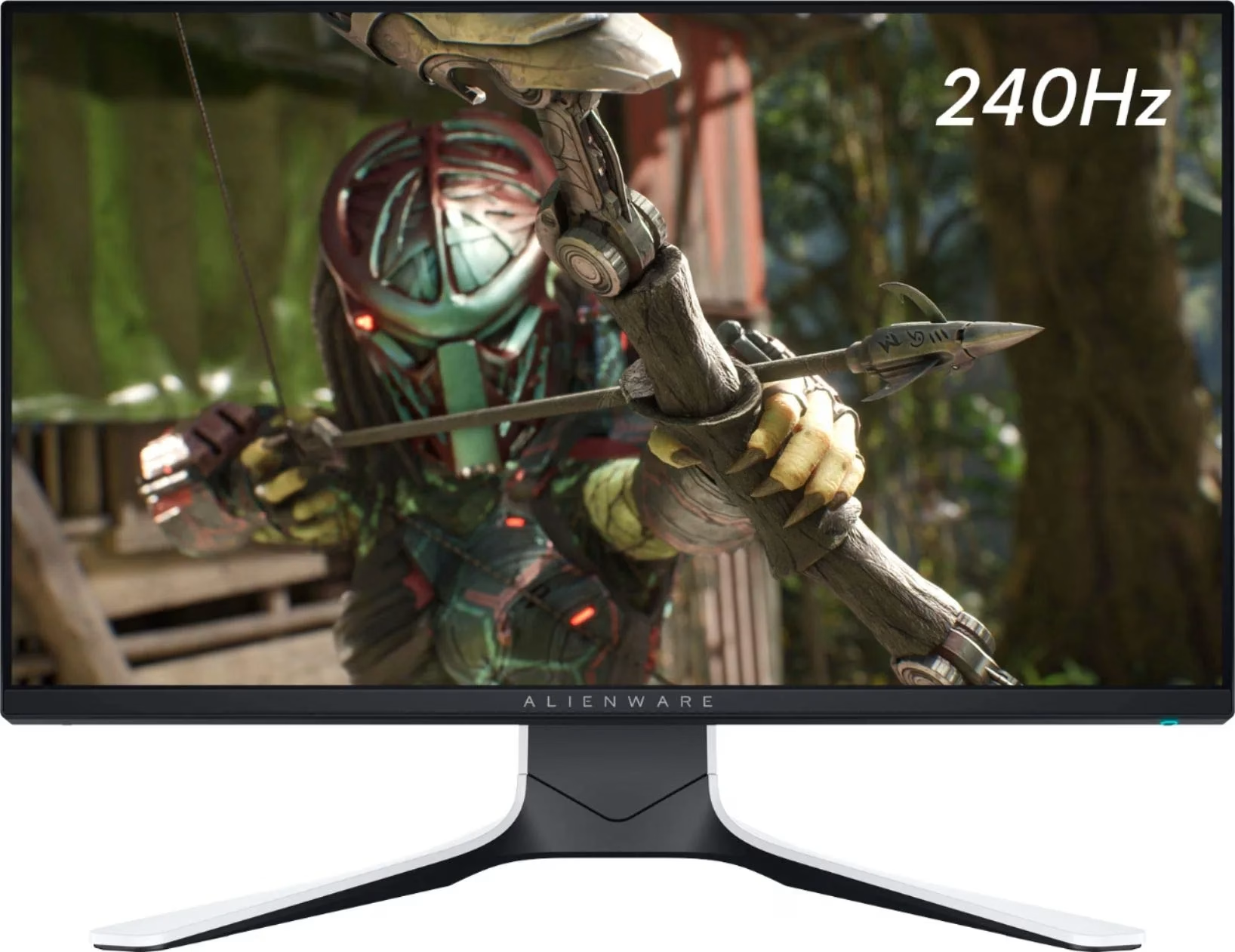

The Alienware AW3423DWF 34″ 165Hz QD-OLED Curved Gaming Monitor delivers an immersive ultrawide experience with stunning display quality. Its 34.18-inch QD-OLED screen shows vibrant colors and deep blacks, perfect for intense gaming and creative work. With a resolution of 3440 x 1440 and a 165Hz refresh rate, this monitor gives you smooth and detailed visuals. It also features a 0.1ms response time, which reduces motion blur during fast action scenes. The 1800R curved screen wraps around your view, pulling you deeper into the game or video. This curvature also reduces eye strain, making it easier to stay focused for longer periods. The monitor supports 99.3% DCI-P3 and 149% sRGB color ranges, providing rich and accurate colors. It is also certified with DisplayHDR True Black 400, offering deep contrast and enhanced brightness. With AMD FreeSync Premium Pro and AdaptiveSync, you get smooth performance with no screen tearing. This makes it ideal for competitive and fast-paced gaming experiences. The sleek design includes customizable AlienFX lighting to match your gaming setup. It adds a modern and clean look to your desk, while staying practical and functional. Ports include HDMI 2.0, DisplayPort 1.4, and several USB 3.2 Gen 1 ports for easy connections. A built-in USB hub gives quick access to plug in peripherals without hassle. The adjustable stand supports height, tilt, and swivel adjustments for your comfort. It’s also VESA-compatible, so you can mount it just how you like it. The Alienware AW3423DWF 34″ 165Hz QD-OLED Curved Gaming Monitor is built for gamers who want the best visuals and performance. Specifications: Display : 34″ QD-OLED Resolution : WQHD 3440 x 1440 Refresh Rate : 165Hz Response Time : 0.1ms

Genuine-spec keyboard replacement for MacBook Pro 13″ (Model A2289, 2020) — available in US QWERTY or UK QWERTY (with £ symbol). Features Apple’s scissor-switch Magic Keyboard, backlighting, and OEM-fit design for reliable performance and seamless installation. Compatible With: MacBook Pro 13-inch (2020, Four Thunderbolt Ports, Model A2289, Model Identifier MacBookPro16,2) with Intel Core i5/i7 processors. Layout Options (select at purchase): US Layout: Standard QWERTY with wide Enter key, @ above 2, and # above 3. UK Layout: QWERTY with £ symbol, tall vertical Enter key, @ on right Alt, and UK-specific punctuation. US Layout: Standard QWERTY with wide Enter key, @ above 2, and # above 3. UK Layout: QWERTY with £ symbol, tall vertical Enter key, @ on right Alt, and UK-specific punctuation. Keyboard Type: Apple’s Magic Keyboard with scissor-switch mechanism—quieter, more stable, and more durable than earlier Butterfly designs. Integrated Features: Full backlighting for low-light use Ambient light sensor compatibility OEM-style flex cable pre-attached for direct logic board connection Full backlighting for low-light use Ambient light sensor compatibility OEM-style flex cable pre-attached for direct logic board connection Build & Fit: Engineered to exact Apple specifications—ensures perfect alignment, consistent key height, and flush integration into the original top case. Installation Note: Keyboard is glued into the top case and requires full disassembly, careful adhesive removal, and professional re-adhesion. Recommended for experienced or certified technicians only.

Genuine-spec touchpad flex cable for MacBook Pro 15″ (Model A1990, 2018–2019, Intel)—essential for restoring full Force Touch functionality, haptic feedback, and precise multi-touch gesture control during trackpad repair or replacement. Compatible With: MacBook Pro 15-inch (2018 & 2019, Model A1990, Model Identifiers MacBookPro15,2) with Intel Core i7/i9 processors. Part Type: Touchpad flex cable only — does not include the trackpad housing, Taptic Engine, or mounting hardware. This is the OEM-style ribbon cable that connects the trackpad to the logic board. Function: Transmits: Touch input coordinates Force Touch pressure data Haptic feedback signals to the Taptic Engine Enables full macOS gesture support: Force Click, three-finger lookup, swipe navigation, pinch-to-zoom, and smooth cursor tracking. Touch input coordinates Force Touch pressure data Haptic feedback signals to the Taptic Engine Enables full macOS gesture support: Force Click, three-finger lookup, swipe navigation, pinch-to-zoom, and smooth cursor tracking. OEM-Quality Build: Matches Apple’s original specifications in: Cable length and routing path Connector pitch and ZIF latch design EMI shielding and flex durability Cable length and routing path Connector pitch and ZIF latch design EMI shielding and flex durability Common Use Cases: Replacing a torn, creased, or liquid-damaged original flex cable Completing a trackpad replacement when the original cable is unusable Fixing intermittent trackpad behavior, loss of Force Touch, or complete unresponsiveness Replacing a torn, creased, or liquid-damaged original flex cable Completing a trackpad replacement when the original cable is unusable Fixing intermittent trackpad behavior, loss of Force Touch, or complete unresponsiveness Installation Note: Requires full bottom case removal and battery disconnection. Cable routes under internal components near the right speaker and logic board. Connects via a ZIF (Zero Insertion Force) socket—must be aligned carefully and latched gently. Recommended for experienced or certified technicians only. Requires full bottom case removal and battery disconnection. Cable routes under internal components near the right speaker and logic board. Connects via a ZIF (Zero Insertion Force) socket—must be aligned carefully and latched gently. Recommended for experienced or certified technicians only.

The ViewSonic VX2479-HD-PRO is a 24-inch monitor designed to deliver stunning visuals and smooth performance for gaming, work, or entertainment. Whether you’re streaming videos, editing documents, or playing your favorite games, this monitor ensures vibrant colors and sharp details. Featuring a Full HD resolution of 1920×1080 pixels, the ViewSonic VX2479 provides crystal-clear image quality. You can enjoy a high-definition viewing experience that brings your movies, games, and content to life. This monitor comes equipped with an IPS panel, which offers wide viewing angles and consistent color reproduction. Whether you’re looking at the screen from the side or straight on, the picture quality remains bright and accurate. The ViewSonic VX2479-HD-PRO also supports a 75Hz refresh rate, ensuring smooth and fluid visuals. This makes it ideal for fast-paced gaming and action-packed scenes, reducing motion blur and providing a more enjoyable experience. With multiple connectivity options, including HDMI and DisplayPort, the ViewSonic VX2479 offers easy connections to your PC, gaming console, or other devices. Switching between work and play is quick and hassle-free. Designed with a sleek, frameless design, this monitor adds a modern touch to any workspace or gaming setup. It is lightweight and easy to set up, making it perfect for both home and office use. In conclusion, the ViewSonic VX2479-HD-PRO offers a stunning blend of sharp visuals, vibrant colors, and smooth performance. Upgrade your setup with this versatile monitor and experience high-quality viewing for work and play. Specifications: Resolution : FHD Display : 24″ IPS Refresh Rate : 180Hz Response Time : 1ms

Looking for a monitor that delivers unparalleled visual performance? Look no further than the ViewSonic ColorPro 32″ 4K Monitor. With its cutting-edge technology and sleek design, it’s the ultimate choice for professionals and enthusiasts alike. Featuring a stunning 32-inch 4K display, this monitor brings your content to life with breathtaking clarity and detail. Whether you’re editing photos, designing graphics, or watching movies, every pixel pops with vivid color and crisp definition. Moreover, the ViewSonic ColorPro monitor is calibrated to deliver precise color accuracy, making it ideal for graphic design, photography, and video editing. Say goodbye to color distortion and enjoy true-to-life hues that enhance your creative workflow. But it’s not just about visuals—the ViewSonic ColorPro monitor also offers exceptional functionality. With advanced connectivity options like HDMI, DisplayPort, and USB-C, you can easily connect your devices for seamless multitasking. Additionally, the monitor’s ergonomic design ensures comfortable viewing during long hours of use. Adjustable tilt, swivel, and height settings allow you to find the perfect position for maximum productivity and comfort. In summary, the ViewSonic ColorPro 32″ 4K Monitor combines stunning visuals, precise color accuracy, and versatile connectivity to deliver an unparalleled viewing experience. Whether you’re a professional creator or a discerning enthusiast, elevate your display with ViewSonic ColorPro. Specifications: Display : 32″ IPS Resolution : 3840 x 2160 UHD Refresh Rate : 60Hz Response Rate : 5ms

The Maxfree S2 14″ Portable Laptop Screen Extender lets you expand your workspace with dual or triple displays. First, it connects easily via USB-C or HDMI to your laptop. The screen features full HD resolution, anti-glare technology, and a slim, lightweight design for portability. In addition, it supports multiple monitor setups, boosting productivity for work, gaming, or streaming. Moreover, its adjustable stand and foldable design make it easy to carry and set up anywhere. Therefore, users can enjoy a seamless multi-screen experience without compromising desk space or mobility. Specifications: 14″ full HD screen provides sharp visuals for work and entertainment USB-C and HDMI connectivity support dual or triple monitor setups Slim, lightweight design ensures portability and easy setup Adjustable stand and foldable design for versatile positioning Compatible with laptops and devices for seamless multi-screen productivity

BATTERY DELL M5Y1K Laptop Battery for Dell Inspiron 15 5000 5555 5558 5559 3552 3558 3567 14 3451 3452 3458 5458 17 5755 5758 Series Rechargeable 40WH li-ion Battery Replacement Fit GXVJ3 VN3N0 YU12005-13001D About this item 【Specification】Dell laptop Replacement Battery Type: Li-ion; Voltage: 14.8 V; Capacity 2600MAH/40WH; Cells:4-Cell 【Stability】M5Y1K Laptop Battery Replacement battery for Dell offers 500+ recharge cycles over life of battery 【COMPATIBLE MODEL】(Check description below for more models) Dell 40WH Standard Rechargeable Li-ion Battery Type M5Y1K 14.8V YU12005-13001D 453-BR GXVJ3 HD4J0 M5YIK MSY1K Dell Inspiron 14 15 3000 Laptop Replacement Battery 3558 3458 3567 3452 3565 3459 P60G Dell Inspiron 14 15 17 5000 Laptop Battery 5555 5558 5559 5755 5758 5458 Dell Vostro Laptop Battery 3558 3458 Dell Latitude Laptop Battery 3460 3560 【GUARANTEE】Our Dell M5Y1K replacement laptop battery is 100% Compatible with the originals. Complying with the CE/FCC/ROHS/UL Certified Standard

Genuine-spec touchpad flex cable for MacBook Air 13″ (Model A1932, 2018–2019)—essential for restoring full Force Touch functionality, haptic feedback, and precise multi-touch gesture control during trackpad repair or replacement. Compatible With: MacBook Air 13-inch (2018 & 2019, Model A1932, Model Identifier MacBookAir8,1) with Intel Core i5/i7 processors. Part Type: Touchpad flex cable only—does not include the trackpad housing, Taptic Engine, or mounting hardware. This is the OEM-style ribbon cable that connects the trackpad to the logic board. Function: Transmits touch input, Force Touch pressure data, and haptic feedback signals—critical for macOS gestures like Force Click, three-finger lookup, pinch-to-zoom, and smooth cursor tracking. OEM-Quality Build: Matches Apple’s original in length, connector pitch, EMI shielding, and flexibility—ensures reliable signal integrity and long-term durability. Common Use Cases: Replacing a torn, creased, or liquid-damaged original flex cable Completing a trackpad replacement when the original cable is unusable Fixing intermittent trackpad behavior, loss of Force Touch, or complete unresponsiveness Replacing a torn, creased, or liquid-damaged original flex cable Completing a trackpad replacement when the original cable is unusable Fixing intermittent trackpad behavior, loss of Force Touch, or complete unresponsiveness Installation Note: Requires full bottom case removal and careful routing beneath the battery. The cable connects via a ZIF (Zero Insertion Force) socket on the logic board—must be properly aligned and latched without force. Recommended for experienced or certified technicians. Important: This is flex cable only—not a complete trackpad assembly. Must be used with the original or compatible A1932 trackpad and Taptic Engine. Not compatible with MacBook Air M1 (A2337/A2338), M2 (A2681/A2941), or any MacBook Pro model. This is flex cable only—not a complete trackpad assembly. Must be used with the original or compatible A1932 trackpad and Taptic Engine. Not compatible with MacBook Air M1 (A2337/A2338), M2 (A2681/A2941), or any MacBook Pro model.

The ViewSonic VG1655 16″ Portable Monitor is a game-changer for those who need a secondary screen on the go. Whether you’re a digital nomad, a student, or a professional, this portable monitor enhances your productivity and entertainment experience. Firstly this 16″ portable monitor features a Full HD 1080p resolution, delivering sharp and vibrant visuals. From editing documents to watching videos, every detail is clear and crisp on the ViewSonic VG1655. Furthermore designed for portability, the ViewSonic VG1655 is lightweight and slim. It easily fits into your bag, making it an ideal travel companion. Set up is a breeze with the built-in kickstand, allowing you to adjust the screen to your preferred angle. The ViewSonic VG1655 offers versatile connectivity options. With USB-C and Mini HDMI ports, you can connect your laptop, smartphone, or gaming console. This ensures compatibility with a wide range of devices, making it a versatile addition to your tech arsenal. For those who work on the go, the ViewSonic VG1655 features a blue light filter and flicker-free technology. These features help reduce eye strain, allowing you to work comfortably for longer periods. In addition to its impressive display and portability, the ViewSonic VG1655 also boasts robust build quality. The durable design ensures that this portable monitor can withstand the rigors of travel and daily use. In conclusion, the ViewSonic VG1655 16″ Portable Monitor combines portability, high-quality visuals, and versatile connectivity for an unmatched on-the-go experience. Upgrade to the ViewSonic VG1655 today and take your productivity and entertainment to the next level. Specifications: Display : 16″ IPS Resolution : FHS 1920×1080 Refresh Rate : 60Hz Response Rate : 6.5ms Interface : USB-C

The Apple MacBook Pro 16-inch (2019) is powered by an Intel Core i9 processor, paired with 16GB RAM and a fast 512GB SSD for powerful and reliable performance. Designed for professionals and creatives, it features a premium aluminum build, immersive 16-inch Retina display, and dedicated Radeon Pro graphics for demanding workloads.

The ViewSonic VG2709-MHU 27″ FHD 75Hz Monitor delivers clear and sharp images for work, study, and daily tasks. Its Full HD resolution shows text and pictures with good clarity. The 27‑inch size gives you enough space to multitask comfortably. This makes work and browsing easier. Moreover, the ViewSonic VG2709‑MHU uses a SuperClear IPS panel for wide viewing angles and consistent color. Colors stay true from the sides without fading or distortion. This helps photos, videos, and graphics look natural and smooth. Even large spreadsheets or documents remain easy to read. In addition, the monitor features a smooth 75 Hz refresh rate. This makes motion feel smoother than standard 60 Hz screens. Scrolling, video playback, and light gaming feel more fluid and comfortable. This reduces motion blur during everyday use. Furthermore, the ViewSonic VG2709-MHU includes eye‑care technology for long hours of work. It offers Flicker‑Free display and a Blue Light Filter to help reduce eye strain. This helps your eyes stay comfortable during long sessions. Also, the monitor offers good connectivity with HDMI, VGA, and USB‑C (with 65W power delivery) ports. This makes it simple to connect laptops, desktops, or other devices quickly. The built-in speakers add convenience for calls, videos, or basic media without extra audio devices. Also the design of the ViewSonic VG2709‑MHU is ergonomic and adjustable. You can tilt, swivel, pivot, and adjust height to find a comfortable view. Overall, the ViewSonic VG2709-MHU 27″ FHD 75Hz Monitor combines clear visuals, smooth performance, eye comfort, and flexible connectivity. It improves productivity, browsing, and light media or gaming. It is a great choice for students, professionals, and everyday users who want a dependable and comfortable display. Specifications: Display : 27″ IPS Resolution : FHD Refresh Rate : 75Hz Response Time : 5ms

The BenQ 27-inch 4K Monitor for MacBook BenQ 27-inch 4K Monitor for MacBook overview for creative professionals is a 27-inch UHD display designed for MacBook users who need sharp visuals, accurate colors, and a spacious workspace. It features a 3840 × 2160 resolution that delivers detailed images for photo editing, video production, graphic design, and everyday productivity. The MA270U features a matte display surface that helps reduce reflections and glare, while the MA270UP features a glossy display surface that enhances contrast and image clarity. Therefore, both models provide an optimized viewing experience for different working environments. The display performance and color accuracy deliver clear details and consistent image quality across professional workflows. Moreover, the IPS panel provides wide viewing angles and reliable color reproduction for creative tasks and multitasking. As a result, users can enjoy a precise and comfortable viewing experience. The connectivity and ergonomic design support efficient daily use. In addition, USB-C connectivity provides convenient connection with modern MacBook devices, while HDMI and USB ports improve compatibility with other equipment. Therefore, the monitor supports clean and flexible workstation setups. The workflow compatibility supports macOS and Windows systems for creative work, office applications, and entertainment. Furthermore, the 27-inch 4K display provides enough space for multitasking while maintaining excellent visual clarity. Specifications: Display size: 27-inch IPS panel Resolution: 3840 × 2160 (4K UHD) Models: MA270U Matte display and MA270UP Glossy display Connectivity: USB-C, HDMI, and USB ports Warranty: 3 Years MA270U , MA270UP

A4tech KR-85 Natural A Rounded Edge Ergonomical Keyboard

The Samsung S3 S30GD 22″ 100Hz Monitor offers clear Full HD visuals on a compact 22-inch IPS display. Additionally, the panel delivers consistent colors and wide viewing angles, which makes it suitable for both work and entertainment. The 100Hz refresh rate also ensures smoother motion compared to standard displays. Moreover, Game Mode enhances contrast and visibility during videos and casual gaming. Therefore, scenes appear clearer and more detailed in darker areas. The monitor also includes Eye Saver Mode and flicker free technology, which help reduce eye strain during long sessions. Furthermore, the design is simple and practical for everyday setups. In addition, connectivity includes HDMI and VGA ports for easy connection to different devices. Overall, the Samsung S3 S30GD 22″ 100Hz Monitor is a reliable choice for daily use. Specifications: 22‑inch Full HD (1920 x 1080) IPS panel displays vivid colors and wide viewing angles. Smooth motion with up to 100Hz refresh rate for better video and game performance. Game Mode optimizes contrast and image settings for interactive content. Eye Saver Mode and flicker‑free technology help reduce eye strain during long sessions. Simple connectivity with one HDMI port and one D‑Sub (VGA) port.

Samsung Monitor 27″ FHD monitor with IPS panel Screen Size (Class)27 Active Display Size (HxV) (mm)596.736 x 335.664 Aspect Ratio16:9 Panel TypeIPS Brightness (Typical)400 cd/㎡ Brightness (Min)320 cd/㎡ Contrast Ratio Static1,000:1(Typ.) Dynamic Contrast RatioMega ∞ DCR HDR(High Dynamic Range)HDR10 Resolution1,920 x 1,080 Response Time1ms (GTG) Viewing Angle (H/V)178°/178° Color SupportedMax 16.7M sRGB Coverage99% Refresh RateMax 240Hz General Feature Eco Saving PlusYes Eco Light SensorYes Eye Saver ModeYes Flicker FreeYes Windows CertificationWindows 10 FreeSyncFreeSync Premium G-SyncG-Sync Compatible Off Timer PlusYes Black EqualizerYes Low Input Lag ModeYes Virtual AIM PointYes Refresh Rate OptimizorYes Specifications: Samsung Monitor 27″ FHD monitor with IPS panel Screen Size (Class)27 Flat / CurvedFlat Active Display Size (HxV) (mm)596.736 x 335.664 Aspect Ratio16:9 Panel TypeIPS Brightness (Typical)400 cd/㎡ 3-Year Warranty

lenovo battery 00NY486 48Wh 4.4Ah Battery Replacement for Lenovo ThinkPad L560 20F1 20F2 L570 20J8 20J9 20JQ 20JR Series Laptop SB10H45071 00NY487 SB10H45072 00NY488 SB10H45073 00NY489 SB10H45074 71+ 10.8V About this item 【Battery Model】00NY486; Voltage:10.8V; Capatity:48Wh 4.4Ah 6-Cells; Color:Black; Condition:Brand New. 【Replacement Part Number】00NY486 SB10H45071 00NY487 SB10H45072 00NY488 SB10H45073 00NY489 SB10H45074 71+ 【Compatible Machine Models】 for Lenovo ThinkPad L560 (Type 20F1 20F2) Series; for Lenovo ThinkPad L570 (type 20J8 20J9 20JQ 20JR) Series 【Security Certified】 Certified by CE, UL, FCC, and RoHS for safety. Every battery has passed factory testing, built-in circuit protection ensures safety and stability. More than 500 recharge cycles over the life of the battery.

Introducing the LG MyView Smart Monitor – your all-in-one display solution for work, entertainment, and everything in between. With its innovative features and user-friendly interface, this monitor redefines convenience and efficiency. First and foremost, versatility is the name of the game. Whether you’re working on spreadsheets, streaming your favorite shows, or gaming with friends, the MyView Smart Monitor adapts effortlessly to your needs. Transitioning between tasks is seamless thanks to its intuitive interface and quick response times. Say goodbye to cluttered desktops and hello to a streamlined workflow that maximizes productivity. Moreover, connectivity options abound. From wireless casting to multiple input ports, the MyView Smart Monitor ensures compatibility with a wide range of devices. Whether you’re using a laptop, tablet, or smartphone, connecting is hassle-free. In addition, ergonomic design features such as adjustable stands and eye-care technology prioritize your comfort and well-being during extended use. Say goodbye to eye strain and discomfort – the MyView Smart Monitor has your back. Furthermore, its sleek and modern design adds a touch of sophistication to any space, whether it’s your home office or entertainment center. Elevate your surroundings with a display that not only performs but also complements your aesthetic. In conclusion, the LG MyView Smart Monitor is more than just a display – it’s a versatile companion that enhances every aspect of your digital life. Experience the convenience, efficiency, and style it brings to the table, and unlock a world of possibilities today. Specifications: Display : 27″ IPS Resolution : 1920 x 1080 Refresh Rate : 60Hz Response Rate : 5ms GTG Speaker : 5W x2

GAMDIAS Hermes E3 RGB Mechanical Gaming Keyboard Blue Switch with 19 Built-in Lighting Effects Certified Optical Switches and N-Key Rollover & Anti-Ghosting Functionality (Hermes E3 Black) About this item Extreme Gaming RGB Lighting Modes: This wired keyboard has 19 Build-in RGB backlight modes powered by 16.8 million RGB backlighting for gamers and provide comfortable ambient light for typing. It comes with the adjustable brightness and WASD and Arrow Keys Exchange 8 Additional Multimedia Keys. Compact 60 Percent Design for Mobility: The 60% gaming keyboard is a compact 61-key elegant design for both gaming and office typing for computers, PC and desktops. Blue Switches & Full Anti-ghosting: The classic blue switches provide tactile and audible feedback, deliver accurate and responsive key commands. All keys are fully conflict-free, the perfect choice for intense gameplay and fast typing. All key can be reassigned and macros can be created for effortless operation. Ergonomic & Portable design: The 61 key compact keyboard is not only easy to operate and store, but it also boasts its solid front plate and comes in Classic Black or White touch-up to fit flawlessly into all battle stations. Superior Control: Gain complete control using the responsive mechanical switches with a built-in vertical LED perception sensor and anti-ghosting with N-Key rollover.

A4Tech Wireless Keyboard & Mouse Combo USB | 3000N

Genuine-spec touchpad flex cable for Apple’s 12-inch MacBook (Model A1534, Early 2015 / Early 2016 / Mid 2017)—essential for restoring full Force Touch trackpad functionality, haptic feedback, and multi-touch gesture support. Compatible With: MacBook 12″ (Early 2015) – 1.1GHz Core M MacBook 12″ (Early 2016) – 1.1GHz/1.3GHz Core M MacBook 12″ (Mid 2017) – 1.2GHz/1.3GHz Core m3/i5/i7 All share Model Number A1534 and Model Identifier MacBook8,1 / MacBook9,1 / MacBook10,1 respectively. MacBook 12″ (Early 2015) – 1.1GHz Core M MacBook 12″ (Early 2016) – 1.1GHz/1.3GHz Core M MacBook 12″ (Mid 2017) – 1.2GHz/1.3GHz Core m3/i5/i7 All share Model Number A1534 and Model Identifier MacBook8,1 / MacBook9,1 / MacBook10,1 respectively. Part Type: Touchpad flex cable only—does not include the trackpad housing, Taptic Engine, or mounting brackets. This is the ribbon cable that connects the Force Touch trackpad to the logic board. Function: Critical for Force Touch functionality—transmits pressure-sensitive input, multi-touch gestures (e.g., pinch, swipe, Force Click), and haptic feedback signals to the Taptic Engine. OEM-Quality Construction: Precisely matches Apple’s original in length, connector pitch, shielding, and routing—ensures reliable signal integrity and compatibility with macOS. Common Use Cases: Replacing a torn, creased, or liquid-damaged flex cable Restoring unresponsive or erratic trackpad behavior Completing a trackpad replacement when the original cable is unusable Replacing a torn, creased, or liquid-damaged flex cable Restoring unresponsive or erratic trackpad behavior Completing a trackpad replacement when the original cable is unusable Installation Note: Requires full bottom case removal and delicate disconnection of the ZIF connector. The cable routes tightly under the battery—extreme care is required. Recommended for experienced or certified technicians only.
