
A lightweight and efficient pre-owned Lenovo ThinkPad T14s Gen 2 with 14" display, AMD Ryzen 5 5650U, 16GB RAM, and 512GB SSD—featuring integrated AMD Radeon graphics for smooth productivity and all-day battery life in a premium ultraportable.

Genuine-spec touchpad flex cable for MacBook Pro 13″ (Model A1502, Mid 2014)—restores full trackpad functionality, including precise cursor control and physical click response. Essential for repairing unresponsive or erratic trackpad behavior. Compatible With: MacBook Pro 13-inch (Mid 2014, Model A1502, Model Identifier MacBookPro11,1) with Intel Core i5/i7 processors and Retina display. Part Type: Touchpad flex cable only — does not include the trackpad housing, button mechanism, or mounting hardware. This is the ribbon cable that connects the trackpad to the logic board. Function: Transmits cursor movement and click signals (left/right physical clicks) Supports standard multi-touch gestures (two-finger scroll, tap-to-click, pinch-to-zoom) ⚠️ Note: This model uses a physical click mechanism—not Force Touch (no haptic feedback or pressure sensitivity). Transmits cursor movement and click signals (left/right physical clicks) Supports standard multi-touch gestures (two-finger scroll, tap-to-click, pinch-to-zoom) ⚠️ Note: This model uses a physical click mechanism—not Force Touch (no haptic feedback or pressure sensitivity). OEM-Quality Build: Matches Apple’s original in: Cable length and routing path Connector type and pin alignment Insulation and flexibility for long-term reliability Cable length and routing path Connector type and pin alignment Insulation and flexibility for long-term reliability Common Use Cases: Replacing a torn, frayed, or corroded original flex cable Fixing: Unresponsive or intermittent trackpad Cursor jumping or drifting Click function failure (left or right) Complete trackpad disconnect Replacing a torn, frayed, or corroded original flex cable Fixing: Unresponsive or intermittent trackpad Cursor jumping or drifting Click function failure (left or right) Complete trackpad disconnect Unresponsive or intermittent trackpad Cursor jumping or drifting Click function failure (left or right) Complete trackpad disconnect Installation Note: Requires bottom case removal and battery disconnect. Connects via a ZIF (Zero Insertion Force) socket on the logic board—do not force. Cable routes under the battery; handle with care to avoid strain. Suitable for intermediate to advanced DIYers or technicians. Requires bottom case removal and battery disconnect. Connects via a ZIF (Zero Insertion Force) socket on the logic board—do not force. Cable routes under the battery; handle with care to avoid strain. Suitable for intermediate to advanced DIYers or technicians.

Are you ready to take your gaming to the next level? Look no further than the Viewsonic VX2728J 27″ 180Hz gaming monitor. With its stunning display and lightning-fast refresh rate, you’ll enjoy an unparalleled gaming experience. Firstly, let’s talk about the impressive 27-inch screen size. Immerse yourself in the action with crisp, clear visuals that bring every game to life. Whether you’re exploring vast open worlds or engaging in intense multiplayer battles, every detail will be vivid and immersive. Moreover, the 180Hz refresh rate ensures silky-smooth gameplay with no motion blur or tearing. Say goodbye to choppy frame rates and hello to fluid, responsive gameplay. With this monitor, you’ll have the competitive edge you need to dominate the competition. In addition to its performance, the Viewsonic VX2728J boasts vibrant colors and deep contrasts. Experience games the way they were meant to be seen, with rich, true-to-life hues that make every scene pop. Whether you’re exploring lush environments or navigating dark corridors, you’ll see every detail with stunning clarity. Furthermore, this monitor is packed with features designed to enhance your gaming experience. From customizable settings to advanced connectivity options, you’ll have everything you need to optimize your setup for peak performance. Say goodbye to compromises and hello to gaming greatness. In conclusion, if you’re serious about gaming, the Viewsonic VX2728J 27″ 180Hz monitor is the perfect choice. With its stunning display, lightning-fast refresh rate, and advanced features, it’s the ultimate gaming companion. Upgrade your setup and elevate your gaming experience today! Specifications: Display : 27″ Fast IPS Resolution : 1920 x 1080 FHD Refresh Rate : 180Hz Response Rate : 0.5ms Adjustable Height : 0~130mm Pivot : 0° ~ 90° Swivel : -15° ~ 15° Tilt : -5° ~ 20°

Huawei IdeaHub B2 IHB2-65PU 65-inch conferencing display delivers an advanced all-in-one solution for modern meeting rooms. It combines a 4K UHD touchscreen with smart collaboration tools to enhance productivity and communication. As a result, teams can present, write, and share ideas seamlessly across multiple platforms. Moreover, the zero-gap laminated IPS panel ensures sharp visuals and precise touch response. The infrared multi-touch system supports up to 20 touch points, while low latency writing creates a smooth and natural pen experience. In addition, smart handwriting recognition and annotation features improve brainstorming and note-taking efficiency. Furthermore, the device includes dual WiFi connectivity and wide compatibility with Android, Windows, iOS, and macOS systems. The built-in speakers deliver clear audio, and the multiple front and rear ports provide flexible connectivity for various devices. Therefore, it is ideal for presentations, video conferencing, and collaborative workspaces. Huawei IdeaHub B2 65-inch display offers powerful performance, seamless connectivity, and intelligent collaboration features for professional environments. Specifications: 65-inch 4K UHD (3840 × 2160) IPS display with zero-gap laminated glass Infrared multi-touch supporting up to 20 touch points Low latency writing (25 ms) with smart handwriting recognition Dual WiFi (2.4GHz and 5GHz) with multi-OS compatibility Multiple ports including HDMI, USB, Type-C, RJ45, and OPS support

Genuine-spec touchpad flex cable for MacBook Pro 13″ (Model A2289, 2020, Intel)—restores full Force Touch functionality, haptic feedback, and preci multi-touch gesture control. OEM-quality replacement for damaged or faulty original cables. Compatible With: MacBook Pro 13-inch (2020, Four Thunderbolt Ports, Model A2289, Model Identifier MacBookPro16,2) with Intel Core i5/i7 processors. Part Type: Touchpad flex cable only — does not include the trackpad housing, Taptic Engine, or mounting hardware. This is the OEM-style ribbon cable that connects the trackpad to the logic board. Function: Transmits: Touch input coordinates Force Touch pressure data Haptic feedback signals to the Taptic Engine Enables full macOS gesture support: Force Click, three-finger lookup, swipe navigation, pinch-to-zoom, and smooth cursor tracking. Touch input coordinates Force Touch pressure data Haptic feedback signals to the Taptic Engine Enables full macOS gesture support: Force Click, three-finger lookup, swipe navigation, pinch-to-zoom, and smooth cursor tracking. OEM-Quality Build: Matches Apple’s original specifications in: Cable length and routing path Connector pitch and ZIF latch design EMI shielding and flex durability Cable length and routing path Connector pitch and ZIF latch design EMI shielding and flex durability Common Use Cases: Replacing a torn, creased, or liquid-damaged original flex cable Completing a trackpad replacement when the original cable is unusable Fixing: Intermittent or erratic trackpad behavior Loss of Force Touch or haptic feedback Complete trackpad unresponsiveness Replacing a torn, creased, or liquid-damaged original flex cable Completing a trackpad replacement when the original cable is unusable Fixing: Intermittent or erratic trackpad behavior Loss of Force Touch or haptic feedback Complete trackpad unresponsiveness Intermittent or erratic trackpad behavior Loss of Force Touch or haptic feedback Complete trackpad unresponsiveness Installation Note: Requires full bottom case removal and battery disconnection. Cable routes under internal components (speaker, logic board)—must follow original path. Connects via ZIF (Zero Insertion Force) socket—align carefully, never force. Recommended for experienced or certified technicians only. Requires full bottom case removal and battery disconnection. Cable routes under internal components (speaker, logic board)—must follow original path. Connects via ZIF (Zero Insertion Force) socket—align carefully, never force. Recommended for experienced or certified technicians only. Important Compatibility Notes: ✅ Only for A2289 (13″, 4 Thunderbolt ports, 2020, Intel) ❌ Not compatible with: A2251 (2 Thunderbolt ports, 2020) A2338 (M1 MacBook Pro, 2020) Any MacBook Air or 14″/16″ MacBook Pro ✅ Only for A2289 (13″, 4 Thunderbolt ports, 2020, Intel) ❌ Not compatible with: A2251 (2 Thunderbolt ports, 2020) A2338 (M1 MacBook Pro, 2020) Any MacBook Air or 14″/16″ MacBook Pro A2251 (2 Thunderbolt ports, 2020) A2338 (M1 MacBook Pro, 2020) Any MacBook Air or 14″/16″ MacBook Pro

The LG 32GN600-B 32″ Monitor delivers clear and smooth visuals for gaming and everyday use.It features a 32-inch QHD display with sharp details and vibrant colors. Moreover, its high refresh rate ensures fluid motion in fast-paced games and videos. This monitor uses a VA panel for strong contrast and wide viewing angles. Additionally, the fast response time reduces blur and ghosting during competitive gaming. The anti-glare screen helps minimize reflections in bright environments. HDMI and DisplayPort inputs allow easy connection to PCs, laptops, and gaming consoles. Furthermore, tilt adjustment helps you find a comfortable viewing angle for long sessions. Low blue light and flicker-free technologies reduce eye strain during extended use. This display is ideal for gamers, streamers, and home users alike. Therefore, it supports competitive gaming, media streaming, and productivity tasks. Finally, it combines sharp visuals, fast performance, and comfort features for daily use. Specifications: Screen Size: 32″ QHD VA panel Resolution: 2560 × 1440 Refresh Rate: High for smooth motion Ports: HDMI + DisplayPort Features: Anti-glare, low blue light, flicker-free eye care

SB03XL Battery for HP Elitebook 720 725 G2 820 G1 G2 716726-421 717378-001 HSTNN-LB4T HSTNN-I13C About this item Compatible Computers: Hp EliteBook 820 G1, HP EliteBook 720 G1, HP EliteBook 720 G2, HP EliteBook 725 G1, HP EliteBook 725 G2 E7U25AA E7U25UT F6B38PA Replace Battery List: SB03XL SB03046XL HSTNN-LB4T HSTNN-I13C HSTNN-IB4T HSTNN-I13C 716726-421 716726-1C1 717378-001 Battery Life: Up to 500 recharge cycles over the life of the battery. 100% Brand New from Manufacturer. All products are Certified by CE, and FCC for safety. Strict guidelines for compatibility, and standards compliance for environmental safety.

The Apple MacBook Pro 16-inch (2019) is powered by an Intel Core i7 processor, paired with 16GB RAM and a fast 512GB SSD for powerful and reliable performance. Designed for professionals and creatives, it features a premium aluminum build, immersive 16-inch Retina display, and dedicated Radeon Pro graphics for demanding workloads.

Genuine-spec touchpad flex cable for MacBook Pro 14″ (Model A2442, 2021, M1 Pro/Max)—essential for restoring full Force Touch functionality, haptic feedback, and precise multi-touch gesture control. Compatible With: MacBook Pro 14-inch (2021, Model A2442) with Apple M1 Pro or M1 Max chip (Model Identifiers: MacBookPro18,3 / MacBookPro18,4). Part Type: Touchpad flex cable only—does not include the trackpad, Taptic Engine, or mounting brackets. This is the OEM-style ribbon cable that connects the trackpad to the logic board. Function: Carries touch input, Force Touch pressure data, and haptic feedback signals—critical for macOS trackpad gestures, Force Click, and Taptic Engine responsiveness. OEM-Quality Build: Matches Apple’s original flex circuit in length, connector pitch, shielding, and bend geometry—ensures reliable signal transmission and durability under repeated use. Common Use Cases: Replacing a damaged, torn, or corroded original flex cable Completing a trackpad replacement when the original cable is unusable Fixing intermittent trackpad issues, unresponsiveness, or loss of Force Touch Replacing a damaged, torn, or corroded original flex cable Completing a trackpad replacement when the original cable is unusable Fixing intermittent trackpad issues, unresponsiveness, or loss of Force Touch Installation Note: Requires full bottom case removal and careful routing beneath internal components. Connectors use ZIF (Zero Insertion Force) sockets—must be seated properly without force. Recommended for certified or highly experienced technicians only.

Are you a serious gamer looking to elevate your gaming setup? The MSI MPG 271QRX QD-OLED 27″ 360Hz Gaming Monitor is the perfect choice. With cutting-edge features and stunning visuals, this monitor will transform your gaming experience. Firstly, let’s talk about the impressive 360Hz refresh rate. This ultra-fast refresh rate ensures smooth and fluid gameplay. You’ll experience minimal motion blur, giving you a competitive edge in fast-paced games. In addition to the refresh rate, the QD-OLED technology offers exceptional color accuracy and contrast. The vivid colors and deep blacks will make every game come to life. Whether you’re exploring detailed landscapes or engaging in intense battles, the visuals will be breathtaking. Moreover, the 27-inch screen size provides an immersive gaming experience. The large display allows you to see more of the game world, enhancing your overall gameplay. It’s the perfect size for both competitive and casual gaming. The MSI MPG 271QRX also features a sleek and modern design. With its slim bezels and adjustable stand, it fits seamlessly into any gaming setup. You can tilt, swivel, and adjust the height for the perfect viewing angle. Furthermore, the monitor is equipped with multiple connectivity options. It includes HDMI, DisplayPort, and USB ports, making it easy to connect all your devices. You won’t have to worry about compatibility issues with your gaming rig. Another highlight is the monitor’s ergonomic design. Long gaming sessions can take a toll on your posture, but this monitor helps alleviate that. With customizable settings, you can maintain comfort during extended play. In conclusion, the MSI MPG 271QRX QD-OLED 27″ 360Hz Gaming Monitor is a game-changer. With its high refresh rate, stunning visuals, and ergonomic design, it’s perfect for serious gamers. Upgrade your setup and unleash your full gaming potential today! Specifications: Display : 26.5“” QD-OLED Resolution : 2560×1440 (WQHD) Refresh Rate : 360Hz Response Rate : 0.03ms (GtG)

The MSI PRO MP251 E2 24.5″ 120Hz Monitor is designed for smooth performance and vibrant visuals. It offers a fast 120Hz refresh rate, providing a fluid viewing experience for work and entertainment. Whether you’re working on tasks or watching videos, this monitor delivers clear and sharp visuals. With a 24.5-inch Full HD display, the MSI PRO MP251 E2 provides stunning image quality. The high resolution ensures crisp details, making it perfect for productivity and multimedia use. The IPS panel technology enhances color accuracy and wide viewing angles, ensuring consistent colors from any angle. The fast 120Hz refresh rate helps reduce motion blur and provides smoother visuals. This makes it great for video editing, casual gaming, and multitasking. You’ll experience a more responsive display that enhances your workflow. Setting up the MSI PRO MP251 E2 24.5″ 120Hz Monitor is easy. It comes with multiple connectivity options, including HDMI and DisplayPort, allowing you to connect your devices effortlessly. Whether you’re using a PC, laptop, or gaming console, this monitor fits perfectly into your setup. The monitor also features an eye-care design with flicker-free technology and a low blue light mode. This helps reduce eye strain, making it ideal for long hours of work or study. Its slim and modern design blends seamlessly into any workspace, saving desk space while enhancing your setup. The adjustable stand allows you to find the perfect viewing angle for comfort and productivity. Upgrade your display with the MSI PRO MP251 E2 24.5″ 120Hz Monitor and enjoy a smooth and vibrant visual experience. Specifications: Display : 24.5″ IPS Screen : FHD (1920×1080) Refresh Rate : 120Hz Response Rate : 1ms

AOC G2490VX 24″ FreeSync Display Specifications : Model name G2490VX Panel 23.8″ (VA) Pixel Pitch (mm) 0.2745 (H) × 0.2745 (V) Effective Viewing Area (mm) 527.04 (H) × 296.46 (V) Brightness (typical) 350 cd/m² (typical) Contrast Ratio 3500 : 1 (Typical) 80 Million : 1 (DCR) Response Time 1ms (MPRT) Viewing Angle 178° (H) / 178° (V) (CR > 10) Color Gamut sRGB 126% (CIE1931) / DCI -P3 87% (CIE1976) Color Accuracy Delta E < 2 Optimum Resolution 1920 × 1080 @ 144Hz – DisplayPort, HDMI Display Colors 16.7 Million Signal Input HDMI 1.4 × 1, DisplayPort 1.2 × 1 HDCP Version HDMI: 1.4 / DisplayPort: 1.4 USB Hub no Power Supply 100 – 240V ~ 1.5A, 50 / 60Hz Power Consumption (typical) 22W Speakers no Line in & Earphone Earphone Wall-Mount 100mm x 100mm Adjustable Stand Tilt: -5° ~ 23° Product without Stand (mm) 322.9 (H) × 541.2 (W) × 47 (D) Product with Stand (mm) 411 (H) × 541.2 (W) × 199.6 (D) Product without Stand (kg) 2.88 Product with Stand (kg) 3.54 Cabinet Color Black & Red Regulatory Approvals BSMI, KC, KCC, e-Standby, RCM, MEPS, CE, FCC, VCCI, PSE AOC G2490VX 24″ FreeSync *. G2490VX has been upgraded to AMD Freesync Premium version since Jan.1.2021 (manufactured date) Screen tearing and stuttering doesn’t only harm gaming performance, it also destroys immersion. AMD FreeSync Premium addresses this by keeping your monitor’s refresh rate synced with your processor’s. Specifications: Specifications : Panel Size 23.8″ Borderless Brightness 350 cd/m² (typical) 3500 : 1 (Typical) 80 Million : 1 (DCR) 1ms (MPRT) Viewing angle 178° (H) / 178° (V) (CR > 10) sRGB 126% (CIE1931) / DCI -P3 87% (CIE 1976) Color accuracy Delta E < 2 Resolution 1920 × 1080 @ 144Hz – DisplayPort, HDMI 16.7 Million HDR MODE 1 Year Warranty manufacturer link

The ViewSonic VX2476-smhd 24″ 75Hz Monitor offers stunning visuals and smooth performance for both work and play. Its sleek and modern design adds a touch of elegance to any workspace. With a 24-inch Full HD display, the ViewSonic VX2476-smhd delivers crisp and vibrant images. Whether you’re watching movies, editing photos, or browsing the web, you’ll enjoy a clear and immersive viewing experience. The 75Hz refresh rate ensures smooth and fluid motion, reducing screen tearing and stuttering. This makes the ViewSonic VX2476-smhd perfect for gaming and fast-paced videos, providing a seamless experience. Designed with an ultra-thin bezel, the ViewSonic VX2476-smhd maximizes screen space and minimizes distractions. This makes it ideal for multi-monitor setups, allowing you to expand your workspace effortlessly. The ViewSonic VX2476-smhd features advanced IPS technology, ensuring accurate and consistent colors from every angle. This is perfect for collaborative work and shared viewing experiences, as everyone sees the same high-quality image. Connectivity is simple and versatile with the ViewSonic VX2476-smhd. It includes HDMI, DisplayPort, and VGA inputs, making it compatible with a wide range of devices, from computers to gaming consoles. In conclusion, the ViewSonic VX2476-smhd 24″ 75Hz Monitor combines stunning visuals, smooth performance, and sleek design for an exceptional viewing experience. Upgrade to the ViewSonic VX2476-smhd today and transform your digital world. Specifications: Display : 24″ IPS Resolution : FHD 1920 x 1080 Refresh Rate : 75Hz Response Rate : 4ms

HP 135W Multifunction Laser Print Speed: Fast and efficient printing with 20ppm. Printing Technology: Utilizes laser printing technology for precise and professional-quality documents. Multifunction Capability: All-in-one functionality for printing, scanning, and copying needs. Connectivity Options: Offers both wired and wireless connectivity options for versatile use. Compact Design: Space-saving design ideal for home offices and small workspaces. User-Friendly Interface: Easy-to-use interface for seamless operation. Energy Efficiency: Designed with energy-saving features to promote sustainability. Ideal for Home and Small Offices: Tailored for users seeking a compact and capable solution for their printing needs. Click for more info

WiWU WM108 Wimice Dual‑Mode Mouse – Bluetooth 5.0 and 2.4 GHz wireless mouse with 800/1200/1600 DPI, silent clicks, and ergonomic ABS housing.Long battery life (~6 months standby), USB dongle & silent design—ideal for travel, office, and quiet environments. Model: WiWU Wimice WM108 Connection Modes: Bluetooth 5.0 2.4 GHz wireless via USB dongle Connection Modes: Bluetooth 5.0 2.4 GHz wireless via USB dongle DPI Settings: 800 / 1,200 / 1,600 DPI (adjustable) Buttons: 3 standard buttons + clickable scroll wheel (4 keys total) Range: Up to 10 m wireless connectivity Material/Design: Lightweight (67–130 g, depending on source), ergonomic ABS plastic body, magnetic base or “super magnetic absorption” design Operating Range: ≈10 m Silent Clicks: Quiet operation—silent key action Dimensions: Approx. 108 × 64 × 36 mm Weight: 67 g cited by Star Tech and 130 g by others—likely lighter in official spec Compatibility: Windows, macOS, Linux, Android, etc. Plug-and-play, no driver needed

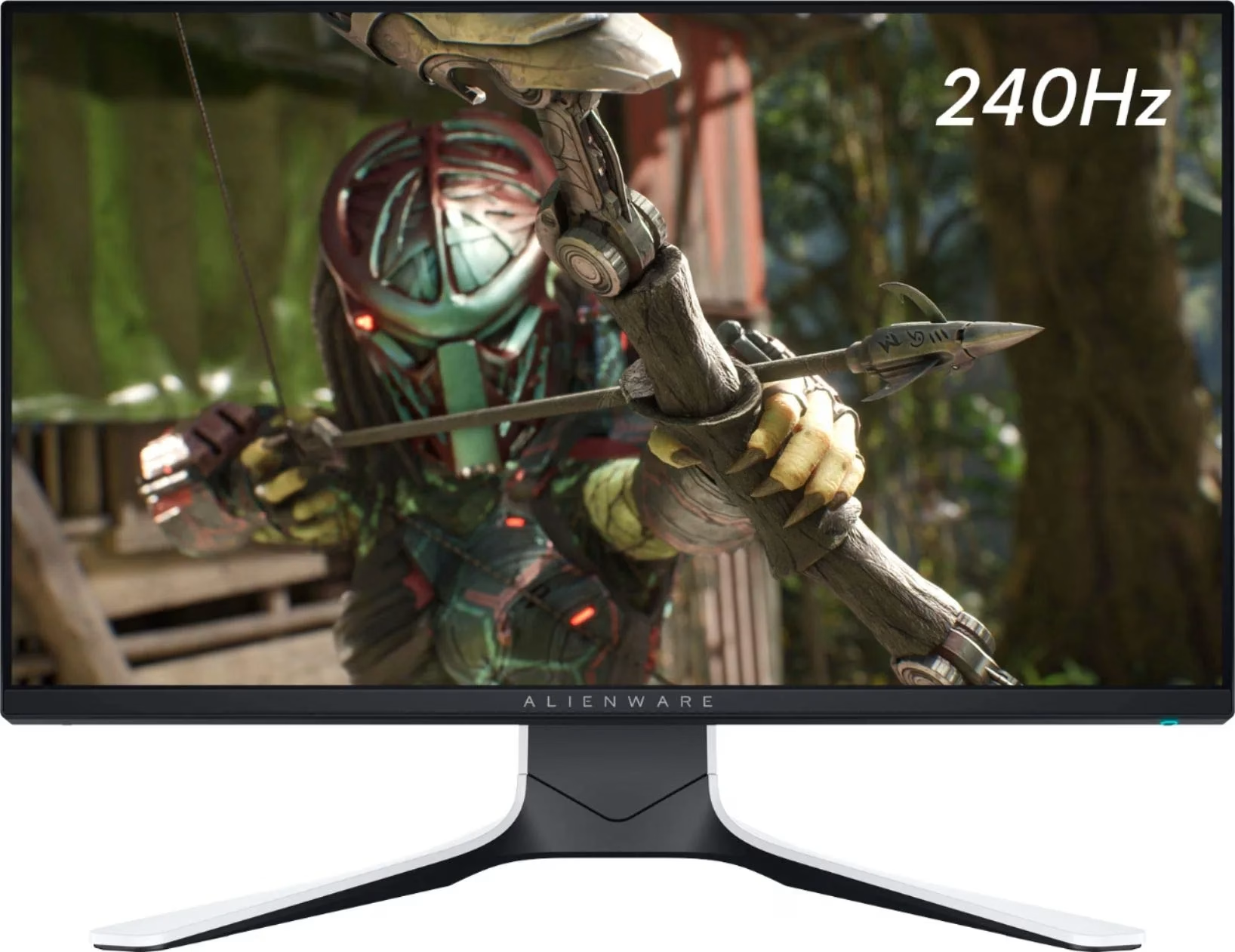
The MSI MAG 275QF X24 27″ 240Hz 2K Gaming Monitor offers fast refresh and crisp visuals. Firstly, it features a 27‑inch display with sharp 2560×1440 resolution. Also, the 240 Hz refresh rate guarantees smooth motion in fast games. Moreover, a 1 ms GtG response time delivers quick reaction during intense battles. In addition, it uses an IPS panel for vibrant colors and wide viewing angles. Furthermore, Adaptive‑Sync helps reduce screen tearing and visual stutter. Thus, you get clean and smooth gameplay at all times. Another highlight is the sturdy stand with tilt, height, and swivel adjustments. So, you can find your ideal ergonomic viewing position easily. Also, the monitor includes low‑blue‑light and anti‑flicker tech to protect your eyes. Therefore, long gaming sessions become less tiring and more comfortable. Plus, it offers DisplayPort and HDMI ports for easy multi‑device support. This lets you connect both gaming PC and console without hassle. The MSI MAG 275QF X24 features RGB ambient backlighting to enhance your setup. Hence, it creates an immersive lighting environment behind the screen. Also, the monitor’s slim bezels provide a sleek, modern look. Additionally, its on‑screen display is intuitive and easy to use. Moreover, MSI’s GameSense overlays show real‑time game info like FPS or timers. In short, these features give you an edge in competitive play. Furthermore, Night Vision mode brightens dark in‑game scenes without overexposure. Thus, you can spot enemies clearly even in shadowy maps. Also, the matte screen finish helps cut down glare from room lighting. As a result, you stay focused without distraction. The MSI MAG 275QF X24 delivers top performance at a 240 Hz refresh. To conclude, it is a smart choice for serious gamers seeking speed and quality. Finally, it balances fast gameplay, sharp visuals, and user comfort perfectly. Specifications: Display : 27″ Rapid IPS Resolution : 2560 x 1440 (WQHD) Refresh Rate : 240Hz Response Rate : 0.5ms (GTG)

Genuine-spec touchpad flex cable for MacBook Pro 15″ (Model A1706 – 2017 and A1989 – 2018/2019)—restores full Force Touch functionality, haptic feedback, and precise multi-touch gesture control during trackpad repair or replacement. Compatible With: MacBook Pro 15″ (2017) – Model A1706 (Model Identifier: MacBookPro14,3) MacBook Pro 15″ (2018–2019) – Model A1989 (Model Identifier: MacBookPro15,2) ✅ Note: Apple used the same trackpad assembly and flex cable across both A1706 and A1989 15″ models—making this part interchangeable between them. MacBook Pro 15″ (2017) – Model A1706 (Model Identifier: MacBookPro14,3) MacBook Pro 15″ (2018–2019) – Model A1989 (Model Identifier: MacBookPro15,2) ✅ Note: Apple used the same trackpad assembly and flex cable across both A1706 and A1989 15″ models—making this part interchangeable between them. ✅ Note: Apple used the same trackpad assembly and flex cable across both A1706 and A1989 15″ models—making this part interchangeable between them. Part Type: Touchpad flex cable only — does not include the trackpad housing, Taptic Engine, or mounting hardware. This is the OEM-style ribbon cable connecting the trackpad to the logic board. Function: Transmits: Touch input coordinates Force Touch pressure data Haptic feedback signals to the Taptic Engine Enables full macOS gesture support: Force Click, three-finger lookup, swipe navigation, pinch-to-zoom, and smooth cursor tracking. Touch input coordinates Force Touch pressure data Haptic feedback signals to the Taptic Engine Enables full macOS gesture support: Force Click, three-finger lookup, swipe navigation, pinch-to-zoom, and smooth cursor tracking. OEM-Quality Build: Matches Apple’s original in: Cable length and routing Connector pitch and ZIF latch design EMI shielding and flex durability Cable length and routing Connector pitch and ZIF latch design EMI shielding and flex durability Common Use Cases: Replacing a torn, creased, or liquid-damaged original flex cable Completing a trackpad replacement when the original cable is compromised Fixing intermittent trackpad behavior, loss of Force Touch, or complete unresponsiveness Replacing a torn, creased, or liquid-damaged original flex cable Completing a trackpad replacement when the original cable is compromised Fixing intermittent trackpad behavior, loss of Force Touch, or complete unresponsiveness Installation Note: Requires full bottom case removal and battery disconnection. Cable routes under internal components near the right speaker and logic board. Connects via a ZIF (Zero Insertion Force) socket—must be aligned carefully and latched gently. Recommended for experienced or certified technicians only. Requires full bottom case removal and battery disconnection. Cable routes under internal components near the right speaker and logic board. Connects via a ZIF (Zero Insertion Force) socket—must be aligned carefully and latched gently. Recommended for experienced or certified technicians only.

A rugged and versatile pre-owned Lenovo ThinkPad T480 with 14" touchscreen, 8th Gen Core i5, 8GB RAM, and 256GB SSD—ideal for professionals who need durability, security, and touch-enabled productivity.

Are you in need of a reliable monitor for your daily tasks? Look no further than the ViewSonic 24″ 60Hz monitor. With its sleek design and impressive features, it’s the perfect companion for work, gaming, and entertainment. First and foremost, let’s talk about the display quality. This monitor boasts a 24-inch screen size, providing ample space for multitasking without compromising clarity. Whether you’re editing documents, watching videos, or playing games, every detail is crisp and clear. Furthermore, with a refresh rate of 60Hz, you’ll experience smooth and fluid motion in fast-paced scenes. Say goodbye to motion blur and enjoy seamless gameplay, smooth scrolling, and lag-free video playback. In addition, the ViewSonic monitor offers versatile connectivity options. With HDMI and VGA inputs, you can easily connect to your PC, laptop, gaming console, or other devices. Switch between tasks effortlessly and enjoy hassle-free setup. Moreover, ergonomic design features ensure comfortable viewing for extended periods. Adjustable tilt allows you to find the perfect angle for your workspace, reducing eye strain and fatigue. Enhance your productivity and comfort with this user-friendly monitor. In conclusion, the ViewSonic 24″ 60Hz monitor combines superior display quality, smooth performance, and versatile connectivity in a sleek and ergonomic design. Whether you’re working, gaming, or watching movies, elevate your viewing experience with ViewSonic. Specifications: Display : 24″ IPS Resolution : 1920×1080 FHD Refresh Rate : 60Hz Response Rate : 5ms

A4Tech Wireless Keyboard & Mouse Combo USB | 3000N
