
New 01AV423 01AV424 01AV422 SB10K97579 SB10K97581 11.4V 24Wh 2080mAh Laptop Battery Compatible with Lenovo ThinkPad T470 61 Series Notebook About this item Condition: New Voltage: 11.4V Capacity: 24Wh/2100mAh Replace Part Number: 01AV423 01AV424 SB10K97581 01AV422 SB10K97579 Fit for: LENOVO Thinkpad T470 T570 P51S 61 Series Laptop

Features Stylish and compact Bluetooth speaker, easy to carry. Supports wireless connectivity via Bluetooth. True Wireless Stereo (TWS): Connect two speakers simultaneously. Durable ABS plastic material with a fabric-covered front panel. Built-in microphone for hands-free calls. LED indicator to display working status. Water-resistant with an IPX7 rating. Continuous playback for 8-12 hours (depending on volume). 5-watt speaker delivering Hi-Fi audio quality. On-speaker controls for music playback and volume adjustment. Built-in battery with Type-C charging port for easy recharging. Technical Specifications Bluetooth Version: V5.4 Transmission Distance: 10 meters Rated Power: 5W Driver Unit: 40mm Input: DC5V Battery Capacity: 1200mAh Charging Time: 2 hours Playback Time: 8-12 hours (depending on volume)

Get premium ThinkPad reliability at an incredible value with this pre-owned E14 Gen 3. Powered by the efficient AMD Ryzen 5 5500U 6-core processor, 16GB RAM, and a 512GB SSD, it delivers the perfect balance of performance and portability for students and professionals alike.

LB-LINK BL-WN510BT – Compact USB Bluetooth 5.1 adapter with up to 20m range and support for multiple device types.Ideal for connecting headsets, gamepads, and more to PCs with strong, stable wireless performance. Model: LB-LINK BL-WN510BT Bluetooth Version: Bluetooth 5.1 (backward compatible with 5.0/4.2/4.0/3.0/2.0) Interface: USB 2.0 (Plug-and-Play) Operating Range: Up to 20 meters (unobstructed) Data Transfer Rate: Up to 3 Mbps Supported Profiles: A2DP, HSP, HFP, AVRCP, HID, PAN, FTP, SPP, etc. OS Compatibility: Windows 7 / 8 / 8.1 / 10 / 11 (Driver may be required for Win 7) Not natively compatible with macOS or Linux OS Compatibility: Windows 7 / 8 / 8.1 / 10 / 11 (Driver may be required for Win 7) Not natively compatible with macOS or Linux Functions: Enables PC or laptop Bluetooth connection with headsets, keyboards, mice, speakers, gamepads, printers, etc. Supports dual-mode Bluetooth (BR/EDR and LE) Functions: Enables PC or laptop Bluetooth connection with headsets, keyboards, mice, speakers, gamepads, printers, etc. Supports dual-mode Bluetooth (BR/EDR and LE) Power Consumption: Low Energy (LE) support for improved efficiency Security: Enhanced encryption and pairing features for secure connections Size: Ultra-compact nano design Weight: Less than 5g Plug & Play: Driver-free on Windows 10 and 11

REMAX K10 Ryusic Series Type C One-to-Two Live-Stream Wireless Microphone Lossless Sound Quality: This microphone is equipped with an advanced chip for effective noise reduction, minimizing background noise, and delivering clear, high-fidelity sound. True 2.4GHz Wireless Technology: Operates with a proprietary 2.4GHz transmission protocol that offers stable, real-time audio transmission with ultra-low latency (<20ms), enhancing performance. Long-lasting Battery Life: Powered by an 80mAh polymer battery, the microphone consumes low power and provides up to 6-8 hours of continuous working time. Broad Device Compatibility: Compatible with a variety of devices, including smartphones, tablets, computers, and cameras, offering versatile recording solutions. Portable and Compact Design: Featuring a fingertip-sized form factor, this microphone is designed to be lightweight, compact, and easy to carry, making it ideal for both everyday and professional use. Omnidirectional Pickup: With a 360° omnidirectional microphone pickup, sound is captured evenly from all directions, ensuring comprehensive sound coverage for every recording. Material: ABS Battery Capacity: 80mAh Rated Voltage: 3.7V Charging Time: 1-1.5 hours Charging Port: Type-C Working Time: 6-8 hours Transmission Protocol: 2.4GHz proprietary Latency: Ultra-low latency of <20ms; receiver consumption of <25mA Frequency Response: 20Hz-20kHz Sensitivity: -30dB Signal-to-Noise Ratio: -65dB Transmission Distance: 20 meters Microphone Pickup: 360° omnidirectional

Computer Wireless Keyboard and Mouse Bundle C4120 Item No.: MT-C4120 Brand: MeeTion Color: Black Availability: In Stock EAN: Black: 6970344732155 White: 6970344732162 Description: Full-size keyboard, Adjustable Resolution, Power-efficient wireless technology.

MacBook Pro A1706 / A1708 Display Assembly (Space Gray) Compatibility : MacBook Pro 2017 13″ A1708 (EMC 3164 MacBookPro14,1) 2.3 GHz A1708 (EMC 3164 MacBookPro14,1) 2.5 GHz A1706 (EMC 3163 MacBookPro14,2) 3.1 GHz A1706 (EMC 3163 MacBookPro14,2) 3.3 GHz A1706 (EMC 3163 MacBookPro14,2) 3.5 GHz MacBook Pro 2016 13″ A1706 (EMC 3071 MacBookPro13,2) 2.9 GHz A1706 (EMC 3071 MacBookPro13,2) 3.1 GHz A1706 (EMC 3071 MacBookPro13,2) 3.3 GHz A1708 (EMC 2978 MacBookPro13,1) 2.0 GHz A1708 (EMC 2978 MacBookPro13,1) 2.4 GHz

BATTERY DELL WDX0R for Dell Inspiron 13 15 5000 7000 Series 5570 7579 7378 5567 7573 5565 5379 5378 Latitude 3490 3590 3340 3400 3390 3500 3190 Vostro 5468 5568 P69G 3CRH3 11.4V 42Wh About this item 【Specification】Dell laptop Replacement Battery Type: Li-ion; Voltage: 11.4V; Capacity: 42WH; Cells:3-Cell. (It is not the same as the 4-cell 33YDH 56Wh battery ) !!! Please make sure to choose the battery according to the shape of the original one, as the batteries for different laptop models may vary 【Stability】WDXOR WDX0R Laptop Battery Replacement battery for Dell offers 600+ recharge cycles over life of battery 【COMPATIBLE MODEL】(Check description below for more models) Dell Laptop Battery WDX0R P69G001 3CRH3 FC92N T2JX4 C4HCW Y3F7Y Dell Battery 3-cell 42WH 11.4v Li-on WDX0R Dell Battery Dell Inspiron 15 5570 Battery Inspiron 13-7378 battery Inspiron 15-7579 battery Dell Inspiron 5379 Battery Dell Inspiron 5567 Battery Dell Inspiron 13 7000 Battery Dell Inspiron p69g Battery Dell Inspiron 7573 Battery Dell Latitude 3340 3590 Battery Dell Vostro 5568 5468 Series Battery

Genuine-spec Touch Bar assembly with integrated flex cable for MacBook Pro 15″ (Models A1706 – 2017 and A1989 – 2018)—fully restores dynamic Touch ID, system controls, and app-specific functions with OEM-level fit and reliability. Compatible With: MacBook Pro 15″ (2017) – Model A1706 (Intel Core i7/i9, 4 Thunderbolt 3 ports) MacBook Pro 15″ (2018) – Model A1989 (Intel Core i7/i9, 4 Thunderbolt 3 ports) MacBook Pro 15″ (2017) – Model A1706 (Intel Core i7/i9, 4 Thunderbolt 3 ports) MacBook Pro 15″ (2018) – Model A1989 (Intel Core i7/i9, 4 Thunderbolt 3 ports) Includes: Complete Touch Bar module with pre-attached flex cable, integrated Touch ID sensor (doubles as power button), and ambient light sensor—ready for direct connection to the logic board. Full Functionality: Restores all Touch Bar features including dynamic app controls, system brightness/volume sliders, Siri, and fingerprint authentication via Touch ID. Color Match: Available in Space Gray and Silver—select the finish that matches your MacBook’s top case. OEM-Quality Build: Matches Apple’s original dimensions, sensor alignment, and surface texture—ensures seamless integration with macOS and consistent responsiveness. Installation Note: Requires full top case disassembly. The flex cable routes under the left speaker and connects near the logic board—precision is critical to avoid damage. Recommended for experienced technicians.

A dependable pre-owned Dell Latitude 5470 with 14" display, 6th Gen Core i5, 8GB RAM, and 256GB SSD—offering solid business performance, security, and durability at an affordable price.

Genuine Apple MacBook Pro 15" (A1707) LCD display assembly in Space Gray—professionally removed from original units and tested for full functionality. Ideal for high-quality repairs with OEM clarity and color accuracy. Genuine Apple MacBook Pro 15″ (A1707) LCD display assembly in Space Gray—professionally removed from original units and tested for full functionality. Ideal for high-quality repairs with OEM clarity and color accuracy. Model Compatibility: Designed exclusively for MacBook Pro 15-inch (2016–2017 models, A1707). Original Apple Display: Not a third-party or replica—this is an authentic Apple Retina display assembly carefully pulled from verified MacBook Pro units. Retina Display Quality: 15.4-inch LED-backlit screen with 2880 x 1800 resolution, P3 wide color gamut, and True Tone support (if originally equipped) for vibrant, true-to-life visuals. Complete Assembly Included: Comes with LCD panel, front glass, integrated FaceTime HD camera, ambient light sensor, and full bezel—ready for direct installation. Space Gray Finish: Matches the original Space Gray MacBook Pro chassis for seamless aesthetic integration. Professionally Inspected: Each unit is tested for dead pixels, backlight uniformity, discoloration, and physical integrity to ensure reliable performance. “Pulled” Condition: Removed from a genuine, used MacBook Pro—fully functional with OEM performance, but not brand new. No cracks or major blemishes. Ideal for Repair Professionals: Trusted by technicians and refurbishers who require factory-level display quality and compatibility.

Specifications Input/Output USB Sound Mode Live Sound Mode, Standard Mode Category Speakers Use HOME Bluetooth Version 5.0 Input Power (W) <25 W Active Noise-Cancellation PASSIVE Wi-Fi Music Apple Music Voice Control No Frequency Range 100Hz-20kHz Output Power 35W Display Screen No Waterproof No Support APP Yes Support Memory Card Yes Material Plastic Playback Function MP3 Remote Control No Support Apt-x No Intelligent Personal Assistant None Display Screen No Built-in Microphone No Audio Crossover Full-Range Number of Loudspeaker Enclosure 1 Power Source Battery PMPO 25W Channels 2 (2.0) Feature Play Video, Wireless Subwoofer, Wireless Rear Speakers Battery Yes Communication AUX, USB, Bluetooth Speaker Type Portable Cabinet Material Plastic Brand Name SwYiSm Origin Mainland China Certification CE Function 1 Wireless Bluetooth Function 2 Originality Function 3 Vintage Kerosene Lamp Function 4 Decorative Lamp

Genuine-spec touchpad flex cable for MacBook Pro 16″ (Model A2159, 2019, Intel)—essential for restoring full Force Touch functionality, haptic feedback, and precise trackpad responsiveness during repair or replacement. Compatible With: MacBook Pro 16-inch (2019, Model A2159) with Intel Core i7/i9 processors (Model Identifier: MacBookPro16,1). Part Type: Touchpad flex cable only—does not include the trackpad, Taptic Engine, or mounting hardware. This is the OEM-style ribbon cable that connects the trackpad to the logic board. Function: Transmits touch input, Force Touch pressure data, and haptic feedback signals—critical for macOS gestures (e.g., Force Click, three-finger swipe, pinch-to-zoom) and Taptic Engine operation. OEM-Quality Build: Matches Apple’s original flex circuit in length, connector pitch, shielding, and bend radius—ensures reliable signal integrity and durability under repeated use. Common Use Cases: Replacing a torn, frayed, or corroded original flex cable Completing a trackpad replacement when the original cable is damaged Fixing intermittent or unresponsive trackpad behavior caused by cable failure Replacing a torn, frayed, or corroded original flex cable Completing a trackpad replacement when the original cable is damaged Fixing intermittent or unresponsive trackpad behavior caused by cable failure Installation Note: Requires full bottom case removal and careful routing beneath the battery and logic board. Connectors use ZIF (Zero Insertion Force) sockets—must be properly aligned and latched without force. Recommended for certified or experienced technicians only.

Genuine-spec touchpad flex cable for MacBook Pro 13″ with Touch Bar (Model A1708, 2016–2017)—restores full Force Touch functionality, haptic feedback, and precise multi-touch gesture control during trackpad repair or replacement. Compatible With: MacBook Pro 13″ (2016) – Model A1708 (Model Identifier: MacBookPro13,1) MacBook Pro 13″ (2017) – Model A1708 (Model Identifier: MacBookPro14,1) (Both years share the same internal trackpad assembly and flex cable.) MacBook Pro 13″ (2016) – Model A1708 (Model Identifier: MacBookPro13,1) MacBook Pro 13″ (2017) – Model A1708 (Model Identifier: MacBookPro14,1) (Both years share the same internal trackpad assembly and flex cable.) Part Type: Touchpad flex cable only — does not include the trackpad housing, Taptic Engine, or mounting hardware. This is the OEM-style ribbon cable that connects the trackpad to the logic board. Function: Transmits: Touch input coordinates Force Touch pressure data Haptic feedback signals to the Taptic Engine Enables full macOS gesture support: Force Click, three-finger lookup, swipe navigation, pinch-to-zoom, and smooth cursor tracking. Touch input coordinates Force Touch pressure data Haptic feedback signals to the Taptic Engine Enables full macOS gesture support: Force Click, three-finger lookup, swipe navigation, pinch-to-zoom, and smooth cursor tracking. OEM-Quality Build: Matches Apple’s original specifications in: Cable length and routing path Connector pitch and ZIF latch design EMI shielding and flex durability Cable length and routing path Connector pitch and ZIF latch design EMI shielding and flex durability Common Use Cases: Replacing a torn, creased, or liquid-damaged original flex cable Completing a trackpad replacement when the original cable is compromised Fixing intermittent trackpad behavior, loss of Force Touch, or complete unresponsiveness Replacing a torn, creased, or liquid-damaged original flex cable Completing a trackpad replacement when the original cable is compromised Fixing intermittent trackpad behavior, loss of Force Touch, or complete unresponsiveness Installation Note: Requires full bottom case removal and battery disconnection. Cable routes under internal components near the right speaker and logic board. Connects via a ZIF (Zero Insertion Force) socket—must be aligned carefully and latched gently. Recommended for experienced or certified technicians only. Requires full bottom case removal and battery disconnection. Cable routes under internal components near the right speaker and logic board. Connects via a ZIF (Zero Insertion Force) socket—must be aligned carefully and latched gently. Recommended for experienced or certified technicians only.

The Apple Magic Mouse (USB-C version) is a sleek, minimalist multi-touch wireless mouse built for Mac users. It offers smooth gesture support, Bluetooth connectivity and a built-in rechargeable battery — a great choice if you prefer a clean desk setup and full compatibility with macOS and iPadOS. General Name: Magic Mouse (USB-C) — part of Apple’s pointing-device lineup. Wireless connectivity: Bluetooth. Rechargeable battery: built-in, no disposable AA cells. Charging / port: USB-C port (bottom of mouse) for pairing and charging. Compatibility: Requires a Mac with macOS 15.1 or later, or an iPad with iPadOS 18.1 or later. Size & Weight Height: ~0.85 inch (2.16 cm) Width: ~2.25 inch (5.71 cm) Depth: ~4.47 inch (11.35 cm) Weight: ~0.22 pound (0.099 kg) (varies slightly by manufacturing) Features Multi-Touch surface: supports gestures such as swiping between pages, scrolling through documents, zooming. Glide / foot design: optimized for smooth movement across desktop surfaces. Rechargeable battery life: about a month or more between charges (typical use) per Apple spec. Used Condition ConsiderationsSince you’re specifying a used unit: Check for wear on the bottom feet / skates — these degrade and affect glide. Verify battery capacity / health (rechargeable batteries age). Confirm the port is functioning (USB-C) and Bluetooth connectivity is stable. Look for signs of excessive surface scratches on the multi-touch top — may impair gestures. Ensure the firmware / Mac recognizes it fully (gestures working). Upgradability / Limitations Not user-upgradable: You cannot replace the internal battery or change internals easily. Design limitation: The USB-C port remains on the bottom of the mouse, meaning you cannot use it while charging unless you flip it. This design is still criticized. Ergonomics: The flat, low-profile design is stylish but may not suit extended-use comfort for some users.

Professional battery testing flex cable for MacBook Pro 15″ (Model A1990, 2018–2019)—used by technicians to bypass a faulty battery or diagnose power-on issues without permanent battery removal. Enables safe logic board testing and troubleshooting. This is not a replacement battery cable—it’s a diagnostic tool used in repair workflows. It mimics the battery’s presence by providing the necessary SMBus signal and power-enable lines to the logic board, allowing the MacBook to: Power on without a battery installed Test logic board functionality independently Diagnose whether a no-power issue is caused by the battery or logic board MacBook Pro 15″ (2018–2019) Model: A1990 Model Identifiers: MacBookPro15,2 Chip: Intel Core i7/i9 Model: A1990 Model Identifiers: MacBookPro15,2 Chip: Intel Core i7/i9 ⚠️ Not compatible with A1707 (2016–2017), A2159 (16″), or any M1/M2 models. Simulates battery presence via correct SMBus resistance and ID signals Includes power-enable circuitry matching Apple’s safety protocol Pre-terminated with OEM-style connector for A1990 logic board Allows safe bench testing of logic boards during repair Diagnosing “no power, no fan spin, no display” issues Verifying if a logic board powers on without risking a shorted battery Testing after liquid damage or DC-in board replacement Avoiding unnecessary battery replacements during diagnostics Not for permanent installation—intended for temporary diagnostic use only Does not charge or store power—requires connected USB-C power adapter to operate Must be used with a known-good power adapter (87W recommended) Not a consumer part—designed for professional repair shops and technicians

PCE M8-700 UPS (line-interactive) — 700 VA / 360 W backup unit for 220–240 V input. Protects PCs, routers, small electronics from outages and voltage swings. The PCE M8-700 is a line-interactive UPS designed for home or small office use. It provides backup power, voltage regulation (AVR), surge protection, and supports automatic switching during outages. Ideal for desktop PCs, network gear, monitors, or point-of-sale systems. Features & Capabilities Line-interactive topology: regulates input voltage without switching to battery when voltage fluctuates mildly. Automatic Voltage Regulation (AVR) to correct undervolt/overvolt conditions. Simulated (stepped) sine wave output in battery mode. Surge, overload, short circuit, discharge protections built in. Cold start capability (ability to power on from battery with no mains) LED + audible alarms for status (battery mode, overload, fault) USB / RS232 interface in some variants for power management (shutdown, monitoring) Technical Specifications What “Input 220–240 VAC, 50/60 Hz, 3.7 A” Means (and Caveats) If the specification you’re giving is “3.7 A” at input, that corresponds to a maximum input current draw when the UPS is handling a heavy load or during charging cycles. At 230 V × 3.7 A ≈ 850 W of input capacity. The unit’s 360 W output means there’s overhead for losses, inverter inefficiency, battery charging, etc. The UPS must operate within the stated voltage and frequency ranges — if input is too low or too high, it may switch to battery or go into protection mode.

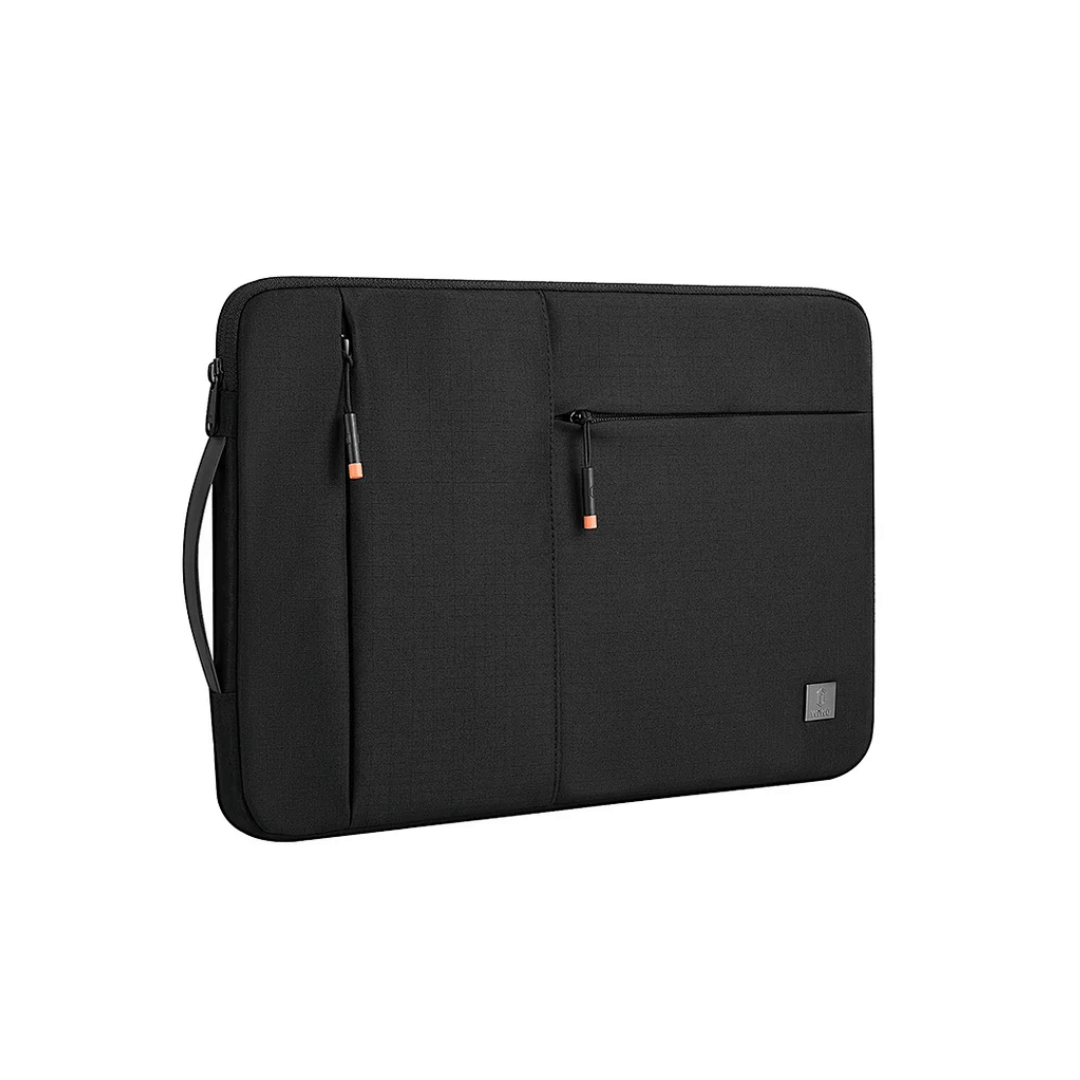
WiWU Waterproof Lycra Cosmo Laptop Slim Bag Laptop Handbag with Strap for Men and Women

The 85W MagSafe 2 Power Adapter features a magnetic DC connector so if someone should trip over it, the cord disconnects harmlessly and your MacBook Pro stays put safely. It also helps prevent fraying or weakening of the cables over time. In addition, the magnetic DC helps guide the plug into the system for a quick and secure connection. The 85W MagSafe 2 Power Adapter features a magnetic DC connector so if someone should trip over it, the cord disconnects harmlessly and your MacBook Pro stays put safely. It also helps prevent fraying or weakening of the cables over time. In addition, the magnetic DC helps guide the plug into the system for a quick and secure connection. When the connection is secure, an LED located at the head of the DC connector lights up; an amber light lets you know that your notebook is charging, while a green light tells you that you have a full charge. An AC cord is provided with the adapter for maximum cord length, while the AC wall adapter (also provided) gives you an even easier and more compact way to travel. Designed to be the perfect traveling companion, the adapter has a clever design which allows the DC cable to be wound neatly around itself for easy cable storage. Compatible with MacBook Pro with 13-inch Retina display. See this article for more details about choosing the right one. Knowing which specific Mac model you have is important. If you are running OS X Lion (10.7) or later go to the “” menu at the top left of your screen, choose “About this Mac” then click the “More Info…” button. Your Mac model and generation will be displayed. If you are running an earlier version of OS X, you can enter your serial number here to find out which model you have. COMPATIBILITY Mac Models: MacBook Pro (Retina, 13-inch, Late 2012 – 2015)

Product Name WiWU Dual USB Quick Wall Charger 20W Fast Charging For Smart PhoneColorWhiteFeature& Photos
