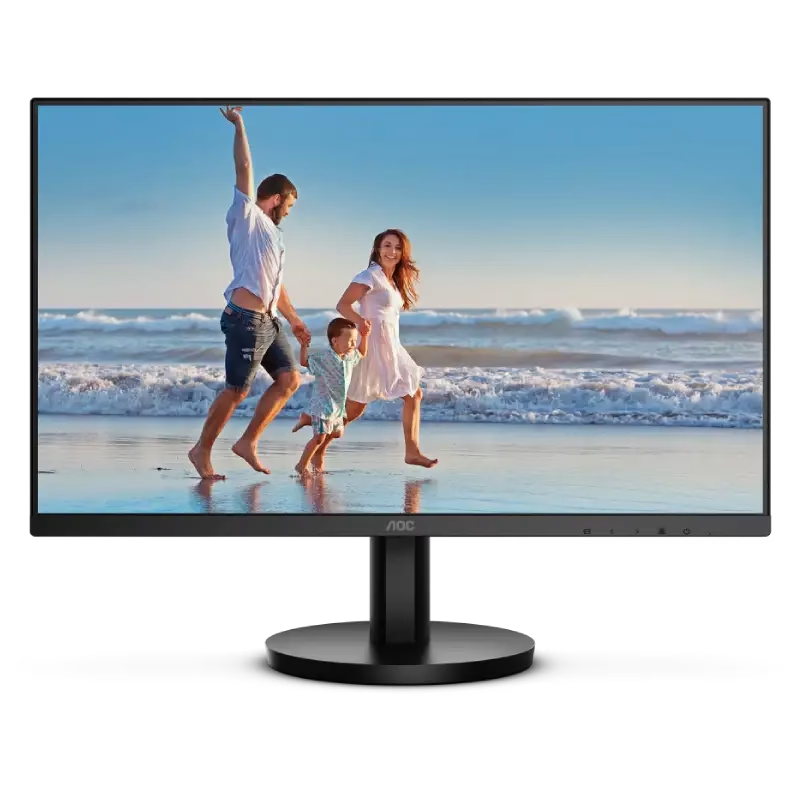

The ViewSonic VG2239Smh 22″ 60Hz Monitor is designed to elevate your viewing experience. With its 22-inch screen, this monitor offers a perfect balance between size and performance for both work and entertainment. Enjoy clear and vibrant visuals with the ViewSonic VG2239Smh. The full HD 1080p resolution delivers sharp and detailed images, making it ideal for watching videos, working on documents, or browsing the web. With a refresh rate of 60Hz, the ViewSonic VG2239Smh Monitor ensures smooth and fluid motion. This makes it perfect for casual gaming and watching fast-paced videos without any lag or stuttering. The ViewSonic VG2239Smh Monitor features versatile connectivity options, including HDMI, DisplayPort, and VGA inputs. This allows you to easily connect your computer, laptop, or other devices for a seamless setup. Designed with ergonomics in mind, the ViewSonic VG2239Smh Monitor offers a range of adjustable features. You can tilt, swivel, and adjust the height to find the most comfortable viewing angle, reducing strain during extended use. The monitor also includes built-in speakers, providing a convenient audio solution without the need for external speakers. Enjoy clear and crisp sound for your videos, music, and other media. The ViewSonic VG2239Smh Monitor is energy-efficient, helping you save on electricity bills while reducing your carbon footprint. It meets various energy standards, making it an eco-friendly choice for your home or office. In conclusion, the ViewSonic VG2239Smh 22″ 60Hz Monitor combines stunning visuals, smooth performance, and ergonomic design for an exceptional viewing experience. Upgrade to the ViewSonic VG2239Smh today and enjoy the perfect blend of functionality and style. Specifications: Display : 22″ VA Resolution : FHD 1920 x 1080 Refresh Rate : 60Hz Response Rate : 5ms Built-in Speaker : 2x 2 Watt

The ViewSonic VG2409-MHU 24″ FHD 75Hz Monitor delivers clear and smooth visuals for work and daily use. Its Full HD resolution shows sharp text and clean image details. The 24-inch screen gives enough space for multitasking and focused tasks. This makes it perfect for home and office setups. Moreover, the ViewSonic VG2409-MHU 24″ FHD 75Hz Monitor features a smooth 75 Hz refresh rate. This makes scrolling softer and video playback more fluid. Motion feels more natural during daily use. As a result, eye comfort improves during long work sessions. In addition, the monitor uses an IPS panel for wide viewing angles. Colors stay clear and accurate from different positions. This helps when sharing the screen with others. The image stays stable and bright. Furthermore, the ViewSonic VG2409-MHU 24″ FHD 75Hz Monitor includes eye comfort features for daily protection. The low blue light mode helps reduce eye strain. The flicker-free design supports long viewing hours without discomfort. These features make it suitable for extended use. Also, the monitor offers useful built-in speakers for basic audio needs. This removes the need for external speakers in small setups. Sound is clear for videos, meetings, and casual media use. In addition, the monitor includes flexible connection options. It supports HDMI, DisplayPort, and VGA for wide device compatibility. This allows easy setup with PCs, laptops, and media devices. Switching sources becomes fast and simple. Moreover, the slim bezel design gives a clean and modern look. It fits well in professional and home workspaces. The stand supports tilt adjustment for basic comfort. Wall mounting is also supported for clean desk setups. Overall, the ViewSonic VG2409-MHU 24″ FHD 75Hz Monitor offers clarity, comfort, and smooth daily performance. It supports work, study, and entertainment with ease. This monitor is a great choice for users who want simple performance and reliable quality. Specifications: Display : 24″ IPS Resolution : FHD 1920 x 1080 Refresh Rate : 75Hz Response Time : 5ms

90W AC Charger Fit for Acer Aspire Z 24 Z24-890 Z24-880-UR13 Z22-780 Z24-890-UR11 Z24-890-UA91 Z24-890-UR13 Z24-890-UR16 Aspire 7 A715-76-765N A715-76-73L8 Laptop Adapter Power Supply Cord

Apple Magic Keyboard - A1644 Wireless Bluetooth - UK English Layout Apple Magic Keyboard – A1644 Wireless Bluetooth – UK English Layout


Are you in search of a reliable monitor that combines functionality and style? Look no further than the LG DualUp 28″ Monitor. This comprehensive review will delve into its features, highlighting why it’s an excellent choice for both work and play. Firstly, the dual-screen capabilities of the LG 28″ Monitor provide a seamless multitasking experience. Boost your productivity by effortlessly managing multiple applications side by side, streamlining your workflow. The sleek design of this monitor not only adds a touch of sophistication to your workspace but also ensures practicality. Its slim bezels and adjustable stand contribute to a clutter-free and ergonomic setup, promoting comfort during extended use. With a crisp 4K UHD resolution, this monitor delivers stunning visuals, making it ideal for both work and entertainment. Enjoy sharp images and vibrant colors for a truly immersive experience, whether you’re editing documents or watching your favorite movies. Connectivity is a breeze with the LG 28″ Monitor. Multiple ports, including HDMI and USB-C, offer versatile options for connecting various devices. Say goodbye to cable clutter and hello to a streamlined and organized workspace. The inclusion of reader mode and flicker-safe technology prioritizes your eye health during prolonged use. Reduce eye strain and fatigue, ensuring a comfortable viewing experience for extended periods. In conclusion, the LG DualUp 28″ Monitor is a versatile and stylish addition to any workspace. Its dual-screen capabilities, sleek design, and advanced features make it a top choice for those seeking an enhanced computing experience. Upgrade your setup with the LG DualUp 28″ Monitor today! Specifications: Display : 28″ Nano IPS Resolution : SDQHD (2560 x 2880) Refresh Rate : 60hz Response Time : 5ms GTG

Screen Size 32″ Display Type VA Color Gamut (Typ.) sRGB 95% (CIE1931) Color Depth (Number of Colors) 16.7M Pixel Pitch (mm) 0.36375 x 0.36375 mm Response Time (GTG) 5ms (GtG at Faster), 1ms MBR Refresh Rate 165Hz Aspect Ratio 16:9 Display Resolution FHD Resolution 1920 x 1080 Brightness 300cd/m² Contrast Ratio 3000:1 Viewing Angle 178º (R/L), 178º (U/D) Surface Treatment Anti-Glare INPUT/OUTPUT HDMI Yes x 2 DisplayPort Yes x 1 Headphone Out Yes POWER Type Adapter Input 100-240 Vac, 50/60Hz Power Save/Sleep Mode (Max.) Less than 0.5W DC Off (Max.) Less than 0.3W Power Consumption (Typ.) 40W Power Consumption (Max.) 40W SPECIAL FEATURES NVIDIA G-Sync™ Yes (Compatible) Adaptive Sync AMD FreeSync™ Premium Black Stabilizer® Yes Dynamic Action Sync® Yes Crosshair® Yes Flicker Safe Yes Smart Energy Saving Yes Reader Mode Yes OnScreen Control (OSC) Yes HDR (High Dynamic Range) HDR10 HDR Effect Yes FreeSync (Low Frame Compensation) Yes Motion Blur Reduction Technology Yes 1ms Motion Blur Reduction Yes SOUND Speaker No Built-in Speaker DIMENSIONS/WEIGHTS With Stand (WxHxD) 28.1″ x 23.6″ x 11.5″ (Up), 28.1″ x 19.3″ x 11.5″ (Down) Without Stand (WxHxD) 28.1″ x 16.9″ x 2.0″ Shipping Dimensions (WxHxD) 31.2” x 21.9” x 8.9” With Stand Weight 15.9 lbs Without Stand Weight 11.2 lbs Shipping Weight 22.7 lbs STAND Display Position Adjustments Tilt/Height/Pivot CABINET/ACCESSORIES Wall Mount Size (mm) 100 x 100 mm Display Port Yes 3 Years Warranty manufacturer link

ACER KA220HQbid 21.5″ FHD, HDMI,AMD Freesync VESA 100x100mm Maximum Resolution 1920 x 1080 Colour Supported 16.7 Million Colours Brightness Aspect Ratio 16:9 Response Time 5 ms Backlight Technology LED Horizontal Viewing Angle 90° Vertical Viewing Angle 65° Tilt Angle -5° to 15° Features Flicker-free Features Low Dimming Features Blue Light Speakers No VGA Yes DVI Yes HDMI Yes Operating Power Consumption (Energy Star) 19.50 W Environmental Certification MPR II Package Contents KA220HQ Widescreen LCD Monitor Power Cord 1 x VGA Cable Specifications: ACER KA220HQbid 21.5″ FHD, HDMI,AMD Freesync VESA 100x100mm Maximum Resolution 1920 x 1080 Colour Supported 16.7 Million Colours Brightness 200 cd/m² Technical Information Aspect Ratio 16:9 Response Time 5 ms Backlight Technology LED Horizontal Viewing Angle 90° 1 Year Warranty

A powerful pre-owned Dell Precision 7550 mobile workstation with 15.6" display, 10th Gen Core i7, 16GB RAM, 256GB SSD, and NVIDIA Quadro T2000 4GB—built for engineers, designers, and professionals who need certified performance and reliability.

Samsung S24D300 24″ Essential S3 Monitor offers a 24‑inch Full HD (1920 × 1080) IPS display for clear and detailed visuals. Additionally, it provides a smooth experience with up to 100 Hz refresh rate, which can show motion more fluidly than standard 60 Hz panels. The flat screen and simple design make it suitable for home, study, or office use. Moreover, it includes Eye Saver Mode and Flicker Free technology to help reduce eye strain during long sessions. Therefore, users can stay comfortable while working, browsing, or watching content. The monitor provides basic connectivity options with HDMI and VGA ports. Furthermore, its slim bezel enhances a modern setup and fits well with other devices. In addition, the tilt‑adjustable stand allows users to set a comfortable viewing angle. Samsung backs the product with a three‑year warranty for added peace of mind. Specifications: Display : 24″ IPS Resolution : 1920 x 1080 FHD Refresh Rate : 100Hz Response Rate : 5ms

Philips 27E1N1800A is a 27-inch 4K Ultra HD IPS monitor designed for sharp image clarity and wide viewing angles. It delivers a 3840 × 2160 resolution with IPS technology for consistent color performance and detailed visuals. Additionally, it supports HDR for improved brightness and contrast in compatible content. Moreover, Adaptive Sync helps reduce screen tearing for smoother visuals. It also includes Flicker-Free technology and LowBlue Mode to improve eye comfort during long use. Built-in SmartImage optimizes display settings based on content type for better viewing experience. The Philips 27E1N1800A monitor provides crisp 4K IPS clarity for productivity, media, and general everyday use. Specifications: 27-inch IPS panel with 4K Ultra HD 3840 × 2160 resolution HDR support for enhanced contrast and brightness Adaptive Sync for smoother visuals with reduced tearing Flicker-Free technology for reduced eye strain LowBlue Mode for improved viewing comfort

Genuine-spec US layout keyboard replacement for MacBook Pro (Model A1398, Late 2011–Mid 2012)—featuring durable scissor-switch keys, backlighting, and OEM-fit design for reliable typing and straightforward installation. Compatible With: MacBook Pro 13″: Late 2011 (Model A1278, but labeled A1398 in some regions) – Model Identifier MacBookPro8,1 MacBook Pro 15″: Early 2011, Late 2011, and Mid 2012 – Model Identifiers MacBookPro8,2 (15″ early/late 2011) and MacBookPro9,1 (15″ mid 2012) *(Note: “A1398” is primarily associated with the 15″ unibody MacBook Pro with Retina display (Mid 2012), which was the first Retina MacBook Pro.)* This keyboard fits the non-Retina 15″ A1398 (Mid 2012) and compatible Late 2011 models. MacBook Pro 13″: Late 2011 (Model A1278, but labeled A1398 in some regions) – Model Identifier MacBookPro8,1 MacBook Pro 15″: Early 2011, Late 2011, and Mid 2012 – Model Identifiers MacBookPro8,2 (15″ early/late 2011) and MacBookPro9,1 (15″ mid 2012) *(Note: “A1398” is primarily associated with the 15″ unibody MacBook Pro with Retina display (Mid 2012), which was the first Retina MacBook Pro.)* This keyboard fits the non-Retina 15″ A1398 (Mid 2012) and compatible Late 2011 models. Layout: Standard US English (QWERTY) with full-size keys, inverted-T arrow keys, and dedicated function row (F1–F12). Keyboard Type: Traditional scissor-switch mechanism—robust, tactile, and serviceable (pre-Butterfly era). Integrated Features: Backlit keys (adjustable brightness via F5/F6) OEM ribbon cable with ZIF connector Matches original key spacing and actuation force Backlit keys (adjustable brightness via F5/F6) OEM ribbon cable with ZIF connector Matches original key spacing and actuation force Build & Fit: Precision-molded plastic frame with exact screw mounts and alignment pegs—ensures secure, rattle-free installation in the top case. Installation Note: Keyboard is secured with screws and minimal adhesive. Requires full top case access and battery disconnect. Recommended for intermediate to advanced users or technicians.

Genuine-spec battery flex cable for MacBook Pro models A2159 (16", 2019), A1708 (13", 2016–2017), and A2338 (13", 2020 M1)—restores critical communication between the battery and logic board for proper power-on, charging, and macOS battery status. Genuine-spec battery flex cable for MacBook Pro models A2159 (16″, 2019), A1708 (13″, 2016–2017), and A2338 (13″, 2020 M1)—restores critical communication between the battery and logic board for proper power-on, charging, and macOS battery status. Carries SMBus (System Management Bus) signals from the battery to the logic board Enables: Accurate battery percentage and health reporting in macOS Proper charging control (start/stop, thermal throttling) Power-on capability (MacBooks will not boot without this connection) Prevention of “Battery Not Charging” or “Service Battery” errors Accurate battery percentage and health reporting in macOS Proper charging control (start/stop, thermal throttling) Power-on capability (MacBooks will not boot without this connection) Prevention of “Battery Not Charging” or “Service Battery” errors MacBook won’t turn on (even with a good battery) Battery shows “–%”, 0%, or “Not Charging” Random shutdowns under load macOS displays “No Battery Available” Logic board powers fans or lights but no display output Battery flex cable only (with OEM-style connector and strain relief) ❌ Does not include: battery, logic board, or trackpad Requires full bottom case removal and battery disconnection Connects via a ZIF or press-fit socket on the logic board Must be routed precisely to avoid tension or micro-tears Highly recommended for experienced or certified technicians—improper installation can cause permanent power or battery communication failure

Genuine-spec touchpad flex cable compatible with both MacBook Air A2179 (Intel, 2020) and A2337 (M1, 2020)—restores full Force Touch functionality, haptic feedback, and precise multi-touch gesture control during trackpad repair or replacement. Compatible With: MacBook Air 13″ (2020, Intel) – Model A2179 (Model Identifier: MacBookAir9,1) MacBook Air 13″ (2020, Apple M1) – Model A2337 (Model Identifier: MacBookAir10,1) MacBook Air 13″ (2020, Intel) – Model A2179 (Model Identifier: MacBookAir9,1) MacBook Air 13″ (2020, Apple M1) – Model A2337 (Model Identifier: MacBookAir10,1) ✅ Important Note: Despite different processors (Intel vs. M1), Apple used the same trackpad assembly and flex cable in both A2179 and A2337. This makes the flex cable fully interchangeable between the two models. Part Type: Touchpad flex cable only — does not include the trackpad housing, Taptic Engine, or mounting hardware. This is the OEM-style ribbon cable that connects the trackpad to the logic board. Function: Transmits: Touch input coordinates Force Touch pressure data Haptic feedback signals to the Taptic Engine Enables full macOS gesture support: Force Click, three-finger lookup, swipe navigation, pinch-to-zoom, and smooth cursor tracking. Touch input coordinates Force Touch pressure data Haptic feedback signals to the Taptic Engine Enables full macOS gesture support: Force Click, three-finger lookup, swipe navigation, pinch-to-zoom, and smooth cursor tracking. OEM-Quality Build: Matches Apple’s original specifications in: Cable length and routing path Connector pitch and ZIF latch design EMI shielding and flex durability Cable length and routing path Connector pitch and ZIF latch design EMI shielding and flex durability Common Use Cases: Replacing a torn, creased, or liquid-damaged original flex cable Completing a trackpad replacement when the original cable is compromised Fixing intermittent trackpad behavior, loss of Force Touch, or complete unresponsiveness Replacing a torn, creased, or liquid-damaged original flex cable Completing a trackpad replacement when the original cable is compromised Fixing intermittent trackpad behavior, loss of Force Touch, or complete unresponsiveness Installation Note: Requires full bottom case removal and battery disconnection. Cable routes under the right side of the battery and logic board. Connects via a ZIF (Zero Insertion Force) socket—align carefully and latch gently. Recommended for experienced or certified technicians only. Requires full bottom case removal and battery disconnection. Cable routes under the right side of the battery and logic board. Connects via a ZIF (Zero Insertion Force) socket—align carefully and latch gently. Recommended for experienced or certified technicians only.

WiWU Linker 721HD Hub – Compact USB-C hub with 7 ports including 100W PD, dual USB-A, USB-C data, HDMI 4K60, and dual SD/TF slots.Aluminum body, plug‑and‑play compatibility with MacBooks and modern USB‑C devices—ideal for laptop expansion. Model: Linker 721HD (WiWU) Material: Aluminum-alloy shell Ports: 2 × USB‑A 3.1 1 × USB‑C 3.1 (data) 1 × USB‑C PD power delivery (up to 100 W) 1 × HDMI (4K @ 60 Hz) SD card slot + micro‑SD (TF) slot (USB 3.0 speed) Ports: 2 × USB‑A 3.1 1 × USB‑C 3.1 (data) 1 × USB‑C PD power delivery (up to 100 W) 1 × HDMI (4K @ 60 Hz) SD card slot + micro‑SD (TF) slot (USB 3.0 speed) Cable: Fixed USB‑C male cable (approx. 15 cm) Compatibility: Plug-and-play with USB-C/Thunderbolt 3/4 devices (MacBook, XPS, Chromebooks, mobile devices with DP-Alt Mode) Design: Compact, space gray finish optimized for travel/work setups Weight: ~150 g

The Asus ZenScreen 15.6″ Portable USB Monitor is the perfect solution for productivity on the go. Its slim and lightweight design makes it easy to carry anywhere. Whether you’re working, studying, or gaming, this portable monitor enhances your experience. With a Full HD 1080p display, the Asus ZenScreen delivers crisp and vibrant visuals. The IPS panel ensures wide viewing angles and accurate colors. Enjoy clear images whether you’re indoors or outdoors. Setting up the Asus ZenScreen 15.6″ Portable USB Monitor is simple. It connects via USB-C or USB-A, making it compatible with laptops, tablets, and smartphones. No need for extra drivers or complicated installations. This monitor features an auto-rotating screen, allowing you to switch between portrait and landscape modes. It’s ideal for coding, reading documents, or multitasking efficiently. With TÜV Rheinland-certified Eye Care technology, the Asus ZenScreen reduces blue light and flicker. This helps minimize eye strain, making it perfect for long hours of use. Work or watch comfortably without discomfort. The Asus ZenScreen Portable USB Monitor comes with a foldable smart case that doubles as a stand. Adjust it to different angles for the best viewing experience. The built-in pen hole also lets you prop up the monitor with a pen. Designed for both professionals and casual users, this monitor is a must-have for portable productivity. Stay efficient and expand your screen space wherever you go. Upgrade your workflow today with the Asus ZenScreen 15.6″ Portable USB Monitor. Specifications: Display : 15.6″ IPS Resolution : FHD (1920×1080) Refresh Rate : 60Hz Response Rate : 5ms GTG Interface : USB-C

Specific Uses For Product Gaming Refresh Rate 240 Hz Brand LG Screen Size 27 Inches Screen Surface Description Matte 27” full HD (1920×1080) IPS display 1ms response time and 240Hz refresh rate NVIDIA G-SYNC Compatible HDR 10 Compatible 3-Side virtually borderless design Tilt, Height, Pivot adjustable stand 3 Years Warranty manufacturer link

Introducing the Samsung Odyssey G6 27—a collection of monitors designed to redefine your visual experience and meet the demands of modern users. Embark on a journey of visual excellence with cutting-edge features that distinguish the Samsung Monitor Series. From vibrant displays to advanced technologies, these monitors ensure a superior and immersive viewing experience for users. Beneath their sleek and modern exteriors lies a commitment to seamless functionality. The Samsung Monitor Series is crafted to deliver not only stunning visuals but also user-friendly interfaces, making them an essential tool for both work and entertainment. Delve into the seamless integration of advanced technologies, ensuring these monitors adapt effortlessly to the evolving demands of modern content consumption. Whether you’re working on detailed tasks, streaming high-definition content, or gaming, the Samsung Monitor Series caters to diverse needs. Portability may not be the focus, but these monitors excel in providing flexible setups for various environments. With their slim profiles and versatile designs, the Samsung Monitor Series ensures your viewing experience remains top-tier. In conclusion, elevate your viewing experience with the Samsung Odyssey G6 27. Immerse yourself in cutting-edge features, vibrant displays, and sleek designs. Choose the Samsung Monitor Series for a monitor lineup that seamlessly blends advanced technology with visual brilliance. Specifications: Display : 27″ VA Resolution : 2560×1440 Response Time : 1ms Refresh Rate : 240Mhz Part Number : LS27BG650EMXUE

LG 24 inch 75Hz FHD IPS Monitor 24MP400-B is designed for everyday work, study, and casual use. It features a 23.8-inch Full HD IPS display with wide viewing angles. Additionally, it supports AMD FreeSync for smoother visuals. Therefore, it delivers stable performance for office tasks and light entertainment. The LG 24MP400-B offers 1920 × 1080 resolution with a 75Hz refresh rate. Moreover, it includes a 5ms response time and 250 nits brightness for clear image quality. It also provides 1000:1 contrast ratio and 178° viewing angles for consistent visuals. In addition, it supports HDMI and VGA inputs for flexible connectivity. Furthermore, it includes Reader Mode, Flicker Safe, Black Stabilizer, and Dynamic Action Sync. As a result, users get better eye comfort and improved visibility in dark scenes. It also supports VESA mounting for space-saving setups and flexible desk arrangements. manufacturer link Specifications: 23.8-inch Full HD (1920 × 1080) IPS display 75Hz refresh rate with AMD FreeSync support 5ms response time with 250 nits brightness HDMI and VGA connectivity options Flicker Safe and Reader Mode for eye comfort

BenQ RE6504A 65” 4K UHD Interactive Flat Panel is a large touchscreen display designed for classrooms, meeting rooms, and collaborative work environments. It combines a 4K IPS panel, multi-touch support, and an Android-based system for interactive use without needing a separate PC. It features a 65-inch IPS display with 3840 × 2160 (4K UHD) resolution. Therefore, it delivers sharp visuals and wide viewing angles for group collaboration. In addition, it supports up to 40-point infrared touch input, allowing multiple users to write or interact at the same time. Moreover, it uses Android 14 (EDLA certified in most regions) with built-in apps and Google services support. As a result, users can run whiteboard tools, presentations, and educational apps directly on the display. The panel runs at 450 nits brightness with a 1200:1 contrast ratio. Therefore, it stays readable in bright rooms while maintaining stable image quality. In addition, it uses 4K resolution at 60Hz for smooth visual output from connected devices. Furthermore, it includes connectivity such as HDMI, USB, USB-C with power delivery, LAN, and OPS slot support. As a result, it works with laptops, external PCs, and modular computing systems. It also includes built-in speakers (typically 2 × 20W depending on configuration). Therefore, it supports presentations and lessons without external audio equipment. Finally, the BenQ RE6504A delivers a responsive 4K interactive experience with strong connectivity, multi-touch control, and Android integration for education and business use. Specifications: Display: 65-inch IPS panel with 3840×2160 4K UHD resolution Touch: Up to 40-point infrared multi-touch support System: Android 14 (EDLA) with built-in apps and tools Brightness: 450 nits with 1200:1 contrast ratio Connectivity: HDMI, USB, USB-C, LAN, OPS slot support
