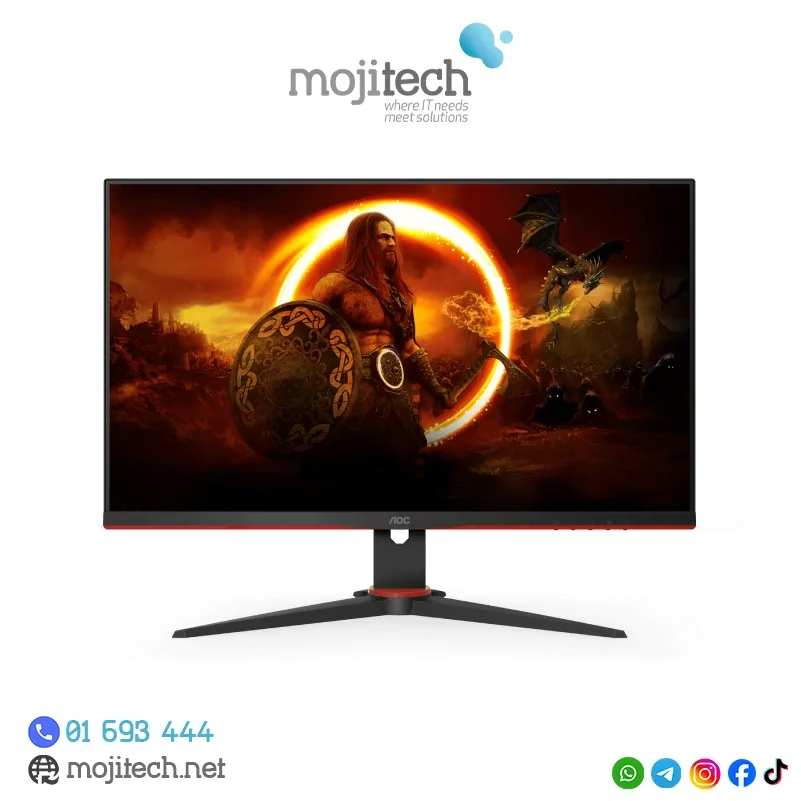

ACER KA220HQbid 21.5″ FHD, HDMI,AMD Freesync VESA 100x100mm Maximum Resolution 1920 x 1080 Colour Supported 16.7 Million Colours Brightness Aspect Ratio 16:9 Response Time 5 ms Backlight Technology LED Horizontal Viewing Angle 90° Vertical Viewing Angle 65° Tilt Angle -5° to 15° Features Flicker-free Features Low Dimming Features Blue Light Speakers No VGA Yes DVI Yes HDMI Yes Operating Power Consumption (Energy Star) 19.50 W Environmental Certification MPR II Package Contents KA220HQ Widescreen LCD Monitor Power Cord 1 x VGA Cable Specifications: ACER KA220HQbid 21.5″ FHD, HDMI,AMD Freesync VESA 100x100mm Maximum Resolution 1920 x 1080 Colour Supported 16.7 Million Colours Brightness 200 cd/m² Technical Information Aspect Ratio 16:9 Response Time 5 ms Backlight Technology LED Horizontal Viewing Angle 90° 1 Year Warranty

The 512GB Apple MacBook SSD is a high-speed solid-state drive designed for select MacBook Pro and MacBook Air models from 2013 to 2015. It delivers fast boot times, quick file access, and reliable performance, making it an ideal replacement or upgrade for aging Apple laptops. Key Features 512GB Storage Capacity – Plenty of space for macOS, applications, and files High-Speed SSD Performance – Faster boot times and smoother system operation Apple Proprietary Interface – Designed specifically for compatible MacBooks Reliable & Durable – No moving parts for improved stability and longevity Perfect Upgrade or Replacement – Restore performance or increase storage Compatible Models MacBook Pro Retina 13-inch (2013–2015) MacBook Pro Retina 15-inch (2013–2015) MacBook Air 11-inch (2013–2015) MacBook Air 13-inch (2013–2015) Compatible Model Numbers MacBook Pro: A1398, A1502 MacBook Air: A1465, A1466

Product Name WiWU Dual USB Quick Wall Charger 20W Fast Charging For Smart PhoneColorWhiteFeature& Photos

The AOC 27″ 100Hz Monitor offers a seamless and smooth viewing experience for all your needs. Whether you’re gaming, working, or enjoying multimedia, this monitor delivers crisp visuals and smooth performance. With a 100Hz refresh rate, the AOC 27″ Monitor ensures fluid motion and reduces screen tearing. This makes it an excellent choice for gamers who demand fast response times and smooth action. The 27-inch display offers Full HD resolution, providing vibrant colors and sharp details. From watching movies to editing documents, the AOC 27″ Monitor delivers high-quality visuals for every task. Designed with user comfort in mind, the AOC Monitor comes with flicker-free technology and a low blue light mode. This helps reduce eye strain during extended use, ensuring a comfortable viewing experience. The slim, modern design of the AOC 27″ Monitor makes it a stylish addition to any workspace or gaming setup. Its compact size fits easily on most desks, while still offering an immersive viewing experience. The AOC Monitor also includes multiple connectivity options, such as HDMI and VGA ports. This allows easy connection to a wide range of devices, including PCs, gaming consoles, and more. In conclusion, the AOC 27″ 100Hz Monitor combines a fast refresh rate, stunning visuals, and user-friendly design. Whether for gaming, work, or entertainment, this monitor provides the quality and performance you need for everyday tasks. Specifications: Display : 27″ IPS Resolution : 1920 × 1080 (FHD) Refresh Rate : 100Hz Response Rate : 1ms

The Samsung Smart Monitor M7 LS43DM702UMXUE features a 43-inch VA panel with 4K UHD resolution (3840 × 2160). It combines a monitor and smart TV platform in a single display, making it suitable for productivity, entertainment, and streaming without requiring a connected PC. The display supports a maximum refresh rate of 60Hz and provides sharp image quality for office work, media consumption, and general computing tasks. In addition, the 4K resolution offers four times the detail of Full HD content. Samsung equips this model with Tizen OS. Therefore, users can access streaming applications, web services, and smart features directly from the monitor. It also supports Samsung TV Plus and cloud-based productivity applications. Connectivity includes HDMI ports, USB ports, Wi-Fi 5, Bluetooth 5.2, and USB-C. The USB-C connection supports display input, data transfer, and up to 65W power delivery for compatible devices. The monitor includes built-in speakers and supports wireless screen mirroring from compatible smartphones, tablets, and laptops. As a result, users can share content without additional cables. This model focuses on productivity, entertainment, and smart connectivity while providing a large 43-inch 4K display. Specifications: 43-inch VA panel with 3840 × 2160 4K UHD resolution 60Hz refresh rate Tizen OS with built-in streaming applications USB-C with up to 65W Power Delivery Wi-Fi 5, Bluetooth 5.2, HDMI, and USB connectivity

Razer DeathAdder Essential – Ergonomic wired gaming mouse with 6,400 DPI sensor and 5 programmable buttons.Trusted for its comfort, precision, and durable build—perfect for casual and competitive gaming. Model: Razer DeathAdder Essential (Black) Sensor Type: Optical DPI: Up to 6,400 DPI (adjustable) Buttons: 5 independently programmable Hyperesponse buttons Switches: Razer Mechanical Switches rated for up to 10 million clicks Tracking Speed: Up to 220 inches per second (IPS) Acceleration: 30G Design: Ergonomic right-handed design Grip Style: Palm grip (with textured side grips) Lighting: Single-color green backlight (Razer logo) Polling Rate: 1000 Hz Cable: Standard USB wired, 1.8 meters (rubber cable) Compatibility: Windows 7, 8, 10, 11 (Razer Synapse support) Weight: Approx. 96g (excluding cable) Software Support: Razer Synapse (for customization & macros)

The Lenovo ThinkVision T27-40 27″ FHD monitor delivers clear and sharp visuals that enhance both work and everyday use. Its Full HD panel shows crisp text and vivid images, which makes spreadsheets, web pages, and media easier to view. In addition, the IPS panel provides wide viewing angles so colors remain consistent even when viewed from different sides. Furthermore, this monitor includes quick response performance that helps reduce motion blur during videos and casual gaming. It also offers flexible connectivity options, allowing you to connect laptops, desktops, or media players without extra adapters. Therefore, it fits well in home and office setups alike. Overall, the ThinkVision T27-40 blends sharp display quality and practical features in a reliable 27″ design. Specifications: 27″ Full HD IPS display for clear visuals Wide viewing angles for consistent color Quick response performance for smooth motion Flexible connectivity for multiple devices Reliable design for work and everyday use

Looking for a budget-friendly monitor that doesn’t compromise on quality? The Lenovo D19-10 18.5″ Monitor might be your perfect fit. Starting with its sleek design, this monitor seamlessly blends into any workspace. The 18.5″ display provides a crisp viewing experience without overwhelming your desk space. Transitioning to performance, the D19-10 ensures vibrant visuals with its high-definition resolution. Whether you’re working on spreadsheets or enjoying multimedia content, the clarity is impressive for its size. Connectivity is a breeze with multiple ports, including VGA and HDMI, offering versatility for various devices. Switch effortlessly between work and entertainment without the hassle of cable swapping. The monitor’s energy-efficient design not only reduces power consumption but also contributes to a greener environment. Enjoy a visually stunning display while being mindful of energy usage. Say goodbye to eye strain with the D19-10’s anti-glare technology. Whether you’re working long hours or binge-watching your favorite shows, the reduced glare enhances your viewing comfort. For those on a tight budget, the Lenovo D19-10 is a cost-effective choice. Its combination of sleek aesthetics, high-definition display, and user-friendly features makes it a standout in the affordable monitor category. In summary, the Lenovo D19-10 18.5″ Monitor offers a winning combination of affordability and performance. Upgrade your visual experience without breaking the bank—experience the brilliance today! Specifications: Display : 18.5″ Resolution : 1366×768 Refresh Rate : 60hz Response Time : 5ms

The ViewSonic 27″ 75Hz Monitor offers an exceptional viewing experience for both work and play. Its large 27-inch screen provides ample space for multitasking, gaming, and streaming. Featuring a full HD resolution, the ViewSonic 27″ 75Hz Monitor delivers crisp and clear visuals. Whether you’re editing photos, watching videos, or browsing the web, every detail comes to life with stunning clarity. The 75Hz refresh rate ensures smooth and fluid motion, reducing screen tearing and stuttering. This makes it perfect for fast-paced gaming and high-definition video playback. Designed with user comfort in mind, the ViewSonic 27″ 75Hz Monitor features an adjustable stand. You can easily tilt, swivel, and adjust the height to find the perfect viewing angle. The monitor’s slim bezel design provides an immersive viewing experience, minimizing distractions and maximizing screen space. This sleek and modern design complements any workspace or gaming setup. Equipped with multiple connectivity options, the ViewSonic 27″ 75Hz Monitor is versatile and compatible with various devices. It includes HDMI and VGA ports, making it easy to connect to your computer, gaming console, or other peripherals. The ViewSonic 27″ 75Hz Monitor also features built-in speakers for convenient audio playback. Enjoy clear and immersive sound without the need for external speakers. In conclusion, the ViewSonic 27″ 75Hz Monitor combines stunning visuals, smooth performance, and ergonomic design for an enhanced viewing experience. Upgrade to the ViewSonic 27″ 75Hz Monitor today and enjoy a perfect blend of work and play. Specifications: Display : 27″ IPS Resolution : FHD 1920 x 1080 Refresh Rate : 75Hz Response Rate : 1ms MRPT

OEM-quality left and right loudspeaker replacement pair for MacBook Pro 15″ (Models A1707 – 2016/2017 and A1990 – 2018/2019)—restores rich, balanced stereo sound with precision acoustic tuning and seamless fit. Compatible With: MacBook Pro 15″ (2016) – Model A1707 (MacBookPro13,2) MacBook Pro 15″ (2017) – Model A1707 (MacBookPro14,2) MacBook Pro 15″ (2018) – Model A1990 (MacBookPro15,2) MacBook Pro 15″ (2019) – Model A1990 (MacBookPro15,2) (Note: Apple used the same speaker assembly across all four years of the 15″ Touch Bar MacBook Pro.) MacBook Pro 15″ (2016) – Model A1707 (MacBookPro13,2) MacBook Pro 15″ (2017) – Model A1707 (MacBookPro14,2) MacBook Pro 15″ (2018) – Model A1990 (MacBookPro15,2) MacBook Pro 15″ (2019) – Model A1990 (MacBookPro15,2) (Note: Apple used the same speaker assembly across all four years of the 15″ Touch Bar MacBook Pro.) Includes: Complete left and right speaker units with pre-attached flex cables and mounting brackets—ready for direct installation. Audio Performance: Engineered to match Apple’s original high-fidelity stereo system—delivers deep bass, clear mids, and crisp highs with wide soundstage and distortion-free playback. OEM Build Quality: Precision-molded housings, correct grille patterns, and exact cable routing ensure secure fit, no rattling, and full compatibility with macOS audio calibration. Common Use Cases: Replaces speakers damaged by liquid spills, physical impact, or wear (e.g., muffled sound, no audio from one side, crackling, or complete failure). Installation Note: Requires full display and logic board access. Speakers are secured with adhesive and screws in tight compartments. Recommended for certified or experienced technicians only. Important: This speaker pair is exclusive to 15″ Touch Bar MacBook Pro models (A1707/A1990). Not compatible with 13″ models (A1708/A1989), 16″ MacBook Pro (A2141), or non-Touch Bar MacBooks. This speaker pair is exclusive to 15″ Touch Bar MacBook Pro models (A1707/A1990). Not compatible with 13″ models (A1708/A1989), 16″ MacBook Pro (A2141), or non-Touch Bar MacBooks. Model Verification: Confirm your device via > About This Mac > Model Identifier (e.g., MacBookPro13,2 or MacBookPro15,2).

Genuine-spec touchpad flex cable for MacBook Pro 15″ (Model A1990, 2018–2019, Intel)—essential for restoring full Force Touch functionality, haptic feedback, and precise multi-touch gesture control during trackpad repair or replacement. Compatible With: MacBook Pro 15-inch (2018 & 2019, Model A1990, Model Identifiers MacBookPro15,2) with Intel Core i7/i9 processors. Part Type: Touchpad flex cable only — does not include the trackpad housing, Taptic Engine, or mounting hardware. This is the OEM-style ribbon cable that connects the trackpad to the logic board. Function: Transmits: Touch input coordinates Force Touch pressure data Haptic feedback signals to the Taptic Engine Enables full macOS gesture support: Force Click, three-finger lookup, swipe navigation, pinch-to-zoom, and smooth cursor tracking. Touch input coordinates Force Touch pressure data Haptic feedback signals to the Taptic Engine Enables full macOS gesture support: Force Click, three-finger lookup, swipe navigation, pinch-to-zoom, and smooth cursor tracking. OEM-Quality Build: Matches Apple’s original specifications in: Cable length and routing path Connector pitch and ZIF latch design EMI shielding and flex durability Cable length and routing path Connector pitch and ZIF latch design EMI shielding and flex durability Common Use Cases: Replacing a torn, creased, or liquid-damaged original flex cable Completing a trackpad replacement when the original cable is unusable Fixing intermittent trackpad behavior, loss of Force Touch, or complete unresponsiveness Replacing a torn, creased, or liquid-damaged original flex cable Completing a trackpad replacement when the original cable is unusable Fixing intermittent trackpad behavior, loss of Force Touch, or complete unresponsiveness Installation Note: Requires full bottom case removal and battery disconnection. Cable routes under internal components near the right speaker and logic board. Connects via a ZIF (Zero Insertion Force) socket—must be aligned carefully and latched gently. Recommended for experienced or certified technicians only. Requires full bottom case removal and battery disconnection. Cable routes under internal components near the right speaker and logic board. Connects via a ZIF (Zero Insertion Force) socket—must be aligned carefully and latched gently. Recommended for experienced or certified technicians only.

The MSI MAG 274QRF QD E2 Gaming Monitor is designed to take your gaming to the next level. With its 27-inch QHD display, you’ll enjoy crystal-clear visuals and vibrant colors that bring your games to life. This monitor features Quantum Dot technology, which enhances color accuracy and brightness. The MSI MAG 274QRF QD E2 delivers a rich and immersive visual experience. Thanks to its 165Hz refresh rate and 1ms response time, the MSI MAG Gaming Monitor ensures smooth and lag-free gameplay. You’ll experience every movement with precision, giving you a competitive edge in any game. The monitor supports NVIDIA G-SYNC technology, which synchronizes the monitor’s refresh rate with your graphics card. This eliminates screen tearing and stuttering, providing a seamless and fluid gaming experience. Designed for comfort during long gaming sessions, the MSI MAG 274QRF QD E2 features an ergonomic stand with adjustable height, tilt, and swivel. You can easily customize the monitor’s position to suit your preferred viewing angle. Connectivity is made easy with multiple ports, including DisplayPort, HDMI, and USB. This ensures compatibility with a wide range of gaming systems and peripherals, so you can set up your gaming station just the way you like it. In conclusion, the MSI MAG 274QRF QD E2 Gaming Monitor combines stunning visuals, fast performance, and ergonomic design for an unparalleled gaming experience. Upgrade to this monitor and immerse yourself in the world of gaming like never before. Specifications: Display : 27″ Rapid IPS Screen : 2560 x 1440 (WQHD) Refresh Rate : 180Hz Response Time : 1ms

The AOC 24″ 180Hz Gaming Monitor is a top choice for gamers who want smooth, responsive gameplay. With its impressive 180Hz refresh rate, this monitor ensures that every action on screen is fluid and lag-free. Whether you’re playing fast-paced shooters or racing games, the high refresh rate provides an edge over competitors. Firstly this 24-inch monitor offers Full HD resolution, delivering sharp and clear images. The vibrant colors and crisp details make every game come to life. With its slim bezels, the screen offers an immersive experience, allowing you to focus fully on the action. Furthermore the AOC 24″ Gaming Monitor is equipped with AMD FreeSync technology. This reduces screen tearing and stuttering, resulting in smoother gameplay. It also features a fast response time, ensuring that every movement you make is reflected instantly on screen. Setting up the AOC 24″ 180Hz Gaming Monitor is simple. It supports both HDMI and DisplayPort connections, giving you flexibility in how you connect your gaming PC or console. The ergonomic stand allows you to adjust the height, tilt, and swivel to find the perfect viewing angle. This gaming monitor is built with durability in mind. It is designed to withstand long gaming sessions, offering comfort and stability throughout. The sleek design also complements any gaming setup, adding a modern touch to your desk. Upgrade your gaming experience with the AOC 24″ 180Hz Gaming Monitor. Its high refresh rate, fast response time, and vivid display make it an ideal choice for serious gamers. Specifications: Display : 23.8″ VA Resolution : 1920×1080 Refresh Rate : 180Hz Response Rate : 1ms

Apple Magic Mouse: Wireless, Bluetooth, Rechargeable. Works with Mac or iPad; Multi-Touch Surface - White (Pre-Owned) Apple Magic Mouse: Wireless, Bluetooth, Rechargeable. Works with Mac or iPad; Multi-Touch Surface – White (Pre-Owned) About this item WIRELESS, RECHARGEABLE CONVENIENCE — Magic Mouse connects wirelessly to your device via Bluetooth. And the rechargeable internal battery means no loose batteries to replace. WORKS WITH MAC OR IPAD — It’s ready to go right out of the box and pairs quickly with your Mac or iPad so you can get to work right away. SWIPE AND SCROLL ON THE MULTI-TOUCH SURFACE — The Multi-Touch surface allows you to perform simple gestures such as swiping and scrolling. And an optimized foot design lets Magic Mouse glide smoothly across your desk. GO WEEKS WITHOUT CHARGING — The incredibly long-lasting internal battery will power your Magic Mouse for about a month or more between charges. Comes with a woven USB-C to Lightning Cable that lets you pair and charge by connecting to a USB-C port on your Mac or iPad. SYSTEM REQUIREMENTS — Requires a Bluetooth-enabled Mac with OS X 10.11 or later or an iPad with iPadOS 13.4 or later.

Xprinter XP-80T 80mm Thermal Receipt Printer Press to download driver: XPrinter Driver Setup V7.77 Press to download driver: XPrinter Driver Setup V7.77

Genuine-spec touchpad flex cable for MacBook Pro 14″ (Model A2442, 2021, M1 Pro/Max)—essential for restoring full Force Touch functionality, haptic feedback, and precise multi-touch gesture control. Compatible With: MacBook Pro 14-inch (2021, Model A2442) with Apple M1 Pro or M1 Max chip (Model Identifiers: MacBookPro18,3 / MacBookPro18,4). Part Type: Touchpad flex cable only—does not include the trackpad, Taptic Engine, or mounting brackets. This is the OEM-style ribbon cable that connects the trackpad to the logic board. Function: Carries touch input, Force Touch pressure data, and haptic feedback signals—critical for macOS trackpad gestures, Force Click, and Taptic Engine responsiveness. OEM-Quality Build: Matches Apple’s original flex circuit in length, connector pitch, shielding, and bend geometry—ensures reliable signal transmission and durability under repeated use. Common Use Cases: Replacing a damaged, torn, or corroded original flex cable Completing a trackpad replacement when the original cable is unusable Fixing intermittent trackpad issues, unresponsiveness, or loss of Force Touch Replacing a damaged, torn, or corroded original flex cable Completing a trackpad replacement when the original cable is unusable Fixing intermittent trackpad issues, unresponsiveness, or loss of Force Touch Installation Note: Requires full bottom case removal and careful routing beneath internal components. Connectors use ZIF (Zero Insertion Force) sockets—must be seated properly without force. Recommended for certified or highly experienced technicians only.

Dell 19.5V 4.62A 90 Watt Replacement Laptop Adapter/Charger New Small Pin 4.5 x 3.0 mm for Dell Latitude 3500 3379 3400 3301 3590 3490 7370, RWHHR, 450-AECO (Power Cord Included)

The Arzopa A1 is an ultra-slim, lightweight 15.6-inch portable monitor engineered for seamless travel productivity and entertainment. Delivering crisp Full HD imagery on a premium IPS panel with integrated eye care features, it provides a hassle-free plug-and-play experience using dual full-function USB-C and Mini HDMI inputs. Complete with a built-in adjustable kickstand, it is the perfect dual-screen companion for laptops, smartphones, and gaming consoles. ✅ Full Specifications: Model: ARZOPA Type-C Portable Monitor (ARZOPA-A1) Interface / Connection: Multi-Port Input Panel: 2 x USB Type-C Full Function Ports (Supports concurrent video transmission, data, and power delivery) 1 x Mini HDMI Port (Video signal input only) 1 x 3.5mm Headphone / Audio Output Interface Interface / Connection: Multi-Port Input Panel: 2 x USB Type-C Full Function Ports (Supports concurrent video transmission, data, and power delivery) 1 x Mini HDMI Port (Video signal input only) 1 x 3.5mm Headphone / Audio Output Interface Performance / Screen Quality: Panel Type: IPS (In-Plane Switching) display with 178° wide viewing angles Resolution: Full HD 1920 x 1080p Refresh Rate: 60Hz Aspect Ratio: 16:9 Brightness: 300 cd/m² Contrast Ratio: 1200:1 Display Colors: 262K (8-bit) Color Gamut: 45% NTSC / 72% sRGB space coverage Performance / Screen Quality: Panel Type: IPS (In-Plane Switching) display with 178° wide viewing angles Resolution: Full HD 1920 x 1080p Refresh Rate: 60Hz Aspect Ratio: 16:9 Brightness: 300 cd/m² Contrast Ratio: 1200:1 Display Colors: 262K (8-bit) Color Gamut: 45% NTSC / 72% sRGB space coverage Display Technology: Features built-in HDR rendering technology to boost dynamic contrast alongside a Low Blue Light comfort filter to reduce eye fatigue. Audio: Dual built-in stereo speakers (1W x 2 configuration). Material & Build: Premium, durable metal housing constructed out of a sleek aluminum alloy framework. Design & Form Factor: Ultra-thin bezel layout boasting an integrated adjustable smart kickstand for multi-angle landscape deployment. Power Setup: Driverless plug-and-play architecture. Operates without an internal battery; runs on host device power distribution via USB-C or requires an external 5V/3A power input adapter. Compatibility: Fully compatible with MacBooks, Windows PCs/Laptops, Chromebooks, USB-C supported Android smartphones, and modern gaming consoles (Nintendo Switch, Xbox Series X/S, PS4, PS5). Dimensions: Approx. 355.6 x 220.9 x 9.14 mm (Ultra-slim 0.36-inch profile) Weight: Approx. 725 to 735 grams (1.6 lbs lightweight chassis)

The Apple Magic Mouse (USB-C version) is a sleek, minimalist multi-touch wireless mouse built for Mac users. It offers smooth gesture support, Bluetooth connectivity and a built-in rechargeable battery — a great choice if you prefer a clean desk setup and full compatibility with macOS and iPadOS. General Name: Magic Mouse (USB-C) — part of Apple’s pointing-device lineup. Wireless connectivity: Bluetooth. Rechargeable battery: built-in, no disposable AA cells. Charging / port: USB-C port (bottom of mouse) for pairing and charging. Compatibility: Requires a Mac with macOS 15.1 or later, or an iPad with iPadOS 18.1 or later. Size & Weight Height: ~0.85 inch (2.16 cm) Width: ~2.25 inch (5.71 cm) Depth: ~4.47 inch (11.35 cm) Weight: ~0.22 pound (0.099 kg) (varies slightly by manufacturing) Features Multi-Touch surface: supports gestures such as swiping between pages, scrolling through documents, zooming. Glide / foot design: optimized for smooth movement across desktop surfaces. Rechargeable battery life: about a month or more between charges (typical use) per Apple spec. Used Condition ConsiderationsSince you’re specifying a used unit: Check for wear on the bottom feet / skates — these degrade and affect glide. Verify battery capacity / health (rechargeable batteries age). Confirm the port is functioning (USB-C) and Bluetooth connectivity is stable. Look for signs of excessive surface scratches on the multi-touch top — may impair gestures. Ensure the firmware / Mac recognizes it fully (gestures working). Upgradability / Limitations Not user-upgradable: You cannot replace the internal battery or change internals easily. Design limitation: The USB-C port remains on the bottom of the mouse, meaning you cannot use it while charging unless you flip it. This design is still criticized. Ergonomics: The flat, low-profile design is stylish but may not suit extended-use comfort for some users.

Are you in search of a reliable monitor that combines functionality and style? Look no further than the LG DualUp 28″ Monitor. This comprehensive review will delve into its features, highlighting why it’s an excellent choice for both work and play. Firstly, the dual-screen capabilities of the LG 28″ Monitor provide a seamless multitasking experience. Boost your productivity by effortlessly managing multiple applications side by side, streamlining your workflow. The sleek design of this monitor not only adds a touch of sophistication to your workspace but also ensures practicality. Its slim bezels and adjustable stand contribute to a clutter-free and ergonomic setup, promoting comfort during extended use. With a crisp 4K UHD resolution, this monitor delivers stunning visuals, making it ideal for both work and entertainment. Enjoy sharp images and vibrant colors for a truly immersive experience, whether you’re editing documents or watching your favorite movies. Connectivity is a breeze with the LG 28″ Monitor. Multiple ports, including HDMI and USB-C, offer versatile options for connecting various devices. Say goodbye to cable clutter and hello to a streamlined and organized workspace. The inclusion of reader mode and flicker-safe technology prioritizes your eye health during prolonged use. Reduce eye strain and fatigue, ensuring a comfortable viewing experience for extended periods. In conclusion, the LG DualUp 28″ Monitor is a versatile and stylish addition to any workspace. Its dual-screen capabilities, sleek design, and advanced features make it a top choice for those seeking an enhanced computing experience. Upgrade your setup with the LG DualUp 28″ Monitor today! Specifications: Display : 28″ Nano IPS Resolution : SDQHD (2560 x 2880) Refresh Rate : 60hz Response Time : 5ms GTG
