
Genuine-spec battery flex cable for MacBook Pro models A2159 (16", 2019), A1708 (13", 2016–2017), and A2338 (13", 2020 M1)—restores critical communication between the battery and logic board for proper power-on, charging, and macOS battery status. Genuine-spec battery flex cable for MacBook Pro models A2159 (16″, 2019), A1708 (13″, 2016–2017), and A2338 (13″, 2020 M1)—restores critical communication between the battery and logic board for proper power-on, charging, and macOS battery status. Carries SMBus (System Management Bus) signals from the battery to the logic board Enables: Accurate battery percentage and health reporting in macOS Proper charging control (start/stop, thermal throttling) Power-on capability (MacBooks will not boot without this connection) Prevention of “Battery Not Charging” or “Service Battery” errors Accurate battery percentage and health reporting in macOS Proper charging control (start/stop, thermal throttling) Power-on capability (MacBooks will not boot without this connection) Prevention of “Battery Not Charging” or “Service Battery” errors MacBook won’t turn on (even with a good battery) Battery shows “–%”, 0%, or “Not Charging” Random shutdowns under load macOS displays “No Battery Available” Logic board powers fans or lights but no display output Battery flex cable only (with OEM-style connector and strain relief) ❌ Does not include: battery, logic board, or trackpad Requires full bottom case removal and battery disconnection Connects via a ZIF or press-fit socket on the logic board Must be routed precisely to avoid tension or micro-tears Highly recommended for experienced or certified technicians—improper installation can cause permanent power or battery communication failure

The Lenovo V130 is powered by an Intel Core i5 7th Gen processor, paired with 8GB RAM and a fast 256GB SSD for smooth and reliable everyday performance. Designed for office work, study, and productivity, it features a simple, durable design and a clear 15.6-inch non-touch display for comfortable daily use.

Laptop Charger for HP 90W 19.5V 4.62A (Blue Tip) Pavilion 17 15-E 17-E 14-E 15-AK Series Touchsmart Sleekbook M6-K M7-J 17-J M6 M7 709986-004 709986-002 753560-001 710413-001 PPP012D-S AC Adapter

The HP P24V G5 FHD VA monitor delivers clear and vibrant visuals with its 24‑inch Full HD display. As a result, it makes everyday computing, work tasks, and media viewing more enjoyable with sharp detail and rich colors. In addition, the VA panel provides wide viewing angles, so the image stays consistent even when you move around your desk. Furthermore, this monitor includes fast response times that help reduce motion blur when watching videos or casual gaming. It also offers essential connectivity options, making it easy to connect laptops, desktops, or media players without adapter hassles. Therefore, it fits well in both home and office setups. Overall, the HP P24V G5 strikes a good balance between performance and practicality, giving users dependable display quality at an affordable level. Specifications: 24″ Full HD VA display with wide viewing angles Clear visuals and vibrant colors Fast response for smooth motion Essential connectivity for multiple devices Ideal for everyday work and entertainment use

Alienware 25 Gaming Monitor: AW2521HFLA Diagonal Viewing Size: 62.2 cm 24.5 Inches Preset Display Area (H x V) 543.744 mm x 302.616 mm 21.41″” x 11.91″” 164545.63 mm2 (255.04 inches2) Alienware 25 Gaming Monitor Panel Type: Fast IPS Display Screen Coating Antiglare with 3H hardness Maximum Preset Resolution 1920 x 1080 at 240Hz Viewing Angle (178° vertical / 178° horizontal) Pixel Pitch 0.283 mm x 0.280 mm Pixel Per Inch (PPI) 90 Contrast Ratio 1000: 1 (typical) Aspect Ratio (16:9) Backlight Technology LED edgelight system Brightness 400 cd/m2 (typical) Response Time(typical) True 1ms (gray to gray, in Extreme Mode) Audio Output No Connectivity Connectivity 2 x HDMI (ver 2.0) 1 x DP 1.2 1 x USB 3.0 upstream port (Rear) 2 x USB 3.0 Downstream port (Rear) 2 x USB 3.0 Downstream port [Front Bottom, one with BC1.2 charging capability at 2A(max)] 1 x Headphone-out jack (Front Bottom) 1 x Audio Line-out jack( Rear)AMD Free-Sync™ YesNVIDIA® G-SYNC® Compatible YesAlienFX™ Lighting Yes Dimensions & Weight Height with stand (Compressed ~ Extended) 421.21 mm ~526.08 mm 16.58″ ~ 20.71″ Width 556.29 mm 21.90″Depth 251.92 mm 9.92″Height without stand 328.24 mm 12.92″Width without stand 556.29mm 21.90″ Depth without stand 72.95 mm 2.87″ Weight (panel only – for VESA mount) 3.55 kg 7.81 lb Weight (with packaging) 11.22 kg 24.71 lb Power Voltage Required 100 VAC to 240 VAC / 50 Hz or 60 Hz + 3 Hz /1.5 A (typical)Power Consumption 0.2 W (Off Mode) 0.3 W (Standby Mode) 20.4 W (On Mode) 72 W (Max) Environmental Temperature Range Operating: 0° to 40°C (32° to 104°F) Non-operating: -20° to 60° (-4° to 140° F)Humidity Range Operating: 10% to 80% (non-condensing) Non-Operating:5% to 90% (non-condensing)Altitude Operating: 5,000 m (16,404 ft) max Non-Operating: 12,192 m (40,000 ft) max Chassis Adjustability Height adjustable stand (130 mm) and Height-markers Tilt (-5° to 21°) Swivel (-20° to 20°) Pivot (-90° to 90°) Built in cable-management Low Blue Light Yes, Comfort View Flicker-free Yes Specifications – Service / Support Details 3-Year Advanced Exchange Service and Premium Panel Exchange Color Support Color Gamut (typical): sRGB 99% Color Depth: 16.78 Million colors Built-in Devices NA Flat Panel Mount Interface VESA (100 mm) Specifications: Alienware 25 Gaming Monitor 240Hz refresh rate ips Panel Type: Fast IPS Color Support Color Gamut (typical): sRGB 99% 1 Year Warranty Manufacturer Link

The Samsung 65″ The Frame LS03F 4K QLED Art Mode Smart TV QA65LS03FAUXTW uses a 65-inch LCD panel with 3840 × 2160 4K resolution. It is designed for both regular TV viewing and wall-mounted display use with an art display mode. The panel uses Quantum Dot (QLED layer) technology to improve color output. As a result, it produces more accurate and wider color reproduction compared to standard LCD panels. In addition, it supports 4K upscaling for lower-resolution content. The TV supports HDR formats for compatible content. This increases contrast between bright and dark areas and improves visible detail. Also, motion processing reduces blur during fast-moving scenes such as sports and action content. Samsung equips this model with Tizen OS. Therefore, users access streaming apps, SmartThings integration, and smart features through a unified interface. It also supports Wi-Fi and Bluetooth for wireless device connections. Connectivity includes HDMI ports, USB ports, Ethernet LAN, and optical audio output. It supports external devices such as gaming consoles and sound systems. This model includes Art Mode, which displays images or artwork when the TV is not in active use. Specifications: 65-inch 4K UHD LCD panel (3840 × 2160 resolution) Quantum Dot (QLED layer) color enhancement 4K upscaling for lower-resolution content HDR support for compatible content Tizen OS with HDMI, USB, Wi-Fi, Bluetooth, Ethernet connectivity

The MSI PRO MP251W E2 25″ FHD 120Hz Monitor delivers crisp, clear visuals for work, entertainment, and casual gaming. It uses a Full HD panel that shows sharp detail in movies, documents, and web browsing. The 25-inch size gives enough screen space without overwhelming your desk. This makes it a practical choice for home and office setups. Moreover, the MSI PRO MP251W E2 features a 120 Hz refresh rate. This smoother refresh makes motion cleaner and reduces blur during video playback and light gaming. Fast animations and scrolling look fluid. This improves comfort during long sessions. In addition, the monitor uses an IPS panel with wide 178° viewing angles. Colors remain stable even if you move side to side. The panel supports 99% sRGB coverage for natural and balanced color reproduction. This makes it useful not only for daily tasks, but also for creative work and media editing. Furthermore, the MSI PRO MP251W E2 includes adaptive sync technology to help prevent screen tearing when frame rates fluctuate. It also features anti-glare coating and built-in speakers, making it convenient for multimedia and everyday use. Also, the design is clean and modern. The thin bezels give a neat, minimal look that fits many setups. The stand allows tilt adjustment for ergonomic comfort. The monitor supports VESA mounting if you want wall mount or alternate stand setup. Overall, the MSI PRO MP251W E2 25″ FHD 120Hz Monitor balances simplicity, performance, and versatility. It delivers smooth visuals, color quality, and ease of use in a compact form factor. This monitor is a great pick for everyday computing, office tasks, media, and light gaming. Specifications: Display : 25″ IPS Resolution : FHD 1920×1080 Refresh Rate : 120Hz Response Time : 1ms

The Crucial DDR4 32GB laptop memory runs at 3200MHz to deliver faster performance and smoother multitasking. Designed for reliability and compatibility, it’s an ideal upgrade for laptops that need improved speed, responsiveness, and efficiency. The Crucial DDR4 32GB 3200MHz laptop RAM is built for users who want to significantly boost their system’s performance. Whether you’re multitasking, working with heavy applications, or simply looking for a smoother everyday experience, this memory upgrade helps your laptop run faster and more efficiently. 32GB DDR4 Capacity: Provides ample memory for demanding tasks, multitasking, and professional workloads. 3200MHz Speed: Enhances system responsiveness and reduces load times. Laptop Form Factor: Designed specifically for notebooks using DDR4 SODIMM slots. Low Power Consumption: Improves efficiency and helps extend battery life. Wide Compatibility: Tested to work with a wide range of laptop brands and models. Manufactured by Crucial, a trusted Micron brand, this DDR4 memory is built using high-quality components and tested to meet strict reliability standards for long-term performance. With easy installation and a noticeable performance boost, the Crucial DDR4 32GB 3200MHz laptop RAM is a smart and cost-effective upgrade that extends the life and capabilities of your laptop.

Genuine-spec keyboard replacement for MacBook Pro 13″ (Model A2251, 2020) — choose US QWERTY or UK QWERTY (with £ symbol). Features Apple’s reliable Magic Keyboard with scissor-switch mechanism, backlighting, and precise OEM fit. Compatible With: MacBook Pro 13-inch (2020, Two Thunderbolt Ports, Model A2251, Model Identifier MacBookPro16,1) with Intel Core i5/i7 processors. Layout Options (select at purchase): US Layout: Standard QWERTY with wide Enter key, @ above 2, # above 3, and full function row. UK Layout: QWERTY with £ symbol, tall vertical Enter key, @ accessed via right Alt, and UK-specific punctuation. US Layout: Standard QWERTY with wide Enter key, @ above 2, # above 3, and full function row. UK Layout: QWERTY with £ symbol, tall vertical Enter key, @ accessed via right Alt, and UK-specific punctuation. Keyboard Type: Apple’s Magic Keyboard with scissor-switch mechanism—offering improved durability, quieter typing, and 1mm key travel compared to Butterfly keyboards. Integrated Features: Full backlit keys for low-light environments Ambient light sensor support OEM-style flex cable pre-attached for direct connection to the logic board Full backlit keys for low-light environments Ambient light sensor support OEM-style flex cable pre-attached for direct connection to the logic board Precision Build: Engineered to match Apple’s exact dimensions, key spacing, and top-case curvature—ensures seamless visual and functional integration. Installation Note: The keyboard is factory-glued into the top case. Replacement requires full disassembly, careful adhesive removal, and professional re-adhesion. Recommended for experienced or certified repair technicians only.

Reliable, compact, and business-focused—the Dell Latitude 5310 features a 10th Gen Intel Core i5 processor, 8GB RAM, and a fast 256GB SSD in a lightweight 13.3-inch design built for everyday productivity.

The MSI MAG 244F 24″ 200 Hz Gaming Monitor delivers smooth visuals with super‑fast refresh rate. It features a full HD (1920×1080) IPS panel for vivid colors and wide viewing angles. Moreover, its 1 ms MPRT response time reduces motion blur during fast-paced gameplay. Also, the 200 Hz refresh rate ensures fluid motion in competitive games. In addition, the monitor supports Adaptive‑Sync to eliminate screen tearing and stutter. Besides that, the slim bezel design creates an immersive multi‑monitor setup. Furthermore, the adjustable stand allows tilt, height, and swivel customization. Therefore, users can find a comfortable viewing position effortlessly. It includes DisplayPort and HDMI inputs for flexible connectivity. Also, built‑in gaming presets offer easy optimization for different game genres. Plus, MSI’s Anti‑Flicker and Less Blue Light technologies reduce eye strain. Meanwhile, the monitor uses a VESA mount for wall or arm installation. Importantly, the sturdy stand delivers stable support during intense gaming sessions. Also, on‑screen crosshair overlays enhance accuracy in FPS games. Unlike standard monitors, this one targets e‑sports and fast‑reaction players. However, it still works well for streaming, editing, and productivity tasks. For example, racing, shooter, or fighting games feel more responsive and clear. Then, users connect cables, power on, and enjoy lag‑free visuals instantly. Moreover, the ergonomics support comfort during long gaming or desk sessions. As a result, performance gains combine with healthy posture support. Also, the display’s vivid contrast keeps dark and bright details visible. In addition, its low input lag provides competitive advantage in fast games. Therefore, gamers stay ahead with accurate and real‑time feedback. Also, the monitor’s sleek black design complements any gaming setup. Furthermore, MSI’s reliable build quality offers long‑term durability. Consequently, users gain both style and substance in one package. Also, all essential cables come in the box for easy setup. In conclusion, the MSI MAG 244F offers 200 Hz speed, IPS clarity, and gaming comfort. Finally, it’s a smart investment for serious gamers seeking fluid performance. Specifications: Display : 23.8” Rapid IPS Resolution : 1920 x 1080 (FHD) Refresh Rate : 200Hz Response Rate : 0.5ms

A1618 Replacement Battery for MacBook Pro 15 Inch Retina A1398 (Early 2015), Laptop A1494 A1618 Replacement Battery Capacity: 8440mAh/95.03Wh 11.26V, Battery Type: Li-Polymer 【Package include: 1pcs – OEM laptop replacement battery for macbook air 13 inch, 2pcs – screwdrivers, 1pcs – Professional installation instructions】 【Operating life and certification】UL-/CE-/FCC-/RoHS-Certified/PSE Report for safety. Cobalt Proportion: >98%. Upgrade chip — Up to 1500+ recharge cycles over the life of the battery, Long operating time after charging full with 8440mAh real high capacity, same with original battery A1494/A1618 【Premium Electric Core】Japan Newest 4.0 upgraded OEM Battery for macbook pro 15 Inch A1398 (Late 2013, Mid 2014, Early 2015). Better circuit board, multiple command chip control, keep the battery stable charge and discharge.Over charger and discharger (short-circuit) protection, ensure fast charges and low power consumption 【Compatibility】 MacBook pro 15” Retina A1398 (Late 2013, Mid 2014, Early 2015) ME293 ME294 MGXA2 MGXC2 MJLQ2 MJLT2 MJLU2. Please check the picture to get more detail

Genuine-spec touchpad flex cable for MacBook Pro 15″ (Model A1706 – 2017 and A1989 – 2018/2019)—restores full Force Touch functionality, haptic feedback, and precise multi-touch gesture control during trackpad repair or replacement. Compatible With: MacBook Pro 15″ (2017) – Model A1706 (Model Identifier: MacBookPro14,3) MacBook Pro 15″ (2018–2019) – Model A1989 (Model Identifier: MacBookPro15,2) ✅ Note: Apple used the same trackpad assembly and flex cable across both A1706 and A1989 15″ models—making this part interchangeable between them. MacBook Pro 15″ (2017) – Model A1706 (Model Identifier: MacBookPro14,3) MacBook Pro 15″ (2018–2019) – Model A1989 (Model Identifier: MacBookPro15,2) ✅ Note: Apple used the same trackpad assembly and flex cable across both A1706 and A1989 15″ models—making this part interchangeable between them. ✅ Note: Apple used the same trackpad assembly and flex cable across both A1706 and A1989 15″ models—making this part interchangeable between them. Part Type: Touchpad flex cable only — does not include the trackpad housing, Taptic Engine, or mounting hardware. This is the OEM-style ribbon cable connecting the trackpad to the logic board. Function: Transmits: Touch input coordinates Force Touch pressure data Haptic feedback signals to the Taptic Engine Enables full macOS gesture support: Force Click, three-finger lookup, swipe navigation, pinch-to-zoom, and smooth cursor tracking. Touch input coordinates Force Touch pressure data Haptic feedback signals to the Taptic Engine Enables full macOS gesture support: Force Click, three-finger lookup, swipe navigation, pinch-to-zoom, and smooth cursor tracking. OEM-Quality Build: Matches Apple’s original in: Cable length and routing Connector pitch and ZIF latch design EMI shielding and flex durability Cable length and routing Connector pitch and ZIF latch design EMI shielding and flex durability Common Use Cases: Replacing a torn, creased, or liquid-damaged original flex cable Completing a trackpad replacement when the original cable is compromised Fixing intermittent trackpad behavior, loss of Force Touch, or complete unresponsiveness Replacing a torn, creased, or liquid-damaged original flex cable Completing a trackpad replacement when the original cable is compromised Fixing intermittent trackpad behavior, loss of Force Touch, or complete unresponsiveness Installation Note: Requires full bottom case removal and battery disconnection. Cable routes under internal components near the right speaker and logic board. Connects via a ZIF (Zero Insertion Force) socket—must be aligned carefully and latched gently. Recommended for experienced or certified technicians only. Requires full bottom case removal and battery disconnection. Cable routes under internal components near the right speaker and logic board. Connects via a ZIF (Zero Insertion Force) socket—must be aligned carefully and latched gently. Recommended for experienced or certified technicians only.

The ASUS VG34VQL3A Curved Gaming Monitor, 34″ WQHD delivers immersive gaming and smooth visuals for modern PC players. It is designed for gamers, creators, and anyone who wants a wider view and fast performance. First, this monitor features a 34-inch Ultra-Wide QHD (3440 × 1440) curved display with a 1500R curvature that wraps around your vision and feels more natural. As a result, games, movies, and multitasking feel more engaging. In addition, the ASUS VG34VQL3A supports a high refresh rate up to 180 Hz (OC) and a 1 ms response time (GTG) for smooth motion and minimal blur. This helps you react faster in fast-paced games. This model also uses AMD FreeSync Premium Pro for adaptive sync technology that reduces screen tearing and stuttering in supported games. Therefore, visuals stay smooth and clear with compatible GPUs. The screen covers 125% of the sRGB color gamut and supports DisplayHDR™ 400 with HDR10, giving bright highlights and rich contrast for vivid colors in HDR content. Thus, games and movies look more dynamic. Because the panel uses VA technology, it delivers deep contrast and solid black levels that make details pop in dark scenes. Also, the anti-glare coating helps reduce reflections in bright rooms. The ASUS VG34VQL3A includes built-in features like Picture-in-Picture (PiP), Picture-by-Picture (PbP), ASUS GamePlus, and low blue light modes for added convenience and comfort. This makes it versatile for work and play. Connectivity options include DisplayPort 1.4, HDMI 2.0, and USB 3.2 Gen 2 hub ports to link to PCs, laptops, and peripherals easily. As a result, setup stays flexible for many systems. The ergonomic stand offers height, tilt, and swivel adjustments plus VESA mount support, so you can position the monitor comfortably. This helps reduce neck and eye strain during long sessions. In conclusion, the ASUS VG34VQL3A Curved Gaming Monitor, 34″ WQHD combines speed, clarity, and wide ultrawide visuals. Overall, it is a strong choice for immersive gaming and productivity. Specifications: Display :34″ VA Panel, 1500R Curved, Anti-Glare. Resolution :Ultrawide QHD (3440 x 1440). Refresh Rate : Up to 180Hz (OC) for smooth motion. Response Time : 1ms (GTG) for reduced ghosting. HDR: Display HDR 400 with HDR10 support for enhanced contrast.

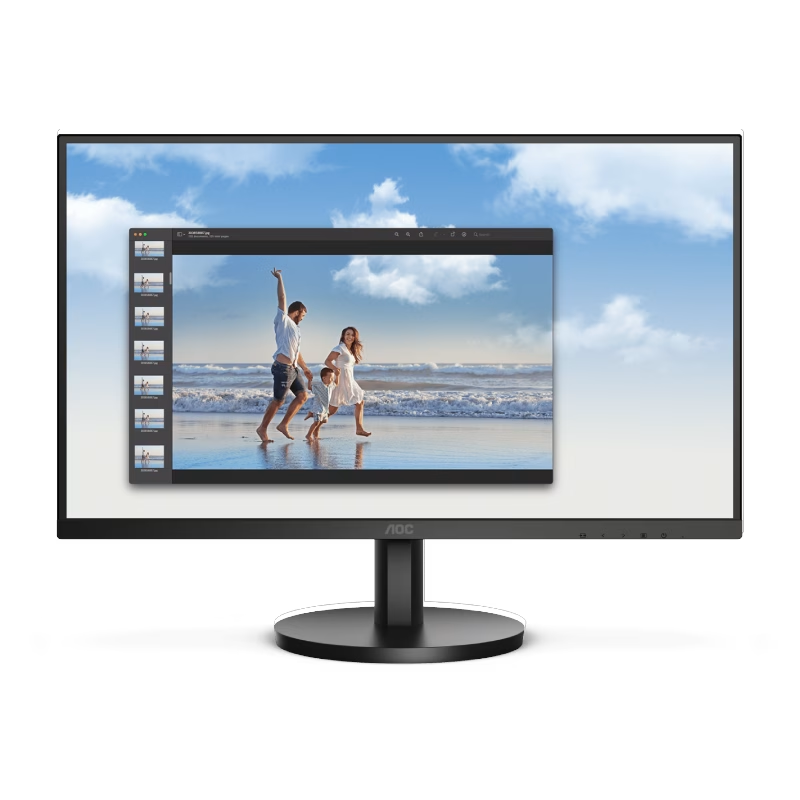
The ViewSonic 22″ 60Hz Monitor offers a perfect blend of style and performance for your daily computing needs. Whether you’re working, watching videos, or browsing the web, this monitor delivers stunning visuals. Featuring a Full HD resolution of 1920×1080 pixels, the ViewSonic 22″ 60Hz Monitor provides sharp and clear images. You’ll enjoy every detail, from vibrant colors to crisp text, making it ideal for both work and entertainment. With a refresh rate of 60Hz, this monitor ensures smooth and fluid motion. Whether you’re watching videos or playing games, you’ll experience less lag and more enjoyment. The ViewSonic 22″ 60Hz Monitor is designed with user comfort in mind. Its flicker-free technology and blue light filter reduce eye strain, allowing you to work or play for longer periods without discomfort. Connectivity is simple with the ViewSonic 22″ 60Hz Monitor. It features VGA and HDMI inputs, making it easy to connect to your computer, laptop, or gaming console. You’ll have a seamless setup for all your devices. This monitor’s sleek and modern design adds a touch of elegance to any workspace. Its slim bezels provide a larger viewing area, giving you an immersive visual experience. In conclusion, the ViewSonic 22″ 60Hz Monitor is a reliable and stylish choice for anyone seeking quality visuals and performance. Upgrade your viewing experience with this exceptional monitor and enjoy clear, vibrant, and comfortable viewing every day. Specifications: Display : 22″ TN Resolution : FHD 1920 x 1080 Refresh Rate : 60Hz Response Rate : 2ms GTG

The MSI Pro MP241X 24″ monitor delivers clear visuals and reliable performance for work and home use. It is built for everyday tasks, browsing, and media viewing. First, this monitor features a 24-inch Full HD display with vibrant colors and sharp details. As a result, your screen content looks crisp and easy to read. In addition, the MSI Pro MP241X 24″ offers a wide viewing angle for shared viewing. Therefore, multiple people can see clear images from different positions. The sleek and slim design makes this monitor look modern on any desk. Also, it takes up minimal space. Moreover, this monitor supports anti-flicker and reduced blue light technology. So, your eyes feel more comfortable during long sessions. Because it uses HDMI and VGA inputs, it connects easily to many devices. Thus, setup stays simple with laptops and desktops. The MSI Pro MP241X 24″ provides consistent performance for work apps and video watching. This makes everyday computing smooth and enjoyable. Furthermore, the stand offers tilt adjustment for better viewing angles. So, you can find the most comfortable position for your eyes. Compared to lower-resolution screens, this Full HD panel shows clearer details. Therefore, text and graphics look sharper and more accurate. It works well for office tasks, video streaming, and school work. Thus, it fits many daily needs. Installation is fast and beginner-friendly with plug-and-play support. As a result, you can start using it right away. The MSI Pro MP241X 24″ also supports stable refresh performance for smoother visuals. This improves motion during videos and general use. Also, the slim bezels help reduce distraction and provide a clean look. Therefore, your workspace stays neat and focused. In conclusion, this monitor offers clear visuals, comfort features, and easy connectivity. Overall, it is a strong choice for work, school, or entertainment. If you want a reliable and sharp 24″ screen, this model is worth choosing. Specifications: Display: 24-inch VA panel, Full HD (1920×1080), 16:9 aspect ratio. Performance: 75Hz refresh rate, 4ms (GTG) response time, 1000:1/3000:1 contrast Connectivity: HDMI™ 1.4b & D-Sub (VGA) ports for versatile device connection

Maximize your productivity with the Lenovo ThinkPad E14 Gen 1, featuring a powerful 10th Gen Intel Core i7 processor and dedicated AMD Radeon RX 640 graphics. With 16GB RAM and a fast 256GB NVMe SSD, this pre-owned professional laptop is designed to handle both intensive office workloads and light graphical tasks with ease.

Genuine-spec touchpad flex cable for MacBook Pro 15″ (Model A1707, 2016–2017)—restores full Force Touch functionality, haptic feedback, and precise multi-touch gesture control during trackpad repair or replacement. Compatible With: MacBook Pro 15″ (2016) – Model A1707 (Model Identifier: MacBookPro13,2) MacBook Pro 15″ (2017) – Model A1707 (Model Identifier: MacBookPro14,2) MacBook Pro 15″ (2016) – Model A1707 (Model Identifier: MacBookPro13,2) MacBook Pro 15″ (2017) – Model A1707 (Model Identifier: MacBookPro14,2) Part Type: Touchpad flex cable only — does not include the trackpad housing, Taptic Engine, or mounting hardware. This is the OEM-style ribbon cable that connects the trackpad to the logic board. Function: Transmits: Touch input coordinates Force Touch pressure data Haptic feedback signals to the Taptic Engine Enables full macOS gesture support: Force Click, three-finger lookup, swipe navigation, pinch-to-zoom, and smooth cursor tracking. Touch input coordinates Force Touch pressure data Haptic feedback signals to the Taptic Engine Enables full macOS gesture support: Force Click, three-finger lookup, swipe navigation, pinch-to-zoom, and smooth cursor tracking. OEM-Quality Build: Matches Apple’s original specifications in: Cable length and routing path Connector pitch and ZIF latch design EMI shielding and flex durability Cable length and routing path Connector pitch and ZIF latch design EMI shielding and flex durability Common Use Cases: Replacing a torn, creased, or liquid-damaged original flex cable Completing a trackpad replacement when the original cable is compromised Fixing intermittent trackpad behavior, loss of Force Touch, or complete unresponsiveness Replacing a torn, creased, or liquid-damaged original flex cable Completing a trackpad replacement when the original cable is compromised Fixing intermittent trackpad behavior, loss of Force Touch, or complete unresponsiveness Installation Note: Requires full bottom case removal and battery disconnection. Cable routes under internal components near the right speaker and logic board. Connects via a ZIF (Zero Insertion Force) socket—must be aligned carefully and latched gently. Recommended for experienced or certified technicians only. Requires full bottom case removal and battery disconnection. Cable routes under internal components near the right speaker and logic board. Connects via a ZIF (Zero Insertion Force) socket—must be aligned carefully and latched gently. Recommended for experienced or certified technicians only.

LG 50 inch UHD AI UA85 4K Smart TV 50UA85006LA is designed for home entertainment, streaming, and everyday viewing. It features a 50-inch 4K UHD display with AI-powered image processing. Additionally, it supports HDR10 and webOS smart platform. Therefore, it delivers sharp visuals and smart functionality for modern TV use. The LG 50UA85006LA uses a 4K UHD resolution of 3840 × 2160 with Direct LED backlighting. Moreover, it is powered by the α7 AI Processor 4K Gen8 for improved upscaling and clarity. It also includes HDR10 support for better contrast and color depth. In addition, it runs webOS 25 with AI features such as voice control and content recommendations. Furthermore, the TV supports gaming features like ALLM and VRR up to 60Hz. As a result, it provides smoother gameplay for casual console users. It also includes AI sound processing for clearer dialogue and virtual surround effects. Therefore, it suits both movies and gaming in one device. Manufacturer Link Specifications: 50-inch 4K UHD (3840 × 2160) LED display α7 AI Processor 4K Gen8 for image upscaling HDR10 support for improved contrast and color webOS 25 smart TV platform with AI features AI Sound with virtual surround enhancement

