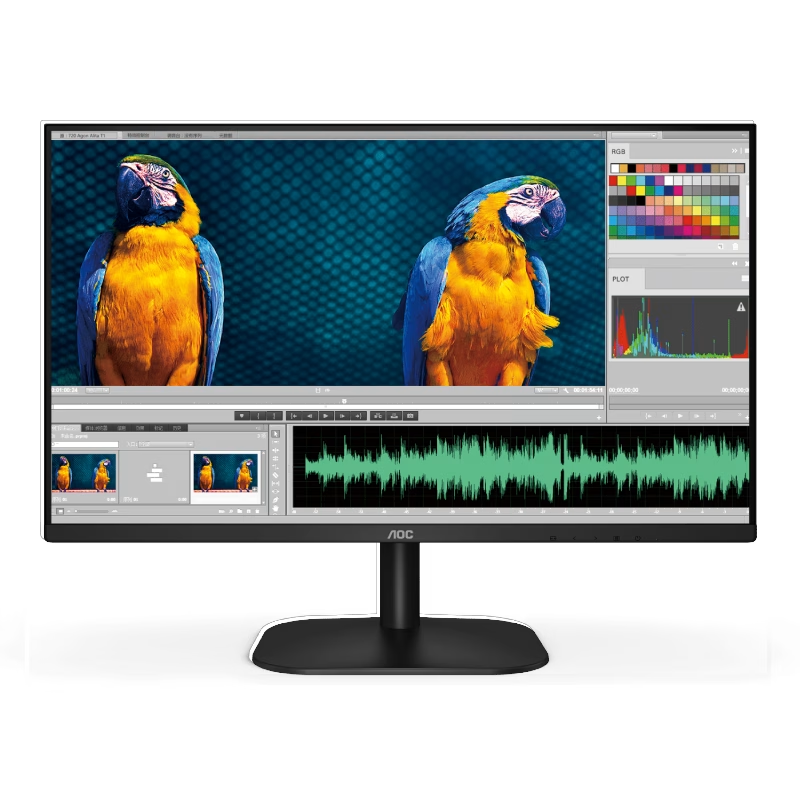

The AOC 25G4S Gaming Monitor 24.5″ delivers ultra-smooth visuals and responsive performance for competitive gaming. First, it features a fast 310 Hz refresh rate that minimizes motion blur and keeps gameplay fluid, giving you an edge in fast-paced titles. In addition, the IPS panel provides vibrant colors and wide viewing angles, so visuals stay clear from almost any position. Its 24.5-inch size balances immersive framing with minimal desk space, making it ideal for focused gaming setups. Moreover, adaptive sync support reduces screen tearing and stuttering for seamless gameplay. The ergonomic stand allows tilt and height adjustment for comfortable long sessions. Finally, built-in gaming features like customizable crosshairs and on-screen timers help tailor your experience to your play style. With the AOC 25G4S 24.5″ 310 Hz IPS Gaming Monitor, you get competitive-level performance, vivid visuals, and smooth responsiveness designed for serious gamers. Check out other option here! Specifications: 24.5″ IPS panel with vibrant colors and wide viewing angles Ultra-fast 310 Hz refresh rate for smooth, responsive gaming Adaptive sync support to reduce screen tearing and stutter Ergonomic stand with tilt and height adjustment Built-in gaming tools like crosshairs and on-screen timers

The SHL-R320 is a high-speed, dual-protocol M.2 SSD external enclosure featuring a durable aluminum casing for excellent heat dissipation. Supporting both NVMe and SATA protocols, it provides an easy, pocket-sized solution to convert internal solid-state drives into ultra-fast portable storage. ✅ Full Specifications: Model: M.2 SSD Hard Drive Enclosure Case (SHL-R320) Interface: USB 3.1 Gen 2 Type-C (Backward compatible with USB 3.0 / USB 2.0) Protocol Support: Dual Protocol — Supports both NVMe PCIe (M-Key / B+M Key) and NGFF SATA (B+M Key) Transmission Speed: NVMe: Up to 10Gbps SATA/NGFF: Up to 6Gbps Transmission Speed: NVMe: Up to 10Gbps SATA/NGFF: Up to 6Gbps Drive Size Compatibility: Supports M.2 SSD sizes 2230 / 2242 / 2260 / 2280 Capacity Support: Supports up to 2TB (and higher depending on drive configurations) Material: Premium Aluminum Alloy shell for enhanced durability and thermal cooling Design: Slim, compact, and lightweight pocket-sized form factor Features: Tool-free/screw installation layout (varies by kit variation) and built-in UASP protocol support for accelerated transmission. Compatibility: Windows 11 / 10 / 7, macOS / iOS, Linux, Android (with OTG support), and Smart TVs Dimensions: Approx. 119 x 38 x 13 mm

7.4V 51WH Laptop Battery G5M10 for DELL Latitude E5450 E5550 Notebook 15.6" G5M10 8V5GX R9XM9 WYJC2 1KY05-SIKER 7.4V 51WH Laptop Battery G5M10 for DELL Latitude E5450 E5550 Notebook 15.6″ G5M10 8V5GX R9XM9 WYJC2 1KY05-SIKER About this item Battery type: Li-ion Capacity:7.4V 51WH 100% New Manufacturer Features 100% Brand Replacement New battery

Genuine-spec touchpad flex cable for MacBook Air 13.6″ (Model A2681, 2022, M2)—essential for restoring full Force Touch functionality, haptic feedback, and multi-touch gesture support when replacing or repairing the trackpad assembly. Compatible With: MacBook Air 13.6-inch (2022, Model A2681) with Apple M2 chip (all colors: Silver, Space Gray, Starlight, Midnight). Part Type: Touchpad flex cable only—does not include the trackpad, Taptic Engine, or mounting hardware. This is the ribbon cable assembly that connects the trackpad to the logic board. Function: Transmits touch input, Force Touch pressure data, and haptic feedback signals between the trackpad and logic board—critical for macOS gesture recognition and Taptic Engine operation. OEM-Quality Construction: Matches Apple’s original flex circuit in length, connector type, shielding, and bend radius—ensures reliable signal integrity and long-term durability. Common Use Cases: Replacing a torn, frayed, or damaged original flex cable Completing a trackpad replacement when the original cable was compromised Repairing unresponsive or erratic trackpad behavior caused by cable failure Replacing a torn, frayed, or damaged original flex cable Completing a trackpad replacement when the original cable was compromised Repairing unresponsive or erratic trackpad behavior caused by cable failure Installation Note: Requires full bottom case disassembly and careful routing under the battery and logic board. Connectors use ZIF (Zero Insertion Force) sockets—do not force. Recommended for experienced or certified technicians only.

Digital Device Laptop Keyboard Compatible for MacBook AIR 13″ A1369 A1466 (MID 2011- MID 2017) US Layout 【Unique】Pls see detail compatible models in description below. 【Safe】Easy for you replace your faulty, cracked or broken keyboard ,seller remind that you should replace the keyboard in the off state. All pictures are taken from the real item, please check carefully before bidding, Replacement and high quality, Replace your faulty, cracked or broken keyboard. Each keyboard is tested before shipping Compatibility: MacBook Air 13″ A1369 Mid 2011: MC965LL/A (1.7 GHz Core i5) Mid 2011: MC966LL/A (1.7 GHz Core i5) Mid 2011: MD226LL/A (1.8 GHz Core i7) Compatibility: MacBook Air 13″ A1466 Mid 2012: MD231LL/A (1.8 GHz Core i5) Mid 2012: MD232LL/A (1.8 GHz Core i5) Mid 2012: MD232LL/A (2.0 GHz Core i7) Mid 2013: MD760LL/A (1.3 GHz Core i5) Mid 2013: MD761LL/A (1.3 GHz Core i5) Mid 2013: MD761LL/A (1.7 GHz Core i7) Early 2014: MD760LL/B (1.4 GHz Core i5) Early 2014: MD761LL/B (1.4 GHz Core i5) Early 2014: MD761LL/B (1.7 GHz Core i7) Compatibility: Early 2015: MJVE2LL/A (1.6 GHz Core i5 or 2.2 GHz Core i7) Early 2015: MJVG2LL/A (1.6 GHz Core i5 or 2.2 GHz Core i7) Identifying Numbers APN #: 661-6059, 661-6635, 661-7480

A durable and versatile pre-owned Lenovo ThinkPad T470 with 14" touchscreen, 6th Gen Core i5, 8GB RAM, and 256GB SSD—ideal for professionals who need reliability, touch functionality, and trusted ThinkPad performance.

Lenovo ThinkVision S24E-20 24″ The Monitor that’s the Right Tool for the Task Equip your staff with a monitor that will help power their productivity. ThinkVision S24e-20 is an excellent performer that delivers core functionality with a sleek new form factor. Its 1920 x 1080 FHD resolution VA panel display produces vivid images to every one of your colleagues standing around the desk up to angles as extreme as 178°. Lenovo screen head is twice as slim as its previous generations. With HDMI, VGA and Audio Out ports, with HDMI, VGA and Audio Out ports, S24e-20 can connect to a whole range of mission-critical devices such as PCs and even headphonescan connect to a whole range of mission-critical devices such as PCs and even headphones. Lenovo screen has TÜV Rheinland Eye Comfort Certified technology to protect them from eye fatigue. 23.8″ FHD VA 3-side NearEdgeless HDMI, VGA and Audio Out ports TÜV Rheinland Eye Comfort Certified Lenovo ThinkVision S24E-20 24″ 3-side NearEdgeless edge Make multitasking near-effortless with 3-side NearEdgeless display. Compare files side-by-side on two screens with an almost uninterrupted visual continuity. Share content with colleagues standing up, sitting down or far off to the side as much as 178°; everyone sees the same quality image thanks to a 23.8-inch, FHD 1920 x 1080 resolution . Its 7.1 mm slim head design has less than half the screen thickness of the model it replaces but will still hold a Lenovo Tiny or Nano PC tucked away on its back. Specifications: Specifications : Panel Size 23.8 inches Resolution 1920 x 1080 Panel Type 3-side NearEdgeless VA Backlight WLED Brightness(typical) 250 cd/m² Aspect Ratio 16:9 Refresh Rate 60 Hz Response Time 4ms (Extreme mode) Connectivity 1 x HDMI 1.4 1 x VGA 1 x Audio out (3.5mm) VESA Mount 100 x 100mm 1 Year Warranty manufacturer link

Genuine-spec touchpad flex cable compatible with both MacBook Air A2179 (Intel, 2020) and A2337 (M1, 2020)—restores full Force Touch functionality, haptic feedback, and precise multi-touch gesture control during trackpad repair or replacement. Compatible With: MacBook Air 13″ (2020, Intel) – Model A2179 (Model Identifier: MacBookAir9,1) MacBook Air 13″ (2020, Apple M1) – Model A2337 (Model Identifier: MacBookAir10,1) MacBook Air 13″ (2020, Intel) – Model A2179 (Model Identifier: MacBookAir9,1) MacBook Air 13″ (2020, Apple M1) – Model A2337 (Model Identifier: MacBookAir10,1) ✅ Important Note: Despite different processors (Intel vs. M1), Apple used the same trackpad assembly and flex cable in both A2179 and A2337. This makes the flex cable fully interchangeable between the two models. Part Type: Touchpad flex cable only — does not include the trackpad housing, Taptic Engine, or mounting hardware. This is the OEM-style ribbon cable that connects the trackpad to the logic board. Function: Transmits: Touch input coordinates Force Touch pressure data Haptic feedback signals to the Taptic Engine Enables full macOS gesture support: Force Click, three-finger lookup, swipe navigation, pinch-to-zoom, and smooth cursor tracking. Touch input coordinates Force Touch pressure data Haptic feedback signals to the Taptic Engine Enables full macOS gesture support: Force Click, three-finger lookup, swipe navigation, pinch-to-zoom, and smooth cursor tracking. OEM-Quality Build: Matches Apple’s original specifications in: Cable length and routing path Connector pitch and ZIF latch design EMI shielding and flex durability Cable length and routing path Connector pitch and ZIF latch design EMI shielding and flex durability Common Use Cases: Replacing a torn, creased, or liquid-damaged original flex cable Completing a trackpad replacement when the original cable is compromised Fixing intermittent trackpad behavior, loss of Force Touch, or complete unresponsiveness Replacing a torn, creased, or liquid-damaged original flex cable Completing a trackpad replacement when the original cable is compromised Fixing intermittent trackpad behavior, loss of Force Touch, or complete unresponsiveness Installation Note: Requires full bottom case removal and battery disconnection. Cable routes under the right side of the battery and logic board. Connects via a ZIF (Zero Insertion Force) socket—align carefully and latch gently. Recommended for experienced or certified technicians only. Requires full bottom case removal and battery disconnection. Cable routes under the right side of the battery and logic board. Connects via a ZIF (Zero Insertion Force) socket—align carefully and latch gently. Recommended for experienced or certified technicians only.

The HP ProLiant DL360 Gen9 is a powerful 1U rack server equipped with 2x Intel Xeon E5-2660 v3 processors, 64GB DDR4 RAM, and 8x 300GB SAS 2.5-inch drives for fast and reliable storage. Ideal for virtualization, enterprise workloads, and data center deployments.

MacBook Pro A1706 / A1708 Display Assembly (Space Gray) Compatibility : MacBook Pro 2017 13″ A1708 (EMC 3164 MacBookPro14,1) 2.3 GHz A1708 (EMC 3164 MacBookPro14,1) 2.5 GHz A1706 (EMC 3163 MacBookPro14,2) 3.1 GHz A1706 (EMC 3163 MacBookPro14,2) 3.3 GHz A1706 (EMC 3163 MacBookPro14,2) 3.5 GHz MacBook Pro 2016 13″ A1706 (EMC 3071 MacBookPro13,2) 2.9 GHz A1706 (EMC 3071 MacBookPro13,2) 3.1 GHz A1706 (EMC 3071 MacBookPro13,2) 3.3 GHz A1708 (EMC 2978 MacBookPro13,1) 2.0 GHz A1708 (EMC 2978 MacBookPro13,1) 2.4 GHz

Genuine-spec touchpad flex cable for MacBook Pro 13″ (Model A2338, 2020, Apple M1)—essential for restoring full Force Touch functionality, haptic feedback, and precise multi-touch gesture control during trackpad repair or replacement. Compatible With: MacBook Pro 13-inch (2020, Model A2338, Model Identifier MacBookPro17,1) with Apple M1 chip (2 Thunderbolt ports). Part Type: Touchpad flex cable only — does not include the trackpad housing, Taptic Engine, or mounting hardware. This is the OEM-style ribbon cable that connects the trackpad to the logic board. Function: Transmits: Touch input coordinates Force Touch pressure data Haptic feedback signals to the Taptic Engine Enables full macOS gesture support: Force Click, three-finger lookup, swipe navigation, pinch-to-zoom, and smooth cursor tracking. Touch input coordinates Force Touch pressure data Haptic feedback signals to the Taptic Engine Enables full macOS gesture support: Force Click, three-finger lookup, swipe navigation, pinch-to-zoom, and smooth cursor tracking. OEM-Quality Build: Matches Apple’s original specifications in: Cable length and routing Connector pitch and ZIF latch design EMI shielding and flex durability Cable length and routing Connector pitch and ZIF latch design EMI shielding and flex durability Common Use Cases: Replacing a torn, creased, or liquid-damaged original flex cable Completing a trackpad replacement when the original cable is compromised Fixing intermittent trackpad behavior, loss of Force Touch, or complete unresponsiveness Replacing a torn, creased, or liquid-damaged original flex cable Completing a trackpad replacement when the original cable is compromised Fixing intermittent trackpad behavior, loss of Force Touch, or complete unresponsiveness Installation Note: Requires full bottom case removal and battery disconnection. Cable routes under internal components near the right speaker and logic board. Connects via a ZIF (Zero Insertion Force) socket—must be aligned carefully and latched gently. Recommended for experienced or certified technicians only. Requires full bottom case removal and battery disconnection. Cable routes under internal components near the right speaker and logic board. Connects via a ZIF (Zero Insertion Force) socket—must be aligned carefully and latched gently. Recommended for experienced or certified technicians only. Important Compatibility Notes: ✅ Only for A2338 (13″, M1, 2020) ❌ Not compatible with: Intel-based A2251 / A2289 (2020) MacBook Air M1 (A2337) Any MacBook Air or 14″/16″ MacBook Pro ✅ Only for A2338 (13″, M1, 2020) ❌ Not compatible with: Intel-based A2251 / A2289 (2020) MacBook Air M1 (A2337) Any MacBook Air or 14″/16″ MacBook Pro Intel-based A2251 / A2289 (2020) MacBook Air M1 (A2337) Any MacBook Air or 14″/16″ MacBook Pro

Led Desk Lamp REMAX RT-E815 ReSee Series Smart Eye-Caring 1500mAh RT-E815 With Container · Eye-caring lightning · Large-area lighting · 1500mAh · Delayed light-off · Soft lighting · Stepless dimming · Pen/phone holder · With rechargeable battery · Plug and use · A soft hose of 360-degree adjustment.

Are you in need of a reliable monitor for your daily tasks? Look no further than the ViewSonic 24″ 60Hz monitor. With its sleek design and impressive features, it’s the perfect companion for work, gaming, and entertainment. First and foremost, let’s talk about the display quality. This monitor boasts a 24-inch screen size, providing ample space for multitasking without compromising clarity. Whether you’re editing documents, watching videos, or playing games, every detail is crisp and clear. Furthermore, with a refresh rate of 60Hz, you’ll experience smooth and fluid motion in fast-paced scenes. Say goodbye to motion blur and enjoy seamless gameplay, smooth scrolling, and lag-free video playback. In addition, the ViewSonic monitor offers versatile connectivity options. With HDMI and VGA inputs, you can easily connect to your PC, laptop, gaming console, or other devices. Switch between tasks effortlessly and enjoy hassle-free setup. Moreover, ergonomic design features ensure comfortable viewing for extended periods. Adjustable tilt allows you to find the perfect angle for your workspace, reducing eye strain and fatigue. Enhance your productivity and comfort with this user-friendly monitor. In conclusion, the ViewSonic 24″ 60Hz monitor combines superior display quality, smooth performance, and versatile connectivity in a sleek and ergonomic design. Whether you’re working, gaming, or watching movies, elevate your viewing experience with ViewSonic. Specifications: Display : 24″ IPS Resolution : 1920×1080 FHD Refresh Rate : 60Hz Response Rate : 5ms

The MSI Optix G32CQ4 E2 32″ Monitor delivers immersive visuals and smooth performance for gaming, work, and entertainment. Its large 32‑inch screen provides plenty of space for multitasking, movies, and gaming sessions. Moreover, the curved design wraps the display slightly around your field of view, enhancing immersion and reducing eye strain during long use. This monitor features a clear and detailed display that brings games, videos, and content to life with vivid colors and contrast. Additionally, its high refresh rate helps reduce motion blur, making gameplay feel smoother and more responsive. The sleek and modern design fits easily into gaming setups, home offices, and creative workspaces. The MSI Optix G32CQ4 E2 includes multiple connectivity options, allowing you to connect PCs, laptops, and consoles with ease. Furthermore, ergonomic tilt adjustment helps you find a comfortable viewing angle during extended sessions. Therefore, it is ideal for gamers, students, and professionals who want a versatile and immersive display. Finally, it combines large‑screen comfort, smooth visuals, and practical design for everyday use. Specifications: Display : 31.5″ VA Resolution : 2560 x 1440 (WQHD) Refresh Rate : 170Hz Response Rate : 1ms Curvature : 1500R

HP M24f Monitor Overview The HP M24f is a 24-inch Full HD monitor designed for work and everyday use. It offers a slim design and reliable performance. As a result, it suits offices, home setups, and students. 24-Inch Full HD Display This monitor features a 24-inch Full HD resolution. Therefore, text appears sharp and easy to read. Moreover, images look clear and well balanced. Because of this, it supports long working sessions comfortably. In addition, the wide viewing angles improve screen visibility. As a result, content stays clear from different positions. Smooth Visual Performance The HP M24f delivers smooth visuals for daily tasks. As a result, scrolling and browsing feel natural. Furthermore, the display maintains consistent brightness. This improves overall viewing comfort. Eye Comfort and Anti-Glare Screen This monitor includes eye comfort features. Therefore, it helps reduce eye strain. In addition, the anti-glare coating minimizes reflections. As a result, users can work comfortably in bright rooms. Connectivity and Compatibility The HP M24f includes HDMI and VGA ports. As a result, it connects easily to modern and older devices. Moreover, setup is quick and simple. Therefore, users can start working right away. Slim Design and Mounting Options The monitor features a sleek and modern design. In addition, it supports VESA mounting. As a result, users can save desk space and customize layouts. Ideal for Daily Use This monitor focuses on clarity and reliability. Moreover, it suits office work, browsing, and media viewing. In conclusion, the HP M24f offers a balanced and efficient display solution. Specifications: 60.5 cm (23.8) FHD (1920 x 1080) Sustainable; Adaptive Sync; Eyesafe® Certified; IPS panel 1 VGA; 1 HDMI 1.4 (with HDCP support)

A4tech KR-85 Natural A Rounded Edge Ergonomical Keyboard

HP P24q G4 QHD Height Adjust Monitor Are you seeking a monitor that can elevate your workstation’s comfort and productivity? Meet the HP P24q G4 QHD Height Adjust Monitor, a versatile solution designed to meet your needs. One of the key features of the HP P24q G4 is its Quad High Definition (QHD) display. With four times the resolution of standard HD, you’ll experience stunning clarity and detail in your work and entertainment. The 24-inch screen size strikes a perfect balance, providing enough space for multitasking without taking up excessive desk space. It’s a comfortable and functional addition to any workspace. Adjusting the monitor to your preferred height is effortless, thanks to its height-adjustable stand. This allows you to tailor your viewing angle for maximum comfort, reducing strain during extended work hours. Setting up the P24q G4 is a straightforward process. Connect it to your PC or laptop through standard ports, and you’re ready to enhance your workspace. Say goodbye to complicated installation procedures. The monitor’s modern design not only complements your workspace but also adds a touch of sophistication. It blends seamlessly with your existing setup, enhancing the overall aesthetics. Whether you’re a professional or a casual user, the HP P24q G4 offers fantastic value for your investment. Its affordable price point ensures that you can enjoy top-notch features without breaking the bank. Specifications: 60.45 cm (23.8″) QHD (2560 x 1440) Asset control; Language selection; On-screen controls; Pivot rotation; Plug and Play; User controls; Anti-glare Response time: 5ms GtG (with overdrive) HDMI; VGA

The Samsung S3 S30GD 22″ 100Hz Monitor offers clear Full HD visuals on a compact 22-inch IPS display. Additionally, the panel delivers consistent colors and wide viewing angles, which makes it suitable for both work and entertainment. The 100Hz refresh rate also ensures smoother motion compared to standard displays. Moreover, Game Mode enhances contrast and visibility during videos and casual gaming. Therefore, scenes appear clearer and more detailed in darker areas. The monitor also includes Eye Saver Mode and flicker free technology, which help reduce eye strain during long sessions. Furthermore, the design is simple and practical for everyday setups. In addition, connectivity includes HDMI and VGA ports for easy connection to different devices. Overall, the Samsung S3 S30GD 22″ 100Hz Monitor is a reliable choice for daily use. Specifications: 22‑inch Full HD (1920 x 1080) IPS panel displays vivid colors and wide viewing angles. Smooth motion with up to 100Hz refresh rate for better video and game performance. Game Mode optimizes contrast and image settings for interactive content. Eye Saver Mode and flicker‑free technology help reduce eye strain during long sessions. Simple connectivity with one HDMI port and one D‑Sub (VGA) port.

MSI Modern MD272XP Monitor Are you searching for a monitor that can help you level up your productivity, whether at work or in your home office? Look no further than the MSI Modern MD272XP monitor. It’s an efficient and feature-packed solution tailored to meet your professional needs. First and foremost, the MSI Modern MD272XP features a spacious 27-inch display, providing ample screen real estate for your tasks. Whether you’re working on documents, spreadsheets, or simply browsing the web, this monitor offers a comfortable and efficient workspace. In addition to its size, the monitor offers a crisp and clear Full HD resolution. This ensures that text, images, and videos are displayed with exceptional clarity, enhancing your overall viewing experience. Furthermore, the anti-glare technology incorporated into the monitor allows you to work for extended periods without straining your eyes. This feature remains effective even in well-lit environments, reducing potential discomfort. Connectivity is a breeze thanks to the HDMI and DisplayPort ports, accommodating various devices such as laptops and desktops. This flexibility ensures seamless transitions between work and personal tasks. The MSI Modern MD272XP features a sleek, modern design that seamlessly integrates into any office or home office setup, adding a touch of sophistication to your workspace. For ergonomic comfort, the monitor offers tilt adjustability. This feature enables you to find the perfect viewing angle for your specific needs, minimizing discomfort during extended work hours. Specifications: Screen Size : 27″ Resolution : 1920 x 1080 (FHD) Refresh Rate : 100Hz Response Time : 1ms (MPRT) / 4ms (GTG) Panel Type : IPS Viewing Angles : 178°(H) / 178°(V) Aspect Ratio : 16:9 Contrast Ratio : 1000:1

The Alienware AW2725DF 27″ 360Hz OLED Gaming Monitor is built for gamers who demand top performance and rich visuals. It features a 27-inch QHD (2560 x 1440) display, offering clear detail and vibrant colors. This monitor uses a Quantum Dot OLED panel, which delivers deep blacks, bright highlights, and true-to-life colors. With a 360Hz refresh rate and 0.03ms response time, motion is silky smooth and incredibly sharp. It covers 99.3% of the DCI-P3 color range, making every game look vivid and accurate. It also supports HDR with DisplayHDR True Black 400, enhancing contrast and brightness in dark scenes. For connections, it offers two DisplayPort 1.4, one HDMI 2.1, four USB 3.2 Gen 1 ports, and a USB-C port with 15W power delivery. This gives you plenty of options for plugging in accessories and charging devices. The stand supports height, tilt, swivel, and pivot adjustments, so you can game comfortably for hours. It’s also VESA mount compatible, allowing flexible setups to fit your space. Extra features include AlienFX lighting for customization and gaming overlays that offer helpful tools during play. A built-in USB hub and cable management system help keep your desk neat. In short, the Alienware AW2725DF combines a fast OLED panel, ultra-high refresh rate, and stunning color accuracy, making it perfect for competitive and immersive gaming. Specifications: Display : 27″ QD-OLED Resolution : QHD 2560 x 1440 Refresh Rate : 360Hz Response Time : 0.03ms
