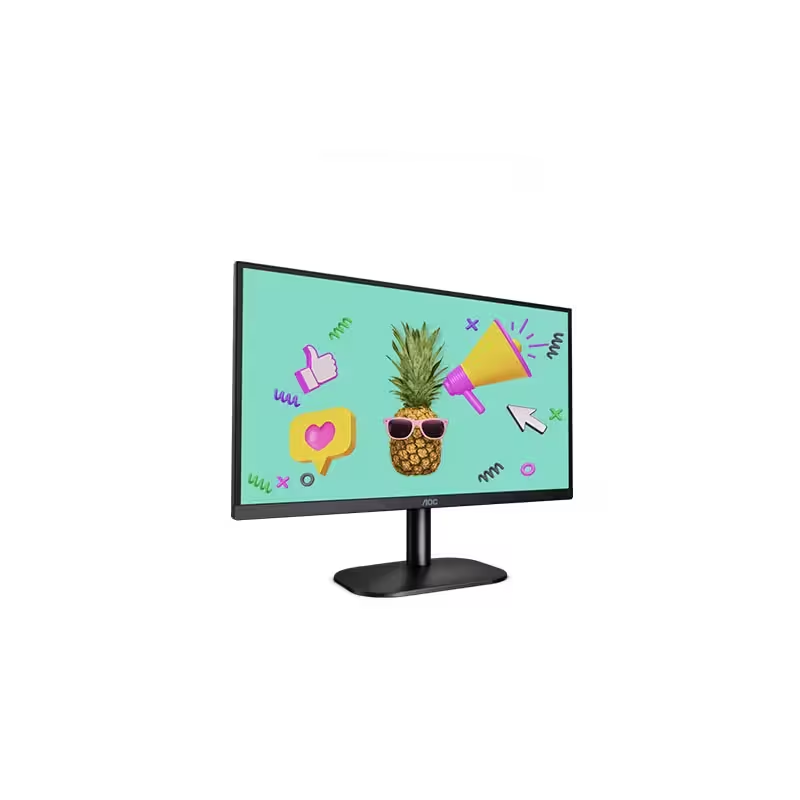

HP P24v G5 Monitor Overview The HP P24v G5 is a 24-inch Full HD monitor designed for everyday work. It delivers clear visuals and reliable performance. As a result, it suits offices, home setups, and study spaces. 24-Inch Full HD Display This monitor features a 24-inch Full HD resolution. Therefore, text appears sharp and easy to read. Moreover, images look clear and well defined. Because of this, it supports long working sessions comfortably. In addition, the screen size fits most desks well. As a result, it balances clarity and space efficiency. Smooth Visual Performance The HP P24v G5 provides smooth visuals for daily tasks. As a result, scrolling and browsing feel natural. Furthermore, the display maintains consistent brightness. This improves overall viewing comfort. Eye Comfort and Anti-Glare Screen This monitor includes eye comfort features. Therefore, it helps reduce eye strain. In addition, the anti-glare coating limits reflections. As a result, the screen stays clear in bright environments. Connectivity and Compatibility The HP P24v G5 includes HDMI and VGA ports. As a result, it connects easily to new and older devices. Moreover, setup remains quick and simple. Therefore, users can start working immediately. Design and Mounting Options The monitor features a clean and professional design. In addition, it supports VESA mounting. As a result, users can create a flexible workspace. Ideal for Office and Home Use This monitor focuses on reliability and efficiency. Moreover, it suits office work, browsing, and media viewing. In conclusion, the HP P24v G5 is a practical Full HD monitor for daily use. Specifications: Display Quality: 23.8-inch IPS panel with 1920 x 1080 resolution at 100 Hz, offering 99% sRGB color for accurate visuals. Performance: 100Hz refresh rate and 5ms GtG response time with overdrive minimize screen tearing and ghosting. Connectivity: Equipped with HDMI 1.4 and VGA ports for versatile connectivity.

The Asus TUF Gaming VG27AQL3A 27″ 180Hz Gaming Monitor is a game-changer for gamers looking for smooth and immersive gameplay. With a large 27-inch screen, this monitor offers a stunning visual experience with sharp details and vibrant colors. It’s designed to enhance your gaming performance, whether you’re a casual gamer or a competitive player. The 180Hz refresh rate ensures ultra-smooth motion, allowing you to react faster and gain the upper hand in fast-paced games. This high refresh rate, combined with 1ms response time, reduces motion blur and ghosting, giving you a competitive edge. You can enjoy smoother visuals, especially in action-packed games. Featuring QHD resolution (2560×1440), the Asus TUF Gaming VG27AQL3A delivers crisp and clear images with rich colors. The monitor also supports HDR10, which brings enhanced contrast and vibrant colors, making your games look more realistic. The Adaptive Sync technology ensures that your monitor’s refresh rate matches your GPU’s output. This eliminates screen tearing and stuttering, providing a smoother gaming experience. Whether you’re gaming or streaming content, you’ll experience fluid and seamless visuals. The Ergonomic stand allows you to adjust the monitor’s height, tilt, and swivel, giving you maximum comfort during long gaming sessions. You can easily find the perfect viewing angle for your setup. Additionally, the Asus TUF Gaming VG27AQL3A is built to last. It features a durable design that can handle the demands of intense gaming, making it a reliable choice for gamers. Upgrade your gaming setup with the Asus TUF Gaming VG27AQL3A 27″ 180Hz Gaming Monitor and experience smoother, more vibrant gameplay. Specifications: Display : 27″ Fast IPS Resolution : QHD (2560×1440) Refresh Rate : 180Hz Response Rate : 1ms

The Samsung 85″ Neo QLED QN70F 4K Vision AI Smart TV QA85QN70FAUXTW delivers a premium large-screen entertainment experience with advanced Neo QLED technology. It produces bright, sharp, and detailed images with strong contrast, making movies, sports, and games more immersive on the massive 85-inch display. Neo QLED technology uses Quantum Mini LEDs to improve brightness control and enhance contrast accuracy. As a result, dark scenes appear deeper while bright scenes remain vivid and well balanced. This helps deliver a more realistic viewing experience across different types of content. Vision AI enhances picture and sound in real time. It analyzes each scene and automatically adjusts brightness, sharpness, and color. Therefore, the TV consistently delivers optimized visuals without manual adjustments. In addition, AI upscaling improves lower-resolution content closer to 4K quality for better clarity and detail. HDR support expands brightness range and color depth, making visuals more dynamic and lifelike. Fast motion handling also improves clarity, which enhances sports and action viewing with smoother movement and reduced blur. The Smart TV platform provides easy access to streaming apps, gaming features, and smart home controls. It runs smoothly and responds quickly when switching between apps. In addition, the slim design with thin bezels gives the Samsung 85 Neo QLED QN70F 4K Vision AI Smart TV QA85QN70FAUXTW a modern and premium appearance. Overall, this Samsung Neo QLED TV combines strong brightness performance, AI optimization, and smart connectivity for a powerful home entertainment experience. Specifications: Neo QLED technology delivers bright, detailed picture quality 85-inch 4K display provides immersive large-screen viewing Vision AI optimizes picture and sound automatically HDR improves contrast, brightness, and color depth Smart TV platform supports apps, streaming, and smart features

REMAX RT-E601 1200MAH TIME II SERIES EYE-CARING LED LAMP Function— Use the power key to turn on/ off the lamp. Tap the power key to adjust the brightness of the lamp (brightest-normal-dimmest-off) four steps are easy to use. When folding the design lamp holder and arm can rotate the angle within a range of 180 degrees up-down adjustment. Press and hold “Mode” Set” Up” Donkey enter normal time mode, alarm clock and snooze mode, birthday reminder mode timer mode, and temperature mode. Time changes 12 hours/24 hours mode and adjusting the hours, minutes, year, month,t,h, and day. Temperature can change to Celsius or Fahrenheit. The red light will be on when it starts charging, and the red light will go out when it is fully charged. Material—ABS+PC Rated voltage—DC5V /0.5A lighting Mode—Direct glow Key Type—Touch key Luminous flux—250m Color rendering index—>80 Rated power—4W Battery Capacity—1200mAh Weight—346g Charging port—Micro SIZE—87*87*263mmCharging time—4-4:30hour Working time—3:30hour

WiWU Pioneer Pro Handbag – Stylish, waterproof laptop bag with soft-lined padded interior and reinforced corners.Ideal for 14″ and 15.6″ laptops, offering excellent protection, comfort, and everyday utility. Model: WiWU Pioneer Pro Sizes: Designed for both 14″ and 15.6″ laptops Material: Durable, water-resistant polyester exterior Interior: Faux-fur lining with thick anti-shock padding Protection: 360° corner reinforcement for enhanced drop resistance Compartments: Main padded laptop section Zippered front organizer for cables, mouse, notebook, and accessories Compartments: Main padded laptop section Zippered front organizer for cables, mouse, notebook, and accessories Carry Options: Top retractable waterproof TPU handle Adjustable and removable shoulder strap Luggage trolley strap on the back Carry Options: Top retractable waterproof TPU handle Adjustable and removable shoulder strap Luggage trolley strap on the back Zippers: High-quality YKK zippers for smooth operation Design: Slim profile, minimalist look, available in Black and Gray Suitable for: Business, school, travel, and daily professional use

Genuine-spec touchpad flex cable compatible with both MacBook Air A2179 (Intel, 2020) and A2337 (M1, 2020)—restores full Force Touch functionality, haptic feedback, and precise multi-touch gesture control during trackpad repair or replacement. Compatible With: MacBook Air 13″ (2020, Intel) – Model A2179 (Model Identifier: MacBookAir9,1) MacBook Air 13″ (2020, Apple M1) – Model A2337 (Model Identifier: MacBookAir10,1) MacBook Air 13″ (2020, Intel) – Model A2179 (Model Identifier: MacBookAir9,1) MacBook Air 13″ (2020, Apple M1) – Model A2337 (Model Identifier: MacBookAir10,1) ✅ Important Note: Despite different processors (Intel vs. M1), Apple used the same trackpad assembly and flex cable in both A2179 and A2337. This makes the flex cable fully interchangeable between the two models. Part Type: Touchpad flex cable only — does not include the trackpad housing, Taptic Engine, or mounting hardware. This is the OEM-style ribbon cable that connects the trackpad to the logic board. Function: Transmits: Touch input coordinates Force Touch pressure data Haptic feedback signals to the Taptic Engine Enables full macOS gesture support: Force Click, three-finger lookup, swipe navigation, pinch-to-zoom, and smooth cursor tracking. Touch input coordinates Force Touch pressure data Haptic feedback signals to the Taptic Engine Enables full macOS gesture support: Force Click, three-finger lookup, swipe navigation, pinch-to-zoom, and smooth cursor tracking. OEM-Quality Build: Matches Apple’s original specifications in: Cable length and routing path Connector pitch and ZIF latch design EMI shielding and flex durability Cable length and routing path Connector pitch and ZIF latch design EMI shielding and flex durability Common Use Cases: Replacing a torn, creased, or liquid-damaged original flex cable Completing a trackpad replacement when the original cable is compromised Fixing intermittent trackpad behavior, loss of Force Touch, or complete unresponsiveness Replacing a torn, creased, or liquid-damaged original flex cable Completing a trackpad replacement when the original cable is compromised Fixing intermittent trackpad behavior, loss of Force Touch, or complete unresponsiveness Installation Note: Requires full bottom case removal and battery disconnection. Cable routes under the right side of the battery and logic board. Connects via a ZIF (Zero Insertion Force) socket—align carefully and latch gently. Recommended for experienced or certified technicians only. Requires full bottom case removal and battery disconnection. Cable routes under the right side of the battery and logic board. Connects via a ZIF (Zero Insertion Force) socket—align carefully and latch gently. Recommended for experienced or certified technicians only.

Logic Board 1.6GHz Core i5 (i5-5250U), 8GB RAM Replacement for (Early 2015-2017)

Genuine-spec battery flex cable for MacBook Pro models A2159 (16", 2019), A1708 (13", 2016–2017), and A2338 (13", 2020 M1)—restores critical communication between the battery and logic board for proper power-on, charging, and macOS battery status. Genuine-spec battery flex cable for MacBook Pro models A2159 (16″, 2019), A1708 (13″, 2016–2017), and A2338 (13″, 2020 M1)—restores critical communication between the battery and logic board for proper power-on, charging, and macOS battery status. Carries SMBus (System Management Bus) signals from the battery to the logic board Enables: Accurate battery percentage and health reporting in macOS Proper charging control (start/stop, thermal throttling) Power-on capability (MacBooks will not boot without this connection) Prevention of “Battery Not Charging” or “Service Battery” errors Accurate battery percentage and health reporting in macOS Proper charging control (start/stop, thermal throttling) Power-on capability (MacBooks will not boot without this connection) Prevention of “Battery Not Charging” or “Service Battery” errors MacBook won’t turn on (even with a good battery) Battery shows “–%”, 0%, or “Not Charging” Random shutdowns under load macOS displays “No Battery Available” Logic board powers fans or lights but no display output Battery flex cable only (with OEM-style connector and strain relief) ❌ Does not include: battery, logic board, or trackpad Requires full bottom case removal and battery disconnection Connects via a ZIF or press-fit socket on the logic board Must be routed precisely to avoid tension or micro-tears Highly recommended for experienced or certified technicians—improper installation can cause permanent power or battery communication failure

The LG 27MK60TM 27″ Monitor delivers clear and immersive visuals for work, study, and entertainment.It features a large 27-inch Full HD display that shows crisp image detail and smooth video.Moreover, the slim design fits well on desks at home and in office setups. This monitor uses an IPS panel for wide viewing angles and consistent color from many positions.Additionally, anti-glare coating helps reduce reflections in bright lighting.Fast response time helps reduce blur during movies and casual gaming. The LG 27MK60TM also includes HDMI and VGA ports for flexible connectivity.Furthermore, tilt adjustment lets you find a comfortable viewing angle.Low blue light and flicker-safe technology help reduce eye strain over time. This display suits students, professionals, and home users alike.Therefore, it supports productivity, browsing, streaming, and everyday computing.Finally, it combines solid picture quality, reliable performance, and user-friendly features for daily use. Specifications: 27″ Full HD (1920 × 1080) IPS panel HDMI + VGA ports for device connection Anti-glare coating for comfortable viewing Tilt-adjustable stand for ergonomic use Low blue light and flicker-safe eye care

The Samsung Odyssey G8 32″ 240 Hz OLED Gaming Monitor delivers unmatched gaming performance and stunning visuals. It features a 32‑inch OLED display for deep blacks and vibrant colors. Moreover, the Samsung Odyssey G8 32″ 240 Hz OLED Gaming Monitor supports ultra‑fast 240 Hz refresh rate. It ensures ultra‑smooth gameplay and fewer motion artifacts during fast action. Also, the monitor boasts just 0.03 ms response time for minimal blur. In addition, this gaming monitor uses HDR to boost contrast and brightness. Plus, its OLED panel offers wide viewing angles and consistent color from any position. Furthermore, adaptive sync technology keeps frame rates smooth with FreeSync or G‑SYNC. Therefore, gamers experience tear‑free visuals even under heavy load. It includes DisplayPort and multiple HDMI 2.1 ports for high bandwidth input. Also, USB ports and a built‑in USB hub simplify peripheral connections. Moreover, the monitor supports customizable RGB lighting on its stand and rear. Then, ergonomic stand adjusts height, tilt, and swivel for comfortable viewing angles. Also, low‑blue‑light and flicker‑free modes reduce eye strain during long gaming sessions. Furthermore, the sleek, curved display blends well with modern gaming setups. In addition, its slim bezels help create immersive multi‑monitor environments. Because of OLED quality, contrast ratio is effectively infinite for deep image depth. Meanwhile, factory calibration ensures accurate colors right from setup. Also, power consumption remains efficient even in intense HDR modes. Besides that, thermal design keeps the monitor cool and reliable. Thus, you get long‑lasting performance without overheating. With strong build quality, the monitor offers durable daily use. It works perfectly for high‑frame‑rate gaming, fast‑paced esports, and vivid content. Finally, the Samsung Odyssey G8 32″ 240 Hz OLED Gaming Monitor combines speed, clarity, and design. Overall, it stands as a premium choice for competitive and immersive gamers. Specifications: Display : 32″ Resolution : OLED (3,840 x 2,160) Refresh Rate : 240Hz Response Rate : 0.03ms GTG

Reliability meets value in this pre-owned ThinkPad E14 Gen 2. Equipped with the AMD Ryzen 5 4500U 6-core processor, 8GB RAM, and a 512GB NVMe SSD, this laptop is built for students and professionals who need a durable, high-performance machine for everyday multitasking.

Arabic Keyboard Cover Skin for MacBook Air 13'' (A1369/A1466, NO Touch ID) 2012 -2017 /MacBook Pro 13" 15'' 2013-2015 with or w/out Retina Display Ultra Thin Silicone Keyboard Protector (Black) Arabic Keyboard Cover Skin for MacBook Air 13” (A1369/A1466, NO Touch ID) 2012 -2017 /MacBook Pro 13″ 15” 2013-2015 with or w/out Retina Display Ultra Thin Silicone Keyboard Protector (Black) About this item COMPATIBLE WITH: 2015 and before 2015 version Macbook: 1) MacBook Air 13″ (Models: A1369 and A1466); 2) MacBook Pro 13.3″ (Model: A1278); 3) MacBook Pro 13.3″ with Retina Display (Models: A1502 and A1425, 2013-2012 released); 4) MacBook Pro 15″ with Retina Display (Model: A1398, 2013-2012 released); 5) MacBook Pro 15.4″ Model: A1286 [√] MORE PROTECTION for KEYBOARD: waterproof, dust-proof and dirt-proof design can prevent liquid, dust, cigarette ash, biscuit crumbs falling onto your keyboard to affect your keyboard’s life. [√] ACCURATE KEYS: every key is specially molded, manufactured to the quality available. Flexible, this cover is easy to apply and remove for cleaning [√] SOFT & ULTRA SKIN: ultra thin silicone keyboard cover skin, made it easier for typing. Soft keyboard protector can weaken the sound in typing [XX] ATTENTION!!: NOT FIT FOR: 2020-2016 Released Macbook Pro 13 inch 15 inch with Touch Bar/2020-2018 Released: Macbook Air 13-Inch. You can find the model number on the bottom of the laptop

The ASUS ProArt PA329CRV 32″ 4K Professional Monitor delivers amazing clarity for creative work. It offers a large 32-inch screen with sharp 4K detail. Every image looks clean and accurate. This makes it ideal for editing and design projects. Moreover, the ASUS ProArt PA329CRV 32″ 4K Professional Monitor includes factory-calibrated color accuracy. It shows precise colors for photos, videos, and artwork. The wide color gamut helps you view rich and natural tones. This ensures professional results in every task. In addition, the monitor features HDR support. It improves brightness, contrast, and depth in your visuals. Your projects look more realistic and detailed. This boosts your productivity and viewing experience. Furthermore, the ASUS ProArt PA329CRV 32″ 4K Professional Monitor includes a USB-C port. It provides display output, data transfer, and power delivery. This makes your workspace cleaner and more organized. It is perfect for creators using laptops. Also, the monitor offers an ergonomic stand. You can tilt, turn, pivot, or adjust the height easily. This helps you work comfortably for long hours. The design supports healthy posture and better workflow. The slim and modern look of the ASUS ProArt PA329CRV 32″ 4K Professional Monitor fits any studio. The thin bezels make multi-monitor setups cleaner. The build quality feels strong and long lasting. This makes it a reliable tool for professionals. Overall, the ASUS ProArt PA329CRV 32″ 4K Professional Monitor delivers accuracy, clarity, and productivity in one display. It supports creative work with true-to-life colors and advanced features. It is a great choice for editors, designers, and photographers who need perfect visuals. Specifications: Display : 32″ IPS Resolution : 4K Refresh Rate : 60Hz Response Time : 5ms Fully Adjustable

The MSI PRO MP225V 22″ 100Hz Business Monitor is designed to improve productivity while maintaining eye comfort and reliable performance. With its 22-inch Full HD display, it provides sharp visuals and clear details for work and study. Moreover, the compact size makes it a perfect choice for small desks and home offices. Because comfort matters, this monitor includes TÜV-certified low blue light and flicker-free technology. As a result, you can work for longer hours without eye strain. In addition, the adjustable tilt feature helps you find the most natural viewing position for daily use. The MSI PRO MP225V 22″ 100Hz Business Monitor also ensures smooth visuals with its 100Hz refresh rate. Furthermore, it supports AMD FreeSync, reducing screen tearing and stuttering during presentations, videos, or even light gaming. Therefore, it offers a balance between work and entertainment. Connectivity options include HDMI and VGA, making it easy to link with various devices. Besides that, its slim design with narrow bezels provides a modern look while maximizing screen space. Not only is it efficient, but it is also compatible with VESA mounts, allowing flexible installation on a wall or monitor arm. In short, the MSI PRO MP225V 22″ 100Hz Business Monitor combines clarity, comfort, and versatility, making it a smart solution for professionals and students. Specifications: Display : 21.45″ IPS Screen : FHD (1920×1080) Refresh Rate : 100Hz Response Rate : 1ms (MPRT) / 4ms (GtG)

A1417 Battery Only for (Mid 2012 & Early 2013) A1398 MacBook Pro - Replacement Battery for A1398 MacBook Pro 15-inch Retina (Mid 2012, Early 2013 Version) - EMC 2512 or 2673 A1417 Battery Only for (Mid 2012 & Early 2013) A1398 MacBook Pro – Replacement Battery for A1398 MacBook Pro 15-inch Retina (Mid 2012, Early 2013 Version) – EMC 2512 or 2673 [11.26V/99Wh] A1417 A1398 Battery — Health:100%+, Voltage: 11.26V, Capacity: 99Wh(Please confirm the release year before purchase the battery) Suit for 15 inch A1398 MacBook Pro Battery Retina Mid 2012 Early 2013 (EMC 2512 or 2673) >[See more details on the Product Description] Brand new battery-> Directly warranty from Manufacturer, perform as good as the original battery. A1398 Macbook Pro 15 inch battery replacement come with adapted screwdriver. Multi-command chip control-> Contain with Durable A cells,Multi-command chip control makes the battery supply power stably.

The MSI MAG 275QPF X30 0.5ms 2K 300Hz Gaming Monitor delivers fast, smooth performance and sharp visuals for serious gamers. Its 27-inch screen with 2K resolution brings games, movies, and work to life with crisp detail and vibrant colors. Moreover, the ultra-fast 300Hz refresh rate helps reduce motion blur and deliver fluid action during intense gaming sessions. This monitor features a 0.5ms response time that allows you to react quickly in fast-paced games, keeping visuals clear even during rapid movement. Additionally, the display supports wide viewing angles and rich color performance, making your experience more engaging whether you play competitive games or watch movies. The sleek design blends well into gaming setups and home offices. The MSI MAG 275QPF X30 also includes multiple connectivity options, making it easy to connect PCs, laptops, and consoles. Furthermore, ergonomic tilt adjustment helps you find a comfortable viewing angle for long sessions. Therefore, it is ideal for competitive and casual gamers alike who value speed and clarity. Finally, it combines fast response, smooth motion, and sharp visuals for great everyday use. Specifications: 27″ 2K gaming monitor 300Hz refresh rate for smooth motion 0.5ms response time for fast action Vibrant visuals and wide viewing angles Multiple connectivity options

Apple Magic Keyboard - A1644 Wireless Bluetooth - UK English Layout Apple Magic Keyboard – A1644 Wireless Bluetooth – UK English Layout

The MSI MAG 274QPF E20 monitor delivers sharp visuals and smooth performance for competitive gaming and daily use. It features a 27-inch WQHD display that provides clear detail and consistent colors. Therefore, users can enjoy both immersive gameplay and productive work sessions. Moreover, the 200Hz refresh rate ensures fluid motion during fast-paced action. The fast response time reduces motion blur and ghosting effectively. As a result, players can react quickly and maintain accuracy in competitive scenarios. In addition, adaptive sync technology helps eliminate screen tearing and stuttering. This improves visual stability across different frame rates. The monitor also includes multiple connectivity options, allowing easy connection to gaming systems and PCs. Furthermore, the design focuses on comfort and usability for long sessions. It supports ergonomic adjustments that help users find the ideal viewing position. Consequently, the MSI MAG 274QPF E20 monitor delivers both performance and comfort in one solution. This monitor combines high refresh speed, detailed resolution, and reliable performance. MSI MAG 274QPF E20 monitor is a strong choice for gamers who need smooth visuals and consistent responsiveness. Specifications: 27-inch WQHD (2560 × 1440) display 200Hz refresh rate for smooth gameplay Low response time for reduced motion blur Adaptive sync support for tear-free visuals Multiple connectivity options for flexible setup

The Samsung Neo QLED QN80F 4K Samsung Vision AI Smart TV 100″ delivers massive screen immersion with advanced visuals. First, it features 4K resolution for sharp detail on a large display. In addition, the Vision AI optimizes picture quality in real time for better clarity. Moreover, the Neo QLED technology enhances brightness and contrast for lifelike images. Finally, the smart TV system provides easy access to streaming apps and content. The 100-inch screen creates a cinema-like experience for movies, sports, and gaming. Specifications: 100-inch 4K display for massive and immersive viewing experience Vision AI optimizes picture quality in real time Neo QLED technology enhances brightness and contrast Smart TV system for apps and streaming access Ideal for movies, sports, and gaming on a large screen

Genuine-spec touchpad flex cable for MacBook Pro 16″ (Model A2141, 2019, Intel)—essential for restoring full Force Touch functionality, haptic feedback, and precise multi-touch gesture control during trackpad repair or replacement. Compatible With: MacBook Pro 16-inch (2019, Model A2141) with Intel Core i7/i9 processors (Model Identifier: MacBookPro16,1) (Note: A2141 is the non-base configuration of the 2019 16″ MacBook Pro—typically higher-end Intel models.) Part Type: Touchpad flex cable only—does not include the trackpad housing, Taptic Engine, or mounting hardware. This is the OEM-style ribbon cable that connects the trackpad to the logic board. Function: Transmits touch coordinates, Force Touch pressure data, and haptic feedback signals—critical for macOS gestures (e.g., Force Click, three-finger lookup, pinch-to-zoom) and Taptic Engine responsiveness. OEM-Quality Construction: Replicated to Apple’s exact specifications—including cable length, connector pitch, EMI shielding, and bend radius—ensuring reliable signal integrity and long-term durability. Common Use Cases: Replacing a torn, creased, or liquid-damaged original flex cable Completing a trackpad replacement when the original cable is compromised Fixing intermittent trackpad behavior, loss of Force Touch, or complete unresponsiveness Replacing a torn, creased, or liquid-damaged original flex cable Completing a trackpad replacement when the original cable is compromised Fixing intermittent trackpad behavior, loss of Force Touch, or complete unresponsiveness Installation Note: Requires full disassembly of the bottom case, speaker removal, and careful routing beneath the battery and logic board. Connectors use ZIF (Zero Insertion Force) sockets—must be aligned and latched gently. Recommended for certified or professional repair technicians only. Important: This is flex cable only—not a complete trackpad assembly. Must be used with the original or compatible A2141 trackpad and Taptic Engine. Not compatible with M1 MacBook Pro 16″ (A2485), 14″ models (A2442), or any MacBook Air. This is flex cable only—not a complete trackpad assembly. Must be used with the original or compatible A2141 trackpad and Taptic Engine. Not compatible with M1 MacBook Pro 16″ (A2485), 14″ models (A2442), or any MacBook Air. Model Verification: Confirm your device is MacBook Pro A2141 (16″, 2019, Intel) via > About This Mac > Model Identifier (should read MacBookPro16,1).
