
The Lenovo ThinkPad T480s features an Intel Core i5 8th Gen processor, 8GB RAM, 256GB NVMe SSD, and a 14-inch Full HD touchscreen. Lightweight, durable, and business-ready, it’s ideal for productivity, office work, and mobile use.

This 1.8-meter DisplayPort to HDMI cable lets you connect a DisplayPort-enabled PC or laptop to an HDMI monitor, TV, or projector. It delivers clear high-definition video and reliable signal transmission, making it perfect for office work, presentations, and home entertainment. The DisplayPort to HDMI cable (1.8M) is a simple and reliable solution for connecting modern computers and laptops with a DisplayPort output to HDMI displays. Ideal for upgrading your setup, it supports high-quality video output for monitors, HDTVs, and projectors. With plug-and-play functionality and a durable build, it ensures stable performance for both professional and home use. DisplayPort to HDMI Connection for easy compatibility with HDMI screens 1.8M Cable Length ideal for desk and office setups High-Definition Video Output for clear and sharp visuals Plug & Play no drivers required Durable Connectors & Cable Build for long-term reliability Perfect for Work & Entertainment supports monitors, TVs, and projectors Works with devices that have a DisplayPort output and displays with an HDMI input, including monitors, TVs, projectors, and display systems. Ideal for workstations, presentations, and dual-screen setups.

Genuine-spec touchpad flex cable for MacBook Pro 13″ (Model A2289, 2020, Intel)—restores full Force Touch functionality, haptic feedback, and preci multi-touch gesture control. OEM-quality replacement for damaged or faulty original cables. Compatible With: MacBook Pro 13-inch (2020, Four Thunderbolt Ports, Model A2289, Model Identifier MacBookPro16,2) with Intel Core i5/i7 processors. Part Type: Touchpad flex cable only — does not include the trackpad housing, Taptic Engine, or mounting hardware. This is the OEM-style ribbon cable that connects the trackpad to the logic board. Function: Transmits: Touch input coordinates Force Touch pressure data Haptic feedback signals to the Taptic Engine Enables full macOS gesture support: Force Click, three-finger lookup, swipe navigation, pinch-to-zoom, and smooth cursor tracking. Touch input coordinates Force Touch pressure data Haptic feedback signals to the Taptic Engine Enables full macOS gesture support: Force Click, three-finger lookup, swipe navigation, pinch-to-zoom, and smooth cursor tracking. OEM-Quality Build: Matches Apple’s original specifications in: Cable length and routing path Connector pitch and ZIF latch design EMI shielding and flex durability Cable length and routing path Connector pitch and ZIF latch design EMI shielding and flex durability Common Use Cases: Replacing a torn, creased, or liquid-damaged original flex cable Completing a trackpad replacement when the original cable is unusable Fixing: Intermittent or erratic trackpad behavior Loss of Force Touch or haptic feedback Complete trackpad unresponsiveness Replacing a torn, creased, or liquid-damaged original flex cable Completing a trackpad replacement when the original cable is unusable Fixing: Intermittent or erratic trackpad behavior Loss of Force Touch or haptic feedback Complete trackpad unresponsiveness Intermittent or erratic trackpad behavior Loss of Force Touch or haptic feedback Complete trackpad unresponsiveness Installation Note: Requires full bottom case removal and battery disconnection. Cable routes under internal components (speaker, logic board)—must follow original path. Connects via ZIF (Zero Insertion Force) socket—align carefully, never force. Recommended for experienced or certified technicians only. Requires full bottom case removal and battery disconnection. Cable routes under internal components (speaker, logic board)—must follow original path. Connects via ZIF (Zero Insertion Force) socket—align carefully, never force. Recommended for experienced or certified technicians only. Important Compatibility Notes: ✅ Only for A2289 (13″, 4 Thunderbolt ports, 2020, Intel) ❌ Not compatible with: A2251 (2 Thunderbolt ports, 2020) A2338 (M1 MacBook Pro, 2020) Any MacBook Air or 14″/16″ MacBook Pro ✅ Only for A2289 (13″, 4 Thunderbolt ports, 2020, Intel) ❌ Not compatible with: A2251 (2 Thunderbolt ports, 2020) A2338 (M1 MacBook Pro, 2020) Any MacBook Air or 14″/16″ MacBook Pro A2251 (2 Thunderbolt ports, 2020) A2338 (M1 MacBook Pro, 2020) Any MacBook Air or 14″/16″ MacBook Pro

256GB SSD Apple Macbook Pro Air 2013 2014 2015 A1502 A1398 A1466 A1465 | Samsung MZ-JPU512T/A06 | 655-1805D ORIGINAL APPLE PART (Apple sources their SSD’s for MacBooks from Samsung) A1502 – A1398 – A1465 – A1466 100% TESTED WORKING Please check compatibility below before you make your purchase: COMPATIBILITY: MacBook Pro Retina Late 2013 – Mid-2015 MacBookPro11,1 (A1502) – ME864LL/A, ME866LL/A, ME867LL/A, MGX72LL/A, MGX92LL/A, & MGXD2LL/A MacBookPro11,2 (A1398) – ME293LL/A & MGXA2LL/A MacBookPro11,3 (A1398) – ME294LL/A, ME874LL/A, MGXC2LL/A, & MGXG2LL/A MacBookPro11,4 (A1398) – MJLQ2LL/A MacBookPro11,5 (A1398) – MJLT2LL/A & MJLU2LL/A MacBookPro12,1 (A1502) – MF839LL/A, MF841LL/A, & MF843LL/A MacBook Air Mid-2013 – Late 2015 MacBookAir6,1 (A1465) – MD711LL/A, MD760LL/A, MD711LL/B, & MF067LL/A MacBookAir6,2 (A1466) – MD760LL/A, MD760LL/B, & MF068LL/A MacBookAir7,1 (A1465) – MJMVM2LL/A MacBookAir7,2 (A1466) – MJVE2LL/A Model Identifier: Samsung Manufacturer Part# MZ-JPU512T/A06

Are you seeking a versatile solution for your presentation and collaboration needs? Look no further than the BenQ RE03A 75″ Board Essential. This cutting-edge interactive whiteboard redefines productivity and engagement in meeting rooms and classrooms alike. With its expansive 75-inch display, the BenQ RE03A offers ample space for showcasing your ideas and content. Whether you’re delivering a presentation, brainstorming with colleagues, or teaching a class, this interactive board provides a captivating canvas for your creativity. Transitioning to functionality, the BenQ RE03A boasts intuitive touch controls that make navigation and interaction effortless. Its responsive touch technology ensures smooth and precise input, allowing you to annotate, draw, and manipulate content with ease. Furthermore, the board’s seamless connectivity options enable seamless integration with your existing devices and software. Whether you’re using a laptop, tablet, or smartphone, the BenQ RE03A ensures compatibility and flexibility for all your presentation needs. In addition, collaboration features such as screen sharing and real-time annotation foster teamwork and idea exchange among participants. Break down communication barriers and enhance productivity with the BenQ RE03A’s collaborative tools. Moreover, the board’s durable construction and anti-glare surface ensure reliability and visibility even in brightly lit environments. Say goodbye to distractions and glare, and hello to clear, crisp visuals every time. In conclusion, the BenQ RE03A 75″ Board Essential is a game-changer for presentations and collaboration. With its large display, intuitive controls, and collaborative features, it empowers users to deliver impactful presentations and foster teamwork like never before. Upgrade your meeting room or classroom with the BenQ RE03A and unlock new possibilities for productivity and engagement. Specifications: Screen Size : 75″ Panel Type : IPS Resolution : UHD 3840×2160 Response Time : 8ms

Samsung Monitor LS32BG850 32″Neo G8 4K Curved UHD Display Screen Size (Class)32 Flat / CurvedCurved Active Display Size (HxV) (mm)697.306 x 392.234 Screen Curvature1000R Aspect Ratio16:9 Panel TypeVA Brightness (Typical)350 cd/㎡ Peak Brightness (Typical)1000 cd/㎡ Brightness (Min)300 cd/㎡ Contrast Ratio Static1,000,000:1 Dynamic Contrast RatioMega DCR HDR(High Dynamic Range)Quantum HDR 2000 HDR10+Yes Mini LED Local DimmingYes (1,196 zones) HDR10+ GamingYes Resolution3,840 x 2,160 Response Time1ms(GTG) Viewing Angle (H/V)178°/178° Color SupportedMax 1B Color Gamut (DCI Coverage)95% (Typ) Refresh RateMax 240Hz Specifications: Specifications Screen Size (Class)32 Flat / CurvedCurved Active Display Size (HxV) (mm)697.306 x 392.234 Screen Curvature1000R Aspect Ratio16:9 Panel TypeVA Brightness (Typical)350 cd/㎡ Peak Brightness (Typical)1000 cd/㎡ Brightness (Min)300 cd/㎡ Contrast Ratio Static1,000,000:1 3 year warranty

The Samsung 75″ QLED 4K Q60F Smart TV QA75Q6FAAUXTW delivers a large-screen entertainment experience with advanced QLED display technology. It produces bright colors, sharp details, and impressive clarity, making movies, sports, and games more enjoyable on the expansive 75-inch screen. QLED technology uses Quantum Dot enhancement to improve color accuracy and brightness. As a result, images appear vivid and lifelike across a wide range of content. Dark scenes retain detail, while bright scenes remain balanced and clear. This helps create a consistent viewing experience throughout the day. The 4K UHD resolution provides four times the detail of Full HD content. Therefore, images look sharper and more refined. In addition, Samsung’s processing technology enhances lower-resolution content, helping it appear clearer and closer to 4K quality. HDR support improves contrast and expands the range of visible colors. This allows brighter highlights and deeper shadows, creating a more realistic picture. Fast-moving scenes also appear smoother, making sports broadcasts and action movies more enjoyable to watch. The Smart TV platform offers convenient access to popular streaming services, apps, and connected home features. It responds quickly and provides an easy-to-use interface for everyday entertainment. In addition, the slim design and narrow bezels give the Samsung QLED 75 4K Q60F Smart TV QA75Q6FAAUXTW a modern appearance that complements a variety of living spaces. Overall, this Samsung QLED TV combines large-screen immersion, vibrant color performance, and smart connectivity for a reliable home entertainment solution. Specifications: QLED technology delivers vibrant colors and enhanced brightness 75-inch 4K UHD display provides immersive viewing HDR improves contrast and image realism Smart TV platform supports streaming apps and connected features Slim design complements modern living spaces

HP LaserJet M111w Black & White Multifunction Printer, Wireless & Mobile Printing, 600 x 600 dpi Resolution, Print speed up to 20 ppm, 8000-page Monthly Duty Cycle, USB / Wireless Connectivity | 7MD68A White

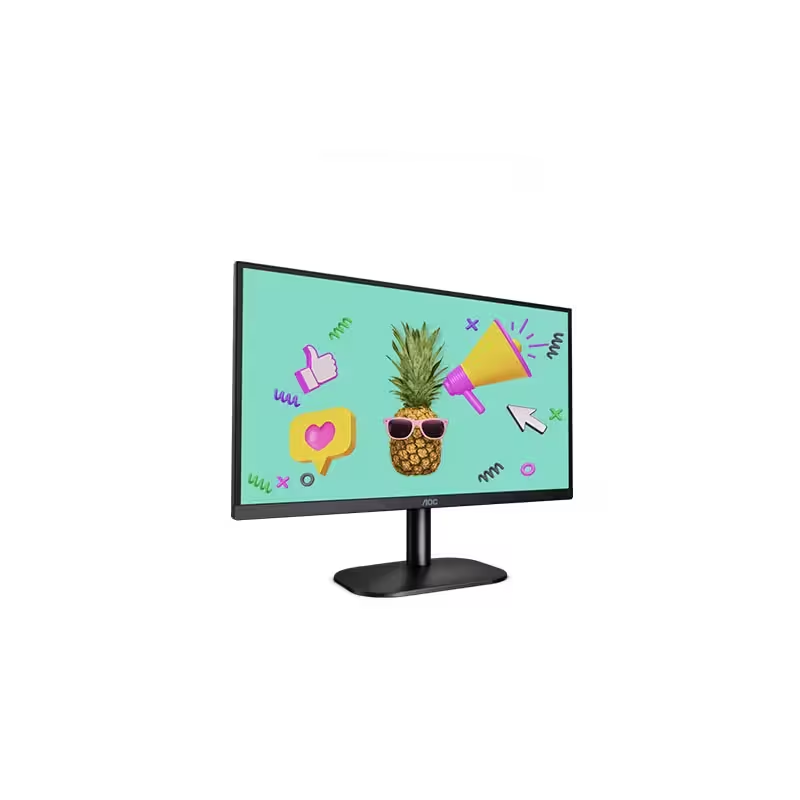
The ViewSonic 27″ 75Hz Monitor offers an exceptional viewing experience for both work and play. Its large 27-inch screen provides ample space for multitasking, gaming, and streaming. Featuring a full HD resolution, the ViewSonic 27″ 75Hz Monitor delivers crisp and clear visuals. Whether you’re editing photos, watching videos, or browsing the web, every detail comes to life with stunning clarity. The 75Hz refresh rate ensures smooth and fluid motion, reducing screen tearing and stuttering. This makes it perfect for fast-paced gaming and high-definition video playback. Designed with user comfort in mind, the ViewSonic 27″ 75Hz Monitor features an adjustable stand. You can easily tilt, swivel, and adjust the height to find the perfect viewing angle. The monitor’s slim bezel design provides an immersive viewing experience, minimizing distractions and maximizing screen space. This sleek and modern design complements any workspace or gaming setup. Equipped with multiple connectivity options, the ViewSonic 27″ 75Hz Monitor is versatile and compatible with various devices. It includes HDMI and VGA ports, making it easy to connect to your computer, gaming console, or other peripherals. The ViewSonic 27″ 75Hz Monitor also features built-in speakers for convenient audio playback. Enjoy clear and immersive sound without the need for external speakers. In conclusion, the ViewSonic 27″ 75Hz Monitor combines stunning visuals, smooth performance, and ergonomic design for an enhanced viewing experience. Upgrade to the ViewSonic 27″ 75Hz Monitor today and enjoy a perfect blend of work and play. Specifications: Display : 27″ IPS Resolution : FHD 1920 x 1080 Refresh Rate : 75Hz Response Rate : 1ms MRPT

Replacement Audio Board with IPD Cable for MacBook Air M1 2020 (A2337). Compatible with part numbers 820-01929-A, 821-03452-A, 923-03672, 923-03663, and more. Ideal for fixing audio issues, headphone jack problems, or sound board failures. The Audio Board with IPD Cable for MacBook Air (M1, 2020) is a high-quality replacement spare part designed to restore proper sound functionality on MacBook Air A2337 models. If your MacBook is experiencing no sound output, headphone jack issues, distorted audio, or audio board failure, this replacement board provides a reliable solution. It includes the required IPD cable for proper installation and connection, making it ideal for professional repairs and technician use. Replacement Audio Board + IPD Cable for MacBook Air M1 Fixes audio issues such as no sound, headphone jack failure, or audio distortion Includes IPD cable for correct connection and repair High-quality build for stable and long-term performance Ideal for technicians, repair shops, and spare part replacement Compatible with multiple Apple part numbers for easy matching ✔ MacBook Air (M1, 2020) A2337 Compatible only with MacBook Air A2337 (M1, 2020). Please match your device model and part number before ordering to ensure correct fit.

PCE M8-700 UPS (line-interactive) — 700 VA / 360 W backup unit for 220–240 V input. Protects PCs, routers, small electronics from outages and voltage swings. The PCE M8-700 is a line-interactive UPS designed for home or small office use. It provides backup power, voltage regulation (AVR), surge protection, and supports automatic switching during outages. Ideal for desktop PCs, network gear, monitors, or point-of-sale systems. Features & Capabilities Line-interactive topology: regulates input voltage without switching to battery when voltage fluctuates mildly. Automatic Voltage Regulation (AVR) to correct undervolt/overvolt conditions. Simulated (stepped) sine wave output in battery mode. Surge, overload, short circuit, discharge protections built in. Cold start capability (ability to power on from battery with no mains) LED + audible alarms for status (battery mode, overload, fault) USB / RS232 interface in some variants for power management (shutdown, monitoring) Technical Specifications What “Input 220–240 VAC, 50/60 Hz, 3.7 A” Means (and Caveats) If the specification you’re giving is “3.7 A” at input, that corresponds to a maximum input current draw when the UPS is handling a heavy load or during charging cycles. At 230 V × 3.7 A ≈ 850 W of input capacity. The unit’s 360 W output means there’s overhead for losses, inverter inefficiency, battery charging, etc. The UPS must operate within the stated voltage and frequency ranges — if input is too low or too high, it may switch to battery or go into protection mode.

Are you ready to take your gaming to the next level? Look no further than the Samsung Odyssey G5 32″ Curved Gaming Monitor. This cutting-edge monitor is designed to deliver an immersive gaming experience like no other. Featuring a stunning 32-inch curved display, the Samsung Odyssey G5 brings your games to life with vibrant colors and crystal-clear visuals. Whether you’re exploring virtual worlds or engaging in epic battles, every detail will be rendered with precision and clarity. With a lightning-fast 165Hz refresh rate, this monitor ensures buttery-smooth gameplay with no lag or stuttering. Say goodbye to screen tearing and motion blur, and hello to an ultra-responsive gaming experience. Equipped with AMD FreeSync technology, the Samsung Odyssey G5 syncs the monitor’s refresh rate with your graphics card, eliminating screen tearing and providing silky-smooth gameplay. Transitioning to its design, the Odyssey G5 features a sleek and stylish aesthetic that will complement any gaming setup. Its slim bezels and curved screen create an immersive viewing experience that pulls you into the action. Connectivity is key for gamers, and the Samsung Odyssey G5 doesn’t disappoint. With HDMI and DisplayPort inputs, you can easily connect your gaming PC, console, or other devices for maximum versatility. Furthermore, the Odyssey G5 comes with a range of gaming-centric features, including customizable gaming modes, black equalizer technology, and low input lag. Whether you’re playing fast-paced shooters or strategy games, you can tailor your gaming experience to suit your preferences. In summary, the Samsung Odyssey G5 32″ Curved Gaming Monitor is the ultimate choice for gamers who demand performance, immersion, and style. Upgrade your gaming setup today and experience gaming like never before. Specifications: Display : 32″ VA Curvature : 1000R Resolution : 2,560 x 1,440 Refresh Rate : 165Hz Response Rate : 1ms

The Samsung S3 S30GD 22″ 100Hz Monitor offers clear Full HD visuals on a compact 22-inch IPS display. Additionally, the panel delivers consistent colors and wide viewing angles, which makes it suitable for both work and entertainment. The 100Hz refresh rate also ensures smoother motion compared to standard displays. Moreover, Game Mode enhances contrast and visibility during videos and casual gaming. Therefore, scenes appear clearer and more detailed in darker areas. The monitor also includes Eye Saver Mode and flicker free technology, which help reduce eye strain during long sessions. Furthermore, the design is simple and practical for everyday setups. In addition, connectivity includes HDMI and VGA ports for easy connection to different devices. Overall, the Samsung S3 S30GD 22″ 100Hz Monitor is a reliable choice for daily use. Specifications: 22‑inch Full HD (1920 x 1080) IPS panel displays vivid colors and wide viewing angles. Smooth motion with up to 100Hz refresh rate for better video and game performance. Game Mode optimizes contrast and image settings for interactive content. Eye Saver Mode and flicker‑free technology help reduce eye strain during long sessions. Simple connectivity with one HDMI port and one D‑Sub (VGA) port.

HUAWEI IdeaHub B2 IHB2-86PU 86-inch conferencing display delivers clear 4K visuals for meetings and collaboration. It allows teams to share ideas effectively and work interactively. As a result, conferences become more productive and engaging. The display features zero-gap laminated glass and D-LED/IPS technology. Therefore, it offers sharp images and reduced glare. The 60Hz panel ensures smooth visuals during presentations. It supports up to 20 touch points with infrared multi-touch. In addition, smart handwriting recognition and annotation enable natural note-taking. Low latency writing ensures precise input with the magnetic stylus pens. The system includes a quad-core CPU, 4GB RAM, and 32GB storage. Consequently, it runs applications smoothly. It supports Android, Windows, iOS, and macOS for versatile use. It also includes key capabilities such as 4K UHD resolution, multi-touch interaction, smart annotation, dual Wi-Fi connectivity, and enhanced audio. HUAWEI IdeaHub B2 IHB2-86PU is designed to improve collaboration in professional environments. Specifications: 86-inch 4K UHD display with 3840 × 2160 resolution Supports up to 20 touch points with infrared multi-touch Zero-gap laminated glass with D-LED/IPS panel Low latency writing with smart annotation and magnetic pens Quad-core CPU with 4GB RAM, 32GB storage, and dual Wi-Fi

The Asus VA279HG22 27″ 120Hz Eye Care Gaming Monitor offers smooth visuals and great comfort for your eyes. Its 27-inch Full HD IPS screen displays rich colors and wide viewing angles for any setup. A 120Hz refresh rate delivers fluid motion, perfect for gaming or watching fast-paced videos. The 1ms MPRT response time reduces blur for clearer, sharper images. Adaptive-Sync technology helps remove screen tearing for a seamless gaming experience. You’ll enjoy smoother gameplay with less stuttering or lag. The monitor includes Flicker-Free and Low Blue Light features to reduce eye strain. Even after hours of use, your eyes stay more comfortable. An anti-glare screen improves visibility in bright or sunny environments. It’s ideal for work or play in any room. HDMI and VGA ports offer easy connection to your devices. You also get a headphone jack for private listening. The monitor has a slim, modern, and frameless design for a clean look. It fits into any gaming, work, or study space easily. Tilt adjustment allows you to set the perfect viewing angle. It’s also VESA mount compatible for flexible installation. You can customize settings using ASUS DisplayWidget Center software. Adjust brightness, color, and more with just a few clicks. GamePlus features like crosshair overlays and timers give an edge in competitive gaming. These tools help improve focus and reaction time. The Asus VA279HG22 27″ 120Hz Eye Care Gaming Monitor combines performance and comfort in one stylish display. It’s a great choice for gamers, students, and professionals. Specifications: Display : 27″ IPS Resolution : 1920×1080 Refresh Rate : 120Hz Response Rate : 1ms

GAMDIAS 7 Colour Backlit Gaming USB Mechanical Keyboard with 87 Keys, Blue Switches, Anti-ghosting, Multimedia Control Key with Metal Plate, Combo (Multicolour, Hermes E2) About this item Certified mechanical blue switches feature a 50 Million actuation lifecycle Neon Light Spectrum- 7 colors backlight Elegant metal plate mechanical keyboard for added durability N-key rollover Compact 87 Keys Keyboard : By using small tenkeyless keyboard can save the space, and also makes the keyboard and mouse to become closer, so you can maximize the comfort and accuracy of your operation

The Asus TUF Gaming VG27AQL3A 27″ 180Hz Gaming Monitor is a game-changer for gamers looking for smooth and immersive gameplay. With a large 27-inch screen, this monitor offers a stunning visual experience with sharp details and vibrant colors. It’s designed to enhance your gaming performance, whether you’re a casual gamer or a competitive player. The 180Hz refresh rate ensures ultra-smooth motion, allowing you to react faster and gain the upper hand in fast-paced games. This high refresh rate, combined with 1ms response time, reduces motion blur and ghosting, giving you a competitive edge. You can enjoy smoother visuals, especially in action-packed games. Featuring QHD resolution (2560×1440), the Asus TUF Gaming VG27AQL3A delivers crisp and clear images with rich colors. The monitor also supports HDR10, which brings enhanced contrast and vibrant colors, making your games look more realistic. The Adaptive Sync technology ensures that your monitor’s refresh rate matches your GPU’s output. This eliminates screen tearing and stuttering, providing a smoother gaming experience. Whether you’re gaming or streaming content, you’ll experience fluid and seamless visuals. The Ergonomic stand allows you to adjust the monitor’s height, tilt, and swivel, giving you maximum comfort during long gaming sessions. You can easily find the perfect viewing angle for your setup. Additionally, the Asus TUF Gaming VG27AQL3A is built to last. It features a durable design that can handle the demands of intense gaming, making it a reliable choice for gamers. Upgrade your gaming setup with the Asus TUF Gaming VG27AQL3A 27″ 180Hz Gaming Monitor and experience smoother, more vibrant gameplay. Specifications: Display : 27″ Fast IPS Resolution : QHD (2560×1440) Refresh Rate : 180Hz Response Rate : 1ms

The Cudy WR1300 AC1200 Router delivers fast and stable internet with dual-band WiFi speeds up to 1200Mbps. Designed for home and office use, it features Gigabit ports for high-speed wired connections and reliable coverage for streaming, gaming, and everyday browsing. AC1200 Dual Band WiFi – Combined speeds of up to 1200Mbps (300Mbps on 2.4GHz + 867Mbps on 5GHz) for smooth streaming and online gaming. Gigabit Ethernet Ports – Ultra-fast LAN/WAN ports ensure maximum wired performance for PCs, consoles, and smart TVs. Wide Coverage – Equipped with high-gain antennas to provide strong and stable WiFi signal throughout your home or office. Multiple Operating Modes – Supports Router, Access Point, and Repeater modes for flexible network setup. Easy Setup & Management – Simple web interface for quick installation and control. Secure Connection – Advanced wireless security with WPA/WPA2 encryption to keep your network safe. 1 × Gigabit WAN Port 4 × Gigabit LAN Ports Wi-Fi 2.4GHz & 5GHz Dual Band Ethernet (RJ45) Wireless Security (WPA/WPA2)

The Alienware AW3225QF 32″ 240Hz QD-OLED 4K Gaming Monitor is built for gamers who want top performance. It features a 32-inch curved QD-OLED screen that delivers vibrant colors, deep blacks, and wide viewing angles. With a 4K resolution of 3840 x 2160 and a blazing fast 240Hz refresh rate, gameplay feels smooth and detailed. Its ultra-low 0.03ms response time ensures every movement is crisp and fast with minimal blur. The screen has a gentle curve that wraps around your field of view, making gaming more immersive and natural. This design helps reduce eye strain and keeps you comfortable during long gaming sessions. NVIDIA G-SYNC and AdaptiveSync support keep gameplay fluid and responsive without screen tearing or stutter. It’s perfect for competitive gaming and fast-paced action where timing matters most. The monitor supports HDR with a peak brightness of up to 1000 nits, giving you deep contrast and lifelike images. Colors appear bright and accurate, enhancing your experience in both games and videos. It includes HDMI 2.1 and DisplayPort 1.4 for modern consoles and PCs, plus USB Type-C and USB 3.2 ports. These options make it easy to connect your devices, charge accessories, and stay organized. The stand adjusts for height, tilt, and swivel so you can find the perfect viewing angle. It’s also VESA mount compatible, giving you even more flexibility in your setup. The Alienware AW3225QF 32″ 240Hz QD-OLED 4K Gaming Monitor delivers elite visuals and features for serious gamers. Specifications: Display : 32″ QD-OLED Resolution : 4K UHD 3840 x 2160 Refresh Rate : 240Hz Response Time : 0.03ms

Used, original 35 W USB-C charger for Mac — reliable Apple power adapter (dual USB-C) for charging your Mac and other devices. This is an authentic Apple 35 W USB-C power adapter (dual-port) — used but tested. It’s built to charge MacBooks, iPhones, iPads, and other USB-C devices. Though lower wattage than larger Mac adapters, it works well for light use or supplemental charging. Features & Behavior Dual USB-C ports: can charge two devices simultaneously Intelligent power distribution: if both ports are used, the output splits evenly (~17.5 W each) USB Power Delivery support across standard profiles (5V, 9V, 15V, 20V) Accepts input 100-240V AC, so usable worldwide (with correct plug) Compact form factor in one variant, or standard “duckhead” plug style in another Specifications Strengths & Limitations Pros Authentic Apple unit — safer and more reliable than generic chargers Dual ports give flexibility — charge phone + Mac concurrently Portable and suitable for travel (universal voltage) Cons 35 W is low for MacBook Pro under load — might not maintain charging during heavy use When both ports used, power is halved (~17.5 W each) Used condition may include wear, scuffs, or reduced efficiency
