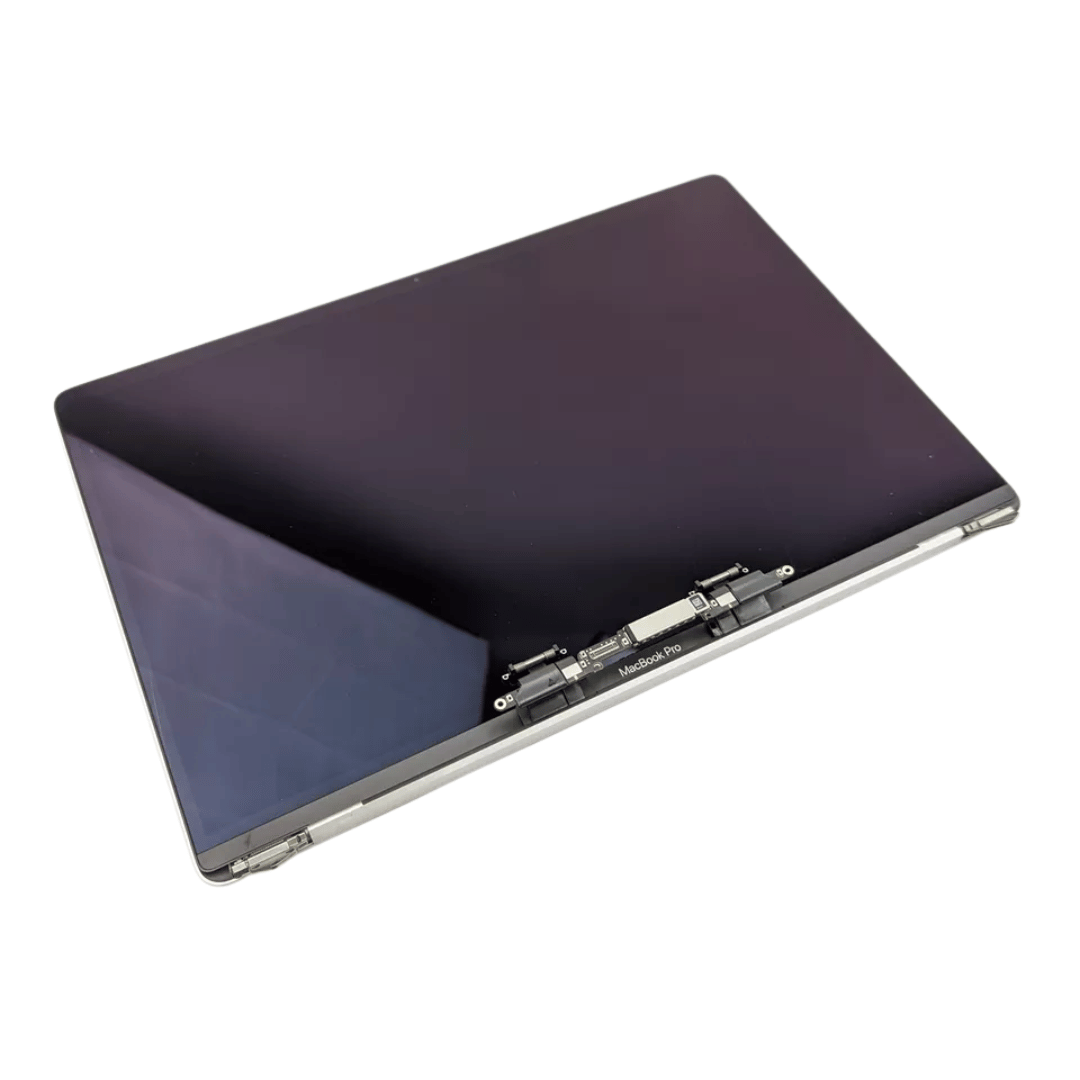

Boost your daily productivity with the Lenovo ThinkPad E14 Gen 2, featuring a powerful 11th Gen Intel Core i5 processor. With flexible configurations of up to 16GB RAM and a fast 512GB NVMe SSD, this 14-inch business laptop offers the perfect blend of performance, security, and legendary ThinkPad durability

VSTAR UA80 800VA UPS | Compact Power Backup | 230V Output | Battery Included | For PCs, Routers, POS & More | Universal Outlet Design | Available in Black | Model UPS-U80 Reliable 800VA Power CapacityThe VSTAR UA80 delivers dependable 800VA of backup power—ideal for protecting home or office equipment from sudden power loss and voltage fluctuations. Compact & Efficient DesignSleek and space-saving, this unit fits easily into tight workspaces or under desks without sacrificing performance. Universal Output SocketEquipped with universal-style outlets, allowing compatibility with a wide variety of plugs and devices including PCs, routers, POS systems, and more. Steady 230V OutputProvides consistent 230V output, helping to keep electronics safe during sags, surges, and outages. Easy OperationPlug-and-play functionality with intuitive indicators for power status and battery mode—no complicated setup required. Backup Battery IncludedShips ready to use with internal battery installed. Offers enough runtime to safely power down or continue short-term tasks during outages. Ideal for Light LoadsPerfect for use with routers, modems, home surveillance systems, basic desktops, and point-of-sale devices. Durable Plastic EnclosureBuilt with sturdy, insulated plastic to ensure safety, lightweight portability, and long-term durability. Trusted VSTAR QualityBacked by VSTAR’s reputation for reliability in affordable UPS power protection.

Authentic UK layout keyboard replacement for MacBook Air 13″ (Model A2338, 2020)—featuring Apple’s Magic Keyboard with scissor-switch mechanism, backlighting, and precise OEM fit for reliable performance and typing comfort. Compatible With: MacBook Air 13-inch (2020, Model A2338) – includes both Intel (Core i3/i5/i7) and Apple M1 chip variants. Layout: UK English (QWERTY) with £ symbol, tall vertical Enter key, and standard UK key labeling—exactly matches Apple’s original UK regional keyboard. Keyboard Type: Apple’s Magic Keyboard with scissor-switch mechanism—delivering quiet, responsive keystrokes, 1mm key travel, and greater long-term reliability than Butterfly keyboards. Integrated Features: Backlit keys for dim environments, ambient light sensor compatibility, and factory-matched ribbon cable for seamless connection to the logic board. Precision Build: Engineered to OEM specifications for exact alignment, key spacing, and tactile feedback—ensures a flush, secure fit within the original top case. Installation Note: The keyboard is glued into the top case and requires complete disassembly for replacement. Professional tools and adhesive are needed for proper reinstallation. Recommended for skilled technicians only.

Genuine-spec touchpad flex cable for MacBook Pro 16″ (Model A2141, 2019, Intel)—essential for restoring full Force Touch functionality, haptic feedback, and precise multi-touch gesture control during trackpad repair or replacement. Compatible With: MacBook Pro 16-inch (2019, Model A2141) with Intel Core i7/i9 processors (Model Identifier: MacBookPro16,1) (Note: A2141 is the non-base configuration of the 2019 16″ MacBook Pro—typically higher-end Intel models.) Part Type: Touchpad flex cable only—does not include the trackpad housing, Taptic Engine, or mounting hardware. This is the OEM-style ribbon cable that connects the trackpad to the logic board. Function: Transmits touch coordinates, Force Touch pressure data, and haptic feedback signals—critical for macOS gestures (e.g., Force Click, three-finger lookup, pinch-to-zoom) and Taptic Engine responsiveness. OEM-Quality Construction: Replicated to Apple’s exact specifications—including cable length, connector pitch, EMI shielding, and bend radius—ensuring reliable signal integrity and long-term durability. Common Use Cases: Replacing a torn, creased, or liquid-damaged original flex cable Completing a trackpad replacement when the original cable is compromised Fixing intermittent trackpad behavior, loss of Force Touch, or complete unresponsiveness Replacing a torn, creased, or liquid-damaged original flex cable Completing a trackpad replacement when the original cable is compromised Fixing intermittent trackpad behavior, loss of Force Touch, or complete unresponsiveness Installation Note: Requires full disassembly of the bottom case, speaker removal, and careful routing beneath the battery and logic board. Connectors use ZIF (Zero Insertion Force) sockets—must be aligned and latched gently. Recommended for certified or professional repair technicians only. Important: This is flex cable only—not a complete trackpad assembly. Must be used with the original or compatible A2141 trackpad and Taptic Engine. Not compatible with M1 MacBook Pro 16″ (A2485), 14″ models (A2442), or any MacBook Air. This is flex cable only—not a complete trackpad assembly. Must be used with the original or compatible A2141 trackpad and Taptic Engine. Not compatible with M1 MacBook Pro 16″ (A2485), 14″ models (A2442), or any MacBook Air. Model Verification: Confirm your device is MacBook Pro A2141 (16″, 2019, Intel) via > About This Mac > Model Identifier (should read MacBookPro16,1).

Gaming-optimized in-ear headphones in bold red, featuring a built-in microphone, tangle-free flat cable, and signature HyperX comfort—designed for mobile gaming, console use, and on-the-go communication. Model: HyperX Cloud Earbuds (Red Edition) Color: Vibrant Red earbuds with matching red cable accents Type: In-ear headphones with integrated microphone Designed For: Mobile gaming (iOS/Android), Nintendo Switch, PC, and everyday use Key Features: Built-in Microphone: Clear voice pickup for in-game chat, calls, and voice commands Tangle-Free Flat Cable: Durable, lightweight, and resistant to knots Ergonomic Fit: Includes 3 sizes of silicone ear tips (S/M/L) for secure, comfortable wear Universal 3.5mm Jack: Compatible with any device with a standard headphone/mic combo port Works with Nintendo Switch, PC, smartphones, tablets, and more Gaming-Grade Audio: Tuned for immersive sound with enhanced bass and vocal clarity In-Line Controls: Convenient mic mute and call answer/end button Built-in Microphone: Clear voice pickup for in-game chat, calls, and voice commands Tangle-Free Flat Cable: Durable, lightweight, and resistant to knots Ergonomic Fit: Includes 3 sizes of silicone ear tips (S/M/L) for secure, comfortable wear Universal 3.5mm Jack: Compatible with any device with a standard headphone/mic combo port Works with Nintendo Switch, PC, smartphones, tablets, and more Works with Nintendo Switch, PC, smartphones, tablets, and more Gaming-Grade Audio: Tuned for immersive sound with enhanced bass and vocal clarity In-Line Controls: Convenient mic mute and call answer/end button Technical Specifications: Driver Size: 14.2 mm Frequency Response: 20 Hz – 20 kHz Impedance: 60 Ω Sensitivity: 100 dB Cable Length: 1.2 m (3.9 ft) Connector: 3.5mm 4-pole (CTIA standard) Driver Size: 14.2 mm Frequency Response: 20 Hz – 20 kHz Impedance: 60 Ω Sensitivity: 100 dB Cable Length: 1.2 m (3.9 ft) Connector: 3.5mm 4-pole (CTIA standard) What’s in the Box: HyperX Cloud Earbuds (Red) 3 pairs of silicone ear tips (S/M/L) Carrying pouch Quick start guide HyperX Cloud Earbuds (Red) 3 pairs of silicone ear tips (S/M/L) Carrying pouch Quick start guide Ideal For: Mobile gamers (PUBG Mobile, Call of Duty, Fortnite, etc.) Nintendo Switch players Commuters and students needing compact, durable audio Gamers seeking console-compatible audio with mic support Mobile gamers (PUBG Mobile, Call of Duty, Fortnite, etc.) Nintendo Switch players Commuters and students needing compact, durable audio Gamers seeking console-compatible audio with mic support

0G74G Laptop Battery Replacement for Dell Latitude 5300 2-in-1 5310 7300 7400 Series Notebook OG74G 02PFPW 2PFPW 3KF82 8JYHH 11.4V 42Wh 3-Cell About this item Specification: Battery type: Li-ion. Color: Black. Voltage: 11.4V. Capacity: 42Wh/3Cell. New from Manufacturer Replace Part Number: For MXV9V 0G74G 00G74G 2PFPW 3KF82 8JYHH Compatible Models: Replacement for Dell Latitude 5300 E5300 / 5300 2-in-1 / 5310 E5310 / 5310 2-in-1 / 7300 E7300 / 7400 E7400 Series (Important Note: NOT fit for latitude 7400 2-in-1 Series) Note: The Dell laptop models on this product page are compatible with 2 battery models: 0G74G (42Wh 3-Cell 11.4V) , MXV9V(60Wh 4-Cell 7.6V). Please open the back cover of your laptop to check the original battery size and capacity before placing an order. Make sure that the battery model you need is 0G74G (42Wh 3-Cell 11.4V). Note: If the new battery is not recognized during the initial installation, please reinstall and check if the interface is fully connected. Discharge the new battery to 10-20% (not 0%), then charge and cycle 3-4 times to wake up the new battery

Genuine-spec touchpad flex cable for MacBook Air 13″ (Model A1932, 2018–2019)—essential for restoring full Force Touch functionality, haptic feedback, and precise multi-touch gesture control during trackpad repair or replacement. Compatible With: MacBook Air 13-inch (2018 & 2019, Model A1932, Model Identifier MacBookAir8,1) with Intel Core i5/i7 processors. Part Type: Touchpad flex cable only—does not include the trackpad housing, Taptic Engine, or mounting hardware. This is the OEM-style ribbon cable that connects the trackpad to the logic board. Function: Transmits touch input, Force Touch pressure data, and haptic feedback signals—critical for macOS gestures like Force Click, three-finger lookup, pinch-to-zoom, and smooth cursor tracking. OEM-Quality Build: Matches Apple’s original in length, connector pitch, EMI shielding, and flexibility—ensures reliable signal integrity and long-term durability. Common Use Cases: Replacing a torn, creased, or liquid-damaged original flex cable Completing a trackpad replacement when the original cable is unusable Fixing intermittent trackpad behavior, loss of Force Touch, or complete unresponsiveness Replacing a torn, creased, or liquid-damaged original flex cable Completing a trackpad replacement when the original cable is unusable Fixing intermittent trackpad behavior, loss of Force Touch, or complete unresponsiveness Installation Note: Requires full bottom case removal and careful routing beneath the battery. The cable connects via a ZIF (Zero Insertion Force) socket on the logic board—must be properly aligned and latched without force. Recommended for experienced or certified technicians. Important: This is flex cable only—not a complete trackpad assembly. Must be used with the original or compatible A1932 trackpad and Taptic Engine. Not compatible with MacBook Air M1 (A2337/A2338), M2 (A2681/A2941), or any MacBook Pro model. This is flex cable only—not a complete trackpad assembly. Must be used with the original or compatible A1932 trackpad and Taptic Engine. Not compatible with MacBook Air M1 (A2337/A2338), M2 (A2681/A2941), or any MacBook Pro model.

Non-slip, skid-proof rubber feet designed to perfectly fit MacBook Air models A1466, A1369, and A1370—restoring grip, stability, and protection for your laptop’s base. Keep your MacBook Air steady and scratch-free with these high-quality replacement rubber feet, engineered to match the original Apple design for MacBook Air models A1466 (2010–2017), A1369 (11″ 2010–2011), and A1370 (11″ 2011–2015). These skid-proof rubber feet provide excellent traction on desks, tables, and other smooth surfaces, preventing unwanted sliding during typing or use. Made from durable, soft-touch silicone-rubber material, they also help protect your laptop’s bottom case from scratches and reduce vibration noise. Each set includes all necessary feet (typically 5 per MacBook Air model) with pre-applied adhesive for easy, secure installation. The matte black finish blends seamlessly with your MacBook’s original aesthetic. Ideal for restoring worn, missing, or damaged feet—whether due to age, cleaning, or accidental removal—this is a simple, affordable way to maintain your MacBook’s functionality and appearance. Note: Surface must be clean and dry for optimal adhesion. For best results, gently warm the adhesive before applying.

REMAX RT-E601 1200MAH TIME II SERIES EYE-CARING LED LAMP Function— Use the power key to turn on/ off the lamp. Tap the power key to adjust the brightness of the lamp (brightest-normal-dimmest-off) four steps are easy to use. When folding the design lamp holder and arm can rotate the angle within a range of 180 degrees up-down adjustment. Press and hold “Mode” Set” Up” Donkey enter normal time mode, alarm clock and snooze mode, birthday reminder mode timer mode, and temperature mode. Time changes 12 hours/24 hours mode and adjusting the hours, minutes, year, month,t,h, and day. Temperature can change to Celsius or Fahrenheit. The red light will be on when it starts charging, and the red light will go out when it is fully charged. Material—ABS+PC Rated voltage—DC5V /0.5A lighting Mode—Direct glow Key Type—Touch key Luminous flux—250m Color rendering index—>80 Rated power—4W Battery Capacity—1200mAh Weight—346g Charging port—Micro SIZE—87*87*263mmCharging time—4-4:30hour Working time—3:30hour

BATTERY ACER AC14B8K Battery 4ICP5/57/80 for Acer Aspire R5-571T R5-471T R7-371 R7-371T R3-131T ES1-511 ES1-512 ES1-531 E3-112 Chromebook CB5-571 CB3-531 Swift 3 SF314-51 SF314-52 Nitro 5 AN515-51 Aspire 5 A515-51 About this item Compatible for Acer AC14B8K 4ICP5/57/80 KT0030G.004 KT.0040G.004 3ICP5/57/80 Battery Compatible Models for Acer Chromebook CB5-571 CB5-571-C1DZ CB5-571-C4G4 CB3-531 CB3-531-C4A5, Acer Aspire R3-131T R3-131T- P344 R5-571T R5-571T-59DC R5-571TG R5-431T R5-471T R5-571TG-7229 R5-471T-51UN R5-571T-59DC R7-371T R7-372T, Acer Aspire 5 A515-51 A515-51G, Acer Aspire V3-371 E3-111 E3-112 ES1-111 ES1-131 ES1-511 ES1-731 ES1-711-P1UV E5-771, Acer Nitro 5 AN515-51 AN515-52 AN515-53, Acer Swift 3 SF314-51 SF314-52 SF314-52G, Acer Spin SP111-31 battery AC14B8K Laptop Battery SPECS: Battery Type: Li-polymer, Voltage: 15.2V, Capacity: 3220mAh, Cells: 4 cells, 100% Brand New. Packages include: 1x for Acer Battery AC14B8K with safety box. Safety Control: FLYTEN has its factory so we can control strictly the production. There are professional engineers to ensure batteries’ quality and safety. All our AC14B8K batteries have passed strict intelligent detection, such as short circuit protection, over-voltage protection, discharge protection, and over-current protection, which ensure both safety and stability. CE-/FCC-/RoHS-Certified. Warranty: Rest assured with 60 days Refund and 12 months Warranty. Since Amazon return windows will close after one month, don’t worry about it, you can click on Seller Store in the right corner “ask a question” and contact Seller Us directly! We are always here for you to solve your problems!

OEM-spec trackpad replacement (without flex cable) for MacBook Air 15.3″ M2 (Model A2941, EMC 8301) in Silver finish—engineered for precise Force Touch response, smooth multi-touch gestures, and seamless integration with the original chassis. Compatible With: MacBook Air 15.3-inch (2023, Model A2941, EMC 8301) with Apple M2 chip. Part Type: Trackpad only—does not include the flex cable, Taptic Engine, or mounting brackets. Designed for technicians who will reuse or transfer the original internal components. Finish: Silver—matches the original Silver and Starlight lower case for perfect visual continuity. Force Touch Support: Fully compatible with pressure-sensitive input and haptic feedback when used with the original Taptic Engine and logic board—no loss of functionality. Precision Build: Mirror-smooth glass surface with exact curvature, texture, and micro-click mechanism matching Apple’s OEM standards for consistent tracking and tactile feel. Installation Requirements: Requires full bottom case disassembly and careful transfer of the original flex cable and Taptic Engine. Proper adhesive application is essential to maintain structural rigidity and sensor alignment. Recommended for professional or certified repair technicians only.

New A1989 A1990 Keyboard US Standard Replacement for MacBook Pro 13'' 15''A1990 A1989 Keyboard 2018/2019 Year New A1989 A1990 Keyboard US Standard Replacement for MacBook Pro 13” 15”A1990 A1989 Keyboard 2018/2019 Year New A1989 A1990 Keyboard US Standard Replacement for MacBook Pro 13” 15”A1990 A1989 Keyboard 2018/2019 Year We have Perfect after-sales services We share the latest information on laptop spare parts For all our customers. This is NOT an easy job for someone who has no technical skills with Disassembling or Assembling a laptop, So only purchase this item if you know how to install it. Each Keyboard is tested before shipping and working.

LENOVO 11.1V or 11.4V 24Wh 68 Laptop Battery 0C52861 45N1124 45N1775 45N1126 45N1127 For Lenovo ThinkPad X240 X240S X250 X260 X270 T440 T440S T450 T450S T460 T460P T470P T550 T560 W550 L450 L460 About this item Battery Type: 3-Cell Lithium-Ion Voltage &Capacity :11.1V 24Wh 2.09AH or 11.4V 24Wh 2.06Ah , in fact , 11.1V is same as 11.4V , because one cell voltage is 3.7V or 3.8V . SANISI Concept: The customer is god, Product Quality and Service must be perfect! We will let every customer feel satisfied Package Contents: 1 pcs Brand New Battery

Genuine-spec Touch Bar assembly with integrated flex cable for 2020 MacBook Pro 13″ models (A2251, A2289, A2338)—restores full Touch ID and Touch Bar functionality with OEM-level fit and performance. Compatible With: MacBook Pro 13″ (2020): A2251 (Intel Core i5/i7, two Thunderbolt ports) A2289 (Intel Core i5/i7, four Thunderbolt ports) A2338 (Apple M1 chip, two Thunderbolt ports) MacBook Pro 13″ (2020): A2251 (Intel Core i5/i7, two Thunderbolt ports) A2289 (Intel Core i5/i7, four Thunderbolt ports) A2338 (Apple M1 chip, two Thunderbolt ports) A2251 (Intel Core i5/i7, two Thunderbolt ports) A2289 (Intel Core i5/i7, four Thunderbolt ports) A2338 (Apple M1 chip, two Thunderbolt ports) Includes: Complete Touch Bar module with integrated flex cable, Touch ID sensor, and ambient light sensor—ready for direct connection to the logic board. Functionality: Fully restores dynamic Touch Bar controls, system functions, app shortcuts, and Touch ID (fingerprint authentication and power button). OEM-Quality Build: Matches Apple’s original design in responsiveness, finish, and sensor alignment—ensures seamless integration with macOS. Color Options: Available in Space Gray and Silver to match your MacBook’s top case (confirm your model’s color before ordering). Installation Note: Requires full top case disassembly and careful handling of adhesive and connectors. The flex cable routes under the speakers and connects near the logic board—precision is essential. Recommended for experienced technicians.

Brand Lenovo Compatible Devices Laptops Input Voltage 240 Volts Mounting Type Wall Mount Wattage 90 watts Output Voltage 20 Volts Current Rating 4.5 Amps Lenovo 90W Slim Tip Ac Adapter (Original)

Battery Replacement for A1819 MacBook Pro 13" A1706 Late 2016 Mid 2017 MLH12LL MLH12LL/A MLH12LL/A MPXV2LL MPXV2LL/A MPXV2LL/A Battery Replacement for A1819 MacBook Pro 13″ A1706 Late 2016 Mid 2017 MLH12LL MLH12LL/A MLH12LL/A MPXV2LL MPXV2LL/A MPXV2LL/A 【Technical Details:】 Model Number: A1819; Battery type: Li-ion; Voltage: 11.1V; Capacity: 4300mAh 49.02Wh,Condition: brand new 【Compatible with:】 Mid 2017 MacBook Pro 13-inch Series: MacBook Pro 13 inch Touch A1706(Mid 2017); MacBook Pro 13 inch A1706(EMC 3163) (Mid 2017); MacBook Pro 13-inch MPXV2LL/A or MPXW2LL/A or MPXX2LL/A or MPXY2LL/A 【Compatible with:】MacBook Pro 13 inch Touch A1706(Late 2016); MacBook Pro 13 inch A1706(EMC 3071) (Late 2016); MacBook Pro 13-inch MLH12LL/A or MLVP2LL/A or MNQF2LL/A or MNQG2LL/A 【Compatible with:】2016 2017 MacBook Pro 13″ Four Thunderbolt 3 Ports A1706 model: MacBook Pro 13″ Touch i5 2.9GHz A1706(Late 2016); MacBook Pro 13″ Touch i5 3.1GHz A1706(Late 2016); MacBook Pro 13″ Touch i5 3.1GHz A1706(Mid 2017); MacBook Pro 13″ Touch i5 3.3GHz A1706(Mid 2017); MacBook Pro 13″ Touch i7 3.3GHz A1706(Late 2016); MacBook Pro 13″ Touch i7 3.5GHz A1706(Mid 2017)

The Lenovo 65W USB-C Adapter (20V 3.25A) provides fast and reliable charging for Lenovo laptops and USB-C devices. Compact, durable, and ideal as a replacement or travel charger. ⚡ 65W Fast Charging: Delivers 20V 3.25A output for efficient laptop charging. 🔌 USB-C Connector: Compatible with USB-C powered Lenovo laptops and devices. 👜 Compact & Travel-Friendly: Lightweight design ideal for office, home, or travel use. 🔒 Built-In Protection: Over-voltage, over-current, and short-circuit protection for safe charging. 🧩 OEM-Compatible: Works with many Lenovo ThinkPad, ThinkBook, and IdeaPad models. 🛠️ Durable Build: High-quality cable and adapter construction for long-term use.

Genuine-spec touchpad flex cable for MacBook Pro 13″ (Model A2338, 2020, Apple M1)—essential for restoring full Force Touch functionality, haptic feedback, and precise multi-touch gesture control during trackpad repair or replacement. Compatible With: MacBook Pro 13-inch (2020, Model A2338, Model Identifier MacBookPro17,1) with Apple M1 chip (2 Thunderbolt ports). Part Type: Touchpad flex cable only — does not include the trackpad housing, Taptic Engine, or mounting hardware. This is the OEM-style ribbon cable that connects the trackpad to the logic board. Function: Transmits: Touch input coordinates Force Touch pressure data Haptic feedback signals to the Taptic Engine Enables full macOS gesture support: Force Click, three-finger lookup, swipe navigation, pinch-to-zoom, and smooth cursor tracking. Touch input coordinates Force Touch pressure data Haptic feedback signals to the Taptic Engine Enables full macOS gesture support: Force Click, three-finger lookup, swipe navigation, pinch-to-zoom, and smooth cursor tracking. OEM-Quality Build: Matches Apple’s original specifications in: Cable length and routing Connector pitch and ZIF latch design EMI shielding and flex durability Cable length and routing Connector pitch and ZIF latch design EMI shielding and flex durability Common Use Cases: Replacing a torn, creased, or liquid-damaged original flex cable Completing a trackpad replacement when the original cable is compromised Fixing intermittent trackpad behavior, loss of Force Touch, or complete unresponsiveness Replacing a torn, creased, or liquid-damaged original flex cable Completing a trackpad replacement when the original cable is compromised Fixing intermittent trackpad behavior, loss of Force Touch, or complete unresponsiveness Installation Note: Requires full bottom case removal and battery disconnection. Cable routes under internal components near the right speaker and logic board. Connects via a ZIF (Zero Insertion Force) socket—must be aligned carefully and latched gently. Recommended for experienced or certified technicians only. Requires full bottom case removal and battery disconnection. Cable routes under internal components near the right speaker and logic board. Connects via a ZIF (Zero Insertion Force) socket—must be aligned carefully and latched gently. Recommended for experienced or certified technicians only. Important Compatibility Notes: ✅ Only for A2338 (13″, M1, 2020) ❌ Not compatible with: Intel-based A2251 / A2289 (2020) MacBook Air M1 (A2337) Any MacBook Air or 14″/16″ MacBook Pro ✅ Only for A2338 (13″, M1, 2020) ❌ Not compatible with: Intel-based A2251 / A2289 (2020) MacBook Air M1 (A2337) Any MacBook Air or 14″/16″ MacBook Pro Intel-based A2251 / A2289 (2020) MacBook Air M1 (A2337) Any MacBook Air or 14″/16″ MacBook Pro

The Apple Magic Mouse (USB-C version) is a sleek, minimalist multi-touch wireless mouse built for Mac users. It offers smooth gesture support, Bluetooth connectivity and a built-in rechargeable battery — a great choice if you prefer a clean desk setup and full compatibility with macOS and iPadOS. General Name: Magic Mouse (USB-C) — part of Apple’s pointing-device lineup. Wireless connectivity: Bluetooth. Rechargeable battery: built-in, no disposable AA cells. Charging / port: USB-C port (bottom of mouse) for pairing and charging. Compatibility: Requires a Mac with macOS 15.1 or later, or an iPad with iPadOS 18.1 or later. Size & Weight Height: ~0.85 inch (2.16 cm) Width: ~2.25 inch (5.71 cm) Depth: ~4.47 inch (11.35 cm) Weight: ~0.22 pound (0.099 kg) (varies slightly by manufacturing) Features Multi-Touch surface: supports gestures such as swiping between pages, scrolling through documents, zooming. Glide / foot design: optimized for smooth movement across desktop surfaces. Rechargeable battery life: about a month or more between charges (typical use) per Apple spec. Used Condition ConsiderationsSince you’re specifying a used unit: Check for wear on the bottom feet / skates — these degrade and affect glide. Verify battery capacity / health (rechargeable batteries age). Confirm the port is functioning (USB-C) and Bluetooth connectivity is stable. Look for signs of excessive surface scratches on the multi-touch top — may impair gestures. Ensure the firmware / Mac recognizes it fully (gestures working). Upgradability / Limitations Not user-upgradable: You cannot replace the internal battery or change internals easily. Design limitation: The USB-C port remains on the bottom of the mouse, meaning you cannot use it while charging unless you flip it. This design is still criticized. Ergonomics: The flat, low-profile design is stylish but may not suit extended-use comfort for some users.

Tabletop Desk Metal Stand for lPad/Tablet/Mobile Phones-Adjustable Multi Angle Long Arm-Device 3.5~10.6 inches- Office, Home, Watching Movie, Drawing, Live Streaming Stand Holder is suitable for tablets and cell phones whose size of 3.5 to 10.6 inches. 【Flexible】- stand mount with long arm can adjust freely in multi angle. Its head can be rotated 360 degrees. That’s stable and durable. 【Many suitable occasions】- Play online recipes, Baking Crafting Demo Video. In bedroom: Enjoy your free time to watch online movies, videos, browsing, YouTube, TikTok etc. In office: Participate in online meeting, and as a desk organizer to clean the office environment. 【Strong design】-Tablet Stand adjustable has a high-end metal extended arm and a clamp clip that can be easily operated with one hand and a charging hole reserved. 【LIVE stream equipment】- Place the tablet and cell phone stand on the desktop and then you can live streaming showing upper body that very convenient to avoid blurring caused by hand-shake..
