
The Apildella Portable Monitor 15.6″ FHD UFYQL gives you clear visuals in a slim and light design. It delivers sharp Full HD resolution for work and entertainment. The screen shows bright colors and smooth images. This makes documents, videos, and games look clear and detailed. Moreover, the Apildella Portable Monitor 15.6″ FHD UFYQL connects easily through USB-C and HDMI. These ports give you quick and simple setup. You can use the monitor without extra adapters. This helps you save time and reduce cable clutter. In addition, the monitor works with laptops, phones, tablets, and gaming consoles. This wide compatibility allows you to use it anywhere. You can work during travel, play games on the go, or extend your desktop. It offers strong flexibility for daily use. Furthermore, the Apildella Portable Monitor 15.6″ FHD UFYQL features a thin frame with a clean design. It fits easily in backpacks and bags. The monitor is lightweight, and this makes it easy to carry. It is a great tool for students and professionals. Also, the monitor includes built-in speakers for simple audio use. They deliver clear sound for calls and videos. The screen also reduces eye strain with eye-care features. This helps you use the monitor comfortably for long hours. The smart cover of the Apildella Portable Monitor 15.6″ FHD UFYQL protects the screen during travel. It also works as a foldable stand. You can set the monitor at different angles for better viewing. This makes work and entertainment more enjoyable. Overall, the Apildella Portable Monitor 15.6″ FHD UFYQL offers portability, clarity, and convenience in one device. It improves productivity and entertainment anywhere you go. It is perfect for travel, study, work, and gaming. Specifications: Display : 15.6″ IPS Resolution : FHD 1920×1080 Refresh Rate : 60Hz Response Time : 5ms

The MSI MAG 32C6X 32″ 250Hz Curved Gaming Monitor is built for gamers who demand speed and immersion. It features a large 32-inch curved VA panel that wraps around your vision for a deeper gaming experience. The 1500R curvature provides a natural and comfortable view, perfect for long sessions. With a stunning 250Hz refresh rate, the MSI MAG 32C6X 32″ 250Hz Curved Gaming Monitor delivers ultra-smooth gameplay. Every frame feels fluid, making fast-paced action scenes look incredibly sharp. The 1ms response time ensures reduced motion blur and ghosting, keeping you ahead in competitive games. Thanks to AMD FreeSync technology, screen tearing and stuttering are minimized for a flawless experience. The monitor’s Full HD resolution offers crisp details without overloading your graphics card. Vivid colors and sharp contrasts enhance every scene, whether gaming or watching movies. The MSI MAG 32C6X 250Hz Curved Gaming Monitor features a stylish design with slim bezels that fit into any gaming setup. It comes equipped with DisplayPort and HDMI inputs, making connectivity simple and fast. Night Vision technology brightens dark areas, helping you spot hidden enemies without washing out the image. It also includes anti-flicker technology and a low blue light mode to reduce eye strain during long gaming marathons. In summary, the MSI MAG 32C6X 32″ 250Hz Curved Gaming Monitor combines speed, clarity, and comfort, making it a great choice for serious gamers who want the best. Specifications: Display : 31.5″ VA Resolution : 1920 x 1080 (FHD) Refresh Rate : 250Hz Response Rate : 1ms (MPRT) Curvature : Curve 1500R

The ViewSonic VP2768A 2K 27″ monitor delivers professional-grade color accuracy for creators. First, it features Pantone validation and factory-calibrated colors for precise visuals. The monitor offers 2560×1440 resolution, 60Hz refresh rate, and ergonomic adjustments. In addition, it supports multiple connectivity options including HDMI, DisplayPort, and USB-C for flexible setups. Moreover, slim bezels and an anti-glare panel provide a comfortable viewing experience. Therefore, designers, photographers, and video editors can work with consistent colors and enhanced productivity. Specifications: 27″ 2K display with Pantone-validated color for accurate visuals 60Hz refresh rate and ergonomic adjustments for comfortable use Multiple connectivity options: HDMI, DisplayPort, USB-C Anti-glare panel and slim bezels for a better viewing experience Factory-calibrated colors enhance workflow for designers and editors

The AOC Q27G11SE is a 27-inch 2K gaming monitor designed for ultra-smooth and responsive gameplay. First, its 2560 × 1440 resolution delivers sharp visuals and detailed images. The 320Hz refresh rate ensures extremely fluid motion during competitive gaming. In addition, the 0.3ms response time reduces motion blur and ghosting. Moreover, adaptive sync technology enhances smooth performance without screen tearing. The high refresh panel improves reaction speed in fast-paced games. Furthermore, the modern slim design fits perfectly into gaming setups and desks. Finally, the AOC Q27G11SE combines 2K clarity, 320Hz performance, and ultra-fast response in one competitive display. Overall, it is ideal for esports players and serious gamers. Specifications: 27-inch 2560 × 1440 2K resolution 320Hz ultra-fast refresh rate 0.3ms rapid response time Adaptive sync for tear-free gaming Slim modern gaming design

REMAX RB-M73 5.3 VENATTLE SERIES WIRELESS PORTABLE MUSIC WAR DRUM SPEAKER Powerful Sound with 60W Speaker: Experience room-filling, dynamic sound that captures every musical detail. Dynamic Audio Drivers: Dual bass speakers and tweeters harmonize for highs and lows that sing.** TWS Interconnection: Sync over a thousand units for simultaneous audio bliss. Dynamic RGB Lighting: Watch your music dance with multi-color lights synced to every beat. Emergency Power Backup: Stay charged with convenient USB charging capabilities for those critical moments.**

The BenQ PD2706U 27″ 4K 60Hz Monitor is crafted for designers and content creators who demand color accuracy and clarity. Its 27-inch IPS panel delivers a 3840×2160 resolution, ensuring sharp visuals and detailed imagery. With 95% DCI-P3, 100% sRGB, and 100% Rec.709 color space coverage, this monitor offers vibrant and true-to-life colors. Factory calibration ensures Delta E ≤ 3, providing consistent color accuracy across projects. The PD2706U supports HDR10 and VESA DisplayHDR 400, enhancing dynamic range for more realistic images. Its anti-glare screen and 178° viewing angles ensure comfortable viewing in various lighting conditions. Connectivity is streamlined with a 90W USB-C port, HDMI 2.0, and DisplayPort 1.4, facilitating easy integration with multiple devices. The built-in KVM switch allows control of two systems using one keyboard and mouse setup. Ergonomic features include height adjustment, tilt, swivel, and pivot, enabling users to customize their viewing experience for comfort. The monitor’s sleek design complements modern workspaces. Additional features like Low Blue Light and Flicker-Free technology reduce eye strain during extended use. The included Hotkey Puck G2 provides quick access to frequently used settings. In summary, the BenQ PD2706U 27″ 4K 60Hz Monitor combines high-resolution display, accurate color reproduction, and user-friendly features, making it an excellent choice for creative professionals. Specifications: Display : 27″ IPS Resolution : 4K (3840×2160) Refresh Rate : 60Hz Response Time : 5ms Speaker : Integrated

The Acer V226HQL widescreen LCD monitor offers reliable everyday performance for home and office use. It features a 21.5‑inch display with clear visuals and wide viewing angles, making it suitable for work, school tasks, or streaming content. As a result, you can enjoy crisp text and vibrant colors without strain. In addition, the monitor provides fast response times for smooth motion during videos and light gaming. Furthermore, its slim profile and narrow bezels help maximize screen space while fitting easily into most desk setups. The monitor also includes key connectivity options, so you can connect laptops, desktops, and media players quickly and without extra adapters. Overall, the Acer V226HQL balances essential features with dependable visual performance. Therefore, it is a smart choice for users seeking an affordable and functional widescreen display for everyday computing. Specifications: 21.5‑inch widescreen LCD display for clear visuals Fast response time for smooth motion Slim profile with narrow bezels Essential connectivity for multiple devices Reliable everyday performance for home and office use

Genuine-spec US layout keyboard replacement for MacBook Pro 13″ (Model A1466, Late 2015–Early 2016)—featuring traditional scissor-switch mechanism, backlighting, and full OEM compatibility for reliable, comfortable typing. Compatible With: MacBook Pro 13-inch non-Touch Bar models: Late 2015 (Intel Core i5/i7, Retina, A1466, Model Identifier MacBookPro12,1) Early 2016 (Intel Core i5/i7, Retina, A1466, MacBookPro13,1) Late 2015 (Intel Core i5/i7, Retina, A1466, Model Identifier MacBookPro12,1) Early 2016 (Intel Core i5/i7, Retina, A1466, MacBookPro13,1) Layout: Standard US English (QWERTY) with full-size keys, inverted-T arrow keys, and dedicated function row (F1–F12). Keyboard Type: Traditional scissor-switch mechanism—not Butterfly or Magic Keyboard—known for durability, deeper key travel, and tactile feedback. Integrated Features: Backlit keys for low-light use, ambient light sensor support, and OEM-style ribbon cable for direct logic board connection. Build & Fit: Precision-engineered to match Apple’s original dimensions and mounting points—ensures flush alignment within the top case and consistent key height. Installation Note: Keyboard is secured with screws and minimal adhesive (unlike later glued models), making replacement more accessible. Still requires full top case disassembly and battery disconnect. Suitable for intermediate to advanced technicians.

Genuine-spec battery flex cable for MacBook Pro models A2159 (16", 2019), A1708 (13", 2016–2017), and A2338 (13", 2020 M1)—restores critical communication between the battery and logic board for proper power-on, charging, and macOS battery status. Genuine-spec battery flex cable for MacBook Pro models A2159 (16″, 2019), A1708 (13″, 2016–2017), and A2338 (13″, 2020 M1)—restores critical communication between the battery and logic board for proper power-on, charging, and macOS battery status. Carries SMBus (System Management Bus) signals from the battery to the logic board Enables: Accurate battery percentage and health reporting in macOS Proper charging control (start/stop, thermal throttling) Power-on capability (MacBooks will not boot without this connection) Prevention of “Battery Not Charging” or “Service Battery” errors Accurate battery percentage and health reporting in macOS Proper charging control (start/stop, thermal throttling) Power-on capability (MacBooks will not boot without this connection) Prevention of “Battery Not Charging” or “Service Battery” errors MacBook won’t turn on (even with a good battery) Battery shows “–%”, 0%, or “Not Charging” Random shutdowns under load macOS displays “No Battery Available” Logic board powers fans or lights but no display output Battery flex cable only (with OEM-style connector and strain relief) ❌ Does not include: battery, logic board, or trackpad Requires full bottom case removal and battery disconnection Connects via a ZIF or press-fit socket on the logic board Must be routed precisely to avoid tension or micro-tears Highly recommended for experienced or certified technicians—improper installation can cause permanent power or battery communication failure

lenovo battery L16L2PB2 L16M2PB1 L16S2PB2 L16C2PB2 Laptop Notebook Battery for Lenovo 5000-15 2ICP6/55/90 Series 7.4V 30Wh 4050mAh About this item Condition: New Voltage: 7.4V Capacity: 30Wh/4050mAh Replace Part Number: L16M2PB1 L16L2PB2 L16M2PB2 L16S2PB1 L16L2PB3 L16C2PB1 L17L2PF1 L17M2PB7 L16C2PB2 L16L2PB1 L16M2PB3 2ICP6/55/90 Fit For: Lenovo 5000-15 Series Raise the battery life: 1: After receiving the battery, Please charge it fully, discharge it to around 10, and do it three times. 2: If you don’t use the battery for a long time, please charge and discharge it once a month

Elevate Your Gaming with the ViewSonic VX2728 27” 180Hz Gaming Monitor – Simple, Smooth, and Immersive! Are you searching for a monitor that can elevate your gaming experience? Look no further than the ViewSonic VX2728 27” opens 165 to 180Hz Fast IPS Gaming Monitor, designed to provide a simple, smooth, and immersive gaming experience. First and foremost, let’s talk about simplicity. Setting up this gaming monitor is a breeze. With straightforward instructions, you’ll have your high-quality gaming display ready to go in no time. No need for complicated technical knowledge. therefore One of the standout features of the ViewSonic VX2728 is its impressive 180Hz refresh rate. This means that you can enjoy incredibly smooth and responsive gameplay, free from annoying screen tearing and lag. It’s gaming made easy. The Fast IPS panel on this monitor ensures vibrant colors and wide viewing angles, making your games come to life. You don’t need to be a tech expert to appreciate the stunning visuals that this monitor offers. This gaming monitor has been designed with user-friendliness in mind. It comes with a simple interface that allows you to customize settings such as brightness and contrast easily. No need to navigate complex menus. Additionally, the monitor boasts ultra-slim bezels that minimize distractions, providing an immersive gaming experience. With your focus squarely on the game, you’ll find yourself performing at your best. In conclusion, the ViewSonic VX2728 27” 180Hz Fast IPS Gaming Monitor offers simplicity, smooth gameplay, and an immersive experience. With easy setup, stunning visuals, and user-friendly features, it’s the ideal choice for gamers of all levels. Elevate your gaming experience with the ViewSonic VX2728 today. you can always check here and if you like to see other options you can check here ! Specifications: Fast IPS Display with HDR10 AMD FreeSync™ Premium for smooth gameplay VESA AdaptiveSync for tear-free gaming experience 1 year warranty

The Lenovo Legion R24e is a 23.8-inch Full HD gaming monitor designed for smooth competitive gameplay and responsive visual performance. It uses an IPS panel with a high refresh rate for improved motion clarity and wide viewing angles. Additionally, its slim NearEdgeless design fits modern gaming and workstation setups. This monitor delivers a 1920 × 1080 resolution with up to 180Hz refresh rate support. Moreover, it features a 0.5ms MPRT response time to reduce motion blur during fast-paced gaming sessions. The Lenovo Legion R24e also supports AMD FreeSync technology for smoother gameplay with reduced screen tearing. The IPS panel provides 99% sRGB color coverage and wide 178-degree viewing angles for accurate and consistent image quality. Therefore, the monitor works well for gaming, streaming, and everyday multimedia tasks. It also includes anti-glare screen treatment for improved viewing comfort. The Lenovo Legion R24e includes HDMI 2.1 TMDS and DisplayPort 1.4 connectivity for gaming PCs and consoles. Additionally, the ergonomic stand supports tilt, swivel, pivot, and height adjustment for flexible positioning. VESA mount compatibility also allows wall or monitor arm installation. Community feedback highlights the monitor’s strong color quality, smooth refresh rate performance, and good value for competitive gaming setups. Specifications: 23.8-inch Full HD IPS gaming display 180Hz refresh rate for smooth gameplay 0.5ms MPRT response time for reduced blur AMD FreeSync support for tear-free visuals Ergonomic stand with height, tilt, swivel, and pivot adjustment

The Alienware AW2723DF 27″ 280Hz Gaming Monitor is made for gamers who want smooth performance and sharp visuals. It features a 27-inch Fast IPS screen with QHD resolution (2560 x 1440) for detailed and vibrant images. With a 240Hz native refresh rate, overclockable to 280Hz via DisplayPort, it delivers incredibly fluid motion. Its 1ms response time keeps gameplay sharp, reducing blur during intense action. It supports AMD FreeSync Premium Pro and is G-SYNC compatible, helping to eliminate screen tearing and stuttering. This ensures a smooth experience across all types of games. The display offers 100% sRGB and 95% DCI-P3 color coverage, making colors rich and lifelike. It also supports HDR with 600-nit brightness, which improves contrast and light detail. For connectivity, it includes two HDMI 2.0 ports, one DisplayPort 1.4, four USB 3.2 Gen 1 ports, and audio out, giving you flexible connection options. A built-in USB hub helps manage your accessories with ease. The stand supports height, tilt, swivel, and pivot adjustments for ergonomic comfort. You can also mount it using VESA compatibility, giving you more control over your setup. Extra features include AlienFX lighting, Picture-in-Picture (PiP) and Picture-by-Picture (PbP) modes. These tools enhance your multitasking and customization. In short, the Alienware AW2723DF is a powerful gaming monitor that combines speed, color accuracy, and versatility for both competitive play and creative work. Specifications: Display : 27″ Fast IPS Resolution : QHD 2560 x 1440 Refresh Rate : 280Hz Response Time : 1ms

Genuine-spec touchpad flex cable for MacBook Pro 13″ (Model A1502, Mid 2014)—restores full trackpad functionality, including precise cursor control and physical click response. Essential for repairing unresponsive or erratic trackpad behavior. Compatible With: MacBook Pro 13-inch (Mid 2014, Model A1502, Model Identifier MacBookPro11,1) with Intel Core i5/i7 processors and Retina display. Part Type: Touchpad flex cable only — does not include the trackpad housing, button mechanism, or mounting hardware. This is the ribbon cable that connects the trackpad to the logic board. Function: Transmits cursor movement and click signals (left/right physical clicks) Supports standard multi-touch gestures (two-finger scroll, tap-to-click, pinch-to-zoom) ⚠️ Note: This model uses a physical click mechanism—not Force Touch (no haptic feedback or pressure sensitivity). Transmits cursor movement and click signals (left/right physical clicks) Supports standard multi-touch gestures (two-finger scroll, tap-to-click, pinch-to-zoom) ⚠️ Note: This model uses a physical click mechanism—not Force Touch (no haptic feedback or pressure sensitivity). OEM-Quality Build: Matches Apple’s original in: Cable length and routing path Connector type and pin alignment Insulation and flexibility for long-term reliability Cable length and routing path Connector type and pin alignment Insulation and flexibility for long-term reliability Common Use Cases: Replacing a torn, frayed, or corroded original flex cable Fixing: Unresponsive or intermittent trackpad Cursor jumping or drifting Click function failure (left or right) Complete trackpad disconnect Replacing a torn, frayed, or corroded original flex cable Fixing: Unresponsive or intermittent trackpad Cursor jumping or drifting Click function failure (left or right) Complete trackpad disconnect Unresponsive or intermittent trackpad Cursor jumping or drifting Click function failure (left or right) Complete trackpad disconnect Installation Note: Requires bottom case removal and battery disconnect. Connects via a ZIF (Zero Insertion Force) socket on the logic board—do not force. Cable routes under the battery; handle with care to avoid strain. Suitable for intermediate to advanced DIYers or technicians. Requires bottom case removal and battery disconnect. Connects via a ZIF (Zero Insertion Force) socket on the logic board—do not force. Cable routes under the battery; handle with care to avoid strain. Suitable for intermediate to advanced DIYers or technicians.

TE03XL Battery TE03061XL for HP Omen 15-ax000:15-ax033dx 15-ax210nr 15-ax001ns;HP Pavilion 15-bc000:15-bc008tx and More 849910-850 849570-541 542 543 HSTNN-UB7A TPN-Q173-11.55V 61.6Wh 3-Cell About this item Specifications: – Battery type: Li-ion || Voltage: 11.55VV|| Capacity: 61.6Wh || Cells: 3-cell Compatible Models: – HP Omen 15-ax000:(15-ax000~15-ax099);HP Pavilion 15-BC000 Series (15-bc000~099;15-bc300~399) Replacement Part Number: – HP TE03XL HSTNN-UB7A TPN-Q173 TE03061XL 849910-850 849570-541 849570-542 849570-543 3ICP7/65/80Replacment Part Number: – HP TE03XL HSTNN-UB7A TPN-Q173 TE03061XL 849910-850 849570-541 849570-542 849570-543 3ICP7/65/80 Easy Installation: The replacement process is straightforward and provides our tools.

A4Tech KRS-8372 USB Keyboard QWERTY English Black

HP P22V G5 Monitor Overview The HP P22V G5 is a 22-inch Full HD monitor designed for daily work and home use. It offers reliable performance and a clean design. As a result, it suits offices, students, and remote workers. 22-Inch Full HD Display This monitor features a 22-inch Full HD resolution. Therefore, text appears sharp and easy to read. Moreover, images look clear and well-defined. Because of this, it supports long working sessions comfortably. In addition, the screen size fits well on most desks. As a result, it saves space without sacrificing clarity. 75Hz Refresh Rate for Smooth Viewing The monitor supports a 75Hz refresh rate. As a result, scrolling feels smoother than standard displays. Furthermore, everyday tasks look more fluid. This makes it suitable for office work and casual entertainment. Eye Comfort and Productivity The HP P22V G5 includes eye comfort features. Therefore, it helps reduce eye strain during long use. In addition, the anti-glare screen improves visibility. As a result, users stay focused throughout the day. Connectivity and Compatibility This monitor includes HDMI and VGA ports. As a result, it connects easily to modern and older devices. Moreover, it supports a wide range of PCs and laptops. Therefore, setup is quick and simple. Design and Mounting Options The monitor features a clean and professional design. In addition, it supports VESA mounting. As a result, users can create a flexible workspace. Everyday Use and Reliability This monitor delivers stable performance for daily tasks. Moreover, it focuses on durability and efficiency. In conclusion, it is a practical choice for work environments. Specifications: Display : 21.45″ VA Resolution : FHD (1920 X 1080) Refresh Rate : 75 Hz Response Rate : 5ms GtG

Are you in search of a reliable monitor that combines functionality and style? Look no further than the LG DualUp 28″ Monitor. This comprehensive review will delve into its features, highlighting why it’s an excellent choice for both work and play. Firstly, the dual-screen capabilities of the LG 28″ Monitor provide a seamless multitasking experience. Boost your productivity by effortlessly managing multiple applications side by side, streamlining your workflow. The sleek design of this monitor not only adds a touch of sophistication to your workspace but also ensures practicality. Its slim bezels and adjustable stand contribute to a clutter-free and ergonomic setup, promoting comfort during extended use. With a crisp 4K UHD resolution, this monitor delivers stunning visuals, making it ideal for both work and entertainment. Enjoy sharp images and vibrant colors for a truly immersive experience, whether you’re editing documents or watching your favorite movies. Connectivity is a breeze with the LG 28″ Monitor. Multiple ports, including HDMI and USB-C, offer versatile options for connecting various devices. Say goodbye to cable clutter and hello to a streamlined and organized workspace. The inclusion of reader mode and flicker-safe technology prioritizes your eye health during prolonged use. Reduce eye strain and fatigue, ensuring a comfortable viewing experience for extended periods. In conclusion, the LG DualUp 28″ Monitor is a versatile and stylish addition to any workspace. Its dual-screen capabilities, sleek design, and advanced features make it a top choice for those seeking an enhanced computing experience. Upgrade your setup with the LG DualUp 28″ Monitor today! Specifications: Display : 28″ Nano IPS Resolution : SDQHD (2560 x 2880) Refresh Rate : 60hz Response Time : 5ms GTG

The Samsung 24 inch 120Hz Essential Monitor S3 S32GF delivers smooth visuals with a Full HD display and fast refresh rate. Additionally, the 120Hz panel improves motion clarity, which makes it suitable for daily tasks and light gaming. The slim design also fits easily into modern workspaces. Moreover, the monitor uses a quality panel that provides consistent colors and clear details from different viewing angles. Therefore, it supports both productivity and entertainment use. Eye Saver Mode and flicker free technology also help reduce eye strain during long sessions. Furthermore, connectivity is simple and practical with HDMI and VGA inputs for flexible device support. In addition, the monitor is easy to set up and use for home or office environments. Overall, the Samsung 24 inch 120Hz Essential Monitor S3 S32GF is a reliable everyday display. Specifications: 24 inch Full HD display delivers clear and sharp visuals for daily use 120Hz refresh rate provides smoother motion for videos and light gaming Eye Saver Mode and flicker free technology help reduce eye strain Slim and modern design fits easily into home or office setups HDMI and VGA connectivity allow easy connection to multiple devices

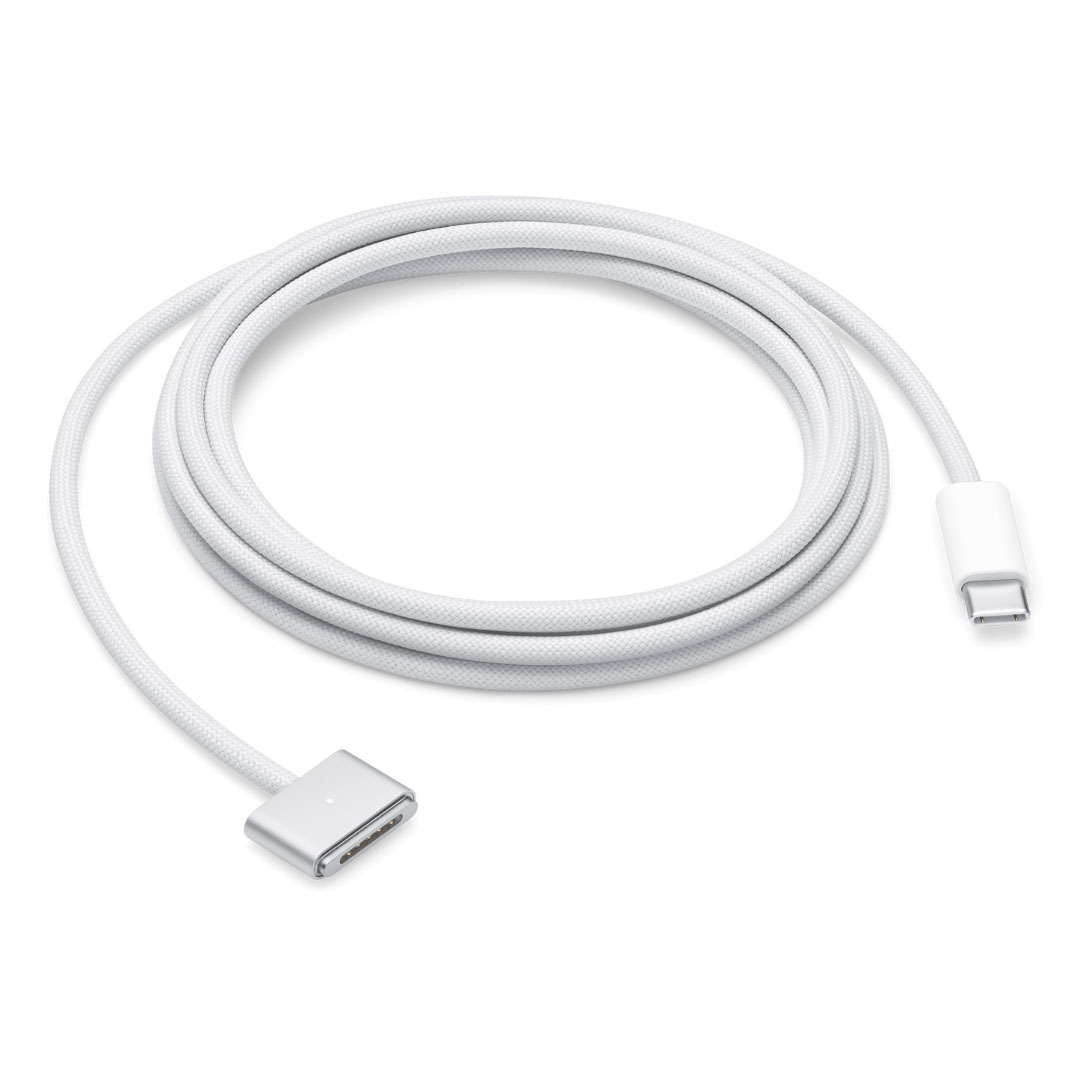
Apple 60W MagSafe Power Adapter (for MacBook and 13-inch MacBook Pro) The 60 Watt MagSafe Power Adapter features a magnetic DC connector that ensures your power cable will disconnect if it experiences undue strain and helps prevent fraying or weakening of the cables over time. In addition, the magnetic DC helps guide the plug into the system for a quick and secure connection. When the connection is secure, an LED located at the head of the DC connector will light up; an amber light lets you know that your portable is charging, while a green light tells you that you have a full charge. An AC lead is provided with the adapter for maximum lead length, while the AC wall adapter (also provided) gives users an even easier and more compact way to travel. Designed to be the perfect travelling companion, the adapter has a clever design that allows the DC cable to be wound neatly around itself for easy cable storage. This power adapter recharges the lithium polymer battery while the system is off, on, or in sleep mode. It also powers the system if you choose to operate without a battery. Compatible with MacBook and 13-inch MacBook Pro. See this article for more details about choosing the right one. Knowing which specific Mac model you have is important. If you are running OS X Lion (10.7) or later, go to the “” menu at the top left of your screen, choose “About this Mac” then click the “More Info…” button. Your Mac model and generation will be displayed. If you are running an earlier version of OS X, you can enter your serial number here to find out which model you have.
