
WiWU ZM‑901 – Sturdy foldable aluminum stand with adjustable angles and silicone pads, weighing just 900 g.Enhances posture, airflow, and workspace ergonomics while staying compact and travel-friendly. Model: WiWU ZM‑901 Material: Metal (aluminum/carbon steel) frame with silicone pads for grip Dimensions (Folded): 260 × 225.5 × 53 mm Package Size: 290 × 250 × 50 mm Net Weight: Approx. 900 g Compatibility: Fits laptops, tablets, and smartphones up to ~17 ” (some listings note 15.6″ limit, but device capacity varies) Features: Adjustable angle configuration, detachable foldable design for portability, silicone surface pads for anti-slip and vibration reduction Build & Design: Durable yet lightweight, crafted to enhance airflow and promote ergonomic posture

The ViewSonic XG2431 24″ 240 Hz gaming monitor delivers ultra‑smooth motion for fast‑paced games and everyday use. Its Full HD panel shows sharp images and crisp text, making work, media, and gameplay easy to see. In addition, the 240 Hz refresh rate significantly reduces motion blur, helping you react faster in competitive games. Furthermore, the monitor includes adaptive sync support to reduce screen tearing and keep visuals smooth during intense scenes. It also offers a quick response time to cut down on ghosting and keep action sharp. In addition, the ergonomic stand lets you adjust tilt and height for comfortable viewing during long sessions. Therefore, this monitor fits both gaming setups and work desks with ease. Overall, the ViewSonic XG2431 combines fast motion, clear visuals, and solid connectivity in a reliable 24″ design. Specifications: 24″ Full HD display with clear, crisp visuals 240 Hz refresh rate for ultra‑smooth motion Adaptive sync to reduce screen tearing Fast response time for sharp action Adjustable ergonomic stand and solid connectivity

The Samsung 55″ OLED 4K S90F Vision AI Smart TV | QA55S90FAUXTW delivers strong picture quality with OLED technology. It produces deep blacks, bright colors, and high contrast. As a result, movies, sports, and games look more realistic and detailed. The 55-inch size also works well in most rooms while still giving an immersive view. Samsung Vision AI improves both picture and sound in real time. It analyzes what you are watching and adjusts settings automatically. Therefore, brightness, color, and sharpness stay balanced in every scene. In addition, AI upscaling improves lower-resolution content and brings it closer to 4K quality. The OLED panel uses self-lit pixels, so each part of the screen is controlled precisely. This improves dark scenes and keeps bright areas clear. HDR also increases contrast and color depth. As a result, images look more natural and dynamic. Fast motion in sports and action scenes also appears smoother and clearer. The TV runs on Samsung’s Smart TV system, which gives access to streaming apps, games, and smart home control. It is simple to use and responds quickly. In addition, the slim design and thin borders make the screen look modern and clean in any space. Overall, this Samsung OLED TV combines strong picture quality, smart AI features, and easy connectivity. It is designed for users who want a high-quality and smooth entertainment experience at home. Specifications: OLED technology delivers deep blacks, vivid colors, and exceptional contrast Vision AI optimizes picture and sound quality in real time 4K UHD resolution provides sharp and highly detailed visuals HDR support enhances brightness, contrast, and color performance Smart TV platform offers streaming apps and smart home connectivity

Genuine-spec touchpad flex cable for MacBook Pro 13″ (Model A2338, 2020, Apple M1)—essential for restoring full Force Touch functionality, haptic feedback, and precise multi-touch gesture control during trackpad repair or replacement. Compatible With: MacBook Pro 13-inch (2020, Model A2338, Model Identifier MacBookPro17,1) with Apple M1 chip (2 Thunderbolt ports). Part Type: Touchpad flex cable only — does not include the trackpad housing, Taptic Engine, or mounting hardware. This is the OEM-style ribbon cable that connects the trackpad to the logic board. Function: Transmits: Touch input coordinates Force Touch pressure data Haptic feedback signals to the Taptic Engine Enables full macOS gesture support: Force Click, three-finger lookup, swipe navigation, pinch-to-zoom, and smooth cursor tracking. Touch input coordinates Force Touch pressure data Haptic feedback signals to the Taptic Engine Enables full macOS gesture support: Force Click, three-finger lookup, swipe navigation, pinch-to-zoom, and smooth cursor tracking. OEM-Quality Build: Matches Apple’s original specifications in: Cable length and routing Connector pitch and ZIF latch design EMI shielding and flex durability Cable length and routing Connector pitch and ZIF latch design EMI shielding and flex durability Common Use Cases: Replacing a torn, creased, or liquid-damaged original flex cable Completing a trackpad replacement when the original cable is compromised Fixing intermittent trackpad behavior, loss of Force Touch, or complete unresponsiveness Replacing a torn, creased, or liquid-damaged original flex cable Completing a trackpad replacement when the original cable is compromised Fixing intermittent trackpad behavior, loss of Force Touch, or complete unresponsiveness Installation Note: Requires full bottom case removal and battery disconnection. Cable routes under internal components near the right speaker and logic board. Connects via a ZIF (Zero Insertion Force) socket—must be aligned carefully and latched gently. Recommended for experienced or certified technicians only. Requires full bottom case removal and battery disconnection. Cable routes under internal components near the right speaker and logic board. Connects via a ZIF (Zero Insertion Force) socket—must be aligned carefully and latched gently. Recommended for experienced or certified technicians only. Important Compatibility Notes: ✅ Only for A2338 (13″, M1, 2020) ❌ Not compatible with: Intel-based A2251 / A2289 (2020) MacBook Air M1 (A2337) Any MacBook Air or 14″/16″ MacBook Pro ✅ Only for A2338 (13″, M1, 2020) ❌ Not compatible with: Intel-based A2251 / A2289 (2020) MacBook Air M1 (A2337) Any MacBook Air or 14″/16″ MacBook Pro Intel-based A2251 / A2289 (2020) MacBook Air M1 (A2337) Any MacBook Air or 14″/16″ MacBook Pro

Genuine-spec touchpad flex cable for MacBook Pro 13″ (Model A2289, 2020, Intel)—restores full Force Touch functionality, haptic feedback, and preci multi-touch gesture control. OEM-quality replacement for damaged or faulty original cables. Compatible With: MacBook Pro 13-inch (2020, Four Thunderbolt Ports, Model A2289, Model Identifier MacBookPro16,2) with Intel Core i5/i7 processors. Part Type: Touchpad flex cable only — does not include the trackpad housing, Taptic Engine, or mounting hardware. This is the OEM-style ribbon cable that connects the trackpad to the logic board. Function: Transmits: Touch input coordinates Force Touch pressure data Haptic feedback signals to the Taptic Engine Enables full macOS gesture support: Force Click, three-finger lookup, swipe navigation, pinch-to-zoom, and smooth cursor tracking. Touch input coordinates Force Touch pressure data Haptic feedback signals to the Taptic Engine Enables full macOS gesture support: Force Click, three-finger lookup, swipe navigation, pinch-to-zoom, and smooth cursor tracking. OEM-Quality Build: Matches Apple’s original specifications in: Cable length and routing path Connector pitch and ZIF latch design EMI shielding and flex durability Cable length and routing path Connector pitch and ZIF latch design EMI shielding and flex durability Common Use Cases: Replacing a torn, creased, or liquid-damaged original flex cable Completing a trackpad replacement when the original cable is unusable Fixing: Intermittent or erratic trackpad behavior Loss of Force Touch or haptic feedback Complete trackpad unresponsiveness Replacing a torn, creased, or liquid-damaged original flex cable Completing a trackpad replacement when the original cable is unusable Fixing: Intermittent or erratic trackpad behavior Loss of Force Touch or haptic feedback Complete trackpad unresponsiveness Intermittent or erratic trackpad behavior Loss of Force Touch or haptic feedback Complete trackpad unresponsiveness Installation Note: Requires full bottom case removal and battery disconnection. Cable routes under internal components (speaker, logic board)—must follow original path. Connects via ZIF (Zero Insertion Force) socket—align carefully, never force. Recommended for experienced or certified technicians only. Requires full bottom case removal and battery disconnection. Cable routes under internal components (speaker, logic board)—must follow original path. Connects via ZIF (Zero Insertion Force) socket—align carefully, never force. Recommended for experienced or certified technicians only. Important Compatibility Notes: ✅ Only for A2289 (13″, 4 Thunderbolt ports, 2020, Intel) ❌ Not compatible with: A2251 (2 Thunderbolt ports, 2020) A2338 (M1 MacBook Pro, 2020) Any MacBook Air or 14″/16″ MacBook Pro ✅ Only for A2289 (13″, 4 Thunderbolt ports, 2020, Intel) ❌ Not compatible with: A2251 (2 Thunderbolt ports, 2020) A2338 (M1 MacBook Pro, 2020) Any MacBook Air or 14″/16″ MacBook Pro A2251 (2 Thunderbolt ports, 2020) A2338 (M1 MacBook Pro, 2020) Any MacBook Air or 14″/16″ MacBook Pro

Are you in need of a reliable monitor for your daily tasks? Look no further than the ViewSonic 24″ 60Hz monitor. With its sleek design and impressive features, it’s the perfect companion for work, gaming, and entertainment. First and foremost, let’s talk about the display quality. This monitor boasts a 24-inch screen size, providing ample space for multitasking without compromising clarity. Whether you’re editing documents, watching videos, or playing games, every detail is crisp and clear. Furthermore, with a refresh rate of 60Hz, you’ll experience smooth and fluid motion in fast-paced scenes. Say goodbye to motion blur and enjoy seamless gameplay, smooth scrolling, and lag-free video playback. In addition, the ViewSonic monitor offers versatile connectivity options. With HDMI and VGA inputs, you can easily connect to your PC, laptop, gaming console, or other devices. Switch between tasks effortlessly and enjoy hassle-free setup. Moreover, ergonomic design features ensure comfortable viewing for extended periods. Adjustable tilt allows you to find the perfect angle for your workspace, reducing eye strain and fatigue. Enhance your productivity and comfort with this user-friendly monitor. In conclusion, the ViewSonic 24″ 60Hz monitor combines superior display quality, smooth performance, and versatile connectivity in a sleek and ergonomic design. Whether you’re working, gaming, or watching movies, elevate your viewing experience with ViewSonic. Specifications: Display : 24″ IPS Resolution : 1920×1080 FHD Refresh Rate : 60Hz Response Rate : 5ms

A durable and versatile pre-owned Lenovo ThinkPad T470 with 14" touchscreen, 6th Gen Core i5, 8GB RAM, and 256GB SSD—ideal for professionals who need reliability, touch functionality, and trusted ThinkPad performance.

The Samsung 27″ G60SD QHD OLED Gaming Monitor delivers ultra-fast performance and stunning visuals. First, it features a QHD OLED panel with deep blacks and vibrant colors. The monitor offers a 360Hz refresh rate and ultra-low response time for smooth gameplay. In addition, it supports high performance gaming with sharp details and fluid motion. Moreover, the ergonomic design allows height and tilt adjustments for comfort. Therefore, gamers can enjoy competitive play with fast response, clear visuals, and immersive performance. Specifications: 27″ QHD OLED panel delivers deep blacks and vibrant colors 360Hz refresh rate ensures ultra-smooth and responsive gameplay Ultra-low response time reduces motion blur in fast-paced games Ergonomic design with height and tilt adjustment for comfort High-performance display enhances competitive gaming experience

Genuine-spec touchpad flex cable for MacBook Pro 13″ (Model A2251, 2020, Intel)—essential for restoring full Force Touch functionality, haptic feedback, and precise multi-touch gesture control during trackpad repair or replacement. Compatible With: MacBook Pro 13-inch (2020, Two Thunderbolt Ports, Model A2251, Model Identifier MacBookPro16,1) with Intel Core i5/i7 processors. Part Type: Touchpad flex cable only—does not include the trackpad housing, Taptic Engine, or mounting hardware. This is the OEM-style ribbon cable that connects the trackpad to the logic board. Function: Transmits: Precise touch coordinates Force Touch pressure data Haptic feedback signals to the Taptic Engine Enables full macOS gesture support including Force Click, three-finger lookup, swipe navigation, and inertial scrolling. Precise touch coordinates Force Touch pressure data Haptic feedback signals to the Taptic Engine Enables full macOS gesture support including Force Click, three-finger lookup, swipe navigation, and inertial scrolling. OEM-Quality Build: Matches Apple’s original specifications in: Cable length and routing Connector pitch and ZIF latch design EMI shielding and flex durability Cable length and routing Connector pitch and ZIF latch design EMI shielding and flex durability Common Use Cases: Replacing a torn, creased, or liquid-damaged original flex Completing a trackpad replacement when the original cable is compromised Fixing intermittent trackpad behavior, loss of Force Touch, or complete unresponsiveness Replacing a torn, creased, or liquid-damaged original flex Completing a trackpad replacement when the original cable is compromised Fixing intermittent trackpad behavior, loss of Force Touch, or complete unresponsiveness Installation Note: Requires full bottom case removal and partial disassembly (including battery disconnect). Cable routes under the right speaker and logic board—must be seated in original retention channels. Connects via ZIF (Zero Insertion Force) socket—align carefully and latch gently. Recommended for experienced or certified technicians only. Requires full bottom case removal and partial disassembly (including battery disconnect). Cable routes under the right speaker and logic board—must be seated in original retention channels. Connects via ZIF (Zero Insertion Force) socket—align carefully and latch gently. Recommended for experienced or certified technicians only.

The Samsung 27″ Odyssey G3 G30D FHD 180Hz Gaming Monitor LS27DG302 delivers smooth and responsive visuals with a Full HD (1920 × 1080) resolution and a 180 Hz refresh rate, which enhances motion clarity in fast‑paced games and videos. Additionally, it features a 1 ms (MPRT) response time for minimal motion blur, helping reduce ghosting during competitive play. The ergonomic stand allows tilt, swivel, pivot, and height adjustments for flexible viewing positions. Moreover, the monitor supports AMD FreeSync technology that helps reduce screen tearing and stuttering by synchronizing the display refresh rate with compatible GPUs. Therefore, gaming scenes and action appear more fluid. It also includes features such as Black Equalizer for improved visibility in dark areas and Virtual Aim Point for on‑screen crosshair alignment. Furthermore, the Odyssey G3 has a 3‑sided borderless design that maximizes the viewing area and supports easy multi‑monitor setups. Eye Saver Mode and Flicker Free technology help reduce eye fatigue during long sessions. The monitor connects via HDMI 2.0 and DisplayPort 1.4 for flexible device compatibility. Specifications: 27″ Full HD (1920 × 1080) resolution for clear, detailed visuals 180 Hz refresh rate with 1 ms (MPRT) response for smoother motion and minimal blur AMD FreeSync technology reduces tearing and stuttering for fluid gameplay Ergonomic stand with tilt, swivel, pivot, and height adjustments for flexible viewing 3‑sided borderless design with Eye Saver Mode and Flicker Free technology

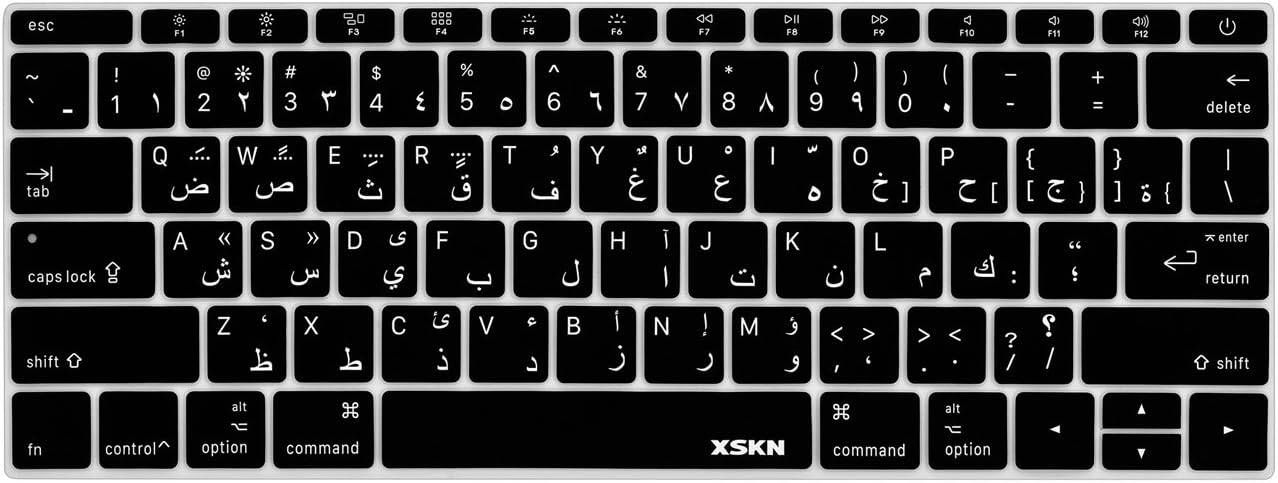
Apple Magic Keyboard - A1644 Wireless Bluetooth - UK English Layout Apple Magic Keyboard – A1644 Wireless Bluetooth – UK English Layout

128GB SSD Apple Macbook Pro Air 2013 2014 2015 A1502 A1398 A1466 A1465 | Samsung MZ-JPU512T/A06 | 655-1805D ORIGINAL APPLE PART (Apple sources their SSD’s for MacBooks from Samsung) A1502 – A1398 – A1465 – A1466 100% TESTED WORKING Please check compatibility below before you make your purchase: COMPATIBILITY: MacBook Pro Retina Late 2013 – Mid-2015 MacBookPro11,1 (A1502) – ME864LL/A, ME866LL/A, ME867LL/A, MGX72LL/A, MGX92LL/A, & MGXD2LL/A MacBookPro11,2 (A1398) – ME293LL/A & MGXA2LL/A MacBookPro11,3 (A1398) – ME294LL/A, ME874LL/A, MGXC2LL/A, & MGXG2LL/A MacBookPro11,4 (A1398) – MJLQ2LL/A MacBookPro11,5 (A1398) – MJLT2LL/A & MJLU2LL/A MacBookPro12,1 (A1502) – MF839LL/A, MF841LL/A, & MF843LL/A MacBook Air Mid-2013 – Late 2015 MacBookAir6,1 (A1465) – MD711LL/A, MD760LL/A, MD711LL/B, & MF067LL/A MacBookAir6,2 (A1466) – MD760LL/A, MD760LL/B, & MF068LL/A MacBookAir7,1 (A1465) – MJMVM2LL/A MacBookAir7,2 (A1466) – MJVE2LL/A Model Identifier: Samsung Manufacturer Part# MZ-JPU512T/A06

Genuine-spec touchpad flex cable for MacBook Pro 14″ (Model A2442, 2021, M1 Pro/Max)—essential for restoring full Force Touch functionality, haptic feedback, and precise multi-touch gesture control. Compatible With: MacBook Pro 14-inch (2021, Model A2442) with Apple M1 Pro or M1 Max chip (Model Identifiers: MacBookPro18,3 / MacBookPro18,4). Part Type: Touchpad flex cable only—does not include the trackpad, Taptic Engine, or mounting brackets. This is the OEM-style ribbon cable that connects the trackpad to the logic board. Function: Carries touch input, Force Touch pressure data, and haptic feedback signals—critical for macOS trackpad gestures, Force Click, and Taptic Engine responsiveness. OEM-Quality Build: Matches Apple’s original flex circuit in length, connector pitch, shielding, and bend geometry—ensures reliable signal transmission and durability under repeated use. Common Use Cases: Replacing a damaged, torn, or corroded original flex cable Completing a trackpad replacement when the original cable is unusable Fixing intermittent trackpad issues, unresponsiveness, or loss of Force Touch Replacing a damaged, torn, or corroded original flex cable Completing a trackpad replacement when the original cable is unusable Fixing intermittent trackpad issues, unresponsiveness, or loss of Force Touch Installation Note: Requires full bottom case removal and careful routing beneath internal components. Connectors use ZIF (Zero Insertion Force) sockets—must be seated properly without force. Recommended for certified or highly experienced technicians only.

The Apildella 14″ Triple Laptop Screen Extender gives your laptop three screens for better productivity. It allows you to work faster and more comfortably. The extender adds two extra displays around your laptop screen. This creates a wider workspace for all your tasks. Moreover, the Apildella Triple Laptop Screen Extender offers clear and bright visuals. Each screen delivers sharp quality for work, gaming, and media. The colors stay consistent across all panels. This helps you focus on your tasks with ease. In addition, the screens connect through simple USB-C or HDMI. The setup process is quick, and you can start using it instantly. There is no need for heavy software. This makes the extender ideal for travel and office use. Furthermore, the Apildella 14″ Triple Laptop Screen Extender works with many laptops. It supports Windows, macOS, and some mobile devices. This wide compatibility makes it useful for students, creators, and professionals. It helps you multitask with less stress. Also, the extender features a foldable and lightweight design. You can pack it in your laptop bag easily. It fits well in small workspaces. This makes it great for remote work and travel. The Apildella Triple Laptop Screen Extender also allows adjustable viewing angles. You can tilt the screens to get a comfortable view. This helps reduce eye strain during long hours of use. It improves your overall productivity. Overall, the Apildella 14″ Triple Laptop Screen Extender gives you more space, better multitasking, and stronger efficiency. It upgrades your laptop into a full workstation instantly. It is perfect for work, study, design, and streaming anywhere you go. Specifications: Display : 14″ Resolution : FHD 1920×1080 Refresh Rate : 60Hz Compatible with 13″ to 17″ laptops, windows/mac

MacBook Pro 13″ Retina A1989 / A2159 (2018-2019) Display Assembly (Silver) MacBook Pro 13″ Touch Bar 2019z A1989 (EMC 3214 MacBookPro15,2) 2.3 GHz A1989 (EMC 3214 MacBookPro15,2) 2.7 GHz MacBook Pro 13″ Touch Bar 2019 A1989 (EMC 3358 MacBookPro15,2) 2.4 GHz A1989 (EMC 3358 MacBookPro15,2) 2.8 Ghz MacBook Pro 13″ Two Thunderbolt Ports 2019 A2159 (EMC 3301 MacBookPro15,4) 1.4 GHz A2159 (EMC 3301 MacBookPro15,4) 1.7 GHz

Battery Replacement for A1819 MacBook Pro 13" A1706 Late 2016 Mid 2017 MLH12LL MLH12LL/A MLH12LL/A MPXV2LL MPXV2LL/A MPXV2LL/A Battery Replacement for A1819 MacBook Pro 13″ A1706 Late 2016 Mid 2017 MLH12LL MLH12LL/A MLH12LL/A MPXV2LL MPXV2LL/A MPXV2LL/A 【Technical Details:】 Model Number: A1819; Battery type: Li-ion; Voltage: 11.1V; Capacity: 4300mAh 49.02Wh,Condition: brand new 【Compatible with:】 Mid 2017 MacBook Pro 13-inch Series: MacBook Pro 13 inch Touch A1706(Mid 2017); MacBook Pro 13 inch A1706(EMC 3163) (Mid 2017); MacBook Pro 13-inch MPXV2LL/A or MPXW2LL/A or MPXX2LL/A or MPXY2LL/A 【Compatible with:】MacBook Pro 13 inch Touch A1706(Late 2016); MacBook Pro 13 inch A1706(EMC 3071) (Late 2016); MacBook Pro 13-inch MLH12LL/A or MLVP2LL/A or MNQF2LL/A or MNQG2LL/A 【Compatible with:】2016 2017 MacBook Pro 13″ Four Thunderbolt 3 Ports A1706 model: MacBook Pro 13″ Touch i5 2.9GHz A1706(Late 2016); MacBook Pro 13″ Touch i5 3.1GHz A1706(Late 2016); MacBook Pro 13″ Touch i5 3.1GHz A1706(Mid 2017); MacBook Pro 13″ Touch i5 3.3GHz A1706(Mid 2017); MacBook Pro 13″ Touch i7 3.3GHz A1706(Late 2016); MacBook Pro 13″ Touch i7 3.5GHz A1706(Mid 2017)

DELL 357F9 11.1V or 11.4V 74Wh Battery For DELL Inspiron 15 5000 Gaming 5576 5577 ,15 7000 Gaming 7557 7559 7566 7567 Laptops Alternant Part Number: 357F9 71JF4 0GFJ6 071FJ4 00GFJ6 P65F001 P57F003 About this item Battery Type:6 cell Li-Polymer Best Quality Voltage &Capacity :11.1V 74Wh 6330mAh , 11.4V 74Wh 6480mAh SANISI Concept: The customer is god, Product Quality and Service must be perfect! We will let every customer feel satisfied Package Contents: 1 pcs Brand New Battery

The Samsung Odyssey G3 24″ 165Hz Gaming Monitor is designed for gamers who demand high performance. This monitor offers stunning visuals and smooth gameplay, making it ideal for competitive gaming. With its 24-inch display, the Samsung Odyssey G3 delivers crisp and clear images. The 165Hz refresh rate ensures fluid motion, reducing blur and enhancing your gaming experience. You’ll notice the difference in fast-paced games. The 1ms response time of the Samsung Odyssey G3 Gaming Monitor provides quick and accurate control. This feature is crucial for competitive gaming, where every millisecond counts. React faster and gain the edge over your opponents. The Full HD resolution of the Samsung Odyssey G3 offers vibrant and sharp visuals. Combined with AMD FreeSync technology, you can enjoy tear-free and stutter-free gaming. This results in a more immersive and enjoyable experience. The sleek and ergonomic design of the Samsung Odyssey G3 24″ Gaming Monitor ensures comfort during long gaming sessions. Its adjustable stand allows you to find the perfect viewing angle, reducing neck and eye strain. Connectivity is made easy with multiple input options, including HDMI and DisplayPort. This ensures compatibility with a wide range of devices, making the Samsung Odyssey G3 a versatile choice for your gaming setup. In conclusion, the Samsung Odyssey G3 24″ 165Hz Gaming Monitor is the perfect addition to any gamer’s arsenal. Enjoy stunning visuals, smooth performance, and a sleek design. Elevate your gaming experience today with the Samsung Odyssey G3. Specifications: Display : 24″ VA Resolution : 1,920 x 1,080 Refresh Rate : 165Hz Response Rate : 1ms MPRT

VIEWSONIC MONITOR TD2423 Display Size (in.): 24 Viewable Area (in.): 23.6 Panel Type: VA Technology Resolution: 1920 x 1080 Resolution Type: FHD (Full HD) Static Contrast Ratio: 3,000:1 (typ) Dynamic Contrast Ratio: 20M:1 Light Source: LED VIEWSONIC MONITOR Brightness: 250 cd/m² (typ) Colors: 16.7M Color Space Support: 8 bit (6 bit + Hi-FRC) Aspect Ratio: 16:9 Response Time (Typical GTG): 7ms Response Time (GTG w/OD): 7ms Response Time (Typical Tr+Tf): 25ms Viewing Angles: 178º horizontal, 178º vertical Backlight Life (Hours): 40000 Hrs (Min) Curvature: Flat Refresh Rate (Hz): 75 VIEWSONIC MONITOR Blue Light Filter: Yes Flicker-Free: Yes Color Gamut: NTSC: 72% size (Typ) sRGB: 104% size (Typ) Pixel Size: 0.272 mm (H) x 0.272 mm (V) Touch Screen: IR, 10-point multi-touch Surface Treatment: Glossy, Hard Coating (7H) Cover Glass Thickness: 1.85mm CompatibilityVIEWSONIC MONITOR TD2423 PC Resolution (max): 1920×1080 Mac® Resolution (max): 1920×1080 PC Operating System: Windows 7/8.1/10/11 certified; macOS tested Mac® Resolution (min): 1920×1080 Connector VGA: 1 USB 2.0 Type A: 2 USB 2.0 Type B: 1 3.5mm Audio In: 1 3.5mm Audio Out: 1 HDMI 1.4: 1 DVI-D: 1 Power in: 3-pin Socket (IEC C14 / CEE22) Specifications: VIEWSONIC MONITOR TD2423 Display Size (in.): 24 Viewable Area (in.): 23.6 Panel Type: VA Technology Resolution: 1920 x 1080 Resolution Type: FHD (Full HD) Static Contrast Ratio: 3,000:1 (typ) 1 Year Warranty Manufacturer link

The MSI MAG 342CQR E2 34″ 180Hz Curved Gaming Monitor is designed to elevate your gaming experience. Its 34-inch ultrawide display with a 3440 x 1440 resolution provides immersive visuals, while the 1500R curvature ensures a comfortable viewing angle. MSI Firstly with a rapid 180Hz refresh rate and 1ms MPRT response time, this monitor delivers smooth and responsive gameplay, ideal for fast-paced genres like FPS and racing games. The VA panel offers a 3000:1 contrast ratio, producing deep blacks and vibrant colors. Furthermore the MSI MAG 342CQR E2 supports HDR Ready technology, enhancing image details and color accuracy. AI Vision technology further improves brightness and color saturation, revealing details in dark scenes. Moreover connectivity options include DisplayPort 1.4a and HDMI 2.0b ports, supporting up to 180Hz and 100Hz refresh rates, respectively. The monitor also features Adaptive Sync technology, reducing screen tearing and stuttering. Also ergonomic adjustments are made easy with tilt, swivel, and height options, ensuring comfort during extended gaming sessions. The monitor’s frameless design and anti-glare coating provide a sleek look and reduce eye strain. In summary, the MSI MAG 342CQR E2 34″ 180Hz Curved Gaming Monitor combines high performance, immersive visuals, and ergonomic design, making it a top choice for gamers seeking a competitive edge. Specifications: Display : 34″ VA Resolution : 3440 x 1440 (UWQHD) Refresh Rate : 180Hz Response Time : 1ms (MPRT) Curvature : Curve 1500R
