
Genuine-spec keyboard replacement for MacBook Pro 13″ (Model A2289, 2020) — available in US QWERTY or UK QWERTY (with £ symbol). Features Apple’s scissor-switch Magic Keyboard, backlighting, and OEM-fit design for reliable performance and seamless installation. Compatible With: MacBook Pro 13-inch (2020, Four Thunderbolt Ports, Model A2289, Model Identifier MacBookPro16,2) with Intel Core i5/i7 processors. Layout Options (select at purchase): US Layout: Standard QWERTY with wide Enter key, @ above 2, and # above 3. UK Layout: QWERTY with £ symbol, tall vertical Enter key, @ on right Alt, and UK-specific punctuation. US Layout: Standard QWERTY with wide Enter key, @ above 2, and # above 3. UK Layout: QWERTY with £ symbol, tall vertical Enter key, @ on right Alt, and UK-specific punctuation. Keyboard Type: Apple’s Magic Keyboard with scissor-switch mechanism—quieter, more stable, and more durable than earlier Butterfly designs. Integrated Features: Full backlighting for low-light use Ambient light sensor compatibility OEM-style flex cable pre-attached for direct logic board connection Full backlighting for low-light use Ambient light sensor compatibility OEM-style flex cable pre-attached for direct logic board connection Build & Fit: Engineered to exact Apple specifications—ensures perfect alignment, consistent key height, and flush integration into the original top case. Installation Note: Keyboard is glued into the top case and requires full disassembly, careful adhesive removal, and professional re-adhesion. Recommended for experienced or certified technicians only.

Genuine-spec touchpad flex cable for MacBook Pro 13″ (Model A1502, Mid 2014)—restores full trackpad functionality, including precise cursor control and physical click response. Essential for repairing unresponsive or erratic trackpad behavior. Compatible With: MacBook Pro 13-inch (Mid 2014, Model A1502, Model Identifier MacBookPro11,1) with Intel Core i5/i7 processors and Retina display. Part Type: Touchpad flex cable only — does not include the trackpad housing, button mechanism, or mounting hardware. This is the ribbon cable that connects the trackpad to the logic board. Function: Transmits cursor movement and click signals (left/right physical clicks) Supports standard multi-touch gestures (two-finger scroll, tap-to-click, pinch-to-zoom) ⚠️ Note: This model uses a physical click mechanism—not Force Touch (no haptic feedback or pressure sensitivity). Transmits cursor movement and click signals (left/right physical clicks) Supports standard multi-touch gestures (two-finger scroll, tap-to-click, pinch-to-zoom) ⚠️ Note: This model uses a physical click mechanism—not Force Touch (no haptic feedback or pressure sensitivity). OEM-Quality Build: Matches Apple’s original in: Cable length and routing path Connector type and pin alignment Insulation and flexibility for long-term reliability Cable length and routing path Connector type and pin alignment Insulation and flexibility for long-term reliability Common Use Cases: Replacing a torn, frayed, or corroded original flex cable Fixing: Unresponsive or intermittent trackpad Cursor jumping or drifting Click function failure (left or right) Complete trackpad disconnect Replacing a torn, frayed, or corroded original flex cable Fixing: Unresponsive or intermittent trackpad Cursor jumping or drifting Click function failure (left or right) Complete trackpad disconnect Unresponsive or intermittent trackpad Cursor jumping or drifting Click function failure (left or right) Complete trackpad disconnect Installation Note: Requires bottom case removal and battery disconnect. Connects via a ZIF (Zero Insertion Force) socket on the logic board—do not force. Cable routes under the battery; handle with care to avoid strain. Suitable for intermediate to advanced DIYers or technicians. Requires bottom case removal and battery disconnect. Connects via a ZIF (Zero Insertion Force) socket on the logic board—do not force. Cable routes under the battery; handle with care to avoid strain. Suitable for intermediate to advanced DIYers or technicians.

RK ROYAL KLUDGE RK918 Wired Mechanical Keyboard, RGB Backlit Gaming Keyboard with Large LED Surrounding Side Lamp, Full Size 108 Keys Mechanical 100% Anti-Ghosting Computer Keyboard, Red Switch White About this item 【Full Size 108 Keys & Anti Ghosting Mechanical Keyboard】: 100% percent layout 108 key Mechanical keyboard. All keys do not conflict, ensure that every click is registered, and greatly improve the gaming and typing experience. Press FN and F1~F12 keys could quickly activate the multi-function keys, running for what you demand immediately. It is a great choice as a Christmas gift 【RGB Backlit & LED Surrounding Side Lamp】: The RGB backlight keyboard has more than 20 backlight modes, including interactive backlight, breathing backlight modes, dynamic RGB mode, etc. Besides, there are large LED surrounding side lamps. These all will give you more enjoyable when you gaming or typing at night 【Mechanical Red Switches & Double Shot Keycaps】: Offering linear and quiet typing feedback, smooth top-to-bottom actuation travel distance with shallow sound. If you prefer a quiet environment and a small operating force, red switches are the right choice. Double shot keycap type is produced when two layers of plastic are molded into each other. No printing is necessary. The result is a key legend that will never fade or chip off 【Wide Compatibility & Software Support】: Compatible with Windows, Mac, Linus, etc. The wired connection enables stable transmission without worrying about the impact of the signal. Through RK software, you can customize RGB mode and color, redefine key function, customize macros, and set gaming mode 【Professional and Reliable Service】: RK ROYAL KLUDGE has a professional service team. Over the years, we have kept bringing high-quality products and services to customers, so that we have gained the love and trust of many customers. If you have any questions, you can contact us anytime. RK ROYAL KLUDGE will spare no effort to provide every customer with the best service within 24 hours.

Genuine-spec touchpad flex cable for MacBook Pro 13″ with Touch Bar (Model A1708, 2016–2017)—restores full Force Touch functionality, haptic feedback, and precise multi-touch gesture control during trackpad repair or replacement. Compatible With: MacBook Pro 13″ (2016) – Model A1708 (Model Identifier: MacBookPro13,1) MacBook Pro 13″ (2017) – Model A1708 (Model Identifier: MacBookPro14,1) (Both years share the same internal trackpad assembly and flex cable.) MacBook Pro 13″ (2016) – Model A1708 (Model Identifier: MacBookPro13,1) MacBook Pro 13″ (2017) – Model A1708 (Model Identifier: MacBookPro14,1) (Both years share the same internal trackpad assembly and flex cable.) Part Type: Touchpad flex cable only — does not include the trackpad housing, Taptic Engine, or mounting hardware. This is the OEM-style ribbon cable that connects the trackpad to the logic board. Function: Transmits: Touch input coordinates Force Touch pressure data Haptic feedback signals to the Taptic Engine Enables full macOS gesture support: Force Click, three-finger lookup, swipe navigation, pinch-to-zoom, and smooth cursor tracking. Touch input coordinates Force Touch pressure data Haptic feedback signals to the Taptic Engine Enables full macOS gesture support: Force Click, three-finger lookup, swipe navigation, pinch-to-zoom, and smooth cursor tracking. OEM-Quality Build: Matches Apple’s original specifications in: Cable length and routing path Connector pitch and ZIF latch design EMI shielding and flex durability Cable length and routing path Connector pitch and ZIF latch design EMI shielding and flex durability Common Use Cases: Replacing a torn, creased, or liquid-damaged original flex cable Completing a trackpad replacement when the original cable is compromised Fixing intermittent trackpad behavior, loss of Force Touch, or complete unresponsiveness Replacing a torn, creased, or liquid-damaged original flex cable Completing a trackpad replacement when the original cable is compromised Fixing intermittent trackpad behavior, loss of Force Touch, or complete unresponsiveness Installation Note: Requires full bottom case removal and battery disconnection. Cable routes under internal components near the right speaker and logic board. Connects via a ZIF (Zero Insertion Force) socket—must be aligned carefully and latched gently. Recommended for experienced or certified technicians only. Requires full bottom case removal and battery disconnection. Cable routes under internal components near the right speaker and logic board. Connects via a ZIF (Zero Insertion Force) socket—must be aligned carefully and latched gently. Recommended for experienced or certified technicians only.

LB-LINK BL-WN510BT – Compact USB Bluetooth 5.1 adapter with up to 20m range and support for multiple device types.Ideal for connecting headsets, gamepads, and more to PCs with strong, stable wireless performance. Model: LB-LINK BL-WN510BT Bluetooth Version: Bluetooth 5.1 (backward compatible with 5.0/4.2/4.0/3.0/2.0) Interface: USB 2.0 (Plug-and-Play) Operating Range: Up to 20 meters (unobstructed) Data Transfer Rate: Up to 3 Mbps Supported Profiles: A2DP, HSP, HFP, AVRCP, HID, PAN, FTP, SPP, etc. OS Compatibility: Windows 7 / 8 / 8.1 / 10 / 11 (Driver may be required for Win 7) Not natively compatible with macOS or Linux OS Compatibility: Windows 7 / 8 / 8.1 / 10 / 11 (Driver may be required for Win 7) Not natively compatible with macOS or Linux Functions: Enables PC or laptop Bluetooth connection with headsets, keyboards, mice, speakers, gamepads, printers, etc. Supports dual-mode Bluetooth (BR/EDR and LE) Functions: Enables PC or laptop Bluetooth connection with headsets, keyboards, mice, speakers, gamepads, printers, etc. Supports dual-mode Bluetooth (BR/EDR and LE) Power Consumption: Low Energy (LE) support for improved efficiency Security: Enhanced encryption and pairing features for secure connections Size: Ultra-compact nano design Weight: Less than 5g Plug & Play: Driver-free on Windows 10 and 11

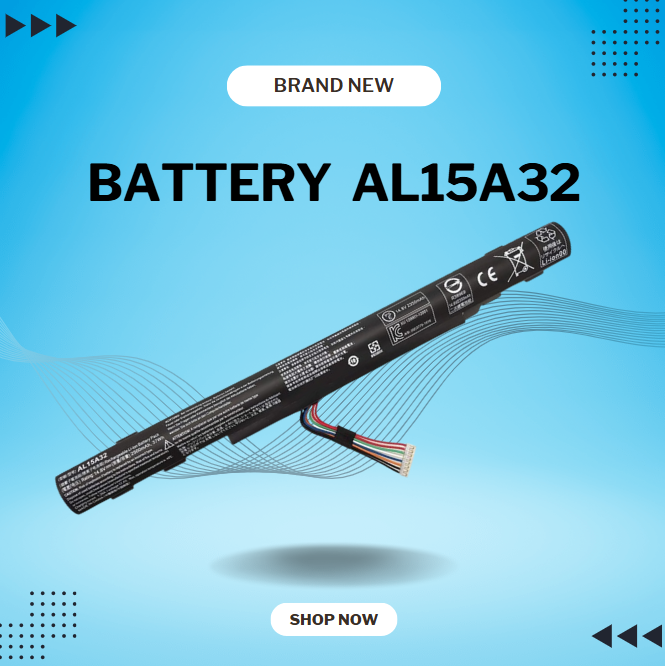
SB03XL Battery for HP Elitebook 720 725 G2 820 G1 G2 716726-421 717378-001 HSTNN-LB4T HSTNN-I13C About this item Compatible Computers: Hp EliteBook 820 G1, HP EliteBook 720 G1, HP EliteBook 720 G2, HP EliteBook 725 G1, HP EliteBook 725 G2 E7U25AA E7U25UT F6B38PA Replace Battery List: SB03XL SB03046XL HSTNN-LB4T HSTNN-I13C HSTNN-IB4T HSTNN-I13C 716726-421 716726-1C1 717378-001 Battery Life: Up to 500 recharge cycles over the life of the battery. 100% Brand New from Manufacturer. All products are Certified by CE, and FCC for safety. Strict guidelines for compatibility, and standards compliance for environmental safety.

REMAX RB-M73 5.3 VENATTLE SERIES WIRELESS PORTABLE MUSIC WAR DRUM SPEAKER Powerful Sound with 60W Speaker: Experience room-filling, dynamic sound that captures every musical detail. Dynamic Audio Drivers: Dual bass speakers and tweeters harmonize for highs and lows that sing.** TWS Interconnection: Sync over a thousand units for simultaneous audio bliss. Dynamic RGB Lighting: Watch your music dance with multi-color lights synced to every beat. Emergency Power Backup: Stay charged with convenient USB charging capabilities for those critical moments.**

Original 13.3-inch LCD display assembly for MacBook Air A1466, pulled from a working unit. OEM, drop-in replacement for cracked or nonfunctional screens—ideal for restoring perfect visuals. This is a genuine Apple LCD display assembly for the MacBook Air model A1466 (mid-2013 to ~2017). It was removed from a working machine (“pulled”) and tested. It’s intended to replace failed, cracked, or damaged screens with an OEM original part. Key Features & Functionality Factory original LCD panel with LED backlight Includes glass, mounting frame, hinges, display cable Calibrated by Apple for color accuracy, brightness, contrast Tested for display quality, backlight uniformity, dead or stuck pixels Fits directly in A1466 models with correct alignment and cable interface Specifications Important Notes & Caveats Must ensure your MacBook is A1466 — wrong model = mismatch in frame, mounting, cable. As a used component, there may be light cosmetic wear or micro-scratches. Always test before full installation (connect the cable, boot, check display and backlight). Be careful handling: glass is fragile and the flex cable is delicate. Alignment and screw placement are critical — incorrect installation can damage the new screen.

A dependable pre-owned Dell Latitude 5490 with 14" display, 8th Gen Core i5, 16GB RAM, and 512GB SSD—offering strong performance, enterprise security, and durability for business and professional use.

About this item 📱 Versatile Connectivity: Connect effortlessly with Bluetooth 4.2 to your smartphones, iPads, and computers. Also supports U disk, TF card (up to 32G), AUX input, and FM radio for versatile playback options. 📲 🔊 Powerful Sound with Heavy Bass: Enjoy rich, high-volume stereo sound with a powerful 20W output and a built-in heavy subwoofer, delivering an immersive audio experience for your home. 🎶 📻 Built-in FM Radio: Stay tuned to your favorite stations with the built-in FM radio feature, ensuring you never miss out on the latest news, music, and more. 📡 📞 Hands-Free Calling: Equipped with a clear call feature, this speaker allows you to answer phone calls directly through the speaker without lifting your phone. Perfect for multitasking! 🗣️ 📞 Hands-Free Calling: Equipped with a clear call feature, this speaker allows you to answer phone calls directly through the speaker without lifting your phone. Perfect for multitasking! 🗣️

Specifications Input/Output USB Sound Mode Live Sound Mode, Standard Mode Category Speakers Use HOME Bluetooth Version 5.0 Input Power (W) <25 W Active Noise-Cancellation PASSIVE Wi-Fi Music Apple Music Voice Control No Frequency Range 100Hz-20kHz Output Power 35W Display Screen No Waterproof No Support APP Yes Support Memory Card Yes Material Plastic Playback Function MP3 Remote Control No Support Apt-x No Intelligent Personal Assistant None Display Screen No Built-in Microphone No Audio Crossover Full-Range Number of Loudspeaker Enclosure 1 Power Source Battery PMPO 25W Channels 2 (2.0) Feature Play Video, Wireless Subwoofer, Wireless Rear Speakers Battery Yes Communication AUX, USB, Bluetooth Speaker Type Portable Cabinet Material Plastic Brand Name SwYiSm Origin Mainland China Certification CE Function 1 Wireless Bluetooth Function 2 Originality Function 3 Vintage Kerosene Lamp Function 4 Decorative Lamp

Apple 60W MagSafe Power Adapter (for MacBook and 13-inch MacBook Pro) The 60 Watt MagSafe Power Adapter features a magnetic DC connector that ensures your power cable will disconnect if it experiences undue strain and helps prevent fraying or weakening of the cables over time. In addition, the magnetic DC helps guide the plug into the system for a quick and secure connection. When the connection is secure, an LED located at the head of the DC connector will light up; an amber light lets you know that your portable is charging, while a green light tells you that you have a full charge. An AC lead is provided with the adapter for maximum lead length, while the AC wall adapter (also provided) gives users an even easier and more compact way to travel. Designed to be the perfect travelling companion, the adapter has a clever design that allows the DC cable to be wound neatly around itself for easy cable storage. This power adapter recharges the lithium polymer battery while the system is off, on, or in sleep mode. It also powers the system if you choose to operate without a battery. Compatible with MacBook and 13-inch MacBook Pro. See this article for more details about choosing the right one. Knowing which specific Mac model you have is important. If you are running OS X Lion (10.7) or later, go to the “” menu at the top left of your screen, choose “About this Mac” then click the “More Info…” button. Your Mac model and generation will be displayed. If you are running an earlier version of OS X, you can enter your serial number here to find out which model you have.

Genuine-spec touchpad flex cable for MacBook Pro 13″ (Model A2251, 2020, Intel)—essential for restoring full Force Touch functionality, haptic feedback, and precise multi-touch gesture control during trackpad repair or replacement. Compatible With: MacBook Pro 13-inch (2020, Two Thunderbolt Ports, Model A2251, Model Identifier MacBookPro16,1) with Intel Core i5/i7 processors. Part Type: Touchpad flex cable only—does not include the trackpad housing, Taptic Engine, or mounting hardware. This is the OEM-style ribbon cable that connects the trackpad to the logic board. Function: Transmits: Precise touch coordinates Force Touch pressure data Haptic feedback signals to the Taptic Engine Enables full macOS gesture support including Force Click, three-finger lookup, swipe navigation, and inertial scrolling. Precise touch coordinates Force Touch pressure data Haptic feedback signals to the Taptic Engine Enables full macOS gesture support including Force Click, three-finger lookup, swipe navigation, and inertial scrolling. OEM-Quality Build: Matches Apple’s original specifications in: Cable length and routing Connector pitch and ZIF latch design EMI shielding and flex durability Cable length and routing Connector pitch and ZIF latch design EMI shielding and flex durability Common Use Cases: Replacing a torn, creased, or liquid-damaged original flex Completing a trackpad replacement when the original cable is compromised Fixing intermittent trackpad behavior, loss of Force Touch, or complete unresponsiveness Replacing a torn, creased, or liquid-damaged original flex Completing a trackpad replacement when the original cable is compromised Fixing intermittent trackpad behavior, loss of Force Touch, or complete unresponsiveness Installation Note: Requires full bottom case removal and partial disassembly (including battery disconnect). Cable routes under the right speaker and logic board—must be seated in original retention channels. Connects via ZIF (Zero Insertion Force) socket—align carefully and latch gently. Recommended for experienced or certified technicians only. Requires full bottom case removal and partial disassembly (including battery disconnect). Cable routes under the right speaker and logic board—must be seated in original retention channels. Connects via ZIF (Zero Insertion Force) socket—align carefully and latch gently. Recommended for experienced or certified technicians only.

Genuine-spec US layout (QWERTY) black keyboard replacement for MacBook Air 13.6″ and 15″ models (2023–2025, M2/M3/M4 chips)—featuring Apple’s Magic Keyboard with scissor-switch mechanism, backlighting, and precise OEM fit. Compatible With: 13.6″ MacBook Air: A2681 (M2, 2022–2023), A3113 (M3, 2023–2024), A3240 (M4, 2024–2025) 15″ MacBook Air: A2941 (M2, 2023), A3114 (M3, 2023–2024), A3241 (M4, 2024–2025) 13.6″ MacBook Air: A2681 (M2, 2022–2023), A3113 (M3, 2023–2024), A3240 (M4, 2024–2025) 15″ MacBook Air: A2941 (M2, 2023), A3114 (M3, 2023–2024), A3241 (M4, 2024–2025) Keyboard Layout: Standard US English (QWERTY) with wide Enter key, dedicated left/right arrow keys in inverted-T layout, and full function row—matches Apple’s original US configuration. Design: Apple’s Magic Keyboard with scissor-switch mechanism—providing quiet, stable, and responsive typing with 1mm key travel and enhanced durability. Features: Integrated backlighting for low-light use, ambient light sensor compatibility, and OEM-style flex cable for direct logic board connection. Color: Sleek black keycaps—ideal for Space Gray and Midnight finishes, and visually consistent across all color variants. Precision Fit: Engineered to exact Apple specifications for alignment, key spacing, and mounting—ensures seamless integration into the original top case. Installation Note: The keyboard is factory-glued into the top case. Replacement requires full disassembly, careful removal, and professional-grade re-adhesion. Recommended for experienced technicians only.

Genuine-spec UK layout (QWERTY) black keyboard replacement for MacBook Air 13.6″ and 15″ models (2023–2025, M2/M3/M4 chips)—featuring Apple’s Magic Keyboard design with scissor-switch mechanism, backlighting, and precise OEM fit. Compatible With: 13.6″ MacBook Air: A2681 (M2, 2022–2023), A3113 (M3, 2023–2024), A3240 (M4, 2024–2025) 15″ MacBook Air: A2941 (M2, 2023), A3114 (M3, 2023–2024), A3241 (M4, 2024–2025) 13.6″ MacBook Air: A2681 (M2, 2022–2023), A3113 (M3, 2023–2024), A3240 (M4, 2024–2025) 15″ MacBook Air: A2941 (M2, 2023), A3114 (M3, 2023–2024), A3241 (M4, 2024–2025) Keyboard Layout: UK English (QWERTY) with £ symbol, taller Enter key, and standard UK key labeling—matches Apple’s original regional configuration. Design: Apple’s Magic Keyboard with scissor-switch mechanism—offering quiet, responsive typing with 1mm travel and improved reliability. Features: Backlit keys, ambient light sensor support, and original-style flex cable connector for seamless integration with the logic board. Color: Matte black keycaps matching the Space Gray and Midnight MacBook Air finishes (also compatible with Silver/Starlight—keycaps are model-agnostic). Precision Engineering: Manufactured to exact OEM specifications for fit, alignment, and tactile performance—ensures flush mounting within the top case. Installation Note: Keyboard is glued into the top case and requires full disassembly and careful re-adhesion. Recommended for professional technicians only due to complexity and risk of damage.

Genuine-spec US layout keyboard replacement for MacBook Pro 13″ (Model A1502, Mid 2014)—featuring durable scissor-switch keys, backlighting, and OEM-fit design for reliable performance and easy installation. Compatible With: MacBook Pro 13-inch (Mid 2014, Model A1502, Model Identifier MacBookPro11,1) with Retina display. Layout: Standard US English (QWERTY) with full-size keys, inverted-T arrow keys, and dedicated function row (F1–F12). Keyboard Type: Traditional scissor-switch mechanism—offers good key travel, tactile feedback, and proven long-term reliability (pre-Butterfly design). Integrated Features: Backlit keys for low-light environments, ambient light sensor compatibility, and original-style ribbon cable connector for direct logic board attachment. Build & Fit: Precision-molded to match Apple’s exact dimensions and mounting points—ensures flush integration into the top case with consistent key alignment. Installation Note: Keyboard is secured with screws and light adhesive—more serviceable than later glued models. Requires top case access and battery disconnection. Suitable for intermediate DIYers or professional technicians.

Transparent 2.5" USB 3.0 HDD/SSD Enclosure – Supports SATA drives up to 6TB with UASP and tool-free design.Fast, plug-and-play storage case using JMS578 chipset with crystal-clear ABS shell. Transparent 2.5″ USB 3.0 HDD/SSD Enclosure – Supports SATA drives up to 6TB with UASP and tool-free design.Fast, plug-and-play storage case using JMS578 chipset with crystal-clear ABS shell. Model: 2.5″ HDD/SSD Enclosure with JMS578 Chipset Material: Transparent ABS Plastic (durable and lightweight) Interface: USB 3.0 (backward compatible with USB 2.0 & 1.1) Chipset: JMS578 (JMicron) – supports UASP for faster data transfer Drive Compatibility: 2.5″ SATA I/II/III HDD or SSD Supports up to 6TB capacity Fits 7mm or 9.5mm thick drives Drive Compatibility: 2.5″ SATA I/II/III HDD or SSD Supports up to 6TB capacity Fits 7mm or 9.5mm thick drives Data Transfer Rate: Up to 5Gbps via USB 3.0 UASP support enables up to 20% faster transfers (with UASP-enabled OS) Data Transfer Rate: Up to 5Gbps via USB 3.0 UASP support enables up to 20% faster transfers (with UASP-enabled OS) Tool-Free Design: No screws needed – easy slide-in installation Hot Swappable: Plug and play, no drivers needed for most systems LED Indicator: Blue light for power and activity status Operating Systems: Windows 7/8/10/11, macOS, Linux Dimensions: Approx. 125 x 80 x 14 mm Cable Included: USB 3.0 cable (typically 30–50 cm)

The 85W MagSafe 2 Power Adapter features a magnetic DC connector so if someone should trip over it, the cord disconnects harmlessly and your MacBook Pro stays put safely. It also helps prevent fraying or weakening of the cables over time. In addition, the magnetic DC helps guide the plug into the system for a quick and secure connection. The 85W MagSafe 2 Power Adapter features a magnetic DC connector so if someone should trip over it, the cord disconnects harmlessly and your MacBook Pro stays put safely. It also helps prevent fraying or weakening of the cables over time. In addition, the magnetic DC helps guide the plug into the system for a quick and secure connection. When the connection is secure, an LED located at the head of the DC connector lights up; an amber light lets you know that your notebook is charging, while a green light tells you that you have a full charge. An AC cord is provided with the adapter for maximum cord length, while the AC wall adapter (also provided) gives you an even easier and more compact way to travel. Designed to be the perfect traveling companion, the adapter has a clever design which allows the DC cable to be wound neatly around itself for easy cable storage. Compatible with MacBook Pro with 13-inch Retina display. See this article for more details about choosing the right one. Knowing which specific Mac model you have is important. If you are running OS X Lion (10.7) or later go to the “” menu at the top left of your screen, choose “About this Mac” then click the “More Info…” button. Your Mac model and generation will be displayed. If you are running an earlier version of OS X, you can enter your serial number here to find out which model you have. COMPATIBILITY Mac Models: MacBook Pro (Retina, 13-inch, Late 2012 – 2015)

Keyboard Compatible for MacBook PRO Retina 15″ A1398 (Late 2013-MID 2015) US Layout Compatibility: MacBook Pro Retina 15″ A1398 Late 2013 (IG): ME293LL/A (2.0 Core i7) Late 2013 (IG): ME293LL/A (2.3 Core i7) Late 2013 (IG): ME293LL/A (2.6 Core i7) Mid 2014 (IG): MGXA2LL/A (2.2 Core i7) Mid 2014 (IG): MGXA2LL/A (2.5 Core i7) Mid 2014 (IG): MGXA2LL/A (2.8 Core i7) Late 2013 (DG): ME294LL/A (2.3 Core i7) Late 2013 (DG): ME294LL/A (2.6 Core i7) Compatibility: Mid 2014 (DG): MGXC2LL/A (2.5 Core i7) Mid 2014 (DG): MGXC2LL/A (2.8 Core i7) Mid 2015 (IG): MJLQ2LL/A (2.2 GHz Core i7) Mid 2015 (IG): MJLQ2LL/A BTO (2.5 GHz Core i7) Mid 2015 (IG): MJLQ2LL/A BTO (2.8 GHz Core i7) Mid 2015 (DG): MJLT2LL/A (2.5 GHz Core i7) Mid 2015 (DG): MJLT2LL/A BTO (2.8 GHz Core i7) Identifying Numbers APN: 661-6532, 661-8311,661-02536 Specification】The keyboard is without frame! pls see detail compatible model in descrirption. Safe】Easy for you replace your faulty,cracked or broken keyboard ,seller remind that you should replace the keyboard in the off state. All pictures are taken from the real item, please check carefully before biddingReplacement and high quality,Replace your faulty, cracked or broken keyboard Replacement and high quality,Replace your faulty, cracked or broken keyboard Each keyboard is tested before shipping Please contact us if you have any question or problems.

A sleek, versatile pre-owned Lenovo ThinkPad L13 Yoga Gen 1 with 13.3" touchscreen, 360° hinge, 10th Gen Core i7, 16GB RAM, and 256GB SSD—ideal for professionals and students who need flexibility, performance, and portability.
