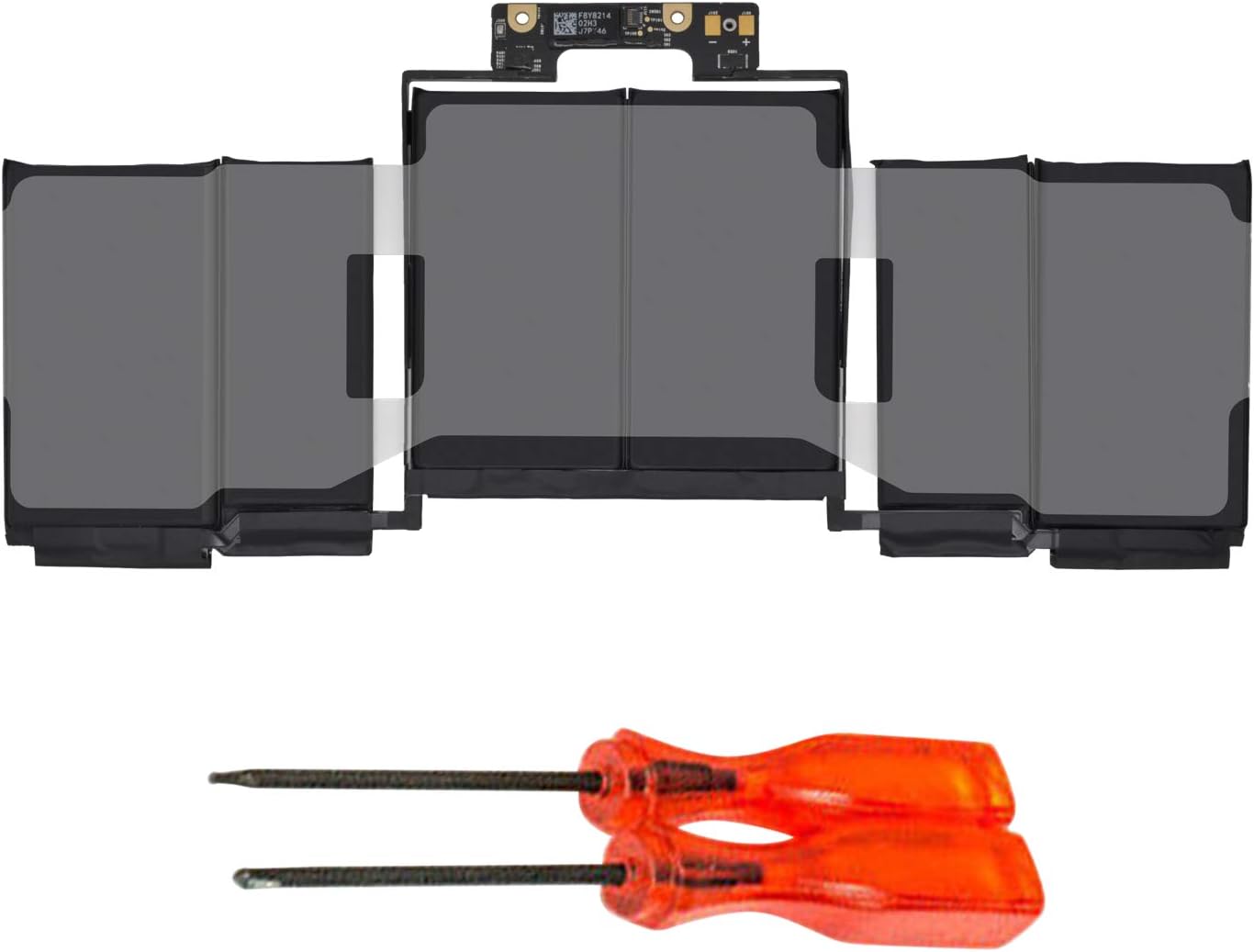

Lenovo Battery L15L4A01 Battery for Lenovo V4400 Ideapad 100-14IBD 100-15IBD 110-15ISK 110-17ACL 110-17IKB 300-15ABM 300-15IBR 300-15IBY 300-15IBR 300-15IBY 300-15IBY 300-15ISK 300-17ISK 80Q70021US 80UD Lenovo Battery L15L4A01 Battery for Lenovo V4400 Ideapad 100-14IBD 100-15IBD 110-15ISK 110-17ACL 110-17IKB 300-15ABM 300-15IBR 300-15IBY 300-15IBR 300-15IBY 300-15IBY 300-15ISK 300-17ISK 80Q70021US 80UD[14.8V 33Wh] About this item Battery type: Li-ion, voltage: 14.4 V, capacity: 32 Wh, color: black Compatible Part Number:5B10H70338 5B10H70339 5B10H70340 5B10H70341 5B10H71978 5B10H71979 5B10K02215 5B10K02218 5B10 KK0221 9 5B10K80878 5B10L04213 5B10L12769 5B10L12770 5B10L12771 5B10L30040 5B10L30041 L15L4A01 L15L4E. 01 L1 L5M4A01 L15M4E01 L15S4A01 L15S4E01 Fits Model: Lenovo Ideapad 110-15ISK Series Tablet 80UD 80UD001TUS; 100-14IBD 100-15IBD 110-15ISK 110-17ACL 110-17IKB 300-15ABM 300-15IBR 300-15IBR 300-15IBR 300-15 IBY 300 -15IBR 300-15IBY 300-15IBY 300-15ISK 300 -17ISK 80RJ 80RK 80MJ 80QQ 80UD 80NL 80M3 80Q7 80QH New from manufacturer. CE/FCC/RoHS certified for safety.

The Dell OptiPlex 3040 Micro delivers dependable business performance in a compact, energy-efficient design. Featuring an Intel Core i5 6th Gen processor, 8GB DDR3L RAM, and SSD storage options, it is built for smooth multitasking, fast startups, and reliable operation in professional environments.

Enhance Your Viewing Experience with the HP FHD 27” Monitor | V27i In today’s digital age, having a reliable and clear monitor is essential. The HP FHD 27” Monitor | V27i delivers. Transitioning from your old monitor to the V27i is straightforward, even if you’re not tech-savvy. This 27-inch monitor offers a spacious screen, perfect for work, entertainment, and everyday tasks. Its user-friendly interface ensures anyone can use it without complicated settings. The V27i provides crisp and clear visuals with Full HD resolution, enhancing your viewing experience. With its sleek and minimalist design, it complements any workspace or home setup. The monitor’s energy-efficient design saves power and reduces your environmental impact. In summary, the HP FHD 27” Monitor | V27i offers a simple and impressive solution for your computing needs. Elevate your viewing experience with this accessible and reliable display. you can always check here and if you like to see more options you can always check here! Specifications: HP V27i G5 FHD Monitor (65P64AS) Display size (diagonal) 68.6 cm (27″) Low blue light Yes (TÜV certified) Panel bit depth 8 bit (6 bit + FRC) Pixels per inch (ppi) 82 ppi Resolution (maximum) FHD (1920 x 1080 @ 75 Hz) 1 year warranty

BenQ PD3205U 32” 4K UHD IPS Monitor | 3840×2160 | 3 Years Warranty is a professional 32-inch display designed for productivity, creative work, and Mac/PC users who need accurate colors and a large workspace. It uses a 31.5-inch IPS panel with 4K UHD resolution (3840×2160). Therefore, it delivers sharp text, clear images, and high pixel density for multitasking and design work. In addition, it supports 99% sRGB and 99% Rec.709 color coverage for consistent and accurate color output. Moreover, it includes HDR10 support with up to 350 nits peak brightness. As a result, it improves contrast in supported HDR content while maintaining stable SDR performance. In addition, the monitor uses a 1000:1 contrast ratio for balanced image depth. The PD3205U features a 60Hz refresh rate and 5ms response time. Therefore, it focuses on productivity rather than competitive gaming. In addition, the IPS panel provides wide 178° viewing angles for consistent visuals from different positions. Connectivity includes USB-C with up to 90W power delivery. As a result, it can charge a laptop while sending video, data, and audio through a single cable. In addition, it supports HDMI 2.0, DisplayPort 1.4, USB-A, USB-B, and a built-in KVM switch for multi-device control. Furthermore, it includes Eye-Care technologies such as Flicker-Free and Low Blue Light modes. Therefore, it helps reduce eye strain during long work sessions. In addition, the ergonomic stand supports height, tilt, swivel, and pivot adjustments for better comfort. Finally, the BenQ PD3205U delivers a large 4K workspace, accurate color performance, and full USB-C docking functionality for professional and Mac-based workflows. Specifications: Display: 32-inch IPS panel with 3840×2160 4K UHD resolution Color: 99% sRGB and 99% Rec.709 coverage Brightness: 250 nits typical, up to 350 nits HDR peak Connectivity: USB-C 90W, HDMI 2.0, DP 1.4, USB hub, KVM switch Ergonomics: Height, tilt, swivel, pivot adjustable stand with Eye-Care features

OEM-spec trackpad replacement (without flex cable) for MacBook Air 15.3″ M2 (Model A2941, EMC 8301) in Silver finish—engineered for precise Force Touch response, smooth multi-touch gestures, and seamless integration with the original chassis. Compatible With: MacBook Air 15.3-inch (2023, Model A2941, EMC 8301) with Apple M2 chip. Part Type: Trackpad only—does not include the flex cable, Taptic Engine, or mounting brackets. Designed for technicians who will reuse or transfer the original internal components. Finish: Silver—matches the original Silver and Starlight lower case for perfect visual continuity. Force Touch Support: Fully compatible with pressure-sensitive input and haptic feedback when used with the original Taptic Engine and logic board—no loss of functionality. Precision Build: Mirror-smooth glass surface with exact curvature, texture, and micro-click mechanism matching Apple’s OEM standards for consistent tracking and tactile feel. Installation Requirements: Requires full bottom case disassembly and careful transfer of the original flex cable and Taptic Engine. Proper adhesive application is essential to maintain structural rigidity and sensor alignment. Recommended for professional or certified repair technicians only.

Genuine-spec touchpad flex cable for MacBook Pro 16″ (Model A2141, 2019, Intel)—essential for restoring full Force Touch functionality, haptic feedback, and precise multi-touch gesture control during trackpad repair or replacement. Compatible With: MacBook Pro 16-inch (2019, Model A2141) with Intel Core i7/i9 processors (Model Identifier: MacBookPro16,1) (Note: A2141 is the non-base configuration of the 2019 16″ MacBook Pro—typically higher-end Intel models.) Part Type: Touchpad flex cable only—does not include the trackpad housing, Taptic Engine, or mounting hardware. This is the OEM-style ribbon cable that connects the trackpad to the logic board. Function: Transmits touch coordinates, Force Touch pressure data, and haptic feedback signals—critical for macOS gestures (e.g., Force Click, three-finger lookup, pinch-to-zoom) and Taptic Engine responsiveness. OEM-Quality Construction: Replicated to Apple’s exact specifications—including cable length, connector pitch, EMI shielding, and bend radius—ensuring reliable signal integrity and long-term durability. Common Use Cases: Replacing a torn, creased, or liquid-damaged original flex cable Completing a trackpad replacement when the original cable is compromised Fixing intermittent trackpad behavior, loss of Force Touch, or complete unresponsiveness Replacing a torn, creased, or liquid-damaged original flex cable Completing a trackpad replacement when the original cable is compromised Fixing intermittent trackpad behavior, loss of Force Touch, or complete unresponsiveness Installation Note: Requires full disassembly of the bottom case, speaker removal, and careful routing beneath the battery and logic board. Connectors use ZIF (Zero Insertion Force) sockets—must be aligned and latched gently. Recommended for certified or professional repair technicians only. Important: This is flex cable only—not a complete trackpad assembly. Must be used with the original or compatible A2141 trackpad and Taptic Engine. Not compatible with M1 MacBook Pro 16″ (A2485), 14″ models (A2442), or any MacBook Air. This is flex cable only—not a complete trackpad assembly. Must be used with the original or compatible A2141 trackpad and Taptic Engine. Not compatible with M1 MacBook Pro 16″ (A2485), 14″ models (A2442), or any MacBook Air. Model Verification: Confirm your device is MacBook Pro A2141 (16″, 2019, Intel) via > About This Mac > Model Identifier (should read MacBookPro16,1).

NB OMS040 OMS040 NB STAND DESK TV INNOVATIVE SIT STAND DESK MOUNT: UNIVERSAL COMPATIBILITY: Fits Most 22” – 32” Monitor with the load from4.4 lbs up to 33lbs, VESA compliant 75x75mm 100x100mm. Come with ultra-widekeyboard tray, 25.6″L x13.4”W. Keyboard Tray pull out range 2”(50mm). FULL MOTION MOUNT: A Wide range of movements, The monitor can berotated and tilted effortlessly in any direction, Tilt Angel from +9°to -12°with acombined +3°to -3° degree landscape rotation, Upright range is 17.1’’(435mm) withswivel angel ±90 degrees. The mounts extension and retraction 50.4’’ (1280 mm) and3.9’’ (100 mm) display height adjustment. EASY INSTALLATION: Built in durable gas-strut to hover at any workingpositions, Simple installation and easy to use, effortless operation; Switches fromsitting to standing position in just a few seconds. HAT6 STAND 6 LCD/LED DESK MOUNT 12”-24”-JTD003II6 -MAX-LOAD:10KG -TILT:+/-10 degree- SWIVEL:180 degree H148 Specifications: Specifications COMPATIBILITY: Fits Most 22” – 32” Monitor with the load from4.4 lbs up to 33lbs, VESA compliant 75x75mm 100x100mm. Come with ultra-widekeyboard tray, 25.6″L x13.4”W. Keyboard Tray pull out range 2”(50mm). FULL MOTION MOUNT: A Wide range of movements, The monitor can be rotated and tilted effortlessly in any direction

The ViewSonic VX2480-2K-SHD 24″ 75Hz Monitor elevates your visual experience with its stunning 24-inch display. Whether you’re working, gaming, or watching movies, this monitor delivers crisp and clear images. With a 2K resolution, the ViewSonic VX2480-2K-SHD ensures every detail is visible and vibrant. Enjoy sharp, lifelike visuals that make your content come alive, from photos to videos and everything in between. The 75Hz refresh rate provides smooth and fluid motion, making it perfect for gaming and fast-paced videos. Say goodbye to screen tearing and lag, and enjoy a seamless viewing experience with the ViewSonic VX2480-2K-SHD. Designed for versatility, this monitor offers multiple connectivity options, including HDMI and DisplayPort. Easily connect your devices and switch between them without hassle, making your workspace more efficient. The ViewSonic VX2480-2K-SHD 24″ Monitor features an ultra-slim bezel design, maximizing your screen space and creating a sleek, modern look. Its ergonomic stand allows you to adjust the height and tilt for the most comfortable viewing position. Eye-care technology in the ViewSonic VX2480-2K-SHD reduces eye strain during extended use. With features like Flicker-Free and Blue Light Filter, you can work or play for longer without discomfort. In conclusion, the ViewSonic VX2480-2K-SHD 24″ 75Hz Monitor offers a perfect blend of stunning visuals, smooth performance, and ergonomic design. Upgrade to the ViewSonic VX2480-2K-SHD today and transform your viewing experience. Specifications: Display : 24″ IPS Resolution : QHD 2560 x 1440 Refresh Rate : 75Hz Response Rate : 3.89ms

The Samsung 32″ 60Hz Smart Monitor M70D offers a premium viewing experience with its 4K UHD resolution. Whether you’re working, watching movies, or gaming, this monitor delivers crystal-clear visuals and vibrant colors. With built-in smart features, the Samsung M70D acts as both a monitor and a smart TV. Stream your favorite shows and movies directly from apps like Netflix, YouTube, and more, without needing a separate device. The 32″ screen size provides plenty of space for multitasking, making it perfect for professionals who need to work on multiple applications at once. Its 60Hz refresh rate ensures smooth visuals, even during fast-moving scenes. Designed for modern connectivity, the Samsung M70D includes USB-C, HDMI, and wireless connectivity options. Easily connect your devices for seamless data transfer, charging, and display in one cable. Its slim and sleek design makes the Samsung 32″ Smart Monitor M70D a stylish addition to any desk or living space. The adjustable stand allows you to tilt the monitor for a more comfortable viewing experience. The Samsung M70D also comes with a built-in remote and voice control capabilities, allowing you to navigate through apps and settings effortlessly. This makes it easy to switch between work and entertainment modes. In conclusion, the Samsung 32″ 60Hz Smart Monitor M70D is the perfect all-in-one solution for your work and entertainment needs. Enjoy 4K clarity, smart features, and versatile connectivity in one sleek device. Specifications: Display : 32″ VA Resolution : 4K (3,840 x 2,160) Refresh Rate : 60Hz Response Time : 4ms GTG

BenQ MOBIUZ EX251 25” FHD 220Hz Gaming Monitor is a high-refresh-rate gaming display designed for smooth gameplay, fast response, and clear Full HD visuals. It targets competitive gamers who need speed and low input delay. The monitor uses a 25-inch IPS panel with a 1920 × 1080 resolution. Therefore, it delivers sharp images and wide viewing angles for gaming and everyday use. In addition, it supports a 220Hz refresh rate and 1ms GTG response time for very smooth motion. Moreover, it includes AMD FreeSync support. As a result, it reduces screen tearing and stuttering during fast gameplay. In addition, it improves visual stability in FPS and action games. The EX251 also uses BenQ MOBIUZ color tuning features. Therefore, it enhances game visuals with adjusted contrast and color profiles for better detail visibility. In addition, it includes eye-care technologies that reduce flicker and blue light for longer gaming comfort. Furthermore, it supports console and PC gaming at 1080p up to high refresh rates depending on connection type. As a result, it works well with modern gaming setups including PlayStation, Xbox, and gaming PCs. Finally, the BenQ MOBIUZ EX251 delivers fast performance, smooth motion, and comfortable long-session gaming in a compact 25-inch form factor. Specifications: Display: 25-inch IPS panel with 1920 × 1080 Full HD resolution Refresh Rate: Up to 220Hz for ultra-smooth gameplay Response Time: 1ms GTG for fast reaction performance Sync: AMD FreeSync support for tear-free gaming Features: Eye-care technology with low blue light and flicker-free design

DELL 90W Big/Moti Pin 7.4MM X 5.0MM Laptop Charger for Dell Inspiron N5010 19.5V 4.62A Laptop Adapter with Power Cord Cable,Black

Viewsonic VA2406-MH 24” The Viewsonic VA2406-MH 24” is a 24” Full HD monitor with HDMI . and VGA input for business or home usage.Delivering a stunning image quality . this monitor provides six ViewMode presets that deliver optimized screen performance based on your needs. The eye care technology that comes standard with all VA monitors helps to eliminate eyestrain from extended viewing periods. A VESA-compatible mount makes this monitor is easy to setup on the wall or with a wide range of industry-standard mounts. Viewsonic VA2406-MH 24” Viewing Clarity from Wide Angles Enjoy superb performance and better viewing quality from horizontal to vertical angles. With SuperClear® Vertical Alignment panel technology, the monitor remains clear and in good contrast color . from 178° all around, whether you are looking at the screen from above, below, the front. Viewsonic VA2406-MH 24” Full HD 1080p Full HD 1920×1080 resolution creates unbelievably clear pixel-by-pixel image performance. Experience amazing clarity and detail while working, gaming, or enjoying the latest entertainment. Comfortable Viewing Flicker-Free technology and a Blue Light Filter help to eliminate eye strain from extended viewing periods. Color Rendering Options ViewSonic’s ViewMode feature offers “Game”, “Movie”, “Web”, “Text”, and “Mono” presets. These presets enhance gamma curve, color temperature, contrast, and brightness to deliver an optimized viewing experience for different uses. Low Energy Consumption Designed for energy efficiency in mind, ViewSonic’s Eco Mode results in a smaller carbon footprint and reduced office overhead costs. Specifications Viewsonic VA2406-MH 24” Display Size (in.): 24 Viewable Area (in.): 23.8 Panel Type: VA Technology Resolution: 1920 x 1080 Resolution Type: FHD (Full HD) Static Contrast Ratio: 5,000:1 (typ) Dynamic Contrast Ratio: 50M:1 Light Source: LED Brightness: 250 cd/m² (typ) Colors: 16.7M Color Space Support: 8 bit (6 bit + FRC) Aspect Ratio: 16:9 Response Time (Typical GTG): 4ms Viewing Angles: 178º horizontal, 178º vertical Backlight Life (Hours): 30000 Hrs (Min) Curvature: Flat Refresh Rate (Hz): 75 Blue Light Filter: Yes Flicker-Free: Yes Color Gamut: NTSC: 72% size (Typ) sRGB: 104% size (Typ) Pixel Size: 0.275 mm (H) x 0.275 mm (V) Surface TreatmenViewsonic VA2406-MH 24” t: Anti-Glare, Hard Coating (3H) Compatibility PC Resolution (max): 1920×1080 Mac® Resolution (max): 1920×1080 PC Operating System: Windows 10/11 certified; macOS tested Mac® Resolution (min): 1920×1080 Connector VGA: 1 3.5mm Audio Out: 1 HDMI 1.4: 1 Power in: DC Socket (Center Positive) Specifications: Key Features SuperClear® VA panel Eye-care technology for comfortable viewing Eco-mode for low energy consumption ViewMode color rendering options HDMI and VGA inputs for connectivity HD 24″ Display 1 year warranty Manufacturer Link

Specifications : Display Diagonal Viewing Size 86.27 cm 34.14 inches Preset Display Area (H x V) 799.80 mm x 344.80 mm 31.49″ x 13.18″ 267773.04 sq-mm (415.01 sq-inches) Panel Type In-Plane switching Technology Display Screen Coating Antiglare with hard-coating 3H Maximum Preset Resolution 3440 x 1440 at 60Hz Viewing Angles 178° vertical / 178° horizontal Pixel Pitch 0.233 mm x 0.233 mm Pixel Per Inch (PPI) 109 Contrast Ratio 1,000 to 1 (typical) Aspect Ratio 21:9 Backlight Technology LED edgelight system Brightness 300 cd/m² (typical) Response time 8 ms for NORMAL mode 5 ms for FAST mode Adjustability Height adjustable (115 mm), Tilt (-5° to 21°) Swivel (-30° to 30°) Pivot (N/A) PbP / PiP PbP (Yes) PiP (Yes) Daisy Chain Availability No Dell Display Manager Compatibility Yes, Easy Arrange and other key features Remote Asset Management Yes, via Dell Command Monitor Specifications – Service / Support Details 3-Year Advanced Exchange Service and Limited Hardware Warranty Color Support Color Gamut (typical): 99.9% sRGB, CIE1976 (90%), CIE1931 (75%) Color Depth: 1.074 Billion colors Color Calibration Accurancy Delta E < 3 (average) Color Calibration with X-rite colorimeter No Built-in Devices USB 3.0 super-speed hub (with 2 x USB 3.0 upstream port) 4 x USB 3.0 downstream ports Security Security lock slot (cable lock sold separately) Anti-theft stand lock slot (to panel) Compliant Standards BFR/PVC-free (Halogen-free) excluding external cables Meets NFPA 99 leakage current requirements Arsenic-Free glass and Mercury-Free for the panel only Product Safety, EMC and Environmental Datasheets Dell Regulatory Compliance Home Page Dell and the Environment Flat Panel Mount Interface VESA (100 mm) Audio Output 1 x Audio line-out Connectivity 2 x HDMI 2.0 (HDCP 2.2) 1 x DP 1.2 (HDCP 2.2) 2 x USB 3.0 Upstream port 2 x USB 3.0 Downstream port (side) 2 x USB 3.0 Downstream port (bottom) 1 x USB Type-C (DisplayPort DP1.2 Alternate Mode, Power Delivery up to 90W (Typical), and USB 2.0) Dimensions & Weight Height with stand (Compressed ~ Extended) 417.0 mm ~ 532.0 mm 16.42″ ~ 20.94″ Width 813.6 mm 32.03″ Depth 226.4 mm 8.91″ Height without stand 363.7 mm 14.32″ Width without stand 813.6 mm 32.03″ Depth without stand 58.4 mm 2.30″ Weight (panel only – for VESA mount) 8.2 kg 18.07 lb Weight (with packaging) 16.0 kg 35.27 lb Power Voltage Required 100 VAC to 240 VAC / 50 Hz or 60 Hz + 3 Hz / 3 A (typical) Power Consumption (Operational) 54 W (typical) 250 W (maximum)** Power Consumption Stand by / Sleep Less than 0.5W **Maximum power consumption with max luminance, and USB active. Environmental Operating Conditions Temperature Range Operating: 0°C to 40°C (32°F to 104°F) Non-operating: –20°C to 60°C (–4°F to 140°F) Humidity Range Operating: 10% to 80% (non-condensing) Non-Operating: 5% to 90% (non-condensing) Altitude Operating: 5,000 m (16,404 ft) max Non-Operating: 12,192 m (40,000 ft) max In The Box Monitor, Stand Riser, Stand Base 1 x Power cable 1 X DP Cable (DP to DP) 1 X USB Type-C Cable (C to C) 1 x HDMI Cable 1 x USB 3.0 upstream cable Quick setup guide Safety, Environmental, and Regulatory Information Factory Calibration Report 1 Year Warranty manufacturer link

The AOC 24″ 100Hz Monitor offers a seamless and smooth viewing experience for all your needs. Whether you’re gaming, working, or enjoying multimedia, this monitor delivers crisp visuals and smooth performance. With a 100Hz refresh rate, the AOC 24″ Monitor ensures fluid motion and reduces screen tearing. This makes it an excellent choice for gamers who demand fast response times and smooth action. The 24-inch display offers Full HD resolution, providing vibrant colors and sharp details. From watching movies to editing documents, the AOC 24″ Monitor delivers high-quality visuals for every task. Designed with user comfort in mind, the AOC Monitor comes with flicker-free technology and a low blue light mode. This helps reduce eye strain during extended use, ensuring a comfortable viewing experience. The slim, modern design of the AOC 24″ Monitor makes it a stylish addition to any workspace or gaming setup. Its compact size fits easily on most desks, while still offering an immersive viewing experience. The AOC Monitor also includes multiple connectivity options, such as HDMI and VGA ports. This allows easy connection to a wide range of devices, including PCs, gaming consoles, and more. In conclusion, the AOC 24″ 100Hz Monitor combines a fast refresh rate, stunning visuals, and user-friendly design. Whether for gaming, work, or entertainment, this monitor provides the quality and performance you need for everyday tasks. Specifications: Display : 24″ V A Resolution : 1920 × 1080 (FHD) Refresh Rate : 100Hz Response Rate : 1ms

Premium bilingual keyboard replacement for MacBook Pro 13″ (A1278, 2009–2012) — choose US/Arabic or UK/Arabic layout. Features durable scissor-switch keys, OEM fit, and clear dual-language legends for seamless typing in English and Arabic. Compatible With: MacBook Pro 13-inch (Model A1278) from Late 2009, Mid 2010, Early 2011, and Mid 2012 (Model Identifiers: MacBookPro5,5, 6,2, 8,1) Layout Options (select at purchase): US/Arabic: Primary legends in Arabic, secondary (top-left) in US QWERTY — includes @, #, and standard US symbols. UK/Arabic: Primary legends in Arabic, secondary in UK QWERTY — includes £ symbol, taller Enter key, and UK-specific punctuation. Both versions feature full Arabic character set US/Arabic: Primary legends in Arabic, secondary (top-left) in US QWERTY — includes @, #, and standard US symbols. UK/Arabic: Primary legends in Arabic, secondary in UK QWERTY — includes £ symbol, taller Enter key, and UK-specific punctuation. Both versions feature full Arabic character set Keyboard Type: Traditional scissor-switch mechanism—reliable, tactile, and serviceable (pre-Butterfly design). Backlighting: Included on Early 2011 and Mid 2012 models only. Keycaps are translucent for even lighting. (Note: Late 2009 & Mid 2010 A1278 models did not support backlighting—keyboard will still function, but lighting requires compatible hardware.) Build & Fit: Precision-molded frame with correct screw mounts and alignment pegs—ensures flush, secure installation in the original top case with no rattling. Installation: Keyboard is screw-mounted (no adhesive)—one of the most DIY-friendly MacBook keyboards. Requires top case access and battery disconnect. Suitable for intermediate users or professionals.

Compact and stylish with a zinc alloy shell, the SatcOp 8‑in‑1 USB‑C Multiport Dock delivers essential ports—Ethernet, HDMI, USB, card readers, and charging—in one portable adapter. Ideal for powering your laptop while expanding connectivity on the go. 🖥️ HDMI Port – Connect to external displays in Full HD or 4K (depending on your host device). 🌐 RJ45 Ethernet Port – Provides stable wired internet access with gigabit-speed support. ⚡ USB-C PD Charging – Power your laptop while using other ports (up to 87W pass-through). 🔌 USB 3.0 & USB 2.0 Ports – Connect flash drives, external storage, keyboards, and mice. 💾 SD & TF Card Readers – Quick access to camera and device storage cards. 🧊 Material – Premium zinc alloy casing for durability and efficient heat dissipation. 💼 Design – Slim, lightweight, and perfect for travel, home, or office setups. 💻 Compatibility – Works with most USB-C laptops, including Windows, macOS, Chrome OS, and select Android tablets.

Arabic Keyboard Cover Skin for MacBook Air 13'' (A1369/A1466, NO Touch ID) 2012 -2017 /MacBook Pro 13" 15'' 2013-2015 with or w/out Retina Display Ultra Thin Silicone Keyboard Protector (Black) Arabic Keyboard Cover Skin for MacBook Air 13” (A1369/A1466, NO Touch ID) 2012 -2017 /MacBook Pro 13″ 15” 2013-2015 with or w/out Retina Display Ultra Thin Silicone Keyboard Protector (Black) About this item COMPATIBLE WITH: 2015 and before 2015 version Macbook: 1) MacBook Air 13″ (Models: A1369 and A1466); 2) MacBook Pro 13.3″ (Model: A1278); 3) MacBook Pro 13.3″ with Retina Display (Models: A1502 and A1425, 2013-2012 released); 4) MacBook Pro 15″ with Retina Display (Model: A1398, 2013-2012 released); 5) MacBook Pro 15.4″ Model: A1286 [√] MORE PROTECTION for KEYBOARD: waterproof, dust-proof and dirt-proof design can prevent liquid, dust, cigarette ash, biscuit crumbs falling onto your keyboard to affect your keyboard’s life. [√] ACCURATE KEYS: every key is specially molded, manufactured to the quality available. Flexible, this cover is easy to apply and remove for cleaning [√] SOFT & ULTRA SKIN: ultra thin silicone keyboard cover skin, made it easier for typing. Soft keyboard protector can weaken the sound in typing [XX] ATTENTION!!: NOT FIT FOR: 2020-2016 Released Macbook Pro 13 inch 15 inch with Touch Bar/2020-2018 Released: Macbook Air 13-Inch. You can find the model number on the bottom of the laptop

Philips 24E2N2100 is a 23.8-inch Full HD IPS monitor designed for smooth visuals and accurate color performance. It supports a 1920 × 1080 resolution with a 120Hz refresh rate and 1ms MPRT response time for fast motion clarity. The IPS panel provides wide viewing angles and consistent image quality. Additionally, it includes Adaptive Sync for reduced screen tearing and smoother gameplay. LowBlue Mode and Flicker-Free technology help reduce eye strain during long sessions. Moreover, HDMI 1.4 and VGA connectivity support standard PC and laptop setups. SmartImage presets adjust display settings based on content type. The Philips 24E2N2100 delivers reliable performance for work, media, and casual gaming. It combines IPS color accuracy with high refresh smoothness for everyday use. Specifications: 23.8-inch IPS display with Full HD 1920 × 1080 resolution 120Hz refresh rate for smoother motion performance 1ms MPRT response time for reduced motion blur Adaptive Sync support for tear-free visuals LowBlue Mode and Flicker-Free technology for eye comfort

The MSI Pro MP161 E2 15.6″ 60Hz Portable Monitor is a lightweight and versatile display for professionals and gamers. It offers a compact design, making it easy to carry anywhere. This portable monitor features a 15.6-inch Full HD display with a resolution of 1920 x 1080. The 60Hz refresh rate ensures smooth visuals for work, entertainment, and gaming. The IPS panel delivers vibrant colors and wide viewing angles. With ultra-slim bezels, the MSI Pro MP161 E2 provides a sleek and modern look. It enhances your workspace without taking up too much space. The anti-glare screen ensures comfortable viewing in different lighting conditions. The portable monitor supports multiple connectivity options, including USB-C and Mini HDMI. This allows easy connection to laptops, tablets, and gaming consoles. Plug-and-play functionality makes setup quick and hassle-free. Weighing only 0.75 kg, the MSI Pro MP161 E2 15.6″ 60Hz Portable Monitor is perfect for travel. Its ultra-slim profile fits easily into bags, making it ideal for remote work or presentations. The built-in stand allows flexible positioning for better comfort. You can adjust the screen angle for the best viewing experience. The durable design ensures long-term reliability. With low blue light technology, this portable monitor reduces eye strain during extended use. It is perfect for professionals who spend hours in front of a screen. In conclusion, the MSI Pro MP161 E2 15.6″ 60Hz Portable Monitor is a great choice for those needing a secondary display. Its lightweight design, excellent visuals, and versatile connectivity make it ideal for work and entertainment. Specifications: Display : 15.6″ IPS Resolution : 1920×1080 FHD Refresh Rate : 60Hz Response Rate : 4ms Speaker : 1.5W x2

Genuine-spec touchpad flex cable for Apple’s 12-inch MacBook (Model A1534, Early 2015 / Early 2016 / Mid 2017)—essential for restoring full Force Touch trackpad functionality, haptic feedback, and multi-touch gesture support. Compatible With: MacBook 12″ (Early 2015) – 1.1GHz Core M MacBook 12″ (Early 2016) – 1.1GHz/1.3GHz Core M MacBook 12″ (Mid 2017) – 1.2GHz/1.3GHz Core m3/i5/i7 All share Model Number A1534 and Model Identifier MacBook8,1 / MacBook9,1 / MacBook10,1 respectively. MacBook 12″ (Early 2015) – 1.1GHz Core M MacBook 12″ (Early 2016) – 1.1GHz/1.3GHz Core M MacBook 12″ (Mid 2017) – 1.2GHz/1.3GHz Core m3/i5/i7 All share Model Number A1534 and Model Identifier MacBook8,1 / MacBook9,1 / MacBook10,1 respectively. Part Type: Touchpad flex cable only—does not include the trackpad housing, Taptic Engine, or mounting brackets. This is the ribbon cable that connects the Force Touch trackpad to the logic board. Function: Critical for Force Touch functionality—transmits pressure-sensitive input, multi-touch gestures (e.g., pinch, swipe, Force Click), and haptic feedback signals to the Taptic Engine. OEM-Quality Construction: Precisely matches Apple’s original in length, connector pitch, shielding, and routing—ensures reliable signal integrity and compatibility with macOS. Common Use Cases: Replacing a torn, creased, or liquid-damaged flex cable Restoring unresponsive or erratic trackpad behavior Completing a trackpad replacement when the original cable is unusable Replacing a torn, creased, or liquid-damaged flex cable Restoring unresponsive or erratic trackpad behavior Completing a trackpad replacement when the original cable is unusable Installation Note: Requires full bottom case removal and delicate disconnection of the ZIF connector. The cable routes tightly under the battery—extreme care is required. Recommended for experienced or certified technicians only.
