
The Cudy WR1200 AC1200 Router offers flexible networking with its 5-in-1 functionality and dual-band WiFi speeds up to 1200Mbps. Ideal for home and office use, it provides stable connectivity, wide coverage, and multiple operating modes to suit different network needs. AC1200 Dual Band WiFi – Combined speeds of up to 1200Mbps (300Mbps on 2.4GHz + 867Mbps on 5GHz) for smooth browsing, streaming, and gaming. 5-in-1 Multi-Mode Functionality – Works as Router, Access Point, Range Extender, WISP, and Client for maximum flexibility. Wide Coverage – High-gain antennas ensure strong and stable WiFi signal throughout your home or office. Fast Ethernet Ports – Reliable wired connections for computers, smart TVs, and other devices. Easy Setup & Management – Simple configuration through an intuitive web interface. Stable Multi-Device Performance – Designed to handle multiple connected devices efficiently. Secure Network – WPA/WPA2 encryption keeps your connection safe and private. 1 × WAN Port 4 × LAN Ports Dual Band WiFi (2.4GHz & 5GHz) Ethernet (RJ45) Wireless Security (WPA/WPA2)

Genuine-spec keyboard replacement for MacBook Pro 13″ (Model A2251, 2020) — choose US QWERTY or UK QWERTY (with £ symbol). Features Apple’s reliable Magic Keyboard with scissor-switch mechanism, backlighting, and precise OEM fit. Compatible With: MacBook Pro 13-inch (2020, Two Thunderbolt Ports, Model A2251, Model Identifier MacBookPro16,1) with Intel Core i5/i7 processors. Layout Options (select at purchase): US Layout: Standard QWERTY with wide Enter key, @ above 2, # above 3, and full function row. UK Layout: QWERTY with £ symbol, tall vertical Enter key, @ accessed via right Alt, and UK-specific punctuation. US Layout: Standard QWERTY with wide Enter key, @ above 2, # above 3, and full function row. UK Layout: QWERTY with £ symbol, tall vertical Enter key, @ accessed via right Alt, and UK-specific punctuation. Keyboard Type: Apple’s Magic Keyboard with scissor-switch mechanism—offering improved durability, quieter typing, and 1mm key travel compared to Butterfly keyboards. Integrated Features: Full backlit keys for low-light environments Ambient light sensor support OEM-style flex cable pre-attached for direct connection to the logic board Full backlit keys for low-light environments Ambient light sensor support OEM-style flex cable pre-attached for direct connection to the logic board Precision Build: Engineered to match Apple’s exact dimensions, key spacing, and top-case curvature—ensures seamless visual and functional integration. Installation Note: The keyboard is factory-glued into the top case. Replacement requires full disassembly, careful adhesive removal, and professional re-adhesion. Recommended for experienced or certified repair technicians only.

LG UltraFine 27 inch 4K UHD IPS Monitor 27US550-W is designed for clear visuals, accurate colors, and daily productivity. It features a 27-inch IPS display with 4K UHD resolution for detailed viewing. Additionally, it supports HDR10 and up to 90% DCI-P3 color coverage. Therefore, it works well for office tasks, content viewing, and creative work. The LG UltraFine 27 inch 4K UHD IPS Monitor 27US550-W delivers 3840 x 2160 resolution with a 60Hz refresh rate and 5ms response time. Moreover, it includes 300 nits typical brightness and a 1000:1 contrast ratio for balanced image quality. It offers two HDMI ports, one DisplayPort, and a headphone out for flexible connectivity. In addition, the stand supports tilt, height, swivel, and pivot adjustment for better comfort. Furthermore, the monitor includes features like Flicker Safe, Reader Mode, Black Stabilizer, and LG Switch for multitasking. As a result, users can improve comfort and workflow during long work sessions. It also supports VESA 100 x 100 mm wall mounting for flexible desk setups. Specifications: 27-inch IPS display with 3840 x 2160 4K UHD resolution HDR10 support with up to 90% DCI-P3 color gamut 60Hz refresh rate with 5ms response time 2 HDMI ports, 1 DisplayPort, and headphone out Tilt, height, swivel, and pivot adjustable stand

Genuine-spec touchpad flex cable for MacBook Pro 13″ (Model A2289, 2020, Intel)—restores full Force Touch functionality, haptic feedback, and preci multi-touch gesture control. OEM-quality replacement for damaged or faulty original cables. Compatible With: MacBook Pro 13-inch (2020, Four Thunderbolt Ports, Model A2289, Model Identifier MacBookPro16,2) with Intel Core i5/i7 processors. Part Type: Touchpad flex cable only — does not include the trackpad housing, Taptic Engine, or mounting hardware. This is the OEM-style ribbon cable that connects the trackpad to the logic board. Function: Transmits: Touch input coordinates Force Touch pressure data Haptic feedback signals to the Taptic Engine Enables full macOS gesture support: Force Click, three-finger lookup, swipe navigation, pinch-to-zoom, and smooth cursor tracking. Touch input coordinates Force Touch pressure data Haptic feedback signals to the Taptic Engine Enables full macOS gesture support: Force Click, three-finger lookup, swipe navigation, pinch-to-zoom, and smooth cursor tracking. OEM-Quality Build: Matches Apple’s original specifications in: Cable length and routing path Connector pitch and ZIF latch design EMI shielding and flex durability Cable length and routing path Connector pitch and ZIF latch design EMI shielding and flex durability Common Use Cases: Replacing a torn, creased, or liquid-damaged original flex cable Completing a trackpad replacement when the original cable is unusable Fixing: Intermittent or erratic trackpad behavior Loss of Force Touch or haptic feedback Complete trackpad unresponsiveness Replacing a torn, creased, or liquid-damaged original flex cable Completing a trackpad replacement when the original cable is unusable Fixing: Intermittent or erratic trackpad behavior Loss of Force Touch or haptic feedback Complete trackpad unresponsiveness Intermittent or erratic trackpad behavior Loss of Force Touch or haptic feedback Complete trackpad unresponsiveness Installation Note: Requires full bottom case removal and battery disconnection. Cable routes under internal components (speaker, logic board)—must follow original path. Connects via ZIF (Zero Insertion Force) socket—align carefully, never force. Recommended for experienced or certified technicians only. Requires full bottom case removal and battery disconnection. Cable routes under internal components (speaker, logic board)—must follow original path. Connects via ZIF (Zero Insertion Force) socket—align carefully, never force. Recommended for experienced or certified technicians only. Important Compatibility Notes: ✅ Only for A2289 (13″, 4 Thunderbolt ports, 2020, Intel) ❌ Not compatible with: A2251 (2 Thunderbolt ports, 2020) A2338 (M1 MacBook Pro, 2020) Any MacBook Air or 14″/16″ MacBook Pro ✅ Only for A2289 (13″, 4 Thunderbolt ports, 2020, Intel) ❌ Not compatible with: A2251 (2 Thunderbolt ports, 2020) A2338 (M1 MacBook Pro, 2020) Any MacBook Air or 14″/16″ MacBook Pro A2251 (2 Thunderbolt ports, 2020) A2338 (M1 MacBook Pro, 2020) Any MacBook Air or 14″/16″ MacBook Pro

HP LaserJet M111w Black & White Multifunction Printer, Wireless & Mobile Printing, 600 x 600 dpi Resolution, Print speed up to 20 ppm, 8000-page Monthly Duty Cycle, USB / Wireless Connectivity | 7MD68A White

Lenovo ThinkVision S24E-20 24″ The Monitor that’s the Right Tool for the Task Equip your staff with a monitor that will help power their productivity. ThinkVision S24e-20 is an excellent performer that delivers core functionality with a sleek new form factor. Its 1920 x 1080 FHD resolution VA panel display produces vivid images to every one of your colleagues standing around the desk up to angles as extreme as 178°. Lenovo screen head is twice as slim as its previous generations. With HDMI, VGA and Audio Out ports, with HDMI, VGA and Audio Out ports, S24e-20 can connect to a whole range of mission-critical devices such as PCs and even headphonescan connect to a whole range of mission-critical devices such as PCs and even headphones. Lenovo screen has TÜV Rheinland Eye Comfort Certified technology to protect them from eye fatigue. 23.8″ FHD VA 3-side NearEdgeless HDMI, VGA and Audio Out ports TÜV Rheinland Eye Comfort Certified Lenovo ThinkVision S24E-20 24″ 3-side NearEdgeless edge Make multitasking near-effortless with 3-side NearEdgeless display. Compare files side-by-side on two screens with an almost uninterrupted visual continuity. Share content with colleagues standing up, sitting down or far off to the side as much as 178°; everyone sees the same quality image thanks to a 23.8-inch, FHD 1920 x 1080 resolution . Its 7.1 mm slim head design has less than half the screen thickness of the model it replaces but will still hold a Lenovo Tiny or Nano PC tucked away on its back. Specifications: Specifications : Panel Size 23.8 inches Resolution 1920 x 1080 Panel Type 3-side NearEdgeless VA Backlight WLED Brightness(typical) 250 cd/m² Aspect Ratio 16:9 Refresh Rate 60 Hz Response Time 4ms (Extreme mode) Connectivity 1 x HDMI 1.4 1 x VGA 1 x Audio out (3.5mm) VESA Mount 100 x 100mm 1 Year Warranty manufacturer link

Genuine-spec touchpad flex cable for MacBook Air 13″ (Model A1534, Early 2015)—essential for restoring full trackpad functionality, including precise cursor control and physical click response, during repair or replacement. Compatible With: MacBook Air 13-inch (Early 2015, Model A1534, Model Identifier MacBookAir7,2). Part Type: Touchpad flex cable only—does not include the trackpad housing, button mechanism, or mounting brackets. This is the ribbon cable that connects the trackpad to the logic board. Function: Carries input signals from the trackpad to the logic board—critical for cursor movement, tap-to-click, and primary/secondary physical click functionality. (Note: This model uses a physical click mechanism, not Force Touch—so no haptic feedback or pressure-sensing.) OEM-Quality Construction: Matches Apple’s original cable in length, connector type, and shielding—ensures reliable signal transmission and long-term durability. Common Use Cases: Replacing a torn, frayed, or damaged original flex cable Completing a trackpad replacement when the original cable is compromised Fixing erratic cursor movement, unresponsive trackpad, or loss of click function Replacing a torn, frayed, or damaged original flex cable Completing a trackpad replacement when the original cable is compromised Fixing erratic cursor movement, unresponsive trackpad, or loss of click function Installation Note: Requires bottom case removal and careful disconnect/reconnect of the ZIF (Zero Insertion Force) connector on the logic board. The cable routes under the battery—handle with care. Suitable for intermediate to advanced DIYers or technicians.

MacBook Pro 13″ Retina A1989 / A2159 (2018-2019) Display Assembly (Silver) MacBook Pro 13″ Touch Bar 2019z A1989 (EMC 3214 MacBookPro15,2) 2.3 GHz A1989 (EMC 3214 MacBookPro15,2) 2.7 GHz MacBook Pro 13″ Touch Bar 2019 A1989 (EMC 3358 MacBookPro15,2) 2.4 GHz A1989 (EMC 3358 MacBookPro15,2) 2.8 Ghz MacBook Pro 13″ Two Thunderbolt Ports 2019 A2159 (EMC 3301 MacBookPro15,4) 1.4 GHz A2159 (EMC 3301 MacBookPro15,4) 1.7 GHz

In the world of monitors, the ViewSonic VA2406-h 24″ stands out as a reliable solution, offering clear visuals and straightforward features for an enhanced viewing experience. Transitioning to its key features, the VA2406-h excels in providing crisp and clear visuals. This monitor is designed to deliver sharp images and vibrant colors, ensuring a visually engaging experience for work, entertainment, or everyday tasks. Moreover, this display impresses with its sleek and minimalistic design. The ViewSonic VA2406-h not only complements your workspace but also ensures easy setup, making it an ideal choice for users seeking simplicity. In addition to its functionality, the VA2406-h offers user-friendly controls and versatile connectivity options, ensuring a hassle-free experience. This monitor seamlessly adapts to various settings, providing flexibility for different viewing preferences. Furthermore, ViewSonic’s commitment to user satisfaction is evident in the VA2406-h’s energy-efficient design and eye-care technology. It’s a reliable companion for extended viewing periods without compromising on visual quality. In conclusion, the ViewSonic VA2406-h 24″ redefines visual clarity and simplicity, combining clear visuals, sleek design, and user-friendly features. Elevate your viewing experience effortlessly with the VA2406-h – your clear and straightforward solution for enhanced display quality! Specifications: SuperClear 178°/178° Full HD 1080p Flicker Free Blue Light Filter ViewMode: Game/Movie/Web/Text/Mono Low Energy Consumption VGA: 1 3.5mm Audio Out: 1 HDMI 1.4: 1

A sleek and secure pre-owned Dell Latitude 7490 with 14" display, 8th Gen Core i5, 8GB RAM, and 128GB SSD—designed for business professionals who need portability, durability, and enterprise-grade performance.

The Lenovo ThinkPad T470s features an Intel Core i5 7th Gen processor, 8GB RAM, and a fast 256GB SSD for smooth everyday performance. With a durable business-grade build and non-touch 14″ display, it’s ideal for professionals, students, and productivity tasks.

Remax F21 Ruiyal Series – Oscillating water‑cooling fan with 4,000 mAh battery, digital display, and 6 wind levels.Portable and stylish small-table fan with 3 oscillation modes and mist spray cooling. Model: Remax F21 Ruiyal Series Water‑Cooling Oscillating Fan (White) Battery & Power: Built‑in 4,000 mAh battery; USB‑C rechargeable (details unspecified) Cooling Method: Water‑cooling spray system with turbine-style fan blades Wind Speed: 6 adjustable speed levels Oscillation: 3 movement modes—approx. 45°, 90°, or 120° Display & Controls: Digital display showing mode, speed, and battery indicators Dimensions & Weight: Compact tabletop size, ~868 g Power Consumption: Around 8W rated power

The MSI PRO MP245PG E14 monitor delivers smooth performance for work and daily tasks. It features a 24-inch Full HD display that provides clear visuals and accurate colors. Therefore, users can handle office applications, browsing, and content viewing with ease. Moreover, the 144Hz refresh rate ensures smoother motion during fast screen activity. The 1ms response time helps reduce motion blur for better clarity. As a result, users enjoy a more responsive and comfortable viewing experience throughout the day. In addition, the IPS panel maintains consistent colors across wide viewing angles. This allows multiple users to view the screen without distortion. Furthermore, eye care features help reduce strain during long working hours. The monitor also includes essential connectivity options for flexible device integration. Consequently, the MSI PRO MP245PG E14 monitor supports both productivity and smooth visual performance in any workspace. MSI PRO MP245PG E14 monitor offers reliable display quality and enhanced smoothness for modern business environments. Specifications: 24-inch Full HD (1920 × 1080) IPS display 144Hz refresh rate for smoother motion 1ms response time for reduced blur Wide viewing angles with consistent color Eye care features for comfortable use

WIWU Macbook Mate for Macbook Accessories Storage Bag *Two layers with Slim design with big capacity for cards, Coins, cash, passport, tickets, accessroies, mobile phone, etc. *Frond pocket slots are wide enough to accommodate large cell phones like iphone 7 plus making this one of the most important identity protector essentials for men and women *RFID blocking material helps prevent identity theft by blocking RFID signals of 13.56 MHz frequency, used by RFID chips in credit cards and passport

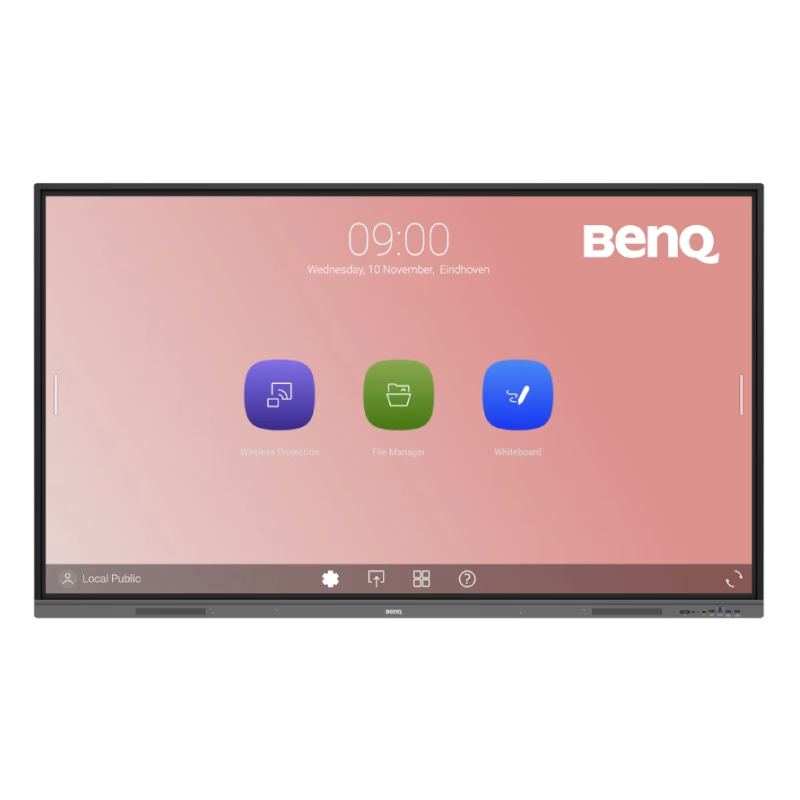
The HUAWEI IdeaHub B3 IHB3-65SA is a 65-inch intelligent collaboration device designed for meetings and hybrid workspaces. It combines a 4K interactive display with built-in audio, video, and whiteboard tools for smooth teamwork. Additionally, it supports cloud meetings and wireless sharing for flexible communication. Moreover, it uses a 4K UHD infrared touch screen with low writing latency of about 16 ms. Therefore, users can write and interact smoothly during presentations and discussions. Furthermore, it includes a built-in 4K camera with intelligent tracking. So, it automatically follows speakers and improves video meeting quality. It also integrates multiple microphones and speakers for clear sound pickup and output. In addition, it supports Wi-Fi 6 connectivity and BYOM (Bring Your Own Meeting). Therefore, users can connect their own devices easily and start meetings without extra setup. Also, it runs on Huawei’s collaboration platform with support for cloud meetings, wireless projection, and digital whiteboarding. Overall, the Huawei IdeaHub B3 65-inch delivers an all-in-one meeting solution with smart collaboration tools, strong connectivity, and interactive display performance for modern offices. Specifications: 65-inch 4K UHD infrared touch display Built-in 4K camera with intelligent tracking Low 16 ms writing latency for smooth interaction Wi-Fi 6 support with BYOM connectivity Integrated speakers and multi-microphone system

Acer KA222Qbi The Acer KA222Qbi entry-level series provide a superb user experience and don’t compromise . on quality. With a choice of display size and a ZeroFrame. design it is ideal for use in homes and offices. Whether it’s running productivity apps or playing games this monitor has it all. Viewable Screen Size Acer KA222Qbi 54.6 cm (21.5″) Aspect Ratio 16:9 Response Time 1 ms VRB Backlight Technology LED Horizontal Viewing Angle 178° Vertical Viewing Angle 178° Panel Technology In-plane Switching (IPS) Technology Frequency (Horizontal/Vertical) 30KHz-85KHz/48Hz-75Hz Pixel Pitch 0.25 mm Tilt Angle -5° to 15° Maximum Adjustable Height No Video Maximum Resolution 1920 x 1080 Native Contrast Ratio 1,000:1 Dynamic Contrast Ratio 100,000,000:1 Colour Supported 16.7 Million Colours Colour Depth 8-bit Color Gamut 72% NTSC Dynamic Contrast Ratio 100,000,000:1 Brightness 250 cd/m² Tearing Prevention Technology AMD FreeSync™ (HDMI VRR) Interfaces/Ports Acer KA222Qbi VGA Yes HDMI Yes Power Description Standby Power Consumption (Energy Star) 270 mW Off-Mode Power Consumption (Energy Star) 210 mW Operating Power Consumption (Energy Star) 15.50 W Miscellaneous Environmental Certification MPR II Package Contents 1 x KA222Q Widescreen LCD Monitor 1 x Power Cord(EURO/UK) 1 x VGA Cable Physical Characteristics Colour Black VESA Mount Compatible Yes VESA Mount Standard 100 x 100 Height 295 mm Width 490 mm Depth 65 mm Weight (Approximate) 3.09 kg Weight with Stand (Approximate) 3.44 kg Specifications: Specifications 21.5″ ZeroFrame FreeSync 1ms, IPS 1 year warranty

The MSI MAG E18 32-inch curved gaming monitor delivers smooth performance and immersive visuals for modern gaming setups. It features a wide display that enhances focus and creates a more engaging experience. Therefore, users can enjoy both casual and competitive gameplay with better visual coverage. Moreover, the WQHD resolution provides clear and detailed images for games and multimedia. The curved design improves viewing comfort and keeps content within your natural field of view. In addition, the 180Hz refresh rate ensures fluid motion during fast-paced scenes. The fast 0.5ms response time reduces motion blur and improves clarity in action sequences. As a result, players gain better control and precision. Furthermore, the panel maintains consistent colors and wide viewing angles, which enhances overall visual quality. In addition, adaptive sync support helps eliminate screen tearing and stuttering. This creates a more stable and enjoyable gaming experience. The monitor also includes multiple connectivity options, allowing easy integration with gaming systems and PCs. MSI MAG E18 32 monitor offers a strong balance of speed, clarity, and immersion. MSI MAG E18 32 monitor is a reliable choice for gamers who want smooth performance and consistent visuals. Specifications: 32-inch WQHD (2560 × 1440) curved display 180Hz refresh rate for smooth gameplay 0.5ms response time for reduced motion blur Curved panel for immersive viewing experience Multiple connectivity ports for flexible setup

LED feature Specification Display size 60.5 cm (23.8 in) diagonal Display type IPS with LED backlight Panel active area 52.7 x 29.6 cm (20.7 x 11.7 in) Scan range Horizontal: 30 to 80 KHz Vertical: 50 to 60 Hz Brightness 250 nits Color support Up to 16.7 million colors with the use of FRC technology Color gamut 72% Pixel pitch 0.2745 (H) mm x 0.2745 (V) mm 93 PPI Inputs 1 VGA 1 HDMI Audio in/Audio out HDCP support Viewing angle Horizontal viewing angle (typical): 178 degrees Vertical viewing angle (typical): 178 degrees Recommended resolution (H x V) 1920 x 1080 @ 60 Hz (Full HD) Aspect ratio 16:9 Static contrast ratio 1000:1 Dynamic contrast ratio 10,000,000:1 Response time 6 ms GtG w/OD 14 ms GtG (typ) / 28 ms GtG (Max) Power supply External Power consumption 30 Watts max Tilt -5 to +25 degrees Dimensions W x D x H (unpacked): 54.1 x 18.3 x 40.9 cm (21.3 x 7.2 x 16.1 in) Weight Unpacked: 3.1 Kg (6.8 lbs) Specifications: HP Monitor 24ea 23.8-inch IPS Display Display size 60.5 cm (23.8 in) diagonal Display type IPS with LED backlight Panel active area 52.7 x 29.6 cm (20.7 x 11.7 in)

The HUAWEI IdeaHub Board 2 IHB2-65SU is a 65-inch intelligent collaboration display designed for meetings, classrooms, and hybrid work environments. It combines a 4K UHD interactive touchscreen with built-in collaboration tools for writing, presenting, and video communication. Additionally, it supports smooth interaction for real-time teamwork. Moreover, it features a 65-inch 4K (3840 × 2160) infrared multi-touch screen with up to 20 touch points. Therefore, users can write and interact accurately during meetings and lessons. Furthermore, Huawei designs it with ultra-low writing latency of around 16–25 ms. So, writing feels natural and responsive like a real whiteboard. It also includes anti-glare and zero-gap bonding for clearer visuals. In addition, it integrates a 4K display system with built-in speakers and microphone support. Therefore, it improves audio-visual communication for hybrid meetings and presentations. It also supports dual Wi-Fi and wireless projection from multiple devices. Also, it runs on Android-based system support with optional Windows OPS integration. So, it fits different enterprise IT environments and meeting setups. Overall, the Huawei IdeaHub Board 2 IHB2-65SU delivers interactive 4K collaboration, smooth writing performance, and flexible connectivity for modern workplaces and education spaces. Specifications: 65-inch 4K UHD infrared touch display Up to 20-point multi-touch support Ultra-low writing latency (~16–25 ms) Built-in speakers and conferencing support Wireless projection with dual Wi-Fi connectivity

Genuine-spec touchpad flex cable for MacBook Pro 15″ (Model A1707, 2016–2017)—restores full Force Touch functionality, haptic feedback, and precise multi-touch gesture control during trackpad repair or replacement. Compatible With: MacBook Pro 15″ (2016) – Model A1707 (Model Identifier: MacBookPro13,2) MacBook Pro 15″ (2017) – Model A1707 (Model Identifier: MacBookPro14,2) MacBook Pro 15″ (2016) – Model A1707 (Model Identifier: MacBookPro13,2) MacBook Pro 15″ (2017) – Model A1707 (Model Identifier: MacBookPro14,2) Part Type: Touchpad flex cable only — does not include the trackpad housing, Taptic Engine, or mounting hardware. This is the OEM-style ribbon cable that connects the trackpad to the logic board. Function: Transmits: Touch input coordinates Force Touch pressure data Haptic feedback signals to the Taptic Engine Enables full macOS gesture support: Force Click, three-finger lookup, swipe navigation, pinch-to-zoom, and smooth cursor tracking. Touch input coordinates Force Touch pressure data Haptic feedback signals to the Taptic Engine Enables full macOS gesture support: Force Click, three-finger lookup, swipe navigation, pinch-to-zoom, and smooth cursor tracking. OEM-Quality Build: Matches Apple’s original specifications in: Cable length and routing path Connector pitch and ZIF latch design EMI shielding and flex durability Cable length and routing path Connector pitch and ZIF latch design EMI shielding and flex durability Common Use Cases: Replacing a torn, creased, or liquid-damaged original flex cable Completing a trackpad replacement when the original cable is compromised Fixing intermittent trackpad behavior, loss of Force Touch, or complete unresponsiveness Replacing a torn, creased, or liquid-damaged original flex cable Completing a trackpad replacement when the original cable is compromised Fixing intermittent trackpad behavior, loss of Force Touch, or complete unresponsiveness Installation Note: Requires full bottom case removal and battery disconnection. Cable routes under internal components near the right speaker and logic board. Connects via a ZIF (Zero Insertion Force) socket—must be aligned carefully and latched gently. Recommended for experienced or certified technicians only. Requires full bottom case removal and battery disconnection. Cable routes under internal components near the right speaker and logic board. Connects via a ZIF (Zero Insertion Force) socket—must be aligned carefully and latched gently. Recommended for experienced or certified technicians only.
