
The Lenovo G27-20 27″ Monitor delivers sharp visuals and smooth performance for gaming, work, and everyday use.It features a 27-inch Full HD display that shows clear images and vibrant colors. Moreover, its fast refresh rate ensures smooth motion for games and videos. This monitor uses a VA panel for strong contrast and wide viewing angles. Additionally, a quick response time helps reduce blur during fast-paced action. The anti-glare screen also helps reduce reflections in bright rooms. HDMI and DisplayPort inputs allow easy connection to PCs, laptops, and consoles. Furthermore, tilt adjustment lets you find a comfortable viewing angle during long sessions. Low blue light and flicker-free technologies help reduce eye strain over extended use. This display is ideal for gamers, students, and office users alike. Therefore, it supports gaming, streaming, and daily productivity tasks. Finally, it combines strong visuals, fast performance, and comfort features for daily use. Specifications: Screen Size: 27″ Full HD VA panel Refresh Rate: Fast, 165 Hz for gaming Response Time: 1 ms MPRT Ports: HDMI + DisplayPort Features: Anti-glare, low blue light, flicker-free eye-care

A versatile pre-owned Lenovo ThinkPad L13 Yoga Gen 1 with 13.3" touchscreen, 360° hinge, 10th Gen Core i7, 16GB RAM, and 512GB SSD—perfect for professionals who need flexibility, performance, and portability.

In the realm of monitors, the ViewSonic VG2748 stands out as a powerhouse, offering exceptional visual clarity and a range of features to boost productivity for an enhanced viewing journey. Transitioning to its key features, the VG2748 excels in providing crisp and detailed visuals. This monitor is designed to deliver sharp images and vibrant colors, ensuring a visually engaging experience for work, presentations, or creative tasks. Moreover, this display impresses with its sleek and professional design. The ViewSonic VG2748 not only complements your workspace but also ensures a slim profile and ergonomic stand, allowing for customized and comfortable viewing. In addition to its functionality, the VG2748 offers user-friendly controls and versatile connectivity options, ensuring a seamless and adaptable experience. This monitor effortlessly adapts to various settings, providing flexibility for different work environments. Furthermore, ViewSonic’s commitment to user satisfaction is evident in the VG2748’s advanced ergonomic features and eye-care technology. It’s a reliable companion for extended work sessions, offering both visual excellence and comfort. In conclusion, the ViewSonic VG2748 redefines productivity, combining high-quality visuals, professional design, and user-friendly features. Elevate your work experience effortlessly with the VG2748 – your partner in a seamless and efficient viewing journey! Specification vDisplay Manager SuperClear IPS 178˚/ 178˚ Low Energy Consumption Dual Speakers Refresh Rate : 60Hz Flicker-Free Blue Light Filter ViewMode : Game/Movie/Web/Text/Mono/Mac Ports : 4 USB-A |1 VGA | 1 HDMI | 1 Display Port

The Samsung 85″ The Frame QLED 4K Smart TV QA85LS03FAUXTW uses an 85-inch 4K UHD LCD panel with 3840 × 2160 resolution. It is designed for both standard TV viewing and wall-mounted display use. The display uses a QLED layer with Quantum Dot technology to improve color reproduction. As a result, it produces wider color output and more consistent brightness across different content types. In addition, it supports 4K upscaling for lower-resolution video. The TV supports HDR formats for compatible content. This increases contrast between bright and dark areas and improves detail visibility. Also, motion processing reduces blur during fast-moving scenes such as sports and action content. Samsung runs this model on Tizen OS. Therefore, users access streaming apps, SmartThings integration, and smart features through a unified interface. It also supports Wi-Fi and Bluetooth for wireless device connections. Connectivity includes HDMI ports, USB ports, Ethernet LAN, and optical audio output. It supports external devices such as gaming consoles and sound systems. This model uses The Frame design concept, which allows the TV to function as both a display and a digital art screen when not in use. Specifications: 85-inch 4K UHD LCD panel (3840 × 2160 resolution) Quantum Dot (QLED layer) color enhancement 4K upscaling for lower-resolution content HDR support for compatible content Tizen OS with HDMI, USB, Wi-Fi, Bluetooth, Ethernet connectivity

Genuine-spec touchpad flex cable for MacBook Air 13″ (Model A1932, 2018–2019)—essential for restoring full Force Touch functionality, haptic feedback, and precise multi-touch gesture control during trackpad repair or replacement. Compatible With: MacBook Air 13-inch (2018 & 2019, Model A1932, Model Identifier MacBookAir8,1) with Intel Core i5/i7 processors. Part Type: Touchpad flex cable only—does not include the trackpad housing, Taptic Engine, or mounting hardware. This is the OEM-style ribbon cable that connects the trackpad to the logic board. Function: Transmits touch input, Force Touch pressure data, and haptic feedback signals—critical for macOS gestures like Force Click, three-finger lookup, pinch-to-zoom, and smooth cursor tracking. OEM-Quality Build: Matches Apple’s original in length, connector pitch, EMI shielding, and flexibility—ensures reliable signal integrity and long-term durability. Common Use Cases: Replacing a torn, creased, or liquid-damaged original flex cable Completing a trackpad replacement when the original cable is unusable Fixing intermittent trackpad behavior, loss of Force Touch, or complete unresponsiveness Replacing a torn, creased, or liquid-damaged original flex cable Completing a trackpad replacement when the original cable is unusable Fixing intermittent trackpad behavior, loss of Force Touch, or complete unresponsiveness Installation Note: Requires full bottom case removal and careful routing beneath the battery. The cable connects via a ZIF (Zero Insertion Force) socket on the logic board—must be properly aligned and latched without force. Recommended for experienced or certified technicians. Important: This is flex cable only—not a complete trackpad assembly. Must be used with the original or compatible A1932 trackpad and Taptic Engine. Not compatible with MacBook Air M1 (A2337/A2338), M2 (A2681/A2941), or any MacBook Pro model. This is flex cable only—not a complete trackpad assembly. Must be used with the original or compatible A1932 trackpad and Taptic Engine. Not compatible with MacBook Air M1 (A2337/A2338), M2 (A2681/A2941), or any MacBook Pro model.

Apple MacBook Pro 13” (2015) — reliable performance and classic MacBook design.• Intel Core i5 • 8 GB RAM • 128 GB SSD • Retina DisplaymacOS | Backlit Keyboard

Elevate your game with the Logitech G102, featuring a high-precision 8,000 DPI sensor and vibrant Lightsync RGB lighting. Designed with a classic six-button layout and gaming-grade performance, it offers incredible accuracy and responsiveness for both competitive play and daily productivity. The Logitech G102 is engineered for speed, consistency, and comfort. At its core is a gaming-grade sensor that provides adjustable sensitivity, allowing you to tailor your control to your specific playstyle. Whether you are navigating complex spreadsheets or hitting precise headshots, the G102 delivers a seamless experience with a classic design trusted by gamers worldwide. Gaming-Grade 8,000 DPI Sensor: Experience ultra-precise tracking and consistent responsiveness. The sensitivity is fully adjustable from 200 to 8,000 DPI. Lightsync RGB Color Wave: Choose from vibrant animations or customize your own from approximately 16.8 million colors to match your setup’s aesthetic. Mechanical Spring Button Tensioning: The primary left and right buttons feature a metal spring tensioning system, providing crisp, reliable clicks and a premium feel. Classic 6-Button Design: A familiar, comfortable shape that allows you to play or work for hours without fatigue. Each button can be customized via software for specific in-game actions. On-the-Fly DPI Shifting: Cycle through up to five sensitivity settings with the press of a button, allowing you to switch from precision sniping to rapid movement instantly. Resolution: 200 – 8,000 DPI Connection Type: USB 2.0 (Wired) USB Data Format: 16 bits/axis USB Report Rate: 1000Hz (1ms) Microprocessor: 32-bit ARM Cable Length: 2.1 meters Compatibility: Windows 7 or later, macOS 10.13 or later, ChromeOS Logitech G102 Gaming Mouse User Documentation

New A1989 A1990 Keyboard US Standard Replacement for MacBook Pro 13'' 15''A1990 A1989 Keyboard 2018/2019 Year New A1989 A1990 Keyboard US Standard Replacement for MacBook Pro 13” 15”A1990 A1989 Keyboard 2018/2019 Year New A1989 A1990 Keyboard US Standard Replacement for MacBook Pro 13” 15”A1990 A1989 Keyboard 2018/2019 Year We have Perfect after-sales services We share the latest information on laptop spare parts For all our customers. This is NOT an easy job for someone who has no technical skills with Disassembling or Assembling a laptop, So only purchase this item if you know how to install it. Each Keyboard is tested before shipping and working.

Genuine-spec US layout (QWERTY) keyboard replacement in Midnight Blue for MacBook Air 13.6″ (Model A2681, M2, 2022)—featuring Apple’s Magic Keyboard with scissor-switch mechanism, backlighting, and precise OEM fit. Compatible With: MacBook Air 13.6-inch (2022, Model A2681) with Apple M2 chip – specifically designed for the Midnight color variant. Layout: Standard US English (QWERTY) with wide Enter key, inverted-T arrow keys, and full function row—matches Apple’s original US configuration. Design: Apple’s Magic Keyboard with scissor-switch mechanism—offering quiet, stable keystrokes, 1mm key travel, and enhanced durability over older Butterfly designs. Color: Midnight Blue keycaps—specially matched to the Midnight finish of the A2681 MacBook Air for seamless visual integration. (Note: This keyboard is not recommended for Silver, Space Gray, or Starlight models due to color mismatch.) Features: Integrated backlighting, ambient light sensor compatibility, and OEM-style flex cable connector for direct logic board connection. Precision Fit: Engineered to exact Apple specifications for alignment, key spacing, and mounting—ensures a flush, secure fit within the original top case. Installation Note: The keyboard is factory-glued into the top case. Replacement requires full disassembly and professional-grade re-adhesion. Recommended for experienced technicians only.

Genuine-spec touchpad flex cable for MacBook Pro 13″ (Model A2289, 2020, Intel)—restores full Force Touch functionality, haptic feedback, and preci multi-touch gesture control. OEM-quality replacement for damaged or faulty original cables. Compatible With: MacBook Pro 13-inch (2020, Four Thunderbolt Ports, Model A2289, Model Identifier MacBookPro16,2) with Intel Core i5/i7 processors. Part Type: Touchpad flex cable only — does not include the trackpad housing, Taptic Engine, or mounting hardware. This is the OEM-style ribbon cable that connects the trackpad to the logic board. Function: Transmits: Touch input coordinates Force Touch pressure data Haptic feedback signals to the Taptic Engine Enables full macOS gesture support: Force Click, three-finger lookup, swipe navigation, pinch-to-zoom, and smooth cursor tracking. Touch input coordinates Force Touch pressure data Haptic feedback signals to the Taptic Engine Enables full macOS gesture support: Force Click, three-finger lookup, swipe navigation, pinch-to-zoom, and smooth cursor tracking. OEM-Quality Build: Matches Apple’s original specifications in: Cable length and routing path Connector pitch and ZIF latch design EMI shielding and flex durability Cable length and routing path Connector pitch and ZIF latch design EMI shielding and flex durability Common Use Cases: Replacing a torn, creased, or liquid-damaged original flex cable Completing a trackpad replacement when the original cable is unusable Fixing: Intermittent or erratic trackpad behavior Loss of Force Touch or haptic feedback Complete trackpad unresponsiveness Replacing a torn, creased, or liquid-damaged original flex cable Completing a trackpad replacement when the original cable is unusable Fixing: Intermittent or erratic trackpad behavior Loss of Force Touch or haptic feedback Complete trackpad unresponsiveness Intermittent or erratic trackpad behavior Loss of Force Touch or haptic feedback Complete trackpad unresponsiveness Installation Note: Requires full bottom case removal and battery disconnection. Cable routes under internal components (speaker, logic board)—must follow original path. Connects via ZIF (Zero Insertion Force) socket—align carefully, never force. Recommended for experienced or certified technicians only. Requires full bottom case removal and battery disconnection. Cable routes under internal components (speaker, logic board)—must follow original path. Connects via ZIF (Zero Insertion Force) socket—align carefully, never force. Recommended for experienced or certified technicians only. Important Compatibility Notes: ✅ Only for A2289 (13″, 4 Thunderbolt ports, 2020, Intel) ❌ Not compatible with: A2251 (2 Thunderbolt ports, 2020) A2338 (M1 MacBook Pro, 2020) Any MacBook Air or 14″/16″ MacBook Pro ✅ Only for A2289 (13″, 4 Thunderbolt ports, 2020, Intel) ❌ Not compatible with: A2251 (2 Thunderbolt ports, 2020) A2338 (M1 MacBook Pro, 2020) Any MacBook Air or 14″/16″ MacBook Pro A2251 (2 Thunderbolt ports, 2020) A2338 (M1 MacBook Pro, 2020) Any MacBook Air or 14″/16″ MacBook Pro

The Lenovo Legion R25f-30 is a 24.5-inch FHD gaming monitor designed for competitive gameplay and fast response performance. It uses a VA panel with high refresh rate support and sharp Full HD resolution. Additionally, it targets gamers who need smooth motion clarity and low input delay. This monitor delivers a 1920 × 1080 resolution with a 240Hz refresh rate, which can be overclocked up to 280Hz in supported setups. Moreover, it features a 0.5ms MPRT response time for reduced motion blur during fast-paced gaming. The Lenovo Legion R25f-30 supports AMD FreeSync Premium to reduce screen tearing and stuttering. Additionally, it includes HDMI 2.1 and DisplayPort 1.4 for high refresh rate connectivity across PCs and consoles. It also provides 99% sRGB color coverage and 3000:1 contrast ratio for richer image depth. Therefore, it balances gaming performance with decent color accuracy for everyday use. The Lenovo Legion R25f-30 is built for esports-focused users who prioritize speed, responsiveness, and smooth visuals in competitive games. Specifications: 24.5-inch Full HD (1920 × 1080) VA gaming display 240Hz refresh rate with up to 280Hz overclock support 0.5ms MPRT response time for fast motion clarity AMD FreeSync Premium for tear-free gaming performance HDMI 2.1 and DisplayPort 1.4 connectivity support

The SAMSUNG 27A804UJN Monitor delivers sharp visuals with 4K UHD resolution and IPS technology. First, it provides accurate colors and wide viewing angles for work and entertainment. The monitor features a 27-inch display, 60Hz refresh rate, and 300 nits brightness. In addition, it includes HDMI and DisplayPort for easy connection to multiple devices. Moreover, the adjustable stand supports height and tilt for better comfort. Therefore, users can enjoy clear images, smooth performance, and a flexible setup for daily use. Specifications: 27″ UHD 3840 x 2160 resolution delivers sharp and detailed images IPS panel provides accurate colors and wide viewing angles 60Hz refresh rate ensures smooth performance for daily tasks HDMI and DisplayPort enable easy connection to multiple devices Height and tilt adjustment improves comfort and viewing position

Genuine-spec touchpad flex cable for MacBook Pro 15″ (Model A1706 – 2017 and A1989 – 2018/2019)—restores full Force Touch functionality, haptic feedback, and precise multi-touch gesture control during trackpad repair or replacement. Compatible With: MacBook Pro 15″ (2017) – Model A1706 (Model Identifier: MacBookPro14,3) MacBook Pro 15″ (2018–2019) – Model A1989 (Model Identifier: MacBookPro15,2) ✅ Note: Apple used the same trackpad assembly and flex cable across both A1706 and A1989 15″ models—making this part interchangeable between them. MacBook Pro 15″ (2017) – Model A1706 (Model Identifier: MacBookPro14,3) MacBook Pro 15″ (2018–2019) – Model A1989 (Model Identifier: MacBookPro15,2) ✅ Note: Apple used the same trackpad assembly and flex cable across both A1706 and A1989 15″ models—making this part interchangeable between them. ✅ Note: Apple used the same trackpad assembly and flex cable across both A1706 and A1989 15″ models—making this part interchangeable between them. Part Type: Touchpad flex cable only — does not include the trackpad housing, Taptic Engine, or mounting hardware. This is the OEM-style ribbon cable connecting the trackpad to the logic board. Function: Transmits: Touch input coordinates Force Touch pressure data Haptic feedback signals to the Taptic Engine Enables full macOS gesture support: Force Click, three-finger lookup, swipe navigation, pinch-to-zoom, and smooth cursor tracking. Touch input coordinates Force Touch pressure data Haptic feedback signals to the Taptic Engine Enables full macOS gesture support: Force Click, three-finger lookup, swipe navigation, pinch-to-zoom, and smooth cursor tracking. OEM-Quality Build: Matches Apple’s original in: Cable length and routing Connector pitch and ZIF latch design EMI shielding and flex durability Cable length and routing Connector pitch and ZIF latch design EMI shielding and flex durability Common Use Cases: Replacing a torn, creased, or liquid-damaged original flex cable Completing a trackpad replacement when the original cable is compromised Fixing intermittent trackpad behavior, loss of Force Touch, or complete unresponsiveness Replacing a torn, creased, or liquid-damaged original flex cable Completing a trackpad replacement when the original cable is compromised Fixing intermittent trackpad behavior, loss of Force Touch, or complete unresponsiveness Installation Note: Requires full bottom case removal and battery disconnection. Cable routes under internal components near the right speaker and logic board. Connects via a ZIF (Zero Insertion Force) socket—must be aligned carefully and latched gently. Recommended for experienced or certified technicians only. Requires full bottom case removal and battery disconnection. Cable routes under internal components near the right speaker and logic board. Connects via a ZIF (Zero Insertion Force) socket—must be aligned carefully and latched gently. Recommended for experienced or certified technicians only.

Are you searching for the ultimate gaming monitor to fuel your passion? Look no further than the Samsung Odyssey G65B Gaming Monitor. Crafted with precision and innovation, this monitor sets the standard for gaming excellence. The Samsung Odyssey G65B boasts a stunning curved display that pulls you into the heart of the action. Immerse yourself in every detail with its expansive 65-inch screen, providing a truly immersive gaming experience. With a lightning-fast refresh rate and response time, the Odyssey G65B ensures smooth gameplay without motion blur or input lag. Dominate the competition with precise, fluid movements that give you the edge in every game. Equipped with Quantum Dot technology, this monitor delivers lifelike colors and breathtaking clarity. Experience vibrant visuals that bring your favorite games to life with stunning realism and depth. Say goodbye to screen tearing and stuttering thanks to the Odyssey G65B’s support for NVIDIA G-SYNC and AMD FreeSync technologies. Enjoy tear-free gaming sessions with buttery-smooth gameplay, no matter your graphics card. The Odyssey G65B isn’t just a gaming monitor—it’s a command center for your gaming experience. With features like Picture-by-Picture and Picture-in-Picture, you can multitask like never before, keeping an eye on multiple sources simultaneously. In conclusion, the Samsung Odyssey G65B Gaming Monitor raises the bar for gaming displays. Dive into a world of unparalleled performance, stunning visuals, and immersive gameplay. Upgrade your gaming setup with the Odyssey G65B and experience gaming like never before. Specifications: Display : 32″ Curvature : 1000R Resolution : 2,560 x 1,440 QHD Refresh Rate : 240Hz Response Rate : 1ms(GTG)

A modern pre-owned Dell Latitude 5420 with 14" display, 11th Gen Core i5, 8GB RAM, and 256GB SSD—delivering reliable performance, enterprise security, and all-day productivity in a compact business laptop.

Used OEM Original Apple Logic Board Working, A1706 Late 2016 Mode 3.3 GHz i7 256gb 16gb RAM Tested using latest industry hardware diagnostic software, Fresh pull from full unit.

The Samsung 77-Inch OLED S90F 4K Vision AI Smart TV | QA77S90FAEXTW is a premium entertainment display that combines OLED picture quality with advanced AI-powered features. Designed for movie enthusiasts, gamers, and streaming fans, it delivers stunning visuals with exceptional color accuracy and contrast. In addition, the large 77-inch screen creates a more immersive viewing experience for any home theater setup. The OLED panel features self-illuminating pixels, and it produces deep blacks with remarkable contrast. As a result, dark scenes appear more detailed while bright highlights remain vivid and realistic. Furthermore, the 4K UHD resolution ensures sharp image quality, making every scene look clear and lifelike. Samsung integrates Vision AI technology into this model, and it intelligently enhances picture and sound performance in real time. Therefore, content appears more refined and optimized regardless of the source. In addition, AI upscaling improves lower-resolution content by bringing it closer to 4K quality. HDR support enhances brightness and expands color depth, so viewers can enjoy more realistic visuals with greater dynamic range. Meanwhile, Samsung’s Smart TV platform provides seamless access to popular streaming services, gaming features, and smart home controls. The slim OLED design adds a premium look to any living space, while the advanced processing technology ensures smooth performance across movies, sports, and games. Overall, the Samsung 77-Inch OLED S90F 4K Vision AI Smart TV offers premium picture quality, intelligent features, and an immersive entertainment experience. Specifications: OLED display technology delivers deep blacks and exceptional contrast 77-inch 4K UHD screen provides immersive large-format viewing Vision AI enhances picture and audio quality in real time HDR support improves brightness, contrast, and color accuracy Smart TV platform offers streaming apps and smart home connectivity

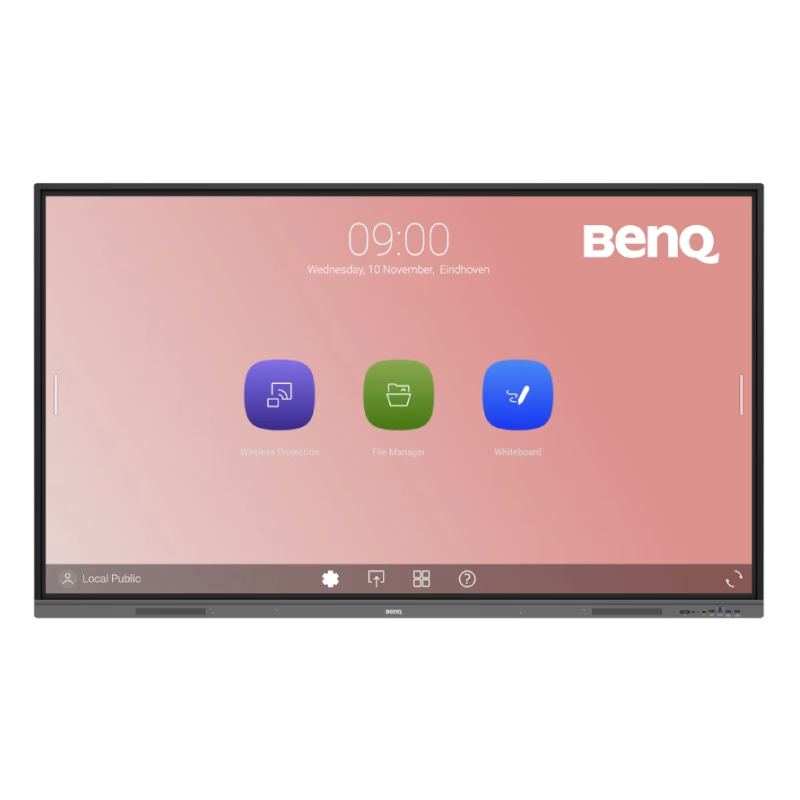
BenQ MOBIUZ EX2710 27″ Display Screen Size 27 inch Panel Type IPS Backlight Technology LED backlight Resolution (max.) 1920×1080 Brightness (typ.) 350 nits Brightness (peak)(HDR) 400 nits HDR HDR10 Native Contrast 1000:1 Viewing Angle (L/R) (CR>=10) 178°/178° Response Times (GtG) 2 ms Response Times (MPRT) 1 ms Refresh Rate (Hz) 144 Color Gamut 99% sRGB Color Mode Cinema HDRi, ePaper, FPS, Game HDRi, HDR, M-Book, Racing game, RPG, sRGB, Standard Aspect Ratio 16:9 Display Colors 16.7 million color PPI 82 Display Screen Coating Anti-Glare Color Temperature Bluish, Normal, Reddish, User Define Gamma 1.8 – 2.6 HDCP 2.2 OSD Language Arabic, Chinese (simplified), Chinese (traditional), Czech, Deutsch, English, French, Hungarian, Italian, Japanese, Korean, Netherlands, Polish, Portuguese, Romanian, Russian, Spanish, Swedish AMA Yes Audio Built-in Speaker 2.5Wx2 Headphone Jack Yes Power Voltage Rating 100 – 240V Power Supply Built-in Power Consumption (normal) 22 W Power Consumption (max) 58 W Power Consumption (sleep mode) <0.5 W Dimension and Weight Tilt (down/up) -5˚ – 20˚ Swivel (left/right) 20˚/ 20˚ Height Adjustment Stand 130 mm Dimensions (HxWxD) (mm) 409.6 – 539.6×614.1×216.7 Dimensions (HxWxD) (inch) 16.1 – 21.2×24.2×8.5 Dimensions (HxWxD) (w/o Base) (mm) 382.2×614.1×64.1 Dimensions (HxWxD) (w/o Base) (inch) 15.1×24.2×2.5 Net Weight (kg) 6.2 Net Weight (lb) 13.7 Net Weight (w/o Base) (kg) 4 Net Weight (w/o Base) (lb) 8.8 VESA Wall Mount 100×100 mm Accessories Other Accessories QSG, Warranty Card Connectivity HDMI (v2.0) 2 DisplayPort (v1.2) 1 Eye Care Flicker-free Technology Yes Low Blue Light Yes Brightness Intelligence Plus (B.I.+) Yes Color Weakness Yes ePaper Yes Certification TUV Certificate Flicker-free, Low Blue Light Video Enjoyment HDRi Yes Professional Video Format Support Yes Specifications: BenQ MOBIUZ EX2710 27″ Screen Size 27 inch Panel Type IPS Backlight Technology LED backlight Resolution (max.) 1920×1080 Brightness (typ.) 350 nits 1 Year Warranty

The ViewSonic VA2708-2K-MHD is a 27-inch monitor featuring a SuperClear IPS panel with QHD resolution (2560 × 1440). The higher resolution provides more screen space and sharper image quality compared to standard Full HD displays, making it suitable for office work, content consumption, and everyday productivity. The monitor supports a refresh rate of up to 100Hz. As a result, scrolling, video playback, and general desktop use appear smoother than on traditional 60Hz displays. In addition, the display offers a 1ms MPRT response time to help reduce perceived motion blur. The IPS panel provides wide 178° horizontal and vertical viewing angles. Therefore, colors and brightness remain more consistent when viewed from different positions. ViewSonic includes built-in stereo speakers for basic audio playback. This eliminates the need for external speakers in many office and home environments. Connectivity includes HDMI, DisplayPort, and VGA inputs, allowing compatibility with modern and legacy devices. The monitor also supports VESA wall mounting for flexible installation options. The VA2708-2K-MHD focuses on sharp QHD image quality, smooth 100Hz performance, and versatile connectivity for everyday computing tasks. Specifications: 2K QHD 2560 X 1440 resolution SuperClear® IPS panel 100Hz Variable refresh rate delivers fluid visuals 1ms (MPRT) response time for precision HDR10 Delivers Stellar Contrast and Color Accuracy

About this item Noise-cancelling microphone reduces room noise for clearer Internet calls Full stereo sound for your music, movies and games Rotating microphone boom can be worn on your left or right side Adjustable headband gives you a customized fit Works with Windows 10 or later, Windows 8, Windows 7, Windows Vista, Mac OS X 10.5 or later, Chrome OS, Linux Kernel 2.6+ and iOS or Android devices
