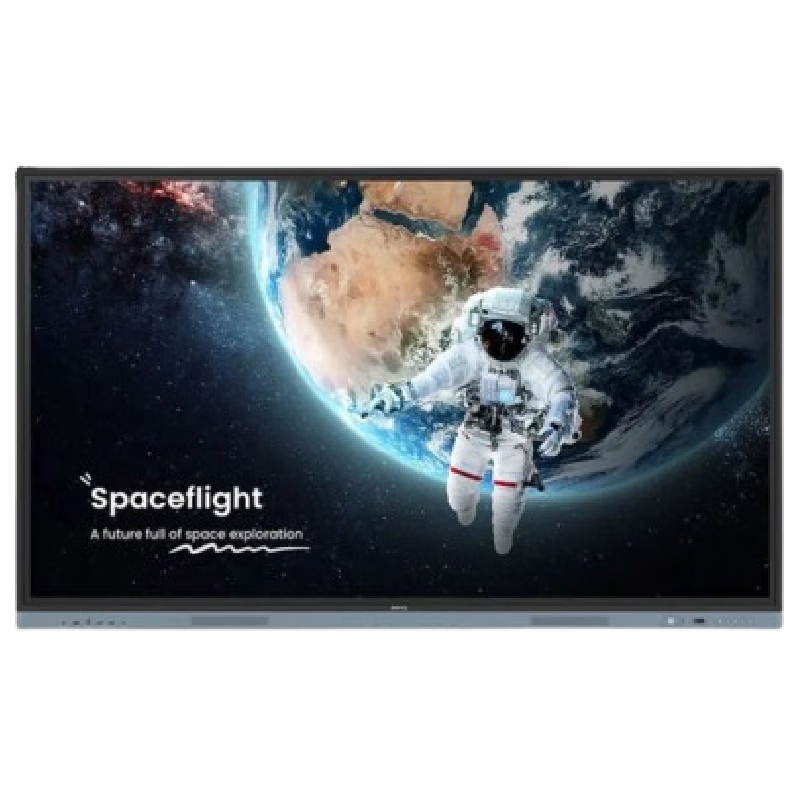

The HUAWEI IdeaHub B2-65 is a 65-inch intelligent collaboration display designed for meetings, classrooms, and hybrid workspaces. It combines a 4K UHD interactive touchscreen with built-in conferencing tools to support smooth communication. Additionally, it enables writing, video meetings, and wireless sharing in one integrated device. Moreover, it features a 4K resolution screen with zero-gap bonding. Therefore, it delivers clear visuals and smooth touch interaction for presentations and collaboration. Furthermore, Huawei equips it with a 4K camera, 6-microphone array, and 30W speakers. So, it provides clear video, strong voice pickup, and balanced sound for meetings up to about 10 meters. In addition, it supports dual Wi-Fi connectivity and wireless projection. Therefore, users can share content easily from laptops, tablets, and phones without cables. It also includes an intelligent whiteboard for real-time writing and collaboration. Also, it supports both Android and optional Windows OPS system integration. So, it fits different office and enterprise IT setups. Overall, the Huawei IdeaHub B2-65 delivers a complete all-in-one collaboration solution with strong audio-visual performance, smart connectivity, and interactive meeting tools. Specifications: 65-inch 4K UHD interactive touchscreen 4K camera with intelligent conferencing support 6-microphone array with 10m pickup range Wireless projection and dual Wi-Fi support Integrated whiteboard for collaboration

The Samsung Crystal UHD U8000F 55″ 4K TV UA55U8000FUXTW uses a 55-inch LCD panel with 3840 × 2160 resolution. It delivers standard 4K output for everyday TV, streaming, and console use. Samsung uses the Crystal Processor 4K for image processing and upscaling. As a result, lower-resolution content converts closer to 4K quality on the screen. In addition, the TV supports HDR10 and HDR10+, which improve contrast between bright and dark areas. The display runs at a 60 Hz refresh rate. Also, Motion Xcelerator reduces blur during fast scenes such as sports and action content. Samsung equips the TV with Tizen OS. Therefore, users access streaming apps, SmartThings integration, and built-in smart functions through a simple interface. Connectivity includes HDMI ports, USB ports, Wi-Fi, Bluetooth, Ethernet LAN, and optical audio output. In addition, the TV supports ALLM for basic gaming response performance. This model focuses on 4K resolution, standard HDR support, and essential smart TV features without advanced gaming or local dimming systems. Specifications: 55-inch LCD panel with 3840 × 2160 4K UHD resolution Crystal Processor 4K with upscaling support HDR10 and HDR10+ compatibility 60 Hz refresh rate with Motion Xcelerator Tizen OS with HDMI, USB, Wi-Fi, Bluetooth, Ethernet connectivity

For gamers who crave an exceptional gaming setup, the ViewSonic VX2728J-2K is your ticket to the ultimate gaming experience. This gaming monitor is designed to bring you into the heart of your games with stunning visuals and high-speed action. First and foremost, the ViewSonic VX2728J-2K features a generous 27-inch display. With this ample screen size, you can immerse yourself in your favorite games, enjoying vibrant graphics and crisp details. But that’s not all! This gaming monitor offers a 2K resolution, ensuring that your games come to life with exceptional clarity and detail, providing you with an edge in your gaming adventures. In addition to its visual prowess, the ViewSonic VX2728J-2K boasts a fast 165Hz refresh rate up to 180hz, delivering ultra-smooth gameplay with minimal motion blur, making it effortless to stay on top of in-game challenges. Furthermore, the monitor features Adaptive Sync technology, ensuring tear-free gaming. This means that your graphics card and monitor work together seamlessly, offering you an uninterrupted and smooth gaming experience. Setting up the ViewSonic VX2728J-2K is a breeze, thanks to its versatile connectivity options. Whether you’re using a PC, gaming console, or laptop, the HDMI and DisplayPort ports have you covered. Transitioning from work to play is made easy with the monitor’s ergonomic design. You can adjust the height, tilt, swivel, or pivot the screen to find the ideal viewing angle, ensuring your comfort during extended gaming sessions. Specifications: 27 Inch QHD (2560x1440p) IPS gaming monitor with thin bezels 165hz and 180Hz refresh rate and 0.5ms (MPRT) response time for ultimate gaming experience AMD FreeSync Premium technology enables fluid and tear-free gameplay Advanced ergonomics (tilt, swivel, rotate and height) for all-day comfort HDR10 content support for deep contrast, rich color, and vibrant details The VX2728J-2K supports laptops, PCs, Macs and more with HDMI, and DisplayPort inputs Specifications: 27 Inch QHD (2560x1440p) IPS gaming monitor with thin bezels 180Hz refresh rate and 0.5ms (MPRT) response time for ultimate gaming experience AMD FreeSync Premium technology enables fluid and tear-free gameplay Advanced ergonomics (tilt, swivel, rotate and height) for all-day comfort HDR10 content support for deep contrast, rich color, and vibrant details The VX2728J-2K supports laptops, PCs, Macs and more with HDMI, and DisplayPort inputs

The BenQ 32-inch 4K Monitor for MacBook overview for creative professionals is a 32-inch UHD display designed for MacBook users who need a larger workspace with excellent image quality and accurate color performance. It features a 3840 × 2160 resolution that delivers sharp details for photo editing, video production, graphic design, and professional multitasking. The MA320U features a matte display surface that helps reduce reflections and glare, while the MA320UP features a glossy display surface that enhances contrast and visual clarity. Therefore, both models provide a high-quality viewing experience for creative and productivity-focused workflows. The display performance and color accuracy deliver detailed visuals with consistent colors across different applications. Moreover, the IPS panel provides wide viewing angles and comfortable viewing during long working sessions. As a result, users can enjoy reliable image quality for both professional tasks and everyday use. The connectivity and ergonomic design support efficient workstation setups. In addition, USB-C connectivity enables easy connection with MacBook devices, while HDMI and USB ports provide additional compatibility with other equipment. Therefore, the monitor helps create a clean and organized workspace. The workflow compatibility supports macOS and Windows systems for creative work, office applications, and entertainment. Furthermore, the 32-inch 4K screen provides extra space for multitasking while maintaining excellent clarity. Specifications: Display size: 32-inch IPS panel Resolution: 3840 × 2160 (4K UHD) Models: MA320U Matte display and MA320UP Glossy display Connectivity: USB-C, HDMI, and USB ports Warranty: 3 Years

Designed by Apple Deeper, richer bass tones Greater protection from sweat and water Control music and video playback Answer and end calls Works with all devices that have a Lightning connector and support iOS 10 or later, including iPod touch, iPad, and iPhone

AOC G2490VX 24″ FreeSync Display Specifications : Model name G2490VX Panel 23.8″ (VA) Pixel Pitch (mm) 0.2745 (H) × 0.2745 (V) Effective Viewing Area (mm) 527.04 (H) × 296.46 (V) Brightness (typical) 350 cd/m² (typical) Contrast Ratio 3500 : 1 (Typical) 80 Million : 1 (DCR) Response Time 1ms (MPRT) Viewing Angle 178° (H) / 178° (V) (CR > 10) Color Gamut sRGB 126% (CIE1931) / DCI -P3 87% (CIE1976) Color Accuracy Delta E < 2 Optimum Resolution 1920 × 1080 @ 144Hz – DisplayPort, HDMI Display Colors 16.7 Million Signal Input HDMI 1.4 × 1, DisplayPort 1.2 × 1 HDCP Version HDMI: 1.4 / DisplayPort: 1.4 USB Hub no Power Supply 100 – 240V ~ 1.5A, 50 / 60Hz Power Consumption (typical) 22W Speakers no Line in & Earphone Earphone Wall-Mount 100mm x 100mm Adjustable Stand Tilt: -5° ~ 23° Product without Stand (mm) 322.9 (H) × 541.2 (W) × 47 (D) Product with Stand (mm) 411 (H) × 541.2 (W) × 199.6 (D) Product without Stand (kg) 2.88 Product with Stand (kg) 3.54 Cabinet Color Black & Red Regulatory Approvals BSMI, KC, KCC, e-Standby, RCM, MEPS, CE, FCC, VCCI, PSE AOC G2490VX 24″ FreeSync *. G2490VX has been upgraded to AMD Freesync Premium version since Jan.1.2021 (manufactured date) Screen tearing and stuttering doesn’t only harm gaming performance, it also destroys immersion. AMD FreeSync Premium addresses this by keeping your monitor’s refresh rate synced with your processor’s. Specifications: Specifications : Panel Size 23.8″ Borderless Brightness 350 cd/m² (typical) 3500 : 1 (Typical) 80 Million : 1 (DCR) 1ms (MPRT) Viewing angle 178° (H) / 178° (V) (CR > 10) sRGB 126% (CIE1931) / DCI -P3 87% (CIE 1976) Color accuracy Delta E < 2 Resolution 1920 × 1080 @ 144Hz – DisplayPort, HDMI 16.7 Million HDR MODE 1 Year Warranty manufacturer link

Looking to upgrade your gaming setup? The Asus TUF VG279Q1A Gaming Monitor is the perfect solution for an enhanced gaming experience without breaking the bank. First and foremost, indulge in the impressive display quality this monitor offers. With vivid colors and sharp contrasts, your games come to life, providing an immersive and captivating visual feast. The ultra-fast refresh rate ensures smooth and fluid motion, eliminating lag and enhancing your responsiveness during intense gaming sessions. Say goodbye to screen tearing and hello to a competitive edge. Transition seamlessly between tasks with the user-friendly interface. The intuitive controls make adjusting settings a breeze, allowing you to personalize your gaming environment effortlessly. Furthermore connectivity is key, and the Asus TUF VG279Q1A Gaming Monitor delivers. Multiple ports cater to your gaming peripherals, ensuring compatibility with various devices for a versatile gaming setup. Experience comfort during extended gaming sessions with adjustable features. Tilt, swivel, and height adjustments guarantee an ergonomic setup, reducing strain and enhancing your focus on the game. With eye-care technology, this monitor prioritizes your well-being by reducing eye strain and fatigue. Game for hours without compromising on comfort or visual quality. In conclusion, the Asus TUF VG279Q1A Gaming Monitor is a budget-friendly solution that doesn’t compromise on performance. Elevate your gaming setup with its impressive features and enjoy a new level of gaming immersion. Upgrade today! Specifications: Display : 27″ FHD (1920×1080), IPS Refresh Rate : 165Hz Response time : 1ms Part Number : 90LM05X0-B05170

HP M24f Monitor Overview The HP M24f is a 24-inch Full HD monitor designed for work and everyday use. It offers a slim design and reliable performance. As a result, it suits offices, home setups, and students. 24-Inch Full HD Display This monitor features a 24-inch Full HD resolution. Therefore, text appears sharp and easy to read. Moreover, images look clear and well balanced. Because of this, it supports long working sessions comfortably. In addition, the wide viewing angles improve screen visibility. As a result, content stays clear from different positions. Smooth Visual Performance The HP M24f delivers smooth visuals for daily tasks. As a result, scrolling and browsing feel natural. Furthermore, the display maintains consistent brightness. This improves overall viewing comfort. Eye Comfort and Anti-Glare Screen This monitor includes eye comfort features. Therefore, it helps reduce eye strain. In addition, the anti-glare coating minimizes reflections. As a result, users can work comfortably in bright rooms. Connectivity and Compatibility The HP M24f includes HDMI and VGA ports. As a result, it connects easily to modern and older devices. Moreover, setup is quick and simple. Therefore, users can start working right away. Slim Design and Mounting Options The monitor features a sleek and modern design. In addition, it supports VESA mounting. As a result, users can save desk space and customize layouts. Ideal for Daily Use This monitor focuses on clarity and reliability. Moreover, it suits office work, browsing, and media viewing. In conclusion, the HP M24f offers a balanced and efficient display solution. Specifications: 60.5 cm (23.8) FHD (1920 x 1080) Sustainable; Adaptive Sync; Eyesafe® Certified; IPS panel 1 VGA; 1 HDMI 1.4 (with HDCP support)

A versatile pre-owned Lenovo ThinkPad L13 Yoga Gen 1 with 13.3" touchscreen, 360° hinge, 10th Gen Core i7, 16GB RAM, and 512GB SSD—perfect for professionals who need flexibility, performance, and portability.

Genuine-spec touchpad flex cable for MacBook Pro 13″ (Model A2251, 2020, Intel)—essential for restoring full Force Touch functionality, haptic feedback, and precise multi-touch gesture control during trackpad repair or replacement. Compatible With: MacBook Pro 13-inch (2020, Two Thunderbolt Ports, Model A2251, Model Identifier MacBookPro16,1) with Intel Core i5/i7 processors. Part Type: Touchpad flex cable only—does not include the trackpad housing, Taptic Engine, or mounting hardware. This is the OEM-style ribbon cable that connects the trackpad to the logic board. Function: Transmits: Precise touch coordinates Force Touch pressure data Haptic feedback signals to the Taptic Engine Enables full macOS gesture support including Force Click, three-finger lookup, swipe navigation, and inertial scrolling. Precise touch coordinates Force Touch pressure data Haptic feedback signals to the Taptic Engine Enables full macOS gesture support including Force Click, three-finger lookup, swipe navigation, and inertial scrolling. OEM-Quality Build: Matches Apple’s original specifications in: Cable length and routing Connector pitch and ZIF latch design EMI shielding and flex durability Cable length and routing Connector pitch and ZIF latch design EMI shielding and flex durability Common Use Cases: Replacing a torn, creased, or liquid-damaged original flex Completing a trackpad replacement when the original cable is compromised Fixing intermittent trackpad behavior, loss of Force Touch, or complete unresponsiveness Replacing a torn, creased, or liquid-damaged original flex Completing a trackpad replacement when the original cable is compromised Fixing intermittent trackpad behavior, loss of Force Touch, or complete unresponsiveness Installation Note: Requires full bottom case removal and partial disassembly (including battery disconnect). Cable routes under the right speaker and logic board—must be seated in original retention channels. Connects via ZIF (Zero Insertion Force) socket—align carefully and latch gently. Recommended for experienced or certified technicians only. Requires full bottom case removal and partial disassembly (including battery disconnect). Cable routes under the right speaker and logic board—must be seated in original retention channels. Connects via ZIF (Zero Insertion Force) socket—align carefully and latch gently. Recommended for experienced or certified technicians only.

Brand Lenovo Compatible Devices Laptops Input Voltage 240 Volts Mounting Type Wall Mount Wattage 90 watts Output Voltage 20 Volts Current Rating 4.5 Amps Lenovo 90W Slim Tip Ac Adapter (Original)

Genuine-spec touchpad flex cable for MacBook Pro 13″ with Touch Bar (Model A1708, 2016–2017)—restores full Force Touch functionality, haptic feedback, and precise multi-touch gesture control during trackpad repair or replacement. Compatible With: MacBook Pro 13″ (2016) – Model A1708 (Model Identifier: MacBookPro13,1) MacBook Pro 13″ (2017) – Model A1708 (Model Identifier: MacBookPro14,1) (Both years share the same internal trackpad assembly and flex cable.) MacBook Pro 13″ (2016) – Model A1708 (Model Identifier: MacBookPro13,1) MacBook Pro 13″ (2017) – Model A1708 (Model Identifier: MacBookPro14,1) (Both years share the same internal trackpad assembly and flex cable.) Part Type: Touchpad flex cable only — does not include the trackpad housing, Taptic Engine, or mounting hardware. This is the OEM-style ribbon cable that connects the trackpad to the logic board. Function: Transmits: Touch input coordinates Force Touch pressure data Haptic feedback signals to the Taptic Engine Enables full macOS gesture support: Force Click, three-finger lookup, swipe navigation, pinch-to-zoom, and smooth cursor tracking. Touch input coordinates Force Touch pressure data Haptic feedback signals to the Taptic Engine Enables full macOS gesture support: Force Click, three-finger lookup, swipe navigation, pinch-to-zoom, and smooth cursor tracking. OEM-Quality Build: Matches Apple’s original specifications in: Cable length and routing path Connector pitch and ZIF latch design EMI shielding and flex durability Cable length and routing path Connector pitch and ZIF latch design EMI shielding and flex durability Common Use Cases: Replacing a torn, creased, or liquid-damaged original flex cable Completing a trackpad replacement when the original cable is compromised Fixing intermittent trackpad behavior, loss of Force Touch, or complete unresponsiveness Replacing a torn, creased, or liquid-damaged original flex cable Completing a trackpad replacement when the original cable is compromised Fixing intermittent trackpad behavior, loss of Force Touch, or complete unresponsiveness Installation Note: Requires full bottom case removal and battery disconnection. Cable routes under internal components near the right speaker and logic board. Connects via a ZIF (Zero Insertion Force) socket—must be aligned carefully and latched gently. Recommended for experienced or certified technicians only. Requires full bottom case removal and battery disconnection. Cable routes under internal components near the right speaker and logic board. Connects via a ZIF (Zero Insertion Force) socket—must be aligned carefully and latched gently. Recommended for experienced or certified technicians only.

SCREEN LG 24″ FHD Borderless IPS 100HZ 5MS with FreeSync™ LG-24MR400-B SCREEN LG 24″ FHD Borderless IPS 100HZ 5MS with FreeSync™ LG-24MR400-B Technical Details

90W AC Charger Fit for Acer Aspire Z 24 Z24-890 Z24-880-UR13 Z22-780 Z24-890-UR11 Z24-890-UA91 Z24-890-UR13 Z24-890-UR16 Aspire 7 A715-76-765N A715-76-73L8 Laptop Adapter Power Supply Cord

The ViewSonic XG2431 24″ 240 Hz gaming monitor delivers ultra‑smooth motion for fast‑paced games and everyday use. Its Full HD panel shows sharp images and crisp text, making work, media, and gameplay easy to see. In addition, the 240 Hz refresh rate significantly reduces motion blur, helping you react faster in competitive games. Furthermore, the monitor includes adaptive sync support to reduce screen tearing and keep visuals smooth during intense scenes. It also offers a quick response time to cut down on ghosting and keep action sharp. In addition, the ergonomic stand lets you adjust tilt and height for comfortable viewing during long sessions. Therefore, this monitor fits both gaming setups and work desks with ease. Overall, the ViewSonic XG2431 combines fast motion, clear visuals, and solid connectivity in a reliable 24″ design. Specifications: 24″ Full HD display with clear, crisp visuals 240 Hz refresh rate for ultra‑smooth motion Adaptive sync to reduce screen tearing Fast response time for sharp action Adjustable ergonomic stand and solid connectivity

The Lenovo ThinkVision T32h-30 31.5″ 60Hz 2K Business Monitor is built for productivity and comfort. It offers a large and clear display that helps you work more efficiently. This monitor is perfect for offices, creators, and home workspaces. With its 31.5-inch 2K resolution, the Lenovo ThinkVision T32h-30 31.5″ 60Hz 2K Business Monitor delivers sharp details and bright colors. Text looks clean and images appear crisp. Therefore, you can enjoy better clarity during long work sessions. The 60Hz refresh rate ensures smooth motion for daily tasks. It is ideal for spreadsheets, browsing, and video meetings. As a result, your workflow feels more stable and comfortable. The Lenovo ThinkVision T32h-30 31.5″ 60Hz 2K Business Monitor features ultra-thin bezels for a modern design. This also makes multi-monitor setups more seamless and visually appealing. Its ergonomic stand allows tilt, swivel, and height adjustments. You can set the perfect viewing angle and reduce strain. Moreover, it uses low blue light technology to protect your eyes during long hours. The monitor includes USB-C, HDMI, and DisplayPort connections. With USB-C, you can charge your laptop and transfer data with one cable. This helps keep your workspace clean and organized. In summary, the Lenovo ThinkVision T32h-30 31.5″ 60Hz 2K Business Monitor offers clarity, comfort, and strong connectivity. It is an excellent choice for professionals who need space, precision, and modern features. Specifications: Display : 31.5″ IPS Resolution : 2K (2560×1440) Refresh Rate : 60Hz Response Time : 4ms GtG

The Asus TUF Gaming VG27AQL3A 27″ 180Hz Gaming Monitor is a game-changer for gamers looking for smooth and immersive gameplay. With a large 27-inch screen, this monitor offers a stunning visual experience with sharp details and vibrant colors. It’s designed to enhance your gaming performance, whether you’re a casual gamer or a competitive player. The 180Hz refresh rate ensures ultra-smooth motion, allowing you to react faster and gain the upper hand in fast-paced games. This high refresh rate, combined with 1ms response time, reduces motion blur and ghosting, giving you a competitive edge. You can enjoy smoother visuals, especially in action-packed games. Featuring QHD resolution (2560×1440), the Asus TUF Gaming VG27AQL3A delivers crisp and clear images with rich colors. The monitor also supports HDR10, which brings enhanced contrast and vibrant colors, making your games look more realistic. The Adaptive Sync technology ensures that your monitor’s refresh rate matches your GPU’s output. This eliminates screen tearing and stuttering, providing a smoother gaming experience. Whether you’re gaming or streaming content, you’ll experience fluid and seamless visuals. The Ergonomic stand allows you to adjust the monitor’s height, tilt, and swivel, giving you maximum comfort during long gaming sessions. You can easily find the perfect viewing angle for your setup. Additionally, the Asus TUF Gaming VG27AQL3A is built to last. It features a durable design that can handle the demands of intense gaming, making it a reliable choice for gamers. Upgrade your gaming setup with the Asus TUF Gaming VG27AQL3A 27″ 180Hz Gaming Monitor and experience smoother, more vibrant gameplay. Specifications: Display : 27″ Fast IPS Resolution : QHD (2560×1440) Refresh Rate : 180Hz Response Rate : 1ms

Genuine-spec touchpad flex cable for MacBook Pro 13″ (Model A1502, Mid 2014)—restores full trackpad functionality, including precise cursor control and physical click response. Essential for repairing unresponsive or erratic trackpad behavior. Compatible With: MacBook Pro 13-inch (Mid 2014, Model A1502, Model Identifier MacBookPro11,1) with Intel Core i5/i7 processors and Retina display. Part Type: Touchpad flex cable only — does not include the trackpad housing, button mechanism, or mounting hardware. This is the ribbon cable that connects the trackpad to the logic board. Function: Transmits cursor movement and click signals (left/right physical clicks) Supports standard multi-touch gestures (two-finger scroll, tap-to-click, pinch-to-zoom) ⚠️ Note: This model uses a physical click mechanism—not Force Touch (no haptic feedback or pressure sensitivity). Transmits cursor movement and click signals (left/right physical clicks) Supports standard multi-touch gestures (two-finger scroll, tap-to-click, pinch-to-zoom) ⚠️ Note: This model uses a physical click mechanism—not Force Touch (no haptic feedback or pressure sensitivity). OEM-Quality Build: Matches Apple’s original in: Cable length and routing path Connector type and pin alignment Insulation and flexibility for long-term reliability Cable length and routing path Connector type and pin alignment Insulation and flexibility for long-term reliability Common Use Cases: Replacing a torn, frayed, or corroded original flex cable Fixing: Unresponsive or intermittent trackpad Cursor jumping or drifting Click function failure (left or right) Complete trackpad disconnect Replacing a torn, frayed, or corroded original flex cable Fixing: Unresponsive or intermittent trackpad Cursor jumping or drifting Click function failure (left or right) Complete trackpad disconnect Unresponsive or intermittent trackpad Cursor jumping or drifting Click function failure (left or right) Complete trackpad disconnect Installation Note: Requires bottom case removal and battery disconnect. Connects via a ZIF (Zero Insertion Force) socket on the logic board—do not force. Cable routes under the battery; handle with care to avoid strain. Suitable for intermediate to advanced DIYers or technicians. Requires bottom case removal and battery disconnect. Connects via a ZIF (Zero Insertion Force) socket on the logic board—do not force. Cable routes under the battery; handle with care to avoid strain. Suitable for intermediate to advanced DIYers or technicians.

Genuine-spec touchpad flex cable for MacBook Pro 13″ (Model A2289, 2020, Intel)—restores full Force Touch functionality, haptic feedback, and preci multi-touch gesture control. OEM-quality replacement for damaged or faulty original cables. Compatible With: MacBook Pro 13-inch (2020, Four Thunderbolt Ports, Model A2289, Model Identifier MacBookPro16,2) with Intel Core i5/i7 processors. Part Type: Touchpad flex cable only — does not include the trackpad housing, Taptic Engine, or mounting hardware. This is the OEM-style ribbon cable that connects the trackpad to the logic board. Function: Transmits: Touch input coordinates Force Touch pressure data Haptic feedback signals to the Taptic Engine Enables full macOS gesture support: Force Click, three-finger lookup, swipe navigation, pinch-to-zoom, and smooth cursor tracking. Touch input coordinates Force Touch pressure data Haptic feedback signals to the Taptic Engine Enables full macOS gesture support: Force Click, three-finger lookup, swipe navigation, pinch-to-zoom, and smooth cursor tracking. OEM-Quality Build: Matches Apple’s original specifications in: Cable length and routing path Connector pitch and ZIF latch design EMI shielding and flex durability Cable length and routing path Connector pitch and ZIF latch design EMI shielding and flex durability Common Use Cases: Replacing a torn, creased, or liquid-damaged original flex cable Completing a trackpad replacement when the original cable is unusable Fixing: Intermittent or erratic trackpad behavior Loss of Force Touch or haptic feedback Complete trackpad unresponsiveness Replacing a torn, creased, or liquid-damaged original flex cable Completing a trackpad replacement when the original cable is unusable Fixing: Intermittent or erratic trackpad behavior Loss of Force Touch or haptic feedback Complete trackpad unresponsiveness Intermittent or erratic trackpad behavior Loss of Force Touch or haptic feedback Complete trackpad unresponsiveness Installation Note: Requires full bottom case removal and battery disconnection. Cable routes under internal components (speaker, logic board)—must follow original path. Connects via ZIF (Zero Insertion Force) socket—align carefully, never force. Recommended for experienced or certified technicians only. Requires full bottom case removal and battery disconnection. Cable routes under internal components (speaker, logic board)—must follow original path. Connects via ZIF (Zero Insertion Force) socket—align carefully, never force. Recommended for experienced or certified technicians only. Important Compatibility Notes: ✅ Only for A2289 (13″, 4 Thunderbolt ports, 2020, Intel) ❌ Not compatible with: A2251 (2 Thunderbolt ports, 2020) A2338 (M1 MacBook Pro, 2020) Any MacBook Air or 14″/16″ MacBook Pro ✅ Only for A2289 (13″, 4 Thunderbolt ports, 2020, Intel) ❌ Not compatible with: A2251 (2 Thunderbolt ports, 2020) A2338 (M1 MacBook Pro, 2020) Any MacBook Air or 14″/16″ MacBook Pro A2251 (2 Thunderbolt ports, 2020) A2338 (M1 MacBook Pro, 2020) Any MacBook Air or 14″/16″ MacBook Pro

New A1932 A2179 A2337 DC in Power Jack Connector for Macbook Air 13" Type-C USB-C Power 821-01658-A 2018 2019 2020 Year New A1932 A2179 A2337 DC in Power Jack Connector for Macbook Air 13″ Type-C USB-C Power 821-01658-A 2018 2019 2020 Year About this item New A1932 A2179 A2337 DC Jack Power DC-in Board for MacBook Retina 13″ DC Power Jack Board We have good after-sales services. We share the latest information on laptop spare parts in the Chinese market with all our customers. This is NOT an easy job for someone with no technical skills in Disassembling or Assembling a laptop, So only purchase this item if you know how to install it. Each DC Board is tested before shipping and working.
