
Replacement Keyboard for MacBook Pro 13" inch A1706 & MacBook Pro 15" inch A1707 Touch Bar (for Late 2016 mid 2017 Year) Replacement Keyboard for MacBook Pro 13″ inch A1706 & MacBook Pro 15″ inch A1707 Touch Bar (for Late 2016 mid 2017 Year) 【Compatibility】This replacement keyboard is Compatible with original MacBook Pro 13″ inch A1706 & MacBook Pro 15″ inch A1707 Touch Bar (for Late 2016 mid 2017 Year) Laptop. 【Compatible Part Numbers】661-06377 【Compatible MBP Numbers】A1706 series :MacBook Pro 13 inch 2017 MacBookPro14,2 & MacBook Pro 13 2016 MacBookPro13,2 MNQF2LL/A MNQG2LL/A MLH12LL/A MLVP2LL/A etc A1707 series:MacBook Pro 15 inch 2016 MacBookPro13,3 & MacBook Pro 15 inch 2017 MacBookPro14,3 Release June 2017 MPTR2LL/A MPTU2LL/A MPTT2LL/A MPTV2LL/A Release October 2016 MLH32LL/A MLW72LL/A MLH42LL/A MLW82LL/A

The MSI MAG 244C 24″ FHD 180Hz Curved Gaming Monitor delivers smooth and immersive visuals for gaming, movies, and everyday use. Its Full HD resolution shows clean details in games, videos, and work tasks. The 24-inch curved screen wraps slightly around your view for deeper immersion. This helps you stay focused and engaged while playing or working. Moreover, the MSI MAG 244C 24″ FHD 180Hz Curved Gaming Monitor features a fast 180 Hz refresh rate. This refresh rate makes motion look fluid and responsive. Fast games and action scenes appear more detailed and smooth. This reduces motion blur and improves your reaction time during gameplay. In addition, the monitor offers a 1 ms (MPRT) response time. This helps reduce ghosting and keeps fast visuals clear. Your controls feel responsive and snappy. This makes it easier to compete in shooters and other fast-paced games. Furthermore, the MSI MAG 244C 24″ FHD 180Hz Curved Gaming Monitor uses a VA panel with deep contrast. Blacks appear darker and scenes look richer for games and movies. The panel also supports a wide color gamut for decent color reproduction. This improves visuals for media, gaming, and creative content. Also, the monitor supports adaptive sync technology. This sync helps prevent screen tearing and stuttering when your GPU’s frame rate changes. The curved screen and smooth frame rate combine to deliver a more immersive gaming experience. The design of the MSI MAG 244C 24″ FHD 180Hz Curved Gaming Monitor is clean with slim bezels. It fits well on most desks without taking too much space. The stand allows tilt adjustment so you can set a comfortable viewing angle. Overall, the MSI MAG 244C 24″ FHD 180Hz Curved Gaming Monitor blends speed, clarity, and immersion in one strong display. It improves gaming performance, enhances media enjoyment, and works well for everyday computing. This monitor is ideal for gamers and users who want responsive, smooth visuals without a large screen footprint. Specifications: Display : 24″ VA Resolution : FHD 1920×1080 Refresh Rate : 180Hz Response Time : 1ms Curvature : 1500R

The Lenovo Monitor C22-20 (62A7KAT1EU) is a 21.5-inch Full HD display designed for office and everyday computing use. It delivers a 1920 × 1080 resolution with a compact screen size suitable for small desks and multi-monitor setups. Additionally, its slim design helps maintain a clean workspace. This monitor uses a TN panel with LED backlighting and supports up to 75Hz refresh rate via HDMI. Moreover, it offers a 5ms response time for basic smoothness in general tasks and light multimedia use. The Lenovo C22-20 provides 200 nits brightness and a 600:1 contrast ratio for standard indoor viewing. Therefore, it is best suited for office work, browsing, and document handling rather than gaming or creative color work. It includes HDMI 1.4 and VGA inputs for flexible connectivity with PCs and older systems. Additionally, it supports VESA mounting for wall or arm installation. The Lenovo Monitor C22-20 (62A7KAT1EU) 21.5″ is a practical and energy-efficient display for everyday productivity and business environments. Specifications: 21.5-inch Full HD (1920 × 1080) display TN panel with LED backlighting 75Hz refresh rate (via HDMI) 5ms response time for basic smooth visuals HDMI 1.4 and VGA connectivity support

The HP Series 5 Pro 23.8″ FHD USB‑C Conferencing Monitor delivers crisp visuals on a 23.8‑inch Full HD IPS screen with a 16:9 aspect ratio. Additionally, it features a built‑in 5 MP Poly Studio tiltable webcam. This webcam, combined with AI noise reduction, ensures clear video and audio during calls. Moreover, the monitor supports USB‑C video input with up to 100 W power delivery. It also provides USB‑C data transfer, HDMI 2.0, DisplayPort 1.4, USB‑A ports with one charging port, an audio combo jack, and an RJ‑45 Ethernet port. These connections simplify hybrid work setups. Furthermore, the ergonomic stand allows height adjustment for comfort. The ambient light sensor with HP Eye Ease reduces blue light while preserving color accuracy. The monitor incorporates recycled materials in its design and comes with a three‑year limited warranty for peace of mind. Specifications: 23.8″ Full HD (1920 × 1080) IPS display with 350 nits brightness and 1500:1 contrast Built‑in 5 MP Poly Studio webcam with AI noise reduction USB‑C video with up to 100 W power delivery and USB‑C data port HDMI 2.0, DisplayPort 1.4, USB‑A ports, Ethernet, and audio combo jack Ergonomic stand with height adjustment and HP Eye Ease ambient light sensor

WiWU ZM‑901 – Sturdy foldable aluminum stand with adjustable angles and silicone pads, weighing just 900 g.Enhances posture, airflow, and workspace ergonomics while staying compact and travel-friendly. Model: WiWU ZM‑901 Material: Metal (aluminum/carbon steel) frame with silicone pads for grip Dimensions (Folded): 260 × 225.5 × 53 mm Package Size: 290 × 250 × 50 mm Net Weight: Approx. 900 g Compatibility: Fits laptops, tablets, and smartphones up to ~17 ” (some listings note 15.6″ limit, but device capacity varies) Features: Adjustable angle configuration, detachable foldable design for portability, silicone surface pads for anti-slip and vibration reduction Build & Design: Durable yet lightweight, crafted to enhance airflow and promote ergonomic posture

HP Color Laser 178nw All-in-One Wireless Color Laser Print, Scan & Copy with Built-in Ethernet and Wi-fi Direct, Smallest Color Laser in its Class

Looking for a reliable monitor that combines performance and affordability? The BenQ GW2780 monitor might be your perfect choice, offering an array of features to enhance your visual experience. To begin with, the GW2780 boasts a sleek design that seamlessly blends with any workspace. Its slim bezels create a borderless display, providing an immersive viewing experience for work or entertainment. Equipped with a 27-inch Full HD display, the monitor delivers crisp and clear visuals. Whether you’re working on spreadsheets, watching videos, or gaming, the GW2780 ensures sharp images and vibrant colors. The In-Plane Switching (IPS) technology ensures wide viewing angles, allowing you to enjoy consistent colors and brightness from any angle. Say goodbye to distorted colors and limited viewing positions. Eye strain is a thing of the past with the BenQ GW2780. The Low Blue Light technology reduces harmful blue light emissions, and the flicker-free feature eliminates screen flickering, providing a comfortable viewing experience for extended periods. Connectivity is a breeze with the multiple ports, including HDMI and VGA. Easily link your monitor to various devices such as laptops, desktops, and gaming consoles. The user-friendly design ensures a hassle-free setup. The BenQ GW2780 monitor not only prioritizes performance but also energy efficiency. Energy Star certification reflects its commitment to reducing environmental impact, making it an eco-friendly choice. In summary, the BenQ GW2780 monitor offers a winning combination of affordability and top-notch features. Elevate your viewing experience with this reliable display solution that caters to your entertainment and productivity needs effortlessly. Specifications: Display : 27″ IPS Resolution : 1920×1080 IPS Response Time : 5ms Refresh Rate : 60hz

OEM-spec trackpad replacement (without flex cable) for MacBook Air 15.3″ M2 (Model A2941, EMC 8301) in Silver finish—engineered for precise Force Touch response, smooth multi-touch gestures, and seamless integration with the original chassis. Compatible With: MacBook Air 15.3-inch (2023, Model A2941, EMC 8301) with Apple M2 chip. Part Type: Trackpad only—does not include the flex cable, Taptic Engine, or mounting brackets. Designed for technicians who will reuse or transfer the original internal components. Finish: Silver—matches the original Silver and Starlight lower case for perfect visual continuity. Force Touch Support: Fully compatible with pressure-sensitive input and haptic feedback when used with the original Taptic Engine and logic board—no loss of functionality. Precision Build: Mirror-smooth glass surface with exact curvature, texture, and micro-click mechanism matching Apple’s OEM standards for consistent tracking and tactile feel. Installation Requirements: Requires full bottom case disassembly and careful transfer of the original flex cable and Taptic Engine. Proper adhesive application is essential to maintain structural rigidity and sensor alignment. Recommended for professional or certified repair technicians only.

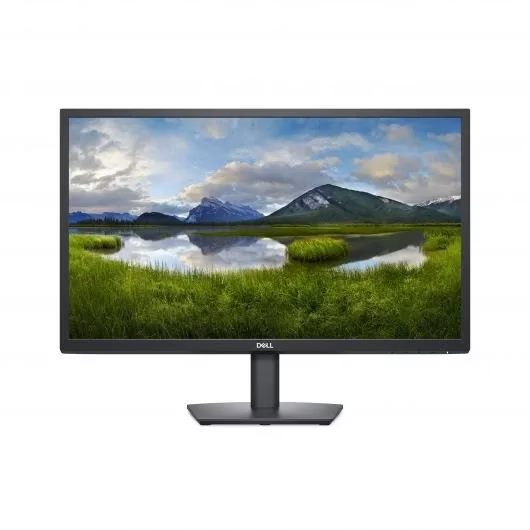
• LCD panel type: IPS technology • Backlight type: W-LED system • Panel Size: 23.8 inch / 60.5 cm • Display Screen Coating: Anti-Glare, 3H, Haze 25% • Effective viewing area: 527 (H) x 296.5 (V) • Aspect ratio: 16:9 • Maximum resolution: 1920 x 1080 @ 75 Hz* • Pixel Density: 93 PPI • Response time (typical): 4 ms (GtG)* • Brightness: 250 cd/m² • Contrast ratio (typical): 3000:1 • SmartContrast: Mega Infinity DCR • Pixel pitch: 0.2745 x 0.2745 mm • Viewing angle: 178º (H) / 178º (V), @ C/R > 10 • Flicker-free • Display colors: 16.7 M • Scanning Frequency: 30 – 85 kHz (H) / 48 – 75 Hz (V) • LowBlue Mode • EasyRead • sRGB • Adaptive sync , CABLE POWER,CABLE HDMI,CABLE VGA 1 YEAR WARRANTY

The ViewSonic VP2768A 2K 27″ monitor delivers professional-grade color accuracy for creators. First, it features Pantone validation and factory-calibrated colors for precise visuals. The monitor offers 2560×1440 resolution, 60Hz refresh rate, and ergonomic adjustments. In addition, it supports multiple connectivity options including HDMI, DisplayPort, and USB-C for flexible setups. Moreover, slim bezels and an anti-glare panel provide a comfortable viewing experience. Therefore, designers, photographers, and video editors can work with consistent colors and enhanced productivity. Specifications: 27″ 2K display with Pantone-validated color for accurate visuals 60Hz refresh rate and ergonomic adjustments for comfortable use Multiple connectivity options: HDMI, DisplayPort, USB-C Anti-glare panel and slim bezels for a better viewing experience Factory-calibrated colors enhance workflow for designers and editors

In the realm of monitors, the ViewSonic VG2748 stands out as a powerhouse, offering exceptional visual clarity and a range of features to boost productivity for an enhanced viewing journey. Transitioning to its key features, the VG2748 excels in providing crisp and detailed visuals. This monitor is designed to deliver sharp images and vibrant colors, ensuring a visually engaging experience for work, presentations, or creative tasks. Moreover, this display impresses with its sleek and professional design. The ViewSonic VG2748 not only complements your workspace but also ensures a slim profile and ergonomic stand, allowing for customized and comfortable viewing. In addition to its functionality, the VG2748 offers user-friendly controls and versatile connectivity options, ensuring a seamless and adaptable experience. This monitor effortlessly adapts to various settings, providing flexibility for different work environments. Furthermore, ViewSonic’s commitment to user satisfaction is evident in the VG2748’s advanced ergonomic features and eye-care technology. It’s a reliable companion for extended work sessions, offering both visual excellence and comfort. In conclusion, the ViewSonic VG2748 redefines productivity, combining high-quality visuals, professional design, and user-friendly features. Elevate your work experience effortlessly with the VG2748 – your partner in a seamless and efficient viewing journey! Specification vDisplay Manager SuperClear IPS 178˚/ 178˚ Low Energy Consumption Dual Speakers Refresh Rate : 60Hz Flicker-Free Blue Light Filter ViewMode : Game/Movie/Web/Text/Mono/Mac Ports : 4 USB-A |1 VGA | 1 HDMI | 1 Display Port

The Samsung 86″ Interactive E-Board LH86WACW offers a large and clear display for classrooms and meeting rooms. It shows bright images with strong detail. The screen size allows everyone in the room to see clearly. This improves communication and teamwork. Moreover, the Samsung Interactive E-Board LH86WACW supports smooth touch control. You can write, draw, and move items with ease. The touch response feels fast and natural. This helps teachers and teams present ideas more effectively. In addition, the board includes multiple connection options. You can connect laptops, tablets, and other devices quickly. This makes sharing content easier for everyone. The board also supports wireless features for more flexible use. Furthermore, the Samsung 86″ Interactive E-Board LH86WACW includes built-in software tools. These tools allow easy note-taking and smart collaboration. You can save your work and share it instantly. This helps improve learning and workflow. Also, the display uses strong protection glass. It resists scratches and damage during daily use. The durable design makes it ideal for schools and offices. It stays reliable even with heavy use. The sleek design of the Samsung Interactive E-Board LH86WACW looks modern and professional. It fits well in classrooms, conference rooms, and training centers. The slim frame gives the screen a clean and elegant look. This makes every space feel more advanced. Overall, the Samsung 86″ Interactive E-Board LH86WACW offers clear visuals, fast touch control, and smart tools in one device. It helps teams share ideas better and faster. It also makes lessons more interactive and engaging. This board is perfect for education, business, and training environments. Specifications: Display : 86″ IPS Resolution : 3840×2160 Refresh Rate : 60Hz Response Time : 8ms Model : LH86WACW

The ViewSonic XG2431 24″ 240 Hz gaming monitor delivers ultra‑smooth motion for fast‑paced games and everyday use. Its Full HD panel shows sharp images and crisp text, making work, media, and gameplay easy to see. In addition, the 240 Hz refresh rate significantly reduces motion blur, helping you react faster in competitive games. Furthermore, the monitor includes adaptive sync support to reduce screen tearing and keep visuals smooth during intense scenes. It also offers a quick response time to cut down on ghosting and keep action sharp. In addition, the ergonomic stand lets you adjust tilt and height for comfortable viewing during long sessions. Therefore, this monitor fits both gaming setups and work desks with ease. Overall, the ViewSonic XG2431 combines fast motion, clear visuals, and solid connectivity in a reliable 24″ design. Specifications: 24″ Full HD display with clear, crisp visuals 240 Hz refresh rate for ultra‑smooth motion Adaptive sync to reduce screen tearing Fast response time for sharp action Adjustable ergonomic stand and solid connectivity

Genuine-spec touchpad flex cable for MacBook Pro 15″ (Model A2941, 2023, Apple M2)—restores full Force Touch functionality, haptic feedback, and precise multi-touch gesture control during trackpad repair or replacement. Compatible With: MacBook Pro 15-inch (2023, Model A2941) with Apple M2 chip (Model Identifier: MacBookPro19,1) Part Type: Touchpad flex cable only — does not include the trackpad housing, Taptic Engine, or mounting hardware. This is the OEM-style ribbon cable that connects the trackpad to the logic board. Function: Transmits: Touch input coordinates Force Touch pressure data Haptic feedback signals to the Taptic Engine Enables full macOS gesture support: Force Click, three-finger lookup, swipe navigation, pinch-to-zoom, and smooth cursor tracking. Touch input coordinates Force Touch pressure data Haptic feedback signals to the Taptic Engine Enables full macOS gesture support: Force Click, three-finger lookup, swipe navigation, pinch-to-zoom, and smooth cursor tracking. OEM-Quality Build: Matches Apple’s original specifications in: Cable length and routing path Connector pitch and ZIF latch design EMI shielding and flex durability Cable length and routing path Connector pitch and ZIF latch design EMI shielding and flex durability Common Use Cases: Replacing a torn, creased, or liquid-damaged original flex cable Completing a trackpad replacement when the original cable is compromised Fixing intermittent trackpad behavior, loss of Force Touch, or complete unresponsiveness Replacing a torn, creased, or liquid-damaged original flex cable Completing a trackpad replacement when the original cable is compromised Fixing intermittent trackpad behavior, loss of Force Touch, or complete unresponsiveness Installation Note: Requires full bottom case removal and battery disconnection. Cable routes under internal components near the right speaker and logic board. Connects via a ZIF (Zero Insertion Force) socket—must be aligned carefully and latched gently. Recommended for experienced or certified technicians only. Requires full bottom case removal and battery disconnection. Cable routes under internal components near the right speaker and logic board. Connects via a ZIF (Zero Insertion Force) socket—must be aligned carefully and latched gently. Recommended for experienced or certified technicians only.


WiWU 20W fast Charger for Mobile Phone with USB C Quick Power Adapter in white Wall charger

The Samsung S3 Essential (D362) 27″ Full‑HD VA Curved Monitor (LS27D362GAMXUE) offers a large curved screen with a 100 Hz refresh rate for smoother motion in games and videos. Additionally, the VA panel produces deep contrast with wide viewing angles for everyday computing, entertainment, and casual gaming. The monitor also supports Game Mode to optimize color and image contrast for more vivid scenes. Moreover, advanced eye comfort technologies such as Eye Saver Mode and flicker‑free operation help reduce eye strain during long sessions. Therefore, it supports extended use for work or entertainment without discomfort. The curved design enhances immersion and helps minimize peripheral distractions. Furthermore, connectivity includes HDMI and VGA ports for easy connection to PCs and other devices. The monitor also includes a headphone jack for audio output. It comes with a stand that allows tilt adjustment, and it supports VESA wall mounting for flexible setups. The monitor is backed by a three‑year warranty for peace of mind. Specifications: 27″ curved VA panel with Full HD (1920 × 1080) resolution for clear visuals 100 Hz refresh rate for smoother motion in games and videos Game Mode optimizes color and contrast for more vivid scenes Eye Saver Mode and flicker‑free technology reduce eye strain HDMI and VGA connectivity plus headphone jack for flexible connections

Philips 27E1N5900R 27-inch 4K monitor delivers ultra-clear visuals and modern connectivity for work and creative tasks. It focuses on high resolution, accurate colors, and USB-C convenience for clean setups. Additionally, it features a 27-inch IPS panel with 4K UHD resolution (3840 × 2160). This provides sharp detail and high pixel density, so it improves precision in design, editing, and multitasking. Moreover, it supports VESA DisplayHDR 400. As a result, it enhances brightness, contrast, and color depth for more lifelike visuals. The monitor includes USB-C connectivity with power delivery up to 65W. Therefore, it allows video, data, and charging through a single cable for a clean workspace. In addition, it uses IPS technology with wide 178° viewing angles. This ensures consistent colors and image quality from different positions. Furthermore, it supports MultiView with Picture-in-Picture and Picture-by-Picture. So it enables dual device viewing for efficient multitasking. It also includes LowBlue Mode and Flicker-Free technology. These features reduce eye strain during long working sessions. Philips 27E1N5900R 27-inch 4K monitor provides sharp visuals, flexible Specifications: 27-inch IPS panel with 3840 × 2160 4K UHD resolution DisplayHDR 400 for improved brightness and contrast USB-C with up to 65W power delivery 4ms GtG response time with wide 178° viewing angles MultiView support with PIP and PBP multitasking

The MSI Modern MD342CQP 34″ UWQHD Curved Monitor is a premium ultra-wide display for productivity and immersive work. It has a 34-inch curved screen with UWQHD resolution for sharp, detailed visuals. The 1500R curvature reduces eye strain and improves viewing comfort. Its 21:9 ultra-wide screen gives extra space for multitasking and professional workflows. The IPS panel delivers vibrant, consistent colors across wide angles. It supports 100% sRGB, ideal for design, editing, and creative tasks. Connectivity options include HDMI, DisplayPort, and USB-C for flexible device use. Slim bezels and a modern design make it fit elegantly in any workspace. Flicker-free technology and an anti-glare coating protect your eyes during long sessions. Built-in speakers allow audio playback without extra devices. Tilt and height adjustments provide ergonomic comfort and a customized setup. Multiple windows and apps can stay open to enhance productivity. Fast response time ensures smooth visuals for videos and graphics. This monitor is perfect for professionals, content creators, and anyone needing a high-quality display. It combines style, function, and eye-care technology in one elegant package. Specifications: Display : 34″ VA. Resolution : 3440 x 1440 (UWQHD). Curvature : 1500R. Refresh Rate : 120Hz. Response Time : 1ms (MPRT) / 4ms (GTG). Ergonomics : Tilt, swivel, height adjustment, VESA mount. Audio : 2x 3W speakers, headphone jack.

Genuine-spec touchpad flex cable compatible with both MacBook Air A2179 (Intel, 2020) and A2337 (M1, 2020)—restores full Force Touch functionality, haptic feedback, and precise multi-touch gesture control during trackpad repair or replacement. Compatible With: MacBook Air 13″ (2020, Intel) – Model A2179 (Model Identifier: MacBookAir9,1) MacBook Air 13″ (2020, Apple M1) – Model A2337 (Model Identifier: MacBookAir10,1) MacBook Air 13″ (2020, Intel) – Model A2179 (Model Identifier: MacBookAir9,1) MacBook Air 13″ (2020, Apple M1) – Model A2337 (Model Identifier: MacBookAir10,1) ✅ Important Note: Despite different processors (Intel vs. M1), Apple used the same trackpad assembly and flex cable in both A2179 and A2337. This makes the flex cable fully interchangeable between the two models. Part Type: Touchpad flex cable only — does not include the trackpad housing, Taptic Engine, or mounting hardware. This is the OEM-style ribbon cable that connects the trackpad to the logic board. Function: Transmits: Touch input coordinates Force Touch pressure data Haptic feedback signals to the Taptic Engine Enables full macOS gesture support: Force Click, three-finger lookup, swipe navigation, pinch-to-zoom, and smooth cursor tracking. Touch input coordinates Force Touch pressure data Haptic feedback signals to the Taptic Engine Enables full macOS gesture support: Force Click, three-finger lookup, swipe navigation, pinch-to-zoom, and smooth cursor tracking. OEM-Quality Build: Matches Apple’s original specifications in: Cable length and routing path Connector pitch and ZIF latch design EMI shielding and flex durability Cable length and routing path Connector pitch and ZIF latch design EMI shielding and flex durability Common Use Cases: Replacing a torn, creased, or liquid-damaged original flex cable Completing a trackpad replacement when the original cable is compromised Fixing intermittent trackpad behavior, loss of Force Touch, or complete unresponsiveness Replacing a torn, creased, or liquid-damaged original flex cable Completing a trackpad replacement when the original cable is compromised Fixing intermittent trackpad behavior, loss of Force Touch, or complete unresponsiveness Installation Note: Requires full bottom case removal and battery disconnection. Cable routes under the right side of the battery and logic board. Connects via a ZIF (Zero Insertion Force) socket—align carefully and latch gently. Recommended for experienced or certified technicians only. Requires full bottom case removal and battery disconnection. Cable routes under the right side of the battery and logic board. Connects via a ZIF (Zero Insertion Force) socket—align carefully and latch gently. Recommended for experienced or certified technicians only.
