
RK ROYAL KLUDGE RK918 Wired Mechanical Keyboard, RGB Backlit Gaming Keyboard with Large LED Surrounding Side Lamp, Full Size 108 Keys Mechanical 100% Anti-Ghosting Computer Keyboard, Red Switch White About this item 【Full Size 108 Keys & Anti Ghosting Mechanical Keyboard】: 100% percent layout 108 key Mechanical keyboard. All keys do not conflict, ensure that every click is registered, and greatly improve the gaming and typing experience. Press FN and F1~F12 keys could quickly activate the multi-function keys, running for what you demand immediately. It is a great choice as a Christmas gift 【RGB Backlit & LED Surrounding Side Lamp】: The RGB backlight keyboard has more than 20 backlight modes, including interactive backlight, breathing backlight modes, dynamic RGB mode, etc. Besides, there are large LED surrounding side lamps. These all will give you more enjoyable when you gaming or typing at night 【Mechanical Red Switches & Double Shot Keycaps】: Offering linear and quiet typing feedback, smooth top-to-bottom actuation travel distance with shallow sound. If you prefer a quiet environment and a small operating force, red switches are the right choice. Double shot keycap type is produced when two layers of plastic are molded into each other. No printing is necessary. The result is a key legend that will never fade or chip off 【Wide Compatibility & Software Support】: Compatible with Windows, Mac, Linus, etc. The wired connection enables stable transmission without worrying about the impact of the signal. Through RK software, you can customize RGB mode and color, redefine key function, customize macros, and set gaming mode 【Professional and Reliable Service】: RK ROYAL KLUDGE has a professional service team. Over the years, we have kept bringing high-quality products and services to customers, so that we have gained the love and trust of many customers. If you have any questions, you can contact us anytime. RK ROYAL KLUDGE will spare no effort to provide every customer with the best service within 24 hours.

256GB SSD Apple Macbook Pro Air 2013 2014 2015 A1502 A1398 A1466 A1465 | Samsung MZ-JPU512T/A06 | 655-1805D ORIGINAL APPLE PART (Apple sources their SSD’s for MacBooks from Samsung) A1502 – A1398 – A1465 – A1466 100% TESTED WORKING Please check compatibility below before you make your purchase: COMPATIBILITY: MacBook Pro Retina Late 2013 – Mid-2015 MacBookPro11,1 (A1502) – ME864LL/A, ME866LL/A, ME867LL/A, MGX72LL/A, MGX92LL/A, & MGXD2LL/A MacBookPro11,2 (A1398) – ME293LL/A & MGXA2LL/A MacBookPro11,3 (A1398) – ME294LL/A, ME874LL/A, MGXC2LL/A, & MGXG2LL/A MacBookPro11,4 (A1398) – MJLQ2LL/A MacBookPro11,5 (A1398) – MJLT2LL/A & MJLU2LL/A MacBookPro12,1 (A1502) – MF839LL/A, MF841LL/A, & MF843LL/A MacBook Air Mid-2013 – Late 2015 MacBookAir6,1 (A1465) – MD711LL/A, MD760LL/A, MD711LL/B, & MF067LL/A MacBookAir6,2 (A1466) – MD760LL/A, MD760LL/B, & MF068LL/A MacBookAir7,1 (A1465) – MJMVM2LL/A MacBookAir7,2 (A1466) – MJVE2LL/A Model Identifier: Samsung Manufacturer Part# MZ-JPU512T/A06

The ViewSonic 22″ 75Hz Monitor offers a superb viewing experience with its high-quality display. Whether you’re working, gaming, or watching videos, this monitor delivers vibrant and crisp visuals. With Full HD 1080p resolution, the ViewSonic 22″ 75Hz Monitor provides sharp and clear images. Enjoy your favorite content with stunning detail and lifelike colors, making every viewing session a pleasure. The 75Hz refresh rate ensures smooth and fluid motion, reducing screen tearing and stuttering. This makes the ViewSonic 22″ 75Hz Monitor ideal for gaming and fast-paced videos, enhancing your overall experience. Designed for comfort and convenience, this monitor features an anti-glare screen to reduce eye strain. The ViewSonic 22″ 75Hz Monitor also has a flicker-free technology and blue light filter, ensuring a comfortable viewing experience even during extended use. Connectivity is a breeze with the ViewSonic 22″ 75Hz Monitor. It comes with HDMI and VGA ports, allowing you to connect a variety of devices with ease. Whether it’s your computer, gaming console, or media player, this monitor has you covered. The sleek and modern design of the ViewSonic 22″ 75Hz Monitor complements any workspace or gaming setup. Its slim profile and minimalistic stand make it a stylish addition to your desk, saving space without compromising on performance. In conclusion, the ViewSonic 22″ 75Hz Monitor combines high resolution, smooth refresh rate, and ergonomic design for an exceptional viewing experience. Upgrade to the ViewSonic 22″ 75Hz Monitor today and enjoy superior performance and style. Specifications: Display : 22″ IPS Resolution : FHD 1920 x 1080 Refresh Rate : 75Hz Response Rate : 5ms GTG

The ViewSonic VX3211-4K-mhd 32″ 4K Monitor is designed to transform your visual experience. Whether you’re working, gaming, or watching movies, this monitor delivers crystal-clear images with incredible detail. Featuring a stunning 32-inch 4K UHD display, the ViewSonic VX3211-4K-mhd provides four times the resolution of Full HD. This means you can enjoy sharper images, vibrant colors, and exceptional clarity, making every detail come to life. The ViewSonic VX3211-4K-mhd supports a wide color gamut, ensuring that colors are accurate and true to life. This makes it an excellent choice for graphic designers, photographers, and video editors who need precise color reproduction. With multiple connectivity options, including HDMI, DisplayPort, and Mini DisplayPort, the ViewSonic VX3211-4K-mhd offers versatility for connecting various devices. Whether you’re connecting a computer, gaming console, or other multimedia devices, this monitor has you covered. The ViewSonic VX3211-4K-mhd also features advanced eye care technology. Flicker-Free and Blue Light Filter functions help reduce eye strain during extended viewing sessions, making it comfortable for long hours of work or entertainment. This monitor is also designed with an ultra-slim bezel, offering a sleek and modern look that complements any workspace or gaming setup. Its VESA compatibility allows for easy mounting, giving you the flexibility to set it up the way you like. In conclusion, the ViewSonic VX3211-4K-mhd 32″ 4K Monitor offers stunning visuals, vibrant colors, and versatile connectivity. Upgrade your display today and experience the difference that 4K resolution can make. Specifications: Display : 32″ UHD Resolution : 4K (3840×2160) Refresh Rate : 60Hz Response Rate : 3ms

The Samsung 75″ Crystal UHD U8000F 4K Smart TV UA75U8000FUXTW uses a 75-inch LCD panel with 3840 × 2160 resolution. It is a basic 4K TV focused on screen size, standard image processing, and everyday smart features. It uses the Crystal Processor 4K for image processing and upscaling. This system converts lower-resolution content into closer-to-4K output. It also supports HDR10 and HDR10+, which adjust contrast between bright and dark areas for compatible content. The panel runs at a native 60 Hz refresh rate. Motion Xcelerator is included to reduce blur during fast scenes such as sports and gaming. Samsung Tizen OS powers the smart platform. It provides access to streaming apps, web browsing, and SmartThings connectivity. It also supports voice control depending on region and setup. Connectivity includes HDMI ports, USB ports, Wi-Fi, Bluetooth, Ethernet LAN, and optical audio output. It supports Auto Low Latency Mode (ALLM) for basic console gaming. This model does not include local dimming or advanced display systems. It focuses on standard 4K performance and basic smart TV functionality for general use. Specifications: 75-inch LCD panel with 3840 × 2160 (4K UHD) resolution Crystal Processor 4K with 4K upscaling support HDR10 and HDR10+ compatibility 60 Hz native refresh rate with Motion Xcelerator Tizen OS with HDMI, USB, Wi-Fi, Bluetooth, Ethernet connectivity

View Sonic Monitor ViewSonic LCD Display XG2405 XG2405 24″ 24-inch 3-side Borderless Display 144Hz Refresh Rate 1ms (GtG) Response Time AMD FreeSync Specifications: View Sonic Monitor ViewSonic LCD Display XG2405 XG2405 24″ 24-inch 3-side Borderless Display 144Hz Refresh Rate 1ms (GtG) Response Time AMD FreeSync 1 Year Warranty

Samsung Lebanon 32″ LS32C390EAMXUE The Samsung Lebanon 32″ Introducing the boldest curve ever This , born from years of and the future of monitor technology. Easy on the eyes In tol monitors that have less curve, 1000R fits the human field of view for less eye strain. A clinical study at Seoul National University Hospital shows that the closer to 1000R, the more it limits eye fatigue. Visionary Minimalism Next-generation design. The striking aesthetic is by a backside and premium-quality slim metal stand. The result is a monitor that won’t just catch eyes. but complements any interior, too. What Gamers Want Welcome to your new playground. AMD FreeSync delivers seamless gaming, while 75Hz makes scenes smooth. This flawless imagery comes together with Game Mode and the renowned 1000R curve for Focused Comfort Protect your eyes and do more. The T55’s advanced eye comfort technology reduces eye strain for more comfortable Flicker Free technology continuously removes tiring and irritating screen flicker, while Eye Saver Mode minimizes emitted blue light. Your eyes stay fresh longer. Ready to Entertain Connect to all your favorite devices with a convenient HDMI, DP, and D-Sub triple interface. The built-in 5 Watt speakers make it even easier lost in your favorite movies or TV shows, without plugging in a speaker. Easy on the eyes with 1000R curved screen Minimalist design with the borderless display, fabric-textured backside and slim metal stand Realistic immersion with the renowned 1000R curve and game-related features Running a monitor self-test is a simple and effective way to check the health and functionality of your computer monitor. The purpose of this test is to diagnose any potential issues with the monitor, such as dead pixels, color accuracy, contrast, or brightness problems. Power off both your computer and the monitor. 2Disconnect the signal cable from the back of the computer. 3Power on the monitor. Specifications: Specifications Screen Curvature1000R Active Display Size (HxV) (mm)698.4×392.85 Flat / CurvedCurved Screen Size (Class)32 3 year warranty Manufacturer Link

Logitech C270 HD webcam — 720p USB camera with built-in mic and automatic light correction. Solid pick for video calls, remote work, or basic streaming. This is the Logitech C270 HD Webcam, a budget plug-and-play USB camera suited for everyday video calls. It doesn’t strive for professional streaming quality, but it reliably handles meeting needs, student calls, or backup cam duties. Key Features & Functionality Records video in HD 720p at 30 fps Fixed focus lens (no autofocus) Built-in mono microphone with noise reduction (captures voice clearly in standard environments) Automatic light correction (RightLight / similar tech) to adjust in low or uneven lighting Universal mounting clip: works on laptop lids, monitors, or can sit on a shelf USB 2.0 interface, 1.5 m (≈ 5 ft) cable length Technical Specifications Strengths & Limitations Pros: Reliable and easy to set up: plug and play Good for video calls in decent lighting Noise suppression in mic helps reduce background hiss Affordable alternative if your built-in camera fails Cons: Only 720p — not ideal for high quality streaming Fixed focus — manual adjusting can’t zoom/focus No privacy shutter (you may need stickers or external cover) Color and sharpness aren’t top tier under weak light

Smooth, precise, and completely wireless. The Apple Magic Trackpad brings the best laptop navigation to your desktop. Available in both White and Black, it features a large glass surface, Force Touch technology for deeper control, and a modern USB-C port for easy charging. It connects instantly to your Mac or iPad and keeps running for a month or more on a single charge. Make navigating your computer effortless with the Apple Magic Trackpad (A3120). Designed with a wide, smooth glass surface, it lets you swipe, scroll, and zoom using the same natural hand gestures you use on a laptop. It is the perfect tool to keep your desk clean and your workflow productive. Key Features: Force Touch: Built-in sensors know how hard you press, letting you click deeper to open previews, look up definitions, and reveal hidden menus. Large Glass Surface: The spacious edge-to-edge design gives you plenty of room to scroll through large documents or edit photos comfortably. Updated with USB-C: Now features a universal USB-C port for charging and pairing, matching all your modern cables. Long Battery Life: The built-in rechargeable battery lasts about a month or more before needing a quick recharge. Easy Setup: Pairs automatically with your Mac via Bluetooth right out of the box, with no complicated configuration needed. Sleek Colors: Choose between classic White or premium Black to perfectly match your desktop setup. Specifications at a Glance: Model: A3120 Colors: White / Black Connection: Wireless / Bluetooth / USB-C Surface: Premium Edge-to-Edge Glass Compatibility: Mac and iPad

The HP M27ha monitor is an affordable option offering optimal screen performance. Firstly the hp M27HA lets you see crisp images and built-in audio to enjoy clear sound. Designed so you can navigate comfortably with HP Blue Light mode, adjustable tilt settings and 3-sided micro edge bezel. Get clear crisp picture quality on the FHD resolution monitor with IPS panel and ultra-wide viewing angles. therefore With the added benefit of Low Blue Light software for increased eye comfort. HP M27ha monitor is Designed to let you see your content comfortably. secondly Find your best view with full function adjustability, a 3-sided micro-edge bezels for unlimited sightlines and virtually seamless multi-display setups[1] plus VESA mounting capability[2]. Fully integrated audio experience. Work and play on one device. Enjoy all your multimedia with a monitor that has convenient stereo audio right on the display for a fully integrated audio experience. Share the panoramic view Crisp picture quality and eye comfort with IPS panel, ultra-wide angles and Low Blue Light. Work comfortably with height adjustable stand and micro edge bezels. Convenient stereo audio for a fully integrated listening experience. you can always check here and if you like to see more options you can always check here! Specifications: Specs Screen size. 68.58 cm (27) Resolution (native) FHD (1920 x 1080) Display type. IPS. Response time. 5ms GtG (with overdrive) Display Input Type. 1 VGA; 1 DisplayPort™ 1.4; 1 HDMI 1.4. Display features. On-screen controls; Pivot rotation; Low blue light mode; Dual speakers (2W per channel); Anti-glare. 1 year warranty

The ViewSonic 27″ 75Hz Monitor delivers vibrant visuals and smooth performance for all your computing needs. Whether you’re working, gaming, or streaming, this monitor provides an immersive viewing experience. With a Full HD 1080p resolution, the ViewSonic 27″ 75Hz Monitor offers crisp and clear images. Every detail is sharp and vivid, making it perfect for tasks that require high visual clarity. The 75Hz refresh rate ensures smooth and fluid motion on the ViewSonic 27″ Monitor. This is especially beneficial for gaming and watching videos, as it reduces blur and enhances the overall viewing experience. Designed with versatility in mind, the ViewSonic 27″ 75Hz Monitor features multiple connectivity options. It includes HDMI, VGA, and DisplayPort inputs, allowing you to connect various devices effortlessly. The slim bezel design of the ViewSonic 27″ 75Hz Monitor maximizes screen space and provides a sleek, modern look. It fits seamlessly into any workspace or home setup, adding a touch of elegance to your environment. The ViewSonic 27″ 75Hz Monitor is also equipped with eye care technology to reduce eye strain during extended use. Features like Flicker-Free and Blue Light Filter make it comfortable for long hours of work or play. Setting up the ViewSonic 27″ 75Hz Monitor is easy and hassle-free. The adjustable stand allows you to find the perfect viewing angle, ensuring comfort and productivity throughout the day. In conclusion, the ViewSonic 27″ 75Hz Monitor combines stunning visuals, smooth performance, and versatile connectivity for an exceptional viewing experience. Upgrade to the ViewSonic 27″ 75Hz Monitor today and enjoy the best in display technology. Specifications: Display : 27″ TN Resolution : FHD 1920 x 1080 Refresh Rate : 75Hz Response Rate : 1.5ms GTG

Arabic Silicone Keyboard Skin Cover for MacBook Pro 13" A1708 Without Touch bar and MacBook 12" A1534 with Retina Display US Layout (Black) Arabic Silicone Keyboard Skin Cover for MacBook Pro 13″ A1708 Without Touch bar and MacBook 12″ A1534 with Retina Display US Layout (Black) About this item Arabic language silicone keyboard skin, US version, perfect fit for your MacBook 12″ A1534, which was released in 2015 & new MacBook Pro 13-Inch 13″ Model A1708 without/no Touch Bar, which was released in 2016; Do not fit for Europe Version MacBook Handmade Skin – XSKN is the original Manufacturer of these “Keyboard Art Skin” silicone covers. They are durable, thin and soft with a cashmere feel. The keys fit snug over the keyboard, smooth surface treatment, suit for regular laptop user who types a lot and quickly Each XSKN silicone skin is heat molded to ensure, each color is paints taking hand screened using silicone paint which is heat fuses into the silicone keyboard skin to become one, making it Soft, ultra-thin, durable and easy to washable High quality silicone raw material assure no extension with longtime using. Every detail clearly prinited, imported ink keep it looking good, rubber coating help to remain in good condition Aside from being beautiful they protect your keyboard from spills, crumbs, animal hair and dust. Washable, can be cleaned easily

A4Tech Wireless Keyboard & Mouse Combo USB | 3000N

Screen Gigabyte Monistor AORUS KD25F 24.5″ FHD Gaming Monitor 240Hz

Genuine-spec touchpad flex cable for Apple’s 12-inch MacBook (Model A1534, Early 2015 / Early 2016 / Mid 2017)—essential for restoring full Force Touch trackpad functionality, haptic feedback, and multi-touch gesture support. Compatible With: MacBook 12″ (Early 2015) – 1.1GHz Core M MacBook 12″ (Early 2016) – 1.1GHz/1.3GHz Core M MacBook 12″ (Mid 2017) – 1.2GHz/1.3GHz Core m3/i5/i7 All share Model Number A1534 and Model Identifier MacBook8,1 / MacBook9,1 / MacBook10,1 respectively. MacBook 12″ (Early 2015) – 1.1GHz Core M MacBook 12″ (Early 2016) – 1.1GHz/1.3GHz Core M MacBook 12″ (Mid 2017) – 1.2GHz/1.3GHz Core m3/i5/i7 All share Model Number A1534 and Model Identifier MacBook8,1 / MacBook9,1 / MacBook10,1 respectively. Part Type: Touchpad flex cable only—does not include the trackpad housing, Taptic Engine, or mounting brackets. This is the ribbon cable that connects the Force Touch trackpad to the logic board. Function: Critical for Force Touch functionality—transmits pressure-sensitive input, multi-touch gestures (e.g., pinch, swipe, Force Click), and haptic feedback signals to the Taptic Engine. OEM-Quality Construction: Precisely matches Apple’s original in length, connector pitch, shielding, and routing—ensures reliable signal integrity and compatibility with macOS. Common Use Cases: Replacing a torn, creased, or liquid-damaged flex cable Restoring unresponsive or erratic trackpad behavior Completing a trackpad replacement when the original cable is unusable Replacing a torn, creased, or liquid-damaged flex cable Restoring unresponsive or erratic trackpad behavior Completing a trackpad replacement when the original cable is unusable Installation Note: Requires full bottom case removal and delicate disconnection of the ZIF connector. The cable routes tightly under the battery—extreme care is required. Recommended for experienced or certified technicians only.

Genuine-spec touchpad flex cable for MacBook Pro 16″ (Model A2141, 2019, Intel)—essential for restoring full Force Touch functionality, haptic feedback, and precise multi-touch gesture control during trackpad repair or replacement. Compatible With: MacBook Pro 16-inch (2019, Model A2141) with Intel Core i7/i9 processors (Model Identifier: MacBookPro16,1) (Note: A2141 is the non-base configuration of the 2019 16″ MacBook Pro—typically higher-end Intel models.) Part Type: Touchpad flex cable only—does not include the trackpad housing, Taptic Engine, or mounting hardware. This is the OEM-style ribbon cable that connects the trackpad to the logic board. Function: Transmits touch coordinates, Force Touch pressure data, and haptic feedback signals—critical for macOS gestures (e.g., Force Click, three-finger lookup, pinch-to-zoom) and Taptic Engine responsiveness. OEM-Quality Construction: Replicated to Apple’s exact specifications—including cable length, connector pitch, EMI shielding, and bend radius—ensuring reliable signal integrity and long-term durability. Common Use Cases: Replacing a torn, creased, or liquid-damaged original flex cable Completing a trackpad replacement when the original cable is compromised Fixing intermittent trackpad behavior, loss of Force Touch, or complete unresponsiveness Replacing a torn, creased, or liquid-damaged original flex cable Completing a trackpad replacement when the original cable is compromised Fixing intermittent trackpad behavior, loss of Force Touch, or complete unresponsiveness Installation Note: Requires full disassembly of the bottom case, speaker removal, and careful routing beneath the battery and logic board. Connectors use ZIF (Zero Insertion Force) sockets—must be aligned and latched gently. Recommended for certified or professional repair technicians only. Important: This is flex cable only—not a complete trackpad assembly. Must be used with the original or compatible A2141 trackpad and Taptic Engine. Not compatible with M1 MacBook Pro 16″ (A2485), 14″ models (A2442), or any MacBook Air. This is flex cable only—not a complete trackpad assembly. Must be used with the original or compatible A2141 trackpad and Taptic Engine. Not compatible with M1 MacBook Pro 16″ (A2485), 14″ models (A2442), or any MacBook Air. Model Verification: Confirm your device is MacBook Pro A2141 (16″, 2019, Intel) via > About This Mac > Model Identifier (should read MacBookPro16,1).

Apple MacBook Pro 15” (2018) — professional-grade performance for creative power users.• Intel Core i9 • 32 GB RAM • 500 GB SSD • 4 GB Dedicated GraphicsRetina Display | macOS |

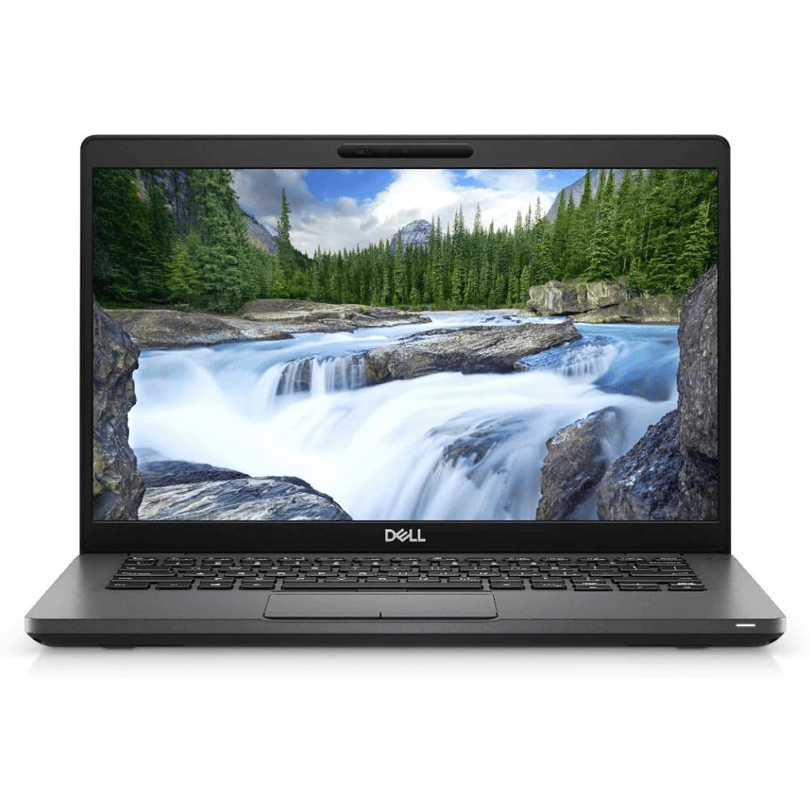
Dell 19.5V 4.62A 90 Watt Replacement Laptop Adapter/Charger New Small Pin 4.5 x 3.0 mm for Dell Latitude 3500 3379 3400 3301 3590 3490 7370, RWHHR, 450-AECO (Power Cord Included)

A1932 A2179 A1965 Battery for MacBook Air 13″ Retina (2018 2019, Early 2020) EMC 3184 3302 MRE82 MRE92 MVFH2 MWTJ2 MVH22 MVFM2 MVFK2 MREE2 MREC2 MREA2 MREF2 MUQT2 MUQU2 MacBookAir8,1 8,2 9,1 📄【Specification】Voltage: 11.4V. Capacity: 49.9Wh 4379mAh. Battery Type: Li-Polymer. Condition: Brand new, from high quality materials, top circuit boards and smart chip. 🔋【Replace Part Number】A1965 A1932(EMC 3184) A2179(EMC 3302) 3ICP4/63/119 MacBookAir8,1 MacBookAir8,2 MacBookAir9,1. 💻【Compatible Models】Only fit for MacBook Air 13″ (Model A1932 & Model A2179) Release 2018 2019 2020, fit for MRE82LL/A, MVFH2LL/A, MVFM2LL/A, MVFK2LL/A, MVFJ2LL/A, MVFN2LL/A, MVFL2LL/A, MREE2LL/A, MREC2LL/A, MREA2LL/A, MREF2LL/A, MRE92LL/A, MWTJ2LL/A, MVH22LL/A, MVH52LL/A, MVH42LL/A, MWTL2LL/A, MWTK2LL/A. Please kindly check the model number at the bottom of your laptop (A****). NOT FIT FOR MODEL A2337. 💻【ANTIEE Promise】Each products has undergone rigorous testing to ensure the correct voltage, circuit protection, stable current, low self-discharge and CE / FCC / RoHS Certified for safety. About 500 recharge cycles over the life.

Genuine-spec touchpad flex cable for MacBook Pro 15″ (Model A2941, 2023, Apple M2)—restores full Force Touch functionality, haptic feedback, and precise multi-touch gesture control during trackpad repair or replacement. Compatible With: MacBook Pro 15-inch (2023, Model A2941) with Apple M2 chip (Model Identifier: MacBookPro19,1) Part Type: Touchpad flex cable only — does not include the trackpad housing, Taptic Engine, or mounting hardware. This is the OEM-style ribbon cable that connects the trackpad to the logic board. Function: Transmits: Touch input coordinates Force Touch pressure data Haptic feedback signals to the Taptic Engine Enables full macOS gesture support: Force Click, three-finger lookup, swipe navigation, pinch-to-zoom, and smooth cursor tracking. Touch input coordinates Force Touch pressure data Haptic feedback signals to the Taptic Engine Enables full macOS gesture support: Force Click, three-finger lookup, swipe navigation, pinch-to-zoom, and smooth cursor tracking. OEM-Quality Build: Matches Apple’s original specifications in: Cable length and routing path Connector pitch and ZIF latch design EMI shielding and flex durability Cable length and routing path Connector pitch and ZIF latch design EMI shielding and flex durability Common Use Cases: Replacing a torn, creased, or liquid-damaged original flex cable Completing a trackpad replacement when the original cable is compromised Fixing intermittent trackpad behavior, loss of Force Touch, or complete unresponsiveness Replacing a torn, creased, or liquid-damaged original flex cable Completing a trackpad replacement when the original cable is compromised Fixing intermittent trackpad behavior, loss of Force Touch, or complete unresponsiveness Installation Note: Requires full bottom case removal and battery disconnection. Cable routes under internal components near the right speaker and logic board. Connects via a ZIF (Zero Insertion Force) socket—must be aligned carefully and latched gently. Recommended for experienced or certified technicians only. Requires full bottom case removal and battery disconnection. Cable routes under internal components near the right speaker and logic board. Connects via a ZIF (Zero Insertion Force) socket—must be aligned carefully and latched gently. Recommended for experienced or certified technicians only.
