
Replacement DC in Power Jack Connector I/O USB-C Board Charging Port Compatible with MacBook Pro 13" 15" 16" Model A1989 A1990 A2141 A2159 A2251 A2289 A2338 Mid 2018-2020 Replacement DC in Power Jack Connector I/O USB-C Board Charging Port Compatible with MacBook Pro 13″ 15″ 16″ Model A1989 A1990 A2141 A2159 A2251 A2289 A2338 Mid 2018-2020 About this item If your USB-C ports aren’t functioning properly, replacing this board is a good place to start. These are also referred to as Thunderbolt 3 ports. Please double-check the pictures and model numbers to see if they fit your laptop to avoid buying mistakes. Package: 1PCS Type-C/USB-C DC Power Jack I/O Board. We are committed to providing a better shopping experience for our customers, if you have any questions, you can always contact us.

LENOVO 11.1V or 11.4V 24Wh 68 Laptop Battery 0C52861 45N1124 45N1775 45N1126 45N1127 For Lenovo ThinkPad X240 X240S X250 X260 X270 T440 T440S T450 T450S T460 T460P T470P T550 T560 W550 L450 L460 About this item Battery Type: 3-Cell Lithium-Ion Voltage &Capacity :11.1V 24Wh 2.09AH or 11.4V 24Wh 2.06Ah , in fact , 11.1V is same as 11.4V , because one cell voltage is 3.7V or 3.8V . SANISI Concept: The customer is god, Product Quality and Service must be perfect! We will let every customer feel satisfied Package Contents: 1 pcs Brand New Battery

Genuine-spec touchpad flex cable for Apple’s 12-inch MacBook (Model A1534, Early 2015 / Early 2016 / Mid 2017)—essential for restoring full Force Touch trackpad functionality, haptic feedback, and multi-touch gesture support. Compatible With: MacBook 12″ (Early 2015) – 1.1GHz Core M MacBook 12″ (Early 2016) – 1.1GHz/1.3GHz Core M MacBook 12″ (Mid 2017) – 1.2GHz/1.3GHz Core m3/i5/i7 All share Model Number A1534 and Model Identifier MacBook8,1 / MacBook9,1 / MacBook10,1 respectively. MacBook 12″ (Early 2015) – 1.1GHz Core M MacBook 12″ (Early 2016) – 1.1GHz/1.3GHz Core M MacBook 12″ (Mid 2017) – 1.2GHz/1.3GHz Core m3/i5/i7 All share Model Number A1534 and Model Identifier MacBook8,1 / MacBook9,1 / MacBook10,1 respectively. Part Type: Touchpad flex cable only—does not include the trackpad housing, Taptic Engine, or mounting brackets. This is the ribbon cable that connects the Force Touch trackpad to the logic board. Function: Critical for Force Touch functionality—transmits pressure-sensitive input, multi-touch gestures (e.g., pinch, swipe, Force Click), and haptic feedback signals to the Taptic Engine. OEM-Quality Construction: Precisely matches Apple’s original in length, connector pitch, shielding, and routing—ensures reliable signal integrity and compatibility with macOS. Common Use Cases: Replacing a torn, creased, or liquid-damaged flex cable Restoring unresponsive or erratic trackpad behavior Completing a trackpad replacement when the original cable is unusable Replacing a torn, creased, or liquid-damaged flex cable Restoring unresponsive or erratic trackpad behavior Completing a trackpad replacement when the original cable is unusable Installation Note: Requires full bottom case removal and delicate disconnection of the ZIF connector. The cable routes tightly under the battery—extreme care is required. Recommended for experienced or certified technicians only.

GAMDIAS 7 Colour Backlit Gaming USB Mechanical Keyboard with 87 Keys, Blue Switches, Anti-ghosting, Multimedia Control Key with Metal Plate, Combo (Multicolour, Hermes E2) About this item Certified mechanical blue switches feature a 50 Million actuation lifecycle Neon Light Spectrum- 7 colors backlight Elegant metal plate mechanical keyboard for added durability N-key rollover Compact 87 Keys Keyboard : By using small tenkeyless keyboard can save the space, and also makes the keyboard and mouse to become closer, so you can maximize the comfort and accuracy of your operation

Genuine-spec touchpad flex cable for MacBook Air 13″ (Model A1932, 2018–2019)—essential for restoring full Force Touch functionality, haptic feedback, and precise multi-touch gesture control during trackpad repair or replacement. Compatible With: MacBook Air 13-inch (2018 & 2019, Model A1932, Model Identifier MacBookAir8,1) with Intel Core i5/i7 processors. Part Type: Touchpad flex cable only—does not include the trackpad housing, Taptic Engine, or mounting hardware. This is the OEM-style ribbon cable that connects the trackpad to the logic board. Function: Transmits touch input, Force Touch pressure data, and haptic feedback signals—critical for macOS gestures like Force Click, three-finger lookup, pinch-to-zoom, and smooth cursor tracking. OEM-Quality Build: Matches Apple’s original in length, connector pitch, EMI shielding, and flexibility—ensures reliable signal integrity and long-term durability. Common Use Cases: Replacing a torn, creased, or liquid-damaged original flex cable Completing a trackpad replacement when the original cable is unusable Fixing intermittent trackpad behavior, loss of Force Touch, or complete unresponsiveness Replacing a torn, creased, or liquid-damaged original flex cable Completing a trackpad replacement when the original cable is unusable Fixing intermittent trackpad behavior, loss of Force Touch, or complete unresponsiveness Installation Note: Requires full bottom case removal and careful routing beneath the battery. The cable connects via a ZIF (Zero Insertion Force) socket on the logic board—must be properly aligned and latched without force. Recommended for experienced or certified technicians. Important: This is flex cable only—not a complete trackpad assembly. Must be used with the original or compatible A1932 trackpad and Taptic Engine. Not compatible with MacBook Air M1 (A2337/A2338), M2 (A2681/A2941), or any MacBook Pro model. This is flex cable only—not a complete trackpad assembly. Must be used with the original or compatible A1932 trackpad and Taptic Engine. Not compatible with MacBook Air M1 (A2337/A2338), M2 (A2681/A2941), or any MacBook Pro model.

The HP ProLiant DL360 Gen9 is a powerful 1U rack server equipped with 2x Intel Xeon E5-2660 v3 processors, 64GB DDR4 RAM, and 8x 300GB SAS 2.5-inch drives for fast and reliable storage. Ideal for virtualization, enterprise workloads, and data center deployments.

The 512GB Apple MacBook SSD is a high-speed solid-state drive designed for select MacBook Pro and MacBook Air models from 2013 to 2015. It delivers fast boot times, quick file access, and reliable performance, making it an ideal replacement or upgrade for aging Apple laptops. Key Features 512GB Storage Capacity – Plenty of space for macOS, applications, and files High-Speed SSD Performance – Faster boot times and smoother system operation Apple Proprietary Interface – Designed specifically for compatible MacBooks Reliable & Durable – No moving parts for improved stability and longevity Perfect Upgrade or Replacement – Restore performance or increase storage Compatible Models MacBook Pro Retina 13-inch (2013–2015) MacBook Pro Retina 15-inch (2013–2015) MacBook Air 11-inch (2013–2015) MacBook Air 13-inch (2013–2015) Compatible Model Numbers MacBook Pro: A1398, A1502 MacBook Air: A1465, A1466

Genuine-spec US layout (QWERTY) keyboard replacement in Midnight Blue for MacBook Air 13.6″ (Model A2681, M2, 2022)—featuring Apple’s Magic Keyboard with scissor-switch mechanism, backlighting, and precise OEM fit. Compatible With: MacBook Air 13.6-inch (2022, Model A2681) with Apple M2 chip – specifically designed for the Midnight color variant. Layout: Standard US English (QWERTY) with wide Enter key, inverted-T arrow keys, and full function row—matches Apple’s original US configuration. Design: Apple’s Magic Keyboard with scissor-switch mechanism—offering quiet, stable keystrokes, 1mm key travel, and enhanced durability over older Butterfly designs. Color: Midnight Blue keycaps—specially matched to the Midnight finish of the A2681 MacBook Air for seamless visual integration. (Note: This keyboard is not recommended for Silver, Space Gray, or Starlight models due to color mismatch.) Features: Integrated backlighting, ambient light sensor compatibility, and OEM-style flex cable connector for direct logic board connection. Precision Fit: Engineered to exact Apple specifications for alignment, key spacing, and mounting—ensures a flush, secure fit within the original top case. Installation Note: The keyboard is factory-glued into the top case. Replacement requires full disassembly and professional-grade re-adhesion. Recommended for experienced technicians only.

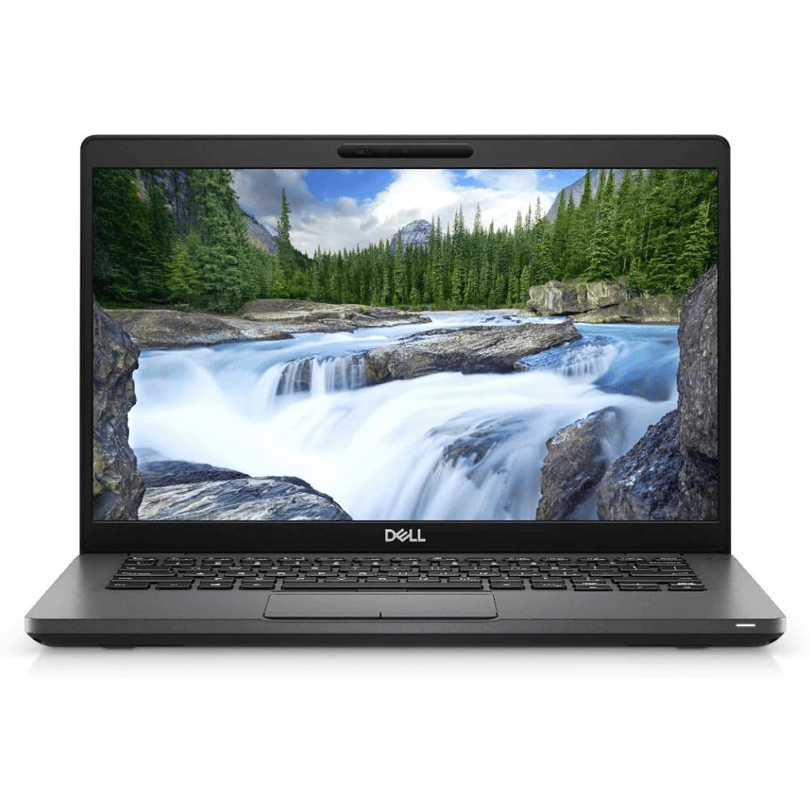
A premium ultralight pre-owned Lenovo ThinkPad T14s Gen 3 with 14" display, AMD Ryzen 7 6850U, 16GB RAM, and 512GB SSD—delivering exceptional performance, all-day battery life, and workstation-class integrated graphics in a featherlight business laptop.

WiWU WM108 Wimice Dual‑Mode Mouse – Bluetooth 5.0 and 2.4 GHz wireless mouse with 800/1200/1600 DPI, silent clicks, and ergonomic ABS housing.Long battery life (~6 months standby), USB dongle & silent design—ideal for travel, office, and quiet environments. Model: WiWU Wimice WM108 Connection Modes: Bluetooth 5.0 2.4 GHz wireless via USB dongle Connection Modes: Bluetooth 5.0 2.4 GHz wireless via USB dongle DPI Settings: 800 / 1,200 / 1,600 DPI (adjustable) Buttons: 3 standard buttons + clickable scroll wheel (4 keys total) Range: Up to 10 m wireless connectivity Material/Design: Lightweight (67–130 g, depending on source), ergonomic ABS plastic body, magnetic base or “super magnetic absorption” design Operating Range: ≈10 m Silent Clicks: Quiet operation—silent key action Dimensions: Approx. 108 × 64 × 36 mm Weight: 67 g cited by Star Tech and 130 g by others—likely lighter in official spec Compatibility: Windows, macOS, Linux, Android, etc. Plug-and-play, no driver needed

WiWU Linker 721HD Hub – Compact USB-C hub with 7 ports including 100W PD, dual USB-A, USB-C data, HDMI 4K60, and dual SD/TF slots.Aluminum body, plug‑and‑play compatibility with MacBooks and modern USB‑C devices—ideal for laptop expansion. Model: Linker 721HD (WiWU) Material: Aluminum-alloy shell Ports: 2 × USB‑A 3.1 1 × USB‑C 3.1 (data) 1 × USB‑C PD power delivery (up to 100 W) 1 × HDMI (4K @ 60 Hz) SD card slot + micro‑SD (TF) slot (USB 3.0 speed) Ports: 2 × USB‑A 3.1 1 × USB‑C 3.1 (data) 1 × USB‑C PD power delivery (up to 100 W) 1 × HDMI (4K @ 60 Hz) SD card slot + micro‑SD (TF) slot (USB 3.0 speed) Cable: Fixed USB‑C male cable (approx. 15 cm) Compatibility: Plug-and-play with USB-C/Thunderbolt 3/4 devices (MacBook, XPS, Chromebooks, mobile devices with DP-Alt Mode) Design: Compact, space gray finish optimized for travel/work setups Weight: ~150 g

WiWU Hali Vertical Layer Bag — stylish and protective carrying case for laptops and tablets.• Available in 11” & 14” sizes • Water-resistant fabric • Shockproof designMultiple Compartments | Sleek & Lightweight The WiWU Hali Vertical Layer Bag combines modern design with excellent protection for your laptop or tablet. Built from durable, water-resistant materials, it features multiple compartments for organized storage and a slim profile for easy portability. Key Features Available Sizes: 11-inch and 14-inch models High-quality water-resistant fabric for reliable protection Shock-absorbing padding to keep devices safe from bumps and drops Multiple storage layers for accessories such as chargers, cables, and notebooks Soft interior lining to prevent scratches on your device Durable zippers and reinforced stitching for long-lasting use Comfortable top handle and slim vertical design for easy carrying Perfect for travel, school, or office use Specifications Feature Detail Brand WiWU Model Hali Vertical Layer Bag Sizes 11” / 14” Material Water-resistant Oxford fabric Color Options Grey / Black (varies by stock) Design Vertical multi-layer with zip closure Compatibility Fits laptops or tablets up to respective size The WiWU Hali Vertical Layer Bag combines modern design with excellent protection for your laptop or tablet. Built from durable, water-resistant materials, it features multiple compartments for organized storage and a slim profile for easy portability. Available Sizes: 11-inch and 14-inch models High-quality water-resistant fabric for reliable protection Shock-absorbing padding to keep devices safe from bumps and drops Multiple storage layers for accessories such as chargers, cables, and notebooks Soft interior lining to prevent scratches on your device Durable zippers and reinforced stitching for long-lasting use Comfortable top handle and slim vertical design for easy carrying Perfect for travel, school, or office use

WiWU Alpha Slim Sleeve Laptop Case 14/15.4/16 inch Inch Waterproof Bag With Handle For Macbook

Model: Cozy Classic Case Material: Waterproof 900D polyester+ Micro Fiber+ Faux fur lining Waterproof material Anti-scratch fur lining Durabl& Smooth YKK zipper Patent anti-drop strip inside Net weight: 14inch/560g, 16inch/650g 14 inch: 35.5*25*4.5cm 16 inch: 39.5*27*4.5 WiWU Cozy Classic Laptop Sleeve Protect your investment with the WiWU Cozy Classic, a premium laptop sleeve that balances elegant aesthetics with rugged, everyday protection. Shockproof Security: Engineered with a specialized 360° anti-drop border and reinforced corners to safeguard your device against accidental falls and impacts. Weatherproof Shield: Made from high-density waterproof polyester, ensuring your laptop remains completely dry and safe from spills or rain. Scratch-Free Interior: Features a luxurious, soft faux-fur lining that cushions your device and prevents surface scratches during transport. Travel-Ready Design: Ultra-slim and lightweight with a sturdy, retractable handle, making it easy to carry alone or slip into a larger bag. Extra Storage: Includes a spacious front zippered pocket to neatly organize your charger, mouse, and cables alongside your laptop. Available for: 14″ | 16″ Models

Genuine-spec keyboard replacement for MacBook Pro 13″ (Model A2251, 2020) — choose US QWERTY or UK QWERTY (with £ symbol). Features Apple’s reliable Magic Keyboard with scissor-switch mechanism, backlighting, and precise OEM fit. Compatible With: MacBook Pro 13-inch (2020, Two Thunderbolt Ports, Model A2251, Model Identifier MacBookPro16,1) with Intel Core i5/i7 processors. Layout Options (select at purchase): US Layout: Standard QWERTY with wide Enter key, @ above 2, # above 3, and full function row. UK Layout: QWERTY with £ symbol, tall vertical Enter key, @ accessed via right Alt, and UK-specific punctuation. US Layout: Standard QWERTY with wide Enter key, @ above 2, # above 3, and full function row. UK Layout: QWERTY with £ symbol, tall vertical Enter key, @ accessed via right Alt, and UK-specific punctuation. Keyboard Type: Apple’s Magic Keyboard with scissor-switch mechanism—offering improved durability, quieter typing, and 1mm key travel compared to Butterfly keyboards. Integrated Features: Full backlit keys for low-light environments Ambient light sensor support OEM-style flex cable pre-attached for direct connection to the logic board Full backlit keys for low-light environments Ambient light sensor support OEM-style flex cable pre-attached for direct connection to the logic board Precision Build: Engineered to match Apple’s exact dimensions, key spacing, and top-case curvature—ensures seamless visual and functional integration. Installation Note: The keyboard is factory-glued into the top case. Replacement requires full disassembly, careful adhesive removal, and professional re-adhesion. Recommended for experienced or certified repair technicians only.

WiWU Durable USB C to Type C PD 60W Fast Charging Cable for Mobile Phone Laptop Tablet

Genuine-spec UK layout keyboard replacement for MacBook Air 13″ (Model A2337, 2020)—featuring Apple’s Magic Keyboard with scissor-switch mechanism, backlighting, and full OEM compatibility for reliable, authentic typing experience. Compatible With: MacBook Air 13-inch (2020, Model A2337) – includes both Intel (Core i3/i5/i7) and Apple M1 chip variants. Layout: UK English (QWERTY) with £ symbol, taller vertical Enter key, and standard UK key labeling—matches Apple’s original regional configuration. Keyboard Type: Apple’s Magic Keyboard with scissor-switch mechanism—offering improved durability, quieter keystrokes, and 1mm key travel compared to older Butterfly designs. Integrated Features: Backlit keys for low-light environments, ambient light sensor support, and original-style ribbon cable connector for direct logic board connection. Build & Fit: Precision-engineered to align perfectly within the MacBook Air’s top case—ensures flush mounting and consistent key feel. Installation Note: The keyboard is factory-glued into the top case and requires full disassembly for replacement. Re-adhesion must be done carefully with proper adhesive. Recommended for experienced repair technicians.

Genuine-spec touchpad flex cable for MacBook Pro 15″ (Model A1706 – 2017 and A1989 – 2018/2019)—restores full Force Touch functionality, haptic feedback, and precise multi-touch gesture control during trackpad repair or replacement. Compatible With: MacBook Pro 15″ (2017) – Model A1706 (Model Identifier: MacBookPro14,3) MacBook Pro 15″ (2018–2019) – Model A1989 (Model Identifier: MacBookPro15,2) ✅ Note: Apple used the same trackpad assembly and flex cable across both A1706 and A1989 15″ models—making this part interchangeable between them. MacBook Pro 15″ (2017) – Model A1706 (Model Identifier: MacBookPro14,3) MacBook Pro 15″ (2018–2019) – Model A1989 (Model Identifier: MacBookPro15,2) ✅ Note: Apple used the same trackpad assembly and flex cable across both A1706 and A1989 15″ models—making this part interchangeable between them. ✅ Note: Apple used the same trackpad assembly and flex cable across both A1706 and A1989 15″ models—making this part interchangeable between them. Part Type: Touchpad flex cable only — does not include the trackpad housing, Taptic Engine, or mounting hardware. This is the OEM-style ribbon cable connecting the trackpad to the logic board. Function: Transmits: Touch input coordinates Force Touch pressure data Haptic feedback signals to the Taptic Engine Enables full macOS gesture support: Force Click, three-finger lookup, swipe navigation, pinch-to-zoom, and smooth cursor tracking. Touch input coordinates Force Touch pressure data Haptic feedback signals to the Taptic Engine Enables full macOS gesture support: Force Click, three-finger lookup, swipe navigation, pinch-to-zoom, and smooth cursor tracking. OEM-Quality Build: Matches Apple’s original in: Cable length and routing Connector pitch and ZIF latch design EMI shielding and flex durability Cable length and routing Connector pitch and ZIF latch design EMI shielding and flex durability Common Use Cases: Replacing a torn, creased, or liquid-damaged original flex cable Completing a trackpad replacement when the original cable is compromised Fixing intermittent trackpad behavior, loss of Force Touch, or complete unresponsiveness Replacing a torn, creased, or liquid-damaged original flex cable Completing a trackpad replacement when the original cable is compromised Fixing intermittent trackpad behavior, loss of Force Touch, or complete unresponsiveness Installation Note: Requires full bottom case removal and battery disconnection. Cable routes under internal components near the right speaker and logic board. Connects via a ZIF (Zero Insertion Force) socket—must be aligned carefully and latched gently. Recommended for experienced or certified technicians only. Requires full bottom case removal and battery disconnection. Cable routes under internal components near the right speaker and logic board. Connects via a ZIF (Zero Insertion Force) socket—must be aligned carefully and latched gently. Recommended for experienced or certified technicians only.

Genuine-spec touchpad flex cable for MacBook Pro 16″ (Model A2159, 2019, Intel)—essential for restoring full Force Touch functionality, haptic feedback, and precise trackpad responsiveness during repair or replacement. Compatible With: MacBook Pro 16-inch (2019, Model A2159) with Intel Core i7/i9 processors (Model Identifier: MacBookPro16,1). Part Type: Touchpad flex cable only—does not include the trackpad, Taptic Engine, or mounting hardware. This is the OEM-style ribbon cable that connects the trackpad to the logic board. Function: Transmits touch input, Force Touch pressure data, and haptic feedback signals—critical for macOS gestures (e.g., Force Click, three-finger swipe, pinch-to-zoom) and Taptic Engine operation. OEM-Quality Build: Matches Apple’s original flex circuit in length, connector pitch, shielding, and bend radius—ensures reliable signal integrity and durability under repeated use. Common Use Cases: Replacing a torn, frayed, or corroded original flex cable Completing a trackpad replacement when the original cable is damaged Fixing intermittent or unresponsive trackpad behavior caused by cable failure Replacing a torn, frayed, or corroded original flex cable Completing a trackpad replacement when the original cable is damaged Fixing intermittent or unresponsive trackpad behavior caused by cable failure Installation Note: Requires full bottom case removal and careful routing beneath the battery and logic board. Connectors use ZIF (Zero Insertion Force) sockets—must be properly aligned and latched without force. Recommended for certified or experienced technicians only.

Professional battery testing flex cable for MacBook Pro 15″ (Model A1990, 2018–2019)—used by technicians to bypass a faulty battery or diagnose power-on issues without permanent battery removal. Enables safe logic board testing and troubleshooting. This is not a replacement battery cable—it’s a diagnostic tool used in repair workflows. It mimics the battery’s presence by providing the necessary SMBus signal and power-enable lines to the logic board, allowing the MacBook to: Power on without a battery installed Test logic board functionality independently Diagnose whether a no-power issue is caused by the battery or logic board MacBook Pro 15″ (2018–2019) Model: A1990 Model Identifiers: MacBookPro15,2 Chip: Intel Core i7/i9 Model: A1990 Model Identifiers: MacBookPro15,2 Chip: Intel Core i7/i9 ⚠️ Not compatible with A1707 (2016–2017), A2159 (16″), or any M1/M2 models. Simulates battery presence via correct SMBus resistance and ID signals Includes power-enable circuitry matching Apple’s safety protocol Pre-terminated with OEM-style connector for A1990 logic board Allows safe bench testing of logic boards during repair Diagnosing “no power, no fan spin, no display” issues Verifying if a logic board powers on without risking a shorted battery Testing after liquid damage or DC-in board replacement Avoiding unnecessary battery replacements during diagnostics Not for permanent installation—intended for temporary diagnostic use only Does not charge or store power—requires connected USB-C power adapter to operate Must be used with a known-good power adapter (87W recommended) Not a consumer part—designed for professional repair shops and technicians
