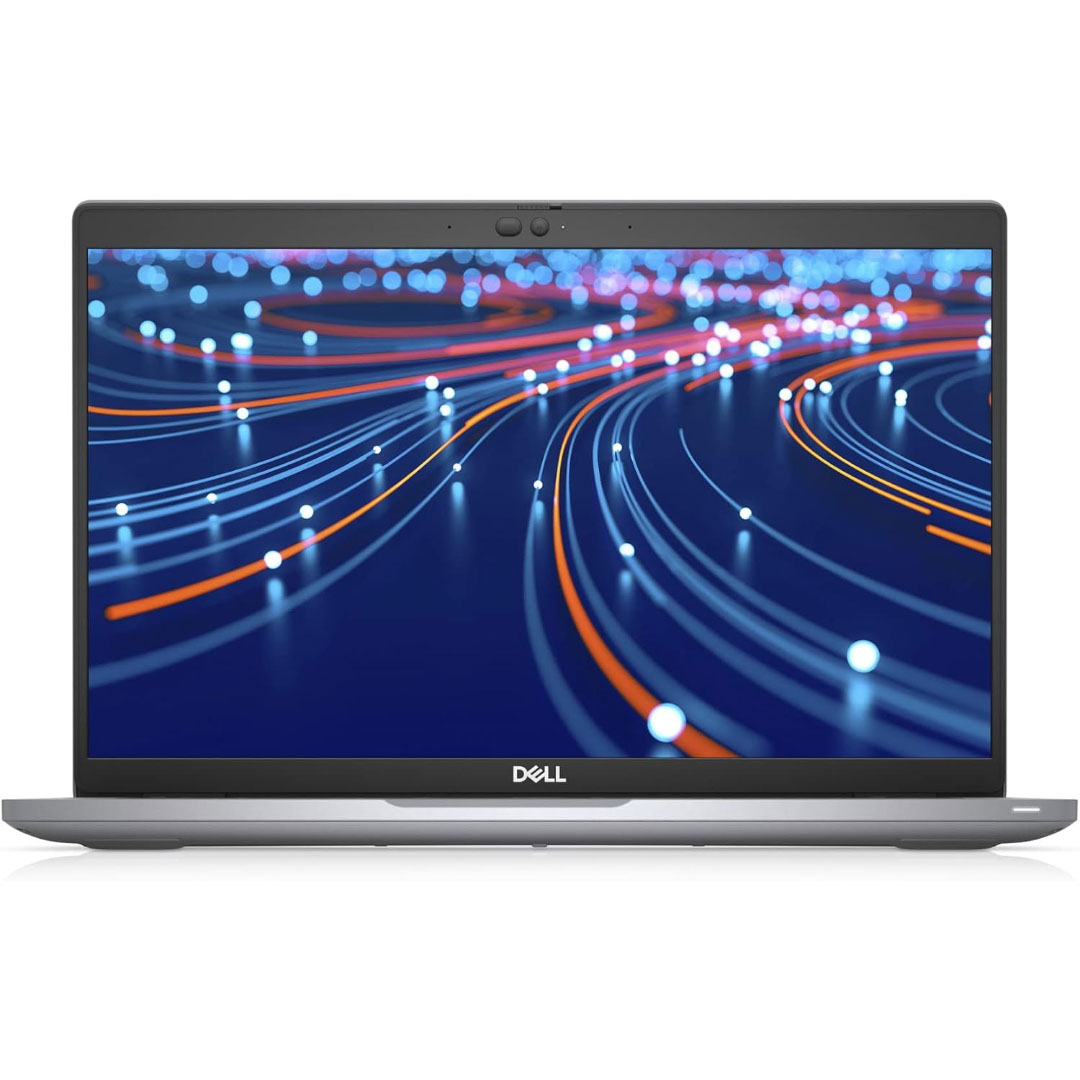

DELL Battery YRDD6 Laptop for replaceable Dell Inspiron 7586 5482 5485 5491 3310 2-in-1 3493 3582 3593 3793 5493 5593 5480 5590 5591 5594 5598 15 3583 3584 Vostro 3491 5481 5581 5490 5590 VM732 About this item Battery Type: 3cell Li-Polymer Voltage &Capacity : 11.4V 42WH Safeguard features against incorrect voltage, short circuit, internal overheating 100% Brand new ,Grade A cells battery; Quality assurance;every battery has passed factory testing; 500+ recharge cycles over

WiWU Linker 721HD Hub – Compact USB-C hub with 7 ports including 100W PD, dual USB-A, USB-C data, HDMI 4K60, and dual SD/TF slots.Aluminum body, plug‑and‑play compatibility with MacBooks and modern USB‑C devices—ideal for laptop expansion. Model: Linker 721HD (WiWU) Material: Aluminum-alloy shell Ports: 2 × USB‑A 3.1 1 × USB‑C 3.1 (data) 1 × USB‑C PD power delivery (up to 100 W) 1 × HDMI (4K @ 60 Hz) SD card slot + micro‑SD (TF) slot (USB 3.0 speed) Ports: 2 × USB‑A 3.1 1 × USB‑C 3.1 (data) 1 × USB‑C PD power delivery (up to 100 W) 1 × HDMI (4K @ 60 Hz) SD card slot + micro‑SD (TF) slot (USB 3.0 speed) Cable: Fixed USB‑C male cable (approx. 15 cm) Compatibility: Plug-and-play with USB-C/Thunderbolt 3/4 devices (MacBook, XPS, Chromebooks, mobile devices with DP-Alt Mode) Design: Compact, space gray finish optimized for travel/work setups Weight: ~150 g

Are you seeking a versatile solution for your presentation and collaboration needs? Look no further than the BenQ RE03A 75″ Board Essential. This cutting-edge interactive whiteboard redefines productivity and engagement in meeting rooms and classrooms alike. With its expansive 75-inch display, the BenQ RE03A offers ample space for showcasing your ideas and content. Whether you’re delivering a presentation, brainstorming with colleagues, or teaching a class, this interactive board provides a captivating canvas for your creativity. Transitioning to functionality, the BenQ RE03A boasts intuitive touch controls that make navigation and interaction effortless. Its responsive touch technology ensures smooth and precise input, allowing you to annotate, draw, and manipulate content with ease. Furthermore, the board’s seamless connectivity options enable seamless integration with your existing devices and software. Whether you’re using a laptop, tablet, or smartphone, the BenQ RE03A ensures compatibility and flexibility for all your presentation needs. In addition, collaboration features such as screen sharing and real-time annotation foster teamwork and idea exchange among participants. Break down communication barriers and enhance productivity with the BenQ RE03A’s collaborative tools. Moreover, the board’s durable construction and anti-glare surface ensure reliability and visibility even in brightly lit environments. Say goodbye to distractions and glare, and hello to clear, crisp visuals every time. In conclusion, the BenQ RE03A 75″ Board Essential is a game-changer for presentations and collaboration. With its large display, intuitive controls, and collaborative features, it empowers users to deliver impactful presentations and foster teamwork like never before. Upgrade your meeting room or classroom with the BenQ RE03A and unlock new possibilities for productivity and engagement. Specifications: Screen Size : 75″ Panel Type : IPS Resolution : UHD 3840×2160 Response Time : 8ms

Remax F41 6″ Wireless Clamp Fan – USB‑C rechargeable (4,000 mAh), 4 speeds, 720° rotation, up to 3 hrs runtime.Modular 3‑in‑1 design with detachable grille, washable parts, and night‑light feature. Model: Remax F41 6-inch Wireless Air Circulating Clamp Fan Power & Battery: Rechargeable 4,000 mAh battery; USB-C charging (~3 hours to full charge), offers ~3 hours continuous use at high speeds Operation Modes: 4 fan speeds, 3‑in‑1 usage (desktop, clamp, or hanging), 720° wide-angle rotation Design Features: Detachable, washable grille plus built-in warm night light Care Tips: Recharge every two months if unused; avoid inserting objects into blades

The Meetion Mini 4000 Black is a compact wireless keyboard and mouse combo designed for clean and convenient everyday use. With a mini-space-saving layout and stable wireless connection, it’s perfect for office work, home setups, and laptop users who want a neat, clutter-free desk. The Meetion Mini 4000 is a stylish and practical wireless keyboard and mouse set made for users who prefer a compact and modern workspace. Its mini keyboard design saves desk space while still offering comfortable typing for daily tasks. The wireless mouse provides smooth control and easy navigation, making this combo ideal for offices, students, and home users. With plug-and-play wireless connectivity, setup is simple—just connect the receiver and start using it instantly. Wireless Keyboard & Mouse Combo for a clean and clutter-free setup Compact Mini Keyboard Design saves space and fits small desks easily Stable Wireless Connection for smooth performance Plug & Play Receiver – quick setup without drivers Smooth Wireless Mouse for accurate control Comfortable Typing Layout for everyday productivity Modern Black Finish suitable for any workspace Ideal for Laptops & Desktops Perfect for office workers, students, and home users needing a compact wireless combo for laptops or desktops. Works with most devices that support USB.

The MSI MAG 273QP QD-OLED X24 is a stunning gaming monitor with sharp visuals and smooth performance. This display brings vibrant colors and deep contrasts to every game and movie. Moreover, its QD-OLED panel delivers lifelike pictures that feel rich and alive. Therefore, it fits well for gamers, creators, and everyday users. First, the screen quality is excellent with bright highlights and deep blacks. Every scene looks clear and detailed, making games more immersive. In addition, the wide color range enhances photos and videos. This means visual content feels more real and exciting on this screen. Also, the display offers consistent colors from different viewing angles. Next, the refresh rate is fast, so motion stays smooth and fluid. This helps with fast games and video content. Furthermore, adaptive sync technology reduces screen tearing for a better experience. As a result, gaming feels responsive and enjoyable without lag or blur. Players will notice sharper movement in games. The design is sleek and modern with thin bezels. Therefore, it looks great on any desk and feels like a premium setup. Also, the stand is adjustable for height and tilt. This makes long sessions more comfortable and easy to position. Meanwhile, the built-in speakers add basic audio without extra devices. Connectivity is strong with multiple ports for peripherals. You can easily connect consoles, PCs, and other gadgets. Moreover, the monitor supports high bandwidth for crisp image output. This makes it ready for current and future hardware demands. Overall, the MSI MAG 273QP QD-OLED X24 delivers top visuals, fluid performance, and practical features. It combines quality display and functionality in one package. For gamers and creators alike, this monitor is a smart choice for sharp graphics and smooth play. Specifications: Display : 27″ QD-OLED Resolution : 2560 x 1440 (WQHD) Refresh Rate : 240Hz Response Rate : 0.03ms (GTG)

The Asus VP228HE 22″ 60Hz Gaming Monitor is designed for gamers who want smooth visuals and fast response times. It offers a great balance of performance and affordability for casual and competitive players. This gaming monitor features a 22-inch Full HD display with a 1920 x 1080 resolution. The screen delivers sharp visuals with vibrant colors, enhancing your gaming experience. The 60Hz refresh rate ensures smooth motion in fast-paced games. With a 1ms response time, the Asus VP228HE reduces motion blur and ghosting. This makes gameplay more responsive, giving you an advantage in action-packed games. The monitor also includes ASUS GamePlus technology with crosshair and timer functions for better accuracy. The Asus VP228HE 22″ 60Hz Gaming Monitor features ASUS Eye Care technology. It includes a flicker-free display and a blue light filter to reduce eye strain. You can game for longer periods without discomfort. For connectivity, this monitor includes HDMI and VGA ports, making it compatible with gaming consoles, PCs, and laptops. It provides flexibility for different gaming setups. The built-in speakers deliver clear sound, eliminating the need for external speakers. The gaming monitor has a sleek and compact design that fits any setup. It is lightweight and easy to adjust, ensuring comfortable viewing angles. The durable build ensures long-lasting performance. If you need a reliable and affordable gaming monitor, the Asus VP228HE 22″ 60Hz Gaming Monitor is a great choice. It delivers smooth visuals, fast response times, and eye care features for comfortable gaming. Specifications: Display : 22″ TN Resolution : 1920×1080 Refresh Rate : 60Hz Response Rate : 1ms Speaker : 1.5W x2

LENOVO 20V/3.25A USB PIN Laptop Charger for Lenovo Thinkpad Compatible Part NO.: 45N0236, 45N0237, 45N0238, 45N0239 0B46994, 0B46995, 0B46996, 0B46997, 0B46997, 0B46998, 0B469990B47000, 0B47001, 0B47002, 0B47003, 0B47004, 0B47005, 0B47006

OEM-quality trackpad replacement (without flex cable) for MacBook Air 13″ (Model A2179, 2020)—available in Space Gray and Silver finishes—engineered for precise Force Touch performance, smooth multi-touch gestures, and seamless visual integration. Compatible With: MacBook Air 13-inch (2020, Model A2179) with Intel Core i3/i5/i7 processors (non-M1). Part Type: Trackpad only—does not include the flex cable, Taptic Engine, or mounting hardware. Designed for technicians who will reuse the original internal components. Color Options: Space Gray: Matches Space Gray and Midnight finishes Silver: Matches Silver and Starlight finishes (Note: “Z1” typically refers to Apple’s internal regional/part code—this listing covers standard OEM trackpads for A2179.) Space Gray: Matches Space Gray and Midnight finishes Silver: Matches Silver and Starlight finishes (Note: “Z1” typically refers to Apple’s internal regional/part code—this listing covers standard OEM trackpads for A2179.) Force Touch Capable: Fully supports pressure-sensitive input and haptic feedback when paired with the original Taptic Engine and logic board—ensuring full macOS gesture functionality. Precision Build: Mirror-smooth glass surface with exact curvature, texture, and micro-click mechanism matching Apple’s original design for consistent tracking and tactile response. Installation Requirements: Requires full bottom case disassembly and careful transfer of the original flex cable and Taptic Engine. Proper adhesive application is critical for structural integrity and sensor alignment. Recommended for professional or experienced repair technicians only. Important: This is a bare trackpad assembly—not a plug-and-play module. Functionality depends on correct integration with original electronics.

The Samsung 75″ Crystal UHD U8000F 4K Smart TV UA75U8000FUXTW uses a 75-inch LCD panel with 3840 × 2160 resolution. It is a basic 4K TV focused on screen size, standard image processing, and everyday smart features. It uses the Crystal Processor 4K for image processing and upscaling. This system converts lower-resolution content into closer-to-4K output. It also supports HDR10 and HDR10+, which adjust contrast between bright and dark areas for compatible content. The panel runs at a native 60 Hz refresh rate. Motion Xcelerator is included to reduce blur during fast scenes such as sports and gaming. Samsung Tizen OS powers the smart platform. It provides access to streaming apps, web browsing, and SmartThings connectivity. It also supports voice control depending on region and setup. Connectivity includes HDMI ports, USB ports, Wi-Fi, Bluetooth, Ethernet LAN, and optical audio output. It supports Auto Low Latency Mode (ALLM) for basic console gaming. This model does not include local dimming or advanced display systems. It focuses on standard 4K performance and basic smart TV functionality for general use. Specifications: 75-inch LCD panel with 3840 × 2160 (4K UHD) resolution Crystal Processor 4K with 4K upscaling support HDR10 and HDR10+ compatibility 60 Hz native refresh rate with Motion Xcelerator Tizen OS with HDMI, USB, Wi-Fi, Bluetooth, Ethernet connectivity

Genuine-spec US layout keyboard replacement for MacBook Pro 13″ (Model A1466, Late 2015–Early 2016)—featuring traditional scissor-switch mechanism, backlighting, and full OEM compatibility for reliable, comfortable typing. Compatible With: MacBook Pro 13-inch non-Touch Bar models: Late 2015 (Intel Core i5/i7, Retina, A1466, Model Identifier MacBookPro12,1) Early 2016 (Intel Core i5/i7, Retina, A1466, MacBookPro13,1) Late 2015 (Intel Core i5/i7, Retina, A1466, Model Identifier MacBookPro12,1) Early 2016 (Intel Core i5/i7, Retina, A1466, MacBookPro13,1) Layout: Standard US English (QWERTY) with full-size keys, inverted-T arrow keys, and dedicated function row (F1–F12). Keyboard Type: Traditional scissor-switch mechanism—not Butterfly or Magic Keyboard—known for durability, deeper key travel, and tactile feedback. Integrated Features: Backlit keys for low-light use, ambient light sensor support, and OEM-style ribbon cable for direct logic board connection. Build & Fit: Precision-engineered to match Apple’s original dimensions and mounting points—ensures flush alignment within the top case and consistent key height. Installation Note: Keyboard is secured with screws and minimal adhesive (unlike later glued models), making replacement more accessible. Still requires full top case disassembly and battery disconnect. Suitable for intermediate to advanced technicians.

Genuine-spec US layout keyboard replacement for MacBook Pro 15″ (Models A1706 and A1707, 2016–2017)—featuring Apple’s second-generation Butterfly mechanism, backlighting, and full OEM compatibility for professional-grade repairs. Compatible With: MacBook Pro 15″ (2016, Model A1707) MacBook Pro 15″ (2017, Model A1706) Both models include Touch Bar and are powered by Intel Core i7/i9 processors. MacBook Pro 15″ (2016, Model A1707) MacBook Pro 15″ (2017, Model A1706) Both models include Touch Bar and are powered by Intel Core i7/i9 processors. Layout: Standard US English (QWERTY) with full-size keys, inverted-T arrow keys, and dedicated function row (mapped to Touch Bar). Keyboard Type: Apple’s 2nd-generation Butterfly mechanism—thinner profile with reduced travel; known for sensitivity but requires careful handling. Integrated Features: Backlit keys, ambient light sensor support, and original ribbon cable connector matching Apple’s design for direct logic board attachment. Build & Fit: Precision-engineered to align flush with the top case—ensures consistent key height and tactile response when properly installed. Installation Note: The keyboard is glued into the top case and must be carefully removed and re-adhered. Requires full disassembly of display, battery, and internal components. Recommended for experienced technicians only.

The Alienware AW3423DWF 34″ 165Hz QD-OLED Curved Gaming Monitor delivers an immersive ultrawide experience with stunning display quality. Its 34.18-inch QD-OLED screen shows vibrant colors and deep blacks, perfect for intense gaming and creative work. With a resolution of 3440 x 1440 and a 165Hz refresh rate, this monitor gives you smooth and detailed visuals. It also features a 0.1ms response time, which reduces motion blur during fast action scenes. The 1800R curved screen wraps around your view, pulling you deeper into the game or video. This curvature also reduces eye strain, making it easier to stay focused for longer periods. The monitor supports 99.3% DCI-P3 and 149% sRGB color ranges, providing rich and accurate colors. It is also certified with DisplayHDR True Black 400, offering deep contrast and enhanced brightness. With AMD FreeSync Premium Pro and AdaptiveSync, you get smooth performance with no screen tearing. This makes it ideal for competitive and fast-paced gaming experiences. The sleek design includes customizable AlienFX lighting to match your gaming setup. It adds a modern and clean look to your desk, while staying practical and functional. Ports include HDMI 2.0, DisplayPort 1.4, and several USB 3.2 Gen 1 ports for easy connections. A built-in USB hub gives quick access to plug in peripherals without hassle. The adjustable stand supports height, tilt, and swivel adjustments for your comfort. It’s also VESA-compatible, so you can mount it just how you like it. The Alienware AW3423DWF 34″ 165Hz QD-OLED Curved Gaming Monitor is built for gamers who want the best visuals and performance. Specifications: Display : 34″ QD-OLED Resolution : WQHD 3440 x 1440 Refresh Rate : 165Hz Response Time : 0.1ms

Boost your daily productivity with the Lenovo ThinkPad E14 Gen 2, featuring a powerful 11th Gen Intel Core i5 processor. With flexible configurations of up to 16GB RAM and a fast 512GB NVMe SSD, this 14-inch business laptop offers the perfect blend of performance, security, and legendary ThinkPad durability

Looking to take your gaming to the next level? Look no further than the LG 27″ 165Hz UltraGear monitor. This powerhouse display is your ticket to an immersive and smooth gaming experience. First and foremost, let’s talk about speed. With a blazing-fast 165Hz refresh rate, this monitor ensures buttery-smooth gameplay, free from motion blur or screen tearing. Get ready to react quicker and gain a competitive edge in every game. Transitioning to visuals, prepare to be amazed by the stunning clarity and vibrant colors of the UltraGear monitor. With a crisp 27-inch display and high-resolution capabilities, every detail pops off the screen, immersing you in your favorite games like never before. Moreover, the monitor’s advanced IPS panel technology ensures wide viewing angles and consistent color accuracy, so you can enjoy stunning visuals from any angle without distortion. But that’s not all – the UltraGear monitor is also packed with features to enhance your gaming experience. From customizable gaming modes to built-in crosshair overlays, it offers everything you need to optimize your gameplay to your preferences. Additionally, with support for HDR content, you can enjoy breathtaking visuals with enhanced contrast and brightness, bringing your games to life with stunning realism. In conclusion, the LG 27″ 165Hz UltraGear monitor is the ultimate gaming companion for enthusiasts seeking unparalleled performance and immersion. Elevate your gaming setup with this powerhouse display and experience gaming like never before. Specifications: Display : 27″ IPS Resolution : QHD (2560 x 1440) Refresh Rate : 165Hz Response Rate : 1ms GTG

Looking for a high-quality monitor to elevate your viewing experience? Meet the BenQ EW3270U 32″ 4K HDR Monitor. With its impressive 4K resolution, every detail comes to life with stunning clarity. Firstly, let’s talk about the brilliance of HDR technology. Experience richer colors and deeper contrasts that make images and videos pop off the screen. Whether you’re watching movies, gaming, or editing photos, HDR brings content to life like never before. Moreover, the spacious 32-inch screen provides ample space for multitasking and immersive entertainment. Whether you’re working on spreadsheets or enjoying your favorite games, you’ll appreciate the expansive display and crisp visuals. Additionally, the BenQ EW3270U offers advanced eye care features to reduce eye strain during long hours of use. With flicker-free technology and low blue light modes, you can enjoy extended viewing sessions comfortably. Furthermore, connectivity options abound with multiple ports, including HDMI, DisplayPort, and USB-C. Easily connect your devices and enjoy seamless integration with laptops, desktops, gaming consoles, and more. In conclusion, the BenQ EW3270U 32″ 4K HDR Monitor is the perfect choice for those seeking superior visual quality and immersive viewing experiences. Whether you’re a professional creator or a casual user, this monitor delivers unmatched performance and versatility. Upgrade your setup today and see the difference for yourself. Specifications: Display : 31.5″ VA HDR 10 Resolution : 4K UHD Refresh Rate : 60Hz Response Rate : 4 ms Built-in Speaker : 2Wx2

The MSI PRO MP225V 22″ 100Hz Business Monitor is designed to improve productivity while maintaining eye comfort and reliable performance. With its 22-inch Full HD display, it provides sharp visuals and clear details for work and study. Moreover, the compact size makes it a perfect choice for small desks and home offices. Because comfort matters, this monitor includes TÜV-certified low blue light and flicker-free technology. As a result, you can work for longer hours without eye strain. In addition, the adjustable tilt feature helps you find the most natural viewing position for daily use. The MSI PRO MP225V 22″ 100Hz Business Monitor also ensures smooth visuals with its 100Hz refresh rate. Furthermore, it supports AMD FreeSync, reducing screen tearing and stuttering during presentations, videos, or even light gaming. Therefore, it offers a balance between work and entertainment. Connectivity options include HDMI and VGA, making it easy to link with various devices. Besides that, its slim design with narrow bezels provides a modern look while maximizing screen space. Not only is it efficient, but it is also compatible with VESA mounts, allowing flexible installation on a wall or monitor arm. In short, the MSI PRO MP225V 22″ 100Hz Business Monitor combines clarity, comfort, and versatility, making it a smart solution for professionals and students. Specifications: Display : 21.45″ IPS Screen : FHD (1920×1080) Refresh Rate : 100Hz Response Rate : 1ms (MPRT) / 4ms (GtG)

The MSI MAG 275F 27″ 180Hz Gaming Monitor delivers an immersive gaming experience. With a fast 180Hz refresh rate, it ensures ultra-smooth gameplay. This makes it perfect for competitive gaming and fast-paced action. The 27-inch IPS display offers stunning visuals with vibrant colors and sharp details. It provides a Full HD resolution, making games look crisp and realistic. Wide viewing angles ensure consistent colors from any position. With a 1ms response time, this monitor reduces motion blur and ghosting. Every movement appears clear and precise. This gives you a competitive edge in fast-action games like shooters and racing games. The MSI MAG 275F supports Adaptive Sync technology, eliminating screen tearing and stuttering. This ensures a fluid gaming experience, even in the most intense moments. You’ll enjoy smooth visuals without lag or interruptions. Designed for long gaming sessions, this monitor features anti-flicker and blue light reduction technology. It helps reduce eye strain, allowing you to play comfortably for hours. The adjustable stand lets you set the perfect viewing angle. Connectivity is simple with multiple ports, including HDMI and DisplayPort. You can easily connect your PC, console, or other gaming devices. This makes the MSI MAG 275F a versatile choice for all gamers. With a sleek, modern design, this monitor enhances any gaming setup. It combines performance with style, making it a must-have for serious gamers. Upgrade your gaming experience with the MSI MAG 275F 27″ 180Hz Gaming Monitor today! Specifications: Display : 27″ Rapid IPS Resolution : 1920 x 1080 (FHD) Refresh Rate : 180Hz Response Rate : 0.5ms

Genuine-spec touchpad flex cable for MacBook Pro 13″ (Model A2289, 2020, Intel)—restores full Force Touch functionality, haptic feedback, and preci multi-touch gesture control. OEM-quality replacement for damaged or faulty original cables. Compatible With: MacBook Pro 13-inch (2020, Four Thunderbolt Ports, Model A2289, Model Identifier MacBookPro16,2) with Intel Core i5/i7 processors. Part Type: Touchpad flex cable only — does not include the trackpad housing, Taptic Engine, or mounting hardware. This is the OEM-style ribbon cable that connects the trackpad to the logic board. Function: Transmits: Touch input coordinates Force Touch pressure data Haptic feedback signals to the Taptic Engine Enables full macOS gesture support: Force Click, three-finger lookup, swipe navigation, pinch-to-zoom, and smooth cursor tracking. Touch input coordinates Force Touch pressure data Haptic feedback signals to the Taptic Engine Enables full macOS gesture support: Force Click, three-finger lookup, swipe navigation, pinch-to-zoom, and smooth cursor tracking. OEM-Quality Build: Matches Apple’s original specifications in: Cable length and routing path Connector pitch and ZIF latch design EMI shielding and flex durability Cable length and routing path Connector pitch and ZIF latch design EMI shielding and flex durability Common Use Cases: Replacing a torn, creased, or liquid-damaged original flex cable Completing a trackpad replacement when the original cable is unusable Fixing: Intermittent or erratic trackpad behavior Loss of Force Touch or haptic feedback Complete trackpad unresponsiveness Replacing a torn, creased, or liquid-damaged original flex cable Completing a trackpad replacement when the original cable is unusable Fixing: Intermittent or erratic trackpad behavior Loss of Force Touch or haptic feedback Complete trackpad unresponsiveness Intermittent or erratic trackpad behavior Loss of Force Touch or haptic feedback Complete trackpad unresponsiveness Installation Note: Requires full bottom case removal and battery disconnection. Cable routes under internal components (speaker, logic board)—must follow original path. Connects via ZIF (Zero Insertion Force) socket—align carefully, never force. Recommended for experienced or certified technicians only. Requires full bottom case removal and battery disconnection. Cable routes under internal components (speaker, logic board)—must follow original path. Connects via ZIF (Zero Insertion Force) socket—align carefully, never force. Recommended for experienced or certified technicians only. Important Compatibility Notes: ✅ Only for A2289 (13″, 4 Thunderbolt ports, 2020, Intel) ❌ Not compatible with: A2251 (2 Thunderbolt ports, 2020) A2338 (M1 MacBook Pro, 2020) Any MacBook Air or 14″/16″ MacBook Pro ✅ Only for A2289 (13″, 4 Thunderbolt ports, 2020, Intel) ❌ Not compatible with: A2251 (2 Thunderbolt ports, 2020) A2338 (M1 MacBook Pro, 2020) Any MacBook Air or 14″/16″ MacBook Pro A2251 (2 Thunderbolt ports, 2020) A2338 (M1 MacBook Pro, 2020) Any MacBook Air or 14″/16″ MacBook Pro

OEM-quality left and right loudspeaker replacement pair for MacBook Pro 15″ (Models A1707 – 2016/2017 and A1990 – 2018/2019)—restores rich, balanced stereo sound with precision acoustic tuning and seamless fit. Compatible With: MacBook Pro 15″ (2016) – Model A1707 (MacBookPro13,2) MacBook Pro 15″ (2017) – Model A1707 (MacBookPro14,2) MacBook Pro 15″ (2018) – Model A1990 (MacBookPro15,2) MacBook Pro 15″ (2019) – Model A1990 (MacBookPro15,2) (Note: Apple used the same speaker assembly across all four years of the 15″ Touch Bar MacBook Pro.) MacBook Pro 15″ (2016) – Model A1707 (MacBookPro13,2) MacBook Pro 15″ (2017) – Model A1707 (MacBookPro14,2) MacBook Pro 15″ (2018) – Model A1990 (MacBookPro15,2) MacBook Pro 15″ (2019) – Model A1990 (MacBookPro15,2) (Note: Apple used the same speaker assembly across all four years of the 15″ Touch Bar MacBook Pro.) Includes: Complete left and right speaker units with pre-attached flex cables and mounting brackets—ready for direct installation. Audio Performance: Engineered to match Apple’s original high-fidelity stereo system—delivers deep bass, clear mids, and crisp highs with wide soundstage and distortion-free playback. OEM Build Quality: Precision-molded housings, correct grille patterns, and exact cable routing ensure secure fit, no rattling, and full compatibility with macOS audio calibration. Common Use Cases: Replaces speakers damaged by liquid spills, physical impact, or wear (e.g., muffled sound, no audio from one side, crackling, or complete failure). Installation Note: Requires full display and logic board access. Speakers are secured with adhesive and screws in tight compartments. Recommended for certified or experienced technicians only. Important: This speaker pair is exclusive to 15″ Touch Bar MacBook Pro models (A1707/A1990). Not compatible with 13″ models (A1708/A1989), 16″ MacBook Pro (A2141), or non-Touch Bar MacBooks. This speaker pair is exclusive to 15″ Touch Bar MacBook Pro models (A1707/A1990). Not compatible with 13″ models (A1708/A1989), 16″ MacBook Pro (A2141), or non-Touch Bar MacBooks. Model Verification: Confirm your device via > About This Mac > Model Identifier (e.g., MacBookPro13,2 or MacBookPro15,2).
