
The Dell P3424WEB Pro Plus 34″ 4K 60Hz Video Conferencing Monitor delivers a large, immersive screen ideal for work, meetings, and multitasking. You get a wide curved display that fills your field of view. It lets you open many windows side by side for improved productivity. Moreover, the Dell P3424WEB Pro Plus 34″ 4K 60Hz Video Conferencing Monitor includes a high-quality built-in webcam. The camera captures sharp and clear video for meetings. Integrated microphones and speakers provide clear sound without extra devices. This makes virtual calls simple and effective. In addition, the monitor supports USB-C with up to 90W power delivery. You can connect and charge a laptop with a single cable. This reduces desk clutter and simplifies setup. It also supports HDMI, DisplayPort, Ethernet and multiple USB ports for many devices. Furthermore, the Dell P3424WEB Pro Plus 34″ 4K 60Hz Video Conferencing Monitor uses a wide IPS curved panel with great color accuracy. Colors stay vivid and natural from wide viewing angles. This is useful for design work, video editing, or media viewing. The large screen enhances focus and comfort. Also, the monitor includes adjustable stand for height, tilt, and swivel. You can adjust it to a comfortable viewing position. The thin bezels and modern frame give a clean, professional look to any office space. The curved shape reduces glare and eyestrain during long hours. Overall, the Dell P3424WEB Pro Plus 34″ 4K 60Hz Video Conferencing Monitor combines a large display, smart connectivity, and built-in conferencing tools. It improves productivity, simplifies video calls, and enhances work comfort. This monitor is ideal for professionals, remote workers, creators, and teams needing an all-in-one display solution. Specifications: Display : 34″ IPS Resolution : WQHD 3440 x 1440 Refresh Rate : 60Hz Response Time : 8ms Curvature : 3800R

RK ROYAL KLUDGE RK61 Wireless 60% Mechanical Gaming Keyboard, Ultra-Compact 60 Keys Bluetooth Mechanical Keyboard with Programmable Software (Blue Switch, White) Model: RK ROYAL KLUDGE RK61 Layout: 60% compact layout (61 keys, no number pad or function row) Switch Type: Mechanical switches (Red – Linear, Blue – Clicky, Brown – Tactile) Connectivity: Bluetooth 5.0 (connects up to 3 devices) USB-C Wired Optional 2.4GHz Wireless (on some versions) Connectivity: Bluetooth 5.0 (connects up to 3 devices) USB-C Wired Optional 2.4GHz Wireless (on some versions) Backlight: RGB LED with 18+ lighting modes and effects Battery: 1450mAh rechargeable lithium battery Key Rollover: Full N-Key rollover, anti-ghosting Compatibility: Windows, macOS, Android, iOS Software Support: Key remapping and lighting customization (Windows only) Build Quality: ABS plastic frame, double-shot keycaps Dimensions: Approx. 290 x 100 x 40 mm Weight: ~500g Extras: Hot-swappable switch support (on select versions)

View Sonic VA2215-H 22” Full HD Monitor Eyecare technology for comfortable viewing Eco-mode for low energy consumption ViewMode color rendering options 75Hz FreeSync to eliminate screen tearing and reduce stuttering HDMI and VGA inputs for connectivity

ZOWIE XL2411K ZOWIE XL2411K With the introduction of the PS5 and Xbox Series X. console gamers are finally able to take advantage of a 120Hz refresh rate . This is a significant upgrade for competitive FPS players, as the increased smoothness and clarity . can result in quicker reaction times and easier tracking of enemies. DyAc™ Technology – A Different Spray Feeling DyAc™ makes vigorous in-game actions such as spraying less blurry. This allows gamers to see the position of crosshair and impact points more clearly which can help with recoil control. Different In-Game Color Modes – Play To Your Liking We are releasing tailored game modes to meet different preferences and scenarios. Each color setting takes careful consideration, game by game, scene by scene. to make sure the colors work throughout the gameplay, and not compromised across different maps. Make Visual Adjustments Based on Your In-Game Needs Black eQualizer to increase visibility in dark scenes without the bright areas. Color Vibrance to adjust color setting and tone to differentiate enemy targets in-game. and Game modes to switch between presets for different game titles. these are all adjustments that allow players to play with their preferred visual settings. XL Setting to Share Share your own settings with a teammate, friend, or your fans. Save video profiles quickly and share conveniently through a simple user interface. Fluid & Flexible Adjustment – More Comfort In-Game We understand that each player has his/her own unique combination of monitor height and angle adjustment. With height adjustment & free tilt, players are able to setup quickly and conveniently resulting in a more comfortable playing environment. Smaller Base – More Playing Space New base is designed to take up less space while maintaining the same stability. This allows gamers more space in their setup for in-game movements and allows. them the flexibility to make adjustments and play comfortably. Specifications: Specifications LCD size (inch) 24″ Aspect ratio 16:9 Max. resolution (PC/Laptop) 1920 x 1080 at 144Hz (HDMI 2.0, DP) Max. resolution (Console) 1920 x 1080 at 120Hz for PS5 / Xbox series X (HDMI2.0) Refresh rate 144Hz Display area (mm) 531.36 x 298.89 Pixel pitch (mm) 0.276 1 year warranty Manufacturer Link

Experience the perfect blend of clarity and smoothness with the LG 24″ 75Hz HD Monitor 24MK430H-B. Designed for both work and play, this monitor offers exceptional performance at an affordable price point. Transitioning to visuals, immerse yourself in vibrant colors and crisp details. Whether you’re watching movies, editing photos, or browsing the web, every image pops with clarity and brilliance. Moreover, the 75Hz refresh rate ensures fluid motion, making it ideal for casual gaming and multimedia consumption. Say goodbye to motion blur and hello to smooth, lag-free performance. Additionally, the monitor’s sleek and slim design adds a touch of elegance to any workspace or gaming setup. Its narrow bezels maximize screen real estate, providing an immersive viewing experience. Furthermore, the AMD FreeSync technology eliminates screen tearing and stuttering, delivering seamless gameplay and video playback. Enjoy a more immersive and responsive experience, whether you’re gaming or watching movies. In conclusion, the LG 24″ 75Hz HD Monitor 24MK430H-B offers exceptional value for money with its combination of stunning visuals, smooth performance, and sleek design. Upgrade your setup today and take your viewing experience to the next level. Specifications: Display : 23.8″ (1920×1080) FHD IPS Refresh Rate : 75Hz Response Rate : 5ms

Candc DC-C2 Lavalier Dual Head Mic Buy Online in Qatar, record high quality sounds using this branded duel mic. Candc DC-C2 is a Dual Omnidirectional lavalier microphone, designed for Smartphones, DSLR, Camcorders, Audio recorders PC, etc. PRODUCT DETAILS OF CANDC DC-C2 LAVALIER COLLAR MICROPHONE FOR CANON NIKON DSLR CAMCORDER

Used OEM Original Apple Logic Board Working, 2019 Model 2.7Ghz I7 251gb 16gb (A1989) + Original Touch ID, Tested using latest industry hardware diagnostic software, Fresh pull from fully Working nearly new unit. SPECIFICATION:

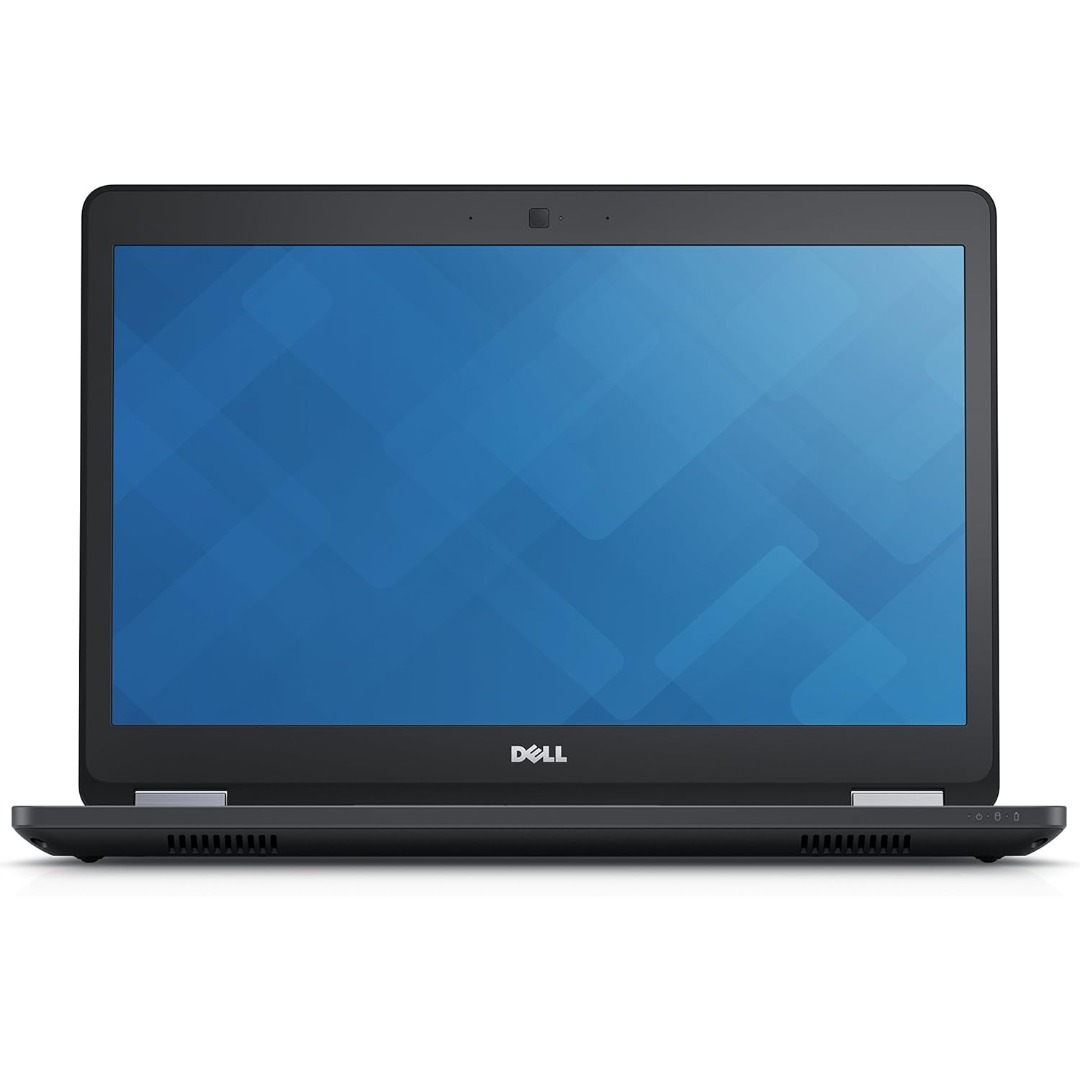
7CJRC Laptop Battery for Dell Latitude 7470 7270 E7270 E7470 Series 21X15 021X15 KNM09 0KNM09 TX283 0TX283 451-BBSW 451-BBWR 11.4V 42Wh 3-Cell About this item Battery type: Li-ion; Voltage: 11.4V; Capacity: 42Wh; Cells: 3-cell Compatible Models: Fit for Dell Latitude 7470 7270 E7470 E7270 Series Replace Part Numbers: 7CJRC KNM09 0KNM09 21X15 021X15 TX283 0TX283 451-BBSW 451-BBWR V6VMN 100% New from Manufacturer. Up to 500 recharge cycles over the life of the battery. The actual operation time will depend on how much electricity is required by the device and how you use it

PCE M8-700 UPS (line-interactive) — 700 VA / 360 W backup unit for 220–240 V input. Protects PCs, routers, small electronics from outages and voltage swings. The PCE M8-700 is a line-interactive UPS designed for home or small office use. It provides backup power, voltage regulation (AVR), surge protection, and supports automatic switching during outages. Ideal for desktop PCs, network gear, monitors, or point-of-sale systems. Features & Capabilities Line-interactive topology: regulates input voltage without switching to battery when voltage fluctuates mildly. Automatic Voltage Regulation (AVR) to correct undervolt/overvolt conditions. Simulated (stepped) sine wave output in battery mode. Surge, overload, short circuit, discharge protections built in. Cold start capability (ability to power on from battery with no mains) LED + audible alarms for status (battery mode, overload, fault) USB / RS232 interface in some variants for power management (shutdown, monitoring) Technical Specifications What “Input 220–240 VAC, 50/60 Hz, 3.7 A” Means (and Caveats) If the specification you’re giving is “3.7 A” at input, that corresponds to a maximum input current draw when the UPS is handling a heavy load or during charging cycles. At 230 V × 3.7 A ≈ 850 W of input capacity. The unit’s 360 W output means there’s overhead for losses, inverter inefficiency, battery charging, etc. The UPS must operate within the stated voltage and frequency ranges — if input is too low or too high, it may switch to battery or go into protection mode.

Genuine-spec touchpad flex cable for MacBook Pro 15″ (Model A1990, 2018–2019, Intel)—essential for restoring full Force Touch functionality, haptic feedback, and precise multi-touch gesture control during trackpad repair or replacement. Compatible With: MacBook Pro 15-inch (2018 & 2019, Model A1990, Model Identifiers MacBookPro15,2) with Intel Core i7/i9 processors. Part Type: Touchpad flex cable only — does not include the trackpad housing, Taptic Engine, or mounting hardware. This is the OEM-style ribbon cable that connects the trackpad to the logic board. Function: Transmits: Touch input coordinates Force Touch pressure data Haptic feedback signals to the Taptic Engine Enables full macOS gesture support: Force Click, three-finger lookup, swipe navigation, pinch-to-zoom, and smooth cursor tracking. Touch input coordinates Force Touch pressure data Haptic feedback signals to the Taptic Engine Enables full macOS gesture support: Force Click, three-finger lookup, swipe navigation, pinch-to-zoom, and smooth cursor tracking. OEM-Quality Build: Matches Apple’s original specifications in: Cable length and routing path Connector pitch and ZIF latch design EMI shielding and flex durability Cable length and routing path Connector pitch and ZIF latch design EMI shielding and flex durability Common Use Cases: Replacing a torn, creased, or liquid-damaged original flex cable Completing a trackpad replacement when the original cable is unusable Fixing intermittent trackpad behavior, loss of Force Touch, or complete unresponsiveness Replacing a torn, creased, or liquid-damaged original flex cable Completing a trackpad replacement when the original cable is unusable Fixing intermittent trackpad behavior, loss of Force Touch, or complete unresponsiveness Installation Note: Requires full bottom case removal and battery disconnection. Cable routes under internal components near the right speaker and logic board. Connects via a ZIF (Zero Insertion Force) socket—must be aligned carefully and latched gently. Recommended for experienced or certified technicians only. Requires full bottom case removal and battery disconnection. Cable routes under internal components near the right speaker and logic board. Connects via a ZIF (Zero Insertion Force) socket—must be aligned carefully and latched gently. Recommended for experienced or certified technicians only.

The MSI Creator PS321QR Monitor delivers professional visuals with a 32-inch IPS panel and WQHD resolution. It is designed for creators and multitasking workflows. Moreover, it features a 165Hz refresh rate and 1ms response time for smooth motion. This ensures fluid visuals during editing and fast content playback. The monitor supports wide color coverage with 99% Adobe RGB and 95% DCI-P3. It also comes factory calibrated for high color accuracy. It includes VESA DisplayHDR 600 for improved brightness and contrast. This enhances details in both bright and dark scenes. You also get multiple connectivity options such as HDMI, DisplayPort, and USB Type-C. Ergonomic adjustments support tilt and height for better comfort. The MSI Creator PS321QR Monitor is ideal for users who need accurate colors, smooth performance, and professional display quality. Specifications: 32″ WQHD (2560×1440) IPS panel with wide viewing angles 165Hz refresh rate with 1ms response time 99% Adobe RGB and 95% DCI-P3 color coverage VESA DisplayHDR 600 for improved contrast and brightness HDMI, DisplayPort, and USB Type-C connectivity

Are you in search of a monitor that elevates your gaming experience? Look no further than the Philips 27″ 75Hz 27E1N5600HE LCD Monitor. Designed with gamers in mind, this monitor offers a perfect blend of performance and visual quality. Featuring a generous 27-inch display, the Philips monitor provides ample screen real estate for immersive gaming sessions. Lose yourself in stunning visuals and vibrant colors that bring your games to life. With a refresh rate of 75Hz, this monitor delivers smoother gameplay compared to standard displays. Say goodbye to motion blur and screen tearing, and enjoy a more responsive gaming experience. Equipped with Adaptive-Sync technology, the Philips monitor synchronizes the refresh rate with your GPU, reducing stuttering and input lag. Enjoy seamless gameplay, whether you’re exploring vast landscapes or engaging in fast-paced action. The ultra-narrow bezel design creates a seamless multi-monitor setup, perfect for immersive gaming or multitasking. Dive into your favorite games without distractions, and enjoy a more immersive gaming experience. Designed for comfort and convenience, the Philips monitor features adjustable tilt for optimal viewing angles. Whether you’re sitting at your desk or lounging in your gaming chair, you can find the perfect position for extended gaming sessions. In summary, the Philips 27″ 75Hz 27E1N5600HE LCD Monitor is a must-have for gamers seeking smooth performance and immersive visuals. Upgrade your gaming setup with this feature-packed monitor and take your gaming experience to new heights. Specifications: Display : 27″ IPS Resolution : 2560 x 1440 QHD Refresh Rate : 75hz Response Rater : 4ms

Samsung Lebanon 32″ LS32C390EAMXUE The Samsung Lebanon 32″ Introducing the boldest curve ever This , born from years of and the future of monitor technology. Easy on the eyes In tol monitors that have less curve, 1000R fits the human field of view for less eye strain. A clinical study at Seoul National University Hospital shows that the closer to 1000R, the more it limits eye fatigue. Visionary Minimalism Next-generation design. The striking aesthetic is by a backside and premium-quality slim metal stand. The result is a monitor that won’t just catch eyes. but complements any interior, too. What Gamers Want Welcome to your new playground. AMD FreeSync delivers seamless gaming, while 75Hz makes scenes smooth. This flawless imagery comes together with Game Mode and the renowned 1000R curve for Focused Comfort Protect your eyes and do more. The T55’s advanced eye comfort technology reduces eye strain for more comfortable Flicker Free technology continuously removes tiring and irritating screen flicker, while Eye Saver Mode minimizes emitted blue light. Your eyes stay fresh longer. Ready to Entertain Connect to all your favorite devices with a convenient HDMI, DP, and D-Sub triple interface. The built-in 5 Watt speakers make it even easier lost in your favorite movies or TV shows, without plugging in a speaker. Easy on the eyes with 1000R curved screen Minimalist design with the borderless display, fabric-textured backside and slim metal stand Realistic immersion with the renowned 1000R curve and game-related features Running a monitor self-test is a simple and effective way to check the health and functionality of your computer monitor. The purpose of this test is to diagnose any potential issues with the monitor, such as dead pixels, color accuracy, contrast, or brightness problems. Power off both your computer and the monitor. 2Disconnect the signal cable from the back of the computer. 3Power on the monitor. Specifications: Specifications Screen Curvature1000R Active Display Size (HxV) (mm)698.4×392.85 Flat / CurvedCurved Screen Size (Class)32 3 year warranty Manufacturer Link

The LG UltraGear 45″ 240Hz OLED Curved Gaming Monitor is designed for gamers who demand top-tier performance and stunning visuals. Its massive 45-inch curved OLED display provides an immersive gaming experience with deep blacks and vibrant colors. Firstly with a 240Hz refresh rate, this monitor delivers ultra-smooth gameplay. Combined with a 0.03ms response time, it ensures minimal motion blur and fast reactions in competitive games. Every frame is rendered with precision, giving you a serious edge in fast-paced action. The 21:9 aspect ratio and 3440 x 1440 resolution offer a wide field of view, making it perfect for immersive gaming and multitasking. Whether exploring vast open worlds or battling in intense FPS games, you get an expansive and detailed view. Equipped with HDR10 and OLED self-lit pixels, this gaming monitor delivers incredible contrast and true-to-life colors. Dark scenes appear richer, and bright scenes pop with stunning clarity. Every detail stands out, enhancing the overall gaming experience. For seamless gameplay, the LG UltraGear 45″ 240Hz OLED Curved Gaming Monitor supports AMD FreeSync Premium and NVIDIA G-SYNC. These technologies eliminate screen tearing and stuttering, ensuring smooth and fluid visuals. With multiple connectivity options, including HDMI 2.1, DisplayPort 1.4, and USB ports, this monitor is built for modern gaming rigs. It supports the latest consoles and high-end PCs, ensuring top performance across devices. In conclusion, the LG UltraGear 45″ 240Hz OLED Curved Gaming Monitor is a must-have for serious gamers. Its high refresh rate, fast response time, and stunning OLED visuals make it a top-tier choice for competitive and immersive gaming. Specifications: Display : 44.5″ OLED Resolution : 3440×1440 Ultra-WQHD Refresh Rate : 240Hz Response Rate : 0.03ms GTG Curvature : 800R

The Lenovo L24E-30 24″ 60Hz Monitor offers a perfect blend of style and performance for your computing needs. Whether you’re working, gaming, or streaming, this monitor delivers an exceptional visual experience. With its 24-inch Full HD display, the Lenovo L24E-30 provides crisp and clear visuals. Enjoy stunning detail and vibrant colors that bring your content to life, whether you’re editing photos or watching videos. The 60Hz refresh rate of the Lenovo L24E-30 ensures smooth and fluid motion, reducing screen tearing and ghosting. This makes it ideal for fast-paced games and dynamic videos, offering a more immersive experience. Designed with a slim and sleek profile, the Lenovo L24E-30 adds a modern touch to any workspace. Its narrow bezels create a seamless multi-monitor setup, allowing you to expand your view effortlessly. Featuring AMD FreeSync technology, the Lenovo L24E-30 synchronizes the monitor’s refresh rate with your graphics card. This reduces screen stuttering and provides a smoother gaming experience, even during intense action scenes. The Lenovo L24E-30 24″ 60Hz Monitor is equipped with multiple connectivity options, including HDMI and VGA ports. This ensures compatibility with a wide range of devices, making it a versatile addition to your setup. For comfortable viewing, the Lenovo L24E-30 includes eye-care features like low blue light and flicker-free technology. These features help reduce eye strain during long hours of use, enhancing your overall comfort. In conclusion, the Lenovo L24E-30 24″ 60Hz Monitor combines stylish design, smooth performance, and eye-care features for an outstanding viewing experience. Upgrade to the Lenovo L24E-30 today and enjoy enhanced productivity and entertainment. Specifications: Display : 24″ VA Resolution : FHD 1920 x 1080 Refresh Rate : 60Hz Response Rate : 4ms

The TP-Link TL-WA855RE N300 Universal Range Extender boosts your existing 2.4GHz Wi-Fi signal up to 300Mbps to eliminate dead zones and extend coverage. With a compact wall-plug design, dual external antennas, and one-touch WPS setup, it’s perfect for home and office use. The TP-Link TL-WA855RE N300 Universal Wireless Range Extender is an easy and affordable solution to extend your Wi-Fi coverage into areas where your router signal is weak or unavailable. It works with almost any wireless router to repeat and strengthen your existing network, providing improved connectivity for streaming, browsing, video calls, and everyday online tasks. Featuring two external antennas for better signal strength, an Ethernet port for wired devices, and a smart signal indicator for optimal placement, it ensures stable coverage across your space. N300 Wi-Fi Speed (Up to 300Mbps) on 2.4GHz Universal Compatibility works with most Wi-Fi routers and access points Boosts Coverage & Removes Dead Zones for stronger wireless signal Two External Antennas improve range and stability One-Touch WPS Setup for quick and simple connection Smart Signal Indicator helps you find the best placement Ethernet Port for wired connection to TVs, PCs, or consoles Compact Wall Plug Design ideal for home or office use Ideal for homes, offices, apartments, and small businesses needing better Wi-Fi coverage. Works with laptops, smartphones, smart TVs, tablets, IP cameras, and other Wi-Fi devices.

Genuine-spec touchpad flex cable compatible with both MacBook Air A2179 (Intel, 2020) and A2337 (M1, 2020)—restores full Force Touch functionality, haptic feedback, and precise multi-touch gesture control during trackpad repair or replacement. Compatible With: MacBook Air 13″ (2020, Intel) – Model A2179 (Model Identifier: MacBookAir9,1) MacBook Air 13″ (2020, Apple M1) – Model A2337 (Model Identifier: MacBookAir10,1) MacBook Air 13″ (2020, Intel) – Model A2179 (Model Identifier: MacBookAir9,1) MacBook Air 13″ (2020, Apple M1) – Model A2337 (Model Identifier: MacBookAir10,1) ✅ Important Note: Despite different processors (Intel vs. M1), Apple used the same trackpad assembly and flex cable in both A2179 and A2337. This makes the flex cable fully interchangeable between the two models. Part Type: Touchpad flex cable only — does not include the trackpad housing, Taptic Engine, or mounting hardware. This is the OEM-style ribbon cable that connects the trackpad to the logic board. Function: Transmits: Touch input coordinates Force Touch pressure data Haptic feedback signals to the Taptic Engine Enables full macOS gesture support: Force Click, three-finger lookup, swipe navigation, pinch-to-zoom, and smooth cursor tracking. Touch input coordinates Force Touch pressure data Haptic feedback signals to the Taptic Engine Enables full macOS gesture support: Force Click, three-finger lookup, swipe navigation, pinch-to-zoom, and smooth cursor tracking. OEM-Quality Build: Matches Apple’s original specifications in: Cable length and routing path Connector pitch and ZIF latch design EMI shielding and flex durability Cable length and routing path Connector pitch and ZIF latch design EMI shielding and flex durability Common Use Cases: Replacing a torn, creased, or liquid-damaged original flex cable Completing a trackpad replacement when the original cable is compromised Fixing intermittent trackpad behavior, loss of Force Touch, or complete unresponsiveness Replacing a torn, creased, or liquid-damaged original flex cable Completing a trackpad replacement when the original cable is compromised Fixing intermittent trackpad behavior, loss of Force Touch, or complete unresponsiveness Installation Note: Requires full bottom case removal and battery disconnection. Cable routes under the right side of the battery and logic board. Connects via a ZIF (Zero Insertion Force) socket—align carefully and latch gently. Recommended for experienced or certified technicians only. Requires full bottom case removal and battery disconnection. Cable routes under the right side of the battery and logic board. Connects via a ZIF (Zero Insertion Force) socket—align carefully and latch gently. Recommended for experienced or certified technicians only.

The Arzopa A1 is an ultra-slim, lightweight 15.6-inch portable monitor engineered for seamless travel productivity and entertainment. Delivering crisp Full HD imagery on a premium IPS panel with integrated eye care features, it provides a hassle-free plug-and-play experience using dual full-function USB-C and Mini HDMI inputs. Complete with a built-in adjustable kickstand, it is the perfect dual-screen companion for laptops, smartphones, and gaming consoles. ✅ Full Specifications: Model: ARZOPA Type-C Portable Monitor (ARZOPA-A1) Interface / Connection: Multi-Port Input Panel: 2 x USB Type-C Full Function Ports (Supports concurrent video transmission, data, and power delivery) 1 x Mini HDMI Port (Video signal input only) 1 x 3.5mm Headphone / Audio Output Interface Interface / Connection: Multi-Port Input Panel: 2 x USB Type-C Full Function Ports (Supports concurrent video transmission, data, and power delivery) 1 x Mini HDMI Port (Video signal input only) 1 x 3.5mm Headphone / Audio Output Interface Performance / Screen Quality: Panel Type: IPS (In-Plane Switching) display with 178° wide viewing angles Resolution: Full HD 1920 x 1080p Refresh Rate: 60Hz Aspect Ratio: 16:9 Brightness: 300 cd/m² Contrast Ratio: 1200:1 Display Colors: 262K (8-bit) Color Gamut: 45% NTSC / 72% sRGB space coverage Performance / Screen Quality: Panel Type: IPS (In-Plane Switching) display with 178° wide viewing angles Resolution: Full HD 1920 x 1080p Refresh Rate: 60Hz Aspect Ratio: 16:9 Brightness: 300 cd/m² Contrast Ratio: 1200:1 Display Colors: 262K (8-bit) Color Gamut: 45% NTSC / 72% sRGB space coverage Display Technology: Features built-in HDR rendering technology to boost dynamic contrast alongside a Low Blue Light comfort filter to reduce eye fatigue. Audio: Dual built-in stereo speakers (1W x 2 configuration). Material & Build: Premium, durable metal housing constructed out of a sleek aluminum alloy framework. Design & Form Factor: Ultra-thin bezel layout boasting an integrated adjustable smart kickstand for multi-angle landscape deployment. Power Setup: Driverless plug-and-play architecture. Operates without an internal battery; runs on host device power distribution via USB-C or requires an external 5V/3A power input adapter. Compatibility: Fully compatible with MacBooks, Windows PCs/Laptops, Chromebooks, USB-C supported Android smartphones, and modern gaming consoles (Nintendo Switch, Xbox Series X/S, PS4, PS5). Dimensions: Approx. 355.6 x 220.9 x 9.14 mm (Ultra-slim 0.36-inch profile) Weight: Approx. 725 to 735 grams (1.6 lbs lightweight chassis)

Remax F27 Fonzyr Desktop Fan – 5 W rechargeable fan with 360° adjustable airflow and multi-installation options.Compact (187×206 mm), lightweight, with fast Type-C charging (~2 h) and built-in 1,200 mAh battery. Model: Remax F27 Fonzyr Series Circulation Desktop Fan Power: 5 W, operates on 5 V/1 A power supply Rotation: 360° adjustable airflow for full-range ventilation Battery: Built-in 1,200 mAh rechargeable battery; Type-C charging, ~2 hours charging time Dimensions & Build: Approx. 187 × 206 mm, lightweight ABS plastic housing (~697 g) Installation: Designed for desktop use, wall mounting, or hanging—ideal for multi-location placement

The HUAWEI IdeaHub B2-65 is a 65-inch intelligent collaboration display designed for meetings, classrooms, and hybrid workspaces. It combines a 4K UHD interactive touchscreen with built-in conferencing tools to support smooth communication. Additionally, it enables writing, video meetings, and wireless sharing in one integrated device. Moreover, it features a 4K resolution screen with zero-gap bonding. Therefore, it delivers clear visuals and smooth touch interaction for presentations and collaboration. Furthermore, Huawei equips it with a 4K camera, 6-microphone array, and 30W speakers. So, it provides clear video, strong voice pickup, and balanced sound for meetings up to about 10 meters. In addition, it supports dual Wi-Fi connectivity and wireless projection. Therefore, users can share content easily from laptops, tablets, and phones without cables. It also includes an intelligent whiteboard for real-time writing and collaboration. Also, it supports both Android and optional Windows OPS system integration. So, it fits different office and enterprise IT setups. Overall, the Huawei IdeaHub B2-65 delivers a complete all-in-one collaboration solution with strong audio-visual performance, smart connectivity, and interactive meeting tools. Specifications: 65-inch 4K UHD interactive touchscreen 4K camera with intelligent conferencing support 6-microphone array with 10m pickup range Wireless projection and dual Wi-Fi support Integrated whiteboard for collaboration
