
Boost your daily productivity with the Lenovo ThinkPad E14 Gen 2, featuring a powerful 11th Gen Intel Core i5 processor. With flexible configurations of up to 16GB RAM and a fast 512GB NVMe SSD, this 14-inch business laptop offers the perfect blend of performance, security, and legendary ThinkPad durability

The MSI MAG 272F X24 is a 27‑inch FHD gaming monitor made for fast and fluid gameplay. It delivers vibrant Full HD visuals with a rapid 240 Hz refresh rate. Furthermore, its fast 0.5 ms response time helps reduce motion blur and ghosting for clearer action. This monitor uses Adaptive‑Sync technology, which improves smoothness and reduces tearing during high‑speed gaming. In addition, its panel offers wide viewing angles and consistent color performance, helping players see details clearly from different positions. Moreover, the display includes multiple connectivity options such as DisplayPort and HDMI, allowing easy setup with gaming PCs and consoles. Ergonomic adjustments support tilt and height changes for comfortable long sessions. As a result, the MSI MAG 272F X24 enhances both competitive play and casual gaming experiences. Specifications: 27‑inch FHD (1920 × 1080) display with 240 Hz refresh rate 0.5 ms response time for reduced motion blur Adaptive‑Sync for smooth gaming performance Multiple connectivity options including DisplayPort and HDMI Ergonomic tilt and height adjustment for comfortable use

Genuine-spec touchpad flex cable for MacBook Pro 15″ (Model A1707, 2016–2017)—restores full Force Touch functionality, haptic feedback, and precise multi-touch gesture control during trackpad repair or replacement. Compatible With: MacBook Pro 15″ (2016) – Model A1707 (Model Identifier: MacBookPro13,2) MacBook Pro 15″ (2017) – Model A1707 (Model Identifier: MacBookPro14,2) MacBook Pro 15″ (2016) – Model A1707 (Model Identifier: MacBookPro13,2) MacBook Pro 15″ (2017) – Model A1707 (Model Identifier: MacBookPro14,2) Part Type: Touchpad flex cable only — does not include the trackpad housing, Taptic Engine, or mounting hardware. This is the OEM-style ribbon cable that connects the trackpad to the logic board. Function: Transmits: Touch input coordinates Force Touch pressure data Haptic feedback signals to the Taptic Engine Enables full macOS gesture support: Force Click, three-finger lookup, swipe navigation, pinch-to-zoom, and smooth cursor tracking. Touch input coordinates Force Touch pressure data Haptic feedback signals to the Taptic Engine Enables full macOS gesture support: Force Click, three-finger lookup, swipe navigation, pinch-to-zoom, and smooth cursor tracking. OEM-Quality Build: Matches Apple’s original specifications in: Cable length and routing path Connector pitch and ZIF latch design EMI shielding and flex durability Cable length and routing path Connector pitch and ZIF latch design EMI shielding and flex durability Common Use Cases: Replacing a torn, creased, or liquid-damaged original flex cable Completing a trackpad replacement when the original cable is compromised Fixing intermittent trackpad behavior, loss of Force Touch, or complete unresponsiveness Replacing a torn, creased, or liquid-damaged original flex cable Completing a trackpad replacement when the original cable is compromised Fixing intermittent trackpad behavior, loss of Force Touch, or complete unresponsiveness Installation Note: Requires full bottom case removal and battery disconnection. Cable routes under internal components near the right speaker and logic board. Connects via a ZIF (Zero Insertion Force) socket—must be aligned carefully and latched gently. Recommended for experienced or certified technicians only. Requires full bottom case removal and battery disconnection. Cable routes under internal components near the right speaker and logic board. Connects via a ZIF (Zero Insertion Force) socket—must be aligned carefully and latched gently. Recommended for experienced or certified technicians only.

The Samsung Customizable Frame 65″ uses a 65-inch 4K UHD LCD panel with 3840 × 2160 resolution. It is designed for both TV viewing and wall-mounted art display use. The display supports 4K upscaling for lower-resolution content. As a result, non-4K video appears closer to 4K detail on the screen. In addition, it supports HDR formats for compatible content, which improves contrast between bright and dark areas. The TV runs Samsung Tizen OS. Therefore, users access streaming apps, smart features, and connected services through a standard interface. It also supports Wi-Fi and Bluetooth for wireless devices. Connectivity includes HDMI ports, USB ports, Ethernet LAN, and optical audio output. It supports external devices such as gaming consoles, sound systems, and media players. This model uses a frame-style design with interchangeable bezels. It allows customization of the outer frame to match room décor. It also supports an Art Mode that displays images when the TV is not actively in use. Specifications: 65-inch 4K UHD LCD panel (3840 × 2160 resolution) 4K upscaling for lower-resolution content HDR support for compatible content Tizen OS smart platform with apps and streaming Interchangeable bezels with Art Mode display feature VG-SCFA65BWBRU , VG-SCFA65TKBRU

The ViewSonic VX2758A-2K-PRO-3 27″ 2K 240Hz Gaming Monitor delivers fast and smooth visuals for serious gaming. Its 2K resolution shows sharp detail and clean image quality. The 27-inch screen gives wide viewing space for full immersion. This helps you enjoy every game scene clearly. Moreover, the ViewSonic VX2758A-2K-PRO-3 27″ 2K 240Hz Gaming Monitor features a powerful 240 Hz refresh rate. This high refresh rate makes motion extremely smooth and fluid. Fast games look clean and responsive at all times. As a result, reaction time improves during competitive play. In addition, the monitor offers a very fast response time. This helps reduce ghosting and motion blur during quick action. Movements feel sharp and accurate on screen. This gives a clear advantage in fast-paced games. Furthermore, the ViewSonic VX2758A-2K-PRO-3 27″ 2K 240Hz Gaming Monitor uses an IPS panel for wide viewing angles. Colors stay accurate from different positions. Images remain bright and clear even from the side. This improves both gaming and content viewing. Also, the monitor supports adaptive sync technology. This helps reduce screen tearing and stuttering during gameplay. Frame changes stay smooth and stable. This keeps the gaming experience clean and enjoyable. In addition, the monitor includes modern connection options. It supports DisplayPort and HDMI for easy setup. You can connect gaming PCs, consoles, and media devices quickly. This adds strong flexibility to your setup. Moreover, the slim bezel design gives the monitor a clean and modern look. It fits well on small and large desks. The stand allows tilt adjustment for simple comfort control. Wall mounting is also supported for clean setups. Overall, the ViewSonic VX2758A-2K-PRO-3 27″ 2K 240Hz Gaming Monitor delivers speed, clarity, and smooth performance in one display. It improves gaming accuracy and visual comfort. This monitor is ideal for fast gaming, daily use, and competitive players. Specifications: Resolution : 2K QHD Display : 27″ IPS Refresh Rate : 240Hz Response Time : 1ms

The Dell UltraSharp 34 Curved Thunderbolt Hub Monitor transforms your workspace with stunning visuals and seamless connectivity. Ideal for professionals and creatives, this monitor elevates your productivity and entertainment experiences. With its 34-inch curved screen, the Dell UltraSharp Monitor provides an immersive viewing experience. The WQHD resolution ensures sharp and vibrant visuals, making it perfect for detailed work and multimedia consumption. Connectivity is a breeze with the Dell UltraSharp 34 Curved Thunderbolt Hub Monitor. Featuring Thunderbolt 3, USB-C, HDMI, and DisplayPort options, it supports a wide range of devices for a clutter-free workspace. The integrated Thunderbolt hub enhances your workflow by providing power delivery, data transfer, and video output all through a single cable. This simplifies your setup and reduces cable clutter. Designed with comfort in mind, the Dell UltraSharp Monitor offers adjustable height, tilt, and swivel options. You can easily customize your viewing position for maximum comfort during long hours of use. The monitor’s advanced IPS technology ensures consistent color accuracy and wide viewing angles. This makes it ideal for tasks requiring precise color reproduction, such as graphic design and photo editing. Enjoy peace of mind with Dell’s ComfortView feature, which reduces harmful blue light emissions. This helps minimize eye strain, allowing you to work comfortably for extended periods. In conclusion, the Dell UltraSharp 34 Curved Thunderbolt Hub Monitor combines stunning visuals, versatile connectivity, and ergonomic design. Enhance your workspace with this exceptional monitor and boost your productivity and creativity. Specifications: Display : 34″ IPS Resolution : 3440 x 1440 Refresh Rate : 120Hz Response Rate : 5ms

The MSI MAG274CXF 27″ 280 Hz Gaming Monitor delivers ultra‑smooth visuals for fast‑paced games.It features a curved 1500R screen that pulls you into action.Moreover, the rapid VA panel supports a 280 Hz refresh rate for fluid motion. This monitor has a 27‑inch Full HD (1920×1080) display with crisp detail.Additionally, it provides a fast 0.5 ms response time to reduce blur and ghosting.AMD FreeSync Premium technology helps prevent screen tearing for smoother gameplay. The MSI MAG274CXF also includes HDR Ready support to enhance color and brightness.Furthermore, the anti‑glare surface helps reduce reflections in bright rooms.The wide 178° viewing angles make content look great from many positions. This gaming monitor offers multiple ports for easy connections.There are two HDMI 2.0b ports and one DisplayPort 1.2a for multiple devices.It also features a headphone‑out port for quick audio access. The MSI MAG274CXF fits many setups with tilt adjustment and VESA mount support.Therefore, it works for desks, battlestations, and wall mounts.Finally, this monitor combines speed, comfort, and quality for gamers and media lovers alike Specifications: 27″ Full HD (1920×1080) curved screen (1500R) 280 Hz refresh rate and 0.5 ms response time AMD FreeSync Premium support 2× HDMI 2.0b + 1× DisplayPort 1.2a ports HDR Ready with anti‑glare coating Height Adjustable Contrast Ratio:4000:1 2 HDMI| 1 Display port| 1 Audio Out

Battery Model: A1582 A1502 Replacement Laptop Battery for MacBook Pro Retina 13 Inch Late 2013 Mid 2014 ; MacBook Pro A1493 A1582 Battery EMC 2678 2875 2835 ME864 ME865 Battery Model: A1582 A1502 Replacement Laptop Battery for MacBook Pro Retina 13 Inch Late 2013 Mid 2014 ; MacBook Pro A1493 A1582 Battery EMC 2678 2875 2835 ME864 ME865 100% Brand New, Battery Type: Li-Polymer; Capacity: 71.8Wh; Voltage:11.34V; Package include two free screwdriver Compatible:A1502 A1493 (Only for Late 2013, Mid 2014 Version) Apple MacBook Pro 13″ Retina ME864LL/A ME866LL/A ,MacBook Pro “Core i5″ 2.4/2.5 13” Late 2013 Retina Overcharger and Discharger Circuit Protection, CE-/FCC-/RoHS-Certified for safety.

The Lenovo L29w-30 is a 29-inch QHD business monitor designed for productivity and multitasking. First, its 2560 × 1080 resolution delivers sharp and clear visuals for spreadsheets, documents, and presentations. The ultra-wide 21:9 aspect ratio allows seamless multitasking across multiple windows. In addition, the monitor features a slim bezel design for a clean, professional workspace. Moreover, anti-glare technology reduces eye strain during extended use. The adjustable stand provides tilt and height options for comfortable viewing. Furthermore, multiple connectivity options, including HDMI and DisplayPort, ensure easy integration with laptops and desktops. Finally, the Lenovo L29w-30 combines wide-screen clarity, ergonomic adjustments, and flexible connectivity in one business monitor. Overall, it is ideal for office environments, remote work, and professional setups. Specifications: 29″ 2560 × 1080 QHD resolution Ultra-wide 21:9 aspect ratio Adjustable tilt and height stand Anti-glare display for reduced eye strain HDMI and DisplayPort connectivity

The Moxom MX-ST05 Safety Power Strip combines 4 AC outlets with 8 USB charging ports (6×USB-A + 2×USB-C). It supports up to 2500W / 10A total load and delivers 17W USB fast charging, making it a compact all-in-one power and charging hub for home or office use. ⚡ 12-in-1 Power Hub: 4 AC sockets plus 8 USB ports let you power and charge many devices at once. 🔌 High Power Capacity: Handles up to 10A / 2500W total output for laptops, monitors, chargers, and appliances. 🔋 USB Fast Charging: 6×USB-A + 2×USB-C deliver up to 5V/3.4A (17W max total) for phones, tablets, earbuds, and accessories. 🛡️ Safety Protection: Built-in protection against over-voltage, over-current, overheating, and foreign-object detection. ⏻ Main Power Switch: One-touch on/off button to cut power safely to all connected devices. 🧊 Durable Build: Made from ABS + PC materials for heat resistance and long-term durability. 📏 Long Cable: Comes with about 1.8–2.0m cord for flexible placement.

Used, original 35 W USB-C charger for Mac — reliable Apple power adapter (dual USB-C) for charging your Mac and other devices. This is an authentic Apple 35 W USB-C power adapter (dual-port) — used but tested. It’s built to charge MacBooks, iPhones, iPads, and other USB-C devices. Though lower wattage than larger Mac adapters, it works well for light use or supplemental charging. Features & Behavior Dual USB-C ports: can charge two devices simultaneously Intelligent power distribution: if both ports are used, the output splits evenly (~17.5 W each) USB Power Delivery support across standard profiles (5V, 9V, 15V, 20V) Accepts input 100-240V AC, so usable worldwide (with correct plug) Compact form factor in one variant, or standard “duckhead” plug style in another Specifications Strengths & Limitations Pros Authentic Apple unit — safer and more reliable than generic chargers Dual ports give flexibility — charge phone + Mac concurrently Portable and suitable for travel (universal voltage) Cons 35 W is low for MacBook Pro under load — might not maintain charging during heavy use When both ports used, power is halved (~17.5 W each) Used condition may include wear, scuffs, or reduced efficiency

The Samsung 55″ QLED 4K Q8F Vision AI Smart TV QA55Q8FAAUXTW delivers a premium viewing experience with advanced QLED display technology. It produces bright, sharp, and colorful images, so movies, sports, and games look clear and immersive on the 55-inch screen. QLED technology uses Quantum Dot enhancement to improve brightness and color accuracy. As a result, visuals appear more vibrant and balanced in both dark and bright scenes. This helps maintain consistent picture quality across different types of content and lighting conditions. Vision AI enhances picture and sound in real time. It analyzes each scene and automatically adjusts brightness, sharpness, and color for optimal results. Therefore, the TV consistently delivers improved visuals without manual tuning. In addition, AI upscaling improves lower-resolution content closer to 4K quality for better clarity and detail. HDR support expands contrast and color depth, making visuals more dynamic and lifelike. Fast motion handling also improves clarity, which enhances sports and action content by reducing blur and improving smoothness. The Smart TV platform provides easy access to streaming apps, gaming features, and smart home controls. It runs smoothly and allows quick switching between applications. In addition, the slim design with thin bezels gives the Samsung 55 QLED 4K Q8F Vision AI Smart TV QA55Q8FAAUXTW a modern and premium appearance suitable for any living space. Overall, this Samsung QLED TV combines strong brightness performance, AI optimization, and smart connectivity for a powerful home entertainment experience. Specifications: QLED technology delivers bright, sharp, and colorful visuals 55-inch 4K display provides immersive viewing experience Vision AI optimizes picture and sound automatically in real time HDR improves contrast, brightness, and color depth Smart TV platform supports apps, streaming, and smart features

Genuine-spec battery flex cable for MacBook Pro models A2159 (16", 2019), A1708 (13", 2016–2017), and A2338 (13", 2020 M1)—restores critical communication between the battery and logic board for proper power-on, charging, and macOS battery status. Genuine-spec battery flex cable for MacBook Pro models A2159 (16″, 2019), A1708 (13″, 2016–2017), and A2338 (13″, 2020 M1)—restores critical communication between the battery and logic board for proper power-on, charging, and macOS battery status. Carries SMBus (System Management Bus) signals from the battery to the logic board Enables: Accurate battery percentage and health reporting in macOS Proper charging control (start/stop, thermal throttling) Power-on capability (MacBooks will not boot without this connection) Prevention of “Battery Not Charging” or “Service Battery” errors Accurate battery percentage and health reporting in macOS Proper charging control (start/stop, thermal throttling) Power-on capability (MacBooks will not boot without this connection) Prevention of “Battery Not Charging” or “Service Battery” errors MacBook won’t turn on (even with a good battery) Battery shows “–%”, 0%, or “Not Charging” Random shutdowns under load macOS displays “No Battery Available” Logic board powers fans or lights but no display output Battery flex cable only (with OEM-style connector and strain relief) ❌ Does not include: battery, logic board, or trackpad Requires full bottom case removal and battery disconnection Connects via a ZIF or press-fit socket on the logic board Must be routed precisely to avoid tension or micro-tears Highly recommended for experienced or certified technicians—improper installation can cause permanent power or battery communication failure

The Cudy WR1200 AC1200 Router offers flexible networking with its 5-in-1 functionality and dual-band WiFi speeds up to 1200Mbps. Ideal for home and office use, it provides stable connectivity, wide coverage, and multiple operating modes to suit different network needs. AC1200 Dual Band WiFi – Combined speeds of up to 1200Mbps (300Mbps on 2.4GHz + 867Mbps on 5GHz) for smooth browsing, streaming, and gaming. 5-in-1 Multi-Mode Functionality – Works as Router, Access Point, Range Extender, WISP, and Client for maximum flexibility. Wide Coverage – High-gain antennas ensure strong and stable WiFi signal throughout your home or office. Fast Ethernet Ports – Reliable wired connections for computers, smart TVs, and other devices. Easy Setup & Management – Simple configuration through an intuitive web interface. Stable Multi-Device Performance – Designed to handle multiple connected devices efficiently. Secure Network – WPA/WPA2 encryption keeps your connection safe and private. 1 × WAN Port 4 × LAN Ports Dual Band WiFi (2.4GHz & 5GHz) Ethernet (RJ45) Wireless Security (WPA/WPA2)

Experience the perfect blend of clarity and smoothness with the LG 24″ 75Hz HD Monitor 24MK430H-B. Designed for both work and play, this monitor offers exceptional performance at an affordable price point. Transitioning to visuals, immerse yourself in vibrant colors and crisp details. Whether you’re watching movies, editing photos, or browsing the web, every image pops with clarity and brilliance. Moreover, the 75Hz refresh rate ensures fluid motion, making it ideal for casual gaming and multimedia consumption. Say goodbye to motion blur and hello to smooth, lag-free performance. Additionally, the monitor’s sleek and slim design adds a touch of elegance to any workspace or gaming setup. Its narrow bezels maximize screen real estate, providing an immersive viewing experience. Furthermore, the AMD FreeSync technology eliminates screen tearing and stuttering, delivering seamless gameplay and video playback. Enjoy a more immersive and responsive experience, whether you’re gaming or watching movies. In conclusion, the LG 24″ 75Hz HD Monitor 24MK430H-B offers exceptional value for money with its combination of stunning visuals, smooth performance, and sleek design. Upgrade your setup today and take your viewing experience to the next level. Specifications: Display : 23.8″ (1920×1080) FHD IPS Refresh Rate : 75Hz Response Rate : 5ms

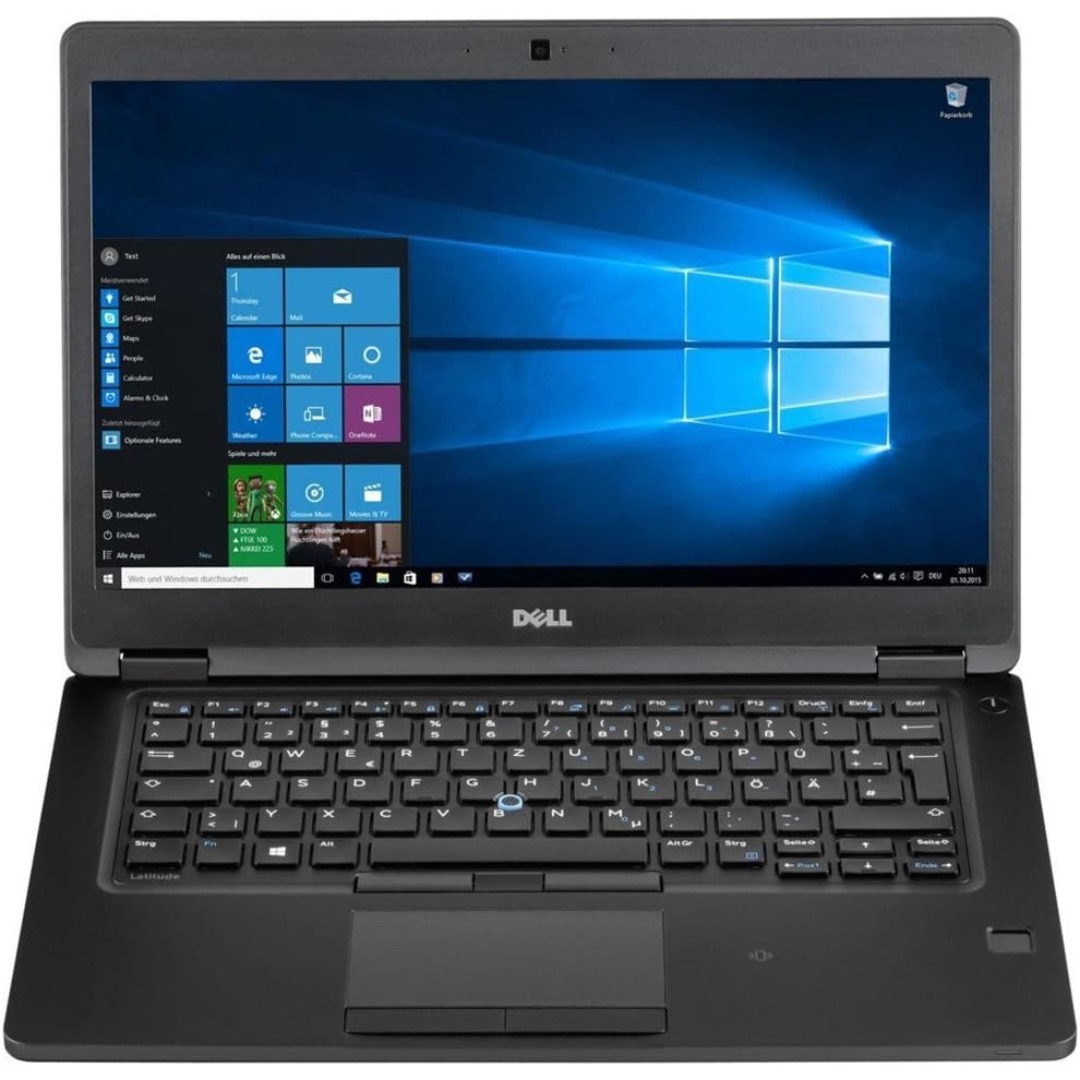
Reliable, compact, and business-focused—the Dell Latitude 5310 features a 10th Gen Intel Core i5 processor, 8GB RAM, and a fast 256GB SSD in a lightweight 13.3-inch design built for everyday productivity.

✅ Full Specifications: Model: A4Tech HS-30i Type: Over-Ear Stereo Headset Connectivity: 1 x 3.5mm Combo Jack (for audio + mic) Speaker Driver Unit: 40mm Microphone: Built-in adjustable boom mic Noise-canceling for clear voice capture Frequency Response: Speaker: 20Hz – 20kHz Microphone: 100Hz – 10kHz Impedance: 32 Ohms Sensitivity: Speaker: 105dB ± 3dB Microphone: -58dB ± 3dB Cable Length: Approx. 2 meters Design Features: Adjustable headband Soft ear cushions for long-term comfort Compatibility: PC, laptop, mobile (with combo jack)

This 1.8-meter DisplayPort to HDMI cable lets you connect a DisplayPort-enabled PC or laptop to an HDMI monitor, TV, or projector. It delivers clear high-definition video and reliable signal transmission, making it perfect for office work, presentations, and home entertainment. The DisplayPort to HDMI cable (1.8M) is a simple and reliable solution for connecting modern computers and laptops with a DisplayPort output to HDMI displays. Ideal for upgrading your setup, it supports high-quality video output for monitors, HDTVs, and projectors. With plug-and-play functionality and a durable build, it ensures stable performance for both professional and home use. DisplayPort to HDMI Connection for easy compatibility with HDMI screens 1.8M Cable Length ideal for desk and office setups High-Definition Video Output for clear and sharp visuals Plug & Play no drivers required Durable Connectors & Cable Build for long-term reliability Perfect for Work & Entertainment supports monitors, TVs, and projectors Works with devices that have a DisplayPort output and displays with an HDMI input, including monitors, TVs, projectors, and display systems. Ideal for workstations, presentations, and dual-screen setups.

The Horion Interactive Flat Panel 98″ delivers immersive 4K visuals and interactive features for meeting rooms. It offers a large 98″ UHD 3840×2160 resolution screen with wide 178° viewing angles. Moreover, infrared touch technology supports up to 45 touch points with 1 mm precision. Also, built-in Android 13 provides fast response, smooth operation, and pre‑loaded educational apps. In addition, the panel includes a 48 MP AI camera with auto‑framing for professional video conferencing. Besides that, an 8‑array microphone picks up sound clearly up to 12 m across 180°. Furthermore, audio comes from two 20 W speakers plus a 20 W subwoofer for rich output. Therefore, online meetings feel natural, immersive, and clear. It supports AirPlay, Google Cast, and NFC mirroring for easy content sharing. Also, built-in pens let multiple users write simultaneously on-screen. Moreover, whiteboard tools include handwriting recognition, smart shapes, QR code capture, and cloud saving. It includes a quad-core ARM A73+A53 CPU and Mali G52 MP8 GPU with 8 GB RAM and 128 GB storage. Also, wireless dual-band Wi‑Fi 6, Bluetooth 5.3, NFC, HDMI, DP, Type‑C, USB, VGA, and LAN ports ensure connectivity. Additionally, brightness of around 380–430 cd/m² ensures clear visibility even in bright rooms. When needed, OPS modules provide Windows compatibility and extra storage options. Moreover, the panel supports screen splitting for up to four devices on one view. Importantly, the display includes tempered glass and an expected lifespan over 50,000 hours. Also, it comes with smart accessories like NFC pen security, remote control, cables, wall mount, and warranty. Finally, the Horion 98″ Interactive Flat Panel offers large-scale interactivity, crystal clarity, and conference-ready tools in one platform. Specifications: Display : 98″ Resolution : 4K (3840×2160) Refresh Rate : 60Hz CPU : Octacore Ram : 8GB Memory : 128GB GPU : Mali G52-MP8 OS : Android 13.0 Sensor : Infrared, NFC, Light Sensor

Genuine-spec touchpad flex cable compatible with both MacBook Air A2179 (Intel, 2020) and A2337 (M1, 2020)—restores full Force Touch functionality, haptic feedback, and precise multi-touch gesture control during trackpad repair or replacement. Compatible With: MacBook Air 13″ (2020, Intel) – Model A2179 (Model Identifier: MacBookAir9,1) MacBook Air 13″ (2020, Apple M1) – Model A2337 (Model Identifier: MacBookAir10,1) MacBook Air 13″ (2020, Intel) – Model A2179 (Model Identifier: MacBookAir9,1) MacBook Air 13″ (2020, Apple M1) – Model A2337 (Model Identifier: MacBookAir10,1) ✅ Important Note: Despite different processors (Intel vs. M1), Apple used the same trackpad assembly and flex cable in both A2179 and A2337. This makes the flex cable fully interchangeable between the two models. Part Type: Touchpad flex cable only — does not include the trackpad housing, Taptic Engine, or mounting hardware. This is the OEM-style ribbon cable that connects the trackpad to the logic board. Function: Transmits: Touch input coordinates Force Touch pressure data Haptic feedback signals to the Taptic Engine Enables full macOS gesture support: Force Click, three-finger lookup, swipe navigation, pinch-to-zoom, and smooth cursor tracking. Touch input coordinates Force Touch pressure data Haptic feedback signals to the Taptic Engine Enables full macOS gesture support: Force Click, three-finger lookup, swipe navigation, pinch-to-zoom, and smooth cursor tracking. OEM-Quality Build: Matches Apple’s original specifications in: Cable length and routing path Connector pitch and ZIF latch design EMI shielding and flex durability Cable length and routing path Connector pitch and ZIF latch design EMI shielding and flex durability Common Use Cases: Replacing a torn, creased, or liquid-damaged original flex cable Completing a trackpad replacement when the original cable is compromised Fixing intermittent trackpad behavior, loss of Force Touch, or complete unresponsiveness Replacing a torn, creased, or liquid-damaged original flex cable Completing a trackpad replacement when the original cable is compromised Fixing intermittent trackpad behavior, loss of Force Touch, or complete unresponsiveness Installation Note: Requires full bottom case removal and battery disconnection. Cable routes under the right side of the battery and logic board. Connects via a ZIF (Zero Insertion Force) socket—align carefully and latch gently. Recommended for experienced or certified technicians only. Requires full bottom case removal and battery disconnection. Cable routes under the right side of the battery and logic board. Connects via a ZIF (Zero Insertion Force) socket—align carefully and latch gently. Recommended for experienced or certified technicians only.
