
The Lenovo L24E-30 24″ 60Hz Monitor offers a perfect blend of style and performance for your computing needs. Whether you’re working, gaming, or streaming, this monitor delivers an exceptional visual experience. With its 24-inch Full HD display, the Lenovo L24E-30 provides crisp and clear visuals. Enjoy stunning detail and vibrant colors that bring your content to life, whether you’re editing photos or watching videos. The 60Hz refresh rate of the Lenovo L24E-30 ensures smooth and fluid motion, reducing screen tearing and ghosting. This makes it ideal for fast-paced games and dynamic videos, offering a more immersive experience. Designed with a slim and sleek profile, the Lenovo L24E-30 adds a modern touch to any workspace. Its narrow bezels create a seamless multi-monitor setup, allowing you to expand your view effortlessly. Featuring AMD FreeSync technology, the Lenovo L24E-30 synchronizes the monitor’s refresh rate with your graphics card. This reduces screen stuttering and provides a smoother gaming experience, even during intense action scenes. The Lenovo L24E-30 24″ 60Hz Monitor is equipped with multiple connectivity options, including HDMI and VGA ports. This ensures compatibility with a wide range of devices, making it a versatile addition to your setup. For comfortable viewing, the Lenovo L24E-30 includes eye-care features like low blue light and flicker-free technology. These features help reduce eye strain during long hours of use, enhancing your overall comfort. In conclusion, the Lenovo L24E-30 24″ 60Hz Monitor combines stylish design, smooth performance, and eye-care features for an outstanding viewing experience. Upgrade to the Lenovo L24E-30 today and enjoy enhanced productivity and entertainment. Specifications: Display : 24″ VA Resolution : FHD 1920 x 1080 Refresh Rate : 60Hz Response Rate : 4ms

Genuine-spec US layout keyboard replacement for MacBook Pro 15″ (2018–2019, Models A1989/A1990)—designed for reliable typing, full compatibility, and seamless integration with original top case assemblies. Compatible With: MacBook Pro 15-inch (2018 A1989 and 2019 A1990 models) with Touch Bar. Layout: Standard US English (QWERTY) with full-size keys, including inverted-T arrow keys and dedicated function row. Integrated Features: Includes built-in backlighting, scissor-switch mechanism (3rd-gen Butterfly or revised Butterfly mechanism, depending on original model year), and ribbon cable connector matching Apple’s OEM design. Functionality: Supports all native keyboard features, including brightness, volume, media controls, and Touch ID power button (note: Touch ID sensor is not included—this is the keyboard only). Build Quality: Precision-engineered to match Apple’s original fit, feel, and durability—ideal for professional repairs or top case refurbishment. Installation Note: Requires full top case disassembly. Keyboard is adhered to the top case and must be carefully removed and replaced using proper tools and techniques. Recommended for experienced technicians. Model Verification: Ensure your MacBook is A1989 (2018) or A1990 (2019) before purchase—keycaps and connectors differ from other MacBook generations.

Upgrade your workspace with a massive 27-inch Full HD canvas. Combining a high-speed 100Hz refresh rate with a stunning frameless IPS display, the B27M1 delivers an expansive, fluid viewing experience for professionals and creators alike. Model: Buerotika B27M1 Primary Specs: 27-inch Wide-Screen Display Display/Performance: IPS (In-Plane Switching) for 178° ultra-wide viewing angles Visual/Build Quality: 1920 x 1080 (Full HD) with vibrant color reproduction Aesthetic: 3-sided frameless “infinity” design for a sleek, modern desk setup Build: Lightweight, ultra-slim chassis with a space-saving minimalist stand Adjustability: Ergonomic tilt adjustment to match your eye level Input/Output: HDMI (High-Speed) and VGA ports Compatibility: Fully compatible with desktop PCs, laptops, and gaming consoles Smooth Motion: 100Hz Refresh Rate – 66% faster than standard monitors for reduced motion blur and lag. Eye Care: Integrated Flicker-Free technology and Low Blue Light filters for comfortable all-day use. Panel Quality: IPS technology ensures colors stay accurate even when viewed from the side. Enhanced Productivity: Large 27-inch screen allows for comfortable side-by-side window multitasking. Home Entertainment: Great for streaming and movies where a larger screen provides more impact. Education & Research: Easy-to-read text and large display area for students and writers. Casual Gaming: The 100Hz boost provides a competitive edge in smoothness over 60Hz displays.

Apple MacBook Pro 15” (2018) — professional-grade performance for creative power users.• Intel Core i9 • 32 GB RAM • 500 GB SSD • 4 GB Dedicated GraphicsRetina Display | macOS |

Apple MacBook Pro 13” (2015) — reliable performance and classic MacBook design.• Intel Core i5 • 8 GB RAM • 128 GB SSD • Retina DisplaymacOS | Backlit Keyboard

Looking for a top-notch monitor to elevate your viewing experience? The MSI Modern MD272QXP 27″ 100Hz monitor might be just what you need. It offers a blend of stunning visuals, smooth performance, and a sleek design. Firstly, let’s dive into the display quality. This 27-inch monitor boasts a QHD resolution, delivering crisp and clear images. Whether you’re working on detailed projects or enjoying your favorite movies, every detail comes to life with impressive clarity. The 100Hz refresh rate is another standout feature. It ensures smooth and fluid visuals, making it perfect for gaming and fast-paced videos. Say goodbye to screen tearing and hello to a seamless viewing experience. Moreover, the MSI Modern MD272QXP monitor is designed with eye comfort in mind. It includes features like anti-flicker technology and blue light reduction. These features help reduce eye strain, making long hours in front of the screen more comfortable. In addition to its performance, the monitor’s design is sleek and modern. The slim bezels and elegant stand make it a stylish addition to any workspace or home setup. It doesn’t just perform well; it looks good doing it. Connectivity is also a breeze with this monitor. It comes equipped with multiple ports, including HDMI and USB-C, allowing you to connect various devices effortlessly. This flexibility ensures you can use the monitor with all your gadgets. Furthermore, the MSI Modern MD272QXP is easy to set up and adjust. The stand offers tilt, swivel, and height adjustments, so you can find the perfect viewing angle. Whether you’re working, gaming, or watching movies, you’ll enjoy optimal comfort. In conclusion, the MSI Modern MD272QXP 27″ 100Hz monitor is a fantastic choice for anyone looking to enhance their viewing experience. Its combination of high resolution, smooth performance, eye-friendly features, and sleek design makes it a top pick. Upgrade your monitor today and enjoy the difference! Specifications: Display : 27″ IPS Resolution : 2560×1440 (WQHD) Refresh Rate : 100Hz Response Rate : 1ms (MPRT)

Looking for a top-notch monitor to enhance your computing experience? The MSI Pro MP275Q 27″ 100Hz Monitor is the perfect choice. This monitor offers superior performance and stunning visuals, making it ideal for both work and play. Firstly, the 27-inch screen provides ample space for multitasking. Whether you’re working on multiple documents or enjoying a movie, the large display ensures you have all the room you need. The Full HD resolution delivers sharp and clear images, enhancing every detail. The 100Hz refresh rate is a standout feature of this monitor. It provides smooth and fluid visuals, which is particularly beneficial for gaming and video playback. You won’t experience any stuttering or lag, ensuring a seamless viewing experience. Another advantage of the MSI Pro MP275Q is its wide color gamut. This feature ensures vibrant and accurate colors, making it perfect for tasks that require color precision, such as photo editing or graphic design. Your projects will look exactly as you intend them to. Moreover, the monitor includes advanced eye care technology. It reduces blue light emission and flicker, helping to minimize eye strain during long periods of use. This makes it an excellent choice for professionals who spend hours in front of their screens. Connectivity is also a breeze with the MSI Pro MP275Q. It features multiple input options, including HDMI and DisplayPort, allowing you to connect various devices effortlessly. This flexibility ensures compatibility with your existing setup. In conclusion, the MSI Pro MP275Q 27″ 100Hz Monitor offers a superior viewing experience with its large screen, high refresh rate, vibrant colors, and eye care technology. Upgrade your setup today and enjoy enhanced performance and stunning visuals. Specifications: Display : 27″ IPS Resolution : 2560 x 1440 (WQHD) Refresh Rate : 100Hz Response Rate : 1ms MRPT

The LG 34U530A-W 34″ WFHD IPS 100Hz Monitor delivers wide and immersive visuals that enhance work, entertainment, and gaming experiences. Its 34-inch ultra-wide display provides a larger view area that helps with multitasking, productivity, and movie watching. Moreover, the WFHD resolution ensures clear and detailed images so you can see content with accuracy and sharpness. This monitor features an IPS panel that offers wide viewing angles and consistent color performance, making it suitable for creative work, office tasks, and everyday use. Additionally, the 100Hz refresh rate delivers smoother motion during gaming and video playback compared to standard displays. The sleek white design fits easily into modern home and office setups without taking up too much space. The LG 34U530A-W includes multiple connectivity options that allow you to connect laptops, desktops, and other devices with ease. Furthermore, its ergonomic tilt adjustment helps maintain comfortable viewing during long sessions. Therefore, it is ideal for home users, students, professionals, and gamers who want a versatile monitor. Finally, it combines immersive wide visuals, smooth performance, and user-friendly design for everyday use. Specifications: 34″ ultra-wide WFHD monitor IPS panel with wide viewing angles 100Hz refresh rate for smoother motion Sleek design with versatile connectivity Comfortable for work, entertainment, and gaming

The Samsung 65″ QLED Q6F 4K Smart TV QA65Q6FAAUXTW delivers vibrant picture quality and smart entertainment features in a sleek design. It uses advanced QLED technology to produce bright colors, sharp details, and impressive clarity, making movies, sports, and games more engaging on the 65-inch screen. QLED technology uses Quantum Dot enhancement to improve color accuracy and brightness. As a result, images appear vivid and lifelike across a wide variety of content. Dark scenes retain important details, while bright scenes remain balanced and clear. This creates a more enjoyable viewing experience throughout the day. The 4K UHD resolution provides exceptional image detail and clarity. Therefore, content looks sharper and more refined than standard Full HD. In addition, Samsung processing technology enhances lower-resolution content, helping it appear closer to native 4K quality. HDR support improves contrast and expands the visible color range. This allows brighter highlights and deeper shadows, creating more realistic images. Fast-moving scenes also appear smoother and clearer, making sports events and action-packed content more enjoyable. The Smart TV platform provides access to popular streaming services, apps, and connected home features. It offers a responsive interface that makes navigation simple and convenient. In addition, the slim design and narrow bezels give the Samsung QLED 65 Q6F 4K Smart TV QA65Q6FAAUXTW a modern appearance that fits well in most living spaces. Overall, this Samsung QLED TV combines vivid colors, sharp 4K resolution, and smart functionality for a complete home entertainment experience. Specifications: QLED technology delivers vibrant colors and enhanced brightness 65-inch 4K UHD display provides immersive viewing HDR improves contrast and image realism Smart TV platform supports streaming apps and connected features Slim design complements modern living spaces

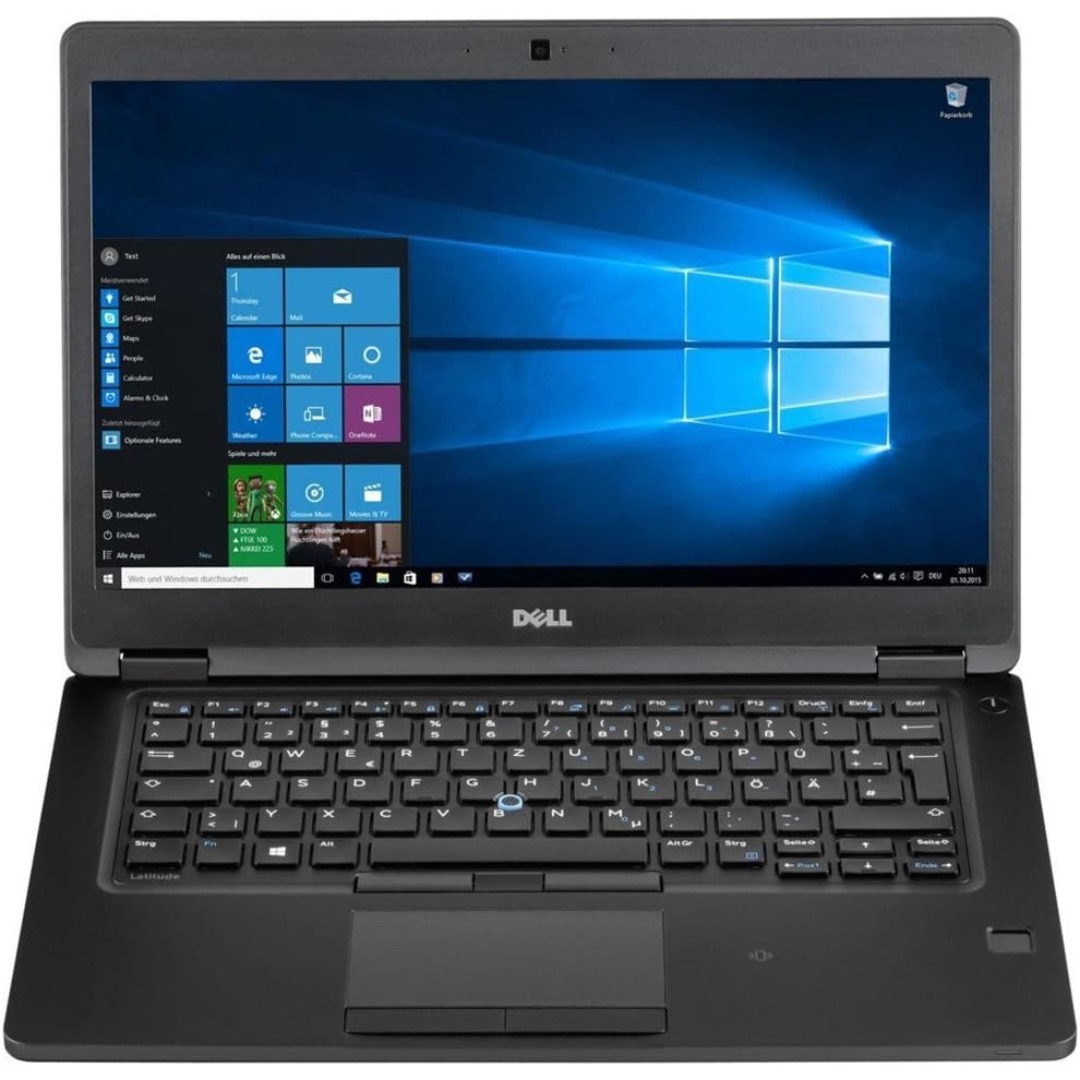
BATTERY DELL F3YGT 7.6V 60Wh Type F3YGT Battery for Dell Latitude 7480 7490 7280 7290 7380 7390 P73G001 P73G002 P28S001 P28S002 P29S002 DM3WC 2X39G DM6WC 451-BBYE 453-BBCF P28S P73G KG7VF 4-Cell About this item REPLACE BATTERY PART : 7.6V 60 WHr 4-Cell F3YGT battery replace part F3YGT DM3WC 2X39G 0DM3WC 0F3YGT 451-BBYE 453-BBCF KG7VF. (Only replace with type 60Wh battery, NOT fit DJ1J0 42WHr 3-Cell! Please check your original battery to make sure you get the correct replacement battery!) FIT LAPTOP MODELS: For Dell Latitude 12 7000 7280 7290 Latitude 13 7000 7380 7390 Latitude 14 7000 7480 7490 Latitude 7280 7290 7380 7390 7480 7490 E7280 E7290 E7380 E7390 E7480 E7490 P28S P73G P28S001 P28S002 P73G001 P73G002 Series laptop. (NOT fit for Dell Latitude 7390 2-in-1 Series) SPECIFICATION: Model Name: 60Wh Standard Rechargeable Li-ion Battery Type F3YGT; Battery Type: Li-Ion Polymer; Voltage: 7.6V; Capacity: 60Wh; Cells: 4-cell; Size: About 9.37×3.78×0.22inch; Weight: About 10OZ / 0.63lb; Condition: 100% New; Life span: About 300-500 discharge per charge cycles; Packages includes: 1PC F3YGT laptop battery(with two free screwdrivers and user manual for easy installation, battery cable NOT included)

MacBook Pro A1708 Battery A1713 for MacBook Pro 13 Inch A1708 Late 2016 Mid 2017 (EMC 2978 3164), A2171 Laptop Replacement Battery for MacBook Pro 13 Inch A2159 (2019) A2289 (2020) A2338 (2020) 【Macbook pro 13 Inch battery A1713 & A2171 Battery Specification】– Voltage: 11.4V. Capacity: 54.5Wh / 4781mAh, Battery Type: Li-ion 【Newest 4.0 upgraded OEM Battery for Apple macbook pro】– Japan High Performance Electric Core. Cobalt Proportion: >98%. Upgrade chip. Up to 1500+ recharge cycles over the life of the battery. Overcharger and Discharger Circuit Protection, Ensure fast charges and low power consumption, UL-/CE-/FCC-/RoHS-Certified for safety 【Replacement Battery A1713 for A1708 Macbook pro 13 inch】– A1708 Macbook pro 13” Late 2016: MacBook Pro 13-Inch “Core i5” 2.0 & MacBook Pro 13-Inch “Core i7” 2.4 (MacBookPro13,1, EMC2978, MLL42xx/A, MLUQ2xx/A). — A1708 Macbook pro 13” Mid 2017: MacBook Pro 13-Inch “Core i5” 2.3 & MacBook Pro 13-Inch “Core i7” 2.5 (MacBookPro14,1, EMC3164, MPXQ2xx/A, MPXR2xx/A, MPXT2xx/A, MPXU2xx/A) 【Replacement Battery A2171 for A2159 & A2289 & A2338 Macbook pro 13 inch】– A2159 Macbook pro 13” 2019: MacBook Pro 13-Inch “Core i5” 1.4 Touch & “Core i7” 1.7 Touch (MacBookPro15,4, EMC3301, MUHN2xx/A, MUHP2xx/A, MUHQ2xx/A, MUHR2xx/A, MUHR2xx/B). — A2289 Year 2020: MacBook Pro 13-Inch “Core i5” 1.4 & “Core i7” 1.7 (MacBookPro16,3, EMC 3456, MXK32xx/A, MXK52xx/A, MXK62xx/A, MXK72xx/A). — A2338 Year 2020: MacBook Pro 13-Inch “M1” 8-Core 3.2 (MacBookPro17,1, EMC3578, MYDA2LL/A*)

The Samsung 32DM801 32″ M8 UHD 4K Smart Monitor is a stunning addition to any workspace or entertainment setup. This 32-inch UHD monitor brings impressive 4K resolution, delivering crisp, lifelike visuals that elevate your viewing experience. Designed with versatility in mind, the Samsung M8 Smart Monitor is perfect for both work and play. The large 32-inch display provides ample screen space for multitasking, making it ideal for professionals. The 4K UHD resolution enhances clarity, allowing you to view documents, images, and videos with fine detail. The Samsung 32DM801 32″ M8 UHD 4K Smart Monitor is also a smart entertainment hub. With built-in streaming apps like Netflix, YouTube, and Apple TV, you can enjoy your favorite shows without needing an external device. The monitor has speakers integrated for an immersive audio experience, so you don’t have to worry about extra equipment. This monitor’s sleek and slim design fits perfectly into any modern setup. It comes with a height-adjustable stand that lets you customize the screen position to reduce strain on your neck and eyes. With USB-C connectivity, you can quickly connect devices and charge them, making it a convenient all-in-one solution. Setting up the Samsung 32DM801 32″ M8 UHD 4K Smart Monitor is simple. The smart monitor is compatible with multiple devices and operating systems, providing seamless functionality. For anyone looking to upgrade their workspace or home entertainment, this monitor combines functionality, style, and quality. Specifications: Display : 32″ VA Panel Resolution : 4K (3,840 x 2,160) Refresh Rate : 60Hz Response Rate : 4ms GTG

MacBook Pro 13″ Retina A1989 / A2159 (2018-2019) Display Assembly (Silver) MacBook Pro 13″ Touch Bar 2019z A1989 (EMC 3214 MacBookPro15,2) 2.3 GHz A1989 (EMC 3214 MacBookPro15,2) 2.7 GHz MacBook Pro 13″ Touch Bar 2019 A1989 (EMC 3358 MacBookPro15,2) 2.4 GHz A1989 (EMC 3358 MacBookPro15,2) 2.8 Ghz MacBook Pro 13″ Two Thunderbolt Ports 2019 A2159 (EMC 3301 MacBookPro15,4) 1.4 GHz A2159 (EMC 3301 MacBookPro15,4) 1.7 GHz

The Alienware AW3423DWF 34″ 165Hz QD-OLED Curved Gaming Monitor delivers an immersive ultrawide experience with stunning display quality. Its 34.18-inch QD-OLED screen shows vibrant colors and deep blacks, perfect for intense gaming and creative work. With a resolution of 3440 x 1440 and a 165Hz refresh rate, this monitor gives you smooth and detailed visuals. It also features a 0.1ms response time, which reduces motion blur during fast action scenes. The 1800R curved screen wraps around your view, pulling you deeper into the game or video. This curvature also reduces eye strain, making it easier to stay focused for longer periods. The monitor supports 99.3% DCI-P3 and 149% sRGB color ranges, providing rich and accurate colors. It is also certified with DisplayHDR True Black 400, offering deep contrast and enhanced brightness. With AMD FreeSync Premium Pro and AdaptiveSync, you get smooth performance with no screen tearing. This makes it ideal for competitive and fast-paced gaming experiences. The sleek design includes customizable AlienFX lighting to match your gaming setup. It adds a modern and clean look to your desk, while staying practical and functional. Ports include HDMI 2.0, DisplayPort 1.4, and several USB 3.2 Gen 1 ports for easy connections. A built-in USB hub gives quick access to plug in peripherals without hassle. The adjustable stand supports height, tilt, and swivel adjustments for your comfort. It’s also VESA-compatible, so you can mount it just how you like it. The Alienware AW3423DWF 34″ 165Hz QD-OLED Curved Gaming Monitor is built for gamers who want the best visuals and performance. Specifications: Display : 34″ QD-OLED Resolution : WQHD 3440 x 1440 Refresh Rate : 165Hz Response Time : 0.1ms

The Samsung 55″ OLED 4K S90F Vision AI Smart TV | QA55S90FAUXTW delivers strong picture quality with OLED technology. It produces deep blacks, bright colors, and high contrast. As a result, movies, sports, and games look more realistic and detailed. The 55-inch size also works well in most rooms while still giving an immersive view. Samsung Vision AI improves both picture and sound in real time. It analyzes what you are watching and adjusts settings automatically. Therefore, brightness, color, and sharpness stay balanced in every scene. In addition, AI upscaling improves lower-resolution content and brings it closer to 4K quality. The OLED panel uses self-lit pixels, so each part of the screen is controlled precisely. This improves dark scenes and keeps bright areas clear. HDR also increases contrast and color depth. As a result, images look more natural and dynamic. Fast motion in sports and action scenes also appears smoother and clearer. The TV runs on Samsung’s Smart TV system, which gives access to streaming apps, games, and smart home control. It is simple to use and responds quickly. In addition, the slim design and thin borders make the screen look modern and clean in any space. Overall, this Samsung OLED TV combines strong picture quality, smart AI features, and easy connectivity. It is designed for users who want a high-quality and smooth entertainment experience at home. Specifications: OLED technology delivers deep blacks, vivid colors, and exceptional contrast Vision AI optimizes picture and sound quality in real time 4K UHD resolution provides sharp and highly detailed visuals HDR support enhances brightness, contrast, and color performance Smart TV platform offers streaming apps and smart home connectivity

Xprinter XP-80T 80mm Thermal Receipt Printer Press to download driver: XPrinter Driver Setup V7.77 Press to download driver: XPrinter Driver Setup V7.77

The Samsung 27″ 120Hz Essential S3 Monitor LS27F320GAMXUE delivers clear and smooth visuals with a Full HD (1920 × 1080) resolution and 120 Hz refresh rate, which helps reduce motion blur and lag during fast‑moving scenes. Additionally, the IPS panel provides wide viewing angles and consistent color across the screen, making it suitable for work, entertainment, and casual gaming. The monitor includes Game Picture Mode to optimize contrast and color settings for different game genres. Moreover, Samsung equips this monitor with Eye Saver Mode and Flicker Free technology to help reduce eye strain during extended use. Therefore, users can stay comfortable during long work or play sessions. The design features a modern, slim bezel look that enhances any desk setup. Connectivity includes two HDMI 1.4 ports for flexible device connection. Specifications: Display : 27″ Resolution : 1920 x 1080 FHD Refresh Rate : 120Hz Response Rate : 5ms

HomBreez 10″ Desk Air Circulator Fan with Remote, 90° +90° Oscillating Table Fan, Quiet Portable Battery Powered Fan for Bedroom, Home, Office, 12 Speeds, 12H Timer About this item Powerful Air Circulation – This air circulation fan provides cool air throughout your entire room, ensuring every corner enjoys refreshing airflow and enhancing your home comfort. Long-lasting Rechargeable Battery – The oscillating fan features a built-in high-capacity battery, lasting up to 12 hours on the minimum wind speed and 3 hours on the maximum wind speed, allowing you to enjoy extended cooling without frequent recharging. Ultra-Quiet Operation – This desk fan utilizes advanced noise reduction technology, operating at less than 20 dB at the minimum wind speed and below 48 dB at the maximum wind speed, ensuring a peaceful environment for rest and work. Full Range Oscillation – Capable of 90° left and right, and 90° up and down oscillation, it evenly distributes cool air throughout the room, covering a wider area. Smart Remote Control – The included remote allows you to effortlessly adjust 12-speed settings and set a timer for up to 12 hours, giving you convenient control without needing to get up.

Looking to add a touch of efficiency to your workspace? Meet the ViewSonic 24″ 60Hz Touch Monitor TD2455. With its intuitive touch functionality, this monitor redefines productivity. First and foremost, let’s talk about versatility. The TD2455’s 24-inch display size strikes the perfect balance between screen real estate and desk space. Enjoy ample room for multitasking without overwhelming your workspace. Transitioning to touch capabilities, the TD2455 offers a responsive and intuitive touch experience. Navigate through applications, annotate documents, and interact with content effortlessly with just the touch of your fingertips. Moreover, its ergonomic design ensures comfortable viewing angles, reducing strain during extended work sessions. Tilt, swivel, and adjust the height to find the perfect position that suits your needs. Additionally, with a refresh rate of 60Hz, the TD2455 delivers smooth and fluid visuals, enhancing the overall user experience. Whether you’re browsing the web, editing documents, or watching videos, every task feels seamless. Furthermore, the monitor’s Full HD resolution ensures crisp and clear imagery, making text and graphics sharp and legible. Say goodbye to pixelation and hello to clarity, enhancing your productivity and workflow. In conclusion, the ViewSonic 24″ 60Hz Touch Monitor TD2455 is a game-changer for professionals seeking a versatile and efficient display solution. From its intuitive touch functionality to its ergonomic design and crisp visuals, it’s the perfect addition to any workspace. Upgrade today and take your productivity to new heights. Specifications: Type-C Input Display : 24″ IPS Resolution : FHD(1920×1080) Refresh Rate : 60Hz Response Rate : 6ms

Genuine-spec touchpad flex cable for MacBook Pro 13″ with Touch Bar (Model A1708, 2016–2017)—restores full Force Touch functionality, haptic feedback, and precise multi-touch gesture control during trackpad repair or replacement. Compatible With: MacBook Pro 13″ (2016) – Model A1708 (Model Identifier: MacBookPro13,1) MacBook Pro 13″ (2017) – Model A1708 (Model Identifier: MacBookPro14,1) (Both years share the same internal trackpad assembly and flex cable.) MacBook Pro 13″ (2016) – Model A1708 (Model Identifier: MacBookPro13,1) MacBook Pro 13″ (2017) – Model A1708 (Model Identifier: MacBookPro14,1) (Both years share the same internal trackpad assembly and flex cable.) Part Type: Touchpad flex cable only — does not include the trackpad housing, Taptic Engine, or mounting hardware. This is the OEM-style ribbon cable that connects the trackpad to the logic board. Function: Transmits: Touch input coordinates Force Touch pressure data Haptic feedback signals to the Taptic Engine Enables full macOS gesture support: Force Click, three-finger lookup, swipe navigation, pinch-to-zoom, and smooth cursor tracking. Touch input coordinates Force Touch pressure data Haptic feedback signals to the Taptic Engine Enables full macOS gesture support: Force Click, three-finger lookup, swipe navigation, pinch-to-zoom, and smooth cursor tracking. OEM-Quality Build: Matches Apple’s original specifications in: Cable length and routing path Connector pitch and ZIF latch design EMI shielding and flex durability Cable length and routing path Connector pitch and ZIF latch design EMI shielding and flex durability Common Use Cases: Replacing a torn, creased, or liquid-damaged original flex cable Completing a trackpad replacement when the original cable is compromised Fixing intermittent trackpad behavior, loss of Force Touch, or complete unresponsiveness Replacing a torn, creased, or liquid-damaged original flex cable Completing a trackpad replacement when the original cable is compromised Fixing intermittent trackpad behavior, loss of Force Touch, or complete unresponsiveness Installation Note: Requires full bottom case removal and battery disconnection. Cable routes under internal components near the right speaker and logic board. Connects via a ZIF (Zero Insertion Force) socket—must be aligned carefully and latched gently. Recommended for experienced or certified technicians only. Requires full bottom case removal and battery disconnection. Cable routes under internal components near the right speaker and logic board. Connects via a ZIF (Zero Insertion Force) socket—must be aligned carefully and latched gently. Recommended for experienced or certified technicians only.
