
Are you looking to upgrade your monitor for a better viewing experience? The MSI Modern MD272QXPW 27″ 100Hz monitor is the perfect choice. It offers vibrant visuals, smooth performance, and a sleek design. Firstly, let’s talk about the display quality. The 27-inch screen provides ample space for multitasking and immersive viewing. With a resolution of 2560×1440, you get sharp and detailed images. Colors are vivid and true to life, making your content pop. Moreover, the 100Hz refresh rate ensures smooth and fluid visuals. Whether you’re watching videos or playing games, the higher refresh rate reduces motion blur. This results in a more enjoyable and comfortable viewing experience. The MSI Modern MD272QXPW also boasts excellent ergonomics. The adjustable stand allows you to tilt, swivel, and adjust the height. This ensures you can find the most comfortable position for long hours of use. Another great feature is the blue light filter. This reduces eye strain during extended use. Whether you’re working late or enjoying a movie marathon, your eyes will thank you. Additionally, the monitor includes multiple connectivity options. With HDMI, DisplayPort, and USB-C ports, you can easily connect various devices. This versatility makes it suitable for work, gaming, or multimedia consumption. Design-wise, the MSI Modern MD272QXPW is sleek and modern. Its slim bezels provide a clean and minimalist look. This makes it a great addition to any workspace or home setup. In conclusion, the MSI Modern MD272QXPW 27″ 100Hz monitor is an excellent choice for anyone looking to enhance their viewing experience. With its vibrant display, smooth performance, and ergonomic design, it meets all your needs. Upgrade your monitor today and enjoy a better visual experience! Specifications: Display : 27″ IPS Resolution : 2560 x 1440 (WQHD) Refresh Rate : 100Hz Response Rate : 1ms MRPT

Reliability meets value in this pre-owned ThinkPad E14 Gen 2. Equipped with the AMD Ryzen 5 4500U 6-core processor, 8GB RAM, and a 512GB NVMe SSD, this laptop is built for students and professionals who need a durable, high-performance machine for everyday multitasking.

A modern pre-owned Dell Latitude 5420 with 14" display, 11th Gen Core i5, 8GB RAM, and 256GB SSD—delivering reliable performance, enterprise security, and all-day productivity in a compact business laptop.

OEM-quality trackpad replacement (without flex cable) for MacBook Air 13″ (Model A1932, 2018–2019) in Gold finish—engineered for precise Force Touch response, smooth multi-touch gestures, and perfect color-matched integration with the original chassis. Compatible With: MacBook Air 13-inch (2018 & 2019, Model A1932, Model Identifiers MacBookAir8,1) with Intel Core i5/i7 processors. Part Type: Trackpad only—does not include the flex cable, Taptic Engine, or mounting hardware. Designed for technicians who will reuse the original internal components. Finish: Gold—specifically matched to the Gold variant of the A1932 MacBook Air for seamless aesthetic continuity. Force Touch Support: Fully compatible with pressure-sensitive input and haptic feedback when paired with the original Taptic Engine and logic board—ensuring full macOS gesture functionality (e.g., Force Click, Look Up, pressure-sensitive navigation). Precision Build: Smooth glass surface with exact curvature, texture, and micro-click mechanism matching Apple’s original design for consistent tracking accuracy and tactile feel. Installation Requirements: Requires full bottom case disassembly and careful transfer of the original flex cable and Taptic Engine. Adhesive must be applied precisely to maintain structural integrity and sensor alignment. Recommended for professional or experienced repair technicians only.

Genuine-spec touchpad flex cable for MacBook Pro 13″ with Touch Bar (Model A1708, 2016–2017)—restores full Force Touch functionality, haptic feedback, and precise multi-touch gesture control during trackpad repair or replacement. Compatible With: MacBook Pro 13″ (2016) – Model A1708 (Model Identifier: MacBookPro13,1) MacBook Pro 13″ (2017) – Model A1708 (Model Identifier: MacBookPro14,1) (Both years share the same internal trackpad assembly and flex cable.) MacBook Pro 13″ (2016) – Model A1708 (Model Identifier: MacBookPro13,1) MacBook Pro 13″ (2017) – Model A1708 (Model Identifier: MacBookPro14,1) (Both years share the same internal trackpad assembly and flex cable.) Part Type: Touchpad flex cable only — does not include the trackpad housing, Taptic Engine, or mounting hardware. This is the OEM-style ribbon cable that connects the trackpad to the logic board. Function: Transmits: Touch input coordinates Force Touch pressure data Haptic feedback signals to the Taptic Engine Enables full macOS gesture support: Force Click, three-finger lookup, swipe navigation, pinch-to-zoom, and smooth cursor tracking. Touch input coordinates Force Touch pressure data Haptic feedback signals to the Taptic Engine Enables full macOS gesture support: Force Click, three-finger lookup, swipe navigation, pinch-to-zoom, and smooth cursor tracking. OEM-Quality Build: Matches Apple’s original specifications in: Cable length and routing path Connector pitch and ZIF latch design EMI shielding and flex durability Cable length and routing path Connector pitch and ZIF latch design EMI shielding and flex durability Common Use Cases: Replacing a torn, creased, or liquid-damaged original flex cable Completing a trackpad replacement when the original cable is compromised Fixing intermittent trackpad behavior, loss of Force Touch, or complete unresponsiveness Replacing a torn, creased, or liquid-damaged original flex cable Completing a trackpad replacement when the original cable is compromised Fixing intermittent trackpad behavior, loss of Force Touch, or complete unresponsiveness Installation Note: Requires full bottom case removal and battery disconnection. Cable routes under internal components near the right speaker and logic board. Connects via a ZIF (Zero Insertion Force) socket—must be aligned carefully and latched gently. Recommended for experienced or certified technicians only. Requires full bottom case removal and battery disconnection. Cable routes under internal components near the right speaker and logic board. Connects via a ZIF (Zero Insertion Force) socket—must be aligned carefully and latched gently. Recommended for experienced or certified technicians only.

Philips 24E2N2100 is a 23.8-inch Full HD IPS monitor designed for smooth visuals and accurate color performance. It supports a 1920 × 1080 resolution with a 120Hz refresh rate and 1ms MPRT response time for fast motion clarity. The IPS panel provides wide viewing angles and consistent image quality. Additionally, it includes Adaptive Sync for reduced screen tearing and smoother gameplay. LowBlue Mode and Flicker-Free technology help reduce eye strain during long sessions. Moreover, HDMI 1.4 and VGA connectivity support standard PC and laptop setups. SmartImage presets adjust display settings based on content type. The Philips 24E2N2100 delivers reliable performance for work, media, and casual gaming. It combines IPS color accuracy with high refresh smoothness for everyday use. Specifications: 23.8-inch IPS display with Full HD 1920 × 1080 resolution 120Hz refresh rate for smoother motion performance 1ms MPRT response time for reduced motion blur Adaptive Sync support for tear-free visuals LowBlue Mode and Flicker-Free technology for eye comfort

The ViewSonic 27″ 75Hz Monitor offers an exceptional viewing experience for both work and play. Its large 27-inch screen provides ample space for multitasking, gaming, and streaming. Featuring a full HD resolution, the ViewSonic 27″ 75Hz Monitor delivers crisp and clear visuals. Whether you’re editing photos, watching videos, or browsing the web, every detail comes to life with stunning clarity. The 75Hz refresh rate ensures smooth and fluid motion, reducing screen tearing and stuttering. This makes it perfect for fast-paced gaming and high-definition video playback. Designed with user comfort in mind, the ViewSonic 27″ 75Hz Monitor features an adjustable stand. You can easily tilt, swivel, and adjust the height to find the perfect viewing angle. The monitor’s slim bezel design provides an immersive viewing experience, minimizing distractions and maximizing screen space. This sleek and modern design complements any workspace or gaming setup. Equipped with multiple connectivity options, the ViewSonic 27″ 75Hz Monitor is versatile and compatible with various devices. It includes HDMI and VGA ports, making it easy to connect to your computer, gaming console, or other peripherals. The ViewSonic 27″ 75Hz Monitor also features built-in speakers for convenient audio playback. Enjoy clear and immersive sound without the need for external speakers. In conclusion, the ViewSonic 27″ 75Hz Monitor combines stunning visuals, smooth performance, and ergonomic design for an enhanced viewing experience. Upgrade to the ViewSonic 27″ 75Hz Monitor today and enjoy a perfect blend of work and play. Specifications: Display : 27″ IPS Resolution : FHD 1920 x 1080 Refresh Rate : 75Hz Response Rate : 1ms MRPT

PCE M8-700 UPS (line-interactive) — 700 VA / 360 W backup unit for 220–240 V input. Protects PCs, routers, small electronics from outages and voltage swings. The PCE M8-700 is a line-interactive UPS designed for home or small office use. It provides backup power, voltage regulation (AVR), surge protection, and supports automatic switching during outages. Ideal for desktop PCs, network gear, monitors, or point-of-sale systems. Features & Capabilities Line-interactive topology: regulates input voltage without switching to battery when voltage fluctuates mildly. Automatic Voltage Regulation (AVR) to correct undervolt/overvolt conditions. Simulated (stepped) sine wave output in battery mode. Surge, overload, short circuit, discharge protections built in. Cold start capability (ability to power on from battery with no mains) LED + audible alarms for status (battery mode, overload, fault) USB / RS232 interface in some variants for power management (shutdown, monitoring) Technical Specifications What “Input 220–240 VAC, 50/60 Hz, 3.7 A” Means (and Caveats) If the specification you’re giving is “3.7 A” at input, that corresponds to a maximum input current draw when the UPS is handling a heavy load or during charging cycles. At 230 V × 3.7 A ≈ 850 W of input capacity. The unit’s 360 W output means there’s overhead for losses, inverter inefficiency, battery charging, etc. The UPS must operate within the stated voltage and frequency ranges — if input is too low or too high, it may switch to battery or go into protection mode.

The Horion Interactive Flat Panel 98″ EDLA delivers immersive collaboration and boardroom-grade display features. It features a 98″ 4K UHD (3840×2160) LED touchscreen with up to 50-point Ultra Precision IR touch. Moreover, Android 13 with Google EDLA support ensures seamless access to Google Meet, Drive, and Docs. Also, the 48 MP AI camera auto frames active speakers for effective video conferencing. In addition, a full 8-array omnidirectional microphone system captures voice clearly from up to 12 m. Besides that, built-in audio includes two 20 W speakers and a 20 W bass speaker for rich sound. Furthermore, the panel uses dual‑band Wi‑Fi 6, Bluetooth 5.3, and NFC for wireless versatility. Therefore, mirroring and file sharing is fast and simple vianative casting or Miracast. It also offers USB‑C (video, audio, charge, touch), HDMI in/out, DisplayPort, VGA, Ethernet, and USB ports. Also, an ultra-fast response time (8 ms) keeps touch and annotation smooth. Plus, brightness is around 380–450 cd/m² and viewing angles reach 178° horizontally and vertically. The CPU combines quad-core A73 + quad-core A53 with Mali GPU, backed by 8 GB RAM + 128 GB storage. Importantly, the panel includes wireless dongle and smart pen for multi-user collaboration. Also, EDLA certification enables Google ecosystem integration including calendar, voting, and whiteboard apps. Moreover, touch latency below 30 ms ensures writing feels natural on-screen. For content sharing, the system supports built‑in voting, timers, and dual-screen mirroring control. Then, remote support and firmware updates keep the board secure and up to date. As a result, classrooms, boardrooms, and hybrid teams benefit from dynamic collaboration. In conclusion, the Horion 98″ EDLA provides advanced interactivity, strong WLAN, high-quality AV, and enterprise-level smart features. Finally, it is ideal for large-scale meetings, teaching, or creative teamwork. Specifications: Display : 98″ Resolution : 4K UHD 2160p Refresh Rate : 60Hz Ram : 8GB Storage : 128GB OS : Android 13.0

2022 Original New 13" A2681 LCD Screen for MacBook Air M2 EMC 4074 A2681 LCD Screen Replacement 2022 Original New 13″ A2681 LCD Screen for MacBook Air M2 EMC 4074 A2681 LCD Screen Replacement Compatible Model: For MacBook Air 13″ M2 A2681 Screen Display Replacement 2022 Year (Silver) Item Condition: New; Screen Size: 13.6″; Resolution: 2560×1664; Color: Silver.(This is the display replacement accessory is not a laptop) Note: Please be careful to take the screen out of the box. This product should be very careful when installed, we are not responsible for the damage in the process of installation. Please confirm the model and color before buying, do not buy the wrong product. If you have any questions, please get in touch with us.

The Anyuse Portable Monitor 15.6″ FHD USB-C offers clear visuals in a slim and lightweight design. It provides sharp Full HD quality for work and entertainment. The screen shows bright colors and strong detail. This makes movies, games, and documents look smooth and clear. Moreover, the Anyuse Portable Monitor FHD USB-C connects easily through a single USB-C cable. This cable carries both power and video. It removes the need for extra chargers or adapters. This makes setup fast and simple for all users. In addition, the monitor works with laptops, tablets, phones, and gaming consoles. This wide compatibility helps you use the screen anywhere. You can work on the go, or play games during travel. It gives you more freedom and flexibility. Furthermore, the Anyuse Portable Monitor 15.6″ FHD USB-C features a slim frame with a modern look. It fits easily inside backpacks and travel bags. The lightweight build makes it comfortable to carry daily. This makes it ideal for students and professionals. Also, the monitor includes built-in speakers for better convenience. They provide clear sound for videos and calls. The screen also offers eye-care features that reduce strain. This helps you use the monitor for long hours with comfort. The stand cover of the Anyuse Portable Monitor FHD USB-C protects the screen during travel. It also works as a foldable stand. You can place the monitor at comfortable angles for work or play. This improves your overall experience. Overall, the Anyuse Portable Monitor 15.6″ FHD USB-C delivers portability, quality, and comfort in one device. It helps you stay productive anywhere. It also makes entertainment more enjoyable. This monitor is perfect for travel, work, study, and gaming. Specifications: Display : 15.6″ Resolution : FHD 1920×1080 Refresh Rate : 60Hz Response Time : 5ms

Replacement cable for MacBook Pro A2794, designed to restore proper connection and functionality for damaged or faulty internal cables. Ideal for technicians and repair shops, ensuring reliable performance and correct fit for A2794 models. Type: USB-C to USB-C charging/data cable Model: A2794 Length: 2 meters (≈ 6.6 ft) Color: White Design: Woven braided cable for durability Connectors: USB-C (Male) on both ends Power Delivery: Supports up to 240 W high-power charging when used with a compatible USB-C PD adapter Data Transfer: USB 2.0 transfer speeds Designed for fast charging and syncing between USB-C devices

Genuine-spec touchpad flex cable for MacBook Pro 15″ (Model A2941, 2023, Apple M2)—restores full Force Touch functionality, haptic feedback, and precise multi-touch gesture control during trackpad repair or replacement. Compatible With: MacBook Pro 15-inch (2023, Model A2941) with Apple M2 chip (Model Identifier: MacBookPro19,1) Part Type: Touchpad flex cable only — does not include the trackpad housing, Taptic Engine, or mounting hardware. This is the OEM-style ribbon cable that connects the trackpad to the logic board. Function: Transmits: Touch input coordinates Force Touch pressure data Haptic feedback signals to the Taptic Engine Enables full macOS gesture support: Force Click, three-finger lookup, swipe navigation, pinch-to-zoom, and smooth cursor tracking. Touch input coordinates Force Touch pressure data Haptic feedback signals to the Taptic Engine Enables full macOS gesture support: Force Click, three-finger lookup, swipe navigation, pinch-to-zoom, and smooth cursor tracking. OEM-Quality Build: Matches Apple’s original specifications in: Cable length and routing path Connector pitch and ZIF latch design EMI shielding and flex durability Cable length and routing path Connector pitch and ZIF latch design EMI shielding and flex durability Common Use Cases: Replacing a torn, creased, or liquid-damaged original flex cable Completing a trackpad replacement when the original cable is compromised Fixing intermittent trackpad behavior, loss of Force Touch, or complete unresponsiveness Replacing a torn, creased, or liquid-damaged original flex cable Completing a trackpad replacement when the original cable is compromised Fixing intermittent trackpad behavior, loss of Force Touch, or complete unresponsiveness Installation Note: Requires full bottom case removal and battery disconnection. Cable routes under internal components near the right speaker and logic board. Connects via a ZIF (Zero Insertion Force) socket—must be aligned carefully and latched gently. Recommended for experienced or certified technicians only. Requires full bottom case removal and battery disconnection. Cable routes under internal components near the right speaker and logic board. Connects via a ZIF (Zero Insertion Force) socket—must be aligned carefully and latched gently. Recommended for experienced or certified technicians only.

Transparent 2.5" USB 3.0 HDD/SSD Enclosure – Supports SATA drives up to 6TB with UASP and tool-free design.Fast, plug-and-play storage case using JMS578 chipset with crystal-clear ABS shell. Transparent 2.5″ USB 3.0 HDD/SSD Enclosure – Supports SATA drives up to 6TB with UASP and tool-free design.Fast, plug-and-play storage case using JMS578 chipset with crystal-clear ABS shell. Model: 2.5″ HDD/SSD Enclosure with JMS578 Chipset Material: Transparent ABS Plastic (durable and lightweight) Interface: USB 3.0 (backward compatible with USB 2.0 & 1.1) Chipset: JMS578 (JMicron) – supports UASP for faster data transfer Drive Compatibility: 2.5″ SATA I/II/III HDD or SSD Supports up to 6TB capacity Fits 7mm or 9.5mm thick drives Drive Compatibility: 2.5″ SATA I/II/III HDD or SSD Supports up to 6TB capacity Fits 7mm or 9.5mm thick drives Data Transfer Rate: Up to 5Gbps via USB 3.0 UASP support enables up to 20% faster transfers (with UASP-enabled OS) Data Transfer Rate: Up to 5Gbps via USB 3.0 UASP support enables up to 20% faster transfers (with UASP-enabled OS) Tool-Free Design: No screws needed – easy slide-in installation Hot Swappable: Plug and play, no drivers needed for most systems LED Indicator: Blue light for power and activity status Operating Systems: Windows 7/8/10/11, macOS, Linux Dimensions: Approx. 125 x 80 x 14 mm Cable Included: USB 3.0 cable (typically 30–50 cm)

Specifications : Display Diagonal Viewing Size 86.27 cm 34.14 inches Preset Display Area (H x V) 799.80 mm x 344.80 mm 31.49″ x 13.18″ 267773.04 sq-mm (415.01 sq-inches) Panel Type In-Plane switching Technology Display Screen Coating Antiglare with hard-coating 3H Maximum Preset Resolution 3440 x 1440 at 60Hz Viewing Angles 178° vertical / 178° horizontal Pixel Pitch 0.233 mm x 0.233 mm Pixel Per Inch (PPI) 109 Contrast Ratio 1,000 to 1 (typical) Aspect Ratio 21:9 Backlight Technology LED edgelight system Brightness 300 cd/m² (typical) Response time 8 ms for NORMAL mode 5 ms for FAST mode Adjustability Height adjustable (115 mm), Tilt (-5° to 21°) Swivel (-30° to 30°) Pivot (N/A) PbP / PiP PbP (Yes) PiP (Yes) Daisy Chain Availability No Dell Display Manager Compatibility Yes, Easy Arrange and other key features Remote Asset Management Yes, via Dell Command Monitor Specifications – Service / Support Details 3-Year Advanced Exchange Service and Limited Hardware Warranty Color Support Color Gamut (typical): 99.9% sRGB, CIE1976 (90%), CIE1931 (75%) Color Depth: 1.074 Billion colors Color Calibration Accurancy Delta E < 3 (average) Color Calibration with X-rite colorimeter No Built-in Devices USB 3.0 super-speed hub (with 2 x USB 3.0 upstream port) 4 x USB 3.0 downstream ports Security Security lock slot (cable lock sold separately) Anti-theft stand lock slot (to panel) Compliant Standards BFR/PVC-free (Halogen-free) excluding external cables Meets NFPA 99 leakage current requirements Arsenic-Free glass and Mercury-Free for the panel only Product Safety, EMC and Environmental Datasheets Dell Regulatory Compliance Home Page Dell and the Environment Flat Panel Mount Interface VESA (100 mm) Audio Output 1 x Audio line-out Connectivity 2 x HDMI 2.0 (HDCP 2.2) 1 x DP 1.2 (HDCP 2.2) 2 x USB 3.0 Upstream port 2 x USB 3.0 Downstream port (side) 2 x USB 3.0 Downstream port (bottom) 1 x USB Type-C (DisplayPort DP1.2 Alternate Mode, Power Delivery up to 90W (Typical), and USB 2.0) Dimensions & Weight Height with stand (Compressed ~ Extended) 417.0 mm ~ 532.0 mm 16.42″ ~ 20.94″ Width 813.6 mm 32.03″ Depth 226.4 mm 8.91″ Height without stand 363.7 mm 14.32″ Width without stand 813.6 mm 32.03″ Depth without stand 58.4 mm 2.30″ Weight (panel only – for VESA mount) 8.2 kg 18.07 lb Weight (with packaging) 16.0 kg 35.27 lb Power Voltage Required 100 VAC to 240 VAC / 50 Hz or 60 Hz + 3 Hz / 3 A (typical) Power Consumption (Operational) 54 W (typical) 250 W (maximum)** Power Consumption Stand by / Sleep Less than 0.5W **Maximum power consumption with max luminance, and USB active. Environmental Operating Conditions Temperature Range Operating: 0°C to 40°C (32°F to 104°F) Non-operating: –20°C to 60°C (–4°F to 140°F) Humidity Range Operating: 10% to 80% (non-condensing) Non-Operating: 5% to 90% (non-condensing) Altitude Operating: 5,000 m (16,404 ft) max Non-Operating: 12,192 m (40,000 ft) max In The Box Monitor, Stand Riser, Stand Base 1 x Power cable 1 X DP Cable (DP to DP) 1 X USB Type-C Cable (C to C) 1 x HDMI Cable 1 x USB 3.0 upstream cable Quick setup guide Safety, Environmental, and Regulatory Information Factory Calibration Report 1 Year Warranty manufacturer link

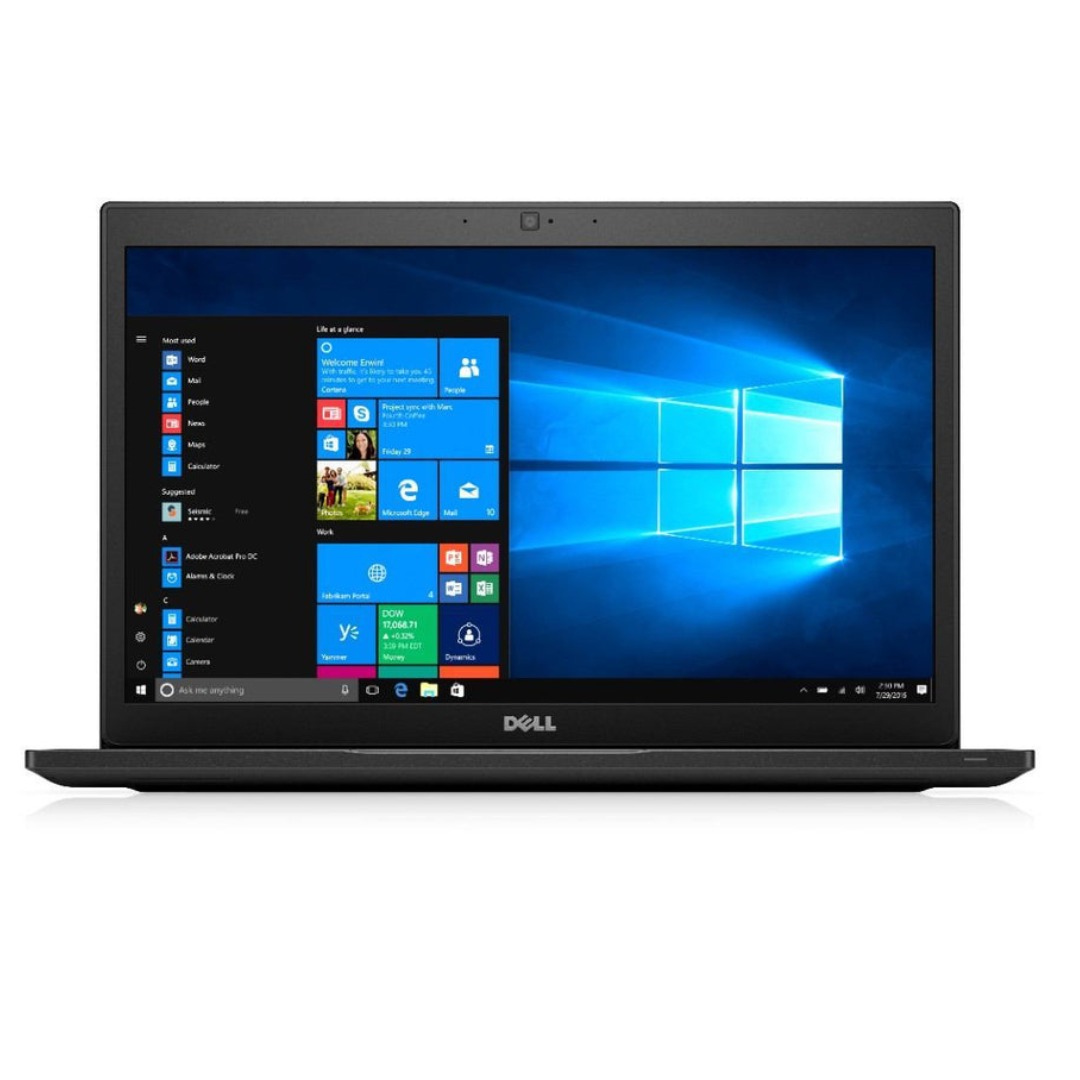
A reliable pre-owned Dell Latitude 5480 with 14" display, 7th Gen Core i5, 8GB RAM, and 256GB SSD—offering solid business performance, security, and durability for everyday professional use.

A sleek and durable pre-owned Lenovo ThinkPad T460s with 14" touchscreen, 6th Gen Core i5, 8GB RAM, and 256GB SSD—ideal for professionals who need portability, touch functionality, and trusted ThinkPad reliability.

BATTERY ACER AC14B8K Battery 4ICP5/57/80 for Acer Aspire R5-571T R5-471T R7-371 R7-371T R3-131T ES1-511 ES1-512 ES1-531 E3-112 Chromebook CB5-571 CB3-531 Swift 3 SF314-51 SF314-52 Nitro 5 AN515-51 Aspire 5 A515-51 About this item Compatible for Acer AC14B8K 4ICP5/57/80 KT0030G.004 KT.0040G.004 3ICP5/57/80 Battery Compatible Models for Acer Chromebook CB5-571 CB5-571-C1DZ CB5-571-C4G4 CB3-531 CB3-531-C4A5, Acer Aspire R3-131T R3-131T- P344 R5-571T R5-571T-59DC R5-571TG R5-431T R5-471T R5-571TG-7229 R5-471T-51UN R5-571T-59DC R7-371T R7-372T, Acer Aspire 5 A515-51 A515-51G, Acer Aspire V3-371 E3-111 E3-112 ES1-111 ES1-131 ES1-511 ES1-731 ES1-711-P1UV E5-771, Acer Nitro 5 AN515-51 AN515-52 AN515-53, Acer Swift 3 SF314-51 SF314-52 SF314-52G, Acer Spin SP111-31 battery AC14B8K Laptop Battery SPECS: Battery Type: Li-polymer, Voltage: 15.2V, Capacity: 3220mAh, Cells: 4 cells, 100% Brand New. Packages include: 1x for Acer Battery AC14B8K with safety box. Safety Control: FLYTEN has its factory so we can control strictly the production. There are professional engineers to ensure batteries’ quality and safety. All our AC14B8K batteries have passed strict intelligent detection, such as short circuit protection, over-voltage protection, discharge protection, and over-current protection, which ensure both safety and stability. CE-/FCC-/RoHS-Certified. Warranty: Rest assured with 60 days Refund and 12 months Warranty. Since Amazon return windows will close after one month, don’t worry about it, you can click on Seller Store in the right corner “ask a question” and contact Seller Us directly! We are always here for you to solve your problems!

Alienware 25 Gaming Monitor: AW2521HFLA Diagonal Viewing Size: 62.2 cm 24.5 Inches Preset Display Area (H x V) 543.744 mm x 302.616 mm 21.41″” x 11.91″” 164545.63 mm2 (255.04 inches2) Alienware 25 Gaming Monitor Panel Type: Fast IPS Display Screen Coating Antiglare with 3H hardness Maximum Preset Resolution 1920 x 1080 at 240Hz Viewing Angle (178° vertical / 178° horizontal) Pixel Pitch 0.283 mm x 0.280 mm Pixel Per Inch (PPI) 90 Contrast Ratio 1000: 1 (typical) Aspect Ratio (16:9) Backlight Technology LED edgelight system Brightness 400 cd/m2 (typical) Response Time(typical) True 1ms (gray to gray, in Extreme Mode) Audio Output No Connectivity Connectivity 2 x HDMI (ver 2.0) 1 x DP 1.2 1 x USB 3.0 upstream port (Rear) 2 x USB 3.0 Downstream port (Rear) 2 x USB 3.0 Downstream port [Front Bottom, one with BC1.2 charging capability at 2A(max)] 1 x Headphone-out jack (Front Bottom) 1 x Audio Line-out jack( Rear)AMD Free-Sync™ YesNVIDIA® G-SYNC® Compatible YesAlienFX™ Lighting Yes Dimensions & Weight Height with stand (Compressed ~ Extended) 421.21 mm ~526.08 mm 16.58″ ~ 20.71″ Width 556.29 mm 21.90″Depth 251.92 mm 9.92″Height without stand 328.24 mm 12.92″Width without stand 556.29mm 21.90″ Depth without stand 72.95 mm 2.87″ Weight (panel only – for VESA mount) 3.55 kg 7.81 lb Weight (with packaging) 11.22 kg 24.71 lb Power Voltage Required 100 VAC to 240 VAC / 50 Hz or 60 Hz + 3 Hz /1.5 A (typical)Power Consumption 0.2 W (Off Mode) 0.3 W (Standby Mode) 20.4 W (On Mode) 72 W (Max) Environmental Temperature Range Operating: 0° to 40°C (32° to 104°F) Non-operating: -20° to 60° (-4° to 140° F)Humidity Range Operating: 10% to 80% (non-condensing) Non-Operating:5% to 90% (non-condensing)Altitude Operating: 5,000 m (16,404 ft) max Non-Operating: 12,192 m (40,000 ft) max Chassis Adjustability Height adjustable stand (130 mm) and Height-markers Tilt (-5° to 21°) Swivel (-20° to 20°) Pivot (-90° to 90°) Built in cable-management Low Blue Light Yes, Comfort View Flicker-free Yes Specifications – Service / Support Details 3-Year Advanced Exchange Service and Premium Panel Exchange Color Support Color Gamut (typical): sRGB 99% Color Depth: 16.78 Million colors Built-in Devices NA Flat Panel Mount Interface VESA (100 mm) Specifications: Alienware 25 Gaming Monitor 240Hz refresh rate ips Panel Type: Fast IPS Color Support Color Gamut (typical): sRGB 99% 1 Year Warranty Manufacturer Link

HP M24f Monitor Overview The HP M24f is a 24-inch Full HD monitor designed for work and everyday use. It offers a slim design and reliable performance. As a result, it suits offices, home setups, and students. 24-Inch Full HD Display This monitor features a 24-inch Full HD resolution. Therefore, text appears sharp and easy to read. Moreover, images look clear and well balanced. Because of this, it supports long working sessions comfortably. In addition, the wide viewing angles improve screen visibility. As a result, content stays clear from different positions. Smooth Visual Performance The HP M24f delivers smooth visuals for daily tasks. As a result, scrolling and browsing feel natural. Furthermore, the display maintains consistent brightness. This improves overall viewing comfort. Eye Comfort and Anti-Glare Screen This monitor includes eye comfort features. Therefore, it helps reduce eye strain. In addition, the anti-glare coating minimizes reflections. As a result, users can work comfortably in bright rooms. Connectivity and Compatibility The HP M24f includes HDMI and VGA ports. As a result, it connects easily to modern and older devices. Moreover, setup is quick and simple. Therefore, users can start working right away. Slim Design and Mounting Options The monitor features a sleek and modern design. In addition, it supports VESA mounting. As a result, users can save desk space and customize layouts. Ideal for Daily Use This monitor focuses on clarity and reliability. Moreover, it suits office work, browsing, and media viewing. In conclusion, the HP M24f offers a balanced and efficient display solution. Specifications: 60.5 cm (23.8) FHD (1920 x 1080) Sustainable; Adaptive Sync; Eyesafe® Certified; IPS panel 1 VGA; 1 HDMI 1.4 (with HDCP support)
