
Razer DeathAdder Essential – Ergonomic wired gaming mouse with 6,400 DPI sensor and 5 programmable buttons.Trusted for its comfort, precision, and durable build—perfect for casual and competitive gaming. Model: Razer DeathAdder Essential (Black) Sensor Type: Optical DPI: Up to 6,400 DPI (adjustable) Buttons: 5 independently programmable Hyperesponse buttons Switches: Razer Mechanical Switches rated for up to 10 million clicks Tracking Speed: Up to 220 inches per second (IPS) Acceleration: 30G Design: Ergonomic right-handed design Grip Style: Palm grip (with textured side grips) Lighting: Single-color green backlight (Razer logo) Polling Rate: 1000 Hz Cable: Standard USB wired, 1.8 meters (rubber cable) Compatibility: Windows 7, 8, 10, 11 (Razer Synapse support) Weight: Approx. 96g (excluding cable) Software Support: Razer Synapse (for customization & macros)

Genuine-spec touchpad flex cable for MacBook Pro 14″ (Model A2442, 2021, M1 Pro/Max)—essential for restoring full Force Touch functionality, haptic feedback, and precise multi-touch gesture control. Compatible With: MacBook Pro 14-inch (2021, Model A2442) with Apple M1 Pro or M1 Max chip (Model Identifiers: MacBookPro18,3 / MacBookPro18,4). Part Type: Touchpad flex cable only—does not include the trackpad, Taptic Engine, or mounting brackets. This is the OEM-style ribbon cable that connects the trackpad to the logic board. Function: Carries touch input, Force Touch pressure data, and haptic feedback signals—critical for macOS trackpad gestures, Force Click, and Taptic Engine responsiveness. OEM-Quality Build: Matches Apple’s original flex circuit in length, connector pitch, shielding, and bend geometry—ensures reliable signal transmission and durability under repeated use. Common Use Cases: Replacing a damaged, torn, or corroded original flex cable Completing a trackpad replacement when the original cable is unusable Fixing intermittent trackpad issues, unresponsiveness, or loss of Force Touch Replacing a damaged, torn, or corroded original flex cable Completing a trackpad replacement when the original cable is unusable Fixing intermittent trackpad issues, unresponsiveness, or loss of Force Touch Installation Note: Requires full bottom case removal and careful routing beneath internal components. Connectors use ZIF (Zero Insertion Force) sockets—must be seated properly without force. Recommended for certified or highly experienced technicians only.

Genuine Apple MacBook Pro 16″ (A2141) Retina display assembly—professionally removed from original units and tested for full functionality. Ideal for high-quality repairs with true OEM performance and clarity. Model Compatibility: Fits MacBook Pro 16-inch (2019 model, A2141) only. 100% Original Apple Display: Not a copy or aftermarket part—this is an authentic Apple Retina display assembly carefully pulled from used or refurbished MacBook Pro units. Stunning Retina Display: 16-inch LED-backlit screen with 3072 x 1920 resolution, P3 wide color, True Tone technology, and high brightness for crisp, lifelike visuals. Complete Assembly Included: Comes with front glass, LCD panel, integrated 720p FaceTime HD camera, ambient light sensor, and full bezel—ready for installation. Rigorously Inspected: Each unit is tested for dead pixels, backlight uniformity, color accuracy, and physical condition to ensure reliable performance. “Pulled” Condition: Removed from a genuine MacBook Pro—fully functional with OEM quality, but shows signs of prior use (no cracks or major blemishes). Perfect for Professional Repairs: Trusted by technicians and refurbishers who demand factory-level display quality and compatibility.

The Samsung 85″ Neo QLED QN70F 4K Vision AI Smart TV QA85QN70FAUXTW delivers a premium large-screen entertainment experience with advanced Neo QLED technology. It produces bright, sharp, and detailed images with strong contrast, making movies, sports, and games more immersive on the massive 85-inch display. Neo QLED technology uses Quantum Mini LEDs to improve brightness control and enhance contrast accuracy. As a result, dark scenes appear deeper while bright scenes remain vivid and well balanced. This helps deliver a more realistic viewing experience across different types of content. Vision AI enhances picture and sound in real time. It analyzes each scene and automatically adjusts brightness, sharpness, and color. Therefore, the TV consistently delivers optimized visuals without manual adjustments. In addition, AI upscaling improves lower-resolution content closer to 4K quality for better clarity and detail. HDR support expands brightness range and color depth, making visuals more dynamic and lifelike. Fast motion handling also improves clarity, which enhances sports and action viewing with smoother movement and reduced blur. The Smart TV platform provides easy access to streaming apps, gaming features, and smart home controls. It runs smoothly and responds quickly when switching between apps. In addition, the slim design with thin bezels gives the Samsung 85 Neo QLED QN70F 4K Vision AI Smart TV QA85QN70FAUXTW a modern and premium appearance. Overall, this Samsung Neo QLED TV combines strong brightness performance, AI optimization, and smart connectivity for a powerful home entertainment experience. Specifications: Neo QLED technology delivers bright, detailed picture quality 85-inch 4K display provides immersive large-screen viewing Vision AI optimizes picture and sound automatically HDR improves contrast, brightness, and color depth Smart TV platform supports apps, streaming, and smart features

Genuine-spec bilingual UK/Arabic layout keyboard replacement for MacBook Pro 13″ (Model A1708, 2016–2017)—featuring Apple’s second-generation Butterfly mechanism, backlighting, and OEM fit for seamless typing in both English and Arabic. Compatible With: MacBook Pro 13-inch with Touch Bar (2016 & 2017 models, A1708, Model Identifiers MacBookPro13,1 / MacBookPro14,1). Layout: Bilingual UK/Arabic—primary legends in Arabic, secondary (top-left) legends in UK English (QWERTY). Includes £ symbol, Arabic numerals (٠١٢٣…), and standard Arabic character set aligned with Apple’s regional configuration. Keyboard Type: Apple’s 2nd-generation Butterfly mechanism—thin profile with reduced key travel; requires careful handling and clean environment during installation. Integrated Features: Backlit keys (essential for low-light use—legends remain legible) Ambient light sensor support Original-style ribbon cable connector for direct logic board attachment Backlit keys (essential for low-light use—legends remain legible) Ambient light sensor support Original-style ribbon cable connector for direct logic board attachment Build & Fit: Precision-engineered to match Apple’s original dimensions, key alignment, and top-case curvature—ensures consistent actuation and aesthetic continuity. Installation Note: Keyboard is fully glued into the top case. Replacement requires complete disassembly, meticulous adhesive removal, and professional re-gluing. Recommended for certified or highly experienced technicians only.

• LCD panel type: IPS technology • Backlight type: W-LED system • Panel Size: 23.8 inch / 60.5 cm • Display Screen Coating: Anti-Glare, 3H, Haze 25% • Effective viewing area: 527 (H) x 296.5 (V) • Aspect ratio: 16:9 • Maximum resolution: 1920 x 1080 @ 75 Hz* • Pixel Density: 93 PPI • Response time (typical): 4 ms (GtG)* • Brightness: 250 cd/m² • Contrast ratio (typical): 3000:1 • SmartContrast: Mega Infinity DCR • Pixel pitch: 0.2745 x 0.2745 mm • Viewing angle: 178º (H) / 178º (V), @ C/R > 10 • Flicker-free • Display colors: 16.7 M • Scanning Frequency: 30 – 85 kHz (H) / 48 – 75 Hz (V) • LowBlue Mode • EasyRead • sRGB • Adaptive sync , CABLE POWER,CABLE HDMI,CABLE VGA 1 YEAR WARRANTY

Genuine-spec touchpad flex cable for MacBook Pro 13″ (Model A2338, 2020, Apple M1)—essential for restoring full Force Touch functionality, haptic feedback, and precise multi-touch gesture control during trackpad repair or replacement. Compatible With: MacBook Pro 13-inch (2020, Model A2338, Model Identifier MacBookPro17,1) with Apple M1 chip (2 Thunderbolt ports). Part Type: Touchpad flex cable only — does not include the trackpad housing, Taptic Engine, or mounting hardware. This is the OEM-style ribbon cable that connects the trackpad to the logic board. Function: Transmits: Touch input coordinates Force Touch pressure data Haptic feedback signals to the Taptic Engine Enables full macOS gesture support: Force Click, three-finger lookup, swipe navigation, pinch-to-zoom, and smooth cursor tracking. Touch input coordinates Force Touch pressure data Haptic feedback signals to the Taptic Engine Enables full macOS gesture support: Force Click, three-finger lookup, swipe navigation, pinch-to-zoom, and smooth cursor tracking. OEM-Quality Build: Matches Apple’s original specifications in: Cable length and routing Connector pitch and ZIF latch design EMI shielding and flex durability Cable length and routing Connector pitch and ZIF latch design EMI shielding and flex durability Common Use Cases: Replacing a torn, creased, or liquid-damaged original flex cable Completing a trackpad replacement when the original cable is compromised Fixing intermittent trackpad behavior, loss of Force Touch, or complete unresponsiveness Replacing a torn, creased, or liquid-damaged original flex cable Completing a trackpad replacement when the original cable is compromised Fixing intermittent trackpad behavior, loss of Force Touch, or complete unresponsiveness Installation Note: Requires full bottom case removal and battery disconnection. Cable routes under internal components near the right speaker and logic board. Connects via a ZIF (Zero Insertion Force) socket—must be aligned carefully and latched gently. Recommended for experienced or certified technicians only. Requires full bottom case removal and battery disconnection. Cable routes under internal components near the right speaker and logic board. Connects via a ZIF (Zero Insertion Force) socket—must be aligned carefully and latched gently. Recommended for experienced or certified technicians only. Important Compatibility Notes: ✅ Only for A2338 (13″, M1, 2020) ❌ Not compatible with: Intel-based A2251 / A2289 (2020) MacBook Air M1 (A2337) Any MacBook Air or 14″/16″ MacBook Pro ✅ Only for A2338 (13″, M1, 2020) ❌ Not compatible with: Intel-based A2251 / A2289 (2020) MacBook Air M1 (A2337) Any MacBook Air or 14″/16″ MacBook Pro Intel-based A2251 / A2289 (2020) MacBook Air M1 (A2337) Any MacBook Air or 14″/16″ MacBook Pro

The Lenovo Legion R24e is a 23.8-inch Full HD gaming monitor designed for smooth competitive gameplay and responsive visual performance. It uses an IPS panel with a high refresh rate for improved motion clarity and wide viewing angles. Additionally, its slim NearEdgeless design fits modern gaming and workstation setups. This monitor delivers a 1920 × 1080 resolution with up to 180Hz refresh rate support. Moreover, it features a 0.5ms MPRT response time to reduce motion blur during fast-paced gaming sessions. The Lenovo Legion R24e also supports AMD FreeSync technology for smoother gameplay with reduced screen tearing. The IPS panel provides 99% sRGB color coverage and wide 178-degree viewing angles for accurate and consistent image quality. Therefore, the monitor works well for gaming, streaming, and everyday multimedia tasks. It also includes anti-glare screen treatment for improved viewing comfort. The Lenovo Legion R24e includes HDMI 2.1 TMDS and DisplayPort 1.4 connectivity for gaming PCs and consoles. Additionally, the ergonomic stand supports tilt, swivel, pivot, and height adjustment for flexible positioning. VESA mount compatibility also allows wall or monitor arm installation. Community feedback highlights the monitor’s strong color quality, smooth refresh rate performance, and good value for competitive gaming setups. Specifications: 23.8-inch Full HD IPS gaming display 180Hz refresh rate for smooth gameplay 0.5ms MPRT response time for reduced blur AMD FreeSync support for tear-free visuals Ergonomic stand with height, tilt, swivel, and pivot adjustment

The MSI MAG 322UPF 32″ 4K Gaming Monitor delivers ultra-smooth gameplay and stunning visuals. With a 160Hz refresh rate and 1ms response time, it ensures fast and fluid action. Its 32-inch Rapid IPS panel offers 4K UHD resolution, providing sharp and vibrant images. The monitor supports AMD FreeSync™ Premium, eliminating screen tearing for a seamless experience. VESA DisplayHDR 400 enhances contrast and color accuracy, bringing games to life. The anti-glare screen and wide 178° viewing angles ensure clarity from any position. Connectivity is versatile with DisplayPort 1.4a, two HDMI 2.1 ports, and a USB-C port supporting 90W power delivery. This setup accommodates PCs, consoles, and laptops effortlessly. The monitor includes a USB hub with three Type-A and one Type-B ports, plus a headphone jack for convenience. Its ergonomic stand allows tilt, swivel, and height adjustments to suit your comfort. Additional features like Picture-in-Picture (PIP), Picture-by-Picture (PBP), and a built-in KVM switch enhance multitasking capabilities. The frameless design adds a modern touch to any setup. In summary, the MSI MAG 322UPF 32″ 4K Gaming Monitor combines high performance, rich features, and sleek design, making it an excellent choice for gamers and professionals alike. Specifications: Display : 32″ Rapid IPS Resolution : 3840 x 2160 (UHD) Refresh Rate : 160Hz Response Rate : 1ms (GTG)

The ViewSonic VA2405-H 24″ FHD 75Hz Monitor delivers clear and smooth visuals for daily work and home use. Its Full HD resolution shows sharp text and clean image details. The 24-inch screen offers a balanced size for comfort and productivity. This makes it ideal for office desks and study spaces. Moreover, the ViewSonic VA2405-H 24″ FHD 75Hz Monitor features a smooth 75 Hz refresh rate. This makes scrolling softer and screen motion more natural. Video playback looks cleaner with less blur. As a result, long viewing sessions feel more comfortable. In addition, the monitor uses an IPS panel for wide viewing angles. Colors stay accurate even when viewed from the side. This helps during meetings, teamwork, and shared viewing. The image remains bright and clear from many angles. Furthermore, the ViewSonic VA2405-H 24″ FHD 75Hz Monitor includes eye comfort features for daily protection. The low blue light mode helps reduce eye strain. The flicker-free design supports longer use without discomfort. These features improve viewing comfort throughout the day. Also, the monitor supports modern connection options for easy setup. It includes HDMI and VGA for wide device compatibility. You can connect laptops, desktops, and media devices with ease. Switching between sources becomes fast and simple. In addition, the slim bezel design gives a clean and modern look. It fits well in both home and office spaces. The stand supports tilt adjustment for basic viewing comfort. Wall mounting is also supported for flexible desk setups. Moreover, the display works well for documents, web browsing, and video watching. Text appears clear and easy to read. Daily tasks feel more organized and productive. The monitor blends smoothly into any workspace style. Overall, the ViewSonic VA2405-H 24″ FHD 75Hz Monitor delivers reliable performance, clean visuals, and daily comfort. It supports work, study, and entertainment with ease. This monitor is a smart choice for users who want smooth and simple screen performance. Specifications: Display : 24″ VA Resolution : FHD 1920 x 1080 Refresh Rate : 75Hz Response Time : 4ms

Genuine-spec touchpad flex cable for MacBook Pro 13″ (Model A2289, 2020, Intel)—restores full Force Touch functionality, haptic feedback, and preci multi-touch gesture control. OEM-quality replacement for damaged or faulty original cables. Compatible With: MacBook Pro 13-inch (2020, Four Thunderbolt Ports, Model A2289, Model Identifier MacBookPro16,2) with Intel Core i5/i7 processors. Part Type: Touchpad flex cable only — does not include the trackpad housing, Taptic Engine, or mounting hardware. This is the OEM-style ribbon cable that connects the trackpad to the logic board. Function: Transmits: Touch input coordinates Force Touch pressure data Haptic feedback signals to the Taptic Engine Enables full macOS gesture support: Force Click, three-finger lookup, swipe navigation, pinch-to-zoom, and smooth cursor tracking. Touch input coordinates Force Touch pressure data Haptic feedback signals to the Taptic Engine Enables full macOS gesture support: Force Click, three-finger lookup, swipe navigation, pinch-to-zoom, and smooth cursor tracking. OEM-Quality Build: Matches Apple’s original specifications in: Cable length and routing path Connector pitch and ZIF latch design EMI shielding and flex durability Cable length and routing path Connector pitch and ZIF latch design EMI shielding and flex durability Common Use Cases: Replacing a torn, creased, or liquid-damaged original flex cable Completing a trackpad replacement when the original cable is unusable Fixing: Intermittent or erratic trackpad behavior Loss of Force Touch or haptic feedback Complete trackpad unresponsiveness Replacing a torn, creased, or liquid-damaged original flex cable Completing a trackpad replacement when the original cable is unusable Fixing: Intermittent or erratic trackpad behavior Loss of Force Touch or haptic feedback Complete trackpad unresponsiveness Intermittent or erratic trackpad behavior Loss of Force Touch or haptic feedback Complete trackpad unresponsiveness Installation Note: Requires full bottom case removal and battery disconnection. Cable routes under internal components (speaker, logic board)—must follow original path. Connects via ZIF (Zero Insertion Force) socket—align carefully, never force. Recommended for experienced or certified technicians only. Requires full bottom case removal and battery disconnection. Cable routes under internal components (speaker, logic board)—must follow original path. Connects via ZIF (Zero Insertion Force) socket—align carefully, never force. Recommended for experienced or certified technicians only. Important Compatibility Notes: ✅ Only for A2289 (13″, 4 Thunderbolt ports, 2020, Intel) ❌ Not compatible with: A2251 (2 Thunderbolt ports, 2020) A2338 (M1 MacBook Pro, 2020) Any MacBook Air or 14″/16″ MacBook Pro ✅ Only for A2289 (13″, 4 Thunderbolt ports, 2020, Intel) ❌ Not compatible with: A2251 (2 Thunderbolt ports, 2020) A2338 (M1 MacBook Pro, 2020) Any MacBook Air or 14″/16″ MacBook Pro A2251 (2 Thunderbolt ports, 2020) A2338 (M1 MacBook Pro, 2020) Any MacBook Air or 14″/16″ MacBook Pro

The Lenovo ThinkPad T480s features an Intel Core i5 8th Gen processor, 8GB RAM, 256GB NVMe SSD, and a 14-inch Full HD touchscreen. Lightweight, durable, and business-ready, it’s ideal for productivity, office work, and mobile use.

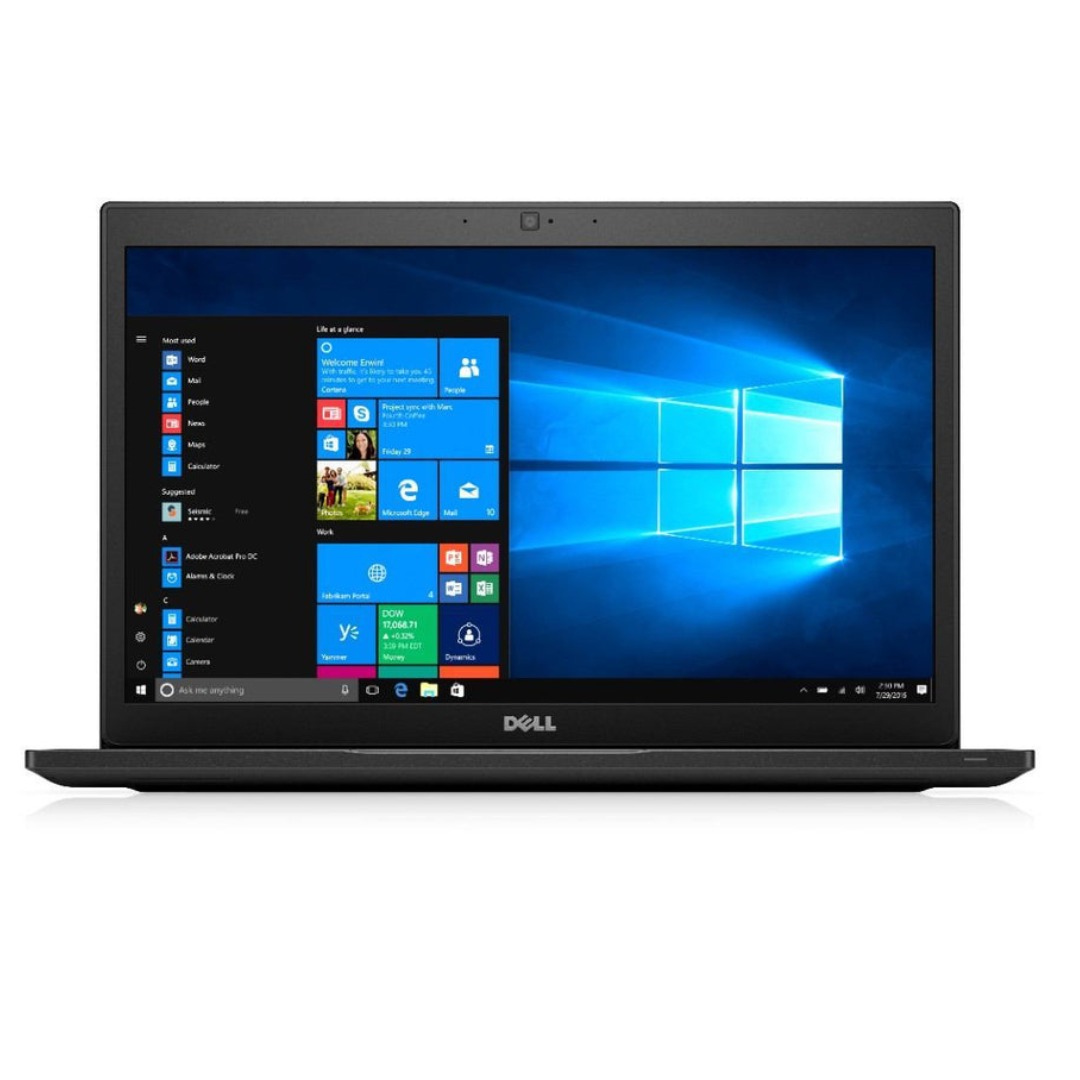
A reliable pre-owned Dell Latitude 5480 with 14" display, 7th Gen Core i5, 8GB RAM, and 256GB SSD—offering solid business performance, security, and durability for everyday professional use.

The Samsung 55″ QLED 4K Q8F Vision AI Smart TV QA55Q8FAAUXTW delivers a premium viewing experience with advanced QLED display technology. It produces bright, sharp, and colorful images, so movies, sports, and games look clear and immersive on the 55-inch screen. QLED technology uses Quantum Dot enhancement to improve brightness and color accuracy. As a result, visuals appear more vibrant and balanced in both dark and bright scenes. This helps maintain consistent picture quality across different types of content and lighting conditions. Vision AI enhances picture and sound in real time. It analyzes each scene and automatically adjusts brightness, sharpness, and color for optimal results. Therefore, the TV consistently delivers improved visuals without manual tuning. In addition, AI upscaling improves lower-resolution content closer to 4K quality for better clarity and detail. HDR support expands contrast and color depth, making visuals more dynamic and lifelike. Fast motion handling also improves clarity, which enhances sports and action content by reducing blur and improving smoothness. The Smart TV platform provides easy access to streaming apps, gaming features, and smart home controls. It runs smoothly and allows quick switching between applications. In addition, the slim design with thin bezels gives the Samsung 55 QLED 4K Q8F Vision AI Smart TV QA55Q8FAAUXTW a modern and premium appearance suitable for any living space. Overall, this Samsung QLED TV combines strong brightness performance, AI optimization, and smart connectivity for a powerful home entertainment experience. Specifications: QLED technology delivers bright, sharp, and colorful visuals 55-inch 4K display provides immersive viewing experience Vision AI optimizes picture and sound automatically in real time HDR improves contrast, brightness, and color depth Smart TV platform supports apps, streaming, and smart features

The Samsung 65″ QLED Q6F 4K Smart TV QA65Q6FAAUXTW delivers vibrant picture quality and smart entertainment features in a sleek design. It uses advanced QLED technology to produce bright colors, sharp details, and impressive clarity, making movies, sports, and games more engaging on the 65-inch screen. QLED technology uses Quantum Dot enhancement to improve color accuracy and brightness. As a result, images appear vivid and lifelike across a wide variety of content. Dark scenes retain important details, while bright scenes remain balanced and clear. This creates a more enjoyable viewing experience throughout the day. The 4K UHD resolution provides exceptional image detail and clarity. Therefore, content looks sharper and more refined than standard Full HD. In addition, Samsung processing technology enhances lower-resolution content, helping it appear closer to native 4K quality. HDR support improves contrast and expands the visible color range. This allows brighter highlights and deeper shadows, creating more realistic images. Fast-moving scenes also appear smoother and clearer, making sports events and action-packed content more enjoyable. The Smart TV platform provides access to popular streaming services, apps, and connected home features. It offers a responsive interface that makes navigation simple and convenient. In addition, the slim design and narrow bezels give the Samsung QLED 65 Q6F 4K Smart TV QA65Q6FAAUXTW a modern appearance that fits well in most living spaces. Overall, this Samsung QLED TV combines vivid colors, sharp 4K resolution, and smart functionality for a complete home entertainment experience. Specifications: QLED technology delivers vibrant colors and enhanced brightness 65-inch 4K UHD display provides immersive viewing HDR improves contrast and image realism Smart TV platform supports streaming apps and connected features Slim design complements modern living spaces

PCE M8-700 UPS (line-interactive) — 700 VA / 360 W backup unit for 220–240 V input. Protects PCs, routers, small electronics from outages and voltage swings. The PCE M8-700 is a line-interactive UPS designed for home or small office use. It provides backup power, voltage regulation (AVR), surge protection, and supports automatic switching during outages. Ideal for desktop PCs, network gear, monitors, or point-of-sale systems. Features & Capabilities Line-interactive topology: regulates input voltage without switching to battery when voltage fluctuates mildly. Automatic Voltage Regulation (AVR) to correct undervolt/overvolt conditions. Simulated (stepped) sine wave output in battery mode. Surge, overload, short circuit, discharge protections built in. Cold start capability (ability to power on from battery with no mains) LED + audible alarms for status (battery mode, overload, fault) USB / RS232 interface in some variants for power management (shutdown, monitoring) Technical Specifications What “Input 220–240 VAC, 50/60 Hz, 3.7 A” Means (and Caveats) If the specification you’re giving is “3.7 A” at input, that corresponds to a maximum input current draw when the UPS is handling a heavy load or during charging cycles. At 230 V × 3.7 A ≈ 850 W of input capacity. The unit’s 360 W output means there’s overhead for losses, inverter inefficiency, battery charging, etc. The UPS must operate within the stated voltage and frequency ranges — if input is too low or too high, it may switch to battery or go into protection mode.

Genuine-spec touchpad flex cable for MacBook Pro 13″ (Model A2251, 2020, Intel)—essential for restoring full Force Touch functionality, haptic feedback, and precise multi-touch gesture control during trackpad repair or replacement. Compatible With: MacBook Pro 13-inch (2020, Two Thunderbolt Ports, Model A2251, Model Identifier MacBookPro16,1) with Intel Core i5/i7 processors. Part Type: Touchpad flex cable only—does not include the trackpad housing, Taptic Engine, or mounting hardware. This is the OEM-style ribbon cable that connects the trackpad to the logic board. Function: Transmits: Precise touch coordinates Force Touch pressure data Haptic feedback signals to the Taptic Engine Enables full macOS gesture support including Force Click, three-finger lookup, swipe navigation, and inertial scrolling. Precise touch coordinates Force Touch pressure data Haptic feedback signals to the Taptic Engine Enables full macOS gesture support including Force Click, three-finger lookup, swipe navigation, and inertial scrolling. OEM-Quality Build: Matches Apple’s original specifications in: Cable length and routing Connector pitch and ZIF latch design EMI shielding and flex durability Cable length and routing Connector pitch and ZIF latch design EMI shielding and flex durability Common Use Cases: Replacing a torn, creased, or liquid-damaged original flex Completing a trackpad replacement when the original cable is compromised Fixing intermittent trackpad behavior, loss of Force Touch, or complete unresponsiveness Replacing a torn, creased, or liquid-damaged original flex Completing a trackpad replacement when the original cable is compromised Fixing intermittent trackpad behavior, loss of Force Touch, or complete unresponsiveness Installation Note: Requires full bottom case removal and partial disassembly (including battery disconnect). Cable routes under the right speaker and logic board—must be seated in original retention channels. Connects via ZIF (Zero Insertion Force) socket—align carefully and latch gently. Recommended for experienced or certified technicians only. Requires full bottom case removal and partial disassembly (including battery disconnect). Cable routes under the right speaker and logic board—must be seated in original retention channels. Connects via ZIF (Zero Insertion Force) socket—align carefully and latch gently. Recommended for experienced or certified technicians only.

The Lenovo Monitor C22-20 (62A7KAT1EU) is a 21.5-inch Full HD display designed for office and everyday computing use. It delivers a 1920 × 1080 resolution with a compact screen size suitable for small desks and multi-monitor setups. Additionally, its slim design helps maintain a clean workspace. This monitor uses a TN panel with LED backlighting and supports up to 75Hz refresh rate via HDMI. Moreover, it offers a 5ms response time for basic smoothness in general tasks and light multimedia use. The Lenovo C22-20 provides 200 nits brightness and a 600:1 contrast ratio for standard indoor viewing. Therefore, it is best suited for office work, browsing, and document handling rather than gaming or creative color work. It includes HDMI 1.4 and VGA inputs for flexible connectivity with PCs and older systems. Additionally, it supports VESA mounting for wall or arm installation. The Lenovo Monitor C22-20 (62A7KAT1EU) 21.5″ is a practical and energy-efficient display for everyday productivity and business environments. Specifications: 21.5-inch Full HD (1920 × 1080) display TN panel with LED backlighting 75Hz refresh rate (via HDMI) 5ms response time for basic smooth visuals HDMI 1.4 and VGA connectivity support

Philips Evnia 34M2C5500 34-inch ultrawide gaming monitor delivers immersive and ultra-smooth performance for gaming and multitasking. It focuses on high refresh rate, curved design, and wide QHD clarity for an engaging experience. Additionally, it features a 34-inch Fast VA panel with UltraWide QHD resolution (3440 × 1440). This resolution provides a wider field of view, so it improves both gaming immersion and productivity workflows. Moreover, it supports up to a 180Hz refresh rate with 0.5ms Smart MBR response time. As a result, it delivers very smooth motion and reduces blur in fast-paced gameplay. The monitor uses a 1500R curved design. Therefore, it enhances immersion by wrapping visuals around your natural field of view. In addition, it supports VESA DisplayHDR 400. This improves brightness, contrast, and color depth, so visuals appear more vivid and lifelike. Furthermore, it includes Adaptive Sync and low input lag. These features reduce tearing and improve responsiveness for competitive gaming. It also offers gaming tools such as Smart Crosshair and SmartImage modes. So it helps improve aiming accuracy and visual tuning during gameplay. Philips Evnia 34M2C5500 34-inch ultrawide gaming monitor provides immersive visuals, high-speed performance, and advanced gaming features for serious players. Specifications: 34-inch Fast VA panel with 3440 × 1440 UltraWide QHD resolution 180Hz refresh rate for ultra-smooth gaming 0.5ms Smart MBR response time for reduced motion blur 1500R curved design for immersive viewing DisplayHDR 400 with Adaptive Sync support

Remax F27 Fonzyr Desktop Fan – 5 W rechargeable fan with 360° adjustable airflow and multi-installation options.Compact (187×206 mm), lightweight, with fast Type-C charging (~2 h) and built-in 1,200 mAh battery. Model: Remax F27 Fonzyr Series Circulation Desktop Fan Power: 5 W, operates on 5 V/1 A power supply Rotation: 360° adjustable airflow for full-range ventilation Battery: Built-in 1,200 mAh rechargeable battery; Type-C charging, ~2 hours charging time Dimensions & Build: Approx. 187 × 206 mm, lightweight ABS plastic housing (~697 g) Installation: Designed for desktop use, wall mounting, or hanging—ideal for multi-location placement
