
Genuine-spec touchpad flex cable for MacBook Pro 16″ (Model A2159, 2019, Intel)—essential for restoring full Force Touch functionality, haptic feedback, and precise trackpad responsiveness during repair or replacement. Compatible With: MacBook Pro 16-inch (2019, Model A2159) with Intel Core i7/i9 processors (Model Identifier: MacBookPro16,1). Part Type: Touchpad flex cable only—does not include the trackpad, Taptic Engine, or mounting hardware. This is the OEM-style ribbon cable that connects the trackpad to the logic board. Function: Transmits touch input, Force Touch pressure data, and haptic feedback signals—critical for macOS gestures (e.g., Force Click, three-finger swipe, pinch-to-zoom) and Taptic Engine operation. OEM-Quality Build: Matches Apple’s original flex circuit in length, connector pitch, shielding, and bend radius—ensures reliable signal integrity and durability under repeated use. Common Use Cases: Replacing a torn, frayed, or corroded original flex cable Completing a trackpad replacement when the original cable is damaged Fixing intermittent or unresponsive trackpad behavior caused by cable failure Replacing a torn, frayed, or corroded original flex cable Completing a trackpad replacement when the original cable is damaged Fixing intermittent or unresponsive trackpad behavior caused by cable failure Installation Note: Requires full bottom case removal and careful routing beneath the battery and logic board. Connectors use ZIF (Zero Insertion Force) sockets—must be properly aligned and latched without force. Recommended for certified or experienced technicians only.

Genuine-spec keyboard replacement for MacBook Air 13″ (Model A2179, 2020, Intel) — choose US QWERTY or UK QWERTY (with £ symbol). Features Apple’s reliable scissor-switch mechanism, backlighting, and OEM-fit design for seamless performance and aesthetics. Compatible With: MacBook Air 13-inch (2020, Model A2179, EMC 3597) with Intel Core i3/i5/i7 processors (non-M1). Layout Options (select at purchase): US Layout: Standard QWERTY with wide Enter key, @ above 2, # above 3, and full inverted-T arrow keys. UK Layout: QWERTY with £ symbol, tall vertical Enter key, @ accessed via right Alt, and UK-specific punctuation—matches Apple’s official UK regional configuration. US Layout: Standard QWERTY with wide Enter key, @ above 2, # above 3, and full inverted-T arrow keys. UK Layout: QWERTY with £ symbol, tall vertical Enter key, @ accessed via right Alt, and UK-specific punctuation—matches Apple’s official UK regional configuration. Keyboard Type: Traditional scissor-switch mechanism (not Butterfly, not Magic Keyboard)—robust, tactile, and serviceable, with good key travel and proven durability. Integrated Features: Full backlit keys for low-light use Ambient light sensor compatibility OEM-style ribbon cable pre-attached for direct logic board connection Full backlit keys for low-light use Ambient light sensor compatibility OEM-style ribbon cable pre-attached for direct logic board connection Precision Build: Molded to exact Apple specifications—ensures flush mounting, consistent key alignment, and seamless integration into the original top case. Installation Note: Keyboard is screw-mounted with light adhesive—more accessible than glued Butterfly/Magic keyboards. Requires top case access and battery disconnect. Suitable for intermediate DIYers or professional technicians. Important: This is keyboard only—does not include the top case, battery, trackpad, or logic board. Not compatible with M1 MacBook Air (A2337/A2338) or M2 models (A2681/A2941). This is keyboard only—does not include the top case, battery, trackpad, or logic board. Not compatible with M1 MacBook Air (A2337/A2338) or M2 models (A2681/A2941). Model Verification: Confirm your device is MacBook Air A2179 (13″, Intel, 2020) via > About This Mac > Model Identifier (e.g., MacBookAir9,1).

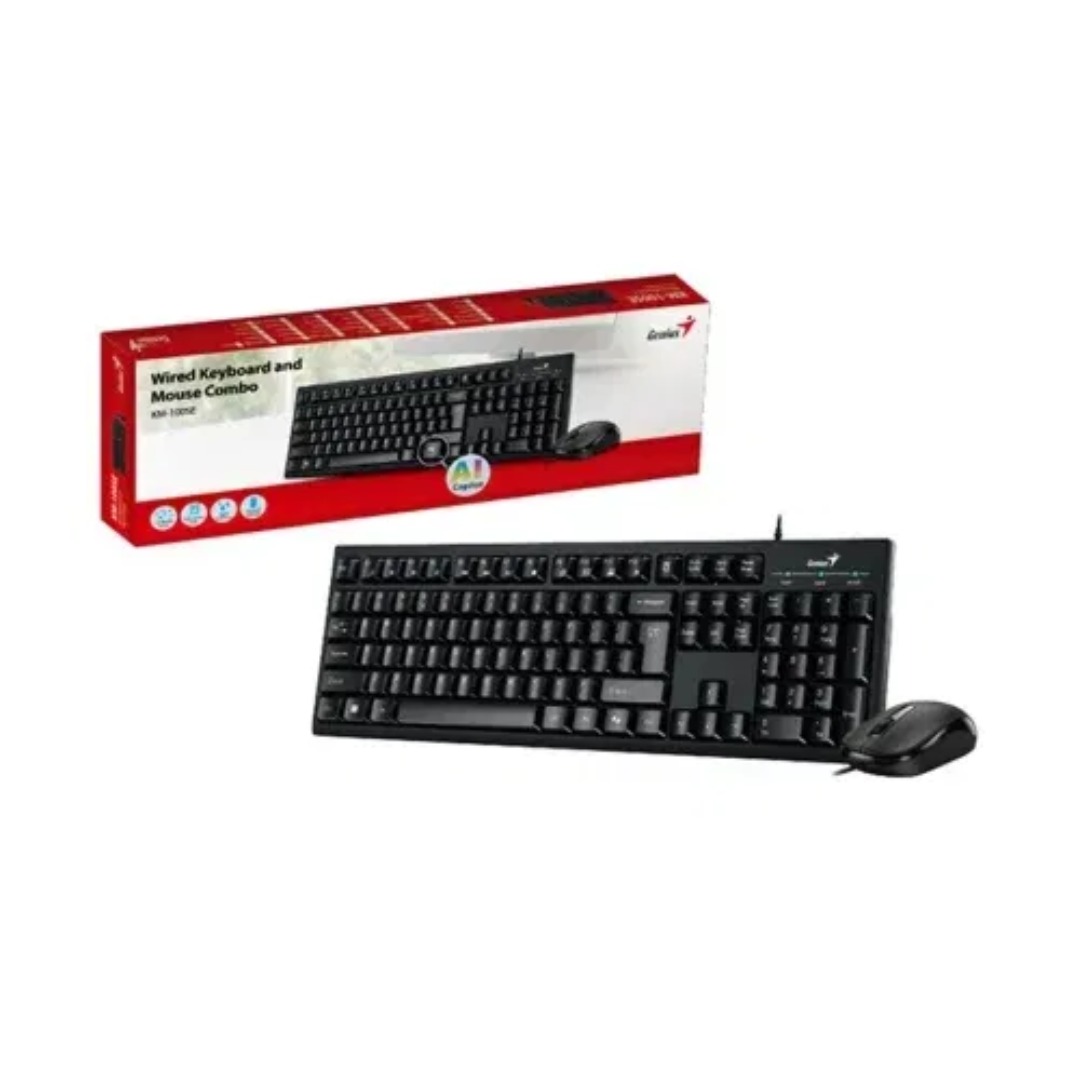
Computer Wireless Keyboard and Mouse Bundle C4120 Item No.: MT-C4120 Brand: MeeTion Color: Black Availability: In Stock EAN: Black: 6970344732155 White: 6970344732162 Description: Full-size keyboard, Adjustable Resolution, Power-efficient wireless technology.

WiWU Minimalist Laptop Handbag – Lightweight, water-resistant bag with soft interior padding, shock protection, and dual compartments.Available in 14″ and 15.6″ sizes, perfect for secure and stylish daily laptop carry. Model: WiWU Minimalist Laptop Handbag Material: Water-resistant polyester exterior with a soft faux-fur padded interior Available Sizes: 14″ and 15.6″ versions to accommodate most laptops Protection: Built-in anti-collision padding and 360° all-around corner protection Compartments: Main laptop compartment (soft-lined) Front organizer section with inner pockets for cables, chargers, phone, and accessories Compartments: Main laptop compartment (soft-lined) Front organizer section with inner pockets for cables, chargers, phone, and accessories Carrying Options: Top handles for hand carry Detachable shoulder strap Luggage strap for trolley attachment Carrying Options: Top handles for hand carry Detachable shoulder strap Luggage strap for trolley attachment Design Features: Durable YKK zippers, reinforced corners, slim profile Weight: Approx. 703 g (14″), 884 g (15.6″) Use Case: Ideal for work, study, travel, and everyday protection of devices

The LG 27MK60TM 27″ Monitor delivers clear and immersive visuals for work, study, and entertainment.It features a large 27-inch Full HD display that shows crisp image detail and smooth video.Moreover, the slim design fits well on desks at home and in office setups. This monitor uses an IPS panel for wide viewing angles and consistent color from many positions.Additionally, anti-glare coating helps reduce reflections in bright lighting.Fast response time helps reduce blur during movies and casual gaming. The LG 27MK60TM also includes HDMI and VGA ports for flexible connectivity.Furthermore, tilt adjustment lets you find a comfortable viewing angle.Low blue light and flicker-safe technology help reduce eye strain over time. This display suits students, professionals, and home users alike.Therefore, it supports productivity, browsing, streaming, and everyday computing.Finally, it combines solid picture quality, reliable performance, and user-friendly features for daily use. Specifications: 27″ Full HD (1920 × 1080) IPS panel HDMI + VGA ports for device connection Anti-glare coating for comfortable viewing Tilt-adjustable stand for ergonomic use Low blue light and flicker-safe eye care

Genuine-spec touchpad flex cable for MacBook Pro 13″ (Model A2338, 2020, Apple M1)—essential for restoring full Force Touch functionality, haptic feedback, and precise multi-touch gesture control during trackpad repair or replacement. Compatible With: MacBook Pro 13-inch (2020, Model A2338, Model Identifier MacBookPro17,1) with Apple M1 chip (2 Thunderbolt ports). Part Type: Touchpad flex cable only — does not include the trackpad housing, Taptic Engine, or mounting hardware. This is the OEM-style ribbon cable that connects the trackpad to the logic board. Function: Transmits: Touch input coordinates Force Touch pressure data Haptic feedback signals to the Taptic Engine Enables full macOS gesture support: Force Click, three-finger lookup, swipe navigation, pinch-to-zoom, and smooth cursor tracking. Touch input coordinates Force Touch pressure data Haptic feedback signals to the Taptic Engine Enables full macOS gesture support: Force Click, three-finger lookup, swipe navigation, pinch-to-zoom, and smooth cursor tracking. OEM-Quality Build: Matches Apple’s original specifications in: Cable length and routing Connector pitch and ZIF latch design EMI shielding and flex durability Cable length and routing Connector pitch and ZIF latch design EMI shielding and flex durability Common Use Cases: Replacing a torn, creased, or liquid-damaged original flex cable Completing a trackpad replacement when the original cable is compromised Fixing intermittent trackpad behavior, loss of Force Touch, or complete unresponsiveness Replacing a torn, creased, or liquid-damaged original flex cable Completing a trackpad replacement when the original cable is compromised Fixing intermittent trackpad behavior, loss of Force Touch, or complete unresponsiveness Installation Note: Requires full bottom case removal and battery disconnection. Cable routes under internal components near the right speaker and logic board. Connects via a ZIF (Zero Insertion Force) socket—must be aligned carefully and latched gently. Recommended for experienced or certified technicians only. Requires full bottom case removal and battery disconnection. Cable routes under internal components near the right speaker and logic board. Connects via a ZIF (Zero Insertion Force) socket—must be aligned carefully and latched gently. Recommended for experienced or certified technicians only. Important Compatibility Notes: ✅ Only for A2338 (13″, M1, 2020) ❌ Not compatible with: Intel-based A2251 / A2289 (2020) MacBook Air M1 (A2337) Any MacBook Air or 14″/16″ MacBook Pro ✅ Only for A2338 (13″, M1, 2020) ❌ Not compatible with: Intel-based A2251 / A2289 (2020) MacBook Air M1 (A2337) Any MacBook Air or 14″/16″ MacBook Pro Intel-based A2251 / A2289 (2020) MacBook Air M1 (A2337) Any MacBook Air or 14″/16″ MacBook Pro

Are you looking to elevate your gaming experience? The MSI G27C4 E3 27″ 180Hz Curved Gaming Monitor is the perfect choice. This monitor offers exceptional performance and stunning visuals, making it a top pick for gamers. Firstly, let’s talk about the refresh rate. With an impressive 180Hz refresh rate, this monitor ensures ultra-smooth gameplay. You will notice the difference, especially in fast-paced games where every millisecond counts. The 27-inch curved display provides an immersive viewing experience. The curvature of the screen draws you into the action, enhancing your overall gaming experience. It feels like you’re part of the game, with visuals surrounding you. In addition to its impressive refresh rate and curvature, the MSI G27C4 E3 boasts vibrant colors and sharp details. The Full HD resolution brings your games to life, delivering crisp and clear images. You won’t miss any details, no matter how intense the action gets. Moreover, this gaming monitor features AMD FreeSync technology. This helps eliminate screen tearing and stuttering, providing a seamless gaming experience. Say goodbye to frustrating visual interruptions and enjoy smooth, fluid gameplay. Comfort is also a key feature of the MSI G27C4 E3. The monitor’s adjustable stand allows you to find the perfect viewing angle, reducing strain during long gaming sessions. Plus, the anti-flicker and blue light reduction technologies help protect your eyes. In conclusion, the MSI G27C4 E3 27″ 180Hz Curved Gaming Monitor is a game-changer. It combines high performance, immersive visuals, and comfort to create the ultimate gaming setup. Upgrade your gaming gear today and experience the difference! Specifications: Display : 27″ Rapid VA Resolution : 1920 x 1080 (FHD) Refresh Rate : 180Hz Response Rate : 1ms Curvature : 1500R

The Horion Interactive Flat Panel 98″ EDLA delivers immersive collaboration and boardroom-grade display features. It features a 98″ 4K UHD (3840×2160) LED touchscreen with up to 50-point Ultra Precision IR touch. Moreover, Android 13 with Google EDLA support ensures seamless access to Google Meet, Drive, and Docs. Also, the 48 MP AI camera auto frames active speakers for effective video conferencing. In addition, a full 8-array omnidirectional microphone system captures voice clearly from up to 12 m. Besides that, built-in audio includes two 20 W speakers and a 20 W bass speaker for rich sound. Furthermore, the panel uses dual‑band Wi‑Fi 6, Bluetooth 5.3, and NFC for wireless versatility. Therefore, mirroring and file sharing is fast and simple vianative casting or Miracast. It also offers USB‑C (video, audio, charge, touch), HDMI in/out, DisplayPort, VGA, Ethernet, and USB ports. Also, an ultra-fast response time (8 ms) keeps touch and annotation smooth. Plus, brightness is around 380–450 cd/m² and viewing angles reach 178° horizontally and vertically. The CPU combines quad-core A73 + quad-core A53 with Mali GPU, backed by 8 GB RAM + 128 GB storage. Importantly, the panel includes wireless dongle and smart pen for multi-user collaboration. Also, EDLA certification enables Google ecosystem integration including calendar, voting, and whiteboard apps. Moreover, touch latency below 30 ms ensures writing feels natural on-screen. For content sharing, the system supports built‑in voting, timers, and dual-screen mirroring control. Then, remote support and firmware updates keep the board secure and up to date. As a result, classrooms, boardrooms, and hybrid teams benefit from dynamic collaboration. In conclusion, the Horion 98″ EDLA provides advanced interactivity, strong WLAN, high-quality AV, and enterprise-level smart features. Finally, it is ideal for large-scale meetings, teaching, or creative teamwork. Specifications: Display : 98″ Resolution : 4K UHD 2160p Refresh Rate : 60Hz Ram : 8GB Storage : 128GB OS : Android 13.0

WIWU S400 Aluminum Laptop Stand Portable, Adjustable and Foldable - Silver WIWU S400 Aluminum Laptop Stand Portable, Adjustable and Foldable – Silver

AOC 27G4H 27-inch 200Hz gaming monitor delivers ultra-fast performance for competitive gaming. It focuses on very high refresh rate, low response time, and smooth motion clarity for esports players. Additionally, it features a 27-inch Fast IPS panel with Full HD resolution (1920 × 1080). This panel provides accurate colors and wide viewing angles, so it ensures consistent visuals during gameplay. Moreover, it supports a 200Hz refresh rate with 0.3ms MPRT response time and 1ms GtG. As a result, it delivers extremely smooth motion and reduces blur in fast-paced scenes. The monitor includes Adaptive Sync technology. Therefore, it synchronizes the display with the GPU to reduce tearing and stuttering for fluid gameplay. In addition, it supports HDR10. This improves contrast and enhances visual depth, so games appear more realistic and immersive. Furthermore, it includes gaming features such as low input lag mode, custom crosshair, and preset game modes. These features help improve reaction time and aiming precision. The design also offers ergonomic adjustments with height, tilt, swivel, and pivot support. It includes HDMI 2.0 and DisplayPort 1.4 connectivity for modern gaming setups. AOC 27G4H 27-inch 200Hz gaming monitor provides high-speed performance, precise responsiveness, and advanced gaming features for competitive and serious gamers. Specifications: 27-inch Fast IPS panel with Full HD 1920 × 1080 resolution 200Hz refresh rate for ultra-smooth competitive gaming 0.3ms MPRT and 1ms GtG response time Adaptive Sync for tear-free and stable visuals HDR10 with low input lag and gaming modes

The AOC 27″ 100Hz Monitor offers a seamless and smooth viewing experience for all your needs. Whether you’re gaming, working, or enjoying multimedia, this monitor delivers crisp visuals and smooth performance. With a 100Hz refresh rate, the AOC 27″ Monitor ensures fluid motion and reduces screen tearing. This makes it an excellent choice for gamers who demand fast response times and smooth action. The 27-inch display offers Full HD resolution, providing vibrant colors and sharp details. From watching movies to editing documents, the AOC 27″ Monitor delivers high-quality visuals for every task. Designed with user comfort in mind, the AOC Monitor comes with flicker-free technology and a low blue light mode. This helps reduce eye strain during extended use, ensuring a comfortable viewing experience. The slim, modern design of the AOC 27″ Monitor makes it a stylish addition to any workspace or gaming setup. Its compact size fits easily on most desks, while still offering an immersive viewing experience. The AOC Monitor also includes multiple connectivity options, such as HDMI and VGA ports. This allows easy connection to a wide range of devices, including PCs, gaming consoles, and more. In conclusion, the AOC 27″ 100Hz Monitor combines a fast refresh rate, stunning visuals, and user-friendly design. Whether for gaming, work, or entertainment, this monitor provides the quality and performance you need for everyday tasks. Specifications: Display : 27″ IPS Resolution : 1920 × 1080 (FHD) Refresh Rate : 100Hz Response Rate : 1ms

The Samsung 85″ QLED Q8F 4K Vision AI Smart TV (2025) | QA85Q8FAAUXTW delivers a premium large-screen entertainment experience with advanced QLED display technology. It produces bright, sharp, and colorful images, so movies, sports, and games look highly immersive on the massive 85-inch screen. QLED technology uses Quantum Dot color enhancement to improve brightness and color accuracy. As a result, visuals appear more vibrant and balanced across both dark and bright scenes. This helps maintain consistent image quality in different lighting conditions. Vision AI enhances picture and sound in real time. It analyzes each scene and automatically adjusts brightness, sharpness, and color for optimal results. Therefore, the TV consistently delivers improved visuals without manual settings. In addition, AI upscaling enhances lower-resolution content closer to 4K quality for better clarity and detail. HDR support expands contrast and color depth, making images more dynamic and lifelike. Fast motion handling also improves clarity, which enhances sports and action content by reducing blur. The Smart TV platform provides access to streaming apps, gaming features, and smart home controls. It runs smoothly and allows quick switching between applications. In addition, the slim design with thin bezels gives the Samsung 85 QLED Q8F 4K Vision AI Smart TV (2025) | QA85Q8FAAUXTW a modern and premium look suitable for large living spaces. Overall, this Samsung QLED TV combines bright performance, AI optimization, and smart connectivity for an immersive home entertainment experience. Specifications: QLED technology delivers bright and colorful picture quality 85-inch 4K display provides immersive large-screen viewing Vision AI optimizes picture and sound automatically in real time HDR improves contrast, brightness, and color depth Smart TV platform supports apps, streaming, and smart features

Genuine-spec touchpad flex cable for MacBook Pro 13″ (Model A2251, 2020, Intel)—essential for restoring full Force Touch functionality, haptic feedback, and precise multi-touch gesture control during trackpad repair or replacement. Compatible With: MacBook Pro 13-inch (2020, Two Thunderbolt Ports, Model A2251, Model Identifier MacBookPro16,1) with Intel Core i5/i7 processors. Part Type: Touchpad flex cable only—does not include the trackpad housing, Taptic Engine, or mounting hardware. This is the OEM-style ribbon cable that connects the trackpad to the logic board. Function: Transmits: Precise touch coordinates Force Touch pressure data Haptic feedback signals to the Taptic Engine Enables full macOS gesture support including Force Click, three-finger lookup, swipe navigation, and inertial scrolling. Precise touch coordinates Force Touch pressure data Haptic feedback signals to the Taptic Engine Enables full macOS gesture support including Force Click, three-finger lookup, swipe navigation, and inertial scrolling. OEM-Quality Build: Matches Apple’s original specifications in: Cable length and routing Connector pitch and ZIF latch design EMI shielding and flex durability Cable length and routing Connector pitch and ZIF latch design EMI shielding and flex durability Common Use Cases: Replacing a torn, creased, or liquid-damaged original flex Completing a trackpad replacement when the original cable is compromised Fixing intermittent trackpad behavior, loss of Force Touch, or complete unresponsiveness Replacing a torn, creased, or liquid-damaged original flex Completing a trackpad replacement when the original cable is compromised Fixing intermittent trackpad behavior, loss of Force Touch, or complete unresponsiveness Installation Note: Requires full bottom case removal and partial disassembly (including battery disconnect). Cable routes under the right speaker and logic board—must be seated in original retention channels. Connects via ZIF (Zero Insertion Force) socket—align carefully and latch gently. Recommended for experienced or certified technicians only. Requires full bottom case removal and partial disassembly (including battery disconnect). Cable routes under the right speaker and logic board—must be seated in original retention channels. Connects via ZIF (Zero Insertion Force) socket—align carefully and latch gently. Recommended for experienced or certified technicians only.

The Samsung 22″ 75Hz Essential Monitor is designed to enhance your daily computing tasks with smooth performance and vibrant colors. Whether you’re working, watching videos, or browsing, this monitor delivers clear and crisp visuals. Featuring a 22-inch screen, this monitor provides ample display space for multitasking. With a 75Hz refresh rate, the Samsung 22″ Essential Monitor ensures fluid motion, reducing screen tearing and providing a smooth viewing experience. The Full HD resolution brings sharp details and vivid colors, making your videos and images look more lifelike. Whether for work or entertainment, you’ll enjoy a more immersive visual experience with the Samsung 22″ Essential Monitor. With its slim and sleek design, this monitor complements any workspace. It’s easy to set up, and the compact design saves valuable desk space. The monitor’s slim bezels also give it a modern, streamlined look. The Samsung Essential Monitor comes equipped with Eye Saver Mode and Flicker-Free technology, designed to reduce eye strain during long hours of use. This makes it ideal for both work and extended screen time. In addition, the monitor offers easy connectivity options, including HDMI and VGA ports, allowing you to connect a wide range of devices effortlessly. In conclusion, the Samsung 22″ 75Hz Essential Monitor is the perfect blend of performance, style, and convenience. Upgrade your viewing experience with smooth visuals and vivid colors for everyday use. Specifications: Display : 22″ VA Resolution : FHD (1920×1080) Refresh Rate : 75Hz Response Time : 5ms GTG

The Samsung 55″ Neo QLED QN70F 4K Vision AI Smart TV QA55QN70FAUXTW delivers a premium viewing experience with advanced Neo QLED technology. It produces bright, sharp, and detailed images with strong contrast, so movies, sports, and games look clear and immersive on the 55-inch screen. Neo QLED technology uses Quantum Mini LEDs to improve brightness control and contrast accuracy. As a result, dark scenes appear deeper while bright scenes stay vivid and balanced. This creates a more realistic picture across different types of content. Vision AI enhances picture and sound in real time. It analyzes each scene and automatically adjusts brightness, sharpness, and color. Therefore, the TV consistently delivers optimized visuals without manual settings. In addition, AI upscaling improves lower-resolution content closer to 4K quality for better clarity and detail. HDR support expands brightness range and color depth, making visuals more dynamic and lifelike. Fast motion handling also improves clarity, which enhances sports and action viewing. The Smart TV platform provides easy access to streaming apps, gaming features, and smart home controls. It runs smoothly and responds quickly when switching between apps. In addition, the slim design with thin bezels gives the Samsung 55 Neo QLED QN70F 4K Vision AI Smart TV QA55QN70FAUXTW a modern and premium appearance. Overall, this Samsung Neo QLED TV combines strong brightness performance, AI optimization, and smart connectivity for a powerful entertainment experience. Specifications: Neo QLED technology delivers bright, sharp, and detailed picture quality 55-inch 4K display provides immersive viewing experience Vision AI enhances picture and sound automatically in real time HDR improves contrast, brightness, and color depth Smart TV platform supports apps, streaming, and smart features

PCE M8-700 UPS (line-interactive) — 700 VA / 360 W backup unit for 220–240 V input. Protects PCs, routers, small electronics from outages and voltage swings. The PCE M8-700 is a line-interactive UPS designed for home or small office use. It provides backup power, voltage regulation (AVR), surge protection, and supports automatic switching during outages. Ideal for desktop PCs, network gear, monitors, or point-of-sale systems. Features & Capabilities Line-interactive topology: regulates input voltage without switching to battery when voltage fluctuates mildly. Automatic Voltage Regulation (AVR) to correct undervolt/overvolt conditions. Simulated (stepped) sine wave output in battery mode. Surge, overload, short circuit, discharge protections built in. Cold start capability (ability to power on from battery with no mains) LED + audible alarms for status (battery mode, overload, fault) USB / RS232 interface in some variants for power management (shutdown, monitoring) Technical Specifications What “Input 220–240 VAC, 50/60 Hz, 3.7 A” Means (and Caveats) If the specification you’re giving is “3.7 A” at input, that corresponds to a maximum input current draw when the UPS is handling a heavy load or during charging cycles. At 230 V × 3.7 A ≈ 850 W of input capacity. The unit’s 360 W output means there’s overhead for losses, inverter inefficiency, battery charging, etc. The UPS must operate within the stated voltage and frequency ranges — if input is too low or too high, it may switch to battery or go into protection mode.

The Lenovo V130 is powered by an Intel Core i5 7th Gen processor, paired with 8GB RAM and a fast 256GB SSD for smooth and reliable everyday performance. Designed for office work, study, and productivity, it features a simple, durable design and a clear 15.6-inch non-touch display for comfortable daily use.

The Lenovo Legion 27‑10 27″ Gaming Monitor delivers smooth competitive gaming and crisp visuals in a versatile display. First, it features a 27″ Full HD (1920×1080) IPS panel that offers sharp detail and balanced color for all your content. In addition, the ultra‑fast 240 Hz refresh rate and 0.5 ms response deliver fluid gameplay and reduce motion blur in fast‑paced titles. Adaptive sync compatibility helps reduce tearing, so your experience stays uninterrupted. Moreover, the brightness and HDR10 support keep images vibrant and engaging in varied lighting conditions. Furthermore, the ergonomic stand adjusts for tilt, height, swivel, and pivot, so you can find a comfortable setup for long sessions. In addition, the slim bezels and sleek black design add a modern look to any desk. Finally, multiple HDMI 2.1 and DisplayPort 1.4 inputs ensure easy connection to PCs and consoles. With the Lenovo Legion 27‑10, you get a gamer‑ready monitor that blends high refresh performance, clarity, and ergonomic flexibility at an accessible level. Specifications: 27″ Full HD (1920×1080) IPS display for sharp, balanced visuals Ultra‑fast 240 Hz refresh rate and 0.5 ms response for fluid gaming Adaptive sync support reduces tearing and stutter Adjustable ergonomic stand with tilt, swivel, height, and pivot Multiple HDMI 2.1 and DisplayPort 1.4 inputs for versatile connectivity

BATTERY DELL M5Y1K Laptop Battery for Dell Inspiron 15 5000 5555 5558 5559 3552 3558 3567 14 3451 3452 3458 5458 17 5755 5758 Series Rechargeable 40WH li-ion Battery Replacement Fit GXVJ3 VN3N0 YU12005-13001D About this item 【Specification】Dell laptop Replacement Battery Type: Li-ion; Voltage: 14.8 V; Capacity 2600MAH/40WH; Cells:4-Cell 【Stability】M5Y1K Laptop Battery Replacement battery for Dell offers 500+ recharge cycles over life of battery 【COMPATIBLE MODEL】(Check description below for more models) Dell 40WH Standard Rechargeable Li-ion Battery Type M5Y1K 14.8V YU12005-13001D 453-BR GXVJ3 HD4J0 M5YIK MSY1K Dell Inspiron 14 15 3000 Laptop Replacement Battery 3558 3458 3567 3452 3565 3459 P60G Dell Inspiron 14 15 17 5000 Laptop Battery 5555 5558 5559 5755 5758 5458 Dell Vostro Laptop Battery 3558 3458 Dell Latitude Laptop Battery 3460 3560 【GUARANTEE】Our Dell M5Y1K replacement laptop battery is 100% Compatible with the originals. Complying with the CE/FCC/ROHS/UL Certified Standard

Genuine-spec touchpad flex cable for MacBook Pro 15″ (Model A2941, 2023, Apple M2)—restores full Force Touch functionality, haptic feedback, and precise multi-touch gesture control during trackpad repair or replacement. Compatible With: MacBook Pro 15-inch (2023, Model A2941) with Apple M2 chip (Model Identifier: MacBookPro19,1) Part Type: Touchpad flex cable only — does not include the trackpad housing, Taptic Engine, or mounting hardware. This is the OEM-style ribbon cable that connects the trackpad to the logic board. Function: Transmits: Touch input coordinates Force Touch pressure data Haptic feedback signals to the Taptic Engine Enables full macOS gesture support: Force Click, three-finger lookup, swipe navigation, pinch-to-zoom, and smooth cursor tracking. Touch input coordinates Force Touch pressure data Haptic feedback signals to the Taptic Engine Enables full macOS gesture support: Force Click, three-finger lookup, swipe navigation, pinch-to-zoom, and smooth cursor tracking. OEM-Quality Build: Matches Apple’s original specifications in: Cable length and routing path Connector pitch and ZIF latch design EMI shielding and flex durability Cable length and routing path Connector pitch and ZIF latch design EMI shielding and flex durability Common Use Cases: Replacing a torn, creased, or liquid-damaged original flex cable Completing a trackpad replacement when the original cable is compromised Fixing intermittent trackpad behavior, loss of Force Touch, or complete unresponsiveness Replacing a torn, creased, or liquid-damaged original flex cable Completing a trackpad replacement when the original cable is compromised Fixing intermittent trackpad behavior, loss of Force Touch, or complete unresponsiveness Installation Note: Requires full bottom case removal and battery disconnection. Cable routes under internal components near the right speaker and logic board. Connects via a ZIF (Zero Insertion Force) socket—must be aligned carefully and latched gently. Recommended for experienced or certified technicians only. Requires full bottom case removal and battery disconnection. Cable routes under internal components near the right speaker and logic board. Connects via a ZIF (Zero Insertion Force) socket—must be aligned carefully and latched gently. Recommended for experienced or certified technicians only.
