
TT03XL Laptop Battery Compatible with Hp EliteBook 850 G5 850 G6 ZBook 15U G5 15U G6 Series Notebook 932824-2C1 933322-855 932824-421 HSTNN-LB8H HSTNN-DB8K 11.55V 56Wh 4610mAh About this item 【Battery type】Li-ion. Voltage: 11.55V. Capacity: 56Wh 4610mAh. 【Replacement For Laptop】Hp EliteBook 850 G5 G6, ZBook 15U G5 G6 Series . 【Compatible Part Number】TT03XL 932824-2C1 933322-855 932824-421 HSTNN-LB8H HSTNN-DB8K TTO3XL. 【Connector】Before placing your order, Please refer to the picture and check it. Because the products produced by different factories will have differences in size, cable length, interface, etc. 【Use Skills】If the new battery is not recognized during the initial installation, please reinstall and check if the interface is fully connected. Discharge the new battery to 5% (not 0%), then charge and cycle 3-4 times to wake up the new battery.

Genuine-spec touchpad flex cable for MacBook Pro 16″ (Model A2141, 2019, Intel)—essential for restoring full Force Touch functionality, haptic feedback, and precise multi-touch gesture control during trackpad repair or replacement. Compatible With: MacBook Pro 16-inch (2019, Model A2141) with Intel Core i7/i9 processors (Model Identifier: MacBookPro16,1) (Note: A2141 is the non-base configuration of the 2019 16″ MacBook Pro—typically higher-end Intel models.) Part Type: Touchpad flex cable only—does not include the trackpad housing, Taptic Engine, or mounting hardware. This is the OEM-style ribbon cable that connects the trackpad to the logic board. Function: Transmits touch coordinates, Force Touch pressure data, and haptic feedback signals—critical for macOS gestures (e.g., Force Click, three-finger lookup, pinch-to-zoom) and Taptic Engine responsiveness. OEM-Quality Construction: Replicated to Apple’s exact specifications—including cable length, connector pitch, EMI shielding, and bend radius—ensuring reliable signal integrity and long-term durability. Common Use Cases: Replacing a torn, creased, or liquid-damaged original flex cable Completing a trackpad replacement when the original cable is compromised Fixing intermittent trackpad behavior, loss of Force Touch, or complete unresponsiveness Replacing a torn, creased, or liquid-damaged original flex cable Completing a trackpad replacement when the original cable is compromised Fixing intermittent trackpad behavior, loss of Force Touch, or complete unresponsiveness Installation Note: Requires full disassembly of the bottom case, speaker removal, and careful routing beneath the battery and logic board. Connectors use ZIF (Zero Insertion Force) sockets—must be aligned and latched gently. Recommended for certified or professional repair technicians only. Important: This is flex cable only—not a complete trackpad assembly. Must be used with the original or compatible A2141 trackpad and Taptic Engine. Not compatible with M1 MacBook Pro 16″ (A2485), 14″ models (A2442), or any MacBook Air. This is flex cable only—not a complete trackpad assembly. Must be used with the original or compatible A2141 trackpad and Taptic Engine. Not compatible with M1 MacBook Pro 16″ (A2485), 14″ models (A2442), or any MacBook Air. Model Verification: Confirm your device is MacBook Pro A2141 (16″, 2019, Intel) via > About This Mac > Model Identifier (should read MacBookPro16,1).

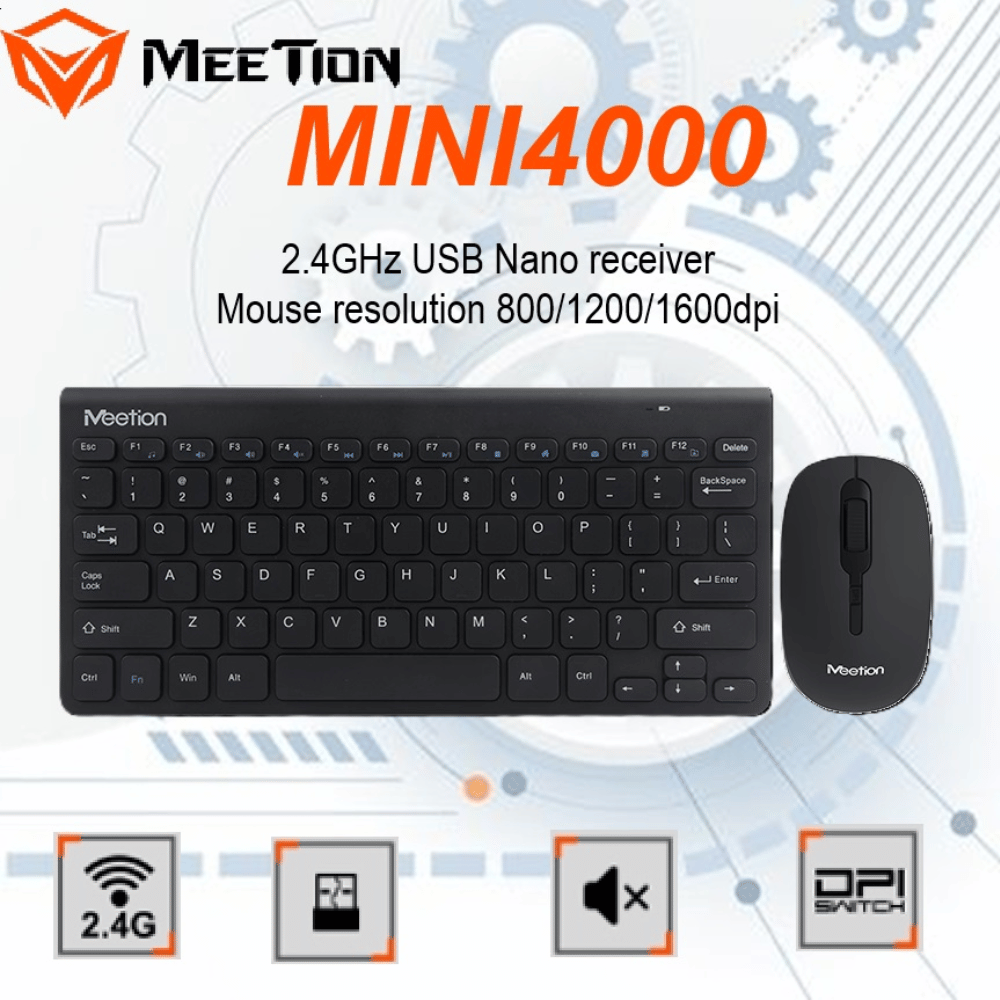
GAMDIAS 7 Colour Backlit Gaming USB Mechanical Keyboard with 87 Keys, Blue Switches, Anti-ghosting, Multimedia Control Key with Metal Plate, Combo (Multicolour, Hermes E2) About this item Certified mechanical blue switches feature a 50 Million actuation lifecycle Neon Light Spectrum- 7 colors backlight Elegant metal plate mechanical keyboard for added durability N-key rollover Compact 87 Keys Keyboard : By using small tenkeyless keyboard can save the space, and also makes the keyboard and mouse to become closer, so you can maximize the comfort and accuracy of your operation

MacBook Pro 15″ Top case A1990 2018 2019 MacBook Pro 15″ A1990 MacBookPro15,1 Mid 2018: MR932LL/A or MR962LL/A (2.2 GHz Core i7) MacBookPro15,1 Mid 2018: MR942LL/A or MR972LL/A (2.6 GHz Core i7) MacBookPro15,3 Mid 2018: BTO/CTO (2.6 GHz Core i7) MacBookPro15,3 Mid 2018: BTO/CTO (2.9 GHz Core i9)

Genuine-spec touchpad flex cable for MacBook Air 13.6″ (Model A2681, 2022, M2)—essential for restoring full Force Touch functionality, haptic feedback, and multi-touch gesture support when replacing or repairing the trackpad assembly. Compatible With: MacBook Air 13.6-inch (2022, Model A2681) with Apple M2 chip (all colors: Silver, Space Gray, Starlight, Midnight). Part Type: Touchpad flex cable only—does not include the trackpad, Taptic Engine, or mounting hardware. This is the ribbon cable assembly that connects the trackpad to the logic board. Function: Transmits touch input, Force Touch pressure data, and haptic feedback signals between the trackpad and logic board—critical for macOS gesture recognition and Taptic Engine operation. OEM-Quality Construction: Matches Apple’s original flex circuit in length, connector type, shielding, and bend radius—ensures reliable signal integrity and long-term durability. Common Use Cases: Replacing a torn, frayed, or damaged original flex cable Completing a trackpad replacement when the original cable was compromised Repairing unresponsive or erratic trackpad behavior caused by cable failure Replacing a torn, frayed, or damaged original flex cable Completing a trackpad replacement when the original cable was compromised Repairing unresponsive or erratic trackpad behavior caused by cable failure Installation Note: Requires full bottom case disassembly and careful routing under the battery and logic board. Connectors use ZIF (Zero Insertion Force) sockets—do not force. Recommended for experienced or certified technicians only.

Fast-charging feature available on select iPhone and iPad models.

WIWU Alpha Double Layer Sleeve Bag For 16\14″ Laptop/MacBook Brand: WIWU The corner patent design protects your laptop from bumps and drops in potential accident. SBS water resistance zipper Retractable waterproof TPU handle, firm and scratch resistant (commonly used in car trailer ropes) 2 compartment zipper design, organize your accessories well Water-resistant material

A premium pre-owned HP EliteOne 800 G2 all-in-one desktop with 23.8-inch display, 6th Gen Core i7, RAM upgrade options, and SSD storage options. Designed for business professionals who need performance, security, and a clean space-saving workstation.

BATTERY DELL J60J5 7.6V 55Wh Battery Compatible with Dell Latitude E7470 E7270 7470 7270 451-BBSY 451-BBSX 451-BBSU WYWJ2 R1V85 MC34Y 242WD PDNM2 1W2Y2 GG4FM F1KTM NJJ2H 5F08V P61G001 P26S001 J6OJ5 Laptop Battery About this item SPECIFICATION : Model Name: Standard Rechargeable Li-ion battery Type J60J5 ; Device Type: Notebook battery; Battery Type: Lithium ion; Voltage : 7.6V; Capacity : 55Wh; Cells: 4-cell; Dimensions about 9.37×4.17×0.24in; Weight: About 11OZ / 0.69lb; Condition : 100 % New; Packages includes: 1PC J6OJ5 laptop battery(with free screwdrivers for easy installation) COMPATIBILITY : 7.6V 55 WHr 4-Cell Lithium-Ion battery replace manufacturer part J60J5 J6OJ5 451-BBSX 451-BBSY 451-BBSU R1V85 WYWJ2 MC34Y 0MC34Y 242WD PDNM2 1W2Y2 0F1KTM F1KTM NJJ2H GG4FM 5F08V P61G P61G001 P26S P26S001 battery designed for Dell Latitude E7270 Latitude E7470 7270 7470 Series laptop. SECURITY: ECHEER 55Wh 4-cell J60J5 batteries have passed strict intelligent detection, such as short circuit protection, over-voltage protection, discharge protection, and over-current protection, which is very important for the battery’s use cycle and safety. Also, CE, FCC, and RoHS are certificated. Every one of our replacement notebook batteries is tested to meet OEM specifications.

A reliable pre-owned Lenovo ThinkPad T460 with 14" display, 6th Gen Core i5, 8GB RAM, and 256GB SSD—built for durability, security, and everyday business productivity.
Fast-charging feature available on select iPhone and iPad models.

Genuine-spec US layout keyboard replacement for MacBook Air 13″ (Model A2337, 2020)—featuring the Magic Keyboard design with scissor-switch mechanism, backlighting, and full OEM compatibility. Compatible With: MacBook Air 13-inch (2020, Model A2337) – includes both M1 and Intel Core i3/i5/i7 variants. Keyboard Type: Apple’s updated Magic Keyboard with scissor-switch mechanism—more reliable and comfortable than earlier Butterfly designs. Layout: Standard US English (QWERTY), including inverted-T arrow keys and full function row. Integrated Features: Backlit keys, ambient light sensor support, and original ribbon cable connector for seamless plug-and-play installation. Build & Fit: Precision-engineered to match Apple’s original dimensions, key spacing, and tactile response—ensures flush mounting within the top case. Installation Note: The keyboard is glued into the top case and requires careful removal and re-adhesion. Full top case disassembly is necessary. Recommended for experienced repair technicians

OEM-quality touchpad replacement for MacBook Air 13.6″ (Model A2681, 2022)—available in Gray, Gold, Silver, and Blue to match your original chassis color. Precision-engineered for seamless Force Touch performance and smooth gesture control. Compatible With: MacBook Air 13.6-inch (2022, Model A2681) with M2 chip—includes all color variants: Space Gray, Gold, Silver, and Midnight Blue. Part Type: Touchpad only—does not include the flex cable, connector, or mounting brackets. Intended for technicians reusing the original cable or transferring it during repair. Color-Matched Finish: Available in all four official A2681 colors to maintain aesthetic consistency with your MacBook’s lower case. Force Touch Support: Full compatibility with Force Touch gestures, haptic feedback, and multi-touch functionality (requires original Taptic Engine and logic board). OEM Build Quality: Matches Apple’s original surface texture, curvature, and responsiveness—ensures consistent click feel and tracking accuracy. Installation Note: Requires careful transfer of the original flex cable and Taptic Engine (if not already attached). Full bottom case disassembly is necessary. Recommended for professional repair technicians.

OEM-quality left and right loudspeaker replacement pair for MacBook Pro 15″ (Models A1707 – 2016/2017 and A1990 – 2018/2019)—restores rich, balanced stereo sound with precision acoustic tuning and seamless fit. Compatible With: MacBook Pro 15″ (2016) – Model A1707 (MacBookPro13,2) MacBook Pro 15″ (2017) – Model A1707 (MacBookPro14,2) MacBook Pro 15″ (2018) – Model A1990 (MacBookPro15,2) MacBook Pro 15″ (2019) – Model A1990 (MacBookPro15,2) (Note: Apple used the same speaker assembly across all four years of the 15″ Touch Bar MacBook Pro.) MacBook Pro 15″ (2016) – Model A1707 (MacBookPro13,2) MacBook Pro 15″ (2017) – Model A1707 (MacBookPro14,2) MacBook Pro 15″ (2018) – Model A1990 (MacBookPro15,2) MacBook Pro 15″ (2019) – Model A1990 (MacBookPro15,2) (Note: Apple used the same speaker assembly across all four years of the 15″ Touch Bar MacBook Pro.) Includes: Complete left and right speaker units with pre-attached flex cables and mounting brackets—ready for direct installation. Audio Performance: Engineered to match Apple’s original high-fidelity stereo system—delivers deep bass, clear mids, and crisp highs with wide soundstage and distortion-free playback. OEM Build Quality: Precision-molded housings, correct grille patterns, and exact cable routing ensure secure fit, no rattling, and full compatibility with macOS audio calibration. Common Use Cases: Replaces speakers damaged by liquid spills, physical impact, or wear (e.g., muffled sound, no audio from one side, crackling, or complete failure). Installation Note: Requires full display and logic board access. Speakers are secured with adhesive and screws in tight compartments. Recommended for certified or experienced technicians only. Important: This speaker pair is exclusive to 15″ Touch Bar MacBook Pro models (A1707/A1990). Not compatible with 13″ models (A1708/A1989), 16″ MacBook Pro (A2141), or non-Touch Bar MacBooks. This speaker pair is exclusive to 15″ Touch Bar MacBook Pro models (A1707/A1990). Not compatible with 13″ models (A1708/A1989), 16″ MacBook Pro (A2141), or non-Touch Bar MacBooks. Model Verification: Confirm your device via > About This Mac > Model Identifier (e.g., MacBookPro13,2 or MacBookPro15,2).

WiWU Hali Vertical Layer Bag — stylish and protective carrying case for laptops and tablets.• Available in 11” & 14” sizes • Water-resistant fabric • Shockproof designMultiple Compartments | Sleek & Lightweight The WiWU Hali Vertical Layer Bag combines modern design with excellent protection for your laptop or tablet. Built from durable, water-resistant materials, it features multiple compartments for organized storage and a slim profile for easy portability. Key Features Available Sizes: 11-inch and 14-inch models High-quality water-resistant fabric for reliable protection Shock-absorbing padding to keep devices safe from bumps and drops Multiple storage layers for accessories such as chargers, cables, and notebooks Soft interior lining to prevent scratches on your device Durable zippers and reinforced stitching for long-lasting use Comfortable top handle and slim vertical design for easy carrying Perfect for travel, school, or office use Specifications Feature Detail Brand WiWU Model Hali Vertical Layer Bag Sizes 11” / 14” Material Water-resistant Oxford fabric Color Options Grey / Black (varies by stock) Design Vertical multi-layer with zip closure Compatibility Fits laptops or tablets up to respective size The WiWU Hali Vertical Layer Bag combines modern design with excellent protection for your laptop or tablet. Built from durable, water-resistant materials, it features multiple compartments for organized storage and a slim profile for easy portability. Available Sizes: 11-inch and 14-inch models High-quality water-resistant fabric for reliable protection Shock-absorbing padding to keep devices safe from bumps and drops Multiple storage layers for accessories such as chargers, cables, and notebooks Soft interior lining to prevent scratches on your device Durable zippers and reinforced stitching for long-lasting use Comfortable top handle and slim vertical design for easy carrying Perfect for travel, school, or office use

The Moxom MX-ST16 is a 12-in-1 safety power strip with 4 AC outlets, 7 USB-A ports, and 1 USB-C PD port. It supports up to 2500W / 10A total load and provides fast USB charging (PD 20W + QC 18W), making it a practical charging hub for home, office, and desk setups. ⚡ 12-in-1 Multi-Output Design: 4 AC sockets + 7 USB-A + 1 USB-C PD allow powering and charging many devices at once. 🔋 Fast USB Charging: USB-C PD up to 20W for modern phones and tablets. QC fast-charge up to 18W on supported USB-A ports. Smart IC balances output across ports for safe, efficient charging. 🔋 Fast USB Charging: USB-C PD up to 20W for modern phones and tablets. QC fast-charge up to 18W on supported USB-A ports. Smart IC balances output across ports for safe, efficient charging. 🛡️ Multi-Safety Protection: Overload protection, surge/over-voltage protection, over-current and overheating protection, plus foreign-object detection. 👶 Child-Safety Shutters: Safety doors on AC outlets reduce accidental contact. ⏻ One-Key Master Switch: Single button controls all outlets for easy power cut-off. 📏 Long Extension Cord: About 2 meters for flexible placement. 🧊 Heat-Resistant Build: ABS + PC construction designed for durability under continuous load.

Apple USB-C Charge Cable (1m) , With Apple Warranty This 1-metre charge cable is made with a woven design — with USB-C connectors on both ends — and is ideal for charging, syncing and transferring data between USB-C devices. Pair the USB-C Charge Cable with a compatible USB-C power adapter to conveniently charge your devices from a power point and take advantage of fast-charging capabilities. USB-C power adapters sold separately.

SCREEN LG 24″ FHD Borderless IPS 100HZ 5MS with FreeSync™ LG-24MR400-B SCREEN LG 24″ FHD Borderless IPS 100HZ 5MS with FreeSync™ LG-24MR400-B Technical Details

slim, lightweight, and powerful—the Lenovo ThinkPad T490s combines 8th Gen Intel Core i5 performance, 8GB ,16GB RAM, and a fast 256GB SSD in a premium, portable chassis built for mobile professionals.

Genuine-spec touchpad flex cable compatible with both MacBook Air A2179 (Intel, 2020) and A2337 (M1, 2020)—restores full Force Touch functionality, haptic feedback, and precise multi-touch gesture control during trackpad repair or replacement. Compatible With: MacBook Air 13″ (2020, Intel) – Model A2179 (Model Identifier: MacBookAir9,1) MacBook Air 13″ (2020, Apple M1) – Model A2337 (Model Identifier: MacBookAir10,1) MacBook Air 13″ (2020, Intel) – Model A2179 (Model Identifier: MacBookAir9,1) MacBook Air 13″ (2020, Apple M1) – Model A2337 (Model Identifier: MacBookAir10,1) ✅ Important Note: Despite different processors (Intel vs. M1), Apple used the same trackpad assembly and flex cable in both A2179 and A2337. This makes the flex cable fully interchangeable between the two models. Part Type: Touchpad flex cable only — does not include the trackpad housing, Taptic Engine, or mounting hardware. This is the OEM-style ribbon cable that connects the trackpad to the logic board. Function: Transmits: Touch input coordinates Force Touch pressure data Haptic feedback signals to the Taptic Engine Enables full macOS gesture support: Force Click, three-finger lookup, swipe navigation, pinch-to-zoom, and smooth cursor tracking. Touch input coordinates Force Touch pressure data Haptic feedback signals to the Taptic Engine Enables full macOS gesture support: Force Click, three-finger lookup, swipe navigation, pinch-to-zoom, and smooth cursor tracking. OEM-Quality Build: Matches Apple’s original specifications in: Cable length and routing path Connector pitch and ZIF latch design EMI shielding and flex durability Cable length and routing path Connector pitch and ZIF latch design EMI shielding and flex durability Common Use Cases: Replacing a torn, creased, or liquid-damaged original flex cable Completing a trackpad replacement when the original cable is compromised Fixing intermittent trackpad behavior, loss of Force Touch, or complete unresponsiveness Replacing a torn, creased, or liquid-damaged original flex cable Completing a trackpad replacement when the original cable is compromised Fixing intermittent trackpad behavior, loss of Force Touch, or complete unresponsiveness Installation Note: Requires full bottom case removal and battery disconnection. Cable routes under the right side of the battery and logic board. Connects via a ZIF (Zero Insertion Force) socket—align carefully and latch gently. Recommended for experienced or certified technicians only. Requires full bottom case removal and battery disconnection. Cable routes under the right side of the battery and logic board. Connects via a ZIF (Zero Insertion Force) socket—align carefully and latch gently. Recommended for experienced or certified technicians only.
