
Boost your daily productivity with the Lenovo ThinkPad E14 Gen 2, featuring a powerful 11th Gen Intel Core i5 processor. With flexible configurations of up to 16GB RAM and a fast 512GB NVMe SSD, this 14-inch business laptop offers the perfect blend of performance, security, and legendary ThinkPad durability

A1417 Battery Only for (Mid 2012 & Early 2013) A1398 MacBook Pro - Replacement Battery for A1398 MacBook Pro 15-inch Retina (Mid 2012, Early 2013 Version) - EMC 2512 or 2673 A1417 Battery Only for (Mid 2012 & Early 2013) A1398 MacBook Pro – Replacement Battery for A1398 MacBook Pro 15-inch Retina (Mid 2012, Early 2013 Version) – EMC 2512 or 2673 [11.26V/99Wh] A1417 A1398 Battery — Health:100%+, Voltage: 11.26V, Capacity: 99Wh(Please confirm the release year before purchase the battery) Suit for 15 inch A1398 MacBook Pro Battery Retina Mid 2012 Early 2013 (EMC 2512 or 2673) >[See more details on the Product Description] Brand new battery-> Directly warranty from Manufacturer, perform as good as the original battery. A1398 Macbook Pro 15 inch battery replacement come with adapted screwdriver. Multi-command chip control-> Contain with Durable A cells,Multi-command chip control makes the battery supply power stably.

Genuine-spec touchpad flex cable for MacBook Pro 13″ (Model A1502, Mid 2014)—restores full trackpad functionality, including precise cursor control and physical click response. Essential for repairing unresponsive or erratic trackpad behavior. Compatible With: MacBook Pro 13-inch (Mid 2014, Model A1502, Model Identifier MacBookPro11,1) with Intel Core i5/i7 processors and Retina display. Part Type: Touchpad flex cable only — does not include the trackpad housing, button mechanism, or mounting hardware. This is the ribbon cable that connects the trackpad to the logic board. Function: Transmits cursor movement and click signals (left/right physical clicks) Supports standard multi-touch gestures (two-finger scroll, tap-to-click, pinch-to-zoom) ⚠️ Note: This model uses a physical click mechanism—not Force Touch (no haptic feedback or pressure sensitivity). Transmits cursor movement and click signals (left/right physical clicks) Supports standard multi-touch gestures (two-finger scroll, tap-to-click, pinch-to-zoom) ⚠️ Note: This model uses a physical click mechanism—not Force Touch (no haptic feedback or pressure sensitivity). OEM-Quality Build: Matches Apple’s original in: Cable length and routing path Connector type and pin alignment Insulation and flexibility for long-term reliability Cable length and routing path Connector type and pin alignment Insulation and flexibility for long-term reliability Common Use Cases: Replacing a torn, frayed, or corroded original flex cable Fixing: Unresponsive or intermittent trackpad Cursor jumping or drifting Click function failure (left or right) Complete trackpad disconnect Replacing a torn, frayed, or corroded original flex cable Fixing: Unresponsive or intermittent trackpad Cursor jumping or drifting Click function failure (left or right) Complete trackpad disconnect Unresponsive or intermittent trackpad Cursor jumping or drifting Click function failure (left or right) Complete trackpad disconnect Installation Note: Requires bottom case removal and battery disconnect. Connects via a ZIF (Zero Insertion Force) socket on the logic board—do not force. Cable routes under the battery; handle with care to avoid strain. Suitable for intermediate to advanced DIYers or technicians. Requires bottom case removal and battery disconnect. Connects via a ZIF (Zero Insertion Force) socket on the logic board—do not force. Cable routes under the battery; handle with care to avoid strain. Suitable for intermediate to advanced DIYers or technicians.

The Apildella 14″ Triple Laptop Screen Extender gives your laptop three screens for better productivity. It allows you to work faster and more comfortably. The extender adds two extra displays around your laptop screen. This creates a wider workspace for all your tasks. Moreover, the Apildella Triple Laptop Screen Extender offers clear and bright visuals. Each screen delivers sharp quality for work, gaming, and media. The colors stay consistent across all panels. This helps you focus on your tasks with ease. In addition, the screens connect through simple USB-C or HDMI. The setup process is quick, and you can start using it instantly. There is no need for heavy software. This makes the extender ideal for travel and office use. Furthermore, the Apildella 14″ Triple Laptop Screen Extender works with many laptops. It supports Windows, macOS, and some mobile devices. This wide compatibility makes it useful for students, creators, and professionals. It helps you multitask with less stress. Also, the extender features a foldable and lightweight design. You can pack it in your laptop bag easily. It fits well in small workspaces. This makes it great for remote work and travel. The Apildella Triple Laptop Screen Extender also allows adjustable viewing angles. You can tilt the screens to get a comfortable view. This helps reduce eye strain during long hours of use. It improves your overall productivity. Overall, the Apildella 14″ Triple Laptop Screen Extender gives you more space, better multitasking, and stronger efficiency. It upgrades your laptop into a full workstation instantly. It is perfect for work, study, design, and streaming anywhere you go. Specifications: Display : 14″ Resolution : FHD 1920×1080 Refresh Rate : 60Hz Compatible with 13″ to 17″ laptops, windows/mac

Candc DC-C2 Lavalier Dual Head Mic Buy Online in Qatar, record high quality sounds using this branded duel mic. Candc DC-C2 is a Dual Omnidirectional lavalier microphone, designed for Smartphones, DSLR, Camcorders, Audio recorders PC, etc. PRODUCT DETAILS OF CANDC DC-C2 LAVALIER COLLAR MICROPHONE FOR CANON NIKON DSLR CAMCORDER

Genuine-spec US layout keyboard replacement for MacBook Pro (Model A1398, Late 2011–Mid 2012)—featuring durable scissor-switch keys, backlighting, and OEM-fit design for reliable typing and straightforward installation. Compatible With: MacBook Pro 13″: Late 2011 (Model A1278, but labeled A1398 in some regions) – Model Identifier MacBookPro8,1 MacBook Pro 15″: Early 2011, Late 2011, and Mid 2012 – Model Identifiers MacBookPro8,2 (15″ early/late 2011) and MacBookPro9,1 (15″ mid 2012) *(Note: “A1398” is primarily associated with the 15″ unibody MacBook Pro with Retina display (Mid 2012), which was the first Retina MacBook Pro.)* This keyboard fits the non-Retina 15″ A1398 (Mid 2012) and compatible Late 2011 models. MacBook Pro 13″: Late 2011 (Model A1278, but labeled A1398 in some regions) – Model Identifier MacBookPro8,1 MacBook Pro 15″: Early 2011, Late 2011, and Mid 2012 – Model Identifiers MacBookPro8,2 (15″ early/late 2011) and MacBookPro9,1 (15″ mid 2012) *(Note: “A1398” is primarily associated with the 15″ unibody MacBook Pro with Retina display (Mid 2012), which was the first Retina MacBook Pro.)* This keyboard fits the non-Retina 15″ A1398 (Mid 2012) and compatible Late 2011 models. Layout: Standard US English (QWERTY) with full-size keys, inverted-T arrow keys, and dedicated function row (F1–F12). Keyboard Type: Traditional scissor-switch mechanism—robust, tactile, and serviceable (pre-Butterfly era). Integrated Features: Backlit keys (adjustable brightness via F5/F6) OEM ribbon cable with ZIF connector Matches original key spacing and actuation force Backlit keys (adjustable brightness via F5/F6) OEM ribbon cable with ZIF connector Matches original key spacing and actuation force Build & Fit: Precision-molded plastic frame with exact screw mounts and alignment pegs—ensures secure, rattle-free installation in the top case. Installation Note: Keyboard is secured with screws and minimal adhesive. Requires full top case access and battery disconnect. Recommended for intermediate to advanced users or technicians.

The Portable Screen PS185 is designed for users who need a lightweight and versatile second display. It is perfect for travel, work, or entertainment. This 18.5-inch portable screen delivers clear and sharp visuals. Colors appear bright, and details are easy to see. It enhances productivity and makes media more enjoyable. The slim and lightweight design makes it easy to carry. It fits in bags without adding bulk. This makes it ideal for professionals on the go. The Portable Screen PS185 supports multiple connectivity options. It includes HDMI and USB-C inputs for flexible use. You can connect it to laptops, consoles, or smartphones. Plug-and-play setup makes it simple to use. No extra software or drivers are required. This ensures quick and smooth operation anywhere. The screen provides wide viewing angles. You can share content with colleagues, friends, or family. Visuals remain clear from different positions. Built-in speakers add convenience for entertainment. You can watch movies or play games without external speakers. The sound is clear for casual use. The Portable Screen PS185 is also energy-efficient. Low power consumption ensures longer use with connected devices. This makes it practical for travel and business trips. Its durable build ensures long-lasting performance. The screen is resistant to scratches and daily wear. It remains reliable for frequent use. In summary, the Portable Screen PS185 combines portability, clarity, and versatility. It is a great tool for work and play. Specifications: Display : 18.5″ IPS Resolution : FHD 1920×1080 Dual Type-C & Mini HDMI

Original 13.3-inch LCD display assembly for MacBook Air A1466, pulled from a working unit. OEM, drop-in replacement for cracked or nonfunctional screens—ideal for restoring perfect visuals. This is a genuine Apple LCD display assembly for the MacBook Air model A1466 (mid-2013 to ~2017). It was removed from a working machine (“pulled”) and tested. It’s intended to replace failed, cracked, or damaged screens with an OEM original part. Key Features & Functionality Factory original LCD panel with LED backlight Includes glass, mounting frame, hinges, display cable Calibrated by Apple for color accuracy, brightness, contrast Tested for display quality, backlight uniformity, dead or stuck pixels Fits directly in A1466 models with correct alignment and cable interface Specifications Important Notes & Caveats Must ensure your MacBook is A1466 — wrong model = mismatch in frame, mounting, cable. As a used component, there may be light cosmetic wear or micro-scratches. Always test before full installation (connect the cable, boot, check display and backlight). Be careful handling: glass is fragile and the flex cable is delicate. Alignment and screw placement are critical — incorrect installation can damage the new screen.

BATTERY DELL J60J5 7.6V 55Wh Battery Compatible with Dell Latitude E7470 E7270 7470 7270 451-BBSY 451-BBSX 451-BBSU WYWJ2 R1V85 MC34Y 242WD PDNM2 1W2Y2 GG4FM F1KTM NJJ2H 5F08V P61G001 P26S001 J6OJ5 Laptop Battery About this item SPECIFICATION : Model Name: Standard Rechargeable Li-ion battery Type J60J5 ; Device Type: Notebook battery; Battery Type: Lithium ion; Voltage : 7.6V; Capacity : 55Wh; Cells: 4-cell; Dimensions about 9.37×4.17×0.24in; Weight: About 11OZ / 0.69lb; Condition : 100 % New; Packages includes: 1PC J6OJ5 laptop battery(with free screwdrivers for easy installation) COMPATIBILITY : 7.6V 55 WHr 4-Cell Lithium-Ion battery replace manufacturer part J60J5 J6OJ5 451-BBSX 451-BBSY 451-BBSU R1V85 WYWJ2 MC34Y 0MC34Y 242WD PDNM2 1W2Y2 0F1KTM F1KTM NJJ2H GG4FM 5F08V P61G P61G001 P26S P26S001 battery designed for Dell Latitude E7270 Latitude E7470 7270 7470 Series laptop. SECURITY: ECHEER 55Wh 4-cell J60J5 batteries have passed strict intelligent detection, such as short circuit protection, over-voltage protection, discharge protection, and over-current protection, which is very important for the battery’s use cycle and safety. Also, CE, FCC, and RoHS are certificated. Every one of our replacement notebook batteries is tested to meet OEM specifications.

The ASUS VA279HG 27″ FHD Eye Care Monitor delivers clear Full HD visuals on a large 27-inch screen. It offers bright colors and a wide viewing area. This makes work, entertainment, and daily tasks look clean and comfortable. The larger display improves productivity and visual clarity. Moreover, the ASUS VA279HG 27″ FHD Eye Care Monitor features a 75Hz refresh rate. This creates smoother motion in games and videos. It reduces blur and keeps movement stable. You enjoy a more responsive and pleasant viewing experience. In addition, Adaptive Sync support minimizes screen tearing. It keeps visuals smooth during fast scenes. Gamers and casual users benefit from consistent performance. This adds comfort to longer sessions. Furthermore, the monitor includes ASUS Eye Care technology. It reduces blue light and eliminates screen flicker. This protects your eyes from strain and fatigue. You can work or watch content for longer with ease. Also the ASUS VA279HG 27″ FHD Eye Care Monitor uses a VA panel for strong contrast. It delivers deeper blacks and more vivid colors. Also, the design is simple and modern. The thin frame looks clean on any desk. The stand offers tilt adjustment for better comfort. This helps you find the ideal viewing angle easily. Finally connectivity is flexible and reliable. The monitor includes HDMI and VGA ports. This allows quick setup with many devices. It works well with laptops, desktops, and media players. Overall, the ASUS VA279HG 27″ FHD Eye Care Monitor combines smooth performance, eye protection, and a spacious display. It is ideal for home, office, and entertainment use. It delivers comfort, clarity, and strong everyday value. Specifications: Display : 27″ IPS Resolution : FHD Refresh Rate : 120Hz Response Time : 1ms Model : 90LM04J1-B02371

Genuine-spec US layout keyboard replacement for MacBook Pro 13″ (Model A1502, Mid 2014)—featuring durable scissor-switch keys, backlighting, and OEM-fit design for reliable performance and easy installation. Compatible With: MacBook Pro 13-inch (Mid 2014, Model A1502, Model Identifier MacBookPro11,1) with Retina display. Layout: Standard US English (QWERTY) with full-size keys, inverted-T arrow keys, and dedicated function row (F1–F12). Keyboard Type: Traditional scissor-switch mechanism—offers good key travel, tactile feedback, and proven long-term reliability (pre-Butterfly design). Integrated Features: Backlit keys for low-light environments, ambient light sensor compatibility, and original-style ribbon cable connector for direct logic board attachment. Build & Fit: Precision-molded to match Apple’s exact dimensions and mounting points—ensures flush integration into the top case with consistent key alignment. Installation Note: Keyboard is secured with screws and light adhesive—more serviceable than later glued models. Requires top case access and battery disconnection. Suitable for intermediate DIYers or professional technicians.

Genuine-spec touchpad flex cable for MacBook Pro 13″ (Model A2251, 2020, Intel)—essential for restoring full Force Touch functionality, haptic feedback, and precise multi-touch gesture control during trackpad repair or replacement. Compatible With: MacBook Pro 13-inch (2020, Two Thunderbolt Ports, Model A2251, Model Identifier MacBookPro16,1) with Intel Core i5/i7 processors. Part Type: Touchpad flex cable only—does not include the trackpad housing, Taptic Engine, or mounting hardware. This is the OEM-style ribbon cable that connects the trackpad to the logic board. Function: Transmits: Precise touch coordinates Force Touch pressure data Haptic feedback signals to the Taptic Engine Enables full macOS gesture support including Force Click, three-finger lookup, swipe navigation, and inertial scrolling. Precise touch coordinates Force Touch pressure data Haptic feedback signals to the Taptic Engine Enables full macOS gesture support including Force Click, three-finger lookup, swipe navigation, and inertial scrolling. OEM-Quality Build: Matches Apple’s original specifications in: Cable length and routing Connector pitch and ZIF latch design EMI shielding and flex durability Cable length and routing Connector pitch and ZIF latch design EMI shielding and flex durability Common Use Cases: Replacing a torn, creased, or liquid-damaged original flex Completing a trackpad replacement when the original cable is compromised Fixing intermittent trackpad behavior, loss of Force Touch, or complete unresponsiveness Replacing a torn, creased, or liquid-damaged original flex Completing a trackpad replacement when the original cable is compromised Fixing intermittent trackpad behavior, loss of Force Touch, or complete unresponsiveness Installation Note: Requires full bottom case removal and partial disassembly (including battery disconnect). Cable routes under the right speaker and logic board—must be seated in original retention channels. Connects via ZIF (Zero Insertion Force) socket—align carefully and latch gently. Recommended for experienced or certified technicians only. Requires full bottom case removal and partial disassembly (including battery disconnect). Cable routes under the right speaker and logic board—must be seated in original retention channels. Connects via ZIF (Zero Insertion Force) socket—align carefully and latch gently. Recommended for experienced or certified technicians only.

Elevate Your Gaming with the ViewSonic VX2728 27” 180Hz Gaming Monitor – Simple, Smooth, and Immersive! Are you searching for a monitor that can elevate your gaming experience? Look no further than the ViewSonic VX2728 27” opens 165 to 180Hz Fast IPS Gaming Monitor, designed to provide a simple, smooth, and immersive gaming experience. First and foremost, let’s talk about simplicity. Setting up this gaming monitor is a breeze. With straightforward instructions, you’ll have your high-quality gaming display ready to go in no time. No need for complicated technical knowledge. therefore One of the standout features of the ViewSonic VX2728 is its impressive 180Hz refresh rate. This means that you can enjoy incredibly smooth and responsive gameplay, free from annoying screen tearing and lag. It’s gaming made easy. The Fast IPS panel on this monitor ensures vibrant colors and wide viewing angles, making your games come to life. You don’t need to be a tech expert to appreciate the stunning visuals that this monitor offers. This gaming monitor has been designed with user-friendliness in mind. It comes with a simple interface that allows you to customize settings such as brightness and contrast easily. No need to navigate complex menus. Additionally, the monitor boasts ultra-slim bezels that minimize distractions, providing an immersive gaming experience. With your focus squarely on the game, you’ll find yourself performing at your best. In conclusion, the ViewSonic VX2728 27” 180Hz Fast IPS Gaming Monitor offers simplicity, smooth gameplay, and an immersive experience. With easy setup, stunning visuals, and user-friendly features, it’s the ideal choice for gamers of all levels. Elevate your gaming experience with the ViewSonic VX2728 today. you can always check here and if you like to see other options you can check here ! Specifications: Fast IPS Display with HDR10 AMD FreeSync™ Premium for smooth gameplay VESA AdaptiveSync for tear-free gaming experience 1 year warranty

Arabic Silicone Keyboard Skin Cover for MacBook Pro 13" A1708 Without Touch bar and MacBook 12" A1534 with Retina Display US Layout (Black) Arabic Silicone Keyboard Skin Cover for MacBook Pro 13″ A1708 Without Touch bar and MacBook 12″ A1534 with Retina Display US Layout (Black) About this item Arabic language silicone keyboard skin, US version, perfect fit for your MacBook 12″ A1534, which was released in 2015 & new MacBook Pro 13-Inch 13″ Model A1708 without/no Touch Bar, which was released in 2016; Do not fit for Europe Version MacBook Handmade Skin – XSKN is the original Manufacturer of these “Keyboard Art Skin” silicone covers. They are durable, thin and soft with a cashmere feel. The keys fit snug over the keyboard, smooth surface treatment, suit for regular laptop user who types a lot and quickly Each XSKN silicone skin is heat molded to ensure, each color is paints taking hand screened using silicone paint which is heat fuses into the silicone keyboard skin to become one, making it Soft, ultra-thin, durable and easy to washable High quality silicone raw material assure no extension with longtime using. Every detail clearly prinited, imported ink keep it looking good, rubber coating help to remain in good condition Aside from being beautiful they protect your keyboard from spills, crumbs, animal hair and dust. Washable, can be cleaned easily

A robust Beurotika cash drawer featuring a 450mm metal body, secure 3-position lock, and compatibility with most POS systems—ideal for retail, restaurants, and small businesses. Secure 3-position key lock: Open, locked, and release-to-print modes for controlled access 6 coin slots + 4 bill compartments: Organized layout for efficient cash handling Heavy-duty steel construction: Reinforced frame and smooth slide rails for daily reliability Standard RJ12 interface: Compatible with most POS systems (e.g., Epson, HP, Bixolon, and Beurotika receipt printers) Auto-open trigger: Automatically opens when connected to a compatible receipt printer during transactions Bottom cable entry: Keeps wiring neat and protected

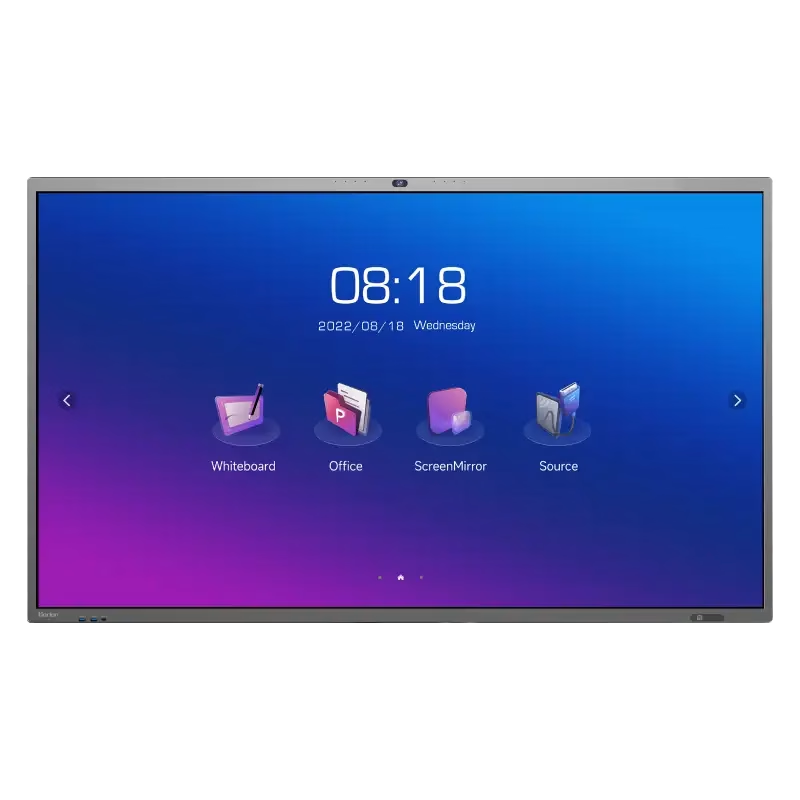
The Samsung 86″ Interactive E-Board LH86WACW offers a large and clear display for classrooms and meeting rooms. It shows bright images with strong detail. The screen size allows everyone in the room to see clearly. This improves communication and teamwork. Moreover, the Samsung Interactive E-Board LH86WACW supports smooth touch control. You can write, draw, and move items with ease. The touch response feels fast and natural. This helps teachers and teams present ideas more effectively. In addition, the board includes multiple connection options. You can connect laptops, tablets, and other devices quickly. This makes sharing content easier for everyone. The board also supports wireless features for more flexible use. Furthermore, the Samsung 86″ Interactive E-Board LH86WACW includes built-in software tools. These tools allow easy note-taking and smart collaboration. You can save your work and share it instantly. This helps improve learning and workflow. Also, the display uses strong protection glass. It resists scratches and damage during daily use. The durable design makes it ideal for schools and offices. It stays reliable even with heavy use. The sleek design of the Samsung Interactive E-Board LH86WACW looks modern and professional. It fits well in classrooms, conference rooms, and training centers. The slim frame gives the screen a clean and elegant look. This makes every space feel more advanced. Overall, the Samsung 86″ Interactive E-Board LH86WACW offers clear visuals, fast touch control, and smart tools in one device. It helps teams share ideas better and faster. It also makes lessons more interactive and engaging. This board is perfect for education, business, and training environments. Specifications: Display : 86″ IPS Resolution : 3840×2160 Refresh Rate : 60Hz Response Time : 8ms Model : LH86WACW

The BenQ ZOWIE XL2566K TN 360Hz 24.5″ Gaming Monitor is designed for serious gamers. Its 360Hz refresh rate ensures incredibly smooth and fluid motion, reducing blur and ghosting in fast-paced games. With a 24.5″ TN panel, this gaming monitor delivers vibrant colors and sharp images. The TN technology ensures low response times, making it ideal for competitive gaming where every millisecond counts. Setting up the BenQ ZOWIE XL2566K is simple and straightforward. The adjustable stand allows you to find the perfect viewing angle, ensuring comfort during long gaming sessions. Experience the benefits of DyAc+ Technology, which enhances clarity and reduces motion blur. This feature is perfect for first-person shooters and fast-action games, giving you a clear advantage over your opponents. The BenQ ZOWIE XL2566K offers multiple connectivity options, including HDMI, DisplayPort, and USB. This versatility allows you to connect various devices and switch between them with ease. With its Black eQualizer and Color Vibrance settings, you can customize your gaming experience. These features help you spot enemies in dark areas and adjust color settings to suit your preferences. In conclusion, the BenQ ZOWIE XL2566K TN 360Hz 24.5″ Gaming Monitor is a top choice for gamers seeking an edge in performance. Upgrade to this monitor and enjoy ultra-smooth gameplay and exceptional clarity. Elevate your gaming setup today and dominate the competition. Specifications: Display : 24.5″ TN Resolution : 1920 x 1080 Refresh Rate : 360Hz

Used, original 35 W USB-C charger for Mac — reliable Apple power adapter (dual USB-C) for charging your Mac and other devices. This is an authentic Apple 35 W USB-C power adapter (dual-port) — used but tested. It’s built to charge MacBooks, iPhones, iPads, and other USB-C devices. Though lower wattage than larger Mac adapters, it works well for light use or supplemental charging. Features & Behavior Dual USB-C ports: can charge two devices simultaneously Intelligent power distribution: if both ports are used, the output splits evenly (~17.5 W each) USB Power Delivery support across standard profiles (5V, 9V, 15V, 20V) Accepts input 100-240V AC, so usable worldwide (with correct plug) Compact form factor in one variant, or standard “duckhead” plug style in another Specifications Strengths & Limitations Pros Authentic Apple unit — safer and more reliable than generic chargers Dual ports give flexibility — charge phone + Mac concurrently Portable and suitable for travel (universal voltage) Cons 35 W is low for MacBook Pro under load — might not maintain charging during heavy use When both ports used, power is halved (~17.5 W each) Used condition may include wear, scuffs, or reduced efficiency

The MSI MAG 27CQ6F 27″ is a high-performance gaming monitor made for smooth and sharp visuals. It features a 27-inch curved display that enhances your viewing experience. With a 170Hz refresh rate, the MSI MAG 27CQ6F 27 delivers ultra-smooth action in every game. In addition, the 1ms response time ensures fast and clear visuals with no motion blur. This makes it ideal for fast-paced gaming. Moreover, the MSI MAG 27CQ6F 27″ uses a QHD resolution for crisp and detailed images. Thanks to its VA panel technology, colors appear rich and vibrant from all angles. Plus, the MSI MAG 27CQ6F 27 includes anti-flicker and low blue light features for better eye comfort. You can enjoy long hours of gaming without strain. The design of the MSI MAG 27CQ6F 27″ is sleek and modern, fitting perfectly into any setup. It supports tilt adjustment, so you can find the most comfortable viewing angle. Furthermore, its curved screen brings you closer to the action. For smoother gameplay, the MSI MAG 27CQ6F 27 “includes FreeSync support, reducing screen tearing and stuttering. You get a clear and stable picture every time you play. Also, the monitor has multiple ports for easy device connection. Whether you game, stream, or work, the MSI MAG 27CQ6F 27” offers reliable performance. Its fast response, great colors, and smart design make it a great choice. You’ll enjoy every detail and every moment on this monitor. To sum up, the MSI MAG 27CQ6F 27″ is perfect for gamers who want speed, clarity, and comfort in one screen. Specifications: Display : 27″ Rapid VA Resolution : 2560 x 1440 (WQHD) Refresh Rate : 180Hz Response Time : 0.5ms (GtG, Min.) Curvature : Curve 1500R

