
Genuine-spec touchpad flex cable compatible with both MacBook Air A2179 (Intel, 2020) and A2337 (M1, 2020)—restores full Force Touch functionality, haptic feedback, and precise multi-touch gesture control during trackpad repair or replacement. Compatible With: MacBook Air 13″ (2020, Intel) – Model A2179 (Model Identifier: MacBookAir9,1) MacBook Air 13″ (2020, Apple M1) – Model A2337 (Model Identifier: MacBookAir10,1) MacBook Air 13″ (2020, Intel) – Model A2179 (Model Identifier: MacBookAir9,1) MacBook Air 13″ (2020, Apple M1) – Model A2337 (Model Identifier: MacBookAir10,1) ✅ Important Note: Despite different processors (Intel vs. M1), Apple used the same trackpad assembly and flex cable in both A2179 and A2337. This makes the flex cable fully interchangeable between the two models. Part Type: Touchpad flex cable only — does not include the trackpad housing, Taptic Engine, or mounting hardware. This is the OEM-style ribbon cable that connects the trackpad to the logic board. Function: Transmits: Touch input coordinates Force Touch pressure data Haptic feedback signals to the Taptic Engine Enables full macOS gesture support: Force Click, three-finger lookup, swipe navigation, pinch-to-zoom, and smooth cursor tracking. Touch input coordinates Force Touch pressure data Haptic feedback signals to the Taptic Engine Enables full macOS gesture support: Force Click, three-finger lookup, swipe navigation, pinch-to-zoom, and smooth cursor tracking. OEM-Quality Build: Matches Apple’s original specifications in: Cable length and routing path Connector pitch and ZIF latch design EMI shielding and flex durability Cable length and routing path Connector pitch and ZIF latch design EMI shielding and flex durability Common Use Cases: Replacing a torn, creased, or liquid-damaged original flex cable Completing a trackpad replacement when the original cable is compromised Fixing intermittent trackpad behavior, loss of Force Touch, or complete unresponsiveness Replacing a torn, creased, or liquid-damaged original flex cable Completing a trackpad replacement when the original cable is compromised Fixing intermittent trackpad behavior, loss of Force Touch, or complete unresponsiveness Installation Note: Requires full bottom case removal and battery disconnection. Cable routes under the right side of the battery and logic board. Connects via a ZIF (Zero Insertion Force) socket—align carefully and latch gently. Recommended for experienced or certified technicians only. Requires full bottom case removal and battery disconnection. Cable routes under the right side of the battery and logic board. Connects via a ZIF (Zero Insertion Force) socket—align carefully and latch gently. Recommended for experienced or certified technicians only.

Experience the perfect balance of performance and value with the Lenovo ThinkPad E14 Gen 1. Powered by a reliable 10th Gen Intel Core i5 processor, 16GB RAM, and a spacious 512GB NVMe SSD, this 14-inch laptop is built to handle professional multitasking with the signature durability of the ThinkPad line.

CS03XL Battery for HP Elitebook 745 755 840 848 850 G3 G4, ZBook 15u G3 G4 Laptop, P/N: HSTNN-UB6S HSTNN-IB6Y 800231-141 800513-001 800231-1C1 CS03046XL About this item Battery type: Li-ion ‖ Capacity: 46Wh ‖ Voltage: 11.4V Replacement Battery for HP Elitebook 745 G4 G3, Elitebook 755 G4 G3, Elitebook 840 G4 G3, Elitebook 848 G4 G3, Elitebook 850 G4 G3, ZBook 15u G4 G3 Mobile Workstation. Compatible P/N: 800231-141, 800513-001, CS03XL, CS03, HSTNN-UB6S, HSTNN-IB6Y, HSTNN-I33C-4, HSTNN-I33C-5, HSTNN-I41C-4, HSTNN-I41C-5. Built-in circuit protection ensures both safety and stability. Overcharger and Discharger Circuit Protection.

The XPPen 4K UHD Artist Pro 19 Gen2 is a professional pen display designed for artists, designers, and creative professionals.It features a 19-inch 4K UHD screen with vibrant colors and sharp details, providing a high level of precision for digital artwork. Moreover, its fully laminated display reduces parallax for accurate pen tracking. This pen display comes with a battery-free stylus that offers 8192 levels of pressure sensitivity. Additionally, tilt recognition allows natural brush strokes and smooth drawing experiences. The anti-glare screen minimizes reflections in bright environments, making it easier to work for long hours. HDMI and USB-C connectivity ensure compatibility with most computers and laptops. Furthermore, the adjustable stand allows you to work at a comfortable angle. XPPen’s custom shortcut keys increase workflow efficiency for professional projects. This display is ideal for illustrators, animators, graphic designers, and creative professionals. Therefore, it supports digital painting, photo editing, and animation tasks. Finally, it combines high-resolution visuals, precise stylus control, and ergonomic design for professional use. Specifications: 19″ 4K UHD (3840 × 2160) fully laminated display for sharp and vivid visuals Battery-free stylus with 8192 levels of pressure sensitivity Tilt recognition for natural brush strokes HDMI + USB-C connectivity for versatile setup Adjustable stand and customizable shortcut keys for comfort and efficiency 156% sRGB Graphic Tablet with 1.07 Billion Colors

Are you ready to take your gaming to the next level? Look no further than the Viewsonic VX2728J 27″ 180Hz gaming monitor. With its stunning display and lightning-fast refresh rate, you’ll enjoy an unparalleled gaming experience. Firstly, let’s talk about the impressive 27-inch screen size. Immerse yourself in the action with crisp, clear visuals that bring every game to life. Whether you’re exploring vast open worlds or engaging in intense multiplayer battles, every detail will be vivid and immersive. Moreover, the 180Hz refresh rate ensures silky-smooth gameplay with no motion blur or tearing. Say goodbye to choppy frame rates and hello to fluid, responsive gameplay. With this monitor, you’ll have the competitive edge you need to dominate the competition. In addition to its performance, the Viewsonic VX2728J boasts vibrant colors and deep contrasts. Experience games the way they were meant to be seen, with rich, true-to-life hues that make every scene pop. Whether you’re exploring lush environments or navigating dark corridors, you’ll see every detail with stunning clarity. Furthermore, this monitor is packed with features designed to enhance your gaming experience. From customizable settings to advanced connectivity options, you’ll have everything you need to optimize your setup for peak performance. Say goodbye to compromises and hello to gaming greatness. In conclusion, if you’re serious about gaming, the Viewsonic VX2728J 27″ 180Hz monitor is the perfect choice. With its stunning display, lightning-fast refresh rate, and advanced features, it’s the ultimate gaming companion. Upgrade your setup and elevate your gaming experience today! Specifications: Display : 27″ Fast IPS Resolution : 1920 x 1080 FHD Refresh Rate : 180Hz Response Rate : 0.5ms Adjustable Height : 0~130mm Pivot : 0° ~ 90° Swivel : -15° ~ 15° Tilt : -5° ~ 20°

The MSI MAG 274QPF E20 monitor delivers sharp visuals and smooth performance for competitive gaming and daily use. It features a 27-inch WQHD display that provides clear detail and consistent colors. Therefore, users can enjoy both immersive gameplay and productive work sessions. Moreover, the 200Hz refresh rate ensures fluid motion during fast-paced action. The fast response time reduces motion blur and ghosting effectively. As a result, players can react quickly and maintain accuracy in competitive scenarios. In addition, adaptive sync technology helps eliminate screen tearing and stuttering. This improves visual stability across different frame rates. The monitor also includes multiple connectivity options, allowing easy connection to gaming systems and PCs. Furthermore, the design focuses on comfort and usability for long sessions. It supports ergonomic adjustments that help users find the ideal viewing position. Consequently, the MSI MAG 274QPF E20 monitor delivers both performance and comfort in one solution. This monitor combines high refresh speed, detailed resolution, and reliable performance. MSI MAG 274QPF E20 monitor is a strong choice for gamers who need smooth visuals and consistent responsiveness. Specifications: 27-inch WQHD (2560 × 1440) display 200Hz refresh rate for smooth gameplay Low response time for reduced motion blur Adaptive sync support for tear-free visuals Multiple connectivity options for flexible setup

The MSI MAG E18 32-inch curved gaming monitor delivers smooth performance and immersive visuals for modern gaming setups. It features a wide display that enhances focus and creates a more engaging experience. Therefore, users can enjoy both casual and competitive gameplay with better visual coverage. Moreover, the WQHD resolution provides clear and detailed images for games and multimedia. The curved design improves viewing comfort and keeps content within your natural field of view. In addition, the 180Hz refresh rate ensures fluid motion during fast-paced scenes. The fast 0.5ms response time reduces motion blur and improves clarity in action sequences. As a result, players gain better control and precision. Furthermore, the panel maintains consistent colors and wide viewing angles, which enhances overall visual quality. In addition, adaptive sync support helps eliminate screen tearing and stuttering. This creates a more stable and enjoyable gaming experience. The monitor also includes multiple connectivity options, allowing easy integration with gaming systems and PCs. MSI MAG E18 32 monitor offers a strong balance of speed, clarity, and immersion. MSI MAG E18 32 monitor is a reliable choice for gamers who want smooth performance and consistent visuals. Specifications: 32-inch WQHD (2560 × 1440) curved display 180Hz refresh rate for smooth gameplay 0.5ms response time for reduced motion blur Curved panel for immersive viewing experience Multiple connectivity ports for flexible setup

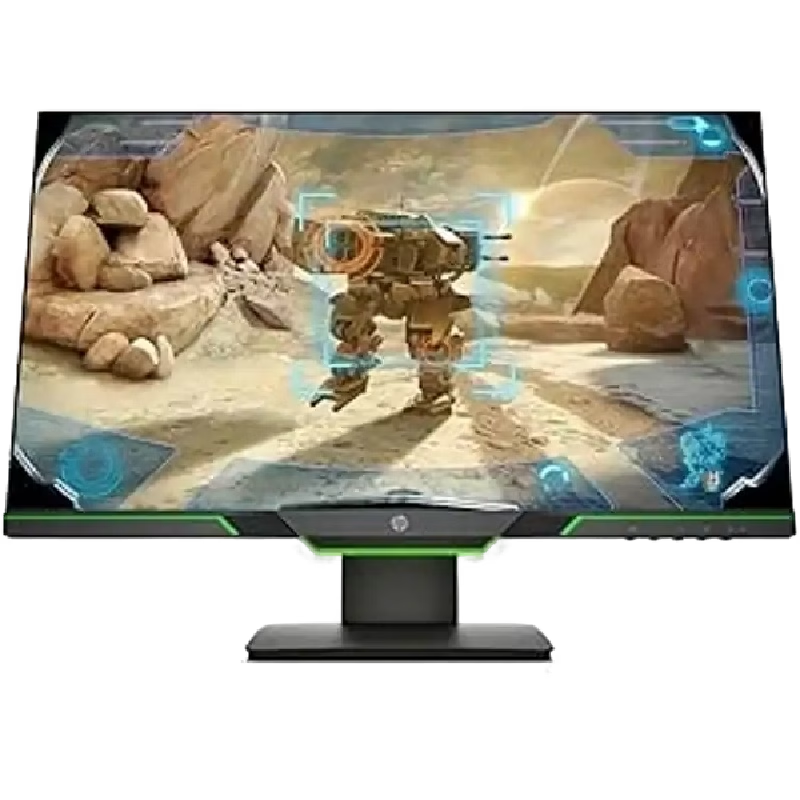
The MSI MAG 244F 24″ 200 Hz Gaming Monitor delivers smooth visuals with super‑fast refresh rate. It features a full HD (1920×1080) IPS panel for vivid colors and wide viewing angles. Moreover, its 1 ms MPRT response time reduces motion blur during fast-paced gameplay. Also, the 200 Hz refresh rate ensures fluid motion in competitive games. In addition, the monitor supports Adaptive‑Sync to eliminate screen tearing and stutter. Besides that, the slim bezel design creates an immersive multi‑monitor setup. Furthermore, the adjustable stand allows tilt, height, and swivel customization. Therefore, users can find a comfortable viewing position effortlessly. It includes DisplayPort and HDMI inputs for flexible connectivity. Also, built‑in gaming presets offer easy optimization for different game genres. Plus, MSI’s Anti‑Flicker and Less Blue Light technologies reduce eye strain. Meanwhile, the monitor uses a VESA mount for wall or arm installation. Importantly, the sturdy stand delivers stable support during intense gaming sessions. Also, on‑screen crosshair overlays enhance accuracy in FPS games. Unlike standard monitors, this one targets e‑sports and fast‑reaction players. However, it still works well for streaming, editing, and productivity tasks. For example, racing, shooter, or fighting games feel more responsive and clear. Then, users connect cables, power on, and enjoy lag‑free visuals instantly. Moreover, the ergonomics support comfort during long gaming or desk sessions. As a result, performance gains combine with healthy posture support. Also, the display’s vivid contrast keeps dark and bright details visible. In addition, its low input lag provides competitive advantage in fast games. Therefore, gamers stay ahead with accurate and real‑time feedback. Also, the monitor’s sleek black design complements any gaming setup. Furthermore, MSI’s reliable build quality offers long‑term durability. Consequently, users gain both style and substance in one package. Also, all essential cables come in the box for easy setup. In conclusion, the MSI MAG 244F offers 200 Hz speed, IPS clarity, and gaming comfort. Finally, it’s a smart investment for serious gamers seeking fluid performance. Specifications: Display : 23.8” Rapid IPS Resolution : 1920 x 1080 (FHD) Refresh Rate : 200Hz Response Rate : 0.5ms

Model: Cozy Classic Case Material: Waterproof 900D polyester+ Micro Fiber+ Faux fur lining Waterproof material Anti-scratch fur lining Durabl& Smooth YKK zipper Patent anti-drop strip inside Net weight: 14inch/560g, 16inch/650g 14 inch: 35.5*25*4.5cm 16 inch: 39.5*27*4.5 WiWU Cozy Classic Laptop Sleeve Protect your investment with the WiWU Cozy Classic, a premium laptop sleeve that balances elegant aesthetics with rugged, everyday protection. Shockproof Security: Engineered with a specialized 360° anti-drop border and reinforced corners to safeguard your device against accidental falls and impacts. Weatherproof Shield: Made from high-density waterproof polyester, ensuring your laptop remains completely dry and safe from spills or rain. Scratch-Free Interior: Features a luxurious, soft faux-fur lining that cushions your device and prevents surface scratches during transport. Travel-Ready Design: Ultra-slim and lightweight with a sturdy, retractable handle, making it easy to carry alone or slip into a larger bag. Extra Storage: Includes a spacious front zippered pocket to neatly organize your charger, mouse, and cables alongside your laptop. Available for: 14″ | 16″ Models

Genuine-spec touchpad flex cable for MacBook Pro 16″ (Model A2141, 2019, Intel)—essential for restoring full Force Touch functionality, haptic feedback, and precise multi-touch gesture control during trackpad repair or replacement. Compatible With: MacBook Pro 16-inch (2019, Model A2141) with Intel Core i7/i9 processors (Model Identifier: MacBookPro16,1) (Note: A2141 is the non-base configuration of the 2019 16″ MacBook Pro—typically higher-end Intel models.) Part Type: Touchpad flex cable only—does not include the trackpad housing, Taptic Engine, or mounting hardware. This is the OEM-style ribbon cable that connects the trackpad to the logic board. Function: Transmits touch coordinates, Force Touch pressure data, and haptic feedback signals—critical for macOS gestures (e.g., Force Click, three-finger lookup, pinch-to-zoom) and Taptic Engine responsiveness. OEM-Quality Construction: Replicated to Apple’s exact specifications—including cable length, connector pitch, EMI shielding, and bend radius—ensuring reliable signal integrity and long-term durability. Common Use Cases: Replacing a torn, creased, or liquid-damaged original flex cable Completing a trackpad replacement when the original cable is compromised Fixing intermittent trackpad behavior, loss of Force Touch, or complete unresponsiveness Replacing a torn, creased, or liquid-damaged original flex cable Completing a trackpad replacement when the original cable is compromised Fixing intermittent trackpad behavior, loss of Force Touch, or complete unresponsiveness Installation Note: Requires full disassembly of the bottom case, speaker removal, and careful routing beneath the battery and logic board. Connectors use ZIF (Zero Insertion Force) sockets—must be aligned and latched gently. Recommended for certified or professional repair technicians only. Important: This is flex cable only—not a complete trackpad assembly. Must be used with the original or compatible A2141 trackpad and Taptic Engine. Not compatible with M1 MacBook Pro 16″ (A2485), 14″ models (A2442), or any MacBook Air. This is flex cable only—not a complete trackpad assembly. Must be used with the original or compatible A2141 trackpad and Taptic Engine. Not compatible with M1 MacBook Pro 16″ (A2485), 14″ models (A2442), or any MacBook Air. Model Verification: Confirm your device is MacBook Pro A2141 (16″, 2019, Intel) via > About This Mac > Model Identifier (should read MacBookPro16,1).

HP SPro 322pe Monitor Overview The HP SPro 322pe is a professional Full HD monitor built for daily business use. It delivers reliable performance and a clean design. As a result, it fits perfectly in offices and work-from-home setups. 21.5-Inch Full HD Display This monitor features a 21.5-inch Full HD resolution. Therefore, text appears sharp and easy to read. Moreover, images look clear and balanced. Because of this, it supports productivity tasks with ease. In addition, the compact size saves desk space. As a result, it works well in smaller work areas. Smooth and Stable Visual Experience The HP SPro 322pe offers smooth and stable visuals. Therefore, everyday tasks feel comfortable. In addition, scrolling and browsing look natural. This makes it suitable for long working hours. Eye Comfort for Long Sessions This monitor includes eye comfort features. As a result, it helps reduce eye fatigue. Moreover, the anti-glare screen improves visibility. Therefore, users stay focused throughout the day. Connectivity and Ease of Use The HP SPro 322pe includes essential connectivity options. As a result, it connects easily to most PCs. Moreover, setup is quick and straightforward. This saves time and effort. Professional Design and Flexibility The monitor features a simple and professional design. In addition, it supports VESA mounting. As a result, users can customize their workspace layout. Ideal for Office and Business Use This monitor focuses on efficiency and reliability. Moreover, it supports daily workloads without distraction. In conclusion, it is a solid choice for professional environments. Specifications: Display : 21.45″ VA Resolution : FHD (1920 X 1080) Connectivity: 1x HDMI 1.4, 1x VGA. Performance: 100Hz refresh rate for smooth motion, 5ms GtG response time.

Genuine-spec touchpad flex cable for MacBook Air 13″ (Model A1534, Early 2015)—essential for restoring full trackpad functionality, including precise cursor control and physical click response, during repair or replacement. Compatible With: MacBook Air 13-inch (Early 2015, Model A1534, Model Identifier MacBookAir7,2). Part Type: Touchpad flex cable only—does not include the trackpad housing, button mechanism, or mounting brackets. This is the ribbon cable that connects the trackpad to the logic board. Function: Carries input signals from the trackpad to the logic board—critical for cursor movement, tap-to-click, and primary/secondary physical click functionality. (Note: This model uses a physical click mechanism, not Force Touch—so no haptic feedback or pressure-sensing.) OEM-Quality Construction: Matches Apple’s original cable in length, connector type, and shielding—ensures reliable signal transmission and long-term durability. Common Use Cases: Replacing a torn, frayed, or damaged original flex cable Completing a trackpad replacement when the original cable is compromised Fixing erratic cursor movement, unresponsive trackpad, or loss of click function Replacing a torn, frayed, or damaged original flex cable Completing a trackpad replacement when the original cable is compromised Fixing erratic cursor movement, unresponsive trackpad, or loss of click function Installation Note: Requires bottom case removal and careful disconnect/reconnect of the ZIF (Zero Insertion Force) connector on the logic board. The cable routes under the battery—handle with care. Suitable for intermediate to advanced DIYers or technicians.

The MSI PRO MP272L E2 27-inch business monitor is designed for productivity, office workflows, and everyday multitasking. It offers a clean and modern design that fits well in professional setups. Therefore, it helps users stay focused while maintaining an organized workspace. Moreover, the IPS panel delivers consistent colors and wide viewing angles for comfortable collaboration. The Full HD resolution ensures clear text and sharp visuals for documents, spreadsheets, and web browsing. In addition, the 100Hz refresh rate provides smoother scrolling and a more responsive experience than standard office displays. The monitor also includes MSI Eye Care technologies such as anti-flicker and low blue light support. As a result, it reduces eye strain during long working sessions. Furthermore, adaptive sync support helps improve smoothness in general media playback. In addition, the MSI PRO MP272L E2 27-inch business monitor supports multiple connectivity options, making it easy to connect laptops, desktops, and other devices. It also includes tilt adjustment for better ergonomic positioning. Consequently, it is suitable for both home offices and corporate environments. The MSI PRO MP272L E2 27-inch business monitor delivers a balanced mix of comfort, clarity, and productivity-focused performance. Specifications: 27-inch Full HD (1920 × 1080) IPS display 100Hz refresh rate for smoother visuals Anti-flicker and low blue light eye-care technology Wide 178° viewing angles for consistent colors HDMI and DisplayPort connectivity with ergonomic tilt support

The LG 34U530A-W 34″ WFHD IPS 100Hz Monitor delivers wide and immersive visuals that enhance work, entertainment, and gaming experiences. Its 34-inch ultra-wide display provides a larger view area that helps with multitasking, productivity, and movie watching. Moreover, the WFHD resolution ensures clear and detailed images so you can see content with accuracy and sharpness. This monitor features an IPS panel that offers wide viewing angles and consistent color performance, making it suitable for creative work, office tasks, and everyday use. Additionally, the 100Hz refresh rate delivers smoother motion during gaming and video playback compared to standard displays. The sleek white design fits easily into modern home and office setups without taking up too much space. The LG 34U530A-W includes multiple connectivity options that allow you to connect laptops, desktops, and other devices with ease. Furthermore, its ergonomic tilt adjustment helps maintain comfortable viewing during long sessions. Therefore, it is ideal for home users, students, professionals, and gamers who want a versatile monitor. Finally, it combines immersive wide visuals, smooth performance, and user-friendly design for everyday use. Specifications: 34″ ultra-wide WFHD monitor IPS panel with wide viewing angles 100Hz refresh rate for smoother motion Sleek design with versatile connectivity Comfortable for work, entertainment, and gaming

The ViewSonic VX2758A-2K-PRO-3 27″ 2K 240Hz Gaming Monitor delivers fast and smooth visuals for serious gaming. Its 2K resolution shows sharp detail and clean image quality. The 27-inch screen gives wide viewing space for full immersion. This helps you enjoy every game scene clearly. Moreover, the ViewSonic VX2758A-2K-PRO-3 27″ 2K 240Hz Gaming Monitor features a powerful 240 Hz refresh rate. This high refresh rate makes motion extremely smooth and fluid. Fast games look clean and responsive at all times. As a result, reaction time improves during competitive play. In addition, the monitor offers a very fast response time. This helps reduce ghosting and motion blur during quick action. Movements feel sharp and accurate on screen. This gives a clear advantage in fast-paced games. Furthermore, the ViewSonic VX2758A-2K-PRO-3 27″ 2K 240Hz Gaming Monitor uses an IPS panel for wide viewing angles. Colors stay accurate from different positions. Images remain bright and clear even from the side. This improves both gaming and content viewing. Also, the monitor supports adaptive sync technology. This helps reduce screen tearing and stuttering during gameplay. Frame changes stay smooth and stable. This keeps the gaming experience clean and enjoyable. In addition, the monitor includes modern connection options. It supports DisplayPort and HDMI for easy setup. You can connect gaming PCs, consoles, and media devices quickly. This adds strong flexibility to your setup. Moreover, the slim bezel design gives the monitor a clean and modern look. It fits well on small and large desks. The stand allows tilt adjustment for simple comfort control. Wall mounting is also supported for clean setups. Overall, the ViewSonic VX2758A-2K-PRO-3 27″ 2K 240Hz Gaming Monitor delivers speed, clarity, and smooth performance in one display. It improves gaming accuracy and visual comfort. This monitor is ideal for fast gaming, daily use, and competitive players. Specifications: Resolution : 2K QHD Display : 27″ IPS Refresh Rate : 240Hz Response Time : 1ms

A dependable pre-owned Dell Latitude 5490 with 14" display, 8th Gen Core i5, 16GB RAM, and 512GB SSD—offering strong performance, enterprise security, and durability for business and professional use.

LG 27U411A-B is a 27-inch Full HD monitor designed for work, entertainment, and everyday gaming. Additionally, it features an IPS panel that delivers accurate colors and wide viewing angles for comfortable daily use. Moreover, the monitor supports a 120Hz refresh rate for smoother motion during gaming and scrolling. Therefore, users can enjoy more fluid visuals with reduced motion blur in fast-moving scenes. In addition, HDR10 support and sRGB 99% color coverage improve brightness and color accuracy. As a result, movies, games, and creative content appear more vivid and detailed. Furthermore, LG includes gaming features such as Dynamic Action Sync, Black Stabilizer, and 1ms Motion Blur Reduction. Likewise, Reader Mode and Flicker Safe technology help reduce eye strain during long sessions. The slim stand and 3-side borderless design create a clean modern setup. Additionally, the monitor supports tilt adjustment and VESA wall mounting for flexible placement options. Finally, LG 27U411A-B combines smooth 120Hz performance, IPS color quality, and modern styling in a versatile 27-inch monitor for gaming and productivity. Manufacturer link Specifications: 27-inch Full HD IPS display 120Hz refresh rate support HDR10 and sRGB 99% color coverage 1ms Motion Blur Reduction technology Slim stand with borderless design

The Asus ZenScreen 15.6″ Portable USB Monitor is the perfect solution for productivity on the go. Its slim and lightweight design makes it easy to carry anywhere. Whether you’re working, studying, or gaming, this portable monitor enhances your experience. With a Full HD 1080p display, the Asus ZenScreen delivers crisp and vibrant visuals. The IPS panel ensures wide viewing angles and accurate colors. Enjoy clear images whether you’re indoors or outdoors. Setting up the Asus ZenScreen 15.6″ Portable USB Monitor is simple. It connects via USB-C or USB-A, making it compatible with laptops, tablets, and smartphones. No need for extra drivers or complicated installations. This monitor features an auto-rotating screen, allowing you to switch between portrait and landscape modes. It’s ideal for coding, reading documents, or multitasking efficiently. With TÜV Rheinland-certified Eye Care technology, the Asus ZenScreen reduces blue light and flicker. This helps minimize eye strain, making it perfect for long hours of use. Work or watch comfortably without discomfort. The Asus ZenScreen Portable USB Monitor comes with a foldable smart case that doubles as a stand. Adjust it to different angles for the best viewing experience. The built-in pen hole also lets you prop up the monitor with a pen. Designed for both professionals and casual users, this monitor is a must-have for portable productivity. Stay efficient and expand your screen space wherever you go. Upgrade your workflow today with the Asus ZenScreen 15.6″ Portable USB Monitor. Specifications: Display : 15.6″ IPS Resolution : FHD (1920×1080) Refresh Rate : 60Hz Response Rate : 5ms GTG Interface : USB-C

The BenQ PD2706U 27″ 4K 60Hz Monitor is crafted for designers and content creators who demand color accuracy and clarity. Its 27-inch IPS panel delivers a 3840×2160 resolution, ensuring sharp visuals and detailed imagery. With 95% DCI-P3, 100% sRGB, and 100% Rec.709 color space coverage, this monitor offers vibrant and true-to-life colors. Factory calibration ensures Delta E ≤ 3, providing consistent color accuracy across projects. The PD2706U supports HDR10 and VESA DisplayHDR 400, enhancing dynamic range for more realistic images. Its anti-glare screen and 178° viewing angles ensure comfortable viewing in various lighting conditions. Connectivity is streamlined with a 90W USB-C port, HDMI 2.0, and DisplayPort 1.4, facilitating easy integration with multiple devices. The built-in KVM switch allows control of two systems using one keyboard and mouse setup. Ergonomic features include height adjustment, tilt, swivel, and pivot, enabling users to customize their viewing experience for comfort. The monitor’s sleek design complements modern workspaces. Additional features like Low Blue Light and Flicker-Free technology reduce eye strain during extended use. The included Hotkey Puck G2 provides quick access to frequently used settings. In summary, the BenQ PD2706U 27″ 4K 60Hz Monitor combines high-resolution display, accurate color reproduction, and user-friendly features, making it an excellent choice for creative professionals. Specifications: Display : 27″ IPS Resolution : 4K (3840×2160) Refresh Rate : 60Hz Response Time : 5ms Speaker : Integrated

Genuine-spec battery flex cable for MacBook Pro models A2159 (16", 2019), A1708 (13", 2016–2017), and A2338 (13", 2020 M1)—restores critical communication between the battery and logic board for proper power-on, charging, and macOS battery status. Genuine-spec battery flex cable for MacBook Pro models A2159 (16″, 2019), A1708 (13″, 2016–2017), and A2338 (13″, 2020 M1)—restores critical communication between the battery and logic board for proper power-on, charging, and macOS battery status. Carries SMBus (System Management Bus) signals from the battery to the logic board Enables: Accurate battery percentage and health reporting in macOS Proper charging control (start/stop, thermal throttling) Power-on capability (MacBooks will not boot without this connection) Prevention of “Battery Not Charging” or “Service Battery” errors Accurate battery percentage and health reporting in macOS Proper charging control (start/stop, thermal throttling) Power-on capability (MacBooks will not boot without this connection) Prevention of “Battery Not Charging” or “Service Battery” errors MacBook won’t turn on (even with a good battery) Battery shows “–%”, 0%, or “Not Charging” Random shutdowns under load macOS displays “No Battery Available” Logic board powers fans or lights but no display output Battery flex cable only (with OEM-style connector and strain relief) ❌ Does not include: battery, logic board, or trackpad Requires full bottom case removal and battery disconnection Connects via a ZIF or press-fit socket on the logic board Must be routed precisely to avoid tension or micro-tears Highly recommended for experienced or certified technicians—improper installation can cause permanent power or battery communication failure
