
Genuine-spec touchpad flex cable for MacBook Pro 15″ (Model A1706 – 2017 and A1989 – 2018/2019)—restores full Force Touch functionality, haptic feedback, and precise multi-touch gesture control during trackpad repair or replacement. Compatible With: MacBook Pro 15″ (2017) – Model A1706 (Model Identifier: MacBookPro14,3) MacBook Pro 15″ (2018–2019) – Model A1989 (Model Identifier: MacBookPro15,2) ✅ Note: Apple used the same trackpad assembly and flex cable across both A1706 and A1989 15″ models—making this part interchangeable between them. MacBook Pro 15″ (2017) – Model A1706 (Model Identifier: MacBookPro14,3) MacBook Pro 15″ (2018–2019) – Model A1989 (Model Identifier: MacBookPro15,2) ✅ Note: Apple used the same trackpad assembly and flex cable across both A1706 and A1989 15″ models—making this part interchangeable between them. ✅ Note: Apple used the same trackpad assembly and flex cable across both A1706 and A1989 15″ models—making this part interchangeable between them. Part Type: Touchpad flex cable only — does not include the trackpad housing, Taptic Engine, or mounting hardware. This is the OEM-style ribbon cable connecting the trackpad to the logic board. Function: Transmits: Touch input coordinates Force Touch pressure data Haptic feedback signals to the Taptic Engine Enables full macOS gesture support: Force Click, three-finger lookup, swipe navigation, pinch-to-zoom, and smooth cursor tracking. Touch input coordinates Force Touch pressure data Haptic feedback signals to the Taptic Engine Enables full macOS gesture support: Force Click, three-finger lookup, swipe navigation, pinch-to-zoom, and smooth cursor tracking. OEM-Quality Build: Matches Apple’s original in: Cable length and routing Connector pitch and ZIF latch design EMI shielding and flex durability Cable length and routing Connector pitch and ZIF latch design EMI shielding and flex durability Common Use Cases: Replacing a torn, creased, or liquid-damaged original flex cable Completing a trackpad replacement when the original cable is compromised Fixing intermittent trackpad behavior, loss of Force Touch, or complete unresponsiveness Replacing a torn, creased, or liquid-damaged original flex cable Completing a trackpad replacement when the original cable is compromised Fixing intermittent trackpad behavior, loss of Force Touch, or complete unresponsiveness Installation Note: Requires full bottom case removal and battery disconnection. Cable routes under internal components near the right speaker and logic board. Connects via a ZIF (Zero Insertion Force) socket—must be aligned carefully and latched gently. Recommended for experienced or certified technicians only. Requires full bottom case removal and battery disconnection. Cable routes under internal components near the right speaker and logic board. Connects via a ZIF (Zero Insertion Force) socket—must be aligned carefully and latched gently. Recommended for experienced or certified technicians only.

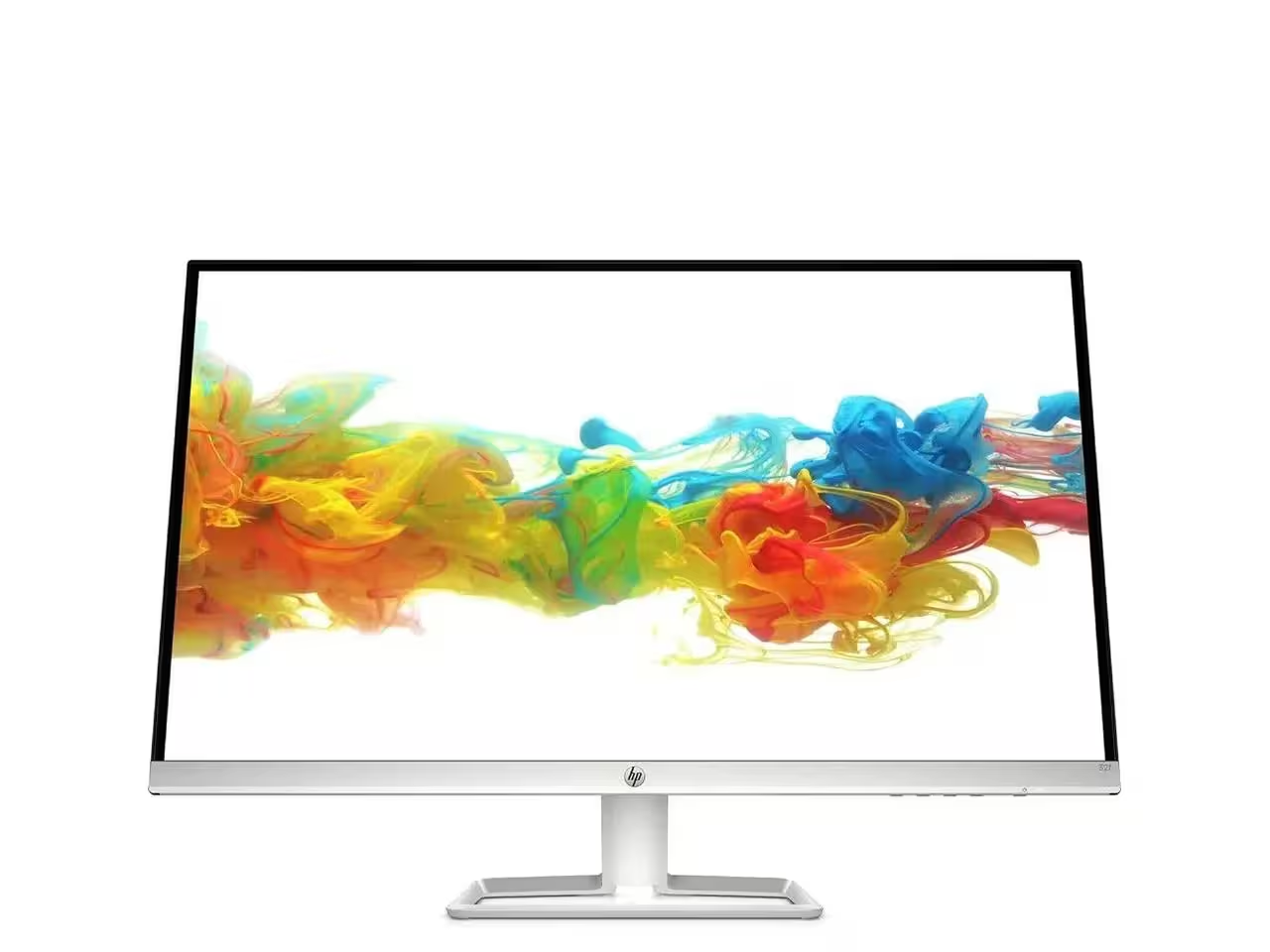
Enhance Your Viewing Experience with the HP FHD 27” Monitor | V27i In today’s digital age, having a reliable and clear monitor is essential. The HP FHD 27” Monitor | V27i delivers. Transitioning from your old monitor to the V27i is straightforward, even if you’re not tech-savvy. This 27-inch monitor offers a spacious screen, perfect for work, entertainment, and everyday tasks. Its user-friendly interface ensures anyone can use it without complicated settings. The V27i provides crisp and clear visuals with Full HD resolution, enhancing your viewing experience. With its sleek and minimalist design, it complements any workspace or home setup. The monitor’s energy-efficient design saves power and reduces your environmental impact. In summary, the HP FHD 27” Monitor | V27i offers a simple and impressive solution for your computing needs. Elevate your viewing experience with this accessible and reliable display. you can always check here and if you like to see more options you can always check here! Specifications: HP V27i G5 FHD Monitor (65P64AS) Display size (diagonal) 68.6 cm (27″) Low blue light Yes (TÜV certified) Panel bit depth 8 bit (6 bit + FRC) Pixels per inch (ppi) 82 ppi Resolution (maximum) FHD (1920 x 1080 @ 75 Hz) 1 year warranty

The LG 32UR500K-B 32 Inch Monitor delivers large-screen clarity and detailed visuals for work, entertainment, and everyday computing. Its spacious 32-inch display provides an immersive viewing experience, making it ideal for productivity, content consumption, and multitasking. Moreover, the high-resolution panel ensures sharp images and vibrant colors, allowing users to enjoy clear visuals across various applications. This monitor offers wide viewing angles and accurate color reproduction, making it suitable for office tasks, media editing, and home entertainment. Additionally, the sleek and modern design fits easily into professional or home setups while maximizing desk space efficiency. The large screen size also allows users to work with multiple windows comfortably without constant switching. The LG 32UR500K-B includes multiple connectivity options, making it easy to connect PCs, laptops, and consoles. Furthermore, ergonomic tilt adjustments allow comfortable viewing during long work or entertainment sessions. Therefore, it is perfect for professionals, students, and home users seeking performance and comfort. Finally, it combines large-screen immersion, clarity, and modern design for everyday use. Specifications: 32-inch monitor for work and entertainment High-resolution display for clear visuals Wide viewing angles and accurate colors Multiple connectivity options Sleek and modern design

Reliability meets value in this pre-owned ThinkPad E14 Gen 2. Equipped with the AMD Ryzen 5 4500U 6-core processor, 8GB RAM, and a 512GB NVMe SSD, this laptop is built for students and professionals who need a durable, high-performance machine for everyday multitasking.

MacBook Pro A1708 Battery A1713 for MacBook Pro 13 Inch A1708 Late 2016 Mid 2017 (EMC 2978 3164), A2171 Laptop Replacement Battery for MacBook Pro 13 Inch A2159 (2019) A2289 (2020) A2338 (2020) 【Macbook pro 13 Inch battery A1713 & A2171 Battery Specification】– Voltage: 11.4V. Capacity: 54.5Wh / 4781mAh, Battery Type: Li-ion 【Newest 4.0 upgraded OEM Battery for Apple macbook pro】– Japan High Performance Electric Core. Cobalt Proportion: >98%. Upgrade chip. Up to 1500+ recharge cycles over the life of the battery. Overcharger and Discharger Circuit Protection, Ensure fast charges and low power consumption, UL-/CE-/FCC-/RoHS-Certified for safety 【Replacement Battery A1713 for A1708 Macbook pro 13 inch】– A1708 Macbook pro 13” Late 2016: MacBook Pro 13-Inch “Core i5” 2.0 & MacBook Pro 13-Inch “Core i7” 2.4 (MacBookPro13,1, EMC2978, MLL42xx/A, MLUQ2xx/A). — A1708 Macbook pro 13” Mid 2017: MacBook Pro 13-Inch “Core i5” 2.3 & MacBook Pro 13-Inch “Core i7” 2.5 (MacBookPro14,1, EMC3164, MPXQ2xx/A, MPXR2xx/A, MPXT2xx/A, MPXU2xx/A) 【Replacement Battery A2171 for A2159 & A2289 & A2338 Macbook pro 13 inch】– A2159 Macbook pro 13” 2019: MacBook Pro 13-Inch “Core i5” 1.4 Touch & “Core i7” 1.7 Touch (MacBookPro15,4, EMC3301, MUHN2xx/A, MUHP2xx/A, MUHQ2xx/A, MUHR2xx/A, MUHR2xx/B). — A2289 Year 2020: MacBook Pro 13-Inch “Core i5” 1.4 & “Core i7” 1.7 (MacBookPro16,3, EMC 3456, MXK32xx/A, MXK52xx/A, MXK62xx/A, MXK72xx/A). — A2338 Year 2020: MacBook Pro 13-Inch “M1” 8-Core 3.2 (MacBookPro17,1, EMC3578, MYDA2LL/A*)

Genuine-spec touchpad flex cable for MacBook Pro 13″ (Model A2251, 2020, Intel)—essential for restoring full Force Touch functionality, haptic feedback, and precise multi-touch gesture control during trackpad repair or replacement. Compatible With: MacBook Pro 13-inch (2020, Two Thunderbolt Ports, Model A2251, Model Identifier MacBookPro16,1) with Intel Core i5/i7 processors. Part Type: Touchpad flex cable only—does not include the trackpad housing, Taptic Engine, or mounting hardware. This is the OEM-style ribbon cable that connects the trackpad to the logic board. Function: Transmits: Precise touch coordinates Force Touch pressure data Haptic feedback signals to the Taptic Engine Enables full macOS gesture support including Force Click, three-finger lookup, swipe navigation, and inertial scrolling. Precise touch coordinates Force Touch pressure data Haptic feedback signals to the Taptic Engine Enables full macOS gesture support including Force Click, three-finger lookup, swipe navigation, and inertial scrolling. OEM-Quality Build: Matches Apple’s original specifications in: Cable length and routing Connector pitch and ZIF latch design EMI shielding and flex durability Cable length and routing Connector pitch and ZIF latch design EMI shielding and flex durability Common Use Cases: Replacing a torn, creased, or liquid-damaged original flex Completing a trackpad replacement when the original cable is compromised Fixing intermittent trackpad behavior, loss of Force Touch, or complete unresponsiveness Replacing a torn, creased, or liquid-damaged original flex Completing a trackpad replacement when the original cable is compromised Fixing intermittent trackpad behavior, loss of Force Touch, or complete unresponsiveness Installation Note: Requires full bottom case removal and partial disassembly (including battery disconnect). Cable routes under the right speaker and logic board—must be seated in original retention channels. Connects via ZIF (Zero Insertion Force) socket—align carefully and latch gently. Recommended for experienced or certified technicians only. Requires full bottom case removal and partial disassembly (including battery disconnect). Cable routes under the right speaker and logic board—must be seated in original retention channels. Connects via ZIF (Zero Insertion Force) socket—align carefully and latch gently. Recommended for experienced or certified technicians only.

Genuine-spec touchpad flex cable for MacBook Pro 13″ (Model A2289, 2020, Intel)—restores full Force Touch functionality, haptic feedback, and preci multi-touch gesture control. OEM-quality replacement for damaged or faulty original cables. Compatible With: MacBook Pro 13-inch (2020, Four Thunderbolt Ports, Model A2289, Model Identifier MacBookPro16,2) with Intel Core i5/i7 processors. Part Type: Touchpad flex cable only — does not include the trackpad housing, Taptic Engine, or mounting hardware. This is the OEM-style ribbon cable that connects the trackpad to the logic board. Function: Transmits: Touch input coordinates Force Touch pressure data Haptic feedback signals to the Taptic Engine Enables full macOS gesture support: Force Click, three-finger lookup, swipe navigation, pinch-to-zoom, and smooth cursor tracking. Touch input coordinates Force Touch pressure data Haptic feedback signals to the Taptic Engine Enables full macOS gesture support: Force Click, three-finger lookup, swipe navigation, pinch-to-zoom, and smooth cursor tracking. OEM-Quality Build: Matches Apple’s original specifications in: Cable length and routing path Connector pitch and ZIF latch design EMI shielding and flex durability Cable length and routing path Connector pitch and ZIF latch design EMI shielding and flex durability Common Use Cases: Replacing a torn, creased, or liquid-damaged original flex cable Completing a trackpad replacement when the original cable is unusable Fixing: Intermittent or erratic trackpad behavior Loss of Force Touch or haptic feedback Complete trackpad unresponsiveness Replacing a torn, creased, or liquid-damaged original flex cable Completing a trackpad replacement when the original cable is unusable Fixing: Intermittent or erratic trackpad behavior Loss of Force Touch or haptic feedback Complete trackpad unresponsiveness Intermittent or erratic trackpad behavior Loss of Force Touch or haptic feedback Complete trackpad unresponsiveness Installation Note: Requires full bottom case removal and battery disconnection. Cable routes under internal components (speaker, logic board)—must follow original path. Connects via ZIF (Zero Insertion Force) socket—align carefully, never force. Recommended for experienced or certified technicians only. Requires full bottom case removal and battery disconnection. Cable routes under internal components (speaker, logic board)—must follow original path. Connects via ZIF (Zero Insertion Force) socket—align carefully, never force. Recommended for experienced or certified technicians only. Important Compatibility Notes: ✅ Only for A2289 (13″, 4 Thunderbolt ports, 2020, Intel) ❌ Not compatible with: A2251 (2 Thunderbolt ports, 2020) A2338 (M1 MacBook Pro, 2020) Any MacBook Air or 14″/16″ MacBook Pro ✅ Only for A2289 (13″, 4 Thunderbolt ports, 2020, Intel) ❌ Not compatible with: A2251 (2 Thunderbolt ports, 2020) A2338 (M1 MacBook Pro, 2020) Any MacBook Air or 14″/16″ MacBook Pro A2251 (2 Thunderbolt ports, 2020) A2338 (M1 MacBook Pro, 2020) Any MacBook Air or 14″/16″ MacBook Pro

The MSI MAG 272F X24 is a 27‑inch FHD gaming monitor made for fast and fluid gameplay. It delivers vibrant Full HD visuals with a rapid 240 Hz refresh rate. Furthermore, its fast 0.5 ms response time helps reduce motion blur and ghosting for clearer action. This monitor uses Adaptive‑Sync technology, which improves smoothness and reduces tearing during high‑speed gaming. In addition, its panel offers wide viewing angles and consistent color performance, helping players see details clearly from different positions. Moreover, the display includes multiple connectivity options such as DisplayPort and HDMI, allowing easy setup with gaming PCs and consoles. Ergonomic adjustments support tilt and height changes for comfortable long sessions. As a result, the MSI MAG 272F X24 enhances both competitive play and casual gaming experiences. Specifications: 27‑inch FHD (1920 × 1080) display with 240 Hz refresh rate 0.5 ms response time for reduced motion blur Adaptive‑Sync for smooth gaming performance Multiple connectivity options including DisplayPort and HDMI Ergonomic tilt and height adjustment for comfortable use

VSTAR UA150 1500VA UPS | Simulated Sine Wave Output | 230V | 24VDC Battery System | 50/60Hz Auto Sensing | Compact Design | Black Color | Model UPS-UA150 Robust 1500VA Power CapacityThe VSTAR UA150 delivers 1500VA of reliable backup power to safeguard your essential electronics, including PCs, servers, routers, and security systems. Dual Voltage CompatibilitySupports 110/120V or 220/230/240V input, making it ideal for use in a variety of international voltage environments. Stable 230V Output with AVR FunctionalityMaintains a consistent 230VAC output, protecting connected devices from voltage fluctuations and surges. Simulated Sine Wave OutputProvides a simulated sine wave waveform suitable for most common electronics, especially during normal backup operations. Auto-Sensing FrequencyAutomatically detects 50Hz or 60Hz power sources, adapting to your electrical environment without manual adjustments. Compact, Space-Saving DesignMeasuring just 353 x 149.3 x 162 mm, the UA150 fits neatly on or under desks, in server cabinets, or against walls. Reliable 24VDC Battery SystemOperates on a 24VDC internal battery configuration, delivering longer runtimes and better reliability during outages. Universal Output SocketsEquipped with IEC-style or universal output sockets that are compatible with a wide range of devices. Sleek Black FinishA clean and modern black color allows it to blend seamlessly into professional or home environments. Ideal for Home or OfficeProtects critical electronics, telecom gear, and POS systems from data loss and downtime.

Digital Device Laptop Keyboard Compatible for MacBook AIR 13″ A1369 A1466 (MID 2011- MID 2017) US Layout 【Unique】Pls see detail compatible models in description below. 【Safe】Easy for you replace your faulty, cracked or broken keyboard ,seller remind that you should replace the keyboard in the off state. All pictures are taken from the real item, please check carefully before bidding, Replacement and high quality, Replace your faulty, cracked or broken keyboard. Each keyboard is tested before shipping Compatibility: MacBook Air 13″ A1369 Mid 2011: MC965LL/A (1.7 GHz Core i5) Mid 2011: MC966LL/A (1.7 GHz Core i5) Mid 2011: MD226LL/A (1.8 GHz Core i7) Compatibility: MacBook Air 13″ A1466 Mid 2012: MD231LL/A (1.8 GHz Core i5) Mid 2012: MD232LL/A (1.8 GHz Core i5) Mid 2012: MD232LL/A (2.0 GHz Core i7) Mid 2013: MD760LL/A (1.3 GHz Core i5) Mid 2013: MD761LL/A (1.3 GHz Core i5) Mid 2013: MD761LL/A (1.7 GHz Core i7) Early 2014: MD760LL/B (1.4 GHz Core i5) Early 2014: MD761LL/B (1.4 GHz Core i5) Early 2014: MD761LL/B (1.7 GHz Core i7) Compatibility: Early 2015: MJVE2LL/A (1.6 GHz Core i5 or 2.2 GHz Core i7) Early 2015: MJVG2LL/A (1.6 GHz Core i5 or 2.2 GHz Core i7) Identifying Numbers APN #: 661-6059, 661-6635, 661-7480

BATTERY DELL RYXXH Laptop Battery Compatible with DELL Latitude E5250 P25S001 Latitude E5450 E5550 DELL Latitude 3150 P21T001 Series Notebook 09P4D2 9P4D2 0YD8XC R5MD0 5TFCY VVXTW VY9ND 38Wh 11.1V About this item 【Basic Details】Item Model: RYXXH ; Battery Type: Li-ion; Voltage: 11.1V; Capacity: 38Wh; Battery Color: Black. 【Compatible P/N 】RYXXH 0RYXXH 9P4D2 R5MD0 YD8XC 5TFCY VVXTW VY9ND 0VY9ND Laptop Battery. 【Compatible Laptop Models】 DELL Latitude 12 5000 Series, DELL Latitude 12 E5250 Series, DELL Latitude E5450 Series, DELL Latitude E5550 Series, DELL Latitude 3150 Series, DELL Latitude 3160 Series. 【Note】The package includes: 1*battery and 1*Instructions. Packaged by sponge or bubbles to prevent damage. Before purchasing, please open the back cover of the laptop to confirm the battery model and shape.

The Samsung 65″ Neo QLED QN70F 4K Vision AI Smart TV QA65QN70FAUXTW delivers a premium viewing experience with advanced Neo QLED technology. It produces bright, sharp, and highly detailed images with strong contrast, so movies, sports, and games look clear and immersive on the 65-inch screen. Neo QLED technology uses Quantum Mini LEDs to improve brightness control and contrast accuracy. As a result, dark scenes appear deeper while bright scenes stay vivid and balanced. This creates a more realistic picture across different types of content. Vision AI enhances picture and sound in real time. It analyzes each scene and automatically adjusts brightness, sharpness, and color. Therefore, the TV consistently delivers optimized visuals without manual settings. In addition, AI upscaling improves lower-resolution content closer to 4K quality for better clarity and detail. HDR support expands brightness range and color depth, making visuals more dynamic and lifelike. Fast motion handling also improves clarity, which enhances sports and action viewing. The Smart TV platform provides easy access to streaming apps, gaming features, and smart home controls. It runs smoothly and responds quickly when switching between apps. In addition, the slim design with thin bezels gives the Samsung 65 Neo QLED QN70F 4K Vision AI Smart TV QA65QN70FAUXTW a modern and premium appearance. Overall, this Samsung Neo QLED TV combines strong brightness performance, AI optimization, and smart connectivity for a powerful entertainment experience. Specifications: Neo QLED technology delivers bright, sharp, and detailed visuals 65-inch 4K display provides immersive viewing experience Vision AI enhances picture and sound automatically in real time HDR improves contrast, brightness, and color depth Smart TV platform supports apps, streaming, and smart features

The Samsung 43-Inch Full HD Smart TV UA43F6000FUXTW uses a 43-inch LCD panel with 1920 × 1080 resolution. It delivers standard Full HD picture quality for everyday TV viewing, streaming, and basic entertainment use. The display supports Full HD resolution, which shows clear and detailed images for HD content. In addition, Samsung picture processing improves lower-resolution sources to reduce noise and enhance clarity on the screen. The TV runs a native 60 Hz refresh rate. Also, motion processing helps reduce blur in fast-moving scenes such as sports and action content. Samsung equips this model with a Smart TV platform based on Tizen OS. Therefore, users can access streaming apps, online content, and basic smart features through a simple interface. Connectivity includes HDMI ports, USB ports, Wi-Fi, Bluetooth, Ethernet LAN, and optical audio output. In addition, the TV supports external devices such as game consoles, set-top boxes, and sound systems. This model focuses on Full HD resolution, essential smart TV functions, and basic connectivity without 4K resolution or advanced display processing features. Specifications: 43-inch LCD panel with 1920 × 1080 Full HD resolution 60 Hz native refresh rate display Tizen OS smart platform with streaming apps HDMI, USB, Wi-Fi, Bluetooth, Ethernet connectivity Supports external devices like consoles and media players

Are you in the market for a reliable monitor that won’t break the bank? Look no further than the ViewSonic VX2719-PC-MHD. In this comprehensive guide, we’ll delve into the key features and advantages of this budget-friendly monitor. The ViewSonic VX2719-PC-MHD offers a stunning 27-inch display, making it perfect for work or play. Its size allows you to enjoy a more immersive visual experience, whether you’re working on a project or streaming your favorite movies. One of the key benefits of this monitor is its Full HD resolution, which ensures that your content appears sharp and clear. Whether you’re editing photos, watching videos, or browsing the web, you’ll appreciate the vivid visuals this monitor delivers. Furthermore, the ViewSonic VX2719-PC-MHD boasts a rapid response time, reducing motion blur during fast-paced games or action-packed movie scenes. This makes it an ideal choice for both gamers and casual users. Connectivity is a breeze with this monitor, thanks to its HDMI and VGA inputs. You can effortlessly connect it to your computer, gaming console, or other devices without any hassle. In terms of setup, the ViewSonic VX2719-PC-MHD is designed with user-friendliness in mind. It comes with an easy-to-follow manual, and the on-screen menu is straightforward, allowing you to customize your display settings without any confusion. 3 years warranty MANUFACTURERS LINK YOU CAN ALSO CHECK HERE Specifications: 240Hz refresh rate for smooth gameplay 1ms (MPRT) response time for precision 1500R Curved screen for immersive visuals AMD FreeSync Premium prevents screen tearing Full HD resolution for rich detail VX2719-PC-MHD

AOC 27G4XE 27-inch 180Hz gaming monitor delivers fast and smooth performance for competitive gaming. It focuses on high refresh rate visuals, low response time, and responsive gameplay for esports and daily use. Additionally, it features a 27-inch Fast IPS panel with Full HD resolution (1920 × 1080). This panel provides sharp image quality and wide viewing angles, so it improves clarity in games and general use. Moreover, it supports a 180Hz refresh rate with up to 0.5ms MPRT response time. As a result, it delivers very smooth motion and reduces blur during fast action scenes. The monitor also includes 1ms GTG response performance. Therefore, it improves pixel transition speed and helps reduce ghosting in competitive gameplay. In addition, it supports Adaptive Sync technology. This reduces screen tearing and stuttering, so gameplay stays stable and fluid. Furthermore, it includes HDR10 support and low input lag mode. These features improve contrast and responsiveness for a better gaming experience. AOC 27G4XE 27-inch 180Hz gaming monitor provides fast performance, smooth motion clarity, and essential esports-focused features for competitive players. Check out other option here! Specifications: 27-inch Fast IPS panel with Full HD 1920 × 1080 resolution 180Hz refresh rate for ultra-smooth gameplay 0.5ms MPRT response time for reduced motion blur 1ms GTG response for fast pixel transitions Adaptive Sync and HDR10 support for stable visuals

MSI Modern MD271UL 27″ 4K Business Monitor is a 27-inch IPS display for office work and creative tasks. It shows 4K UHD resolution (3840 × 2160) for sharp text and clear images. Additionally, it fits well in modern minimal setups. Moreover, MSI designed this monitor for color accuracy and productivity. It supports wide color gamut for design and editing work. Therefore, it suits professionals who need reliable visual quality instead of gaming speed. In addition, MSI Modern MD271UL 27″ 4K Business Monitor includes USB-C connectivity with power delivery. This allows a single cable connection for compatible laptops. It also includes HDMI and DisplayPort for flexible use. Furthermore, it adds eye-care features to reduce strain during long sessions. The monitor runs at 60Hz for stable and consistent performance. It works well in offices, studios, and home workspaces. As a result, it supports multitasking and daily productivity with ease. MSI Modern MD271UL 27″ 4K Business Monitor delivers sharp 4K visuals, strong color accuracy, and simple USB-C connectivity for professional use. Specifications: 27-inch 4K UHD IPS display (3840×2160) USB-C with power delivery support Wide color gamut for accurate visuals HDMI and DisplayPort connectivity Eye-care technology for long use comfort

Are you seeking a versatile solution for your presentation and collaboration needs? Look no further than the BenQ RE03A 75″ Board Essential. This cutting-edge interactive whiteboard redefines productivity and engagement in meeting rooms and classrooms alike. With its expansive 75-inch display, the BenQ RE03A offers ample space for showcasing your ideas and content. Whether you’re delivering a presentation, brainstorming with colleagues, or teaching a class, this interactive board provides a captivating canvas for your creativity. Transitioning to functionality, the BenQ RE03A boasts intuitive touch controls that make navigation and interaction effortless. Its responsive touch technology ensures smooth and precise input, allowing you to annotate, draw, and manipulate content with ease. Furthermore, the board’s seamless connectivity options enable seamless integration with your existing devices and software. Whether you’re using a laptop, tablet, or smartphone, the BenQ RE03A ensures compatibility and flexibility for all your presentation needs. In addition, collaboration features such as screen sharing and real-time annotation foster teamwork and idea exchange among participants. Break down communication barriers and enhance productivity with the BenQ RE03A’s collaborative tools. Moreover, the board’s durable construction and anti-glare surface ensure reliability and visibility even in brightly lit environments. Say goodbye to distractions and glare, and hello to clear, crisp visuals every time. In conclusion, the BenQ RE03A 75″ Board Essential is a game-changer for presentations and collaboration. With its large display, intuitive controls, and collaborative features, it empowers users to deliver impactful presentations and foster teamwork like never before. Upgrade your meeting room or classroom with the BenQ RE03A and unlock new possibilities for productivity and engagement. Specifications: Screen Size : 75″ Panel Type : IPS Resolution : UHD 3840×2160 Response Time : 8ms

Original replacement touchpad for MacBook Air A2442, available in Silver and Space Gray. Perfect for fixing unresponsive or damaged trackpads and restoring smooth cursor control and gesture functionality. The Original MacBook Air A2442 Touchpad is a genuine replacement part designed to restore full trackpad performance and functionality. If your MacBook Air trackpad is not clicking, not responding, or physically damaged, this original touchpad provides a reliable solution with smooth tracking and accurate gesture support. Available in Silver and Space Gray, it matches the original laptop finish for a clean professional repair. Original / Genuine Touchpad for MacBook Air A2442 Available in Silver and Space Gray Restores smooth cursor control and multi-touch gestures Reliable clicking and accurate tracking performance Perfect for repair and replacement of damaged trackpads High-quality build for long-term use ✔ MacBook Air 13-inch (2021 / 2022) A2442 Compatible with MacBook Air A2442 models only. Please confirm the model number on the bottom cover before purchase to ensure a correct fit.

The Apildella 14″ Triple Laptop Screen Extender gives your laptop three screens for better productivity. It allows you to work faster and more comfortably. The extender adds two extra displays around your laptop screen. This creates a wider workspace for all your tasks. Moreover, the Apildella Triple Laptop Screen Extender offers clear and bright visuals. Each screen delivers sharp quality for work, gaming, and media. The colors stay consistent across all panels. This helps you focus on your tasks with ease. In addition, the screens connect through simple USB-C or HDMI. The setup process is quick, and you can start using it instantly. There is no need for heavy software. This makes the extender ideal for travel and office use. Furthermore, the Apildella 14″ Triple Laptop Screen Extender works with many laptops. It supports Windows, macOS, and some mobile devices. This wide compatibility makes it useful for students, creators, and professionals. It helps you multitask with less stress. Also, the extender features a foldable and lightweight design. You can pack it in your laptop bag easily. It fits well in small workspaces. This makes it great for remote work and travel. The Apildella Triple Laptop Screen Extender also allows adjustable viewing angles. You can tilt the screens to get a comfortable view. This helps reduce eye strain during long hours of use. It improves your overall productivity. Overall, the Apildella 14″ Triple Laptop Screen Extender gives you more space, better multitasking, and stronger efficiency. It upgrades your laptop into a full workstation instantly. It is perfect for work, study, design, and streaming anywhere you go. Specifications: Display : 14″ Resolution : FHD 1920×1080 Refresh Rate : 60Hz Compatible with 13″ to 17″ laptops, windows/mac

Genuine-spec touchpad flex cable for MacBook Pro 13″ (Model A2338, 2020, Apple M1)—essential for restoring full Force Touch functionality, haptic feedback, and precise multi-touch gesture control during trackpad repair or replacement. Compatible With: MacBook Pro 13-inch (2020, Model A2338, Model Identifier MacBookPro17,1) with Apple M1 chip (2 Thunderbolt ports). Part Type: Touchpad flex cable only — does not include the trackpad housing, Taptic Engine, or mounting hardware. This is the OEM-style ribbon cable that connects the trackpad to the logic board. Function: Transmits: Touch input coordinates Force Touch pressure data Haptic feedback signals to the Taptic Engine Enables full macOS gesture support: Force Click, three-finger lookup, swipe navigation, pinch-to-zoom, and smooth cursor tracking. Touch input coordinates Force Touch pressure data Haptic feedback signals to the Taptic Engine Enables full macOS gesture support: Force Click, three-finger lookup, swipe navigation, pinch-to-zoom, and smooth cursor tracking. OEM-Quality Build: Matches Apple’s original specifications in: Cable length and routing Connector pitch and ZIF latch design EMI shielding and flex durability Cable length and routing Connector pitch and ZIF latch design EMI shielding and flex durability Common Use Cases: Replacing a torn, creased, or liquid-damaged original flex cable Completing a trackpad replacement when the original cable is compromised Fixing intermittent trackpad behavior, loss of Force Touch, or complete unresponsiveness Replacing a torn, creased, or liquid-damaged original flex cable Completing a trackpad replacement when the original cable is compromised Fixing intermittent trackpad behavior, loss of Force Touch, or complete unresponsiveness Installation Note: Requires full bottom case removal and battery disconnection. Cable routes under internal components near the right speaker and logic board. Connects via a ZIF (Zero Insertion Force) socket—must be aligned carefully and latched gently. Recommended for experienced or certified technicians only. Requires full bottom case removal and battery disconnection. Cable routes under internal components near the right speaker and logic board. Connects via a ZIF (Zero Insertion Force) socket—must be aligned carefully and latched gently. Recommended for experienced or certified technicians only. Important Compatibility Notes: ✅ Only for A2338 (13″, M1, 2020) ❌ Not compatible with: Intel-based A2251 / A2289 (2020) MacBook Air M1 (A2337) Any MacBook Air or 14″/16″ MacBook Pro ✅ Only for A2338 (13″, M1, 2020) ❌ Not compatible with: Intel-based A2251 / A2289 (2020) MacBook Air M1 (A2337) Any MacBook Air or 14″/16″ MacBook Pro Intel-based A2251 / A2289 (2020) MacBook Air M1 (A2337) Any MacBook Air or 14″/16″ MacBook Pro
