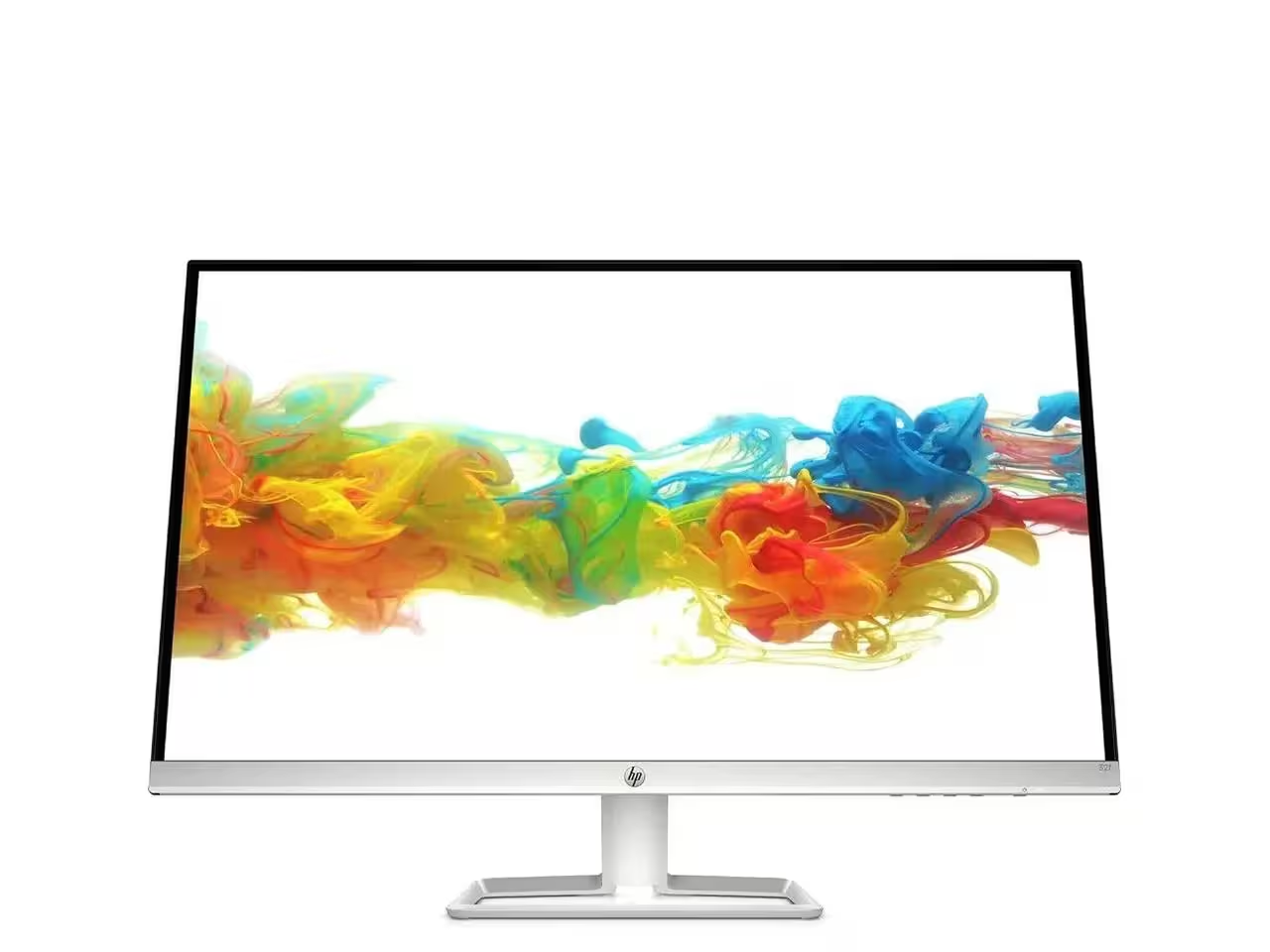

Samsung Lebanon 32″ LS32C390EAMXUE The Samsung Lebanon 32″ Introducing the boldest curve ever This , born from years of and the future of monitor technology. Easy on the eyes In tol monitors that have less curve, 1000R fits the human field of view for less eye strain. A clinical study at Seoul National University Hospital shows that the closer to 1000R, the more it limits eye fatigue. Visionary Minimalism Next-generation design. The striking aesthetic is by a backside and premium-quality slim metal stand. The result is a monitor that won’t just catch eyes. but complements any interior, too. What Gamers Want Welcome to your new playground. AMD FreeSync delivers seamless gaming, while 75Hz makes scenes smooth. This flawless imagery comes together with Game Mode and the renowned 1000R curve for Focused Comfort Protect your eyes and do more. The T55’s advanced eye comfort technology reduces eye strain for more comfortable Flicker Free technology continuously removes tiring and irritating screen flicker, while Eye Saver Mode minimizes emitted blue light. Your eyes stay fresh longer. Ready to Entertain Connect to all your favorite devices with a convenient HDMI, DP, and D-Sub triple interface. The built-in 5 Watt speakers make it even easier lost in your favorite movies or TV shows, without plugging in a speaker. Easy on the eyes with 1000R curved screen Minimalist design with the borderless display, fabric-textured backside and slim metal stand Realistic immersion with the renowned 1000R curve and game-related features Running a monitor self-test is a simple and effective way to check the health and functionality of your computer monitor. The purpose of this test is to diagnose any potential issues with the monitor, such as dead pixels, color accuracy, contrast, or brightness problems. Power off both your computer and the monitor. 2Disconnect the signal cable from the back of the computer. 3Power on the monitor. Specifications: Specifications Screen Curvature1000R Active Display Size (HxV) (mm)698.4×392.85 Flat / CurvedCurved Screen Size (Class)32 3 year warranty Manufacturer Link

Are you in search of the ultimate gaming monitor to enhance your gaming experience? Look no further than the MSI G274QPX 27″ 240Hz Gaming Monitor. Packed with advanced features, this monitor delivers smooth and immersive gameplay. Transitioning to its core, the MSI G274QPX boasts a lightning-fast 240Hz refresh rate, ensuring ultra-smooth motion and fluid gameplay. Whether you’re racing through virtual worlds or engaging in intense firefights, every moment is captured with precision and clarity. Its spacious 27-inch screen provides ample room for immersive gaming sessions, allowing you to see more of the action without compromising on detail. Plus, with its Full HD resolution, you’ll enjoy crisp and sharp visuals that bring your games to life. Furthermore, the MSI G274QPX features Adaptive-Sync technology, reducing screen tearing and stuttering for a seamless gaming experience. Say goodbye to distractions and hello to uninterrupted gameplay. Connectivity is key, and this monitor offers a range of ports including HDMI and DisplayPort, ensuring compatibility with your favorite gaming devices. Whether you’re connecting your PC, console, or other peripherals, you’ll experience hassle-free connectivity. Transitioning to its design, the MSI G274QPX sports a sleek and modern aesthetic that adds a touch of style to any gaming setup. Its slim bezels maximize screen real estate, allowing you to immerse yourself fully in the game without distractions. In conclusion, the MSI G274QPX 27″ 240Hz Gaming Monitor is the perfect choice for gamers seeking unparalleled performance and immersion. With its lightning-fast refresh rate, crisp visuals, and seamless connectivity, it’s time to elevate your gaming experience to new heights. Specifications: Display : 27″ Rapid IPS Resolution : 2560×1440 (WQHD) Refresh Rate : 240Hz Response Rate : 1ms GtG

Genuine-spec touchpad flex cable for MacBook Pro 16″ (Model A2141, 2019, Intel)—essential for restoring full Force Touch functionality, haptic feedback, and precise multi-touch gesture control during trackpad repair or replacement. Compatible With: MacBook Pro 16-inch (2019, Model A2141) with Intel Core i7/i9 processors (Model Identifier: MacBookPro16,1) (Note: A2141 is the non-base configuration of the 2019 16″ MacBook Pro—typically higher-end Intel models.) Part Type: Touchpad flex cable only—does not include the trackpad housing, Taptic Engine, or mounting hardware. This is the OEM-style ribbon cable that connects the trackpad to the logic board. Function: Transmits touch coordinates, Force Touch pressure data, and haptic feedback signals—critical for macOS gestures (e.g., Force Click, three-finger lookup, pinch-to-zoom) and Taptic Engine responsiveness. OEM-Quality Construction: Replicated to Apple’s exact specifications—including cable length, connector pitch, EMI shielding, and bend radius—ensuring reliable signal integrity and long-term durability. Common Use Cases: Replacing a torn, creased, or liquid-damaged original flex cable Completing a trackpad replacement when the original cable is compromised Fixing intermittent trackpad behavior, loss of Force Touch, or complete unresponsiveness Replacing a torn, creased, or liquid-damaged original flex cable Completing a trackpad replacement when the original cable is compromised Fixing intermittent trackpad behavior, loss of Force Touch, or complete unresponsiveness Installation Note: Requires full disassembly of the bottom case, speaker removal, and careful routing beneath the battery and logic board. Connectors use ZIF (Zero Insertion Force) sockets—must be aligned and latched gently. Recommended for certified or professional repair technicians only. Important: This is flex cable only—not a complete trackpad assembly. Must be used with the original or compatible A2141 trackpad and Taptic Engine. Not compatible with M1 MacBook Pro 16″ (A2485), 14″ models (A2442), or any MacBook Air. This is flex cable only—not a complete trackpad assembly. Must be used with the original or compatible A2141 trackpad and Taptic Engine. Not compatible with M1 MacBook Pro 16″ (A2485), 14″ models (A2442), or any MacBook Air. Model Verification: Confirm your device is MacBook Pro A2141 (16″, 2019, Intel) via > About This Mac > Model Identifier (should read MacBookPro16,1).

The LG UltraWide 34″ 100Hz Curved Monitor offers an expansive 21:9 aspect ratio, providing ample screen space for multitasking and immersive viewing. Its 3440 x 1440 WQHD resolution delivers sharp and detailed visuals, enhancing both productivity and entertainment experiences. Featuring a curved display, this monitor ensures consistent color accuracy and wide viewing angles, making it ideal for creative professionals and gamers alike. The 100Hz refresh rate provides smooth motion, suitable for everyday tasks and casual gaming. Equipped with HDR10 support, the monitor enhances contrast and color range, bringing visuals to life with greater depth and realism. The sRGB 99% color gamut ensures vibrant and accurate colors, essential for photo and video editing. Connectivity options include USB Type-C, HDMI, and DisplayPort, allowing seamless integration with various devices. The USB Type-C port supports data transfer and power delivery, simplifying your workspace setup. The ergonomic stand offers height and tilt adjustments, enabling you to customize the monitor’s position for optimal comfort. Its sleek, virtually borderless design adds a modern touch to any workspace. In summary, the LG UltraWide 34″ 100Hz Curved Monitor combines high-resolution visuals, color accuracy, and ergonomic design, making it a versatile choice for professionals and enthusiasts. Specifications: Display : 34″ VA Resolution : 3440 x 1440 WQHD Refresh Rate : 100Hz Response Rate : 5ms GTG Curvature : 1800R

OEM-quality left and right loudspeaker replacement pair for MacBook Pro 15″ (Models A1707 – 2016/2017 and A1990 – 2018/2019)—restores rich, balanced stereo sound with precision acoustic tuning and seamless fit. Compatible With: MacBook Pro 15″ (2016) – Model A1707 (MacBookPro13,2) MacBook Pro 15″ (2017) – Model A1707 (MacBookPro14,2) MacBook Pro 15″ (2018) – Model A1990 (MacBookPro15,2) MacBook Pro 15″ (2019) – Model A1990 (MacBookPro15,2) (Note: Apple used the same speaker assembly across all four years of the 15″ Touch Bar MacBook Pro.) MacBook Pro 15″ (2016) – Model A1707 (MacBookPro13,2) MacBook Pro 15″ (2017) – Model A1707 (MacBookPro14,2) MacBook Pro 15″ (2018) – Model A1990 (MacBookPro15,2) MacBook Pro 15″ (2019) – Model A1990 (MacBookPro15,2) (Note: Apple used the same speaker assembly across all four years of the 15″ Touch Bar MacBook Pro.) Includes: Complete left and right speaker units with pre-attached flex cables and mounting brackets—ready for direct installation. Audio Performance: Engineered to match Apple’s original high-fidelity stereo system—delivers deep bass, clear mids, and crisp highs with wide soundstage and distortion-free playback. OEM Build Quality: Precision-molded housings, correct grille patterns, and exact cable routing ensure secure fit, no rattling, and full compatibility with macOS audio calibration. Common Use Cases: Replaces speakers damaged by liquid spills, physical impact, or wear (e.g., muffled sound, no audio from one side, crackling, or complete failure). Installation Note: Requires full display and logic board access. Speakers are secured with adhesive and screws in tight compartments. Recommended for certified or experienced technicians only. Important: This speaker pair is exclusive to 15″ Touch Bar MacBook Pro models (A1707/A1990). Not compatible with 13″ models (A1708/A1989), 16″ MacBook Pro (A2141), or non-Touch Bar MacBooks. This speaker pair is exclusive to 15″ Touch Bar MacBook Pro models (A1707/A1990). Not compatible with 13″ models (A1708/A1989), 16″ MacBook Pro (A2141), or non-Touch Bar MacBooks. Model Verification: Confirm your device via > About This Mac > Model Identifier (e.g., MacBookPro13,2 or MacBookPro15,2).

Specific Uses For Product Gaming Refresh Rate 240 Hz Brand LG Screen Size 27 Inches Screen Surface Description Matte 27” full HD (1920×1080) IPS display 1ms response time and 240Hz refresh rate NVIDIA G-SYNC Compatible HDR 10 Compatible 3-Side virtually borderless design Tilt, Height, Pivot adjustable stand 3 Years Warranty manufacturer link

Reliability meets value in this pre-owned ThinkPad E14 Gen 2. Equipped with the AMD Ryzen 5 4500U 6-core processor, 8GB RAM, and a 512GB NVMe SSD, this laptop is built for students and professionals who need a durable, high-performance machine for everyday multitasking.

The LG UltraGear 27GP750-B 27″ 240Hz FHD Gaming Monitor delivers ultra-smooth performance and vivid visuals for serious gamers. Its 27-inch Full HD screen provides sharp and clear images, making games, movies, and content creation more engaging. Moreover, the high 240Hz refresh rate ensures fluid motion and responsive gameplay, giving you a competitive advantage in fast-paced games. This monitor features a low response time that minimizes motion blur and ghosting, ensuring every action is precise and clear. Additionally, it offers accurate colors and wide viewing angles, enhancing the visual experience for gaming and entertainment. Its sleek design complements any gaming setup or office environment while providing a professional and modern aesthetic. The LG UltraGear 27GP750-B includes multiple connectivity options, making it easy to connect PCs, consoles, and other devices. Furthermore, ergonomic tilt and height adjustments provide comfort during long gaming sessions. Therefore, it is ideal for competitive gamers, streamers, and content creators. Finally, it combines responsive performance, crisp visuals, and user-friendly design for a superior gaming experience. Specifications: 27″ Full HD gaming monitor 240Hz refresh rate for ultra-smooth gameplay Low response time for reduced blur Accurate colors and wide viewing angles Multiple connectivity options

DELL 357F9 11.1V or 11.4V 74Wh Battery For DELL Inspiron 15 5000 Gaming 5576 5577 ,15 7000 Gaming 7557 7559 7566 7567 Laptops Alternant Part Number: 357F9 71JF4 0GFJ6 071FJ4 00GFJ6 P65F001 P57F003 About this item Battery Type:6 cell Li-Polymer Best Quality Voltage &Capacity :11.1V 74Wh 6330mAh , 11.4V 74Wh 6480mAh SANISI Concept: The customer is god, Product Quality and Service must be perfect! We will let every customer feel satisfied Package Contents: 1 pcs Brand New Battery

Genuine-spec touchpad flex cable for MacBook Pro 13″ (Model A2251, 2020, Intel)—essential for restoring full Force Touch functionality, haptic feedback, and precise multi-touch gesture control during trackpad repair or replacement. Compatible With: MacBook Pro 13-inch (2020, Two Thunderbolt Ports, Model A2251, Model Identifier MacBookPro16,1) with Intel Core i5/i7 processors. Part Type: Touchpad flex cable only—does not include the trackpad housing, Taptic Engine, or mounting hardware. This is the OEM-style ribbon cable that connects the trackpad to the logic board. Function: Transmits: Precise touch coordinates Force Touch pressure data Haptic feedback signals to the Taptic Engine Enables full macOS gesture support including Force Click, three-finger lookup, swipe navigation, and inertial scrolling. Precise touch coordinates Force Touch pressure data Haptic feedback signals to the Taptic Engine Enables full macOS gesture support including Force Click, three-finger lookup, swipe navigation, and inertial scrolling. OEM-Quality Build: Matches Apple’s original specifications in: Cable length and routing Connector pitch and ZIF latch design EMI shielding and flex durability Cable length and routing Connector pitch and ZIF latch design EMI shielding and flex durability Common Use Cases: Replacing a torn, creased, or liquid-damaged original flex Completing a trackpad replacement when the original cable is compromised Fixing intermittent trackpad behavior, loss of Force Touch, or complete unresponsiveness Replacing a torn, creased, or liquid-damaged original flex Completing a trackpad replacement when the original cable is compromised Fixing intermittent trackpad behavior, loss of Force Touch, or complete unresponsiveness Installation Note: Requires full bottom case removal and partial disassembly (including battery disconnect). Cable routes under the right speaker and logic board—must be seated in original retention channels. Connects via ZIF (Zero Insertion Force) socket—align carefully and latch gently. Recommended for experienced or certified technicians only. Requires full bottom case removal and partial disassembly (including battery disconnect). Cable routes under the right speaker and logic board—must be seated in original retention channels. Connects via ZIF (Zero Insertion Force) socket—align carefully and latch gently. Recommended for experienced or certified technicians only.

Specifications Feature Value Feature Value Input/Output Other Sound Mode Extra Bass Mode Category Speakers Use Other Input Power (W) 25-49W Voice Control No Waterproof Yes Support APP No Intelligent Personal Assistant None Audio Crossover Full-Range Number of Loudspeaker Enclosures 2 Power Source None Channels 2 (2.0) Battery Yes Communication USB Speaker Type Portable Cabinet Material Plastic Brand Name QUCAA Origin Mainland China Certification CE

A capable pre-owned Dell Latitude 5401 with 14" display, 10th Gen Core i7, 16GB RAM, 512GB SSD, and NVIDIA GeForce MX330 2GB—ideal for professionals who need extra graphics power for light creative work or multitasking in a durable business laptop.

Genuine-spec touchpad flex cable for MacBook Pro 16″ (Model A2485, 2021, M1 Pro/Max)—critical for restoring full Force Touch functionality, haptic feedback, and precise multi-touch gesture control during trackpad repairs. Compatible With: MacBook Pro 16-inch (2021, Model A2485) with Apple M1 Pro or M1 Max chip (Model Identifiers: MacBookPro18,1 / MacBookPro18,2). Part Type: Touchpad flex cable only—does not include the trackpad, Taptic Engine, or mounting hardware. This is the OEM-style ribbon cable that connects the trackpad to the logic board. Function: Transmits touch coordinates, Force Touch pressure data, and haptic feedback signals—essential for macOS gestures (e.g., pinch-to-zoom, Force Click, three-finger lookup) and Taptic Engine operation. OEM-Quality Construction: Precisely replicated to Apple’s original specifications—including cable length, connector type, EMI shielding, and flex routing—ensuring signal integrity and long-term reliability. Common Use Cases: Replacing a torn, frayed, or liquid-damaged original flex cable Completing a trackpad replacement when the original cable is compromised Fixing intermittent trackpad behavior, lost Force Touch, or complete unresponsiveness Replacing a torn, frayed, or liquid-damaged original flex cable Completing a trackpad replacement when the original cable is compromised Fixing intermittent trackpad behavior, lost Force Touch, or complete unresponsiveness Installation Note: Requires full disassembly of the bottom case and careful routing around the battery and logic board. Connectors use ZIF (Zero Insertion Force) sockets—must be aligned and latched gently. Recommended for certified or professional repair technicians only.

The Darkflash G24E 24″ 75Hz FHD Monitor offers an immersive viewing experience with its stunning 24-inch display. Whether you’re gaming, working, or watching movies, this monitor delivers vibrant and clear visuals. With its Full HD resolution, the Darkflash G24E ensures sharp and detailed images, bringing your content to life. The 75Hz refresh rate provides smoother motion and reduces screen tearing, enhancing your overall viewing experience. Setting up the Darkflash G24E 24″ Monitor is simple and hassle-free. It comes with multiple connectivity options, including HDMI and VGA ports, allowing you to connect to various devices effortlessly. Experience fast response times with the Darkflash G24E, which reduces lag and ghosting during fast-paced games or action-packed movies. This monitor is perfect for gamers who demand quick and precise visuals. The sleek and modern design of the Darkflash G24E 24″ 75Hz FHD Monitor complements any workspace or gaming setup. Its slim bezels provide a more immersive experience and allow for seamless multi-monitor setups. Eye strain is minimized with the Darkflash G24E’s flicker-free technology and blue light filter, making it comfortable for extended use. Enjoy your screen time without worrying about eye fatigue. In conclusion, the Darkflash G24E 24″ 75Hz FHD Monitor combines impressive visuals, fast response times, and ergonomic design. Upgrade your monitor today for an enhanced and comfortable viewing experience. Enjoy smooth gameplay, vivid colors, and reduced eye strain with the Darkflash G24E. Specifications: Display : 23.8″ FHD LED Refresh Rate : 75Hz

The 85W MagSafe 2 Power Adapter features a magnetic DC connector so if someone should trip over it, the cord disconnects harmlessly and your MacBook Pro stays put safely. It also helps prevent fraying or weakening of the cables over time. In addition, the magnetic DC helps guide the plug into the system for a quick and secure connection. The 85W MagSafe 2 Power Adapter features a magnetic DC connector so if someone should trip over it, the cord disconnects harmlessly and your MacBook Pro stays put safely. It also helps prevent fraying or weakening of the cables over time. In addition, the magnetic DC helps guide the plug into the system for a quick and secure connection. When the connection is secure, an LED located at the head of the DC connector lights up; an amber light lets you know that your notebook is charging, while a green light tells you that you have a full charge. An AC cord is provided with the adapter for maximum cord length, while the AC wall adapter (also provided) gives you an even easier and more compact way to travel. Designed to be the perfect traveling companion, the adapter has a clever design which allows the DC cable to be wound neatly around itself for easy cable storage. Compatible with MacBook Pro with 13-inch Retina display. See this article for more details about choosing the right one. Knowing which specific Mac model you have is important. If you are running OS X Lion (10.7) or later go to the “” menu at the top left of your screen, choose “About this Mac” then click the “More Info…” button. Your Mac model and generation will be displayed. If you are running an earlier version of OS X, you can enter your serial number here to find out which model you have. COMPATIBILITY Mac Models: MacBook Pro (Retina, 13-inch, Late 2012 – 2015)

Huawei IdeaHub B2 IHB2-65PU 65-inch conferencing display delivers an advanced all-in-one solution for modern meeting rooms. It combines a 4K UHD touchscreen with smart collaboration tools to enhance productivity and communication. As a result, teams can present, write, and share ideas seamlessly across multiple platforms. Moreover, the zero-gap laminated IPS panel ensures sharp visuals and precise touch response. The infrared multi-touch system supports up to 20 touch points, while low latency writing creates a smooth and natural pen experience. In addition, smart handwriting recognition and annotation features improve brainstorming and note-taking efficiency. Furthermore, the device includes dual WiFi connectivity and wide compatibility with Android, Windows, iOS, and macOS systems. The built-in speakers deliver clear audio, and the multiple front and rear ports provide flexible connectivity for various devices. Therefore, it is ideal for presentations, video conferencing, and collaborative workspaces. Huawei IdeaHub B2 65-inch display offers powerful performance, seamless connectivity, and intelligent collaboration features for professional environments. Specifications: 65-inch 4K UHD display with 3840 × 2160 resolution Supports up to 20 touch points with infrared technology Zero-gap laminated glass with D-LED backlight Quad-core CPU with 4GB RAM and 32GB storage Wide connectivity including HDMI, USB, Type-C, and OPS port

The Samsung 65″ QLED Q8F 4K Samsung Vision AI Smart TV QA65Q8FAAUXTW delivers a premium viewing experience with advanced QLED display technology. It produces bright, sharp, and colorful images, so movies, sports, and games look clear and immersive on the 65-inch screen. QLED technology uses Quantum Dot color enhancement to improve brightness and color accuracy. As a result, visuals appear more vibrant and balanced in both dark and bright scenes. This helps maintain consistent picture quality across different types of content and lighting conditions. Samsung Vision AI enhances picture and sound in real time. It analyzes each scene and automatically adjusts brightness, sharpness, and color for optimal results. Therefore, the TV consistently delivers improved visuals without manual tuning. In addition, AI upscaling improves lower-resolution content closer to 4K quality for better clarity and detail. HDR support expands contrast and color depth, making visuals more dynamic and lifelike. Fast motion handling also improves clarity, which enhances sports and action content by reducing blur and improving smoothness. The Smart TV platform provides easy access to streaming apps, gaming features, and smart home controls. It runs smoothly and allows quick switching between applications. In addition, the slim design with thin bezels gives the Samsung 65 QLED Q8F 4K Samsung Vision AI Smart TV QA65Q8FAAUXTW a modern and premium appearance suitable for any living space. Overall, this Samsung QLED TV combines strong brightness performance, AI optimization, and smart connectivity for a powerful home entertainment experience. Specifications: QLED technology delivers bright and colorful picture quality 65-inch 4K display provides immersive viewing experience Vision AI enhances picture and sound automatically in real time HDR improves contrast, brightness, and color depth Smart TV platform supports apps, streaming, and smart features

As an E-sports player, your arsenal of devices must be power-packed and rigged up with superior technology. Equipped for competitive gaming, the Lenovo G24-20 takes gaming performance to the next level. A screen size of 23.8-inch, ideal for E-sports, with 3-side NearEdgeless display lets you engage in gaming distraction-free. Your skills and reflexes are backed by the superfast 144 Hz refresh rate, overclock to 165 Hz along with 0.5ms MPRT and AMD FreeSync™ Premium technology – to ensure no target misses due to latency or screen tearing and stuttering. Nothing escapes your eye on the battlefield with In-Plane Switching panel, 99% sRGB colour gamut, and 350 nits brightness that offer minute details and a vivid display performance. What’s more, get more control over your G24-20 monitor with exclusive Lenovo Artery software that lets you tweak display settings to further your game. Delivering an enriching experience, the Lenovo G24-20 gaming monitor significantly reduces lags and slowdowns, enabling ultra-smooth gameplay in every frame. Specifications : Monitor Size 23.8″ Brightness 350 cd/㎡ (typical) Aspect Ratio 16:9 Contrast Ratio 1000:1 Connection Type 2 x HDMI 2.0; 1 x DP 1.2; 1 x Audio Out (3.5 mm) Weight 5.30 Kg Backlight WLED Response Time 0.5 ms (MPRT) / 1 ms (Level 1) / 2 ms (Level 2) / 3 ms (Level 3) / 4 ms (Level 4) / 5 ms (Off mode) Panel Type In-Plane Switching Viewing Angle 178 / 178 degrees Stand Tilt Angle (-5° / 22°), Lift Range (130 mm) EU Energy Rating F Power Requirement 100 – 240 VAC, 47 – 63 Hz Energy Star None Brand Lenovo Packed Weight 7.26 Kg USB Ports None Length 53.9 cm Included Accessory HDMI, DP Built-in Camera No Color Coverage 178° / 178° Color Depth 8-bit Color Support 16.7 Million Eye Caring Yes Gaming Yes Head only Dimentions 52.50 mm x 323.15 mm x 539.75 mm / 2.07″ x 12.72″ x 21.25″ Height-Adjustable Yes Integrated Speaker No Kensington Lock Yes Near Edgeless 3-side Power Consumption 25W Typ, 38W Max, 0.5W Sleep, 0.3W Power Off Software/Driver Yes (Lenovo Artery, Lenovo Display Control Centre) USB Type-C No Weight Head Only 3.30 Kg Weight 7.26 Kg Weight without Package 5.26 Kg Maximum Resolution 1920 x 1080 Brightness 350 cd/m² Height 49.8 cm Depth 23.4 cm EPEAT None 1 Year Warranty manufacturer link

Genuine-spec touchpad flex cable for MacBook Air 13.6″ (Model A2681, 2022, M2)—essential for restoring full Force Touch functionality, haptic feedback, and multi-touch gesture support when replacing or repairing the trackpad assembly. Compatible With: MacBook Air 13.6-inch (2022, Model A2681) with Apple M2 chip (all colors: Silver, Space Gray, Starlight, Midnight). Part Type: Touchpad flex cable only—does not include the trackpad, Taptic Engine, or mounting hardware. This is the ribbon cable assembly that connects the trackpad to the logic board. Function: Transmits touch input, Force Touch pressure data, and haptic feedback signals between the trackpad and logic board—critical for macOS gesture recognition and Taptic Engine operation. OEM-Quality Construction: Matches Apple’s original flex circuit in length, connector type, shielding, and bend radius—ensures reliable signal integrity and long-term durability. Common Use Cases: Replacing a torn, frayed, or damaged original flex cable Completing a trackpad replacement when the original cable was compromised Repairing unresponsive or erratic trackpad behavior caused by cable failure Replacing a torn, frayed, or damaged original flex cable Completing a trackpad replacement when the original cable was compromised Repairing unresponsive or erratic trackpad behavior caused by cable failure Installation Note: Requires full bottom case disassembly and careful routing under the battery and logic board. Connectors use ZIF (Zero Insertion Force) sockets—do not force. Recommended for experienced or certified technicians only.

Genuine-spec touchpad flex cable for MacBook Pro 15″ (Model A1990, 2018–2019, Intel)—essential for restoring full Force Touch functionality, haptic feedback, and precise multi-touch gesture control during trackpad repair or replacement. Compatible With: MacBook Pro 15-inch (2018 & 2019, Model A1990, Model Identifiers MacBookPro15,2) with Intel Core i7/i9 processors. Part Type: Touchpad flex cable only — does not include the trackpad housing, Taptic Engine, or mounting hardware. This is the OEM-style ribbon cable that connects the trackpad to the logic board. Function: Transmits: Touch input coordinates Force Touch pressure data Haptic feedback signals to the Taptic Engine Enables full macOS gesture support: Force Click, three-finger lookup, swipe navigation, pinch-to-zoom, and smooth cursor tracking. Touch input coordinates Force Touch pressure data Haptic feedback signals to the Taptic Engine Enables full macOS gesture support: Force Click, three-finger lookup, swipe navigation, pinch-to-zoom, and smooth cursor tracking. OEM-Quality Build: Matches Apple’s original specifications in: Cable length and routing path Connector pitch and ZIF latch design EMI shielding and flex durability Cable length and routing path Connector pitch and ZIF latch design EMI shielding and flex durability Common Use Cases: Replacing a torn, creased, or liquid-damaged original flex cable Completing a trackpad replacement when the original cable is unusable Fixing intermittent trackpad behavior, loss of Force Touch, or complete unresponsiveness Replacing a torn, creased, or liquid-damaged original flex cable Completing a trackpad replacement when the original cable is unusable Fixing intermittent trackpad behavior, loss of Force Touch, or complete unresponsiveness Installation Note: Requires full bottom case removal and battery disconnection. Cable routes under internal components near the right speaker and logic board. Connects via a ZIF (Zero Insertion Force) socket—must be aligned carefully and latched gently. Recommended for experienced or certified technicians only. Requires full bottom case removal and battery disconnection. Cable routes under internal components near the right speaker and logic board. Connects via a ZIF (Zero Insertion Force) socket—must be aligned carefully and latched gently. Recommended for experienced or certified technicians only.
