
The MSI MAG 274QRFW X32 is a 27-inch gaming monitor designed for fast-paced gaming. It features a 320Hz refresh rate, providing ultra-smooth motion for competitive play. Furthermore, its high-quality panel delivers vibrant colors and clear visuals for immersive gameplay. The monitor supports a 1ms response time, reducing motion blur and ghosting. In addition, adaptive sync technology ensures smooth performance without screen tearing. Gamers can enjoy both fast reactions and detailed graphics during intense sessions. It includes multiple connectivity options such as DisplayPort and HDMI, allowing easy connection to PCs and consoles. Moreover, ergonomic adjustments let users tilt, swivel, and adjust height for comfortable long gaming sessions. As a result, the MSI MAG 274QRFW X32 enhances both performance and comfort. This monitor combines speed, visual clarity, and ergonomic design, making it ideal for competitive and casual gamers alike. Specifications: 27-inch display with 320Hz refresh rate 1ms response time for reduced motion blur Vibrant panel with clear and immersive visuals Adaptive sync for smooth performance without tearing Multiple connectivity options and ergonomic adjustments

WiWU Waterproof Lycra Cosmo Laptop Slim Bag Laptop Handbag with Strap for Men and Women

Specifications : Display Diagonal Viewing Size 86.27 cm 34.14 inches Preset Display Area (H x V) 799.80 mm x 344.80 mm 31.49″ x 13.18″ 267773.04 sq-mm (415.01 sq-inches) Panel Type In-Plane switching Technology Display Screen Coating Antiglare with hard-coating 3H Maximum Preset Resolution 3440 x 1440 at 60Hz Viewing Angles 178° vertical / 178° horizontal Pixel Pitch 0.233 mm x 0.233 mm Pixel Per Inch (PPI) 109 Contrast Ratio 1,000 to 1 (typical) Aspect Ratio 21:9 Backlight Technology LED edgelight system Brightness 300 cd/m² (typical) Response time 8 ms for NORMAL mode 5 ms for FAST mode Adjustability Height adjustable (115 mm), Tilt (-5° to 21°) Swivel (-30° to 30°) Pivot (N/A) PbP / PiP PbP (Yes) PiP (Yes) Daisy Chain Availability No Dell Display Manager Compatibility Yes, Easy Arrange and other key features Remote Asset Management Yes, via Dell Command Monitor Specifications – Service / Support Details 3-Year Advanced Exchange Service and Limited Hardware Warranty Color Support Color Gamut (typical): 99.9% sRGB, CIE1976 (90%), CIE1931 (75%) Color Depth: 1.074 Billion colors Color Calibration Accurancy Delta E < 3 (average) Color Calibration with X-rite colorimeter No Built-in Devices USB 3.0 super-speed hub (with 2 x USB 3.0 upstream port) 4 x USB 3.0 downstream ports Security Security lock slot (cable lock sold separately) Anti-theft stand lock slot (to panel) Compliant Standards BFR/PVC-free (Halogen-free) excluding external cables Meets NFPA 99 leakage current requirements Arsenic-Free glass and Mercury-Free for the panel only Product Safety, EMC and Environmental Datasheets Dell Regulatory Compliance Home Page Dell and the Environment Flat Panel Mount Interface VESA (100 mm) Audio Output 1 x Audio line-out Connectivity 2 x HDMI 2.0 (HDCP 2.2) 1 x DP 1.2 (HDCP 2.2) 2 x USB 3.0 Upstream port 2 x USB 3.0 Downstream port (side) 2 x USB 3.0 Downstream port (bottom) 1 x USB Type-C (DisplayPort DP1.2 Alternate Mode, Power Delivery up to 90W (Typical), and USB 2.0) Dimensions & Weight Height with stand (Compressed ~ Extended) 417.0 mm ~ 532.0 mm 16.42″ ~ 20.94″ Width 813.6 mm 32.03″ Depth 226.4 mm 8.91″ Height without stand 363.7 mm 14.32″ Width without stand 813.6 mm 32.03″ Depth without stand 58.4 mm 2.30″ Weight (panel only – for VESA mount) 8.2 kg 18.07 lb Weight (with packaging) 16.0 kg 35.27 lb Power Voltage Required 100 VAC to 240 VAC / 50 Hz or 60 Hz + 3 Hz / 3 A (typical) Power Consumption (Operational) 54 W (typical) 250 W (maximum)** Power Consumption Stand by / Sleep Less than 0.5W **Maximum power consumption with max luminance, and USB active. Environmental Operating Conditions Temperature Range Operating: 0°C to 40°C (32°F to 104°F) Non-operating: –20°C to 60°C (–4°F to 140°F) Humidity Range Operating: 10% to 80% (non-condensing) Non-Operating: 5% to 90% (non-condensing) Altitude Operating: 5,000 m (16,404 ft) max Non-Operating: 12,192 m (40,000 ft) max In The Box Monitor, Stand Riser, Stand Base 1 x Power cable 1 X DP Cable (DP to DP) 1 X USB Type-C Cable (C to C) 1 x HDMI Cable 1 x USB 3.0 upstream cable Quick setup guide Safety, Environmental, and Regulatory Information Factory Calibration Report 1 Year Warranty manufacturer link

The Samsung Odyssey G3 24″ 180Hz Gaming Monitor delivers smooth gameplay with a high refresh rate. It ensures ultra-fast performance for competitive gaming. The 180Hz refresh rate reduces motion blur, making fast-paced action more fluid. Every frame appears crisp and clear, giving players an edge in fast-action games. With a 1ms response time, this gaming monitor eliminates lag and ghosting. It provides instant reactions, helping gamers stay ahead in intense battles. The quick response ensures accurate movements and smooth transitions between scenes. The Full HD 1920×1080 resolution offers sharp and detailed visuals. Every image appears clear, enhancing the gaming experience. The high contrast ratio improves depth and realism in darker scenes. Whether exploring dark landscapes or engaging in bright battlefields, the visuals remain immersive. The Samsung Odyssey G3 24″ 180Hz Gaming Monitor features AMD FreeSync Premium for tear-free gaming. It synchronizes the monitor’s refresh rate with the graphics card. This reduces screen tearing and stuttering, ensuring smooth gameplay. Even in demanding scenes, the visuals stay seamless. Designed with an ergonomic stand, this monitor offers height adjustment, tilt, and swivel options. Gamers can adjust the screen for maximum comfort during long gaming sessions. The slim bezel design creates a modern and immersive viewing experience. The monitor includes multiple connectivity options, including HDMI and DisplayPort. This ensures compatibility with gaming consoles, PCs, and other devices. The versatile connectivity makes it a great choice for any gaming setup. The Samsung Odyssey G3 24″ 180Hz Gaming Monitor is perfect for gamers seeking speed, clarity, and immersion. Its fast refresh rate, sharp visuals, and ergonomic design make it an excellent choice. Every game feels smoother, sharper, and more immersive. Specifications: Display : 24″ VA Resolution : FHD (1,920 x 1,080) Refresh Rate : 180Hz Response Rate : 1ms

The Samsung Crystal UHD U8000F 55″ 4K TV UA55U8000FUXTW uses a 55-inch LCD panel with 3840 × 2160 resolution. It delivers standard 4K output for everyday TV, streaming, and console use. Samsung uses the Crystal Processor 4K for image processing and upscaling. As a result, lower-resolution content converts closer to 4K quality on the screen. In addition, the TV supports HDR10 and HDR10+, which improve contrast between bright and dark areas. The display runs at a 60 Hz refresh rate. Also, Motion Xcelerator reduces blur during fast scenes such as sports and action content. Samsung equips the TV with Tizen OS. Therefore, users access streaming apps, SmartThings integration, and built-in smart functions through a simple interface. Connectivity includes HDMI ports, USB ports, Wi-Fi, Bluetooth, Ethernet LAN, and optical audio output. In addition, the TV supports ALLM for basic gaming response performance. This model focuses on 4K resolution, standard HDR support, and essential smart TV features without advanced gaming or local dimming systems. Specifications: 55-inch LCD panel with 3840 × 2160 4K UHD resolution Crystal Processor 4K with upscaling support HDR10 and HDR10+ compatibility 60 Hz refresh rate with Motion Xcelerator Tizen OS with HDMI, USB, Wi-Fi, Bluetooth, Ethernet connectivity

The ViewSonic 24″ 100Hz IPS Monitor is a high-performance display designed for work, entertainment, and gaming. It features a 24-inch Full HD IPS panel, delivering sharp visuals, vibrant colors, and wide viewing angles. Whether you’re working on creative projects, watching movies, or gaming, the high-quality display ensures a smooth and immersive experience. With a 100Hz refresh rate, this monitor provides ultra-smooth motion, reducing screen tearing and stuttering. The fast refresh rate enhances gaming, making movements appear fluid and responsive. It also improves everyday tasks like scrolling and video playback, providing a better overall visual experience. The IPS panel technology ensures consistent and accurate colors, making it ideal for content creators, designers, and professionals. The 178° wide viewing angles allow clear visibility from different positions, ensuring that images and text remain sharp and distortion-free. Designed with eye comfort in mind, the monitor features flicker-free technology and a blue light filter. These features help reduce eye strain and fatigue, making it comfortable for extended use. Whether you’re working long hours or enjoying a gaming session, this monitor keeps your eyes protected. The sleek and modern design fits seamlessly into any workspace or gaming setup. Its thin bezels provide a more immersive viewing experience, perfect for multi-monitor setups. The monitor includes multiple connectivity options, such as HDMI and DisplayPort, ensuring compatibility with a wide range of devices. With its fast refresh rate, stunning color accuracy, and ergonomic design, the ViewSonic 24″ 100Hz IPS Monitor is a great choice for professionals, gamers, and everyday users. It offers smooth performance, vibrant visuals, and long-term eye comfort in a stylish package. Specifications: Display : 24″ IPS Resolution : 1920×1080 FHD Refresh Rate : 100Hz Response Rate : 1ms

Replacement cable for MacBook Pro A2794, designed to restore proper connection and functionality for damaged or faulty internal cables. Ideal for technicians and repair shops, ensuring reliable performance and correct fit for A2794 models. Type: USB-C to USB-C charging/data cable Model: A2794 Length: 2 meters (≈ 6.6 ft) Color: White Design: Woven braided cable for durability Connectors: USB-C (Male) on both ends Power Delivery: Supports up to 240 W high-power charging when used with a compatible USB-C PD adapter Data Transfer: USB 2.0 transfer speeds Designed for fast charging and syncing between USB-C devices

A modern pre-owned Dell Latitude 5420 with 14" display, 11th Gen Core i5, 8GB RAM, and 256GB SSD—delivering reliable performance, enterprise security, and all-day productivity in a compact business laptop.

The 60W MagSafe 2 Power Adapter features a magnetic DC connector so if someone should trip over it, the cord disconnects harmlessly and your MacBook Pro stays put safely. It also helps prevent fraying or weakening of the cables over time. In addition, the magnetic DC helps guide the plug into the system for a quick and secure connection. The 60W MagSafe 2 Power Adapter features a magnetic DC connector so if someone should trip over it, the cord disconnects harmlessly and your MacBook Pro stays put safely. It also helps prevent fraying or weakening of the cables over time. In addition, the magnetic DC helps guide the plug into the system for a quick and secure connection. When the connection is secure, an LED located at the head of the DC connector lights up; an amber light lets you know that your notebook is charging, while a green light tells you that you have a full charge. An AC cord is provided with the adapter for maximum cord length, while the AC wall adapter (also provided) gives you an even easier and more compact way to travel. Designed to be the perfect traveling companion, the adapter has a clever design which allows the DC cable to be wound neatly around itself for easy cable storage. Compatible with MacBook Pro with 13-inch Retina display. See this article for more details about choosing the right one. Knowing which specific Mac model you have is important. If you are running OS X Lion (10.7) or later go to the “” menu at the top left of your screen, choose “About this Mac” then click the “More Info…” button. Your Mac model and generation will be displayed. If you are running an earlier version of OS X, you can enter your serial number here to find out which model you have. COMPATIBILITY Mac Models: MacBook Pro (Retina, 13-inch, Late 2012 – 2015)

Genuine-spec touchpad flex cable for MacBook Pro 15″ (Model A1707, 2016–2017)—restores full Force Touch functionality, haptic feedback, and precise multi-touch gesture control during trackpad repair or replacement. Compatible With: MacBook Pro 15″ (2016) – Model A1707 (Model Identifier: MacBookPro13,2) MacBook Pro 15″ (2017) – Model A1707 (Model Identifier: MacBookPro14,2) MacBook Pro 15″ (2016) – Model A1707 (Model Identifier: MacBookPro13,2) MacBook Pro 15″ (2017) – Model A1707 (Model Identifier: MacBookPro14,2) Part Type: Touchpad flex cable only — does not include the trackpad housing, Taptic Engine, or mounting hardware. This is the OEM-style ribbon cable that connects the trackpad to the logic board. Function: Transmits: Touch input coordinates Force Touch pressure data Haptic feedback signals to the Taptic Engine Enables full macOS gesture support: Force Click, three-finger lookup, swipe navigation, pinch-to-zoom, and smooth cursor tracking. Touch input coordinates Force Touch pressure data Haptic feedback signals to the Taptic Engine Enables full macOS gesture support: Force Click, three-finger lookup, swipe navigation, pinch-to-zoom, and smooth cursor tracking. OEM-Quality Build: Matches Apple’s original specifications in: Cable length and routing path Connector pitch and ZIF latch design EMI shielding and flex durability Cable length and routing path Connector pitch and ZIF latch design EMI shielding and flex durability Common Use Cases: Replacing a torn, creased, or liquid-damaged original flex cable Completing a trackpad replacement when the original cable is compromised Fixing intermittent trackpad behavior, loss of Force Touch, or complete unresponsiveness Replacing a torn, creased, or liquid-damaged original flex cable Completing a trackpad replacement when the original cable is compromised Fixing intermittent trackpad behavior, loss of Force Touch, or complete unresponsiveness Installation Note: Requires full bottom case removal and battery disconnection. Cable routes under internal components near the right speaker and logic board. Connects via a ZIF (Zero Insertion Force) socket—must be aligned carefully and latched gently. Recommended for experienced or certified technicians only. Requires full bottom case removal and battery disconnection. Cable routes under internal components near the right speaker and logic board. Connects via a ZIF (Zero Insertion Force) socket—must be aligned carefully and latched gently. Recommended for experienced or certified technicians only.

SanDisk 2TB Portable SSD - Up to 800MB/s, USB-C, USB 3.2 Gen 2, Updated Firmware - External Solid State Drive - SDSSDE30-2T00-G26 SanDisk 2TB Portable SSD – Up to 800MB/s, USB-C, USB 3.2 Gen 2, Updated Firmware – External Solid State Drive – SDSSDE30-2T00-G26 About this item Solid state performance with up to 800MB/s read speeds in a portable drive. (Based on internal testing; performance may be lower depending on host device, interface, usage conditions and other factors. 1MB=1,000,000 bytes.) Back up your content and memories on a storage solution that fits seamlessly into your mobile lifestyle. Take it with you on your adventures—up to two-meter drop protection means this durable drive can take a beating. (Based on internal testing.) Secure it to your belt loop or backpack for extra peace of mind thanks to the tough rubber hook. From SanDisk, a brand professional photographers trust to take on assignments.

Genuine-spec touchpad flex cable for MacBook Pro 13″ (Model A1502, Mid 2014)—restores full trackpad functionality, including precise cursor control and physical click response. Essential for repairing unresponsive or erratic trackpad behavior. Compatible With: MacBook Pro 13-inch (Mid 2014, Model A1502, Model Identifier MacBookPro11,1) with Intel Core i5/i7 processors and Retina display. Part Type: Touchpad flex cable only — does not include the trackpad housing, button mechanism, or mounting hardware. This is the ribbon cable that connects the trackpad to the logic board. Function: Transmits cursor movement and click signals (left/right physical clicks) Supports standard multi-touch gestures (two-finger scroll, tap-to-click, pinch-to-zoom) ⚠️ Note: This model uses a physical click mechanism—not Force Touch (no haptic feedback or pressure sensitivity). Transmits cursor movement and click signals (left/right physical clicks) Supports standard multi-touch gestures (two-finger scroll, tap-to-click, pinch-to-zoom) ⚠️ Note: This model uses a physical click mechanism—not Force Touch (no haptic feedback or pressure sensitivity). OEM-Quality Build: Matches Apple’s original in: Cable length and routing path Connector type and pin alignment Insulation and flexibility for long-term reliability Cable length and routing path Connector type and pin alignment Insulation and flexibility for long-term reliability Common Use Cases: Replacing a torn, frayed, or corroded original flex cable Fixing: Unresponsive or intermittent trackpad Cursor jumping or drifting Click function failure (left or right) Complete trackpad disconnect Replacing a torn, frayed, or corroded original flex cable Fixing: Unresponsive or intermittent trackpad Cursor jumping or drifting Click function failure (left or right) Complete trackpad disconnect Unresponsive or intermittent trackpad Cursor jumping or drifting Click function failure (left or right) Complete trackpad disconnect Installation Note: Requires bottom case removal and battery disconnect. Connects via a ZIF (Zero Insertion Force) socket on the logic board—do not force. Cable routes under the battery; handle with care to avoid strain. Suitable for intermediate to advanced DIYers or technicians. Requires bottom case removal and battery disconnect. Connects via a ZIF (Zero Insertion Force) socket on the logic board—do not force. Cable routes under the battery; handle with care to avoid strain. Suitable for intermediate to advanced DIYers or technicians.

AOC Screen 23.8″ VA Panel Model name 24B2XHM Panel 23.8″ (VA) Pixel Pitch (mm) 0.2745 (H) × 0.2745 (V) Effective Viewing Area (mm) 527.04 (H) × 296.46 (V) Brightness (typical) 250 cd/m² Contrast Ratio 3000 : 1 (Typical) 20 Million : 1 (DCR) Response Time 6ms (GtG (BW)) Viewing Angle 178° (H) / 178° (V) (CR > 10) Color Gamut NTSC 80% (CIE1976) / sRGB 101% (CIE1931) Color Accuracy – Optimum Resolution 1920 × 1080 @ 75Hz – HDMI 1920 × 1080 @ 60Hz – VGA Display Colors 16.7 Million Signal Input VGA × 1, HDMI 1.4 × 1 HDCP Version – USB Hub no Power Supply 19V DC, 1.31A Power Consumption (typical) 21W Speakers no Line in & Earphone – Wall-Mount 100mm × 100mm Adjustable Stand Tilt: -5° ~ 20° Product without Stand (mm) 320.94 (H) × 539.47 (W) × 37.6 (D) Product with Stand (mm) 418.35 (H) × 539.47 (W) × 170.94 (D) Product without Stand (kg) 2.41 Product with Stand (kg) 2.73 Cabinet Color Black Regulatory Approvals CE / FCC Specifications: AOC Screen 23.8″ VA Model name 24B2XHM Panel 23.8″ (VA) Pixel Pitch (mm) 0.2745 (H) × 0.2745 (V) Effective Viewing Area (mm) 527.04 (H) × 296.46 (V) 1 Year Warranty Manufacturer Link

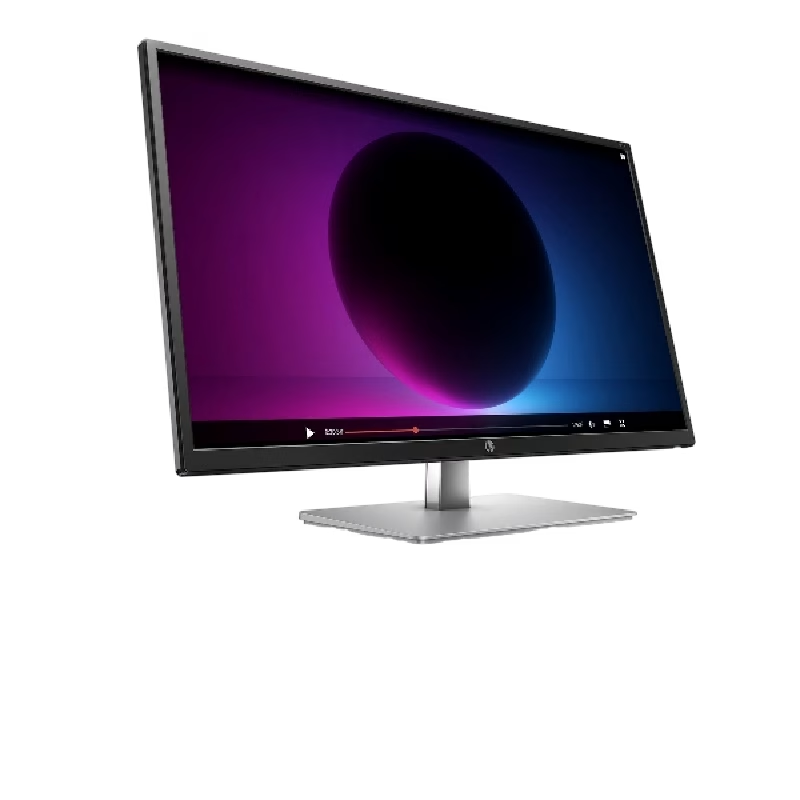
HP E27q G5 QHD Monitor Firstly, the HP E27q G5 monitor is your gateway to an enhanced visual experience without breaking the bank. Whether you’re working, gaming, or indulging in multimedia content, this monitor has you covered. Secondly, one of the standout features of the HP E27q G5 is its Quad High Definition (QHD) display. This means you can enjoy crystal-clear visuals with sharp details for a wide range of tasks. The 27-inch screen size provides a generous canvas for all your computing needs, from productivity to entertainment. You get more screen real estate to enhance your multitasking capabilities. With a sleek and modern design, the E27q G5 monitor is a stylish addition to any workspace. It effortlessly blends with your existing setup, adding a touch of sophistication. Adjusting the monitor to your desired height is easy, thanks to its ergonomic design. Achieve the perfect viewing angle for comfort during extended work or gaming sessions. Connecting the HP E27q G5 is a straightforward process, and it’s compatible with standard ports for quick setup. No need to deal with complicated installation procedures. This monitor is a cost-effective choice for professionals, gamers, and multimedia enthusiasts. It offers top-notch features without straining your budget, making it an excellent investment. Specifications: QHD (2560 x 1440) 1000:1 5ms GtG (with overdrive) IPS

LENOVO 11.1V or 11.4V 24Wh 68 Laptop Battery 0C52861 45N1124 45N1775 45N1126 45N1127 For Lenovo ThinkPad X240 X240S X250 X260 X270 T440 T440S T450 T450S T460 T460P T470P T550 T560 W550 L450 L460 About this item Battery Type: 3-Cell Lithium-Ion Voltage &Capacity :11.1V 24Wh 2.09AH or 11.4V 24Wh 2.06Ah , in fact , 11.1V is same as 11.4V , because one cell voltage is 3.7V or 3.8V . SANISI Concept: The customer is god, Product Quality and Service must be perfect! We will let every customer feel satisfied Package Contents: 1 pcs Brand New Battery

Genuine-spec touchpad flex cable for MacBook Air 13″ (Model A1932, 2018–2019)—essential for restoring full Force Touch functionality, haptic feedback, and precise multi-touch gesture control during trackpad repair or replacement. Compatible With: MacBook Air 13-inch (2018 & 2019, Model A1932, Model Identifier MacBookAir8,1) with Intel Core i5/i7 processors. Part Type: Touchpad flex cable only—does not include the trackpad housing, Taptic Engine, or mounting hardware. This is the OEM-style ribbon cable that connects the trackpad to the logic board. Function: Transmits touch input, Force Touch pressure data, and haptic feedback signals—critical for macOS gestures like Force Click, three-finger lookup, pinch-to-zoom, and smooth cursor tracking. OEM-Quality Build: Matches Apple’s original in length, connector pitch, EMI shielding, and flexibility—ensures reliable signal integrity and long-term durability. Common Use Cases: Replacing a torn, creased, or liquid-damaged original flex cable Completing a trackpad replacement when the original cable is unusable Fixing intermittent trackpad behavior, loss of Force Touch, or complete unresponsiveness Replacing a torn, creased, or liquid-damaged original flex cable Completing a trackpad replacement when the original cable is unusable Fixing intermittent trackpad behavior, loss of Force Touch, or complete unresponsiveness Installation Note: Requires full bottom case removal and careful routing beneath the battery. The cable connects via a ZIF (Zero Insertion Force) socket on the logic board—must be properly aligned and latched without force. Recommended for experienced or certified technicians. Important: This is flex cable only—not a complete trackpad assembly. Must be used with the original or compatible A1932 trackpad and Taptic Engine. Not compatible with MacBook Air M1 (A2337/A2338), M2 (A2681/A2941), or any MacBook Pro model. This is flex cable only—not a complete trackpad assembly. Must be used with the original or compatible A1932 trackpad and Taptic Engine. Not compatible with MacBook Air M1 (A2337/A2338), M2 (A2681/A2941), or any MacBook Pro model.

Fast-charging feature available on select iPhone and iPad models.

Arabic Keyboard Cover Skin for MacBook Air 13'' (A1369/A1466, NO Touch ID) 2012 -2017 /MacBook Pro 13" 15'' 2013-2015 with or w/out Retina Display Ultra Thin Silicone Keyboard Protector (Black) Arabic Keyboard Cover Skin for MacBook Air 13” (A1369/A1466, NO Touch ID) 2012 -2017 /MacBook Pro 13″ 15” 2013-2015 with or w/out Retina Display Ultra Thin Silicone Keyboard Protector (Black) About this item COMPATIBLE WITH: 2015 and before 2015 version Macbook: 1) MacBook Air 13″ (Models: A1369 and A1466); 2) MacBook Pro 13.3″ (Model: A1278); 3) MacBook Pro 13.3″ with Retina Display (Models: A1502 and A1425, 2013-2012 released); 4) MacBook Pro 15″ with Retina Display (Model: A1398, 2013-2012 released); 5) MacBook Pro 15.4″ Model: A1286 [√] MORE PROTECTION for KEYBOARD: waterproof, dust-proof and dirt-proof design can prevent liquid, dust, cigarette ash, biscuit crumbs falling onto your keyboard to affect your keyboard’s life. [√] ACCURATE KEYS: every key is specially molded, manufactured to the quality available. Flexible, this cover is easy to apply and remove for cleaning [√] SOFT & ULTRA SKIN: ultra thin silicone keyboard cover skin, made it easier for typing. Soft keyboard protector can weaken the sound in typing [XX] ATTENTION!!: NOT FIT FOR: 2020-2016 Released Macbook Pro 13 inch 15 inch with Touch Bar/2020-2018 Released: Macbook Air 13-Inch. You can find the model number on the bottom of the laptop

The Xiaomi TV A 55 2026 delivers sharp 4K visuals ideal for movies, shows, and streaming. Its 55-inch display fills your space with rich detail and vibrant colors. The 3840×2160 resolution brings sharp textures and clear images. This creates a cinematic feel right at home. Moreover, the Xiaomi TV A 55 2026 supports HDR formats such as HDR10 and HLG for improved contrast and lifelike scenes. Bright areas shine, and darks stay deep. This helps scenes look more realistic in films and series. In addition, this model benefits from motion-smoothing via MEMC technology. Fast scenes in sports or action movies stay smooth and fluid. This reduces blur and keeps motion clean. As a result, viewing remains comfortable and enjoyable. Furthermore, the Xiaomi TV A 55 2026 runs on a smart platform powered by Google TV. You can access streaming apps, cast content, or browse channels easily. Also, the TV features dual 10 W speakers with Dolby Audio and DTS-X sound support. Audio comes out clear, balanced, and immersive. In addition, connectivity options include multiple HDMI ports, USB, Wi-Fi, Bluetooth, and Ethernet support. This gives flexibility for consoles, streaming devices, or external drives. Setup remains hassle-free for many use cases. Overall, the Xiaomi TV A 55 2026 offers a strong balance of quality, smart features, and ease of use. It works well for entertainment, streaming, and everyday viewing. This TV is ideal for users seeking a 55″ 4K display with modern smart features at a reasonable price. Specifications: Resolution 4K, 3840 × 2160 Refresh rate 60Hz Speaker 2 x 10W Dimensions including base (L × W × H) 1226*312*770mm Dimensions not including base (L × W × H) 1226*76*711mm CPU Quad cortex A55 GPU Mali-G52 MC1 RAM 2GB ROM 8GB

MacBook Pro A2485 2021 – 16.2" XDR display, Apple M1 Pro (10-core CPU / 16-core GPU), 32 GB memory, 512 GB SSD.Top-tier creative laptop with blazing performance, superb display, and professional I/O – built for demanding workflows.
