
Used OEM Original Apple Logic Board Working, A1706 Late 2016 Mode 3.3 GHz i7 256gb 16gb RAM Tested using latest industry hardware diagnostic software, Fresh pull from full unit.

The LG UltraGear 24″ 180Hz Gaming Monitor delivers exceptional performance for gamers seeking speed and visual precision. Its 23.8-inch Full HD IPS display ensures sharp images and vibrant colors from wide viewing angles. With a rapid 180Hz refresh rate and 1ms (GtG) response time, this monitor minimizes motion blur, providing smooth gameplay even in fast-paced scenarios. These features give you a competitive edge by allowing quicker reactions during intense gaming sessions. The monitor supports HDR10 and covers 99% of the sRGB color spectrum, enhancing visual immersion with rich and accurate colors. This ensures that game environments appear more lifelike and engaging. Equipped with both NVIDIA G-SYNC and AMD FreeSync technologies, the UltraGear monitor reduces screen tearing and stuttering. This compatibility ensures a seamless gaming experience across various graphics cards. Its virtually borderless design on three sides offers an immersive viewing experience, making it ideal for multi-monitor setups. The sleek aesthetics complement any gaming or workstation setup. Additional gaming features like Black Stabilizer, Crosshair, and FPS Counter provide enhanced visibility and targeting precision. These tools assist in identifying enemies and maintaining focus during gameplay. The monitor includes both HDMI and DisplayPort inputs, offering flexibility in connectivity options for different devices. This ensures compatibility with various gaming consoles and PCs. In summary, the LG UltraGear 24″ 180Hz Gaming Monitor combines high-speed performance, vivid visuals, and gamer-centric features, making it a solid choice for both casual and competitive gamers. Specifications: Display : 24″ VA Resolution : FHD 1920 x 1080 Refresh Rate : 180Hz Response Rate : 5ms GTG

The BenQ 32-inch 4K Monitor for MacBook overview for creative professionals is a 32-inch UHD display designed for MacBook users who need a larger workspace with excellent image quality and accurate color performance. It features a 3840 × 2160 resolution that delivers sharp details for photo editing, video production, graphic design, and professional multitasking. The MA320U features a matte display surface that helps reduce reflections and glare, while the MA320UP features a glossy display surface that enhances contrast and visual clarity. Therefore, both models provide a high-quality viewing experience for creative and productivity-focused workflows. The display performance and color accuracy deliver detailed visuals with consistent colors across different applications. Moreover, the IPS panel provides wide viewing angles and comfortable viewing during long working sessions. As a result, users can enjoy reliable image quality for both professional tasks and everyday use. The connectivity and ergonomic design support efficient workstation setups. In addition, USB-C connectivity enables easy connection with MacBook devices, while HDMI and USB ports provide additional compatibility with other equipment. Therefore, the monitor helps create a clean and organized workspace. The workflow compatibility supports macOS and Windows systems for creative work, office applications, and entertainment. Furthermore, the 32-inch 4K screen provides extra space for multitasking while maintaining excellent clarity. Specifications: Display size: 32-inch IPS panel Resolution: 3840 × 2160 (4K UHD) Models: MA320U Matte display and MA320UP Glossy display Connectivity: USB-C, HDMI, and USB ports Warranty: 3 Years

Upgrade your workspace with a massive 27-inch Full HD canvas. Combining a high-speed 100Hz refresh rate with a stunning frameless IPS display, the B27M1 delivers an expansive, fluid viewing experience for professionals and creators alike. Model: Buerotika B27M1 Primary Specs: 27-inch Wide-Screen Display Display/Performance: IPS (In-Plane Switching) for 178° ultra-wide viewing angles Visual/Build Quality: 1920 x 1080 (Full HD) with vibrant color reproduction Aesthetic: 3-sided frameless “infinity” design for a sleek, modern desk setup Build: Lightweight, ultra-slim chassis with a space-saving minimalist stand Adjustability: Ergonomic tilt adjustment to match your eye level Input/Output: HDMI (High-Speed) and VGA ports Compatibility: Fully compatible with desktop PCs, laptops, and gaming consoles Smooth Motion: 100Hz Refresh Rate – 66% faster than standard monitors for reduced motion blur and lag. Eye Care: Integrated Flicker-Free technology and Low Blue Light filters for comfortable all-day use. Panel Quality: IPS technology ensures colors stay accurate even when viewed from the side. Enhanced Productivity: Large 27-inch screen allows for comfortable side-by-side window multitasking. Home Entertainment: Great for streaming and movies where a larger screen provides more impact. Education & Research: Easy-to-read text and large display area for students and writers. Casual Gaming: The 100Hz boost provides a competitive edge in smoothness over 60Hz displays.
NB OMS035 NB Desk Mount with Keyboard Tray for 19-27 Inch Screens Up to 9Kg Load Full Motion • Desk Stand offers comfortable viewing position that promotes healthy movements and requires minimum space at home or the office • Fits most 19 to 27 inch screens with ultra-wide foldable keyboard tray • Full motion mount with rotation 360°, swivel ±90° and Tilt angle +12° to -15° • The mount has an extension of 40” (1020 mm), retraction of 3.9” (100mm) and an upright lift distance of 18.9” (480mm) • Design includes a durable gas-strut to hover at any working position • Built-in extra shelf for phone and small goods storage • Supports load from 2 to 9 kg • Mounting VESA compliance 75×75 mm and 100×100 mm • Product dimensions: 24 x 7.3 x 14.4 cm Specifications: Specifications • NB Desk Mount with Keyboard Tray for 19-27 Inch Screens Up to 9Kg Load Full Motion • Desk Stand offers comfortable viewing position that promotes healthy movements and requires minimum space at home or the office • Fits most 19 to 27 inch screens with ultra-wide foldable keyboard tray • Full motion mount with rotation 360°, swivel ±90° and Tilt angle +12° to -15° • The mount has an extension of 40” (1020 mm), retraction of 3.9” (100mm) and an upright lift distance of 18.9” (480mm)

Genuine-spec touchpad flex cable compatible with both MacBook Air A2179 (Intel, 2020) and A2337 (M1, 2020)—restores full Force Touch functionality, haptic feedback, and precise multi-touch gesture control during trackpad repair or replacement. Compatible With: MacBook Air 13″ (2020, Intel) – Model A2179 (Model Identifier: MacBookAir9,1) MacBook Air 13″ (2020, Apple M1) – Model A2337 (Model Identifier: MacBookAir10,1) MacBook Air 13″ (2020, Intel) – Model A2179 (Model Identifier: MacBookAir9,1) MacBook Air 13″ (2020, Apple M1) – Model A2337 (Model Identifier: MacBookAir10,1) ✅ Important Note: Despite different processors (Intel vs. M1), Apple used the same trackpad assembly and flex cable in both A2179 and A2337. This makes the flex cable fully interchangeable between the two models. Part Type: Touchpad flex cable only — does not include the trackpad housing, Taptic Engine, or mounting hardware. This is the OEM-style ribbon cable that connects the trackpad to the logic board. Function: Transmits: Touch input coordinates Force Touch pressure data Haptic feedback signals to the Taptic Engine Enables full macOS gesture support: Force Click, three-finger lookup, swipe navigation, pinch-to-zoom, and smooth cursor tracking. Touch input coordinates Force Touch pressure data Haptic feedback signals to the Taptic Engine Enables full macOS gesture support: Force Click, three-finger lookup, swipe navigation, pinch-to-zoom, and smooth cursor tracking. OEM-Quality Build: Matches Apple’s original specifications in: Cable length and routing path Connector pitch and ZIF latch design EMI shielding and flex durability Cable length and routing path Connector pitch and ZIF latch design EMI shielding and flex durability Common Use Cases: Replacing a torn, creased, or liquid-damaged original flex cable Completing a trackpad replacement when the original cable is compromised Fixing intermittent trackpad behavior, loss of Force Touch, or complete unresponsiveness Replacing a torn, creased, or liquid-damaged original flex cable Completing a trackpad replacement when the original cable is compromised Fixing intermittent trackpad behavior, loss of Force Touch, or complete unresponsiveness Installation Note: Requires full bottom case removal and battery disconnection. Cable routes under the right side of the battery and logic board. Connects via a ZIF (Zero Insertion Force) socket—align carefully and latch gently. Recommended for experienced or certified technicians only. Requires full bottom case removal and battery disconnection. Cable routes under the right side of the battery and logic board. Connects via a ZIF (Zero Insertion Force) socket—align carefully and latch gently. Recommended for experienced or certified technicians only.

• Table Stand Desk fits most 13” to 27” displays • Articulating stand with Swivel 180° and Tilt angle ±15° • Supports load from 9 to 20 kg • Mounting VESA compliance 50 x 50 mm, 75 x 75 mm & VESA 100 x 100mm • Carton Size: 445 x 130 x 100 mm • Gross Weight: 2.85 kg • Net Weight: 2.55 kg • Color: Black 1 Year Warranty manufacturer link

The MSI G27C3F 27″ is a curved gaming monitor designed to give you smooth and immersive gameplay. It features a 27-inch curved screen that pulls you into the action. With a 165Hz refresh rate, the MSI G27C3F delivers fast and fluid visuals. Moreover, the 1ms response time ensures every movement looks sharp without any motion blur. This makes the MSI G27C3F perfect for fast-paced games. In addition, it uses VA panel technology for deeper blacks and vivid colors. Thanks to its Full HD resolution, games and videos appear clear and detailed. Plus, the MSI G27C3F includes anti-flicker and blue light reduction features. These help reduce eye strain during long gaming or work sessions. Setting up the MSI G27C3F 27″ is quick and simple with its user-friendly design. It also supports tilt adjustment for better viewing comfort. Furthermore, the monitor’s sleek and modern look fits perfectly into any gaming setup. For competitive gamers, the MSI G27C3F offers a real edge with its smooth performance and sharp visuals. Also, it supports AMD FreeSync technology to prevent screen tearing. This keeps your gameplay clean and uninterrupted. Besides gaming, the MSI G27C3F is great for movies, streaming, and everyday use. You can also connect it easily to your PC, laptop, or console. Its ports offer flexible options for all your needs. In short, the MSI G27C3F 27″ is a smart pick for anyone who wants a fast, stylish, and reliable gaming monitor. Choose the MSI G27C3F for better speed, clarity, and comfort in every session. Specifications: Display : 27″ Resolution : 1920 x 1080 FHD Refresh Rate : 180Hz Response Time : 1ms GTG

The Samsung 22″ 75Hz Essential Monitor is designed to enhance your daily computing tasks with smooth performance and vibrant colors. Whether you’re working, watching videos, or browsing, this monitor delivers clear and crisp visuals. Featuring a 22-inch screen, this monitor provides ample display space for multitasking. With a 75Hz refresh rate, the Samsung 22″ Essential Monitor ensures fluid motion, reducing screen tearing and providing a smooth viewing experience. The Full HD resolution brings sharp details and vivid colors, making your videos and images look more lifelike. Whether for work or entertainment, you’ll enjoy a more immersive visual experience with the Samsung 22″ Essential Monitor. With its slim and sleek design, this monitor complements any workspace. It’s easy to set up, and the compact design saves valuable desk space. The monitor’s slim bezels also give it a modern, streamlined look. The Samsung Essential Monitor comes equipped with Eye Saver Mode and Flicker-Free technology, designed to reduce eye strain during long hours of use. This makes it ideal for both work and extended screen time. In addition, the monitor offers easy connectivity options, including HDMI and VGA ports, allowing you to connect a wide range of devices effortlessly. In conclusion, the Samsung 22″ 75Hz Essential Monitor is the perfect blend of performance, style, and convenience. Upgrade your viewing experience with smooth visuals and vivid colors for everyday use. Specifications: Display : 22″ VA Resolution : FHD (1920×1080) Refresh Rate : 75Hz Response Time : 5ms GTG

Apple MacBook Pro 16" A2141 2019 Logic Board i7 2.6GHz 16GB 512GB 4GB VGA Apple MacBook Pro 16″ A2141 2019 Logic Board i7 2.6GHz 16GB 512GB 4GB VGA Intel 2.6 GHz Six Core i7-9th gen 16 GB RAM 512 GB SSD AMD RADEON PRO 5300M 4GB Intel UHD Graphics 630 Intel 2.6 GHz Six Core i7-9th gen 16 GB RAM 512 GB SSD AMD RADEON PRO 5300M 4GB Intel UHD Graphics 630

The Lexar NS100 512GB SSD is a 2.5-inch SATA III solid-state drive built to upgrade laptops and desktops with faster boot times, smoother app loading, and silent operation. It uses reliable flash storage to deliver a clear performance boost over traditional hard drives. ⚡ Faster System Performance: Significantly improves boot speed, application loading, and file transfers versus HDDs. 💾 512GB Storage Capacity: Ideal for OS, software, documents, and everyday multimedia. 🧠 SATA III 6Gb/s Interface: Provides stable, high-speed performance and is backward compatible with SATA II/I systems. 🔇 Silent & Shock-Resistant: No moving parts, making it quieter and more durable for laptops and mobile use. 🌡️ Low Power Consumption: Helps reduce heat and extend laptop battery life. 🛠️ Easy Installation: Standard 2.5″ 7mm design fits most laptops and desktops.

Genuine-spec touchpad flex cable for MacBook Air 13″ (Model A1534, Early 2015)—essential for restoring full trackpad functionality, including precise cursor control and physical click response, during repair or replacement. Compatible With: MacBook Air 13-inch (Early 2015, Model A1534, Model Identifier MacBookAir7,2). Part Type: Touchpad flex cable only—does not include the trackpad housing, button mechanism, or mounting brackets. This is the ribbon cable that connects the trackpad to the logic board. Function: Carries input signals from the trackpad to the logic board—critical for cursor movement, tap-to-click, and primary/secondary physical click functionality. (Note: This model uses a physical click mechanism, not Force Touch—so no haptic feedback or pressure-sensing.) OEM-Quality Construction: Matches Apple’s original cable in length, connector type, and shielding—ensures reliable signal transmission and long-term durability. Common Use Cases: Replacing a torn, frayed, or damaged original flex cable Completing a trackpad replacement when the original cable is compromised Fixing erratic cursor movement, unresponsive trackpad, or loss of click function Replacing a torn, frayed, or damaged original flex cable Completing a trackpad replacement when the original cable is compromised Fixing erratic cursor movement, unresponsive trackpad, or loss of click function Installation Note: Requires bottom case removal and careful disconnect/reconnect of the ZIF (Zero Insertion Force) connector on the logic board. The cable routes under the battery—handle with care. Suitable for intermediate to advanced DIYers or technicians.

The Apple Magic Mouse (USB-C version) is a sleek, minimalist multi-touch wireless mouse built for Mac users. It offers smooth gesture support, Bluetooth connectivity and a built-in rechargeable battery — a great choice if you prefer a clean desk setup and full compatibility with macOS and iPadOS. General Name: Magic Mouse (USB-C) — part of Apple’s pointing-device lineup. Wireless connectivity: Bluetooth. Rechargeable battery: built-in, no disposable AA cells. Charging / port: USB-C port (bottom of mouse) for pairing and charging. Compatibility: Requires a Mac with macOS 15.1 or later, or an iPad with iPadOS 18.1 or later. Size & Weight Height: ~0.85 inch (2.16 cm) Width: ~2.25 inch (5.71 cm) Depth: ~4.47 inch (11.35 cm) Weight: ~0.22 pound (0.099 kg) (varies slightly by manufacturing) Features Multi-Touch surface: supports gestures such as swiping between pages, scrolling through documents, zooming. Glide / foot design: optimized for smooth movement across desktop surfaces. Rechargeable battery life: about a month or more between charges (typical use) per Apple spec. Used Condition ConsiderationsSince you’re specifying a used unit: Check for wear on the bottom feet / skates — these degrade and affect glide. Verify battery capacity / health (rechargeable batteries age). Confirm the port is functioning (USB-C) and Bluetooth connectivity is stable. Look for signs of excessive surface scratches on the multi-touch top — may impair gestures. Ensure the firmware / Mac recognizes it fully (gestures working). Upgradability / Limitations Not user-upgradable: You cannot replace the internal battery or change internals easily. Design limitation: The USB-C port remains on the bottom of the mouse, meaning you cannot use it while charging unless you flip it. This design is still criticized. Ergonomics: The flat, low-profile design is stylish but may not suit extended-use comfort for some users.

Genuine-spec touchpad flex cable for MacBook Pro 13″ with Touch Bar (Model A1708, 2016–2017)—restores full Force Touch functionality, haptic feedback, and precise multi-touch gesture control during trackpad repair or replacement. Compatible With: MacBook Pro 13″ (2016) – Model A1708 (Model Identifier: MacBookPro13,1) MacBook Pro 13″ (2017) – Model A1708 (Model Identifier: MacBookPro14,1) (Both years share the same internal trackpad assembly and flex cable.) MacBook Pro 13″ (2016) – Model A1708 (Model Identifier: MacBookPro13,1) MacBook Pro 13″ (2017) – Model A1708 (Model Identifier: MacBookPro14,1) (Both years share the same internal trackpad assembly and flex cable.) Part Type: Touchpad flex cable only — does not include the trackpad housing, Taptic Engine, or mounting hardware. This is the OEM-style ribbon cable that connects the trackpad to the logic board. Function: Transmits: Touch input coordinates Force Touch pressure data Haptic feedback signals to the Taptic Engine Enables full macOS gesture support: Force Click, three-finger lookup, swipe navigation, pinch-to-zoom, and smooth cursor tracking. Touch input coordinates Force Touch pressure data Haptic feedback signals to the Taptic Engine Enables full macOS gesture support: Force Click, three-finger lookup, swipe navigation, pinch-to-zoom, and smooth cursor tracking. OEM-Quality Build: Matches Apple’s original specifications in: Cable length and routing path Connector pitch and ZIF latch design EMI shielding and flex durability Cable length and routing path Connector pitch and ZIF latch design EMI shielding and flex durability Common Use Cases: Replacing a torn, creased, or liquid-damaged original flex cable Completing a trackpad replacement when the original cable is compromised Fixing intermittent trackpad behavior, loss of Force Touch, or complete unresponsiveness Replacing a torn, creased, or liquid-damaged original flex cable Completing a trackpad replacement when the original cable is compromised Fixing intermittent trackpad behavior, loss of Force Touch, or complete unresponsiveness Installation Note: Requires full bottom case removal and battery disconnection. Cable routes under internal components near the right speaker and logic board. Connects via a ZIF (Zero Insertion Force) socket—must be aligned carefully and latched gently. Recommended for experienced or certified technicians only. Requires full bottom case removal and battery disconnection. Cable routes under internal components near the right speaker and logic board. Connects via a ZIF (Zero Insertion Force) socket—must be aligned carefully and latched gently. Recommended for experienced or certified technicians only.

The HP 25X Gaming 25″ Monitor delivers fast, smooth visuals for gaming and everyday use.It features a 25‑inch FHD display that shows crisp images and fluid motion.Moreover, the high refresh rate keeps gameplay smooth and responsive. This gaming monitor uses a panel with wide viewing angles and vibrant color.Additionally, its fast response time helps reduce motion blur during intense action.Anti‑glare coating helps reduce reflections in bright lighting. The HP 25X Gaming Monitor includes HDMI and DisplayPort inputs for easy connection to PCs and consoles.Furthermore, tilt adjustment lets you find a comfortable viewing angle.Low blue light and flicker‑free features help reduce eye strain during long sessions. This display works well for competitive gamers, students, and home users alike.Therefore, it supports gaming, streaming, and everyday computing.Finally, it combines speed, good visuals, and comfort features for daily use. Specifications: 25″ Full HD (1920 × 1080) panel High refresh rate (typically 144 Hz) for smooth motion Fast response time (often 1 ms) for competitive play HDMI + DisplayPort ports for device connection Anti‑glare finish with low blue light & flicker‑free tech

HP P22V G5 Monitor Overview The HP P22V G5 is a 22-inch Full HD monitor designed for daily work and home use. It offers reliable performance and a clean design. As a result, it suits offices, students, and remote workers. 22-Inch Full HD Display This monitor features a 22-inch Full HD resolution. Therefore, text appears sharp and easy to read. Moreover, images look clear and well-defined. Because of this, it supports long working sessions comfortably. In addition, the screen size fits well on most desks. As a result, it saves space without sacrificing clarity. 75Hz Refresh Rate for Smooth Viewing The monitor supports a 75Hz refresh rate. As a result, scrolling feels smoother than standard displays. Furthermore, everyday tasks look more fluid. This makes it suitable for office work and casual entertainment. Eye Comfort and Productivity The HP P22V G5 includes eye comfort features. Therefore, it helps reduce eye strain during long use. In addition, the anti-glare screen improves visibility. As a result, users stay focused throughout the day. Connectivity and Compatibility This monitor includes HDMI and VGA ports. As a result, it connects easily to modern and older devices. Moreover, it supports a wide range of PCs and laptops. Therefore, setup is quick and simple. Design and Mounting Options The monitor features a clean and professional design. In addition, it supports VESA mounting. As a result, users can create a flexible workspace. Everyday Use and Reliability This monitor delivers stable performance for daily tasks. Moreover, it focuses on durability and efficiency. In conclusion, it is a practical choice for work environments. Specifications: Display : 21.45″ VA Resolution : FHD (1920 X 1080) Refresh Rate : 75 Hz Response Rate : 5ms GtG

Genuine-spec touchpad flex cable for Apple’s 12-inch MacBook (Model A1534, Early 2015 / Early 2016 / Mid 2017)—essential for restoring full Force Touch trackpad functionality, haptic feedback, and multi-touch gesture support. Compatible With: MacBook 12″ (Early 2015) – 1.1GHz Core M MacBook 12″ (Early 2016) – 1.1GHz/1.3GHz Core M MacBook 12″ (Mid 2017) – 1.2GHz/1.3GHz Core m3/i5/i7 All share Model Number A1534 and Model Identifier MacBook8,1 / MacBook9,1 / MacBook10,1 respectively. MacBook 12″ (Early 2015) – 1.1GHz Core M MacBook 12″ (Early 2016) – 1.1GHz/1.3GHz Core M MacBook 12″ (Mid 2017) – 1.2GHz/1.3GHz Core m3/i5/i7 All share Model Number A1534 and Model Identifier MacBook8,1 / MacBook9,1 / MacBook10,1 respectively. Part Type: Touchpad flex cable only—does not include the trackpad housing, Taptic Engine, or mounting brackets. This is the ribbon cable that connects the Force Touch trackpad to the logic board. Function: Critical for Force Touch functionality—transmits pressure-sensitive input, multi-touch gestures (e.g., pinch, swipe, Force Click), and haptic feedback signals to the Taptic Engine. OEM-Quality Construction: Precisely matches Apple’s original in length, connector pitch, shielding, and routing—ensures reliable signal integrity and compatibility with macOS. Common Use Cases: Replacing a torn, creased, or liquid-damaged flex cable Restoring unresponsive or erratic trackpad behavior Completing a trackpad replacement when the original cable is unusable Replacing a torn, creased, or liquid-damaged flex cable Restoring unresponsive or erratic trackpad behavior Completing a trackpad replacement when the original cable is unusable Installation Note: Requires full bottom case removal and delicate disconnection of the ZIF connector. The cable routes tightly under the battery—extreme care is required. Recommended for experienced or certified technicians only.

Samsung Odyssey 49″ OLED G9 Curved Gaming Monitor features a wide Dual QHD (5120 × 1440) resolution on a large ultrawide screen. Additionally, the OLED panel delivers vibrant colors with deep contrast and fast pixel response. This makes scenes look sharp and lifelike for games and media. The monitor’s curved design wraps around the view for greater immersion. Moreover, this model supports a high refresh rate and quick response time for fluid motion. Therefore, action and gameplay appear smooth with minimal blur. It also includes adaptive sync support that works with graphics cards to reduce screen tearing. Samsung equips this monitor with multiple connection options for modern devices. Furthermore, the panel offers wide viewing angles to maintain consistent color even at sharp angles. Eye comfort features help reduce eye strain during long sessions. The ergonomic stand lets users adjust the screen for a comfortable setup. As a result, this monitor suits both gaming and everyday tasks. Specifications: 49″ Dual QHD (5120 × 1440) OLED curved display for expansive and detailed visuals High refresh rate and ultra‑fast 0.03 ms pixel response for smooth gameplay Adaptive sync support reduces screen tearing with compatible graphics cards Wide viewing angles with vibrant color and deep contrast Multiple connectivity options for modern gaming and devices

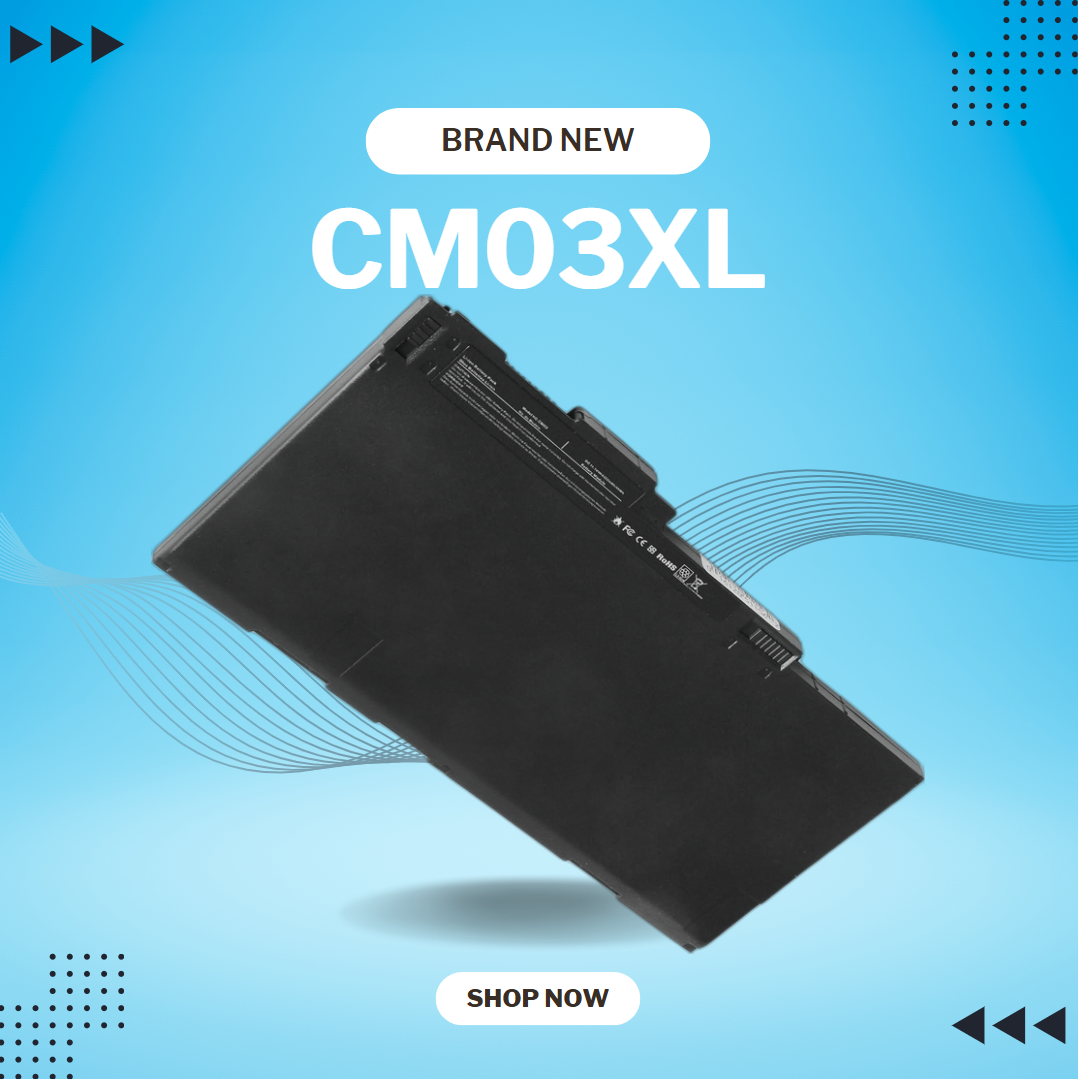
lenovo battery L16L2PB2 L16M2PB1 L16S2PB2 L16C2PB2 Laptop Notebook Battery for Lenovo 5000-15 2ICP6/55/90 Series 7.4V 30Wh 4050mAh About this item Condition: New Voltage: 7.4V Capacity: 30Wh/4050mAh Replace Part Number: L16M2PB1 L16L2PB2 L16M2PB2 L16S2PB1 L16L2PB3 L16C2PB1 L17L2PF1 L17M2PB7 L16C2PB2 L16L2PB1 L16M2PB3 2ICP6/55/90 Fit For: Lenovo 5000-15 Series Raise the battery life: 1: After receiving the battery, Please charge it fully, discharge it to around 10, and do it three times. 2: If you don’t use the battery for a long time, please charge and discharge it once a month

The HP M27ha monitor is an affordable option offering optimal screen performance. Firstly the hp M27HA lets you see crisp images and built-in audio to enjoy clear sound. Designed so you can navigate comfortably with HP Blue Light mode, adjustable tilt settings and 3-sided micro edge bezel. Get clear crisp picture quality on the FHD resolution monitor with IPS panel and ultra-wide viewing angles. therefore With the added benefit of Low Blue Light software for increased eye comfort. HP M27ha monitor is Designed to let you see your content comfortably. secondly Find your best view with full function adjustability, a 3-sided micro-edge bezels for unlimited sightlines and virtually seamless multi-display setups[1] plus VESA mounting capability[2]. Fully integrated audio experience. Work and play on one device. Enjoy all your multimedia with a monitor that has convenient stereo audio right on the display for a fully integrated audio experience. Share the panoramic view Crisp picture quality and eye comfort with IPS panel, ultra-wide angles and Low Blue Light. Work comfortably with height adjustable stand and micro edge bezels. Convenient stereo audio for a fully integrated listening experience. you can always check here and if you like to see more options you can always check here! Specifications: Specs Screen size. 68.58 cm (27) Resolution (native) FHD (1920 x 1080) Display type. IPS. Response time. 5ms GtG (with overdrive) Display Input Type. 1 VGA; 1 DisplayPort™ 1.4; 1 HDMI 1.4. Display features. On-screen controls; Pivot rotation; Low blue light mode; Dual speakers (2W per channel); Anti-glare. 1 year warranty
