
Apple 96W USB Type-C Power Adapter | MX0J2

The Apple 240W USB-C Charge Cable (2 m) is a durable, braided USB-C to USB-C cable that supports fast charging up to 240W and USB 2.0 data transfer—ideal for powering high-performance MacBooks and other USB-C devices. Length: 2 meters Connector: USB-C to USB-C Power Support: Up to 240W (48V/5A), compatible with the new USB-C PD 3.1 Extended Power Range standard Data Transfer: USB 2.0 speeds (up to 480 Mbps) — this cable prioritizes power delivery over high-speed data Ideal for charging MacBook Pro (2021 and later), MacBook Air (M2 and later), and other high-power laptops Backward-compatible with lower-wattage devices (iPad, iPhone 15 lineup, etc.) Works with any USB-C power adapter, but you’ll only get full 240W output when paired with a compatible high-wattage charger The standard USB-C Charge Cable (2 m, 60W/100W) only supports up to 100W. The Thunderbolt 4 Pro Cable (3 m) supports high-speed data (40 Gb/s) and video output, but maxes at 100W charging. This 240W version is the one to get if your priority is maximum charging power rather than data/video.

Genuine-spec US layout (QWERTY) black keyboard replacement for MacBook Air 13.6″ and 15″ models (2023–2025, M2/M3/M4 chips)—featuring Apple’s Magic Keyboard with scissor-switch mechanism, backlighting, and precise OEM fit. Compatible With: 13.6″ MacBook Air: A2681 (M2, 2022–2023), A3113 (M3, 2023–2024), A3240 (M4, 2024–2025) 15″ MacBook Air: A2941 (M2, 2023), A3114 (M3, 2023–2024), A3241 (M4, 2024–2025) 13.6″ MacBook Air: A2681 (M2, 2022–2023), A3113 (M3, 2023–2024), A3240 (M4, 2024–2025) 15″ MacBook Air: A2941 (M2, 2023), A3114 (M3, 2023–2024), A3241 (M4, 2024–2025) Keyboard Layout: Standard US English (QWERTY) with wide Enter key, dedicated left/right arrow keys in inverted-T layout, and full function row—matches Apple’s original US configuration. Design: Apple’s Magic Keyboard with scissor-switch mechanism—providing quiet, stable, and responsive typing with 1mm key travel and enhanced durability. Features: Integrated backlighting for low-light use, ambient light sensor compatibility, and OEM-style flex cable for direct logic board connection. Color: Sleek black keycaps—ideal for Space Gray and Midnight finishes, and visually consistent across all color variants. Precision Fit: Engineered to exact Apple specifications for alignment, key spacing, and mounting—ensures seamless integration into the original top case. Installation Note: The keyboard is factory-glued into the top case. Replacement requires full disassembly, careful removal, and professional-grade re-adhesion. Recommended for experienced technicians only.

A premium pre-owned HP EliteOne 800 G2 all-in-one desktop with 23.8-inch display, 6th Gen Core i7, RAM upgrade options, and SSD storage options. Designed for business professionals who need performance, security, and a clean space-saving workstation.

Genuine-spec touchpad flex cable for MacBook Pro 15″ (Model A1990, 2018–2019, Intel)—essential for restoring full Force Touch functionality, haptic feedback, and precise multi-touch gesture control during trackpad repair or replacement. Compatible With: MacBook Pro 15-inch (2018 & 2019, Model A1990, Model Identifiers MacBookPro15,2) with Intel Core i7/i9 processors. Part Type: Touchpad flex cable only — does not include the trackpad housing, Taptic Engine, or mounting hardware. This is the OEM-style ribbon cable that connects the trackpad to the logic board. Function: Transmits: Touch input coordinates Force Touch pressure data Haptic feedback signals to the Taptic Engine Enables full macOS gesture support: Force Click, three-finger lookup, swipe navigation, pinch-to-zoom, and smooth cursor tracking. Touch input coordinates Force Touch pressure data Haptic feedback signals to the Taptic Engine Enables full macOS gesture support: Force Click, three-finger lookup, swipe navigation, pinch-to-zoom, and smooth cursor tracking. OEM-Quality Build: Matches Apple’s original specifications in: Cable length and routing path Connector pitch and ZIF latch design EMI shielding and flex durability Cable length and routing path Connector pitch and ZIF latch design EMI shielding and flex durability Common Use Cases: Replacing a torn, creased, or liquid-damaged original flex cable Completing a trackpad replacement when the original cable is unusable Fixing intermittent trackpad behavior, loss of Force Touch, or complete unresponsiveness Replacing a torn, creased, or liquid-damaged original flex cable Completing a trackpad replacement when the original cable is unusable Fixing intermittent trackpad behavior, loss of Force Touch, or complete unresponsiveness Installation Note: Requires full bottom case removal and battery disconnection. Cable routes under internal components near the right speaker and logic board. Connects via a ZIF (Zero Insertion Force) socket—must be aligned carefully and latched gently. Recommended for experienced or certified technicians only. Requires full bottom case removal and battery disconnection. Cable routes under internal components near the right speaker and logic board. Connects via a ZIF (Zero Insertion Force) socket—must be aligned carefully and latched gently. Recommended for experienced or certified technicians only.

256GB SSD Apple Macbook Pro Air 2013 2014 2015 A1502 A1398 A1466 A1465 | Samsung MZ-JPU512T/A06 | 655-1805D ORIGINAL APPLE PART (Apple sources their SSD’s for MacBooks from Samsung) A1502 – A1398 – A1465 – A1466 100% TESTED WORKING Please check compatibility below before you make your purchase: COMPATIBILITY: MacBook Pro Retina Late 2013 – Mid-2015 MacBookPro11,1 (A1502) – ME864LL/A, ME866LL/A, ME867LL/A, MGX72LL/A, MGX92LL/A, & MGXD2LL/A MacBookPro11,2 (A1398) – ME293LL/A & MGXA2LL/A MacBookPro11,3 (A1398) – ME294LL/A, ME874LL/A, MGXC2LL/A, & MGXG2LL/A MacBookPro11,4 (A1398) – MJLQ2LL/A MacBookPro11,5 (A1398) – MJLT2LL/A & MJLU2LL/A MacBookPro12,1 (A1502) – MF839LL/A, MF841LL/A, & MF843LL/A MacBook Air Mid-2013 – Late 2015 MacBookAir6,1 (A1465) – MD711LL/A, MD760LL/A, MD711LL/B, & MF067LL/A MacBookAir6,2 (A1466) – MD760LL/A, MD760LL/B, & MF068LL/A MacBookAir7,1 (A1465) – MJMVM2LL/A MacBookAir7,2 (A1466) – MJVE2LL/A Model Identifier: Samsung Manufacturer Part# MZ-JPU512T/A06

WiWU WM108 Wimice Dual‑Mode Mouse – Bluetooth 5.0 and 2.4 GHz wireless mouse with 800/1200/1600 DPI, silent clicks, and ergonomic ABS housing.Long battery life (~6 months standby), USB dongle & silent design—ideal for travel, office, and quiet environments. Model: WiWU Wimice WM108 Connection Modes: Bluetooth 5.0 2.4 GHz wireless via USB dongle Connection Modes: Bluetooth 5.0 2.4 GHz wireless via USB dongle DPI Settings: 800 / 1,200 / 1,600 DPI (adjustable) Buttons: 3 standard buttons + clickable scroll wheel (4 keys total) Range: Up to 10 m wireless connectivity Material/Design: Lightweight (67–130 g, depending on source), ergonomic ABS plastic body, magnetic base or “super magnetic absorption” design Operating Range: ≈10 m Silent Clicks: Quiet operation—silent key action Dimensions: Approx. 108 × 64 × 36 mm Weight: 67 g cited by Star Tech and 130 g by others—likely lighter in official spec Compatibility: Windows, macOS, Linux, Android, etc. Plug-and-play, no driver needed

Professional battery testing flex cable for MacBook Pro 15″ (Model A1990, 2018–2019)—used by technicians to bypass a faulty battery or diagnose power-on issues without permanent battery removal. Enables safe logic board testing and troubleshooting. This is not a replacement battery cable—it’s a diagnostic tool used in repair workflows. It mimics the battery’s presence by providing the necessary SMBus signal and power-enable lines to the logic board, allowing the MacBook to: Power on without a battery installed Test logic board functionality independently Diagnose whether a no-power issue is caused by the battery or logic board MacBook Pro 15″ (2018–2019) Model: A1990 Model Identifiers: MacBookPro15,2 Chip: Intel Core i7/i9 Model: A1990 Model Identifiers: MacBookPro15,2 Chip: Intel Core i7/i9 ⚠️ Not compatible with A1707 (2016–2017), A2159 (16″), or any M1/M2 models. Simulates battery presence via correct SMBus resistance and ID signals Includes power-enable circuitry matching Apple’s safety protocol Pre-terminated with OEM-style connector for A1990 logic board Allows safe bench testing of logic boards during repair Diagnosing “no power, no fan spin, no display” issues Verifying if a logic board powers on without risking a shorted battery Testing after liquid damage or DC-in board replacement Avoiding unnecessary battery replacements during diagnostics Not for permanent installation—intended for temporary diagnostic use only Does not charge or store power—requires connected USB-C power adapter to operate Must be used with a known-good power adapter (87W recommended) Not a consumer part—designed for professional repair shops and technicians

Xprinter XP-80T 80mm Thermal Receipt Printer Press to download driver: XPrinter Driver Setup V7.77

Premium non-slip rubber feet designed to fit MacBook Pro models A1398, A1425, and A1502—restoring grip, stability, and base protection with a perfect OEM-style fit. Keep your MacBook Pro firmly in place with these high-quality skid-proof rubber feet, precision-made for MacBook Pro 13″ and 15″ Retina models: A1398 (15″ Retina, 2012–2015) A1425 (13″ Retina, 2012–2013) A1502 (13″ Retina, 2014–2015) These replacement feet replicate Apple’s original design, offering excellent traction on smooth surfaces like glass, wood, or metal desks—preventing slips during typing or transport. Crafted from soft yet durable silicone-rubber, they also cushion your laptop’s base, reducing scratches and minimizing vibration noise. Each set includes all necessary feet (typically 5 per unit) with strong pre-applied adhesive for quick, secure installation. The matte black finish matches your MacBook Pro’s sleek bottom case for a seamless look. Perfect for replacing worn, missing, or damaged feet due to age, cleaning, or accidental removal. A simple, cost-effective way to restore both function and finish to your MacBook Pro. Installation Tip: Clean the foot areas thoroughly with isopropyl alcohol and let dry before applying. Lightly warming the adhesive (with a hairdryer or fingers) can improve bonding.

Experience the perfect balance of performance and value with the Lenovo ThinkPad E14 Gen 1. Powered by a reliable 10th Gen Intel Core i5 processor, 16GB RAM, and a spacious 512GB NVMe SSD, this 14-inch laptop is built to handle professional multitasking with the signature durability of the ThinkPad line.

Barcode Reader Wireless 2D S20W Wireless 2D Barcode Scanner | S20-W Name: Wireless 2D Barcode Scanner Model: S20-W Interface: USB Color: Black

GAMDIAS XC3 (2g, incl. Cleaning Wipe and Scraper) - Ultimate Performance Thermal Paste for CPU, GPU, consoles, laptops, high thermal conductivity, long durability, non-conductive, non-capacitive GAMDIAS XC3 (2g, incl. Cleaning Wipe and Scraper) – Ultimate Performance Thermal Paste for CPU, GPU, consoles, laptops, high thermal conductivity, long durability, non-conductive, non-capacitive PERFORMANCE THERMAL COMPOUND: XC3 is an easy-to-apply thermal paste that features high-quality thermal compounds with nano-diamond particles that allow excellent conductivity to lower thermals and push your PC to the limit. HIGH THERMAL CONDUCTIVITY: XC3 ensures exceptional heat dissipation by utilizing high conductivity nanoparticles and lowering thermal impedance between the CPU and cooler with its nano-diamond particles. VERSATILE APPLICATION: The compound provides a stable working status from -50°C to 220°C. SAFE AND STABLE: Without electrically conductive materials,the grease eliminates the risk of short-circuiting or discharging. APPLICATION KIT: The paste comes in a luer lock syringe, with a cleaning wipe and scraper included in the product pack for convenience.

Genuine-spec touchpad flex cable compatible with both MacBook Air A2179 (Intel, 2020) and A2337 (M1, 2020)—restores full Force Touch functionality, haptic feedback, and precise multi-touch gesture control during trackpad repair or replacement. Compatible With: MacBook Air 13″ (2020, Intel) – Model A2179 (Model Identifier: MacBookAir9,1) MacBook Air 13″ (2020, Apple M1) – Model A2337 (Model Identifier: MacBookAir10,1) MacBook Air 13″ (2020, Intel) – Model A2179 (Model Identifier: MacBookAir9,1) MacBook Air 13″ (2020, Apple M1) – Model A2337 (Model Identifier: MacBookAir10,1) ✅ Important Note: Despite different processors (Intel vs. M1), Apple used the same trackpad assembly and flex cable in both A2179 and A2337. This makes the flex cable fully interchangeable between the two models. Part Type: Touchpad flex cable only — does not include the trackpad housing, Taptic Engine, or mounting hardware. This is the OEM-style ribbon cable that connects the trackpad to the logic board. Function: Transmits: Touch input coordinates Force Touch pressure data Haptic feedback signals to the Taptic Engine Enables full macOS gesture support: Force Click, three-finger lookup, swipe navigation, pinch-to-zoom, and smooth cursor tracking. Touch input coordinates Force Touch pressure data Haptic feedback signals to the Taptic Engine Enables full macOS gesture support: Force Click, three-finger lookup, swipe navigation, pinch-to-zoom, and smooth cursor tracking. OEM-Quality Build: Matches Apple’s original specifications in: Cable length and routing path Connector pitch and ZIF latch design EMI shielding and flex durability Cable length and routing path Connector pitch and ZIF latch design EMI shielding and flex durability Common Use Cases: Replacing a torn, creased, or liquid-damaged original flex cable Completing a trackpad replacement when the original cable is compromised Fixing intermittent trackpad behavior, loss of Force Touch, or complete unresponsiveness Replacing a torn, creased, or liquid-damaged original flex cable Completing a trackpad replacement when the original cable is compromised Fixing intermittent trackpad behavior, loss of Force Touch, or complete unresponsiveness Installation Note: Requires full bottom case removal and battery disconnection. Cable routes under the right side of the battery and logic board. Connects via a ZIF (Zero Insertion Force) socket—align carefully and latch gently. Recommended for experienced or certified technicians only. Requires full bottom case removal and battery disconnection. Cable routes under the right side of the battery and logic board. Connects via a ZIF (Zero Insertion Force) socket—align carefully and latch gently. Recommended for experienced or certified technicians only.

The Royal Kludge RK61 is an ultra-compact 60% mechanical gaming keyboard featuring brilliant RGB backlighting and smooth, linear RK Red switches. Equipped with versatile triple-mode connectivity (Bluetooth, 2.4GHz wireless, and USB-C wired), it offers maximum flexibility and a clean, cable-free desktop layout optimized for both competitive gaming and office productivity. ✅ Full Specifications: Model: Royal Kludge RK61 (61 Keys) — Black Edition Interface / Connection: Triple Mode Connection (3C): Wireless 2.4GHz (via included USB dongle) Bluetooth 5.1 (Pairs with up to 3 devices simultaneously) Wired USB Type-C (Detachable cable included) Interface / Connection: Triple Mode Connection (3C): Wireless 2.4GHz (via included USB dongle) Bluetooth 5.1 (Pairs with up to 3 devices simultaneously) Wired USB Type-C (Detachable cable included) Switch Type: RK Red Mechanical Switches (Linear feel, smooth and quiet keystrokes, ideal for fast-paced gaming and quiet office typing) Hot-Swappable PCB: Yes (Supports easy replacement of 3-pin or 5-pin switches without soldering) Layout: Compact 60% Minimalism Layout, 61 Keys (US QWERTY / Arabic-English dual print variants supported) Backlighting: Full dynamic RGB Backlight with 18 customizable lighting modes, 8 monochrome modes, and adjustable brightness/speed Material & Build: Durable ABS polymer housing with high-quality ergonomically curved keycaps to reduce hand fatigue Design & Form Factor: Compact, space-saving design with a built-in 8° ergonomic typing angle for optimal comfort Battery Capacity: 1450mAh rechargeable battery built-in (Up to 13 hours of continuous use with backlighting active, high standby efficiency) Compatibility: Windows, macOS, Android, iOS, Linux, and major gaming consoles Dimensions: Approx. 289 x 103 x 39 mm (11.4 x 4 x 1.6 inches) Weight: Approx. 0.50 kg (1.1 lbs)

Late 2019 Apple MacBook Pro with 2.4GHz Intel Core i9 (16 inch, 16GB, 1TB SSD) 4GB AMD Radeon Pro 5500M Space Gray

Genuine-spec touchpad flex cable for MacBook Pro 16″ (Model A2141, 2019, Intel)—essential for restoring full Force Touch functionality, haptic feedback, and precise multi-touch gesture control during trackpad repair or replacement. Compatible With: MacBook Pro 16-inch (2019, Model A2141) with Intel Core i7/i9 processors (Model Identifier: MacBookPro16,1) (Note: A2141 is the non-base configuration of the 2019 16″ MacBook Pro—typically higher-end Intel models.) Part Type: Touchpad flex cable only—does not include the trackpad housing, Taptic Engine, or mounting hardware. This is the OEM-style ribbon cable that connects the trackpad to the logic board. Function: Transmits touch coordinates, Force Touch pressure data, and haptic feedback signals—critical for macOS gestures (e.g., Force Click, three-finger lookup, pinch-to-zoom) and Taptic Engine responsiveness. OEM-Quality Construction: Replicated to Apple’s exact specifications—including cable length, connector pitch, EMI shielding, and bend radius—ensuring reliable signal integrity and long-term durability. Common Use Cases: Replacing a torn, creased, or liquid-damaged original flex cable Completing a trackpad replacement when the original cable is compromised Fixing intermittent trackpad behavior, loss of Force Touch, or complete unresponsiveness Replacing a torn, creased, or liquid-damaged original flex cable Completing a trackpad replacement when the original cable is compromised Fixing intermittent trackpad behavior, loss of Force Touch, or complete unresponsiveness Installation Note: Requires full disassembly of the bottom case, speaker removal, and careful routing beneath the battery and logic board. Connectors use ZIF (Zero Insertion Force) sockets—must be aligned and latched gently. Recommended for certified or professional repair technicians only. Important: This is flex cable only—not a complete trackpad assembly. Must be used with the original or compatible A2141 trackpad and Taptic Engine. Not compatible with M1 MacBook Pro 16″ (A2485), 14″ models (A2442), or any MacBook Air. This is flex cable only—not a complete trackpad assembly. Must be used with the original or compatible A2141 trackpad and Taptic Engine. Not compatible with M1 MacBook Pro 16″ (A2485), 14″ models (A2442), or any MacBook Air. Model Verification: Confirm your device is MacBook Pro A2141 (16″, 2019, Intel) via > About This Mac > Model Identifier (should read MacBookPro16,1).

240W USB-C Original Charge Cable (2m) (Second Hand) This 2-meter charge cable—with USB-C connectors on both ends—is ideal for charging, syncing, and transferring data between USB-C devices. Pair the USB-C Charge Cable with a compatible USB-C power adapter to conveniently charge your devices from a wall outlet and take advantage of fast-charging capabilities. USB-C Power Adapters sold separately. 240W USB-C Original Charge Cable (2m) (Second Hand) This 2-meter charge cable—with USB-C connectors on both ends—is ideal for charging, syncing, and transferring data between USB-C devices. Pair the USB-C Charge Cable with a compatible USB-C power adapter to conveniently charge your devices from a wall outlet and take advantage of fast-charging capabilities. USB-C Power Adapters sold separately. This 2-metre charging cable is made with a woven design — with USB-C connectors on both ends — and is ideal for charging, syncing and transferring data between USB-C devices. It supports charging of up to 240 watts and transfers data at USB 2 rates. Pair the USB-C Charge Cable with a compatible USB-C power adapter to conveniently charge your devices from a power point and take advantage of fast-charging capabilities. USB-C power adapters sold separately.

Reliable, compact, and business-focused—the Dell Latitude 5310 features a 10th Gen Intel Core i5 processor, 8GB RAM, and a fast 256GB SSD in a lightweight 13.3-inch design built for everyday productivity.

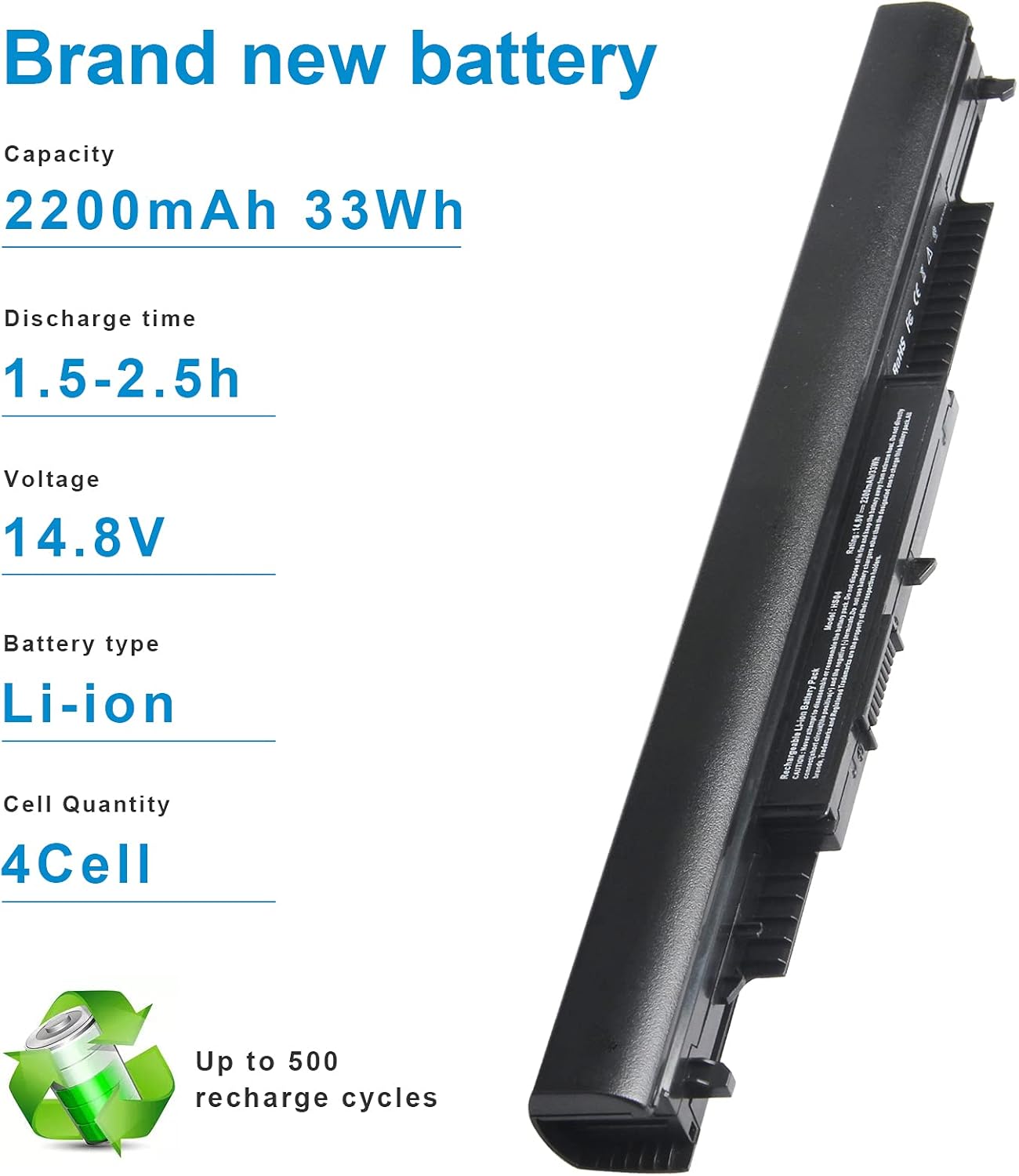
A1417 Battery Only for (Mid 2012 & Early 2013) A1398 MacBook Pro - Replacement Battery for A1398 MacBook Pro 15-inch Retina (Mid 2012, Early 2013 Version) - EMC 2512 or 2673 A1417 Battery Only for (Mid 2012 & Early 2013) A1398 MacBook Pro – Replacement Battery for A1398 MacBook Pro 15-inch Retina (Mid 2012, Early 2013 Version) – EMC 2512 or 2673 [11.26V/99Wh] A1417 A1398 Battery — Health:100%+, Voltage: 11.26V, Capacity: 99Wh(Please confirm the release year before purchase the battery) Suit for 15 inch A1398 MacBook Pro Battery Retina Mid 2012 Early 2013 (EMC 2512 or 2673) >[See more details on the Product Description] Brand new battery-> Directly warranty from Manufacturer, perform as good as the original battery. A1398 Macbook Pro 15 inch battery replacement come with adapted screwdriver. Multi-command chip control-> Contain with Durable A cells,Multi-command chip control makes the battery supply power stably.
