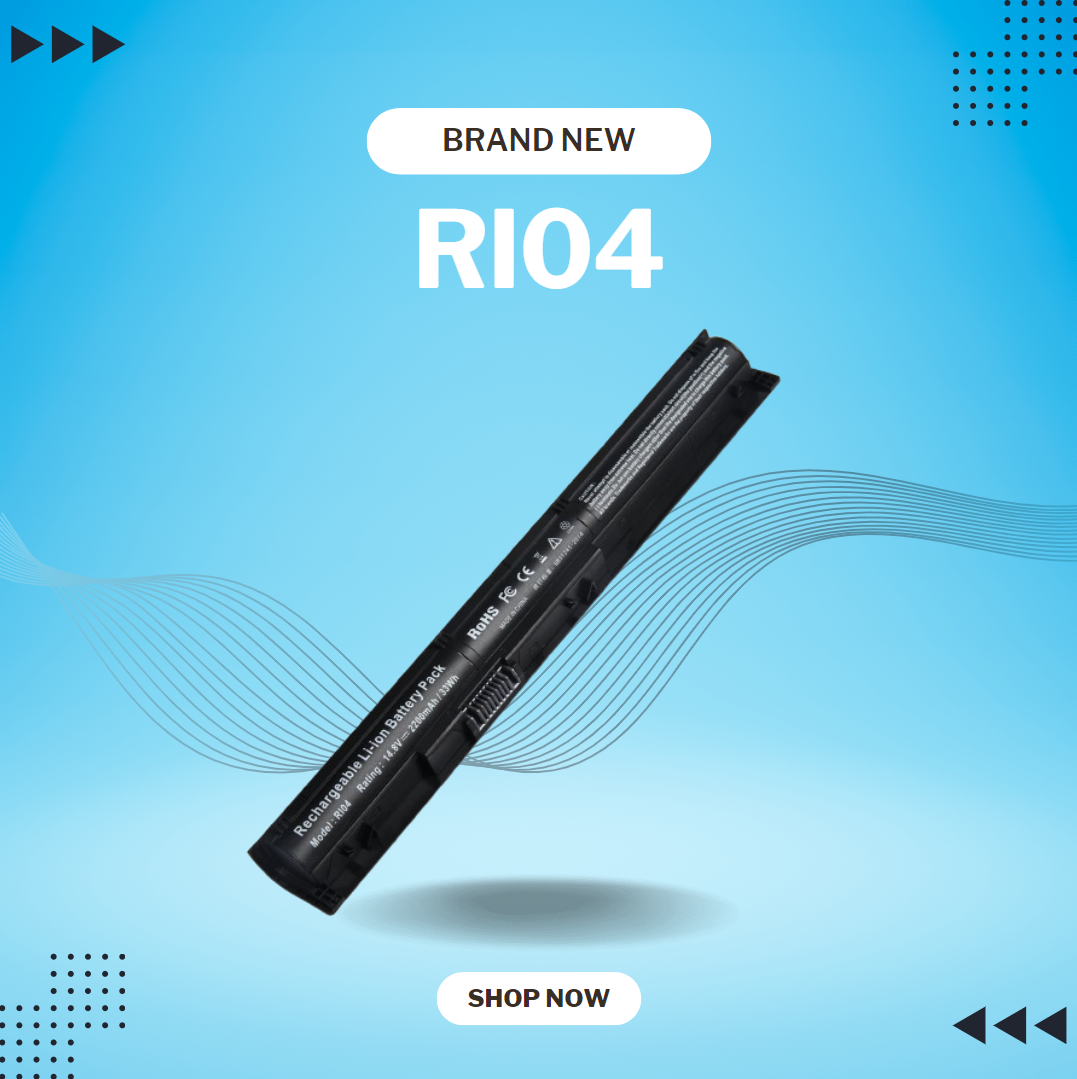

lenovo battery 42T4733 42T4235 42T4708 42T4714 Laptop Battery Replacement for Lenovo Ibm Thinkpad Sl410 Sl410k Sl510 T410 T410i T420 T510 T510i T520 E40 E50 E420 E520 Sl410 2842 Sl410 2874 Sl410k(11.1V 5200Mah) About this item Battery Type: Li-ion Voltage: 11.1V Capacity: 5200Mah Compatible Part Number: 42T4235 42T4708 42T4714 42T4733 42T4756 42T4764 42T4798 42T4803 42T4819 42T4848 42T4911 51J0499 57Y4185 57Y4545 ASM 42T4703 42T4752 42T4794 42T4702 Compatible with Battery P/N : LENOVO ThinkPad E40 E50 Edge 0578-47B Edge 14″ 05787UJ d 14″ 05787VJ 14″ 05787WJ Edge 15″ E420 E425 E520 L410 L412 L420 L421 L510 L512 L520 SL410 2842 SL410 2874 SL410k 2842 SL510 SL510 2875 SL510 T410 T410i T420 T510 T510i T520 T520i W510 W520 New from Manufacturer. CE-/FCC-/RoHS-Certified for safety.

Genuine-spec touchpad flex cable for MacBook Pro 16″ (Model A2485, 2021, M1 Pro/Max)—critical for restoring full Force Touch functionality, haptic feedback, and precise multi-touch gesture control during trackpad repairs. Compatible With: MacBook Pro 16-inch (2021, Model A2485) with Apple M1 Pro or M1 Max chip (Model Identifiers: MacBookPro18,1 / MacBookPro18,2). Part Type: Touchpad flex cable only—does not include the trackpad, Taptic Engine, or mounting hardware. This is the OEM-style ribbon cable that connects the trackpad to the logic board. Function: Transmits touch coordinates, Force Touch pressure data, and haptic feedback signals—essential for macOS gestures (e.g., pinch-to-zoom, Force Click, three-finger lookup) and Taptic Engine operation. OEM-Quality Construction: Precisely replicated to Apple’s original specifications—including cable length, connector type, EMI shielding, and flex routing—ensuring signal integrity and long-term reliability. Common Use Cases: Replacing a torn, frayed, or liquid-damaged original flex cable Completing a trackpad replacement when the original cable is compromised Fixing intermittent trackpad behavior, lost Force Touch, or complete unresponsiveness Replacing a torn, frayed, or liquid-damaged original flex cable Completing a trackpad replacement when the original cable is compromised Fixing intermittent trackpad behavior, lost Force Touch, or complete unresponsiveness Installation Note: Requires full disassembly of the bottom case and careful routing around the battery and logic board. Connectors use ZIF (Zero Insertion Force) sockets—must be aligned and latched gently. Recommended for certified or professional repair technicians only.

WiWU Linker 721HD Hub – Compact USB-C hub with 7 ports including 100W PD, dual USB-A, USB-C data, HDMI 4K60, and dual SD/TF slots.Aluminum body, plug‑and‑play compatibility with MacBooks and modern USB‑C devices—ideal for laptop expansion. Model: Linker 721HD (WiWU) Material: Aluminum-alloy shell Ports: 2 × USB‑A 3.1 1 × USB‑C 3.1 (data) 1 × USB‑C PD power delivery (up to 100 W) 1 × HDMI (4K @ 60 Hz) SD card slot + micro‑SD (TF) slot (USB 3.0 speed) Ports: 2 × USB‑A 3.1 1 × USB‑C 3.1 (data) 1 × USB‑C PD power delivery (up to 100 W) 1 × HDMI (4K @ 60 Hz) SD card slot + micro‑SD (TF) slot (USB 3.0 speed) Cable: Fixed USB‑C male cable (approx. 15 cm) Compatibility: Plug-and-play with USB-C/Thunderbolt 3/4 devices (MacBook, XPS, Chromebooks, mobile devices with DP-Alt Mode) Design: Compact, space gray finish optimized for travel/work setups Weight: ~150 g

Fast-charging feature available on select iPhone and iPad models.

GSAN GS-3021 POS All in One Touch 15.6" - Intel i5 - 8GB - 128GB SSD with Customer Display Main Board: POS motherboard CPU: I5-3RD GEN Memory: DDR3 8GB Hard Disk: 128GB Power: External power supply Input: 110V-240V 50/63Hz 2A Output: 12V DC 8A 96W MAX Interface: 6 USB port 1 LAN port

External Seagate 2TB/4TB HDD Expansion Portable Drive Easily store and access 2TB/4TB of content on the go with Seagate Expansion Portable hard drive This external hard drive for Windows computers makes backup a snap just drag and drop To get set up, connect the portable hard drive to your Windows computer for automatic recognition no software required This USB drive provides plug and play simplicity with the included 18 inch USB 3.0 cable Enjoy long term peace of mind with the included one year limited warranty

A compact and durable pre-owned Dell Latitude 7480 with 14" display, 6th Gen Core i5, 8GB RAM, and 128GB SSD—ideal for light office tasks, students, or as a secure secondary business device.

Brand Microsoft Connectivity Technology USB Connector Type USB Compatible Devices Laptops Compatible Phone Models Microsoft Special Feature Travel Mounting Type Wall Mount Total USB Ports 1 Wattage 65 watts Microsoft Surface Power Supply 65W and Power Adapter Non Retail Packaging

The Cudy M1200 AC1200 Mesh WiFi System provides seamless whole-home coverage with stable dual-band speeds up to 1200Mbps. Designed to eliminate dead zones, it delivers smooth roaming, strong signal performance, and reliable connectivity for homes and offices. AC1200 Dual Band WiFi – Combined speeds of up to 1200Mbps (300Mbps on 2.4GHz + 867Mbps on 5GHz) for streaming, browsing, and gaming. Whole-Home Mesh Coverage – Multiple units work together to create a single seamless network, eliminating WiFi dead zones. Seamless Roaming – Automatically connects your devices to the strongest signal as you move around your home. Gigabit Ethernet Ports – High-speed wired connections for smart TVs, gaming consoles, and PCs. Easy Setup & Management – Quick installation and control through a user-friendly interface or mobile app. Flexible Expansion – Easily add more mesh units to extend coverage anytime. Stable & Reliable Performance – Designed for multiple connected devices with consistent speed and signal strength. Gigabit Ethernet Ports (WAN/LAN) Dual Band WiFi (2.4GHz & 5GHz) Mesh Networking Technology WiFi Roaming Support Wireless Security (WPA/WPA2)

256GB SSD Apple Macbook Pro Air 2013 2014 2015 A1502 A1398 A1466 A1465 | Samsung MZ-JPU512T/A06 | 655-1805D ORIGINAL APPLE PART (Apple sources their SSD’s for MacBooks from Samsung) A1502 – A1398 – A1465 – A1466 100% TESTED WORKING Please check compatibility below before you make your purchase: COMPATIBILITY: MacBook Pro Retina Late 2013 – Mid-2015 MacBookPro11,1 (A1502) – ME864LL/A, ME866LL/A, ME867LL/A, MGX72LL/A, MGX92LL/A, & MGXD2LL/A MacBookPro11,2 (A1398) – ME293LL/A & MGXA2LL/A MacBookPro11,3 (A1398) – ME294LL/A, ME874LL/A, MGXC2LL/A, & MGXG2LL/A MacBookPro11,4 (A1398) – MJLQ2LL/A MacBookPro11,5 (A1398) – MJLT2LL/A & MJLU2LL/A MacBookPro12,1 (A1502) – MF839LL/A, MF841LL/A, & MF843LL/A MacBook Air Mid-2013 – Late 2015 MacBookAir6,1 (A1465) – MD711LL/A, MD760LL/A, MD711LL/B, & MF067LL/A MacBookAir6,2 (A1466) – MD760LL/A, MD760LL/B, & MF068LL/A MacBookAir7,1 (A1465) – MJMVM2LL/A MacBookAir7,2 (A1466) – MJVE2LL/A Model Identifier: Samsung Manufacturer Part# MZ-JPU512T/A06

HyperX Pulsefire Core (4P4F8AA) – RGB gaming mouse with PixArt sensor, 6,200 DPI, and 7 programmable buttons.Lightweight, ergonomic design perfect for gamers seeking precision and durability. Model: HyperX Pulsefire Core (4P4F8AA) Sensor Type: PixArt PAW3327 Optical Sensor DPI Range: 800 – 6,200 DPI (adjustable in software) Polling Rate: 1000 Hz Tracking Speed: Up to 220 IPS Acceleration: 30G Buttons: 7 programmable buttons Switch Type: Durable switches rated for up to 20 million clicks Lighting: Customizable RGB lighting (logo zone) Grip Style: Palm or claw grip Design: Ergonomic, right-handed shape with textured side grips Weight: Approx. 87g (without cable) Cable Length: 1.8 meters (braided USB cable) Software Support: HyperX NGENUITY for DPI, RGB, and button customization Compatibility: Windows 10, 8.1, 8, 7

A high-performance pre-owned Dell Precision 5540 mobile workstation with 15.6" 4K touchscreen, 9th Gen Core i7, 16GB RAM, 256GB SSD, and NVIDIA Quadro T2000 4GB—engineered for creative professionals, engineers, and designers who demand power and precision.

Genuine-spec touchpad flex cable for MacBook Pro 13″ (Model A1502, Mid 2014)—restores full trackpad functionality, including precise cursor control and physical click response. Essential for repairing unresponsive or erratic trackpad behavior. Compatible With: MacBook Pro 13-inch (Mid 2014, Model A1502, Model Identifier MacBookPro11,1) with Intel Core i5/i7 processors and Retina display. Part Type: Touchpad flex cable only — does not include the trackpad housing, button mechanism, or mounting hardware. This is the ribbon cable that connects the trackpad to the logic board. Function: Transmits cursor movement and click signals (left/right physical clicks) Supports standard multi-touch gestures (two-finger scroll, tap-to-click, pinch-to-zoom) ⚠️ Note: This model uses a physical click mechanism—not Force Touch (no haptic feedback or pressure sensitivity). Transmits cursor movement and click signals (left/right physical clicks) Supports standard multi-touch gestures (two-finger scroll, tap-to-click, pinch-to-zoom) ⚠️ Note: This model uses a physical click mechanism—not Force Touch (no haptic feedback or pressure sensitivity). OEM-Quality Build: Matches Apple’s original in: Cable length and routing path Connector type and pin alignment Insulation and flexibility for long-term reliability Cable length and routing path Connector type and pin alignment Insulation and flexibility for long-term reliability Common Use Cases: Replacing a torn, frayed, or corroded original flex cable Fixing: Unresponsive or intermittent trackpad Cursor jumping or drifting Click function failure (left or right) Complete trackpad disconnect Replacing a torn, frayed, or corroded original flex cable Fixing: Unresponsive or intermittent trackpad Cursor jumping or drifting Click function failure (left or right) Complete trackpad disconnect Unresponsive or intermittent trackpad Cursor jumping or drifting Click function failure (left or right) Complete trackpad disconnect Installation Note: Requires bottom case removal and battery disconnect. Connects via a ZIF (Zero Insertion Force) socket on the logic board—do not force. Cable routes under the battery; handle with care to avoid strain. Suitable for intermediate to advanced DIYers or technicians. Requires bottom case removal and battery disconnect. Connects via a ZIF (Zero Insertion Force) socket on the logic board—do not force. Cable routes under the battery; handle with care to avoid strain. Suitable for intermediate to advanced DIYers or technicians.

VSTAR UA150 1500VA UPS | Simulated Sine Wave Output | 230V | 24VDC Battery System | 50/60Hz Auto Sensing | Compact Design | Black Color | Model UPS-UA150 Robust 1500VA Power CapacityThe VSTAR UA150 delivers 1500VA of reliable backup power to safeguard your essential electronics, including PCs, servers, routers, and security systems. Dual Voltage CompatibilitySupports 110/120V or 220/230/240V input, making it ideal for use in a variety of international voltage environments. Stable 230V Output with AVR FunctionalityMaintains a consistent 230VAC output, protecting connected devices from voltage fluctuations and surges. Simulated Sine Wave OutputProvides a simulated sine wave waveform suitable for most common electronics, especially during normal backup operations. Auto-Sensing FrequencyAutomatically detects 50Hz or 60Hz power sources, adapting to your electrical environment without manual adjustments. Compact, Space-Saving DesignMeasuring just 353 x 149.3 x 162 mm, the UA150 fits neatly on or under desks, in server cabinets, or against walls. Reliable 24VDC Battery SystemOperates on a 24VDC internal battery configuration, delivering longer runtimes and better reliability during outages. Universal Output SocketsEquipped with IEC-style or universal output sockets that are compatible with a wide range of devices. Sleek Black FinishA clean and modern black color allows it to blend seamlessly into professional or home environments. Ideal for Home or OfficeProtects critical electronics, telecom gear, and POS systems from data loss and downtime.

Genuine-spec touchpad flex cable for MacBook Pro 15″ (Model A1706 – 2017 and A1989 – 2018/2019)—restores full Force Touch functionality, haptic feedback, and precise multi-touch gesture control during trackpad repair or replacement. Compatible With: MacBook Pro 15″ (2017) – Model A1706 (Model Identifier: MacBookPro14,3) MacBook Pro 15″ (2018–2019) – Model A1989 (Model Identifier: MacBookPro15,2) ✅ Note: Apple used the same trackpad assembly and flex cable across both A1706 and A1989 15″ models—making this part interchangeable between them. MacBook Pro 15″ (2017) – Model A1706 (Model Identifier: MacBookPro14,3) MacBook Pro 15″ (2018–2019) – Model A1989 (Model Identifier: MacBookPro15,2) ✅ Note: Apple used the same trackpad assembly and flex cable across both A1706 and A1989 15″ models—making this part interchangeable between them. ✅ Note: Apple used the same trackpad assembly and flex cable across both A1706 and A1989 15″ models—making this part interchangeable between them. Part Type: Touchpad flex cable only — does not include the trackpad housing, Taptic Engine, or mounting hardware. This is the OEM-style ribbon cable connecting the trackpad to the logic board. Function: Transmits: Touch input coordinates Force Touch pressure data Haptic feedback signals to the Taptic Engine Enables full macOS gesture support: Force Click, three-finger lookup, swipe navigation, pinch-to-zoom, and smooth cursor tracking. Touch input coordinates Force Touch pressure data Haptic feedback signals to the Taptic Engine Enables full macOS gesture support: Force Click, three-finger lookup, swipe navigation, pinch-to-zoom, and smooth cursor tracking. OEM-Quality Build: Matches Apple’s original in: Cable length and routing Connector pitch and ZIF latch design EMI shielding and flex durability Cable length and routing Connector pitch and ZIF latch design EMI shielding and flex durability Common Use Cases: Replacing a torn, creased, or liquid-damaged original flex cable Completing a trackpad replacement when the original cable is compromised Fixing intermittent trackpad behavior, loss of Force Touch, or complete unresponsiveness Replacing a torn, creased, or liquid-damaged original flex cable Completing a trackpad replacement when the original cable is compromised Fixing intermittent trackpad behavior, loss of Force Touch, or complete unresponsiveness Installation Note: Requires full bottom case removal and battery disconnection. Cable routes under internal components near the right speaker and logic board. Connects via a ZIF (Zero Insertion Force) socket—must be aligned carefully and latched gently. Recommended for experienced or certified technicians only. Requires full bottom case removal and battery disconnection. Cable routes under internal components near the right speaker and logic board. Connects via a ZIF (Zero Insertion Force) socket—must be aligned carefully and latched gently. Recommended for experienced or certified technicians only.

WiWU A821CH 8‑in‑1 Stand & Dock – A foldable aluminum laptop stand with a built-in 8‑port USB‑C dock (two USB‑A, two USB‑C, HDMI 4K30, SD/TF, Gigabit Ethernet, PD 100 W).Enhances comfort, cooling, and functionality—perfect for decluttered, professional work setups. Model: WiWU A821CH Design: Sturdy aluminum alloy stand with foldable, portable design, hollow surface for cooling, and silicone pads to prevent slips Dimensions & Weight: Compact when folded (~400 g in aluminum) Docking Hub Ports: 2 × USB-C ports 2 × USB‑A 3.0 ports 1 × HDMI (up to 4K@30 Hz) SD + micro‑SD card slots 1 × RJ‑45 Gigabit Ethernet (1000 Mbps) Docking Hub Ports: 2 × USB-C ports 2 × USB‑A 3.0 ports 1 × HDMI (up to 4K@30 Hz) SD + micro‑SD card slots 1 × RJ‑45 Gigabit Ethernet (1000 Mbps) Power Delivery: USB-C PD 3.0 supports up to 100 W—can charge a laptop while using other ports Connectivity: HDMI supports up to 4K@30 Hz; Ethernet up to Gigabit speed Stand Features: Detachable base—can use stand and hub together or separately, with adjustable ergonomic angles and vents for airflow Durability: Aluminum alloy with frosted texture, scratch-resistant finish, tested to executive standards

WiWU WM108 Wimice Dual‑Mode Mouse – Bluetooth 5.0 and 2.4 GHz wireless mouse with 800/1200/1600 DPI, silent clicks, and ergonomic ABS housing.Long battery life (~6 months standby), USB dongle & silent design—ideal for travel, office, and quiet environments. Model: WiWU Wimice WM108 Connection Modes: Bluetooth 5.0 2.4 GHz wireless via USB dongle Connection Modes: Bluetooth 5.0 2.4 GHz wireless via USB dongle DPI Settings: 800 / 1,200 / 1,600 DPI (adjustable) Buttons: 3 standard buttons + clickable scroll wheel (4 keys total) Range: Up to 10 m wireless connectivity Material/Design: Lightweight (67–130 g, depending on source), ergonomic ABS plastic body, magnetic base or “super magnetic absorption” design Operating Range: ≈10 m Silent Clicks: Quiet operation—silent key action Dimensions: Approx. 108 × 64 × 36 mm Weight: 67 g cited by Star Tech and 130 g by others—likely lighter in official spec Compatibility: Windows, macOS, Linux, Android, etc. Plug-and-play, no driver needed


