
A premium ultralight pre-owned Lenovo ThinkPad T14s Gen 3 with 14" display, AMD Ryzen 7 6850U, 16GB RAM, and 512GB SSD—delivering exceptional performance, all-day battery life, and workstation-class integrated graphics in a featherlight business laptop.

The MSI PRO MP251L E2 monitor delivers reliable performance for daily work and home use. It features a 24.5-inch Full HD display that provides clear visuals and consistent color quality. Therefore, users can handle tasks like browsing, office work, and media viewing with ease. Moreover, the 120Hz refresh rate improves screen smoothness during scrolling and light gaming. This creates a more comfortable viewing experience over long periods. In addition, the IPS panel ensures wide viewing angles and stable color reproduction from different positions. Furthermore, the monitor supports eye care features that help reduce strain during extended use. This makes it suitable for professionals and students alike. As a result, users can stay productive while maintaining visual comfort throughout the day. The design also focuses on simplicity and efficiency. It includes essential connectivity options for easy setup with various devices. Consequently, the MSI PRO MP251L E2 monitor offers a balanced combination of performance, comfort, and usability. MSI PRO MP251L E2 monitor is a practical choice for users who need smooth visuals and dependable display quality. Specifications: 24.5-inch Full HD (1920 × 1080) IPS display 120Hz refresh rate for smoother visuals Wide viewing angles with consistent colors Eye care technology for reduced strain Multiple connectivity options for easy setup

The Apple Magic Mouse (USB-C version) is a sleek, minimalist multi-touch wireless mouse built for Mac users. It offers smooth gesture support, Bluetooth connectivity and a built-in rechargeable battery — a great choice if you prefer a clean desk setup and full compatibility with macOS and iPadOS. General Name: Magic Mouse (USB-C) — part of Apple’s pointing-device lineup. Wireless connectivity: Bluetooth. Rechargeable battery: built-in, no disposable AA cells. Charging / port: USB-C port (bottom of mouse) for pairing and charging. Compatibility: Requires a Mac with macOS 15.1 or later, or an iPad with iPadOS 18.1 or later. Size & Weight Height: ~0.85 inch (2.16 cm) Width: ~2.25 inch (5.71 cm) Depth: ~4.47 inch (11.35 cm) Weight: ~0.22 pound (0.099 kg) (varies slightly by manufacturing) Features Multi-Touch surface: supports gestures such as swiping between pages, scrolling through documents, zooming. Glide / foot design: optimized for smooth movement across desktop surfaces. Rechargeable battery life: about a month or more between charges (typical use) per Apple spec. Used Condition ConsiderationsSince you’re specifying a used unit: Check for wear on the bottom feet / skates — these degrade and affect glide. Verify battery capacity / health (rechargeable batteries age). Confirm the port is functioning (USB-C) and Bluetooth connectivity is stable. Look for signs of excessive surface scratches on the multi-touch top — may impair gestures. Ensure the firmware / Mac recognizes it fully (gestures working). Upgradability / Limitations Not user-upgradable: You cannot replace the internal battery or change internals easily. Design limitation: The USB-C port remains on the bottom of the mouse, meaning you cannot use it while charging unless you flip it. This design is still criticized. Ergonomics: The flat, low-profile design is stylish but may not suit extended-use comfort for some users.

Genuine-spec keyboard replacement for MacBook Pro 13″ (Model A2289, 2020) — available in US QWERTY or UK QWERTY (with £ symbol). Features Apple’s scissor-switch Magic Keyboard, backlighting, and OEM-fit design for reliable performance and seamless installation. Compatible With: MacBook Pro 13-inch (2020, Four Thunderbolt Ports, Model A2289, Model Identifier MacBookPro16,2) with Intel Core i5/i7 processors. Layout Options (select at purchase): US Layout: Standard QWERTY with wide Enter key, @ above 2, and # above 3. UK Layout: QWERTY with £ symbol, tall vertical Enter key, @ on right Alt, and UK-specific punctuation. US Layout: Standard QWERTY with wide Enter key, @ above 2, and # above 3. UK Layout: QWERTY with £ symbol, tall vertical Enter key, @ on right Alt, and UK-specific punctuation. Keyboard Type: Apple’s Magic Keyboard with scissor-switch mechanism—quieter, more stable, and more durable than earlier Butterfly designs. Integrated Features: Full backlighting for low-light use Ambient light sensor compatibility OEM-style flex cable pre-attached for direct logic board connection Full backlighting for low-light use Ambient light sensor compatibility OEM-style flex cable pre-attached for direct logic board connection Build & Fit: Engineered to exact Apple specifications—ensures perfect alignment, consistent key height, and flush integration into the original top case. Installation Note: Keyboard is glued into the top case and requires full disassembly, careful adhesive removal, and professional re-adhesion. Recommended for experienced or certified technicians only.

Panel Size (inch) : 23.8 Aspect Ratio : 16:9 Display Viewing Area (H x V) : 527.04 x 296.46 mm Display Surface : Non-Glare Backlight Type : LED Panel Type : IPS Viewing Angle (CR≧10, H/V) : 178°/ 178° Pixel Pitch : 0.2745mm Resolution : 1920×1080 Color Space (sRGB) : 99% Brightness (Typ.) : 250cd/㎡ Contrast Ratio (Typ.) : 1000:1 ASUS Smart Contrast Ratio (ASCR) : 100000000:1 Display Colors : 16.7M Response Time : 5ms(GTG) Refresh Rate (Max) : 75Hz Flicker-free : Yes Video Feature Trace Free Technology : Yes SPLENDID Technology : Yes Color Temp. Selection : Yes(4 modes) GamePlus : Yes QuickFit : Yes HDCP : Yes VRR Technology : FreeSync™ Low Blue Light : Yes I/O Ports HDMI(v1.4) x 1 DVI x 1 VGA x 1 Signal Frequency Digital Signal Frequency : 24~84 KHz (H) / 48~75 Hz (V) Analog Signal Frequency : 24~84 KHz (H) / 48~60 Hz (V) Power Consumption Power Consumption : 13.2W Power Saving Mode : <0.5W Power Off Mode : <0.5W Voltage : 100-240V, 50/60Hz Mechanical Design Tilt : Yes (+23° ~ -5°) VESA Wall Mounting : 100x100mm Kensington Lock : Yes Dimensions (Esti.) Phys. Dimension with Stand (W x H x D) : 540.45 x 403.67 x 203.94 mm Phys. Dimension without Stand (W x H x D) : 540.45 x 324.67 x 44.4 mm Box Dimension (W x H x D) : 559 x 415 x 127 mm Weight (Esti.) Net Weight with Stand : 3.57 Kg Net Weight without Stand : 3.18 Kg Gross Weight : 5.50 Kg 3 Years Warranty manufacturer link

Genuine-spec touchpad flex cable for MacBook Pro 15″ (Model A1706 – 2017 and A1989 – 2018/2019)—restores full Force Touch functionality, haptic feedback, and precise multi-touch gesture control during trackpad repair or replacement. Compatible With: MacBook Pro 15″ (2017) – Model A1706 (Model Identifier: MacBookPro14,3) MacBook Pro 15″ (2018–2019) – Model A1989 (Model Identifier: MacBookPro15,2) ✅ Note: Apple used the same trackpad assembly and flex cable across both A1706 and A1989 15″ models—making this part interchangeable between them. MacBook Pro 15″ (2017) – Model A1706 (Model Identifier: MacBookPro14,3) MacBook Pro 15″ (2018–2019) – Model A1989 (Model Identifier: MacBookPro15,2) ✅ Note: Apple used the same trackpad assembly and flex cable across both A1706 and A1989 15″ models—making this part interchangeable between them. ✅ Note: Apple used the same trackpad assembly and flex cable across both A1706 and A1989 15″ models—making this part interchangeable between them. Part Type: Touchpad flex cable only — does not include the trackpad housing, Taptic Engine, or mounting hardware. This is the OEM-style ribbon cable connecting the trackpad to the logic board. Function: Transmits: Touch input coordinates Force Touch pressure data Haptic feedback signals to the Taptic Engine Enables full macOS gesture support: Force Click, three-finger lookup, swipe navigation, pinch-to-zoom, and smooth cursor tracking. Touch input coordinates Force Touch pressure data Haptic feedback signals to the Taptic Engine Enables full macOS gesture support: Force Click, three-finger lookup, swipe navigation, pinch-to-zoom, and smooth cursor tracking. OEM-Quality Build: Matches Apple’s original in: Cable length and routing Connector pitch and ZIF latch design EMI shielding and flex durability Cable length and routing Connector pitch and ZIF latch design EMI shielding and flex durability Common Use Cases: Replacing a torn, creased, or liquid-damaged original flex cable Completing a trackpad replacement when the original cable is compromised Fixing intermittent trackpad behavior, loss of Force Touch, or complete unresponsiveness Replacing a torn, creased, or liquid-damaged original flex cable Completing a trackpad replacement when the original cable is compromised Fixing intermittent trackpad behavior, loss of Force Touch, or complete unresponsiveness Installation Note: Requires full bottom case removal and battery disconnection. Cable routes under internal components near the right speaker and logic board. Connects via a ZIF (Zero Insertion Force) socket—must be aligned carefully and latched gently. Recommended for experienced or certified technicians only. Requires full bottom case removal and battery disconnection. Cable routes under internal components near the right speaker and logic board. Connects via a ZIF (Zero Insertion Force) socket—must be aligned carefully and latched gently. Recommended for experienced or certified technicians only.

Genuine-spec touchpad flex cable compatible with both MacBook Air A2179 (Intel, 2020) and A2337 (M1, 2020)—restores full Force Touch functionality, haptic feedback, and precise multi-touch gesture control during trackpad repair or replacement. Compatible With: MacBook Air 13″ (2020, Intel) – Model A2179 (Model Identifier: MacBookAir9,1) MacBook Air 13″ (2020, Apple M1) – Model A2337 (Model Identifier: MacBookAir10,1) MacBook Air 13″ (2020, Intel) – Model A2179 (Model Identifier: MacBookAir9,1) MacBook Air 13″ (2020, Apple M1) – Model A2337 (Model Identifier: MacBookAir10,1) ✅ Important Note: Despite different processors (Intel vs. M1), Apple used the same trackpad assembly and flex cable in both A2179 and A2337. This makes the flex cable fully interchangeable between the two models. Part Type: Touchpad flex cable only — does not include the trackpad housing, Taptic Engine, or mounting hardware. This is the OEM-style ribbon cable that connects the trackpad to the logic board. Function: Transmits: Touch input coordinates Force Touch pressure data Haptic feedback signals to the Taptic Engine Enables full macOS gesture support: Force Click, three-finger lookup, swipe navigation, pinch-to-zoom, and smooth cursor tracking. Touch input coordinates Force Touch pressure data Haptic feedback signals to the Taptic Engine Enables full macOS gesture support: Force Click, three-finger lookup, swipe navigation, pinch-to-zoom, and smooth cursor tracking. OEM-Quality Build: Matches Apple’s original specifications in: Cable length and routing path Connector pitch and ZIF latch design EMI shielding and flex durability Cable length and routing path Connector pitch and ZIF latch design EMI shielding and flex durability Common Use Cases: Replacing a torn, creased, or liquid-damaged original flex cable Completing a trackpad replacement when the original cable is compromised Fixing intermittent trackpad behavior, loss of Force Touch, or complete unresponsiveness Replacing a torn, creased, or liquid-damaged original flex cable Completing a trackpad replacement when the original cable is compromised Fixing intermittent trackpad behavior, loss of Force Touch, or complete unresponsiveness Installation Note: Requires full bottom case removal and battery disconnection. Cable routes under the right side of the battery and logic board. Connects via a ZIF (Zero Insertion Force) socket—align carefully and latch gently. Recommended for experienced or certified technicians only. Requires full bottom case removal and battery disconnection. Cable routes under the right side of the battery and logic board. Connects via a ZIF (Zero Insertion Force) socket—align carefully and latch gently. Recommended for experienced or certified technicians only.

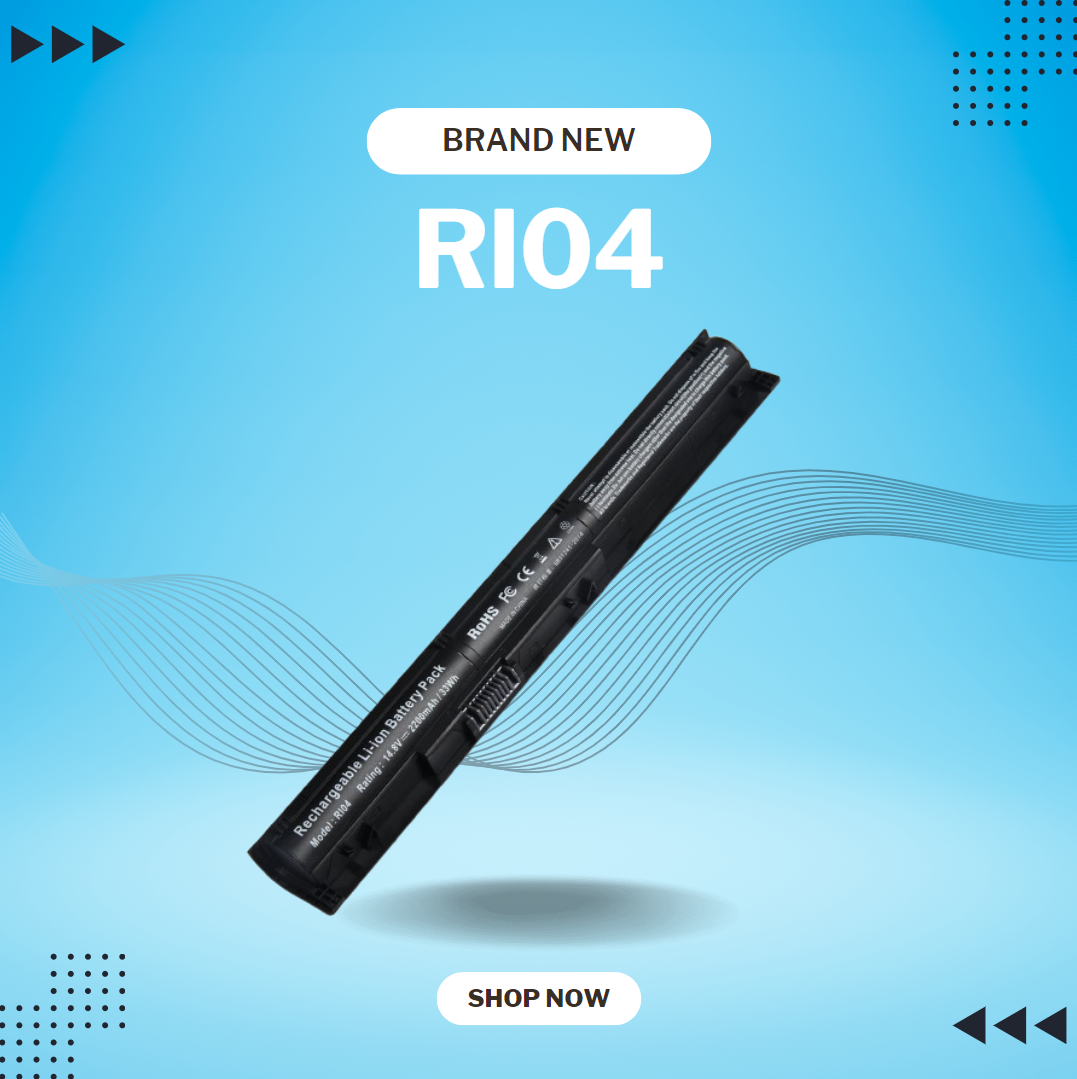
0G74G Laptop Battery Replacement for Dell Latitude 5300 2-in-1 5310 7300 7400 Series Notebook OG74G 02PFPW 2PFPW 3KF82 8JYHH 11.4V 42Wh 3-Cell About this item Specification: Battery type: Li-ion. Color: Black. Voltage: 11.4V. Capacity: 42Wh/3Cell. New from Manufacturer Replace Part Number: For MXV9V 0G74G 00G74G 2PFPW 3KF82 8JYHH Compatible Models: Replacement for Dell Latitude 5300 E5300 / 5300 2-in-1 / 5310 E5310 / 5310 2-in-1 / 7300 E7300 / 7400 E7400 Series (Important Note: NOT fit for latitude 7400 2-in-1 Series) Note: The Dell laptop models on this product page are compatible with 2 battery models: 0G74G (42Wh 3-Cell 11.4V) , MXV9V(60Wh 4-Cell 7.6V). Please open the back cover of your laptop to check the original battery size and capacity before placing an order. Make sure that the battery model you need is 0G74G (42Wh 3-Cell 11.4V). Note: If the new battery is not recognized during the initial installation, please reinstall and check if the interface is fully connected. Discharge the new battery to 10-20% (not 0%), then charge and cycle 3-4 times to wake up the new battery

The LG 32UN880K-B 32″ UHD 4K ERGO Monitor is designed to provide outstanding image quality and maximum comfort for work and entertainment. Its large 32-inch 4K UHD display delivers sharp detail and vibrant colors, making it ideal for professional tasks, creative projects, and media consumption. Moreover, the high resolution allows users to multitask efficiently with clear visuals across multiple applications. This monitor features LG’s ERGO stand, which allows flexible adjustments to improve posture and desk organization. Additionally, users can easily adjust height, tilt, swivel, and pivot positions for a more comfortable viewing experience during long working hours. The modern and clean design also helps free up desk space while maintaining a professional setup. The LG 32UN880K-B offers versatile connectivity options, making it simple to connect laptops, PCs, and other devices. Furthermore, its ergonomic flexibility helps reduce strain during extended sessions. Therefore, it is ideal for professionals, designers, and home office users seeking comfort and performance. Finally, it combines stunning 4K visuals with ergonomic convenience for a productive workspace. Specifications: 32″ UHD 4K monitor with ERGO stand High-resolution display for sharp visuals Flexible ergonomic adjustment system Wide viewing angles and accurate colors Multiple connectivity options

Size 34″ Display Type IPS Color Gamut (Typ.) sRGB 99% (CIE1931) Color Depth (Number of Colors) 16.7M Pixel Pitch (mm) 0.312 x 0.310 mm Response Time (GTG) 5ms (GtG at Faster), 1ms MBR Refresh Rate 75Hz Aspect Ratio 21:9 Display Resolution UW-FHD Resolution 2560 x 1080 Brightness 400cd/m² Contrast Ratio 1000:1 Viewing Angle 178º (R/L), 178º (U/D) Surface Treatment Anti-Glare INPUT/OUTPUT HDMI Yes x 1 DisplayPort Yes x 1 USB Type-C Yes (DP Alternate Mode) Headphone Out Yes POWER Type Adapter Input 100-240 Vac, 50/60Hz Power Save/Sleep Mode (Max.) Less than 0.5W DC Off (Max.) Less than 0.3W Power Consumption (Typ.) 30W Power Consumption (Max.) 40W SPECIAL FEATURES Color Weakness Mode Yes Adaptive Sync AMD FreeSync™ Black Stabilizer® Yes Dynamic Action Sync® Yes Crosshair® Yes Flicker Safe Yes Smart Energy Saving Yes Reader Mode Yes Super Resolution+ Yes Color Calibrated Yes Dual Controller Yes OnScreen Control (OSC) Yes HDR (High Dynamic Range) HDR10 VESA DisplayHDR™ DisplayHDR™ 400 HDR Effect Yes Auto Input Switch Yes Motion Blur Reduction Technology Yes FreeSync (Low Frame Compensation) Yes 1ms Motion Blur Reduction Yes SOUND Speaker No Built-in Speaker DIMENSIONS/WEIGHTS With Stand (WxHxD) 32.2″ x 22.4″ x 9.4″ (Up), 32.2″ x 18.0″ x 9.4″ (Down) Without Stand (WxHxD) 32.2” x 14.4” x 1.8” Shipping Dimensions (WxHxD) 37.0″ x 20.3″ x 8.6″ With Stand Weight 17.4 lbs Without Stand Weight 13.2 lbs Shipping Weight 24.0 lbs STAND Display Position Adjustments Tilt/Height CABINET/ACCESSORIES Wall Mount Size (mm) 100 x 100 mm HDMI Yes 3 Years Warranty manufacturer link

WiWU Alpha Slim Sleeve Laptop Case 14/15.4/16 inch Inch Waterproof Bag With Handle For Macbook

Samsung Odyssey OLED G8 G81SF 240Hz Monitor delivers premium visuals and ultra-smooth performance for high-end gaming. It features a 27-inch 4K QD-OLED display with sharp detail and deep contrast. As a result, every scene looks vivid and realistic during gameplay. Moreover, the QD-OLED panel enhances color accuracy and brightness. It supports VESA DisplayHDR True Black 400 for deeper blacks and better contrast. In addition, Glare Free technology reduces reflections, which helps maintain focus in bright environments. Furthermore, the 240Hz refresh rate and 0.03ms response time deliver fast and fluid motion. This ensures smooth gameplay with minimal blur. AMD FreeSync Premium Pro also reduces tearing and stutter for stable performance. Finally, Samsung Odyssey OLED G8 G81SF 240Hz Monitor includes OLED Safeguard+ features to manage heat and reduce burn-in risk. It also offers an ergonomic stand with tilt, swivel, and pivot adjustments. Therefore, users enjoy both comfort and long-term reliability. Specifications: 27-inch 4K (3840×2160) QD-OLED display with sharp detail and deep contrast 240Hz refresh rate with ultra-fast 0.03ms response time for smooth gameplay VESA DisplayHDR True Black 400 for enhanced contrast and color depth Glare Free technology reduces reflections for better visibility AMD FreeSync Premium Pro for tear-free and stable gaming performance

WiWU 20W fast Charger for Mobile Phone with USB C Quick Power Adapter in white Wall charger

The Samsung LS27R750QEMXZN Space Monitor is a 27-inch WQHD display that combines clear picture quality with a space-saving design. Its 2560 × 1440 resolution shows crisp text and detailed images for work, play, and media. In addition, the VA panel delivers wide viewing angles so colors appear consistent from different positions. This monitor includes a 144 Hz refresh rate for smoother motion during games, video, and web browsing. Furthermore, its zero-level height adjustable stand allows you to slide the screen back toward the wall or pull it forward for comfortable viewing without taking up much desk space. The stand also keeps cables concealed, helping your workspace stay organized. Therefore, the Space Monitor blends performance and practical design, making it suitable for both home offices and workstations that need extra desk area. Specifications: 27″ WQHD (2560×1440) VA display for detailed visuals 144 Hz refresh rate for smooth motion Space-saving adjustable stand design Wide viewing angles for consistent color Practical connectivity and organized cable management

OEM-quality touchpad replacement (without flex cable) for MacBook Air 15″ (Model A2941, 2023)—in Space Gray finish—designed for precise Force Touch performance and seamless integration with the original chassis. Compatible With: MacBook Air 15-inch (2023, Model A2941) with Apple M2 chip. Part Type: Touchpad only—does not include the flex cable, Taptic Engine, or mounting hardware. Intended for technicians who will reuse or transfer the original internal components. Color: Space Gray—matches the original lower case of Space Gray A2941 models. Force Touch Ready: Fully supports pressure-sensitive gestures and haptic feedback when paired with the original Taptic Engine and logic board. OEM Build Quality: Matches Apple’s original surface texture, curvature, and responsiveness for consistent tracking and click feel. Installation Note: Requires full bottom case disassembly and careful transfer of the original flex cable and Taptic Engine. Adhesive and alignment must be precise to avoid gaps or malfunction. Recommended for professional repair technicians.

The MSI MAG32URDF E16 gaming monitor delivers flexible performance with dual-mode display support. It features a large 32-inch screen that adapts to different gaming needs. Therefore, users can switch between ultra-fast speed and high-resolution clarity. Moreover, the monitor supports Full HD at 320Hz for competitive gaming. This ensures smooth motion and fast response during intense gameplay. In addition, it offers 4K UHD at 160Hz for detailed visuals and immersive experiences. The panel provides sharp image quality with accurate colors and wide viewing angles. As a result, it suits both gaming and content viewing. Furthermore, adaptive sync technology helps reduce screen tearing and stuttering. Connectivity options support easy integration with modern devices. Consequently, the MSI MAG32URDF E16 gaming monitor delivers both speed and visual quality in one solution. The MSI MAG32URDF E16 gaming monitor is ideal for users who want both high refresh rates and 4K clarity in one display. Specifications: 32-inch display with dual-mode resolution support 4K UHD (3840 × 2160) at 160Hz refresh rate Full HD (1920 × 1080) at 320Hz refresh rate Adaptive sync support for smooth performance Multiple input ports for flexible connectivity

Genuine-spec Touch Bar assembly with integrated flex cable for MacBook Pro 15″ (Models A1706 – 2017 and A1989 – 2018)—fully restores dynamic Touch ID, system controls, and app-specific functions with OEM-level fit and reliability. Compatible With: MacBook Pro 15″ (2017) – Model A1706 (Intel Core i7/i9, 4 Thunderbolt 3 ports) MacBook Pro 15″ (2018) – Model A1989 (Intel Core i7/i9, 4 Thunderbolt 3 ports) MacBook Pro 15″ (2017) – Model A1706 (Intel Core i7/i9, 4 Thunderbolt 3 ports) MacBook Pro 15″ (2018) – Model A1989 (Intel Core i7/i9, 4 Thunderbolt 3 ports) Includes: Complete Touch Bar module with pre-attached flex cable, integrated Touch ID sensor (doubles as power button), and ambient light sensor—ready for direct connection to the logic board. Full Functionality: Restores all Touch Bar features including dynamic app controls, system brightness/volume sliders, Siri, and fingerprint authentication via Touch ID. Color Match: Available in Space Gray and Silver—select the finish that matches your MacBook’s top case. OEM-Quality Build: Matches Apple’s original dimensions, sensor alignment, and surface texture—ensures seamless integration with macOS and consistent responsiveness. Installation Note: Requires full top case disassembly. The flex cable routes under the left speaker and connects near the logic board—precision is critical to avoid damage. Recommended for experienced technicians.

Experience elite performance with the Lenovo ThinkPad E14 Gen 3, powered by the AMD Ryzen 7 5700U 8-core processor. Featuring 16GB RAM, a lightning-fast 512GB NVMe SSD, and a professional 14-inch FHD display, this laptop is engineered for high-level productivity and military-grade durability.

Genuine-spec touchpad flex cable for Apple’s 12-inch MacBook (Model A1534, Early 2015 / Early 2016 / Mid 2017)—essential for restoring full Force Touch trackpad functionality, haptic feedback, and multi-touch gesture support. Compatible With: MacBook 12″ (Early 2015) – 1.1GHz Core M MacBook 12″ (Early 2016) – 1.1GHz/1.3GHz Core M MacBook 12″ (Mid 2017) – 1.2GHz/1.3GHz Core m3/i5/i7 All share Model Number A1534 and Model Identifier MacBook8,1 / MacBook9,1 / MacBook10,1 respectively. MacBook 12″ (Early 2015) – 1.1GHz Core M MacBook 12″ (Early 2016) – 1.1GHz/1.3GHz Core M MacBook 12″ (Mid 2017) – 1.2GHz/1.3GHz Core m3/i5/i7 All share Model Number A1534 and Model Identifier MacBook8,1 / MacBook9,1 / MacBook10,1 respectively. Part Type: Touchpad flex cable only—does not include the trackpad housing, Taptic Engine, or mounting brackets. This is the ribbon cable that connects the Force Touch trackpad to the logic board. Function: Critical for Force Touch functionality—transmits pressure-sensitive input, multi-touch gestures (e.g., pinch, swipe, Force Click), and haptic feedback signals to the Taptic Engine. OEM-Quality Construction: Precisely matches Apple’s original in length, connector pitch, shielding, and routing—ensures reliable signal integrity and compatibility with macOS. Common Use Cases: Replacing a torn, creased, or liquid-damaged flex cable Restoring unresponsive or erratic trackpad behavior Completing a trackpad replacement when the original cable is unusable Replacing a torn, creased, or liquid-damaged flex cable Restoring unresponsive or erratic trackpad behavior Completing a trackpad replacement when the original cable is unusable Installation Note: Requires full bottom case removal and delicate disconnection of the ZIF connector. The cable routes tightly under the battery—extreme care is required. Recommended for experienced or certified technicians only.

The Samsung S3 Essential (D362) 27″ Full‑HD VA Curved Monitor (LS27D362GAMXUE) offers a large curved screen with a 100 Hz refresh rate for smoother motion in games and videos. Additionally, the VA panel produces deep contrast with wide viewing angles for everyday computing, entertainment, and casual gaming. The monitor also supports Game Mode to optimize color and image contrast for more vivid scenes. Moreover, advanced eye comfort technologies such as Eye Saver Mode and flicker‑free operation help reduce eye strain during long sessions. Therefore, it supports extended use for work or entertainment without discomfort. The curved design enhances immersion and helps minimize peripheral distractions. Furthermore, connectivity includes HDMI and VGA ports for easy connection to PCs and other devices. The monitor also includes a headphone jack for audio output. It comes with a stand that allows tilt adjustment, and it supports VESA wall mounting for flexible setups. The monitor is backed by a three‑year warranty for peace of mind. Specifications: 27″ curved VA panel with Full HD (1920 × 1080) resolution for clear visuals 100 Hz refresh rate for smoother motion in games and videos Game Mode optimizes color and contrast for more vivid scenes Eye Saver Mode and flicker‑free technology reduce eye strain HDMI and VGA connectivity plus headphone jack for flexible connections
