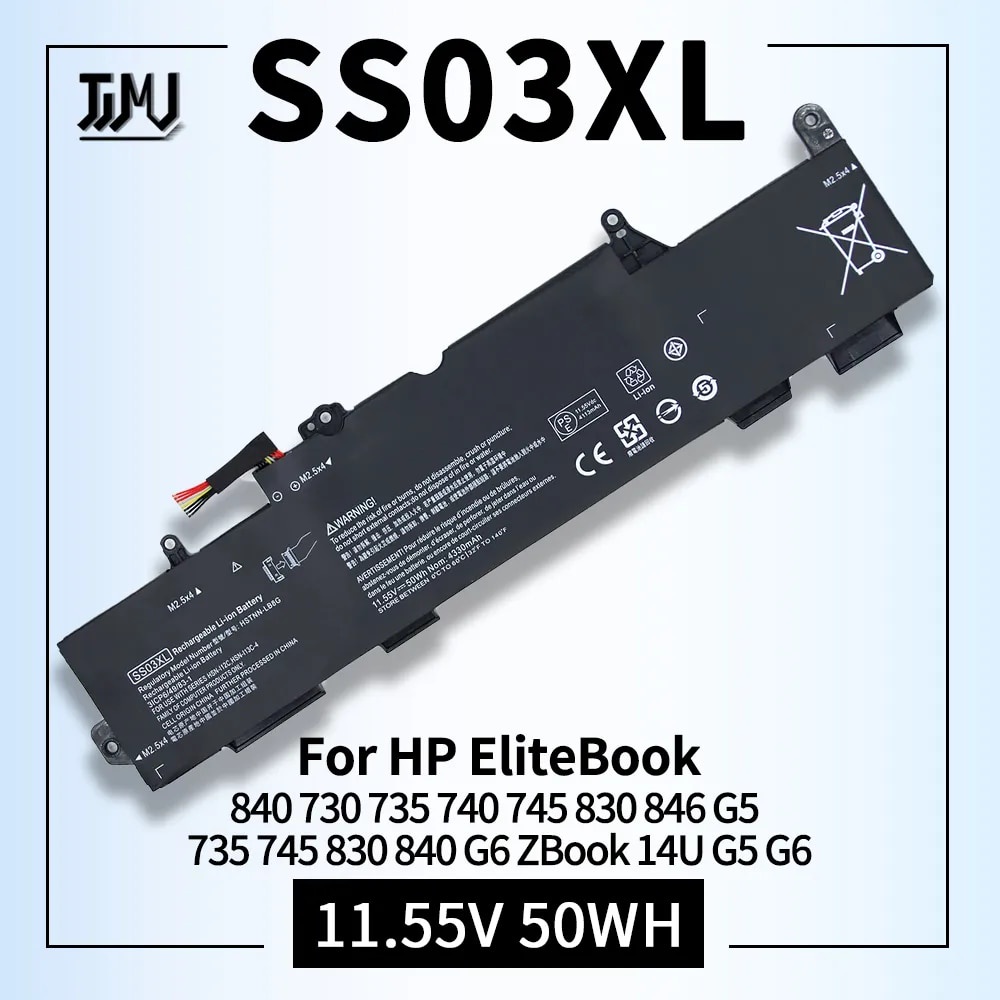

A1389 A1494 Laptop Battery Replacement for MacBook Pro 15 inch Retina A1398 (Late 2013 & Mid 2014), fit Retina ME293 ME294 MGXA2 MGXC2 MJLQ2 MJLT2 MJLU2 Details : Voltage:11.26V; Capacity: 95Wh; Battery Type: Li-Polymer KINDLY NOTES: Replacement for Apple Macbook Pro 15 inch A1494 A1398 Retina Only fit Late 2013 Mid 2014 Version,Do not fit 2012 & Early 2013 Version Packing: 1 x laptop battery,4 x free screwdrivers Desighed for the original battery 1:1,Please confirm that your laptop’s model number, the original battery’s part number and your laptop’s version correctly

Smooth, precise, and completely wireless. The Apple Magic Trackpad brings the best laptop navigation to your desktop. Available in both White and Black, it features a large glass surface, Force Touch technology for deeper control, and a modern USB-C port for easy charging. It connects instantly to your Mac or iPad and keeps running for a month or more on a single charge. Make navigating your computer effortless with the Apple Magic Trackpad (A3120). Designed with a wide, smooth glass surface, it lets you swipe, scroll, and zoom using the same natural hand gestures you use on a laptop. It is the perfect tool to keep your desk clean and your workflow productive. Key Features: Force Touch: Built-in sensors know how hard you press, letting you click deeper to open previews, look up definitions, and reveal hidden menus. Large Glass Surface: The spacious edge-to-edge design gives you plenty of room to scroll through large documents or edit photos comfortably. Updated with USB-C: Now features a universal USB-C port for charging and pairing, matching all your modern cables. Long Battery Life: The built-in rechargeable battery lasts about a month or more before needing a quick recharge. Easy Setup: Pairs automatically with your Mac via Bluetooth right out of the box, with no complicated configuration needed. Sleek Colors: Choose between classic White or premium Black to perfectly match your desktop setup. Specifications at a Glance: Model: A3120 Colors: White / Black Connection: Wireless / Bluetooth / USB-C Surface: Premium Edge-to-Edge Glass Compatibility: Mac and iPad

Genuine Apple MagSafe 3 charging cable (2-meter length), originally shipped with MacBook Pro 14"/16" (2021, M1 Pro/Max) and MacBook Pro 16" (2023, M2/M3 Max). Used but fully functional, tested for safe power delivery and data handshake with Apple laptops. Compatibility: MacBook Pro 14″ (2021–2023, M1 Pro/Max, M2 Pro/Max, M3 Pro/Max) MacBook Pro 16″ (2021–2023, M1 Max, M2 Max, M3 Max) Works with Apple 67W, 96W, and 140W USB-C Power Adapters (sold separately) MacBook Pro 14″ (2021–2023, M1 Pro/Max, M2 Pro/Max, M3 Pro/Max) MacBook Pro 16″ (2021–2023, M1 Max, M2 Max, M3 Max) Works with Apple 67W, 96W, and 140W USB-C Power Adapters (sold separately) Connector Type: MagSafe 3 (magnetic, tri-oval tip) on laptop end USB-C on power adapter end MagSafe 3 (magnetic, tri-oval tip) on laptop end USB-C on power adapter end Cable Length: 2 meters (≈6.6 feet) – longer than the standard 1.8m cable, ideal for flexible desk or bedside setups. Condition: Original Apple cable, previously used but fully tested: No fraying, kinks, or exposed wires MagSafe 3 connector intact with strong magnetic hold Charges MacBook at full rated speed (supports up to 140W with compatible adapter) Passes Apple’s authentication handshake (no “Not Supported” warnings) No fraying, kinks, or exposed wires MagSafe 3 connector intact with strong magnetic hold Charges MacBook at full rated speed (supports up to 140W with compatible adapter) Passes Apple’s authentication handshake (no “Not Supported” warnings) What’s Included: MagSafe 3 to USB-C cable only Power adapter NOT included MagSafe 3 to USB-C cable only Power adapter NOT included Why Choose This: Cost-effective alternative to buying new 100% genuine Apple—no third-party risks (overheating, slow charging, compatibility errors) Ideal for backup, travel, or replacing a damaged original cable Cost-effective alternative to buying new 100% genuine Apple—no third-party risks (overheating, slow charging, compatibility errors) Ideal for backup, travel, or replacing a damaged original cable

WiWU A821CH 8‑in‑1 Stand & Dock – A foldable aluminum laptop stand with a built-in 8‑port USB‑C dock (two USB‑A, two USB‑C, HDMI 4K30, SD/TF, Gigabit Ethernet, PD 100 W).Enhances comfort, cooling, and functionality—perfect for decluttered, professional work setups. Model: WiWU A821CH Design: Sturdy aluminum alloy stand with foldable, portable design, hollow surface for cooling, and silicone pads to prevent slips Dimensions & Weight: Compact when folded (~400 g in aluminum) Docking Hub Ports: 2 × USB-C ports 2 × USB‑A 3.0 ports 1 × HDMI (up to 4K@30 Hz) SD + micro‑SD card slots 1 × RJ‑45 Gigabit Ethernet (1000 Mbps) Docking Hub Ports: 2 × USB-C ports 2 × USB‑A 3.0 ports 1 × HDMI (up to 4K@30 Hz) SD + micro‑SD card slots 1 × RJ‑45 Gigabit Ethernet (1000 Mbps) Power Delivery: USB-C PD 3.0 supports up to 100 W—can charge a laptop while using other ports Connectivity: HDMI supports up to 4K@30 Hz; Ethernet up to Gigabit speed Stand Features: Detachable base—can use stand and hub together or separately, with adjustable ergonomic angles and vents for airflow Durability: Aluminum alloy with frosted texture, scratch-resistant finish, tested to executive standards

TPLINK 300Mbps Wireless N ADSL2+ Modem Router TD-W8961N

The Apple Magic Mouse (USB-C version) is a sleek, minimalist multi-touch wireless mouse built for Mac users. It offers smooth gesture support, Bluetooth connectivity and a built-in rechargeable battery — a great choice if you prefer a clean desk setup and full compatibility with macOS and iPadOS. General Name: Magic Mouse (USB-C) — part of Apple’s pointing-device lineup. Wireless connectivity: Bluetooth. Rechargeable battery: built-in, no disposable AA cells. Charging / port: USB-C port (bottom of mouse) for pairing and charging. Compatibility: Requires a Mac with macOS 15.1 or later, or an iPad with iPadOS 18.1 or later. Size & Weight Height: ~0.85 inch (2.16 cm) Width: ~2.25 inch (5.71 cm) Depth: ~4.47 inch (11.35 cm) Weight: ~0.22 pound (0.099 kg) (varies slightly by manufacturing) Features Multi-Touch surface: supports gestures such as swiping between pages, scrolling through documents, zooming. Glide / foot design: optimized for smooth movement across desktop surfaces. Rechargeable battery life: about a month or more between charges (typical use) per Apple spec. Used Condition ConsiderationsSince you’re specifying a used unit: Check for wear on the bottom feet / skates — these degrade and affect glide. Verify battery capacity / health (rechargeable batteries age). Confirm the port is functioning (USB-C) and Bluetooth connectivity is stable. Look for signs of excessive surface scratches on the multi-touch top — may impair gestures. Ensure the firmware / Mac recognizes it fully (gestures working). Upgradability / Limitations Not user-upgradable: You cannot replace the internal battery or change internals easily. Design limitation: The USB-C port remains on the bottom of the mouse, meaning you cannot use it while charging unless you flip it. This design is still criticized. Ergonomics: The flat, low-profile design is stylish but may not suit extended-use comfort for some users.

Sleek, ultra-thin 24-inch Full HD display with micro-edge design, flicker-free technology, and versatile connectivity—ideal for productivity, home office, or multi-display setups. Model: HP V24v G5 Screen Size: 23.8 inches (viewable), 24-inch class Display Type: IPS (In-Plane Switching) panel Resolution: 1920 x 1080 (Full HD) at 60Hz Brightness: 250 cd/m² Contrast Ratio: 1,000:1 (static), 10,000,000:1 (dynamic) Response Time: 7 ms (gray-to-gray) Viewing Angles: 178° horizontal / 178° vertical (excellent color consistency from wide angles) Design Features: 3-sided micro-edge bezel – ideal for seamless multi-monitor setups Ultra-slim profile – modern, minimalist aesthetic Tilt-only stand: -5° to +25° VESA Mount Compatible: 100 x 100 mm (stand removable) 3-sided micro-edge bezel – ideal for seamless multi-monitor setups Ultra-slim profile – modern, minimalist aesthetic Tilt-only stand: -5° to +25° VESA Mount Compatible: 100 x 100 mm (stand removable) Connectivity: 1 x HDMI 1.4 1 x VGA (D-Sub) Audio Line-out (3.5mm) – for use with external speakers/headphones No built-in speakers 1 x HDMI 1.4 1 x VGA (D-Sub) Audio Line-out (3.5mm) – for use with external speakers/headphones No built-in speakers Eye Comfort & Sustainability: Flicker-free backlight HP Eye Ease (TÜV-certified low blue light mode—reduces eye strain without color distortion) ENERGY STAR® certified Made with post-consumer recycled plastics (up to 85% in enclosure) Flicker-free backlight HP Eye Ease (TÜV-certified low blue light mode—reduces eye strain without color distortion) ENERGY STAR® certified Made with post-consumer recycled plastics (up to 85% in enclosure) Ideal For: Home office & remote work Students and professionals Dual/triple monitor productivity setups Everyday computing, web browsing, and document editing Home office & remote work Students and professionals Dual/triple monitor productivity setups Everyday computing, web browsing, and document editing Dimensions (with stand): 21.26 x 7.76 x 15.83 in (540 x 197 x 402 mm) 21.26 x 7.76 x 15.83 in (540 x 197 x 402 mm) Weight: ~7.5 lbs (3.4 kg)

A sleek and secure pre-owned Dell Latitude 7490 with 14" display, 8th Gen Core i5, 8GB RAM, and 128GB SSD—designed for business professionals who need portability, durability, and enterprise-grade performance.

Arabic Language Silicone Keyboard Cover Skin for MacBook Air 13" Macbook Pro with / without Retina Display 13"15" 17" MC184LL/B, NOT COMPATIBLE WITH NEW MacBook Air 13” A1932 (Black) Arabic Language Silicone Keyboard Cover Skin for MacBook Air 13″ Macbook Pro with / without Retina Display 13″15″ 17″ MC184LL/B, NOT COMPATIBLE WITH NEW MacBook Air 13” A1932 (Black) About this item Only compatible with MacBook Air 13″ (Model: A1369 & A1466) , MacBook Pro 13-Inch with DVD Drive (Model: A1278), Pro 13 inch with Retina Display (Model: A1425 & A1502), Pro 15 inch with DVD Drive (Model: A1286), Pro 15 inch with Retina Display (Model: A1398), Pro 17 inch (Model: A1297) and Apple Wireless Bluetooth Keyboard MC184LL/B (A1314). NOT COMPATIBLE WITH NEWEST MacBook Air 13″ 2018 (Model: A1932) Fit for American Version( “Enter” key is a rectangle), DO NOT FIT FOR Europe Version (“Enter” key looks like “7”) Extra slim silicone skin, made it easier for typing. Soft silicone can ELIMINATE THE SOUND when typing FLEXIBLE, WASHABLE, easy to apply and remove for cleaning or disinfecting. Manufactured to the highest quality available, Ultra thin design lets you open and close your computer without any affection

COMPACT AND WIRELESS Enjoy the freedom of wireless with this versatile combo. The compact keyboard is equipped with a number pad ideal for data entry, calculations and navigation, so you can get more work done in less space. The ambidextrous mouse delivers smooth tracking and scrolling, for easy navigation -at home or at work. COMPACT AND WIRELESS Enjoy the freedom of wireless with this versatile combo. The compact keyboard is equipped with a number pad ideal for data entry, calculations and navigation, so you can get more work done in less space. The ambidextrous mouse delivers smooth tracking and scrolling, for easy navigation -at home or at work. Height: 112 mm Width: 381 mm Depth: 17.78 mm Weight: 320 g Height: 107 mm Width: 60 mm Depth: 40 mm Weight: 112 g 10-Key Number pad Music Controls Up to 5 million keystrokes (excludes number lock key) Key type: Deep-profile Spill-resistant 2Tested under limited conditions (maximum of 60 ml liquid spillage). Do not immerse the keyboard in liquid. 2 AAA batteries (Alkaline Batteries) Sensor Technology: Smooth Optical Tracking Number of Buttons: 3 (Left/Right-click, Middle click) Scrolling: line-by-line Scroll Wheel: Yes, optical 2 AA batteries (Alkaline batteries) Windows® 10,11 or later ChromeOS An available USB ports

OEM-quality trackpad replacement (without flex cable) for MacBook Air 13″ (Model A1932, 2018–2019) in Gold finish—engineered for precise Force Touch response, smooth multi-touch gestures, and perfect color-matched integration with the original chassis. Compatible With: MacBook Air 13-inch (2018 & 2019, Model A1932, Model Identifiers MacBookAir8,1) with Intel Core i5/i7 processors. Part Type: Trackpad only—does not include the flex cable, Taptic Engine, or mounting hardware. Designed for technicians who will reuse the original internal components. Finish: Gold—specifically matched to the Gold variant of the A1932 MacBook Air for seamless aesthetic continuity. Force Touch Support: Fully compatible with pressure-sensitive input and haptic feedback when paired with the original Taptic Engine and logic board—ensuring full macOS gesture functionality (e.g., Force Click, Look Up, pressure-sensitive navigation). Precision Build: Smooth glass surface with exact curvature, texture, and micro-click mechanism matching Apple’s original design for consistent tracking accuracy and tactile feel. Installation Requirements: Requires full bottom case disassembly and careful transfer of the original flex cable and Taptic Engine. Adhesive must be applied precisely to maintain structural integrity and sensor alignment. Recommended for professional or experienced repair technicians only.

Genuine-spec touchpad flex cable for MacBook Pro 16″ (Model A2485, 2021, M1 Pro/Max)—critical for restoring full Force Touch functionality, haptic feedback, and precise multi-touch gesture control during trackpad repairs. Compatible With: MacBook Pro 16-inch (2021, Model A2485) with Apple M1 Pro or M1 Max chip (Model Identifiers: MacBookPro18,1 / MacBookPro18,2). Part Type: Touchpad flex cable only—does not include the trackpad, Taptic Engine, or mounting hardware. This is the OEM-style ribbon cable that connects the trackpad to the logic board. Function: Transmits touch coordinates, Force Touch pressure data, and haptic feedback signals—essential for macOS gestures (e.g., pinch-to-zoom, Force Click, three-finger lookup) and Taptic Engine operation. OEM-Quality Construction: Precisely replicated to Apple’s original specifications—including cable length, connector type, EMI shielding, and flex routing—ensuring signal integrity and long-term reliability. Common Use Cases: Replacing a torn, frayed, or liquid-damaged original flex cable Completing a trackpad replacement when the original cable is compromised Fixing intermittent trackpad behavior, lost Force Touch, or complete unresponsiveness Replacing a torn, frayed, or liquid-damaged original flex cable Completing a trackpad replacement when the original cable is compromised Fixing intermittent trackpad behavior, lost Force Touch, or complete unresponsiveness Installation Note: Requires full disassembly of the bottom case and careful routing around the battery and logic board. Connectors use ZIF (Zero Insertion Force) sockets—must be aligned and latched gently. Recommended for certified or professional repair technicians only.

Genuine Apple sleep/wake sensor flex cable (Hall effect sensor) for MacBook Air 13.6″ (Model A2681, 2022, M2)—ensures automatic display sleep when the lid is closed and wake-on-open functionality. OEM part number 821-04129-02. Compatible With: MacBook Air 13.6-inch (2022, Model A2681) with Apple M2 chip (all colors: Silver, Space Gray, Starlight, Midnight). Apple Part Number: 821-04129-02 (exact OEM service part). Function: Contains the Hall effect sensor that detects the magnet in the MacBook Air’s display lid. This allows macOS to: Sleep the system when the lid is closed Wake instantly when opened Prevent false sleep/wake events during use Sleep the system when the lid is closed Wake instantly when opened Prevent false sleep/wake events during use Location: Mounted near the right side of the keyboard, adjacent to the battery and logic board. Common Failure Symptoms: MacBook doesn’t sleep when lid is closed MacBook wakes randomly in a bag “Lid closed” not recognized in macOS Requires manual sleep or power button use MacBook doesn’t sleep when lid is closed MacBook wakes randomly in a bag “Lid closed” not recognized in macOS Requires manual sleep or power button use Part Type: Flex cable with integrated Hall sensor—not just a cable, but a calibrated magnetic sensor module. Installation Note: Requires full bottom case removal and careful disconnection of the battery. The sensor is adhered near the I/O area—do not bend or puncture. Recommended for experienced technicians.

Genuine-spec touchpad flex cable for MacBook Pro 13″ with Touch Bar (Model A1708, 2016–2017)—restores full Force Touch functionality, haptic feedback, and precise multi-touch gesture control during trackpad repair or replacement. Compatible With: MacBook Pro 13″ (2016) – Model A1708 (Model Identifier: MacBookPro13,1) MacBook Pro 13″ (2017) – Model A1708 (Model Identifier: MacBookPro14,1) (Both years share the same internal trackpad assembly and flex cable.) MacBook Pro 13″ (2016) – Model A1708 (Model Identifier: MacBookPro13,1) MacBook Pro 13″ (2017) – Model A1708 (Model Identifier: MacBookPro14,1) (Both years share the same internal trackpad assembly and flex cable.) Part Type: Touchpad flex cable only — does not include the trackpad housing, Taptic Engine, or mounting hardware. This is the OEM-style ribbon cable that connects the trackpad to the logic board. Function: Transmits: Touch input coordinates Force Touch pressure data Haptic feedback signals to the Taptic Engine Enables full macOS gesture support: Force Click, three-finger lookup, swipe navigation, pinch-to-zoom, and smooth cursor tracking. Touch input coordinates Force Touch pressure data Haptic feedback signals to the Taptic Engine Enables full macOS gesture support: Force Click, three-finger lookup, swipe navigation, pinch-to-zoom, and smooth cursor tracking. OEM-Quality Build: Matches Apple’s original specifications in: Cable length and routing path Connector pitch and ZIF latch design EMI shielding and flex durability Cable length and routing path Connector pitch and ZIF latch design EMI shielding and flex durability Common Use Cases: Replacing a torn, creased, or liquid-damaged original flex cable Completing a trackpad replacement when the original cable is compromised Fixing intermittent trackpad behavior, loss of Force Touch, or complete unresponsiveness Replacing a torn, creased, or liquid-damaged original flex cable Completing a trackpad replacement when the original cable is compromised Fixing intermittent trackpad behavior, loss of Force Touch, or complete unresponsiveness Installation Note: Requires full bottom case removal and battery disconnection. Cable routes under internal components near the right speaker and logic board. Connects via a ZIF (Zero Insertion Force) socket—must be aligned carefully and latched gently. Recommended for experienced or certified technicians only. Requires full bottom case removal and battery disconnection. Cable routes under internal components near the right speaker and logic board. Connects via a ZIF (Zero Insertion Force) socket—must be aligned carefully and latched gently. Recommended for experienced or certified technicians only.

The Dell OptiPlex 7050 Micro combines compact design and solid performance with an Intel Core i5 6th Gen processor, DDR4 RAM options, and SSD storage options. Ideal for business and home use, it delivers reliable speed, energy efficiency, and space-saving desktop performance.

WiWU WM108 Wimice Dual‑Mode Mouse – Bluetooth 5.0 and 2.4 GHz wireless mouse with 800/1200/1600 DPI, silent clicks, and ergonomic ABS housing.Long battery life (~6 months standby), USB dongle & silent design—ideal for travel, office, and quiet environments. Model: WiWU Wimice WM108 Connection Modes: Bluetooth 5.0 2.4 GHz wireless via USB dongle Connection Modes: Bluetooth 5.0 2.4 GHz wireless via USB dongle DPI Settings: 800 / 1,200 / 1,600 DPI (adjustable) Buttons: 3 standard buttons + clickable scroll wheel (4 keys total) Range: Up to 10 m wireless connectivity Material/Design: Lightweight (67–130 g, depending on source), ergonomic ABS plastic body, magnetic base or “super magnetic absorption” design Operating Range: ≈10 m Silent Clicks: Quiet operation—silent key action Dimensions: Approx. 108 × 64 × 36 mm Weight: 67 g cited by Star Tech and 130 g by others—likely lighter in official spec Compatibility: Windows, macOS, Linux, Android, etc. Plug-and-play, no driver needed

Professional battery testing flex cable for MacBook Pro 15″ (Model A1990, 2018–2019)—used by technicians to bypass a faulty battery or diagnose power-on issues without permanent battery removal. Enables safe logic board testing and troubleshooting. This is not a replacement battery cable—it’s a diagnostic tool used in repair workflows. It mimics the battery’s presence by providing the necessary SMBus signal and power-enable lines to the logic board, allowing the MacBook to: Power on without a battery installed Test logic board functionality independently Diagnose whether a no-power issue is caused by the battery or logic board MacBook Pro 15″ (2018–2019) Model: A1990 Model Identifiers: MacBookPro15,2 Chip: Intel Core i7/i9 Model: A1990 Model Identifiers: MacBookPro15,2 Chip: Intel Core i7/i9 ⚠️ Not compatible with A1707 (2016–2017), A2159 (16″), or any M1/M2 models. Simulates battery presence via correct SMBus resistance and ID signals Includes power-enable circuitry matching Apple’s safety protocol Pre-terminated with OEM-style connector for A1990 logic board Allows safe bench testing of logic boards during repair Diagnosing “no power, no fan spin, no display” issues Verifying if a logic board powers on without risking a shorted battery Testing after liquid damage or DC-in board replacement Avoiding unnecessary battery replacements during diagnostics Not for permanent installation—intended for temporary diagnostic use only Does not charge or store power—requires connected USB-C power adapter to operate Must be used with a known-good power adapter (87W recommended) Not a consumer part—designed for professional repair shops and technicians

PCE 900 M8 900VA 480W Output Power: 700VA (M8 700), 900VA (M8 900) Voltage Input Range: 220-240 VAC with 102 wires (M8 700), 140-300 VAC (M8 900) Output Protection: Overload, discharge, and overcharge protection (M8 700), Fault protection (M8 900) Waveform: Simulated Sine Wave LED Indicators: Green lighting (M8 700), Green flashing (M8 900) Frequency: 50 or 60 Hz +/- 10% (auto sensing) (M8 700), 50 or 60 Hz +/- 1% (M8 900) Voltage (backup mode): 12V/9AH x 1 (M8 700), 12V/7AH x 1 (M8 900) Frequency (backup mode): 50 or 60 Hz +/- 1% (M8 700 and M8 900) Transfer time (M8 700): Typical 2 to 6 ms Backup time (M8 900): 10-20min depending on load level Net Weight: 4.3 kg (9.46 lbs) (M8 700), 4.8 kg (10.56 lbs) (M8 900) Output Receptacles: Universal sockets x 2 or German x 2 (M8 700), Universal sockets x 4 (M8 900) Audible Noise: Sounding every 10 seconds (M8 700), Sounding every second (M8 900) Dimensions: 100x278x140 (3.9″x10.8″x5.5″) (M8 700), 130x320x182 (5.07″x12.48″x7.1″) (M8 900) Compatibility: Windows 2000/XP/2003/2008/Vista/7, NOVELL, LINUX, UNIX (M8 700), Optional Interface with power management software (M8 900) Certifications: EN 50091-1-1/EN 69050 (RD), IEC 60950, TUV GC-Mark, EN 50091-2, EN 50022/B, IEC 62040-2, IEC 61000-3-2, IEC 61000-3-3, ISO 9001, ISO 14001 (M8 700 and M8 900)

GAMDIAS Hermes E3 RGB Mechanical Gaming Keyboard Blue Switch with 19 Built-in Lighting Effects Certified Optical Switches and N-Key Rollover & Anti-Ghosting Functionality (Hermes E3 Black) About this item Extreme Gaming RGB Lighting Modes: This wired keyboard has 19 Build-in RGB backlight modes powered by 16.8 million RGB backlighting for gamers and provide comfortable ambient light for typing. It comes with the adjustable brightness and WASD and Arrow Keys Exchange 8 Additional Multimedia Keys. Compact 60 Percent Design for Mobility: The 60% gaming keyboard is a compact 61-key elegant design for both gaming and office typing for computers, PC and desktops. Blue Switches & Full Anti-ghosting: The classic blue switches provide tactile and audible feedback, deliver accurate and responsive key commands. All keys are fully conflict-free, the perfect choice for intense gameplay and fast typing. All key can be reassigned and macros can be created for effortless operation. Ergonomic & Portable design: The 61 key compact keyboard is not only easy to operate and store, but it also boasts its solid front plate and comes in Classic Black or White touch-up to fit flawlessly into all battle stations. Superior Control: Gain complete control using the responsive mechanical switches with a built-in vertical LED perception sensor and anti-ghosting with N-Key rollover.

WiWU Pilot Backpack 15.6 inch Travelling Polyester Laptop Business School Travelling Backpack WiWU Pilot Backpack 15.6 inch Travelling Polyester Laptop Business School Travelling Backpack
